1
Introduction
How to Read this Operation Manual
■ The specifications are slightly different, depending on the model. However, you can connect and
operate all models in the same manner.
• In this operation manual, the illustration and the screen display are simplified for explanation, and
may differ slightly from the actual display.
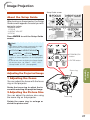
Using the Menu Screen
ENTER button
Adjustment buttons (P/R/O/Q)
MENU/HELP button
ENTER button
Adjustment buttons
(P/R/O/Q)
Buttons used in
this operation
RETURN button
• Press RETURN to return
to the previous screen
when the menu is
displayed.
MENU/HELP button
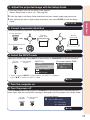
Menu Selections (Adjustments)
Example: Adjusting “Bright”.
Button used in
this step
• This operation can also be performed by using the buttons on the projector.
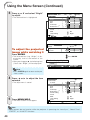
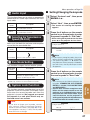
1
Press MENU/HELP.
2
Press Q or O and select “Picture”
to adjust.
• The “Picture” menu screen for the selected input mode is displayed.
Example: “Picture” screen menu for
COMPUTER (RGB) input
Menu item
Picture
SCR
SEL./ADJ.
PRJ
Net.
Help
Useful
Features
Picture Mode
Contrast
Bright
Red
Blue
CLR Temp
BrilliantColor TM
C.M.S. Setting
C.M.S.
DNR
Lamp Setting
Reset
Standard
0
0
0
0
0
1
On
On-screen
display
Off
Bright
ENTER
END
39
Info
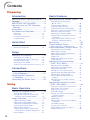
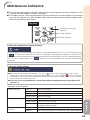
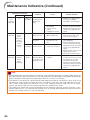
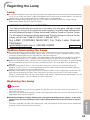
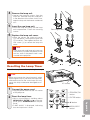
....... Indicates safeguards for using the projector.
Note ....... Indicates additional information for setting up and operating the
projector.
For Future Reference
Maintenance
P. 52
Troubleshooting
PP. 60 and 61
Index
P. 65
3