1
Table of Contents
1. Introduction.....................................................................................................4
Overview..........................................................................................................4
Features.....................................................................................................4
Internet Features.........................................................................................5
Security Features.........................................................................................5
Wireless Features (WL-404 only)....................................................................5
Physical Details.................................................................................................6
Front - Network Camera...............................................................................6
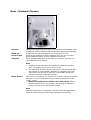
Rear - Network Camera................................................................................7
Package Contents........................................................................................8
2. Basic Setup.......................................................................................................9
System Requirements........................................................................................9
Installation - Network Camera.............................................................................9
Setup using the Windows Wizard.......................................................................10
Setup Procedure........................................................................................10
3. Viewing Live Video..........................................................................................13
Overview........................................................................................................13
Requirements..................................................................................................13
Connecting to a Camera on your LAN.................................................................13
Viewing Live Video...........................................................................................15
General Options.........................................................................................15
4. Advanced Viewing Setup................................................................................16
Introduction....................................................................................................16
Adjusting the Video Image................................................................................16
Controlling User Access to the Video Stream.......................................................18
Making Video available from the Internet............................................................18
Router/Gateway Setup................................................................................18
Network Camera Setup...............................................................................18
HTTP Port Configuration..............................................................................19
DDNS (Dynamic DNS).................................................................................19
To use DDNS:............................................................................................19
Viewing Live Video via the Internet....................................................................20
Viewing Live Video Using your Web Browser..................................................20
Viewing Live Video with the Viewing/Recording Utility.....................................20
Motion Detection Alerts.....................................................................................21
To Use Motion Detection Alerts.....................................................................21
5. Web-based Management................................................................................22
Introduction....................................................................................................22
Connecting to Network Camera.........................................................................22
Connecting using your Web Browser.............................................................22
Welcome Screen..............................................................................................22
Basic Settings – System...................................................................................23
Basic Settings - Network...................................................................................24
Basic Settings - Wireless (WL-404 only)..............................................................26
Basic Settings - DDNS......................................................................................28
Video & Audio - Basic.......................................................................................29
Video & Audio - Access.....................................................................................30
Video & Audio - User........................................................................................31
User List................................................................................................31
Event - Motion Detection..................................................................................32
Event - E-Mail.................................................................................................33
Event - FTP.....................................................................................................34
Event - HTTP...................................................................................................35
Event - Trigger................................................................................................36
Toolbox - Basic................................................................................................37