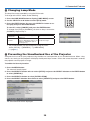
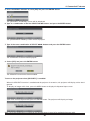
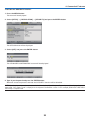
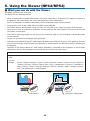
1
Portable Projector NP62/NP61/NP52/NP41 User’s Manual • The projector's model name indicated on the projector's label is NP62, NP61, NP41, NP62G, NP61G, NP52G, and NP41G respectively. All the models are referred to as NP62, NP61, NP52, and NP41 throughout the user's manual except some of the specification pages. • The NP52 is not distributed in North America. 2nd edition August 2008 • DLP and BrilliantColor are trademarks of Texas Instruments. • IBM is a trademark or registered trademark of International Business Machines Corporation. • Macintosh, Mac OS X and PowerBook are trademarks of Apple Inc., registered in the U.S. and other countries. • Microsoft, Windows, Windows Vista, and PowerPoint are either a registered trademark or trademark of Microsoft Corporation in the United States and/or other countries. • VESA is a registered trademark of Video Electronics Standards Association. • MicroSaver is a registered trademark of Kensington Computer Products Group, a division of ACCO Brands. • Other product and company names mentioned in this user’s manual may be the trademarks or registered trademarks of their respective holders. • The Bluetooth® registered trademark is owned by Bluetooth SIG, Inc. • Contains the software (UBQ-Blue Bluetooth protocol stack 2.0+EDR (QD ID : B010586)) from Canon i-tech,Inc & Canon Information Technologies Philippines,Inc. NOTES (1) The contents of this user’s manual may not be reprinted in part or whole without permission. (2) The contents of this user’s manual are subject to change without notice. (3) Great care has been taken in the preparation of this user’s manual; however, should you notice any questionable points, errors or omissions, please contact us. (4) Notwithstanding article (3), NEC will not be responsible for any claims on loss of profit or other matters deemed to result from using the Projector. Important Information Safety Cautions Precautions Please read this manual carefully before using your NEC NP62/NP61/NP52/NP41 projector and keep the manual handy for future reference. Your serial number is located on the bottom of your projector. Record it here: CAUTION To turn off main power, be sure to remove the plug from power outlet. The power outlet socket should be installed as near to the equipment as possible, and should be easily accessible. CAUTION TO PREVENT SHOCK, DO NOT OPEN THE CABINET. THERE ARE HIGH-VOLTAGE COMPONENTS INSIDE. REFER SERVICING TO QUALIFIED SERVICE PERSONNEL. This symbol warns the user that uninsulated voltage within the unit may be sufficient to cause electrical shock. Therefore, it is dangerous to make any kind of contact with any part inside of the unit. This symbol alerts the user that important information concerning the operation and maintenance of this unit has been provided. The information should be read carefully to avoid problems. WARNING: TO PREVENT FIRE OR SHOCK, DO NOT EXPOSE THIS UNIT TO RAIN OR MOISTURE. DO NOT USE THIS UNIT’S PLUG WITH AN EXTENSION CORD OR IN AN OUTLET UNLESS ALL THE PRONGS CAN BE FULLY INSERTED. DOC Compliance Notice (for Canada only) This Class B digital apparatus meets all requirements of the Canadian Interference-Causing Equipment Regulations. Machine Noise Information Regulation - 3. GPSGV, The highest sound pressure level is less than 70 dB (A) in accordance with EN ISO 7779. Disposing of your used product EU-wide legislation as implemented in each Member State requires that used electrical and electronic products carrying the mark (left) must be disposed of separately from normal household waste. This includes projectors and their electrical accessories or lamps. When you dispose of such products, please follow the guidance of your local authority and/or ask the shop where you purchased the product. After collecting the used products, they are reused and recycled in a proper way. This effort will help us reduce the wastes as well as the negative impact such as mercury contained in a lamp to the human health and the environment at the minimum level. The mark on the electrical and electronic products only applies to the current European Union Member States. WARNING TO CALIFORNIA RESIDENTS: Handling the cables supplied with this product will expose you to lead, a chemical known to the State of California to cause birth defects or other reproductive harm. Wash hands after handling. Important Information RF Interference (for USA only) WARNING The Federal Communications Commission does not allow any modifications or changes to the unit EXCEPT those specified by NEC Display Solutions of America, Inc. in this manual. Failure to comply with this government regulation could void your right to operate this equipment. This equipment has been tested and found to comply with the limits for a Class B digital device, pursuant to Part 15 of the FCC Rules. These limits are designed to provide reasonable protection against harmful interference in a residential installation. This equipment generates, uses, and can radiate radio frequency energy and, if not installed and used in accordance with the instructions, may cause harmful interference to radio communications. However, there is no guarantee that interference will not occur in a particular installation. If this equipment does cause harmful interference to radio or television reception, which can be determined by turning the equipment off and on, the user is encouraged to try to correct the interference by one or more of the following measures: •Reorient or relocate the receiving antenna. •Increase the separation between the equipment and receiver. •Connect the equipment into an outlet on a circuit different from that to which the receiver is connected. •Consult the dealer or an experienced radio / TV technician for help. For UK only: In UK, a BS approved power cable with moulded plug has a Black (five Amps) fuse installed for use with this equipment. If a power cable is not supplied with this equipment please contact your supplier. Important Safeguards These safety instructions are to ensure the long life of your projector and to prevent fire and shock. Please read them carefully and heed all warnings. Installation • Do not place the projector in the following conditions: -on an unstable cart, stand, or table. -near water, baths, or damp rooms. -in direct sunlight, near heaters, or heat radiating appliances. -in a dusty, smoky or steamy environment. -on a sheet of paper or cloth, rugs or carpets. • If you wish to have the projector installed on the ceiling: -Do not attempt to install the projector yourself. -The projector must be installed by qualified technicians in order to ensure proper operation and reduce the risk of bodily injury. -In addition, the ceiling must be strong enough to support the projector and the installation must be in accordance with any local building codes. -Please consult your dealer for more information. Place the projector in a horizontal position The tilt angle of the projector should not exceed 10 degrees, nor should the projector be installed in any way other than the desktop and ceiling mount, otherwise lamp life could decrease dramatically. 10˚ ii Important Information Fire and Shock Precautions • Ensure that there is sufficient ventilation and that vents are unobstructed to prevent the build-up of heat inside your projector. Allow at least 4 inches (10cm) of space between your projector and a wall. • Do not try to touch the ventilation outlet on the right front (when seen from the front) as it can become heated while the projector is turned on and immediately after the projector is turned off. • Prevent foreign objects such as paper clips and bits of paper from falling into your projector. Do not attempt to retrieve any objects that might fall into your projector. Do not insert any metal objects such as a wire or screwdriver into your projector. If something should fall into your projector, disconnect it immediately and have the object removed by a qualified service personnel. • Do not place any objects on top of the projector. • Do not touch the power plug during a thunderstorm. Doing so can cause electrical shock or fire. • The projector is designed to operate on a power supply of 100-240V AC 50/60 Hz (NP62/NP61/NP41) or 200-240V AC 50/60 Hz (NP62G/NP61G/NP52G/NP41G). Ensure that your power supply fits this requirement before attempting to use your projector. • Do not look into the lens while the projector is on. Serious damage to your eyes could result. • Keep any items such as magnifying glass out of the light path of the projector. The light being projected from the lens is extensive, therefore any kind of abnormal objects that can redirect light coming out of the lens, can cause unpredictable outcome such as fire or injury to the eyes. • Do not cover the lens with the black lens cap or equivalent while the projector is on. Doing so can lead to melting of the cap and possibly burning your hands due to the heat emitted from the light output. • Do not place any objects, which are easily affected by heat, in front of the projector lens or a projector exhaust vent. Doing so could lead to the object melting or getting your hands burned from the heat that is emitted from the light output and exhaust. • Handle the power cable carefully. A damaged or frayed power cable can cause electric shock or fire. - Do not use any power cables than the supplied one. - Do not bend or tug the power cable excessively. - Do not place the power cable under the projector, or any heavy object. - Do not cover the power cable with other soft materials such as rugs. - Do not heat the power cable. - Do not handle the power plug with wet hands. • Turn off the projector, unplug the power cable and have the projector serviced by a qualified service personnel under the following conditions: - When the power cable or plug is damaged or frayed. - If liquid has been spilled into the projector, or if it has been exposed to rain or water. - If the projector does not operate normally when you follow the instructions described in this user's manual. - If the projector has been dropped or the cabinet has been damaged. - If the projector exhibits a distinct change in performance, indicating a need for service. • Disconnect the power cable and any other cables before carrying the projector. • Turn off the projector and unplug the power cable before cleaning the cabinet or replacing the lamp. • Turn off the projector and unplug the power cable if the projector is not to be used for an extended period of time. iii Important Information CAUTION • Do not use the tilt-foot for purposes other than originally intended. Misuses such as using the tilt foot to carry or hang (from the wall or ceiling) the projector can cause damage to the projector. • Do not send the projector in the soft case by parcel delivery service or cargo shipment. The projector inside the soft case could be damaged. • Select [HIGH] in Fan mode if you continue to use the projector for consecutive days. (From the menu, select [SETUP] → [OPTIONS(1)] → [FAN MODE] → [HIGH].) • Do not try to touch the ventilation outlet on the left front (when seen from the front) as it can become heated while the projector is turned on and immediately after the projector is turned off. • Do not turn off the AC power for 60 seconds after the lamp is turned on and while the POWER indicator is blinking green. Doing so could cause premature lamp failure. Remote Control Precautions • Handle the remote control carefully. • If the remote control gets wet, wipe it dry immediately. • Avoid excessive heat and humidity. • Do not heat, take apart, or throw batteries into fire. • If you will not be using the remote control for a long time, remove the batteries. • Ensure that you have the batteries' polarity (+/–) aligned correctly. • Do not use new and old batteries together, or use different types of batteries together. • Dispose of used batteries according to your local regulations. Lamp Replacement • To replace the lamp, follow all instructions provided on page 72. • Be sure to replace the lamp when the message [THE LAMP HAS REACHED THE END OF ITS USABLE LIFE. PLEASE REPLACE THE LAMP.] appears. If you continue to use the lamp after the lamp has reached the end of its usable life, the lamp bulb may shatter, and pieces of glass may be scattered in the lamp case. Do not touch them as the pieces of glass may cause injury. If this happens, contact your dealer for lamp replacement. A Lamp Characteristic The projector has a high-pressure mercury lamp as a light source. A lamp has a characteristic that its brightness gradually decreases with age. Also repeatedly turning the lamp on and off will increase the possibility of its lower brightness. CAUTION: • DO NOT TOUCH THE LAMP immediately after it has been used. It will be extremely hot. Turn the projector off and then disconnect the power cable. Allow at least one hour for the lamp to cool before handling. • When removing the lamp from a ceiling-mounted projector, make sure that no one is under the projector. Glass fragments could fall if the lamp has been burned out. Note for US Residents The lamp in this product contains mercury. Prease dispose according to Local, State or Federal Laws. iv Important Information About High Altitude mode • Set [FAN MODE] to [HIGH ALTITUDE] when using the projector at altitudes approximately 5000 feet/1500 meters or higher. • Using the projector at altitudes approximately 5000 feet/1500 meters or higher without setting to [HIGH ALTITUDE] can cause the projector to overheat and the protector could shut down. If this happens, wait a couple minutes and turn on the projector. • Using the projector at altitudes less than approximately 5000 feet/1500 meters and setting to [HIGH ALTITUDE] can cause the lamp to overcool, causing the image to flicker. Switch [FAN MODE] to [AUTO]. • Using the projector at altitudes approximately 5000 feet/1500 meters or higher can shorten the life of optical components such as the lamp. About Copyright of original projected pictures: Please note that using this projector for the purpose of commercial gain or the attraction of public attention in a venue such as a coffee shop or hotel and employing compression or expansion of the screen image with the following functions may raise concern about the infringement of copyrights which are protected by copyright law. [ASPECT RATIO], [KEYSTONE], Magnifying feature and other similar features. Table of Contents Important Information ......................................................................................... i 1. Introduction . ....................................................................................................... 1 ➊ What's in the Box?......................................................................................................... 1 ➋ Introduction to the Projector.......................................................................................... 2 ➌ Part Names of the Projector.......................................................................................... 4 Top Features............................................................................................................ 6 Terminal Panel Features.......................................................................................... 6 ➍ Part Names of the Remote Control............................................................................... 7 Battery Installation.............................................................................................. 8 Remote Control Precautions............................................................................... 8 Operating Range for Wireless Remote Control.................................................. 8 2. Installation and Connections ................................................................... 9 ➊ Setting Up the Screen and the Projector....................................................................... 9 Selecting a Location................................................................................................. 9 Throw Distance and Screen Size........................................................................... 10 ➋ Making Connections.................................................................................................... 12 Connecting Your PC or Macintosh Computer........................................................ 12 Connecting Your DVD Player with Component Output.......................................... 13 Connecting Your VCR............................................................................................ 14 Connecting the Supplied Power Cable.................................................................. 15 3. Projecting an Image (Basic Operation) ............................................ 16 ➊ Turning on the Projector.............................................................................................. 16 Note on Startup Screen (Menu Language Select screen)......................................17 ➋ Selecting a Source...................................................................................................... 18 ➌ Adjusting the Picture Size and Position....................................................................... 20 ➍ Adjusting Focus Manually............................................................................................ 24 ➎ Correcting Keystone Distortion Manually.................................................................... 25 ➏ Optimizing RGB Picture Automatically........................................................................ 26 ➐ Adjusting Volume Up & Down...................................................................................... 27 ❽ Turning off the Projector.............................................................................................. 27 ❾ After Use...................................................................................................................... 28 4. Convenient Features . .................................................................................. 29 ➊ Turning Off the Image.................................................................................................. 29 ➋ Freezing a Picture........................................................................................................ 29 ➌ Enlarging and Moving a Picture................................................................................... 29 ➍ Changing Lamp Mode ................................................................................................ 30 ➎ Preventing the Unauthorized Use of the Projector...................................................... 30 ➏ Using the Optional Remote Mouse Receiver (NP01MR)............................................. 33 vi Table of Contents 5. Using the Viewer (NP62/NP52) . ............................................................ 35 ➊ What you can do with the Viewer................................................................................ 35 ➋ Projecting images stored in a USB memory device (Basic operation)........................ 37 ➌ Operating the slide screen........................................................................................... 40 ➍ Operating the thumbnail screen.................................................................................. 40 ➎ Using the Bluetooth® wireless technology to transmit images.................................... 45 6. Using On-Screen Menu .............................................................................. 48 ➊ Using the Menus.......................................................................................................... 48 ➋ Menu Elements............................................................................................................ 49 ➌ List of Menu Items....................................................................................................... 50 ➍ Menu Descriptions & Functions [SOURCE]................................................................ 52 [COMPUTER]......................................................................................................... 52 [VIDEO].................................................................................................................. 52 [S-VIDEO]............................................................................................................... 52 ➎ Menu Descriptions & Functions [ADJUST].................................................................. 53 [BASIC]................................................................................................................... 53 [IMAGE OPTIONS]................................................................................................. 56 ➏ Menu Descriptions & Functions [SETUP].................................................................... 60 [GENERAL]............................................................................................................ 60 [INSTALLATION].................................................................................................... 62 [OPTIONS(1)]......................................................................................................... 65 [OPTIONS(2)]......................................................................................................... 66 ➐ Menu Descriptions & Functions [INFO.]...................................................................... 68 [USAGE TIME]....................................................................................................... 68 [SOURCE].............................................................................................................. 69 [VERSION]............................................................................................................. 69 ➑ Menu Descriptions & Functions [RESET].................................................................... 70 7. Maintenance . .................................................................................................... 71 ➊ Cleaning the Lens and the Focus Sensor.................................................................. 71 ➋ Cleaning the Cabinet.................................................................................................. 71 ➌ Replacing the Lamp and the Cooling Pump............................................................... 72 8. Appendix ............................................................................................................. 76 ➊ Troubleshooting.......................................................................................................... 76 ➋ Specifications............................................................................................................. 79 ➌ Cabinet Dimensions................................................................................................... 81 ➍ Pin Assignments of D-Sub COMPUTER Input Connector......................................... 82 ➎ Compatible Input Signal List....................................................................................... 83 ➏ PC Control Codes and Cable Connection.................................................................. 84 ➐ Troubleshooting Check List........................................................................................ 85 ➑ TravelCare Guide........................................................................................................ 87 vii 1. Introduction ➊ What's in the Box? Make sure your box contains everything listed. If any pieces are missing, contact your dealer. Please save the original box and packing materials if you ever need to ship your projector. Projector BY SOU RCE D LE CT P M S LA TU A R ST E W PO S CU FO O N /S N TA SE ADAUTO J. Lens cap (24FT9983) Soft case (24BS7901) O FF M PO Y IF N AG W AV ER O -M U N TE UP E U G EN PA M N W DO EN TE R L-M O IT EO -R EX SE U VID U C EO FO ID R TE PU M CO S-V S TO AU J. AD E ER M W LU VIE VO LP RE HE TU E PIC OD M CT P PE M LA AS FR EE ZE Power cable (US: 7N080228) (EU: 7N080017) VGA signal cable (7N520052) Remote control (7N900841) Batteries (AAA•2) For North America only Registration card Limited warranty Quick Setup Guide (7N8P8881) Important Information (7N8P8891) CD-ROM User’s manual (7N951221) For Europe only Guarantee policy 1. Introduction ➋ Introduction to the Projector This section introduces you to your new projector and describes the features and controls. Congratulations on Your Purchase of the Projector This DLP™ projector is one of the very best projectors available today. The projector enables you to project precise images up to 300 inches (measured diagonally) from your PC or Macintosh computer (desktop or notebook), VCR, DVD player or document camera. You can use the projector on a tabletop or cart, you can use the projector to project images from behind the screen, and the projector can be permanently mounted on a ceiling*1. The remote control can be used wirelessly. *1 Do not attempt to mount the projector on a ceiling yourself. The projector must be installed by qualified technicians in order to ensure proper operation and reduce the risk of bodily injury. In addition, the ceiling must be strong enough to support the projector and the installation must be in accordance with any local building codes. Please consult your dealer for more information. Features you'll enjoy: • AUTO FOCUS function When you turn on the power, change the zoom or reposition the projector, the AUTO FOCUS function will work instantly. The focus sensor on the projector detects the distance to the screen and automatically adjusts the focus of an image as well as reducing the required set-up time. • Auto vertical keystone correction • Built-in WALL COLOR Correction presets provide for adaptive color correction when projecting onto non-white screen material • Direct Power Off, AUTO POWER ON(AC), and AUTO POWER ON(COMP.) The projector has a feature called “Direct Power Off”. This feature allows the projector to be turned off (even when projecting an image) using a power strip equipped with a switch and a breaker. The AUTO POWER ON(AC) and AUTO POWER ON(COMP.) features eliminates the need to always use the POWER button on the remote control or projector cabinet. • HDTV (1080i, 720p) and SDTV (576p, 480p) compatibility • Integrated de-interlace video processing technology • Display popular wide screen and full screen aspect ratios – 16:9 and 4:3 • High resolution display - up to UXGA compatible, XGA native resolution. • Multiple video mode selections (depending on your source) • Safety protect by Security function Security feature prevents unauthorized individuals from displaying images. • You can control the projector with a PC or control system using the PC Control port. • Easy set up and operation • The contemporary cabinet design is light, compact and complements any office, boardroom or Auditorium. • Viewer supports USB memory or the Bluetooth® wireless technology (NP62/NP52 only) The NP62 and NP52 projectors have the Viewer. The Viewer allows you to view the image files stored in a commercially available USB memory inserted into the USB port of the projector. Connecting the optional Bluetooth® USB adaptor (NP01BA) to the projector will allow you to transmit images wirelessly from your computers or mobile phones with Bluetooth wireless technology to the projector. See the list of countries and areas supported by the optional Bluetooth USB adaptor (NP01BA) on page 35. 1. Introduction About this user's manual The fastest way to get started is to take your time and do everything right the first time. Take a few minutes now to review the user's manual. This may save you time later on. At the beginning of each section of the manual you'll find an overview. If the section doesn't apply, you can skip it. In this user's manual the drawings of the projector show an example of NP61. 1. Introduction ➌ Part Names of the Projector Front/Top Zoom Lever (→ page 22) Remote Sensor (→ page 8) Controls (→ page 6) BY SOUR CE CT P M S LA TU A R ST E W PO C FO S U N TA /S N O D SE LE ADAUTO J. Lens Lens Cap Focus Sensor (→ page 22) Ventilation (outlet) Heated air is exhausted from here. Adjustable Tilt Foot Button (→ page 21) Adjustable Tilt Foot (→ page 21) Rear Built-in Security Slot ( CO MP UT ER IN VIDE PO O IN S-VI LA ST MP AT WER US DE O IN C FO BY LE ON /STA ND C T CO NT E PC S AU DIO IN TO AU DJ. A S U RO L CE UR SO Terminal Panel (→ page 6) Speaker Ventilation (inlet) Ventilation (inlet) AC Input Connect the supplied power cable's three-pin plug here, and plug the other end into an active wall outlet. (→ page 15) * This security slot supports the MicroSaver ® Security System. )* 1. Introduction Bottom Cooling Pump Cover (→ page 74) Rear Feet (→ page 21) Lamp Cover (→ page 72) 1. Introduction Top Features 4 3 5 7 6 LAMP STATUS POWER AUTO ADJ. FOCUS SELECT SOURCE ON/STAND BY 2 1 9 8 1. POWER Button (ON / STAND BY) ( ) (→ page 16, 27) 6. MENU Button (→ page 48) 2. POWER Indicator (→ page 15, 16, 27, 76) 7. SELECT ▲▼◀▶ / SOURCE ▶ / AUTO ADJ ◀ / Keystone ▲▼ Buttons (→ page 18, 25, 26) 3. STATUS Indicator (→ page 76) 8. ENTER Button 4. LAMP Indicator (→ page 72, 76) 9. EXIT Button 5. FOCUS Button (→ page 24) Terminal Panel Features 1 2 3 4 5 COMPUTER IN VIDEO IN S-VIDEO IN AUDIO IN PC CONTROL NP61/NP41 6 NP62/NP52 COMPUTER IN VIDEO IN 1. COMPUTER IN/ Component Input Connector (Mini D-Sub 15 Pin) (→ page 12, 13) AUDIO IN PC CONTROL USB 6. USB Port (Type A) Inserting a commercially available USB memory allows you to view images stored in the USB memory (→ page 37) Inserting the optional Bluetooth® USB adaptor (NP01BA) allows you to transmit images from your computer or mobile phone with Bluetooth wireless technology to the projector. (→ page 46) 2. VIDEO IN Connector (RCA) (→ page 14) 3. S-VIDEO IN Connector (Mini DIN 4 Pin) (→ page 14) 4. AUDIO IN Mini Jack (Stereo Mini) (→ page 12, 13, 14) NOTE: The NP61 and NP41 do not have the USB port. 5. PC CONTROL Port (Mini DIN 8 Pin) (→ page 84) S-VIDEO IN Use this port to connect a PC or control system. This enables you to control the projector using serial communication protocol. If you are writing your own program, typical PC control codes are on page 84. 1. Introduction ❹ Part Names of the Remote Control 1 OFF 3 ON 2 POWER MAGNIFY AV-MUTE PAGE UP 4 7 9 11 13 14 15 16 DOWN 6 5 MENU 8 ENTER EXIT L-MOUSE-R VIDEO FOCUS COMPUTER AUTO ADJ. S-VIDEO VIEWER LAMP MODE VOLUME ASPECT HELP PICTURE FREEZE 21 10 12 17 18 19 20 23 22 1. Infrared Transmitter (→ page 8) 12.FOCUS Button (→ page 24) 2. POWER ON Button (→ page 16) 13.COMPUTER Button (→ page 18) 3. POWER OFF Button (→ page 27) 14.VIDEO Button (→ page 18) 4. MAGNIFY (+) (–) Buttons (→ page 29) 15.S-VIDEO Button (→ page 18) 5. AV-MUTE Button (→ page 29) 16.VIEWER Button (→ page 37) (Not available on NP61 and NP41) 6. PAGE (UP) / (DOWN) Buttons* (→ page 34) 17.AUTO ADJ. Button (→ page 26) 7. MENU Button (→ page 48) 18.LAMP MODE Button (→ page 30) 8. SELECT ▲, ▼, ◀, ▶ Buttons 19.ASPECT Button (→ page 58) 9. ENTER Button 20.HELP Button (→ page 68) 10.EXIT Button 21.VOLUME (+) (–) Buttons (→ page 27) 11.L-MOUSE-R Buttons* (→ page 34) 22.PICTURE Button (→ page 53, 55) 23.FREEZE Button (→ page 29) * Available only when the optional remote mouse receiver is connected with your computer. 1. Introduction Battery Installation 1 Press firmly and slide the battery cover off. 2 Install new batteries (AAA). Ensure that you have the batteries' polarity (+/–) aligned correctly. 3 Slip the cover back over the batteries until it snaps into place. Do not mix different types of batteries or new and old batteries. Remote Control Precautions • • • • • • • • Handle the remote control carefully. If the remote control gets wet, wipe it dry immediately. Avoid excessive heat and humidity. Do not heat, take apart, or throw batteries into fire. If you will not be using the remote control for a long time, remove the batteries. Ensure that you have the batteries' polarity (+/–) aligned correctly. Do not use new and old batteries together, or use different types of batteries together. Dispose of used batteries according to your local regulations. Operating Range for Wireless Remote Control 30° 30° Remote control 22 feet / 7 m Remote control 30° Remote sensor on projector cabinet 30° • The infrared signal operates by line-of-sight up to a distance of about 22 feet/7 m and within a 60-degree angle of the remote sensor on the projector cabinet. • The projector will not respond if there are objects between the remote control and the sensor, or if strong light falls on the sensor. Weak batteries will also prevent the remote control from properly operating the projector. 2. Installation and Connections This section describes how to set up your projector and how to connect video and audio sources. Your projector is simple to set up and use. But before you get started, you must first: ➊ Set up a screen and the projector. ➋ C o nne c t your c o m puter or v i d e o equipment to the projector. See pages 12, 13, 14. ➌ Connect the supplied power cable. See page 15. NOTE: Ensure that the power cable and any other cables are disconnected before moving the projector. When moving the projector or when it is not in use, cover the lens with the lens cap. To the wall outlet. ➊ Setting Up the Screen and the Projector Selecting a Location The further your projector is from the screen or wall, the larger the image. The minimum size the image can be is 33" (0.84 m) measured diagonally when the projector is roughly 57 inches (1.44 m) from the wall or screen. The largest the image can be is 300" (7.6 m) when the projector is about 484 inches (12.3 m) from the wall or screen. Use the chart below as a rough guide. Screen Size (Unit: cm/inch) 609.6(W)×457.2(H) / 240(W)×180(H) 30 Screen Size (diagonal: inch) 0" 487.7(W)×365.8(H) / 192(W)×144(H) 24 0" 406.4(W)×304.8(H) / 160(W)×120(H) 20 365.8(W)×274.3(H) / 144(W)×108(H) 0" 304.8(W)×228.6(H) / 120(W)×90(H) 12 203.2(W)×152.4(H) / 80(W)×60(H) 0" 10 /4 84 .3 0" 80 12 .3 " 121.9(W)×91.4(H) / 48(W)×36(H) 60 .3 2/ ch ) 8. 2 4/ 29 1 m /in 0. 24 t: (U ni e D is ta nc 9 1/ 6. 94 . 3. 5 3/ 12 9 4. .9 1/ 16 1 4. .4 9/ 19 2. .0 4/ 63 2. 1. 6/ 32 " Lens center 2. 8 40 9. 8/ 38 5. 8 " 7. 81.3(W)×61.0(H) / 32(W)×24(H) 15 0" 243.8(W)×182.9(H) / 96(W)×72(H) 162.6(W)×121.9(H) / 64(W)×48(H) 0" 18 NOTE: • The distances are indicated by intermediate values between tele and wide. Use as a rule of thumb. • The Zoom lever adjusts the image size up to +/-10% • For more details on throw distance, see next page. • Changing the image size starts the AUTO FOCUS to adjust the focus; changing the throw angle starts the Auto Keystone to correct the vertical keystone distortion. 2. Installation and Connections Throw Distance and Screen Size The following shows the proper relative positions of the projector and screen. Refer to the table to determine the position of installation. Distance Chart C Screen center B Screen bottom D 2.28"/58 mm Lens center Projector bottom Screen Size B C Diagonal inch 33 40 60 Width inch 26 32 48 Height inch 20 24 36 wide inch 57 87 - inch 13 15 23 67 54 40 26 97 72 80 84 90 100 120 150 180 200 220 240 260 280 58 64 67 72 80 96 120 144 160 176 192 208 224 43 48 50 54 60 72 90 108 120 132 144 156 168 28 31 32 35 38 46 58 69 77 84 92 100 107 104 116 122 130 145 174 219 263 292 321 351 380 409 300 240 180 115 439 tele D α 57 69 105 inch 3 3 5 wide - tele degree - 12.6 15.0 - 12.5 14.9 - 12.4 - 117 6 14.9 - 12.4 - 126 140 147 158 176 211 264 317 353 388 423 459 494 6 7 7 8 8 10 13 15 17 18 20 22 23 14.9 14.8 14.8 14.8 14.8 14.8 14.7 14.7 14.7 14.7 14.7 14.7 14.7 - 530 25 14.7 - 12.3 - 12.4 12.3 12.3 12.3 12.3 12.3 12.3 12.3 12.3 12.3 12.3 12.3 12.3 Screen Size Diagonal Diagonal Width inch mm mm 33 838 671 40 1016 813 60 1524 1219 67 1702 1361 72 1829 1463 80 2032 1626 84 2134 1707 90 2286 1829 Height mm 503 610 914 1021 1097 1219 1280 1372 mm 321 390 584 653 701 779 818 877 1450 2200 2460 2640 2940 3090 3310 C mm - B wide 1440 1760 2660 2970 3200 3560 3740 4010 mm 70 85 127 142 153 169 178 191 α wide - tele degree - 12.6 15.0 - 12.5 14.9 - 12.4 14.9 - 12.4 14.9 - 12.4 14.8 - 12.3 14.8 - 12.3 14.8 - 12.3 tele D 100 2540 2032 1524 974 3690 - 4460 212 14.8 - 12.3 120 150 180 200 220 240 260 280 300 3048 3810 4572 5080 5588 6096 6604 7112 7620 2438 3048 3658 4064 4470 4877 5283 5690 6096 1829 2286 2743 3048 3353 3658 3962 4267 4572 1169 1461 1753 1948 2143 2337 2532 2727 2922 4430 5550 6670 7420 8160 8910 9650 10400 11140 - 5360 6710 8060 8960 9850 10750 11650 12550 13450 254 318 381 424 466 508 551 593 636 14.8 14.7 14.7 14.7 14.7 14.7 14.7 14.7 14.7 B = Vertical distance between lens center and screen center C = Throw distance D = Vertical distance between lens center and bottom of screen(top of screen for ceiling application) α = Throw angle NOTE: The values in the tables are design values and may vary. 10 - 12.3 12.3 12.3 12.3 12.3 12.3 12.3 12.3 12.3 2. Installation and Connections Reflecting the Image WARNING Using a mirror to reflect your projector's image enables you to enjoy a much larger image when a smaller space is required. Contact your NEC dealer if you need a mirror system. If you're using a mirror system and your image is inverted, use the MENU and SELECT buttons on your projector cabinet or your remote control to correct the orientation. (→ page 62) * Installing your projector on the ceiling must be done by a qualified technician. Contact your NEC dealer for more information. * Do not attempt to install the projector yourself. • Only use your projector on a solid, level surface. If the projector falls to the ground, you can be injured and the projector severely damaged. • Do not use the projector where temperatures vary greatly. The projector must be used at temperatures between 41˚F (5˚C) and 104˚F (40˚C). ([ECO] mode selected automatically at 95°F to 104°F/35°C to 40°C. Note that [ECO] mode will be selected automatically at 86°F to 104°F/30°C to 40°C when used in [HIGH ALTITUDE].) • Do not expose the projector to moisture, dust, or smoke. This will harm the screen image. • Ensure that you have adequate ventilation around your projector so heat can dissipate. Do not cover the vents on the side or the front of the projector. 11 2. Installation and Connections ➋ Making Connections Connecting Your PC or Macintosh Computer NOTE: When using with a notebook PC, be sure to connect the projector and notebook PC while the projector is in standby mode and before turning on the power to the notebook PC. In most cases the output signal from the notebook PC is not turned on unless connected to the projector before being powered up. * If the screen goes blank while using your remote control, it may be the result of the computer's screen-saver or power management software. Enabling the computer’s external display Displaying an image on the notebook PC’s screen does not necessarily mean it outputs a signal to the projector. When using a PC compatible laptop, a combination of function keys will enable/disable the external display. Usually, the combination of the ‘Fn” key along with one of the 12 function keys gets the external display to come on or off. For example, NEC laptops use Fn + F3, while Dell laptops use Fn + F8 key combinations to toggle through external display selections. COMPUTER IN COMPUTER IN AUDIO IN VIDEO IN S-VIDEO IN AUDIO IN PC CONTROL VGA signal cable (supplied) To mini D-Sub 15-pin connector on the projector. It is recommended that you use a commercially available distribution amplifier if connecting a signal cable longer than the cable supplied. AC IN Stereo mini-plug audio cable (not supplied) PHONE PHONE IBM VGA or Compatibles (Notebook type) or Macintosh (Notebook type) NOTE: For older Macintosh, use a commercially available pin adapter (not supplied) to connect to your Mac's video port. NOTE: An image may not be displayed correctly when a Video or S-Video source is played back via a commercially available scan converter. This is because the projector will process a video signal as a computer signal at the default setting. In that case, do the following. • When an image is displayed with the lower and upper black portion of the screen or a dark image is not displayed correctly: Project an image to fill the screen and then press the AUTO ADJ. button on the remote control or the projector cabinet. • The COMPUTER IN connector supports Plug & Play (DDC2B). 12 2. Installation and Connections Connecting Your DVD Player with Component Output COMPUTER IN COMPUTER IN AUDIO IN VIDEO IN S-VIDEO IN AUDIO IN PC CONTROL AC IN Optional 15-pin - to - RCA (female) ×3 cable (ADP-CV1E) Stereo mini plug - to - RCA audio cable (not supplied) Audio Equipment Component video RCA×3 cable (not supplied) AUDIO IN L R DVD player Y Cb Cr Component L R AUDIO OUT Audio cable (not supplied) NOTE: Refer to your DVD player's owner's manual for more information about your DVD player's video output requirements. 13 2. Installation and Connections Connecting Your VCR S-VIDEO IN AUDIO IN VIDEO IN COMPUTER IN VIDEO IN S-VIDEO IN AUDIO IN PC CONTROL AC IN S-Video cable (not supplied) Stereo mini plug - to - RCA audio cable (not supplied) Video cable (not supplied) Audio equipment VCR L R AUDIO OUT VIDEO S-VIDEO AUDIO IN VIDEO OUT L R Audio cable (not supplied) NOTE: Refer to your VCR owner's manual for more information about your equipment's video output requirements. NOTE: An image may not be displayed correctly when a Video or S-Video source is played back in fast-forward or fast-rewind via a scan converter. 14 2. Installation and Connections Connecting the Supplied Power Cable Connect the supplied power cable to the projector. First connect the supplied power cable's three-pin plug to the AC IN of the projector, and then connect the other plug of the supplied power cable in the wall outlet. The projector will go into its standby mode and the POWER indicator will glow orange. LAMP STATUS POWER FOCUS CO MP UT ER IN LA ST MP AT WE US R PO VIDE O IN S-VI DE AU DIO ON PC CO NT RO L AN D BY CE UR SO ON/STAND BY /ST T C LE E S IN TO AU DJ. A S U C FO O IN To wall outlet Make sure that the prongs are fully inserted into both the power plug and the wall outlet. CAUTION: Do not try to touch the ventilation outlet on the right front (when seen from the front) as it can become heated while the projector is turned on and immediately after the projector is turned off. 15 3. Projecting an Image (Basic Operation) This section describes how to turn on the projector and to project a picture onto the screen. ➊ Turning on the Projector NOTE: Before turning on the projector, first connect the supplied power cable's three-pin plug to the AC IN of the projector, and then connect the other plug of the supplied power cable in the wall outlet. Make sure that the projector is in its standby mode and the power indicator is glowing orange. 1.Remove the lens cap. CAUTION: Do not remove the lens cap by pulling on the string. Doing so can cause mechanical damage to the part around the lens. OFF LAMP ON POWER STATUS POWER FOCUS AUTO ADJ. MAGNIFY AV-MUTE SELECT PAGE UP DOWN MENU ON/STAND BY 2. Press the POWER (ON/STAND BY) button on the projector cabinet or the POWER ON button on the remote control for 1 second. The POWER indicator will turn to green and the projector will become ready to use. TIP: * Turning on the projector will instantly cause the AUTO FOCUS function to operate. (→ page 22) * When the message "CONTROL PANEL LOCK IS TURNED ON" is displayed, it means that the [CONTROL PANEL LOCK] is turned on. (→ page 62) After you turn on your projector, ensure that the computer or video source is turned on and that your lens cap is removed. NOTE: When no signal is available, the NEC logo (default), blue, or black screen will be displayed. When the projector displays the NEC logo, a blue or black screen, the projector will automatically switch to the [ECO] mode. The projector will return to the [NORMAL] mode once a signal connected. 16 Standby Blinking Power On LAMP LAMP LAMP STATUS STATUS STATUS POWER POWER POWER Steady green/ orange light Blinking green light See page 76 for more details. Steady green light 3. Projecting an Image (Basic Operation) Note on Startup screen (Menu Language Select screen) When you first turn on the projector, you will get the Startup menu. The menu gives you the opportunity to select the menu in one of the 21 languages. To select a menu language, follow these steps: 1. Use the SELECT ▲, ▼, ◀ or ▶ button to select one of the 21 languages from the menu. OFF ON POWER MAGNIFY AV-MUTE PAGE UP LAMP STATUS POWER FOCUS AUTO ADJ. SELECT DOWN SOURCE MENU ENTER ON/STAND BY 2. Press the ENTER button to execute the selection. EXIT OFF ON POWER MAGNIFY After this has been done, you can proceed to the menu operation. If you want, you can select the menu language later. (→ [LANGUAGE] on page 61) PAGE UP LAMP STATUS POWER AV-MUTE FOCUS AUTO ADJ. ON/STAND BY SELECT DOWN SOURCE MENU ENTER EXIT NOTE: Immediately after turning on the projector, screen flicker may occur. This is normal. Wait 3 to 5 minutes until the lamp lighting is stabilized. NOTE: If you turn on the projector immediately after the lamp is turned off or when the temperature is high, the fans run without displaying an image for some time and then the projector will display the image. CAUTION: The projector cannot be turned off while the POWER indicator is blinking green. • Do not turn off the AC power during this period. Doing so could cause premature lamp failure. When the [LAMP MODE] is set to [ECO], the LAMP indicator will light green. If one of the following things happens, the projector will not turn on. • If the internal temperature of the projector is too high, the projector detects abnormal high temperature. In this condition the projector will not turn on to protect the internal system. If this happens, wait for the projector's internal components to cool down. • When the lamp reaches its end of usable life, the projector will not turn on. If this happens, replace the lamp. • If the lamp fails to light, and if the STATUS indicator flashes on and off in a cycle of six times, wait a full minute and then turn on the power. 17 3. Projecting an Image (Basic Operation) ➋ Selecting a Source Selecting the computer or video source NOTE: Turn on the computer or video source equipment connected to the projector. LAMP STATUS POWER Adjusting with buttons on the cabinet 1. Press the SELECT ▶ (SOURCE) button with no menus displayed. FOCUS AUTO ADJ. SELECT ON/STAND BY The Source list will be displayed. - When the menu is displayed, press the EXIT button to close the menu and start the operation. NP61/NP41 2. Press the SELECT ▶ button a few times quickly to select a signal you want to display. Each time the SELECT ▶ button is pressed, each source name will be highlighted in sequence. NP62/NP52 - The selected signal will be displayed. TIP: Detecting the Signal Automatically Press and hold the SELECT ▶ button for a minimum of 2 seconds, the projector will search for the next available input source. Detecting the signal automatically is not available for the Viewer source on the NP62 and NP52. Using the Remote Control L-MOUSE-R Press any one of the VIDEO, S-VIDEO, COMPUTER, and VIEWER buttons. NOTE: The VIEWER button is not available on the NP61 and NP41. 18 VIDEO FOCUS COMPUTER AUTO ADJ. S-VIDEO VIEWER LAMP MODE VOLUME ASPECT HELP PICTURE FREEZE SOURCE 3. Projecting an Image (Basic Operation) Selecting Default Source You can set a source as the default source so that the default source will be displayed each time the projector is turned on. 1. Press the MENU button. The menu will be displayed. 2. Press the SELECT ▶ button twice to select [SETUP] and press the SELECT ▼ button or the ENTER button to select [GENERAL]. 3. Press the SELECT ▶ button three times to select [OPTIONS(2)]. 4. Press the SELECT ▼ button six times to select [DEFAULT SOURCE SELECT] and press the ENTER button. The [DEFAULT SOURCE SELECT] screen will be displayed. (→ page 67) NP61/NP41 5.Select a source as the default source, and press the ENTER button. NOTE: To specify [VIEWER] as the default source on the NP62 or NP52, select [VIEWER] from the [DEFAULT SOURCE SELECT] screen, and press the ENTER button because detecting the signal automatically is not available for the Viewer source on the NP62 and NP52. NP62/NP52 6. Press the EXIT button a few times to close the menu. 7.Restart the projector. The source you selected in step 5 will be displayed. TIP: When the projector is in Standby mode, applying an RGB signal from a computer connected to the COMPUTER IN input will power on the projector and simultaneously project the computer's image. ([AUTO POWER ON(COMP.)] → page 67) 19 3. Projecting an Image (Basic Operation) ➌ Adjusting the Picture Size and Position Manual Operation Place your projector on a flat level surface and ensure that the projector is square to the screen. [Adjust the Tilt Foot] Lift the front edge of the projector to center the image vertically. (→ page 21) [Zoom] Use the ZOOM lever to adjust the image size on the screen. Automatic Operation [AUTO FOCUS] Just placing the projector on a flat level surface makes a focused image. (→ page 22) [AUTO KEYSTONE Correction] Adjusting the height of a projected image or changing the projection angle will result in the AUTO KEYSTONE function quickly correcting the vertical distortion. (→ page 23) TIP: If the projected image is distorted horizontally, move the projector left or right to center the image horizontally on the screen. 20 3. Projecting an Image (Basic Operation) Adjust the Tilt Foot Adjustable Tilt Foot Button 1.Lift the front edge of the projector. SOU RCE AUT ADJ . O US LA M P ST AT PO W ER S CU FO D AN ST N/ O BY SE LE CT CAUTION: Do not try to touch the ventilation outlet during Tilt Foot adjustment as it can become heated while the projector is turned on and during its cool down period after it is turned off. 1 2 2. Push up and hold the Adjustable Tilt Foot Button on the front of the projector to extend the adjustable tilt foot (maximum height). Adjustable Tilt Foot Ventilation (outlet) 3.Release the Adjustable Tilt Foot Button to lock the adjustable tilt foot. Adjusting the height of a projected image or changing the projection angle will result in the AUTO KEYSTONE function quickly correcting the vertical distortion. (→ page 23) SOU RCE US AT LA M P ST PO W ER S CU FO D AN ST N/ O BY SE LE CT AUT ADJ . O The tilt foot can be extended up to 0.98 inch/25 mm. There is approximately 10 degrees (up) of adjustment for the front of the projector. 3 CAUTION: Do not use the tilt-foot for purposes other than originally intended. Misuses such as using the tilt foot to carry or hang (from the wall or ceiling) the projector can cause damage to the projector. 4.Rotate the rear foot to the desired height in order to square the image on the projection surface. CO ER IN VID EO LAM P STA TU S WE R PO IN S-V IDE O IN AU DIO ON CO NTR OL /ST AN D BY T C LE E S IN PC SO UR CE Rear foot Up 21 UT S CU FO Do not extend the rear foot over 0.16" (4 mm). Doing so will cause the rear foot to come free off the bottom. MP TO AU J. AD The rear foot height can be adjusted up to 0.16 inch/4 mm (1 degree of angle). Down 3. Projecting an Image (Basic Operation) ZOOM Use the ZOOM lever to adjust the image size on the screen. NOTE: Rotating the ZOOM lever will cause the focus to be adjusted automatically. For more detail, see "AUTO FOCUS" below. • Moving the projector back and forth can change the image size on the screen. • Adjust the tilt foot if the image is distorted vertically. COMP UTER IN LAMP STATU POWE S R VIDEO IN FOC S-VID EO AUDIO ON/ST PC AND CONT ROL BY T LEC SE IN O . AUT ADJ US IN SOU RCE AUTO FOCUS The focus sensor on the projector detects the distance to the screen and automatically adjusts the focus of an image. • The AUTO FOCUS function will work when the following tasks are done: - Turning on the power - Changing the zoom lever - Repositioning the projector - Changing the projection angle Effective auto focus range for screen 4:3 Throw distance Minimum distance Maximum distance Image size (inch) Tele (Zoom at min.) Wide (Zoom at max.) 33" 40" 123" 149" 57.1"/1.5 m 216.5"/5.5 m When the throw distance is beyond 5.5 m/216.5", it means that the focus sensor will not work correctly and that you need to use the FOCUS button to adjust the focus manually. NOTE: In some cases, the AUTO FOCUS may not work correctly or the AUTO FOCUS range can be made narrower, depending on the environmental conditions. The AUTO FOCUS function will not work under the following circumstances • When using a transparent screen. • When there are objects between the focus sensor of the projector and the screen. • When moving the projector so slowly that the focus sensor cannot detect the distance to the screen. • When moving the screen, not the projector, because the focus sensor cannot detect the distance to the screen TIP: To turn off the AUTO FOCUS function, from the menu select [SETUP] → [OPTIONS(1)] → [AUTO FOCUS] and select [OFF]. 22 3. Projecting an Image (Basic Operation) AUTO KEYSTONE Correction The AUTO KEYSTONE correction feature will correct the vertical distortion of a projected image on the screen. No special operation required. Just place the projector on a flat surface. NOTE: When using the AUTO KEYSTONE function, heed the following: • The AUTO KEYSTONE correction will take effect in 2 seconds after changing the projection angle during projection. • The left and right, or horizontal keystone distortion is not available. Place the projector so that the lens surface is parallel to the screen. Also, adjust the height to keep the projector level by rotating the rear feet. TIP: To turn off the AUTO KEYSTONE function, from the menu select [SETUP] → [GENERAL] → [AUTO KEYSTONE] and select [OFF]. (→ page 60) Even when the menu setting for [AUTO KEYSTONE] is turned on, [KEYSTONE] can be adjusted manually. NOTE: The AUTO KEYSTONE Correction feature can cause an image to be slightly blurred because the correction is made electronically. 23 3. Projecting an Image (Basic Operation) ➍ Adjusting Focus Manually Adjust the focus manually in the following cases: • When adjusting the focus out of the effective range of the automatic focus • When finely adjusting the focus • When the menu setting for [AUTO FOCUS] is turned off Adjusting with buttons on the cabinet or the remote control 1. Press the FOCUS button quickly. L-MOUSE-R VIDEO FOCUS COMPUTER AUTO ADJ. LAMP STATUS The focus adjustment screen will be displayed. POWER FOCUS AUTO ADJ. SELECT S-VIDEO VIEWER LAMP MODE VOLUME ASPECT HELP PICTURE FREEZE SOURCE ON/STAND BY The focus adjustment screen will be closed if no button operation is made for 5 seconds. TIP: If the projector is placed within the effective focus range, pressing and holding the FOCUS for a minimum of 2 seconds starts the AUTO FOCUS function. OFF 2. Press the SELECT ◀ or ▶ button to adjust the focus. LAMP POWER PAGE UP STATUS 3. Press the EXIT button. ON POWER MAGNIFY AV-MUTE FOCUS AUTO ADJ. SELECT SOURCE DOWN MENU The focus adjustment screen will be closed. ON/STAND BY ENTER 24 EXIT 3. Projecting an Image (Basic Operation) ➎ Correcting Keystone Distortion Manually You can also correct the vertical keystone distortion manually. NOTE: • Keystone correction by using the SELECT ▲/▼ button is not possible when [VIEWER] is selected for the source. • The vertical keystone angle can be corrected between 40 degrees upward and 40 degrees downward from level. Adjust the keystone distortion manually in the following cases: • To fine tune Keystone correction even after performing the [AUTO KEYSTONE] adjustment • When the menu setting for [AUTO KEYSTONE] is turned off LAMP STATUS Adjusting with buttons on the cabinet POWER 1. Press the SELECT ▲ or ▼ button with no menus displayed. ON/STAND BY The slide bar will be displayed for your adjustment. 2. Press the EXIT button. The slide bar will be closed. NP62/NP52 Adjusting with the remote control 1. Press the MENU button. The menu will be displayed. 2. Press the SELECT ▶ button to select [SETUP] and press the ENTER button. The [GENERAL] screen will be displayed. 3. Press the SELECT ▼ button to select [KEYSTONE]. 25 FOCUS AUTO ADJ. SELECT SOURCE 3. Projecting an Image (Basic Operation) 4. Correct the vertical distortion. Use the SELECT ◀ or ▶ button to correct the vertical keystone distortion. NOTE: The KEYSTONE Correction feature can cause an image to be slightly blurred because the correction is made electronically. 5. Press the EXIT button three times to close the menu. TIP: You can save the changes using the KEYSTONE SAVE feature when you turn off the projector. (→ page 60) ➏ Optimizing RGB Picture Automatically Adjusting the Image Using Auto Adjust This adjustment may be necessary when you connect your computer for the first time. Adjusting with buttons on the cabinet • Press the SELECT ◀ button with no menus displayed. An RGB image will be optimized automatically after a few seconds. Adjusting with the remote control • Press the AUTO ADJ. button to optimize an RGB image automatically. [Poor picture] L-MOUSE-R LAMP VIDEO STATUS POWER FOCUS AUTO ADJ. SELECT SOURCE FOCUS COMPUTER AUTO ADJ. S-VIDEO VIEWER LAMP MODE VOLUME ASPECT HELP PICTURE FREEZE ON/STAND BY [Normal picture] NOTE: Some signals may take time to display or may not be displayed correctly. • NP61/NP41: The Auto Adjust function does not work for component and video signals. • NP62/NP52: The Auto Adjust function does not work for component/video signals, and the Viewer source. • If the Auto Adjust operation cannot optimize the RGB signal, try to adjust HORIZONTAL/VERTICAL, CLOCK and PHASE manually. (→ page 56, 57) • If performing the Auto Adjust function does not correct image positioning, vertical stripes (banding) or horizontal noise, perform the [HORIZONTAL], [VERTICAL], [CLOCK] or [PHASE] function from the menu to optimize the image. (→ page 56, 57) • Performing the [HORIZONTAL], [VERTICAL], [CLOCK] or [PHASE] function will store the adjustment values of the currently projected source into the projector’s memory. • The next time the same source (same resolution, horizontal and vertical frequencies) is projected; the projector will call up from memory the stored values for the source. • To clear the stored adjustment values, select the [RESET] → [CURRENT SIGNAL] or [ALL DATA] from the menu to reset the adjustment values. 26 OFF ON POWER MAGNIFY AV-MUTE PAGE 3. Projecting an Image (Basic Operation) UP DOWN ➐ Adjusting Volume Up & Down MENU Sound level from the speaker on the projector can be adjusted. ENTER EXIT L-MOUSE-R VIDEO FOCUS COMPUTER AUTO ADJ. S-VIDEO VIEWER LAMP MODE VOLUME ASPECT HELP PICTURE FREEZE Another way to adjust volume is to use the menu. Select [ADJUST] → [BASIC] → [VOLUME] from the menu. ❽ Turning off the Projector To turn off the projector: First, press the POWER (ON/STAND BY) button on the projector cabinet or the POWER OFF button on the remote control. The “POWER OFF / ARE YOU SURE ?” message will appear. OFF ON POWER LAMP MAGNIFY AV-MUTE STATUS POWER FOCUS AUTO ADJ. PAGE UP SELECT DOWN MENU ON/STAND BY ENTER Power On Secondly, press the ENTER button or press the POWER (ON/STAND BY) or the POWER OFF button again. The power indicator will glow orange. Immediately after turning on the projector and displaying an image, you cannot turn off the projector for 60 seconds. Fan running EXIT Standby LAMP LAMP LAMP STATUS STATUS STATUS POWER POWER POWER Steady green light Blinking orange light Steady green/ orange light CAUTION: Parts of the projector will become heated during operation. Use caution when picking up the projector immediately after it has been operating. NOTE: Do not turn off the projector using the "Direct Power Off" function within 10 seconds of making adjustment or setting changes and closing the menu. Doing so can cause loss of adjustments and settings. 27 3. Projecting an Image (Basic Operation) ❾ After Use Preparation: Make sure that the projector is turned off. 1. Unplug the power cable. 2.Disconnect any other cables. 3.Retract adjustable tilt foot and rear foot if extended. 4. Cover the lens with the lens cap. 5. Put the projector and its accessories in the supplied soft case. Place the projector in the soft case as shown below. This is to prevent the lens from damage. Lens Lens E SOURC BY LAM ND ER STA STA P POW TUS ON/ CT SELE AUTO ADJ. AUT ADJ O . SEL ECT S LAMP STATU R POWE AND ON/ST BY SOU RCE OFF OFF ER ON ON POW TE MU AV- IFY GN MA ER POW TE MU AV- IFY GN MA PAG UP E UP E NU ME PAG NU ME N N DOW DOW ER ENT ER ENT R EXI EO VID SEOU L-M T T EXI EO VID R SEOU L-M O PUT AUT O R . ADJ E R ADJ E WE VIE O UM VOL ER AUT WE VIE UM VOL ER US FOC COM IDE S-V PUT US FOC COM O IDE S-V . P P LAM ECT ASP LAM P E HEL P HEL TUR PIC E E TUR PIC MOD E MOD ECT ASP EZE FRE EZE FRE NOTE: When placing the projector in the soft case, retract the tilt foot and the rear feet. Failure to do so may case damage to the projector. CAUTION: Use caution when putting the projector in the soft case immediately after the projector has been operating. The projector cabinet is hot. 28 4. Convenient Features ➊ Turning Off the Image and Sound Press the AV-MUTE button to turn off the image and sound for a short period of time. OFF ON POWER OFF MAGNIFY AV-MUTE POWER MAGNIFY AV-MUTE Press again to restore the image and sound from the speaker. NOTE: Even though the image is turned off, the menu still remains on the screen. UP PAGE UP DOWN DOWN MENU MENU ENTER EXIT ENTER L-MOUSE-R ➋ Freezing a Picture ON PAGE EXIT FOCUS L-MOUSE-R FOCUS VIDEO COMPUTER AUTO ADJ. VIDEO COMPUTER AUTO MODE ADJ. S-VIDEO VIEWER LAMP Press the FREEZE button to freeze a picture. Press again to resume motion. S-VIDEO VOLUME VIEWER LAMP MODE ASPECT HELP VOLUME PICTURE ASPECT FREEZE HELP PICTURE FREEZE NOTE: • The image is frozen but the original video is still playing back. • This function is not available for the Viewer source. ❸ Enlarging and Moving a Picture You can enlarge the area you want up to 400 percent. NOTE: The maximum magnification may be less than four times depending on the following; the signal and when [WIDE ZOOM] is selected for [ASPECT RATIO]. To do so: 1. Press the MAGNIFY (+) button. OFF ON POWER Each time the MAGNIFY (+) button is pressed, the image is magnified. MAGNIFY AV-MUTE PAGE UP DOWN * Image can be magnified up to 400% MENU ENTER EXIT L-MOUSE-R VIDEO FOCUS COMPUTER AUTO ADJ. S-VIDEO VIEWER LAMP MODE VOLUME ASPECT HELP PICTURE FREEZE OFF ON POWER MAGNIFY AV-MUTE PAGE UP DOWN 2. Press the SELECT ▲▼◀▶ button. MENU The area of the magnified image will be moved ENTER EXIT L-MOUSE-R VIDEO 3. Press the MAGNIFY (-) button. Each time the MAGNIFY (-) button is pressed, the image is reduced. NOTE: The image will be enlarged or reduced at the center of the screen. 29 FOCUS COMPUTER AUTO ADJ. S-VIDEO VIEWER LAMP MODE VOLUME ASPECT HELP PICTURE FREEZE 4. Convenient Features ➍ Changing Lamp Mode The lamp life can be extended by using the ECO mode. To change to the “ECO” mode, do the following: L-MOUSE-R 1. Press the LAMP MODE button to display [LAMP MODE] screen. 2. Use the SELECT ▲ or ▼ button to select [ECO] mode. 3. Press the ENTER button. Or press the SELECT ▶ button to select [OK] and press the ENTER button. VIDEO FOCUS COMPUTER AUTO ADJ. S-VIDEO VIEWER LAMP MODE VOLUME ASPECT HELP PICTURE FREEZE To cancel it, select [CANCEL] and press the ENTER button. To change from [ECO] to [NORMAL], Go back to Step 2 and select [NORMAL]. Repeat Step 3. Lamp Mode Normal Mode Eco Mode Description Status of LAMP indicator This is the default setting (100% Off Brightness). Select this mode to increase the lamp life (NP62/NP61: approx. 75% Steady Green light Brightness, NP52NP41: approx. 85% Brightness). • The [LAMP MODE] can be changed by using the menu. Select [SETUP] → [GENERAL] → [LAMP MODE] (→ page 61) ➎ Preventing the Unauthorized Use of the Projector A keyword can be set for your projector using the Menu to avoid operation by an unauthorized user. When a keyword is set, turning on the projector will display the Keyword input screen. Unless the correct keyword is entered, the projector cannot project an image. To enable the Security function: 1. Press the MENU button. The menu will be displayed. 2. Press the SELECT ▶ button twice to select [SETUP] and press the SELECT ▼ button or the ENTER button to select [GENERAL]. 3. Press the SELECT ▶ button to select [INSTALLATION]. 4. Press the SELECT ▼ button three times to select [SECURITY] and press the ENTER button. The OFF/ON menu will be displayed. 30 4. Convenient Features 5. Press the SELECT ▼ button to select [ON] and press the ENTER button. The [SECURITY KEYWORD] screen will be displayed. 6.Type in a combination of the four SELECT ▲▼◀▶ buttons and press the ENTER button. NOTE: A keyword must be 4 to 10 digits in length. The [CONFIRM KEYWORD] screen will be displayed. 7.Type in the same combination of SELECT ▲▼◀▶ buttons and press the ENTER button. The confirmation screen will be displayed. 8.Select [YES] and press the ENTER button. The SECURITY function has been enabled. To turn on the projector when [SECURITY] is enabled: When the SECURITY function is enabled and the projector is turned on, the projector will display a blue background. To display an image at this time, press the MENU button to display the Keyword input screen. Type in the correct keyword and press the ENTER button. The projector will display an image. NOTE: The security disable mode is maintained until the main power is turned off or unplugging the power cable. 31 4. Convenient Features To disable the SECURITY function: 1. Press the MENU button. The menu will be displayed. 2. Select [SETUP] → [INSTALLATION] → [SECURITY] and press the ENTER button. The OFF/ON menu will be displayed. 3.Select [OFF] and press the ENTER button. The KEYWORD CONFIRMATION screen will be displayed. 4.Type in your keyword and press the ENTER button. When the correct keyword is entered, the SECURITY function will be disabled. NOTE: If you forget your keyword, contact your dealer. Your dealer will provide you with your keyword in exchange for your request code. Your request code is displayed in the Keyword Confirmation screen. In this example [K992-45L8-JNGJ-4XU91YAT-EEA2] is a request code. 32 4. Convenient Features ➏ Using the Optional Remote Mouse Receiver (NP01MR) The optional remote mouse receiver enables you to operate your computer’s mouse functions from the remote control. It is a great convenience for clicking through your computer-generated presentations. Connecting the remote mouse receiver to your computer If you wish to use the remote mouse function, connect the mouse receiver and computer. The mouse receiver can be connected directly to the computer’s USB port (type A). NOTE: Depending on the type of connection or OS installed on your computer, you may have to restart your computer or change your computer settings. Computer Remote mouse receiver To USB port of PC or Macintosh When operating a computer via the remote mouse receiver 7m/22 feet 30° 30° Remote sensor on the remote mouse receiver When connecting using the USB terminal For PC, the mouse receiver can only be used with a Windows 98/Me/XP*, Windows 2000, Windows Vista, or Mac OS X 10.0.0 or later operating system. * NOTE: In SP1 or older version of Windows XP, if the mouse cursor will not move correctly, do the following: Clear the Enhance pointer precision check box underneath the mouse speed slider in the Mouse Properties dialog box [Pointer Options tab]. • The PAGE UP and DOWN buttons do not work with PowerPoint for Macintosh. NOTE: Wait at least 5 seconds after disconnecting the mouse receiver before reconnecting it and vice versa. The computer may not identify the mouse receiver if it is repeatedly connected and disconnected in rapid intervals. 33 4. Convenient Features Operating your computer’s mouse from the remote control You can operate your computer's mouse from the remote control. PAGE UP/DOWN Button...... scrolls the viewing area of the window or to move to the previous or next slide in PowerPoint on your computer. SELECT ▲▼◀▶ Buttons..... moves the mouse cursor on your computer. MOUSE-L Button................ works as the mouse left button. MOUSE-R Button................ works as the mouse right button. NOTE: • When you operate the computer using the SELECT ▲▼◀ or ▶ button with the menu displayed, both the menu and the mouse pointer will be affected. Close the menu and perform the mouse operation. • The PAGE UP and DOWN buttons do not work with PowerPoint for Macintosh. About Drag Mode By pressing the MOUSE-L or MOUSE-R button for 2 or 3 seconds then releasing, the drag mode is set and the drag operation can be performed simply by pressing the SELECT ▼▲◀▶ button. To drop the item, press the MOUSE-L (or MOUSE-R) button. To cancel it, press the MOUSE-R (or MOUSE-L) button. TIP: You can change the Pointer speed on the Mouse Properties dialog box on the Windows. For more information, see the user documentation or online help supplied with your computer. 34 5. Using the Viewer (NP62/NP52) ❶ What you can do with the Viewer The NP62 and NP52 have the Viewer. The Viewer has the following features. • When a commercially available USB memory that stores image files is inserted into the USB port (Type A) of the projector, the Viewer allows you to view the image files on the USB memory. Even if no computer is available, presentations can be conducted simply with the projector. • Image formats such as GIF, JPEG, PNG, and BMP can be projected. • The Viewer displays the thumbnail screen on which you can jump to any specific image you wish to project. • There are two ways of playback for slideshow: manual playback and auto playback. The interval time can be changed in auto playback. • The order of displaying images can be set by name, extension, date or size. Ascending or descending order can be selected. • Images can be rotated by 90 degrees during playback. • Connecting the optional Bluetooth® USB adaptor (NP01BA) to the USB port (Type A) of the projector will allow you to transmit images wirelessly from your computers or mobile phones with Bluetooth wireless technology to the projector. Operation of the optional Bluetooth® USB adaptor (NP01BA) is subjected to the regulations of the countries listed below, and may be prohibited to use outside the country where you purchased. Supported countries and areas: Japan USA Canada Europe: Austria / Belgium / Bulgaria / Cyprus / Czech / Denmark / Estonia / Finland / France / Germany / Greece / Hungary / Iceland / Ireland / Italy / Latvia / Liechtenstein / Lithuania / Luxembourg / Malta / Norway / Poland / Portugal / Romania / Slovak / Slovenia / Spain / Sweden / Switzerland / The Netherlands / United Kingdom 1 2 4 5 7 8 0 USB memory 3 6 9 # Bluetooth® USB adaptor 35 5. Using the Viewer (NP62/NP52) NOTE • The NP61 and NP41 do not have the Viewer. • The USB port of the NP62 and the NP52 does not support USB hub. Both a USB memory and the Bluetooth® USB adaptor cannot be used at the same time. • The following operations by using the buttons on the projector are not possible when the VIEWER screen such as the slide screen and the thumbnail screen is displayed. - Keystone correction by using the SELECT ▲/▼ button - Auto Adjustment by using the SELECT ◀ or AUTO ADJ button - Source selection by using the SELECT ▶ (SOURCE) button To perform Keystone correction or Source selection during display of the Viewer, press the MENU button twice to display the menu and operate Viewer from the menu. • Freezing picture by using the FREEZE button on the remote control is not possible when the VIEWER screen such as the slide screen and the thumbnail screen is displayed. • Executing [RESET] → [ALL DATA] from the menu will return the settings for the Viewer [OPTIONS] menu to the factory default. • USB memory - Be sure to use a USB memory device formatted with the FAT32, FAT16 or FAT12 file system. The projector does not support NTFS formatted USB memory. If the projector does not recognize your USB memory, check if the format is supported. To format your USB memory in your computer, refer to the document or help file that comes with your Windows. - We do not warrant that the USB port of the projector will support all USB memories in the market. • Supported images - Supported file format for Viewer are as follows. We do not warrant all the images are supported for Viewer. Images other than mentioned in the table may not be supported. Image type GIF Extension GIF JPEG PNG Windows Bitmap JPG/JPE/JPEG PNG BMP Restrictions Interlaced GIF, transparent GIF, and animated GIF are not supported. CMYK JPEG and progressive JPEG are not supported. Interlaced PNG and alpha channel PNG are not supported. - - Images with up to 4000 x 4000 pixels can be supported. • More than 300 files in a single folder cannot be displayed with the Viewer. • If a single folder contains too many files, switching images will take time. To shorten switching time, reduce the number of images contained in a single folder. 36 5. Using the Viewer (NP62/NP52) ❷ Projecting images stored in a USB memory device (Basic operation) This section explains the basic operation of the Viewer. The explanation provides the operational procedure when the Viewer [OPTIONS] menu (→ page 41) is set to the factory default. - Starting the Viewer.......................................................................below - Removing the USB memory from the projector....................... page 38 - Exiting the Viewer..................................................................... page 39 Preparation: Before starting the Viewer, store images to the USB memory using your computer. Starting the Viewer 1.Turn on the projector. (→ page 16) CO S-VIDEO VIEWER LAMP MODE VOLUME ASPECT HELP PICTURE FREEZE 4. Press the SELECT ▶ (SOURCE) three times to select the cursor to [VIEWER]. Each time the SELECT ▶ button is pressed quickly, the next source will be highlighted. • During this time, do not press and hold the SELECT ▶ button for 2 seconds or longer. Doing so will start the projector to detect the signal automatically. Highlighting [VIEWER] for a while will start the Viewer to project images stored in the USB memory (slide screen). 37 PC ND CO NT RO L US BY E RC FOCUS COMPUTER AUTO ADJ. /STA U SO L-MOUSE-R VIDEO ON IN T • Another way to display the SOURCE list is to press the VIEWER button on the remote control. Go on to Step [5]. AU DIO C LE E S 3. Press the SELECT ▶ (SOURCE) button. The SOURCE list will be displayed. S-VI DE O IN TO . AU DJ A - To remove the USB memory from the projector, select "REMOVE USB DEVICE" from the OPTIONS menu. (→ Step 5 on page 39) LA ST MP PO ATUS WER VIDE O IN S U C FO 2.Insert the USB memory into the USB port of the projector. MPU TE R IN B 5. Using the Viewer (NP62/NP52) 5. Press the SELECT ▶ button. The next image will be displayed. 6. Press the SELECT ◀ button. The previous image will be displayed. 7. Press the MENU button. The control bar will be displayed. • Pressing the MENU button during display of the control bar will display the SOURCE SELECT screen. Press the MENU button again to close the SOURCE SELECT screen. • Pressing the EXIT button during display of the control bar will close the control bar. 8. Press the SELECT ▶ button to select [ ] and press the ENTER button. The selected image will be rotated 90 degrees clockwise. • From this state, each time the ENTER button is pressed, the image will be rotated by 90 degrees clockwise. 9. Press the SELECT ▶ button to select [ the ENTER button. ] and press The control bar will be closed. 10. Press the EXIT button. The thumbnail screen will be displayed. • Another way to display the thumbnail screen is to go back to Step 7 and select [ ] of the control bar and press the ENTER button. • To return the slide screen from the thumbnail screen, select the image you wish to display in slide and press the ENTER button. Removing the USB memory from the projector 1. Press the MENU button with the thumbnail screen displayed. The pop-up menu will be displayed at the bottom left of the screen. • Pressing the MENU button during display of the pop-up menu will display the on-screen menu. Press the MENU button again to close the on-screen menu. 2.Select [REMOVE USB DEVICE] and press the ENTER button. • The confirmation message will be displayed at the center. 38 5. Using the Viewer (NP62/NP52) 3. Press the SELECT ◀ to select [OK] and press the ENTER button. The confirmation message will be displayed at the center of the screen. 4. Press the ENTER button. The confirmation message will be changed. 5.Remove the USB memory from the projector. CO T U SO 39 E RC HELP C LE FOCUS COMPUTER AUTO ADJ. BY E S US TIP: To exit the Viewer using the remote control, select a source other than [VIEWER]. FREEZE S L The Viewer will be exited. PICTURE ND CO RO 3.Select a source other than [VIEWER] and press the ENTER button. VIEWER LAMP MODE /STA IN NT The on-screen menu will be displayed. ASPECT ON PC 2. Press the MENU button again. S-VIDEO U C AU DIO The control bar or the pop-up menu will be displayed. VOLUME FO S-VI DE O IN 1. Press the MENU button with the slide screen or the thumbnail screen displayed. L-MOUSE-R LA ST MP PO ATUS WER VIDE O IN Exiting the Viewer VIDEO MPU TE R IN TO . AU DJ A NOTE: If you remove the USB memory from the projector without using [REMOVE USB DEVICE] from the menu, the projector may not operate correctly. If this happens, turn off the projector and unplug the power cable. Wait 3 minutes, then connect the power cable, and turn on the projector. B 5. Using the Viewer (NP62/NP52) ❸ Operating the slide screen The slide screen allows you to perform the following operations. SELECT ▶ button...............Displays the next image. SELECT ◀ button...............Displays the previous image. ENTER button.....................Displays the pointer ( ). The pointer can be moved by using the SELECT ▲▼◀▶ button. Press the ENTER button again to close the pointer. EXIT button.........................Switches to the thumbnail screen. MENU button......................Displays the control bar. Use the SELECT ◀ or ▶ button to move the yellow cursor to the item and press the ENTER button. Each function is shown below. ① ② Button Name ① Back ② Play/Pause ③ Forward ④ 90° clockwise ⑤ 90° counterclockwise ⑥ Exit ⑦ Return ③ ④ ⑤ ⑥ ⑦ Description Displays the previous image. Starts or stops auto playback of slideshow. Or starts or stops slideshow. Displays the next image. Rotates the image 90 degrees clockwise. Rotates the image 90 degrees counter clockwise. Closes the control bar. Switches to the thumbnail screen. ❹ Operating the thumbnail screen Parts of thumbnail screen ① ② ③ ④ ⑤ 40 5. Using the Viewer (NP62/NP52) Name ① Path ② Up directory ③ Images or folder (in thumbnail or icon form) ④ File name of selected image Description Displays the path of the displayed image. When a USB memory is inserted, the drive name is displayed as [USB]. When the Bluetooth USB adaptor is inserted, the drive name is displayed as [Bluetooth]. Returns to the upper (parent) folder. Displays the image in the thumbnail (reduced display) or icon form. Displays the file name of the image you move the cursor to. • When the image is highlighted: Displays the given number in the order of display, the last date and time of the image changing, and the file size. The date and time of the image received using the Bluetooth wireless technology will not be shown. • When the folder is highlighted: Displays the last date and time of the folder. • When the drive is highlighted: Displays the free space of the drive. ⑤ Information Operating the thumbnail screen SELECT ▲▼◀▶ buttons.....Moves the cursor. ENTER button.....................Switches to the slide screen when the image is highlighted. The files in a folder are displayed when the folder is highlighted. It returns to the upper (parent) folder when the "Up directory" is highlighted. EXIT button.........................Returns to the upper (parent) folder. MENU button......................Displays the following pop-up menu. Menu item PLAY DELETE(Note) REMOVE USB DEVICE OPTIONS Description Selects to start slideshow. Deletes the images received with Bluetooth wireless technology. The submenu of [DELETE] or [DELETE ALL FILES] is displayed. Stops the USB memory inserted into the projector. Execute this menu item before removing the USB memory from the projector. Displays [OPTIONS] menu. (→ this page) Note: This option will be displayed when the optional Bluetooth® USB adaptor (NP01BA) is inserted into the projector. (→ page 45) [OPTIONS] menu Factory settings are indicated in square bracket [ ]. Menu item PLAY MODE INTERVAL START [MANUAL] AUTO [5 SECONDS] 300 SECONDS [SLIDE] THUMBNAILS VIEWER REPEAT OFF [ON] SHOW THUMBNAILS OFF [ON] 41 Description Selects auto play or manual play (button operation) of slideshow. Specifies interval time when [AUTO] is selected for PLAY MODE. Selects the slide screen or the thumbnail screen when the Viewer starts Turns on or off the repeat function when [AUTO] is selected for [PLAY MODE] and turns on or off the rotation when [MANUAL] is selected for [PLAY MODE]. Selects [ON] to display thumbnails in the thumbnail screen. Select [OFF] to display icons representing image. 5. Using the Viewer (NP62/NP52) VIEWER SORT [NAME (ABC..)] (Note 1) NAME (ZYX..) TYPE (ABC..) TYPE (ZYX..) DATE (NEW) DATE (OLD) SIZE (LARGE) SIZE (SMALL) Selects the sorting order of the slides or thumbnails for slideshow. REMOVE USB DEVICE EXECUTE Stops the USB memory inserted into the projector. Execute this menu item before removing the USB memory from the projector. Bluetooth setting (Note 2) USB VERSION SEARCH RESPONSE (Note 2) OFF [ON] DEVICE NAME (Note 2) - PASSKEY (Note 2) OFF [ON (0000)] CHANGE BD ADDRESS (Note 2) – FIRMWARE DATA FONT Selects whether to answer when a search command is received from the Bluetooth device. Returns a device name specified with this option to a device with Bluetooth wireless technology. The BD address (12 digits not including “colon”) of Bluetooth® USB adaptor is used as the default name of the device. Selects whether to do authentication and encryption when a device with Bluetooth wireless technology is connected. The authentication character string (1 to 8 characters) can be changed if necessary. Displays the BD address of Bluetooth® USB adaptor that is inserted into the projector. Displays the firmware version of the Viewer. Note 1: The [SORT] setting will be returned to [NAME(ABC..)] when the projector is turned off and then back on. Note 2: These items will be displayed when the optional Bluetooth® USB adaptor (NP01BA) is inserted into the projector. (→ page 45) 42 5. Using the Viewer (NP62/NP52) Entering Characters To enter or change [DEVICE NAME] and [PASSKEY] at the use of Bluetooth® USB adaptor, use the character entry screen (software keyboard). This section uses an example of entering a passkey to describe how to enter characters. When you select [CHANGE] of [PASSKEY] from the [OPTIONS] menu, the character entry screen will be displayed. Entering characters 1. Press the SELECT ▼ button. The cursor will move to the character type section. 2. Press the SELECT ◀ or ▶ button. The character type will be changed in the order of [ABC], [abc], and [123]. 3. Move the cursor to select the character type section and press the SELECT ▼ button. The cursor will move to the character field. 4. Move the cursor to select a character and press the ENTER button. The character will be displayed in the entry field. 5.After completing entry, press the SELECT ▼ button and move the cursor to select [OK] and the ENTER button. The entry will take effect. • To cancel, move the cursor to select [CANCEL] and press the ENTER button. 43 Entry field 5. Using the Viewer (NP62/NP52) Changing characters in the entry field 1. Press the SELECT ▲ or ▼ button to move the cursor to select and . The and will be changed to dark gray. 2. Press the SELECT ◀ or ▶ button. The cursor (I) in the entry field will be moved from side to side. 3. Move the cursor (I) to the right of the character to be deleted. 4. Press the SELECT ▼ button and move the cursor to select [DELETE] and press the ENTER button. The character in the entry field will be deleted. • To insert a space, move the cursor to select [SPACE] and press the ENTER button. 44 5. Using the Viewer (NP62/NP52) ❺ Using the Bluetooth® wireless technology to transmit images Overview Connecting the optional Bluetooth® USB adaptor (NP01BA) to the USB port (Type A) of the projector will allow you to transmit images wirelessly from your computers or mobile phones with Bluetooth wireless technology to the projector. [Important] • If you remove the Bluetooth® USB adaptor from the projector, all the images that the projector received will be deleted. • When the projector goes into the standby mode or when the AC power supply is turned off, all the received images will be deleted. • Received images cannot be stored to the projector. • The maximum available space for received images in all is 6MB. One image must not exceed 2.5MB in size. • If the projector is receiving images beyond the space limit during the transmission, the oldest image will be deleted and will receive a new image. When the image is received, a confirmation message will not be displayed. Typical Specifications of Bluetooh® USB Adaptor Model name Standard Transmission method Frequency range Transmission output Supported profiles Communication distance Dimensions Weight Use environment Storage environment NP01BA Bluetooth Ver.2.0+EDR FH-SS (Frequency-Hopping Spread Spectrum) 2.4GHz band (2402-2480MHz) 2.5mW, Class2 BIP (Basic Imaging Profile) OPP (Object Push Profile) Approx. 10m/33 feet (*The communication distance may vary depending on the environment.) 17.6 mm/0.69”(Width) x 9.0 mm/0.35”(Height) x 56.3 mm/2.22”(Depth) 6g/0.2 oz Temperature: 0°C to 40°C/ 32°F to 104°F Humidity: 20 to 80% (non-condensing) Temperature: -10°C to 60°C/14°F to 140°F Humidity: 20 to 80%(non-condensing) • Make sure beforehand that your transmission device supports the BIP or OPP profile according to the user’s manual supplied with your transmission device. • Bluetooth® USB adaptor (NP01BA) is for the exclusive use of our projectors. 45 5. Using the Viewer (NP62/NP52) Operating Procedures 1.Turn on the projector. 2.Select [VIEWER] from the [SOURCE] menu. • Another way to select the [VIEWER] source is to press the VIEWER button on the remote control. • When the slide screen is displayed from the Viewer, press the EXIT button to change it to the thumbnail screen. • Make sure that the drive display shows“Bluetooth”on the top left of the thumbnail screen. 3.Insert the Bluetooth® USB adaptor into the USB port of the projector. ] side facing upward. • Insert the Bluetooth® USB adaptor with the [ ® NOTE: Do not remove the Bluetooth USB adaptor while the message [INITIALIZING Bluetooth DEVICE] is being displayed. CO MPU TE R IN LA ST MP PO ATUS WER VIDE O IN S-VI FO DE O IN ON /STA ND CO C LE E S PC TO . AU DJ A S U C AU DIO IN BY T NT RO SO L C UR E US B 4.Transmit images wirelessly from your Bluetooth computers or mobile phones to the projector • Select the device name of the projector and enter your passkey on your transmission device. The default device name of the projector is “BD address of inserted Bluetooth® USB adaptor”. The default passkey is “0000”. • When the projector receives images, those images will be shown on the thumbnail screen. • If the projector receives unsupported images, the message [FILE FORMAT IS INCORRECT.] will be displayed. 5. Use the Viewer of the projector to project images. • After receiving images, operate the Viewer in the same way as the one for USB memory. (→ ”3. Operating the slide screen” on page 40), (→ “4. Operating the thumbnail screen” on page 40) • To delete the received images, press the MENU button in the thumbnail screen to select [DELETE…] from the pop-up menu. 6.Finish using the Bluetooth® USB adaptor. • Remove the Bluetooth® USB adaptor from the projector. CO MPU TE R IN LA ST MP PO ATUS WER VIDE O IN S-VI AU DIO ON RO BY CE US UR SO L T C NT LE ND CO E PC S /STA IN TO . AU DJ A S U C FO DE O IN B 46 5. Using the Viewer (NP62/NP52) Troubleshooting on Using the Bluetooth wireless technology to transmit images Problem Check These Items Cannot the projector, or transmission rate is too slow • Check if the Bluetooth® USB adaptor is fully inserted into the USB port of the projector, and make sure that the Bluetooth® USB adaptor is displayed in the thumbnail screen. (→ page 46) • Check if the communication distance is too far or if there is any obstacle between the Bluetooth® USB adaptor and your transmission device. The maximum line-of-sight distance is 10 m/33 feet. (*The communication distance may vary depending on the environment.) (→ page 45) • Check if the projector is used near a device generating electric wave such as a wireless LAN device or microwave oven. These devices may cause interference to the radio communications. • Check if [SEARCH RESPONSE] is turned [ON]. If [SEARCH RESPONSE] is turned [OFF], the search screen cannot be displayed. Should this happen, turn [SEARCH RESPONSE] to [ON] or specify the BD address in [BD ADDRESS]. (→ page 42) • Check if the Bluetooth wireless technology function is turned off with your transmission device. If so, turn it on. Cannot connect to the projector • Check if two or more transmission devices is sending data to the projector. The projector does not have the capability of receiving data from multiple devices. Wait until data transmission from another transmission device is completed. • Check if a passkey is set on the projector. If so, the passkey is also required to be correctly set on your transmission device. (→ page 42) • Check if your transmission device supports the BIP or OPP profile. (→ page 45) 47 6. Using On-Screen Menu ❶ Using the Menus 1. Press the MENU button on the remote control or the projector cabinet to display the menu. NOTE: The commands such as ENTER, EXIT, ▲▼, ◀▶ in the bottom show available buttons for your operation. 2. Press the SELECT ◀▶ buttons on the remote control or the projector cabinet to display the submenu. 3. Press the ENTER button on the remote control or the projector cabinet to highlight the top item or the first tab. 4. Use the SELECT ▲▼ buttons on the remote control or the projector cabinet to select the item you want to adjust or set. You can use the SELECT ◀▶ buttons on the remote control or the projector cabinet to select the tab you want. 5. Press the ENTER button on the remote control or the projector cabinet to display the submenu window. 6.Adjust the level or turn the selected item on or off by using the SELECT ▲▼◀▶ buttons on the remote control or the projector cabinet. Changes are stored until you adjust it again. 7.Repeat steps 2 -6 to adjust an additional item, or press the EXIT button on the remote control or the projector cabinet to quit the menu display. NOTE: When a menu or message is displayed, several lines of information may be lost, depending on the signal or settings. 8. Press the MENU button to close the menu. To return to the previous menu, press the EXIT button. 48 6. Using On-Screen Menu ➋ Menu Elements Tab Slide bar Highlight Solid triangle Available buttons Source Radio button High Altitude symbol Thermometer symbol Key Lock symbol Off Timer remaining time Menu windows or dialog boxes typically have the following elements: Highlight..............................Indicates the selected menu or item. Solid triangle.......................Indicates further choices are available. A highlighted triangle indicates the item is active. Tab.......................................Indicates a group of features in a dialog box. Selecting on any tab brings its page to the front. Radio button.......................Use this round button to select an option in a dialog box. Source.................................Indicates the currently selected source. Off Timer remaining time....Indicates the remaining countdown time when the [OFF TIMER] is preset. Slide bar..............................Indicates settings or the direction of adjustment. Key Lock symbol.................Indicates the [CONTROL PANEL LOCK] is enabled. Thermometer symbol.........Indicates the lamp mode is forcibly set to [ECO] mode because the internal temperature is too high. High Altitude symbol..........Indicates the [FAN MODE] is set to [HIGH ALTITUDE] mode. 49 6. Using On-Screen Menu ➌ List of Menu Items Some menu items are not available depending on the input source. Menu Item SOURCE Default Options COMPUTER VIDEO S-VIDEO VIEWER (NP62/NP52) REFERENCE PRESET BASIC ADJUST IMAGE OPTIONS GAMMA DETAIL CORRECTION SETTINGS COLOR TEMPERATURE BrilliantColor CONTRAST BRIGHTNESS SHARPNESS COLOR HUE VOLUME RESET CLOCK PHASE HORIZONTAL VERTICAL ASPECT RATIO CINEMA POSITION NOISE REDUCTION * * DYNAMIC, NATURAL, BLACK DETAIL * 5000/6500/7800/8500/9300/10500 * OFF, MEDIUM, HIGH * * * * * NORMAL, WIDE ZOOM, CINEMA, NATIVE OFF OFF, LOW, MEDIUM, HIGH 2-2/2-3 OFF, 2-2/2-3 AUTO, 2-2 ON, 2-3 ON AUTO ON OFF, ON TELECINE AUTO KEYSTONE KEYSTONE KEYSTONE SAVE OFF WALL COLOR OFF LAMP MODE NORMAL GENERAL LANGUAGE ORIENTATION CONTROL PANEL LOCK SECURITY MENU COLOR SELECT SETUP INSTALLA- MENU DISPLAY TIME TION BACKGROUND COMMUNICATION SPEED CONTROL ID NUMBER CONTROL ID CONTROL ID ID DISPLAY AUTO FOCUS FAN MODE OPTIONS (1) 1-6 HIGH-BRIGHT, PRESENTATION, VIDEO, MOVIE, GRAPHIC, sRGB DESKTOP FRONT OFF OFF COLOR AUTO 45 SEC LOGO 38400bps 1 OFF ON ON AUTO VIDEO AUTO S-VIDEO AUTO COLOR SYSTEM BEEP ON OFF, ON OFF, WHITEBOARD, BLACKBOARD, BLACKBOARD(GRAY), LIGHT YELLOW, LIGHT GREEN, LIGHT BLUE, SKY BLUE, LIGHT ROSE, PINK NORMAL, ECO ENGLISH, DEUTSCH, FRANÇAIS, ITALIANO, ESPAÑOL, SVENSKA, 日本語 , DANSK, PORTUGUÊS, ČEŠTINA, MAGYAR, POLSKI, NEDERLANDS, SUOMI, NORSK, TÜRKÇE, РУССКИЙ , يبرع, ΕΛΛΗΝΙΚΑ , 中文 , 한국어 DESKTOP FRONT, CEILING REAR, DESKTOP REAR, CEILING FRONT OFF, ON OFF, ON COLOR, MONOCHROME MANUAL/AUTO 5 SEC/AUTO 15 SEC/AUTO 45 SEC BLUE, BLACK, LOGO 4800bps/9600bps/19200bps/38400bps 1 - 254 OFF, ON OFF, ON OFF, ON AUTO, HIGH, HIGH ALTITUDE AUTO, NTSC3.58, NTSC4.43, PAL, PAL-M, PAL-N, PAL60, SECAM AUTO, NTSC3.58, NTSC4.43, PAL, PAL-M, PAL-N, PAL60, SECAM OFF, ON * The asterisk (*) indicates that the default setting varies depending on the signal. 50 6. Using On-Screen Menu SETUP OPTIONS (2) USAGE TIME SOURCE INFO. RESET OFF TIMER STANDBY MODE AUTO POWER ON (AC) AUTO POWER ON (COMP.) AUTO POWER OFF OFF NORMAL OFF OFF OFF DEFAULT SOURCE SELECT LAST LAMP LIFE REMAINING LAMP HOURS USED HORIZONTAL FREQUENCY VERTICAL FREQUENCY SIGNAL TYPE OFF/0:30/1:00/2:00/4:00/8:00/12:00/16:00 NORMAL, POWER-SAVING OFF, ON OFF, ON OFF/0:05/0:10/0:20/0:30 LAST, AUTO, COMPUTER, VIDEO, S-VIDEO, VIEWER (NP62/NP52) RGB, COMPONENT, VIDEO, S-VIDEO, HDTV NTSC, NTSC3.58, NTSC4.43, PAL, PAL-M, PAL-N, PAL60, SECAM SEPARATE SYNC, COMPOSITE SYNC, SYNC ON GREEN, SYNC ON VIDEO VIDEO TYPE SYNC TYPE SYNC POLARITY SCAN TYPE PRODUCT SERIAL NUMBER VERSION FIRMWARE DATA CONTROL ID CURRENT SIGNAL ALL DATA CLEAR LAMP HOURS INTERLACE, NON-INTERLACE 51 6. Using On-Screen Menu ➍ Menu Descriptions & Functions [SOURCE] NP61/NP41 NP62/NP52 COMPUTER Selects the computer connected to your COMPUTER input connector. NOTE: • When the component input signal is connected to the COMPUTER IN connector, select [COMPUTER]. • The projector will determine if the input signal is RGB or component signal. VIDEO Selects what is connected to your VIDEO input-VCR, DVD player or document camera. S-VIDEO Selects what is connected to your S-VIDEO input-VCR or DVD player. NOTE: A frame may freeze for a brief period of time when a video is played back in fast-forward or fast-rewind with a Video or S-Video source. VIEWER (NP62/NP52) Projects images stored in a commercially available USB memory inserted into the USB port of the projector. Inserting the optional Bluetooth® USB adaptor (NP01BA) allows you to transmit images from your computer or mobile phone with Bluetooth wireless technology to the projector. (→ “5. Using the Viewer” on page 35) 52 6. Using On-Screen Menu ➎ Menu Descriptions & Functions [ADJUST] [BASIC] [PRESET] This function allows you to select optimized settings for your projected image. You can adjust neutral tint for yellow, cyan or magenta. There are six factory presets optimized for various types of images. You can also use [DETAIL SETTINGS] to set user adjustable settings to customize each gamma or color. Your settings can be stored in [PRESET 1] to [PRESET 6]. HIGH-BRIGHT........ Recommended for use in a brightly lit room. PRESENTATION..... Recommended for making a presentation using a PowerPoint file. VIDEO..................... Recommended for typical TV program viewing. MOVIE.................... Recommended for movies. GRAPHIC................ Recommended for graphics. sRGB...................... Standard color values 53 6. Using On-Screen Menu [DETAIL SETTINGS] Storing Your Customized Settings [REFERENCE] This function allows you to store your customized settings in [PRESET 1] to [PRESET 6]. First, select a base preset mode from [REFERENCE] , then set [GAMMA CORRECTION], [COLOR TEMPERATURE], and [BrilliantColor]. HIGH-BRIGHT........ Recommended for use in a brightly lit room. PRESENTATION..... Recommended for making a presentation using a PowerPoint file. VIDEO..................... Recommended for typical TV program viewing. MOVIE.................... Recommended for movies. GRAPHIC................ Recommended for graphics. sRGB...................... Standard color values. Selecting Gamma Correction Mode [GAMMA CORRECTION] Each mode is recommended for: DYNAMIC............... Creates a high-contrast picture. NATURAL............... Natural reproduction of the picture. BLACK DETAIL....... Emphasizes detail in dark areas of the picture. Adjusting Color Temperature [COLOR TEMPERATURE] This option allows you to select the color temperature of your choice. NOTE: • When [PRESENTATION] or [HIGH-BRIGHT] is selected in [REFERENCE], this function is not available. • Other options than [OFF] is selected in [WALL COLOR], the function is not available. Adjusting Brightness of White Areas [BrilliantColor] This function allows you to adjust the brightness of the white areas. As the picture becomes dim, it looks more natural. OFF......................... Turns off the BrilliantColor feature. MEDIUM................. Increases brightness of the white areas. HIGH....................... Increases more brightness of the white areas. NOTE: [BrilliantColor] is not available when [HIGH-BRIGHT] and [PRESENTATION] are selected for [REFERENCE]. 54 6. Using On-Screen Menu [CONTRAST] Adjusts the intensity of the image according to the incoming signal. [BRIGHTNESS] Adjusts the brightness level or the back raster intensity. [SHARPNESS] Controls the detail of the image for Video. [COLOR] Increases or decreases the color saturation level. [HUE] Varies the color level from +/- green to +/-blue. The red level is used as reference. Input signal Computer (RGB) Component Video, S-Video Viewer (NP62/NP52) CONTRAST Yes Yes Yes Yes BRIGHTNESS Yes Yes Yes Yes SHARPNESS No Yes Yes No COLOR No Yes* Yes No HUE No Yes* Yes No Yes=Adjustable, No=Not adjustable, Yes* = depending on the signal [VOLUME] Adjusts the volume of the projector speaker. NOTE: • The volume level is set to "16" at the factory. • Volume can be also adjusted by using the VOLUME (+/-) button on the remote control. [RESET] The adjustments for [CONTRAST], [BRIGHTNESS], [SHARPNESS], [COLOR], [HUE], and [VOLUME] will be returned to the factory setting values. 55 6. Using On-Screen Menu [IMAGE OPTIONS] Adjusting Clock and Phase [CLOCK/PHASE] This allows you to manually adjust CLOCK and PHASE. CLOCK.................... Use this item to fine tune the computer image or to remove any vertical banding that might appear. This function adjusts the clock frequencies that eliminate the horizontal banding in the image. This adjustment may be necessary when you connect your computer for the first time. PHASE.................... Use this item to adjust the clock phase or to reduce video noise, dot interference or cross talk. (This is evident when part of your image appears to be shimmering.) Use [PHASE] only after the [CLOCK] is complete. 56 6. Using On-Screen Menu Adjusting Horizontal/Vertical Position [HORIZONTAL/VERTICAL] Adjusts the image location horizontally and vertically. - An image can be distorted during the adjustment of [CLOCK] and [PHASE]. This is not malfunction. - The adjustments for [CLOCK], [PHASE], [HORIZONTAL], and [VERTICAL] will be stored in memory for the current signal. The next time you project the signal with the same resolution, horizontal and vertical frequency, its adjustments will be called up and applied. To delete adjustments stored in memory, from the menu, you select [RESET] → [CURRENT SIGNAL] or [ALL DATA] and reset the adjustments. (→ page 70) 57 6. Using On-Screen Menu Selecting Aspect Ratio [ASPECT RATIO] Aspect Ratio allows you to select the best Aspect mode to display your source image. You can also display the Aspect Ratio window by pressing the ASPECT button on the remote control. (→ page 7) NORMAL Standard 4:3 aspect The 16:9 image is stretched left and right to fit 4:3 screen. Some left and right edges of the image are cut out. WIDE ZOOM 16:9 signal The 16:9 image is compressed top and bottom of the image to fit 16:9 screen. You can adjust the image position for [CINEMA] aspect. See [CINEAMA POSITION] for setting the image position. (→ page 59) CINEMA 16:9 signal The projector displays the current image in its true resolution. Selecting other options than [NATIVE] will expand or reduce the image to fit the projector’s native resolution (1024 x 768 pixels). Example: When a source with 800 x 600 pixels is selected: Option other than [NATIVE] 1024 [NATIVE] NATIVE (RGB only) 1024 768 800 600 768 NOTE: When a non- RGB is selected, you cannot select [NATIVE]. NOTE: When you are displaying an RGB image with a higher resolution than the projector's native resolution such as SXGA, the image will be displayed in the projector’s native resolution (XGA) even if [NATIVE] is selected. 58 6. Using On-Screen Menu Adjusting the Vertical Position of Image [CINEMA POSITION] (only when [CINEMA] is selected for [ASPECT RATIO]) This feature adjusts the vertical position of the image when viewing video with Cinema aspect ratio selected. When [CINEMA] is selected in [ASPECT RATIO], the image is displayed with black borders on the top and bottom. You can adjust the vertical position from the top to the bottom of the black area. Turning on Noise Reduction [NOISE REDUCTION] This function allows you to select the level of noise reduction. The projector is set to the optimized level for each signal at the factory. Select your preference item for your signal when video noise is noticeable. The options are [OFF], [LOW], [MEDIUM], and [HIGH]. NOTE: This feature is not available for the RGB signal. Noise reduction set to off gives best image quality by way of higher bandwidth. Noise reduction set to on softens the image. Setting Telecine Mode [TELECINE] This function allows you to convert motion picture film images into video. The process adds additional frames to the picture in order to increase the frame rate. NOTE: This feature is available only when an SDTV signal is selected. OFF......................... Turns off the TELECINE mode. 2-2/2-3 AUTO......... Detects pull-down correction method. 2-2 ON.................... Uses 2-2 pull-down correction method 2-3 ON.................... Uses 2-3 pull-down correction method NOTE: This feature is not available for 480p, 576p, 720p, 1080i and RGB signals 59 6. Using On-Screen Menu ➏ Menu Descriptions & Functions [SETUP] [GENERAL] Enabling Auto Keystone [AUTO KEYSTONE] This feature allows the projector to detect its tilt and correct vertical distortion automatically. To turn on the AUTO KEYSTONE feature, select [ON]. To adjust the KEYSTONE feature manually, select [OFF]. Correcting Vertical Keystone Distortion Manually [KEYSTONE] You can correct vertical distortion manually. (→ page 25) TIP: When this option is highlighted, pressing the ENTER button will display its slide bar for adjustment. Saving Vertical Keystone Correction [KEYSTONE SAVE] This option enables you to save your current keystone settings. OFF......................... Does not save current keystone correction settings. It will return your keystone correction settings to “zero”. ON.......................... Saves current keystone correction settings Saving your change once affects all sources. The changes are saved when the projector is turned off. NOTE: When [AUTO KEYSTONE] is set to [ON], [KEYSTONE SAVE] is not available. Next time you turn on the power, the AUTO KEYSTONE function will work and the data stored with [KEYSTONE SAVE] will be invalid. 60 6. Using On-Screen Menu Using the Wall Color Correction [WALL COLOR] This function allows for quick adaptive color correction in applications where the screen material is not white. Setting Lamp Mode to Normal or Eco [LAMP MODE] This feature enables you to select two brightness modes of the lamp: NORMAL and ECO modes. The lamp life can be extended by using the ECO mode. Selecting ECO mode decreases fan noise when compared to NORMAL mode. Lamp Mode Description Status of LAMP indicator This is the Default setting Off NORMAL MODE (100% Brightness). Select this mode to increase the lamp life (NP62/NP61: approx.75% Steady Green light ECO MODE Brightness/ NP52/NP41: approx.85% Brightness) NOTE: • The [LAMP LIFE REMAINING] and [LAMP HOURS USED] can be checked in [USAGE TIME]. Select [INFO.] → [USAGE TIME]. (→ page 68) • The projector is always in [NORMAL] for one minute after the lamp is turned on and while the POWER indicator is blinking green. The lamp condition will not be affected even when [LAMP MODE] is changed. • If there is no signal for about one minute, the projector will display a blue, black or logo background (depending on setting) and go into [ECO]. The projector will return to the [NORMAL] once a signal is accepted. • If the projector is overheated in [NORMAL] mode because of use in a high-temperature room , there may be a case where the [LAMP MODE] automatically changes to [ECO] mode to protect the projector. This mode is called "forced ECO mode". When the projector is in [ECO] mode, the picture brightness decreases. The LAMP indicator's steady light indicates the projector is in [ECO] mode. When the projector comes back to normal temperature, the [LAMP MODE] returns to [NORMAL] mode. Thermometer symbol [ ] indicates the [LAMP MODE] is automatically set to [ECO] mode because the internal temperature is too high. Selecting Menu Language [LANGUAGE] You can choose one of 21 languages for on-screen instructions. NOTE: Your setting will not be affected even when [RESET] is done from the menu. 61 6. Using On-Screen Menu [INSTALLATION] Selecting Projector Orientation [ORIENTATION] This reorients your image for your type of projection. The options are: desktop front projection, ceiling rear projection, desktop rear projection, and ceiling front projection. DESKTOP FRONT CEILING REAR DESKTOP REAR CEILING FRONT Disabling the Cabinet Buttons [CONTROL PANEL LOCK] This option turns on or off the CONTROL PANEL LOCK function. NOTE: • This CONTROL PANEL LOCK does not affect the remote control functions. • When the control panel is locked, pressing and holding the EXIT button on the projector cabinet for about 10 seconds will change the setting to [OFF]. TIP: When the [CONTROL PANEL LOCK] is turned on, a key lock icon [ ] will be displayed at the bottom right of the menu. Enabling Security [SECURITY] This feature turns on or off the SECURITY function. Unless the correct keyword is entered, the projector cannot project an image. (→ page 30) NOTE: Your setting will not be affected even when [RESET] is done from the menu. 62 6. Using On-Screen Menu Selecting Menu Color [MENU COLOR SELECT] You can choose between two options for menu color: COLOR and MONOCHROME. Selecting Menu Display Time [MENU DISPLAY TIME] This option allows you to select how long the projector waits after the last touch of a button to turn off the menu. The preset choices are [MANUAL], [AUTO 5 SEC], [AUTO 15 SEC], and [AUTO 45 SEC]. The [AUTO 45 SEC] is the factory preset. Selecting a Color or Logo for Background [BACKGROUND] Use this feature to display a blue/black screen or logo when no signal is available. The default background is [LOGO]. NOTE: Your setting will not be affected even when [RESET] is done from the menu. Selecting Communication Speed [COMMUNICATION SPEED] This feature sets the baud rate of the PC Control port (Mini DIN 8 Pin). It supports data rates from 4800 to 38400 bps. The default is 38400 bps. Select the appropriate baud rate for your equipment to be connected (depending on the equipment, a lower baud rate may be recommended for long cable runs). NOTE: Your selected communication speed will not be affected even when [RESET] is done from the menu. 63 6. Using On-Screen Menu Setting ID to the Projector [CONTROL ID] (Available only when the optional remote control NP02RC is used) You can operate multiple projectors separately and independently with a single remote control that has the CONTROL ID function. If you assign the same ID to all the projectors, you can conveniently operate all the projectors together using the single remote control. To do so, you have to assign an ID number to each projector. CONTROL ID NUMBER.......Select a number from 1 to 254 you wish to assign to your projector. CONTROL ID.......................Select [OFF] to turn off the CONTROL ID setting and select [ON] to turn on the CONTROL ID setting. ID DISPLAY.........................This option turns on or off the ID number which is displayed when the ID SET button on the remote control is pressed. OFF ON NOTE: • Selecting [ON] for [CONTROL ID] will make the remote control supplied with the projector inoperable. The buttons on the projector cabinet can be used. Optional remote control NP01RC does not have the CONTROL ID function and therefore cannot 1 2 3 operate the projector once a Control ID is set. 4 5 6 the Con• Pressing and holding the ENTER button on the projector cabinet for 10 seconds will display the menu for canceling 7 8 9 trol ID. 0 • Your setting will not be affected even when [RESET] is done from the menu. POWER COMPUTER 1 2 VIDEO AUTO ADJ. 3 S-VIDEO COMPONENT HDMI PIP VIEWER NETWORK CLEAR ID MENU Assigning or Changing the Control ID 1.Turn on the projector. EXIT ENTER R-CLICK L-CLICK 2. Press the ID SET button on the remote control (NP02RC). VOLUME MAGNIFY PAGE UP The CONTROL ID screen will be displayed. DOWN PICTURE LAMP MODE ASPECT AV-MUTE 3D REFORM FREEZE ID SET FOCUS LENS SHIFT /ZOOM HELP ID If the projector can be operated with the current remote control ID, the [ACTIVE] will be displayed. If the projector cannot be operated with the current remote control ID, the [INACTIVE] will be displayed. To operate the inactive projector, assign the control ID used for the projector by using the following procedure (Step 3). OFF ON 3. Press one of numeric keypad buttons while pressing and holding the ID SET button on the remote control (NP02RC). POWER COMPUTER 1 2 VIDEO AUTO ADJ. 3 S-VIDEO COMPONENT HDMI VIEWER NETWORK Example: To assign "3", press the "3" button on the remote control. No ID means that all the projectors can be operated together with a single remote control. To set "No ID", enter "000" or press the CLEAR button. PIP 1 2 3 4 5 6 7 8 9 0 CLEAR ID MENU EXIT ENTER TIP: The range of IDs is from 1 to 254. R-CLICK L-CLICK VOLUME MAGNIFY PAGE UP 4.Release the ID SET button. DOWN The updated CONTROL ID screen will be displayed. NOTE: The IDs can be cleared in a few days after the batteries are run down or removed. PICTURE LAMP MODE ASPECT AV-MUTE 3D REFORM FREEZE ID SET ID 64 FOCUS LENS SHIFT /ZOOM HELP 6. Using On-Screen Menu [OPTIONS(1)] Enabling or Disabling Auto Focus [AUTO FOCUS] This option turns on or off the AUTO FOCUS feature. (→ page 22) NOTE: When the “AUTO FOCUS” is on, the AUTO FOCUS function works instantly under the following conditions: • When you turn on the power. • When you change the zoom. • When you reposition the projector. • When you change the projection angle. Selecting Fan Mode [FAN MODE] This option allows you to select three modes for fan speed: Auto mode, High speed mode, and High Altitude mode. AUTO...................... The built-in fans automatically run at a variable speed according to the internal temperature. HIGH....................... The built-in fans run at high speed. HIGH ALTITUDE..... The built-in fans run at a high speed. Select this option when using the projector at altitudes approximately 5000 feet/1500 meters or higher. When you wish to cool down the temperature inside the projector quickly, select [HIGH]. NOTE: • It is recommended that you select High speed mode if you use the projector non-stop for consecutive days. • Set [FAN MODE] to [HIGH ALTITUDE] when using the projector at altitudes approximately 5000 feet/1500 meters or higher. • Using the projector at altitudes approximately 5000 feet/1500 meters or higher without setting to [HIGH ALTITUDE] can cause the projector to overheat and the protector could shut down. If this happens, wait a couple minutes and turn on the projector. • Using the projector at altitudes less than approximately 5000 feet/1500 meters and setting to [HIGH ALTITUDE] can cause the lamp to overcool, causing the image to flicker. Switch [FAN MODE] to [AUTO]. • Using the projector at altitudes approximately 5000 feet/1500 meters or higher can shorten the life of optical components such as the lamp. • Your setting will not be affected even when [RESET] is done from the menu. Selecting [COLOR SYSTEM] This feature enables you to select video standards manually. Normally select [AUTO]. Select the video standard from the pulldown menu. This must be done for VIDEO and S-VIDEO Connectors separately. TIP: The projector automatically detects a component signal. 65 6. Using On-Screen Menu Enabling Key Sound and Error Sound [BEEP] This feature turns on or off the button sound or alarm when the following operations are performed. - displaying the main menu - switching sources - Resetting data by using [RESET] - Pressing POWER ON or POWER OFF button [OPTIONS(2)] Using Off Timer [OFF TIMER] 1.Select your desired time between 30 minutes and 16 hours: OFF, 0:30, 1:00, 2:00, 4:00, 8:00, 12:00, 16:00. 2. Press the ENTER button on the remote control. 3.The remaining time starts counting down. 4.The projector will turn off after the countdown is complete. NOTE: • To cancel the preset time, set [OFF] for the preset time or turn off the power. • When the remaining time reaches 3 minutes before the projector is turned off, the [THE PROJECTOR WILL TURN OFF WITHIN 3 MINUTES] message will be displayed on the bottom of the screen. Selecting Power-saving in [STANDBY MODE] The projector has two standby modes: [NORMAL] and [POWER-SAVING]. Power-saving mode is the mode that allows you to put the projector in the power-saving condition which consumes less power than the NORMAL mode. The projector is preset for NORMAL mode at the factory. NOTE: • Control through the PC Control connector is not available during POWER-SAVING mode. For PC control of the projector it is recommended to leave the projector in the Normal mode. •Your setting will not be affected even when [RESET] is done from the menu. NORMAL ....................... Power indicator: Orange light/STATUS indicator: Green light POWER-SAVING ........... Power indicator: Orange light/STATUS indicator: Off 66 6. Using On-Screen Menu Enabling Auto Power On [AUTO POWER ON(AC)] Turns the projector on automatically when the power cable is inserted into an active power outlet. This eliminates the need to always use the POWER button on the remote control or projector cabinet. Turning On the Projector By Applying RGB Signal [AUTO POWER ON(COMP.)] When the projector is in Standby mode, applying an RGB signal from a computer connected to the COMPUTER IN input will power on the projector and simultaneously project the computer's image. This functionality eliminates the need to always use the POWER button on the remote control or the projector cabinet to power on the projector. To use this function, first connect a computer to the projector and the projector to an active AC input. NOTE: • Disconnecting an RGB signal from the computer will not power off the projector. We recommend using this function in combination of the AUTO POWER OFF function. • This function will not be available under the following conditions: - when a component signal is applied to the COMPUTER IN connector - when a Sync on Green RGB signal or composite sync signal is applied - when [POWER-SAVING] is selected for [STANDBY MODE] Enabling Power Management [AUTO POWER OFF] When this option is selected you can enable the projector to automatically turn off (at the selected time: 5min., 10min., 20min., 30min.) if there is no signal received by the COMPUTER, VIDEO, or S-VIDEO input. Selecting Default Source [DEFAULT SOURCE SELECT] You can set the projector to default to any one of its inputs each time the projector is turned on. LAST...................................Sets the projector to default to the previous or last active input each time the projector is turned on. AUTO...................................Searches for an active source in order of COMPUTER → VIDEO → S-VIDEO → COMPUTER and displays the first found source. ([AUTO] is not available for the Viewer source on the NP62 and NP52.) COMPUTER.........................Displays the RGB source from the COMPUTER IN connector every time the projector is turned on. VIDEO..................................Displays the Video source from the VIDEO IN connector every time the projector is turned on. S-VIDEO..............................Displays the Video source from the S-VIDEO IN connector every time the projector is turned on. VIEWER (NP62/NP52)........Displays images stored in a USB memory or images transmitted wirelessly from your computer or mobile phone with Bluetooth wireless technology. 67 6. Using On-Screen Menu ❼ Menu Descriptions & Functions [INFO.] Displays the status of the current signal and lamp usage. This item has three pages. The information included is as follows: TIP: Pressing the HELP button on the remote control will show the INFORMATION menu items. [USAGE TIME] [LAMP LIFE REMAINING] (%)* [LAMP HOURS USED] (H) * The progress indicator shows the percentage of remaining bulb life. The value informs you of the amount of lamp usage. When the remaining lamp time reaches 0, the LAMP LIFE REMAINING bar indicator changes from 0% to 100 Hours and starts counting down. If the remaining lamp time reaches 0 hours, the projector will not turn on regardless of whether the LAMP MODE is set to NORMAL or ECO. • The message to the effect that the lamp should be replaced will be displayed for one minute when the projector is turned on and when the POWER button on the projector or the remote control is pressed. To dismiss this message, press any button on the projector or the remote control. Product NP62/NP61 NP52/NP41 Lamp life(H) NORMAL ECO 2500 3500 68 Replacement lamp NP09LP NP08LP 6. Using On-Screen Menu [SOURCE] [HORIZONTAL FREQUENCY] [SIGNAL TYPE] [SYNC TYPE] [SCAN TYPE] [VERTICAL FREQUENCY] [VIDEO TYPE] [SYNC POLARITY] [VERSION] [PRODUCT] [SERIAL NUMBER] [FIRMWARE] Version [DATA] Version [CONTROL ID] (optional) 69 6. Using On-Screen Menu ➑ Menu Descriptions & Functions [RESET] Returning to Factory Default [RESET] The RESET feature allows you to change adjustments and settings to the factory preset for a (all) source (s) except the following: [CURRENT SIGNAL] Resets the adjustments for the current signal to the factory preset levels. The items that can be reset are: [PRESET], [CONTRAST], [BRIGHTNESS], [COLOR], [HUE], [SHARPNESS], [ASPECT RATIO], [HORIZONTAL], [VERTICAL], [CLOCK], [PHASE], [NOISE REDUCTION], and [TELECINE]. [ALL DATA] Reset all the adjustments and settings for all the signals to the factory preset. All items can be reset EXCEPT [LANGUAGE], [BACKGROUND], [COMMUNICATION SPEED], [SECURITY], [CONTROL ID NUMBER], [CONTROL ID], [FAN MODE], [STANDBY MODE], [LAMP LIFE REMAINING], and [LAMP HOURS USED]. To reset the lamp usage time, see “Clearing Lamp Hour Meter [CLEAR LAMP HOURS]” below. Clearing Lamp Hour Meter [CLEAR LAMP HOURS] Resets the lamp clock back to zero. Selecting this option displays submenu for a confirmation. NOTE: Elapsed time of the lamp use will not be affected even when [RESET] is done from the menu. NOTE: The projector will turn off and go into standby mode when you continue to use the projector for another 100 hours after the lamp has reached the end of its life. In this condition you cannot clear the lamp hour meter on the menu. If this happens, press the HELP button on the remote control for 10 seconds to reset the lamp clock back to zero. Do this only after replacing the lamp. 70 7. Maintenance This section describes the simple maintenance procedures you should follow to clean the focus sensor, lens and replace the lamp and the cooling pump. ➊ Cleaning the Lens and Focus Sensor Cleaning the lens Use a blower or lens paper to clean the lens, and be careful not to scratch or mar the lens. D BY SOU RCE LE CT O N /S TA N SE PO P M S LA TU A R ST E W FO C U S ADAUTO J. Cleaning the focus sensor Use a blower or lens paper to clean the focus sensor. Keep finger prints off the focus sensor. Leaving finger prints in the focus sensor might cause poor focus or short auto focus range. D BY SOU RCE LE CT P M S LA TU A ST ER W PO FO C U S O N /S TA N SE ADAUTO J. ➋ Cleaning the Cabinet 1.Turn off the projector before cleaning. 2. Vacuum the ventilation inlet of the cabinet. CAUTION: CO MP UT ER IN VID EO LA ST MP PO ATUS WE R IN S-VID IN C EO FO U AU DIO PC CO NT RO SO L T C LE E S ON /ST AN D BY IN TO AU DJ. A S CE UR When cleaning the speaker using a vacuum cleaner, do not force the brush of the vacuum cleaner into the slits of the cabinet. Applying strong pressure or possibly impacting the speaker may cause a malfunction. 71 7. Maintenance ➌ Replacing the Lamp and the Cooling Pump After your lamp has been operating for 2500 hours (up to 3500 hours in ECO mode) or longer, the LAMP indicator in the cabinet will blink red and the message [THE LAMP HAS REACHED THE END OF ITS USABLE LIFE. PLEASE REPLACE THE LAMP.] will appear. Even though the lamp may still be working, replace it at 2500 (up to 3500 hours in ECO mode) hours to maintain optimal projector performance. After replacing the lamp, be sure to clear the lamp hour meter. (→ page 70) CAUTION • The optional lamp comes with the cooling pump. After replacing the lamp, be sure to replace the cooling pump, too. • DO NOT TOUCH THE LAMP immediately after it has been used. It will be extremely hot. Turn the projector off and then disconnect the power cable. Allow at least one hour for the lamp to cool before handling. • DO NOT REMOVE ANY SCREWS except one lamp cover screw and two lamp housing screws. You could receive an electric shock. • Do not break the glass on the lamp housing. Keep finger prints off the glass surface on the lamp housing. Leaving finger prints in the glass surface might cause an unwanted shadow and poor picture quality. • The projector will turn off and go into standby mode after 2600 (up to 3600 hours in ECO mode) hours of service. If this happens, be sure to replace the lamp. If you continue to use the lamp after 2500 hours (up to 3500 hours in ECO mode) of use, the lamp bulb may shatter, and pieces of glass may be scattered in the lamp case. Do not touch them as the pieces of glass may cause injury. If this happens, contact your NEC dealer for lamp replacement. To replace the lamp: Optional lamp, cooling pump and tools needed for replacement: • Replacement lamp with cooling pump: NP09LP (NP62/NP61) or NP08LP (NP52/NP41) • Phillips screwdriver or equivalent 1. Place the projector on a soft cloth and turn it over to access the lamp cover on the bottom. 2.Loosen the lamp cover screw until the screwdriver goes into a freewheeling condition and remove the lamp cover. The lamp cover screw is not removable. 72 7. Maintenance 3.Loosen the two screws securing the lamp housing until the phillips screwdriver goes into a freewheeling condition. The two screws are not removable. Remove the lamp housing by holding the handle. Interlock NOTE: There is an interlock on this case to prevent the risk of electrical shock. Do not attempt to circumvent this interlock. Fig. A Fig. B Fig. C Note: Removing or Inserting the Lamp (Sticking of Packing Ring) After lamp replacement, a black packing ring may be stuck inside the projector (Fig. A and Fig. B). If this happens, do the following: • If the used packing ring does not remain inside the projector (Fig. C), proceed with the new lamp housing installation. • If the used packing ring is stuck inside the projector (Fig. B), remove it from inside the projector before installing the new lamp housing. To remove the packing ring, simply pull it off of the stud. * In other cases where the lamp is removed (other than lamp replacement), pulling out the lamp housing may also cause the packing ring to stay stuck inside the projector. If this happens, make sure to insert the lamp housing back in its original position. CAUTION • Before removing the used packing ring, be sure to turn off the projector, wait for the cooling fan to stop, disconnect the power cable, and allow at least one hour for the lamp to cool. The projector can become very hot when it is turned on and stay hot immediately after it is turned off. • Do not install a new lamp with the used packing ring stuck inside the projector as it requires excessive force to install the new lamp which then may cause damage to the projector. 73 7. Maintenance 4. Push the part as shown on the drawing and insert a new lamp housing until it is plugged into the socket. CAUTION Do not use a lamp other than the NEC replacement lamp NP09LP (NP62/NP61) or NP08LP (NP52/NP41). Order this from your NEC dealer. Secure it in place with the two screws. NOTE: Tighten the two screws alternately until both screws are completely tightened. Failure to do this can result in air leak from the cooling pump, causing the pump error. (→ page 76) 1 2 5.Reattach the lamp cover. Tighten the lamp cover screw. Be sure to tighten the screw. This completes the lamp replacement. Go on to the cooling pump replacement. To replace the cooling pump: 6.Remove the cooling pump. (1) Loosen the cooling pump cover screw until the screwdriver goes into a freewheeling condition. - The cooling pump cover screw is not removable. N VIDE 74 O IN S-VI DE O IN 7. Maintenance (2) Remove the cooling pump cover. Contact area of the connector N VIDE O IN S-VI DE O IN NOTE: Keep the contact area of the connector clean. If there are dust and dirt in the contact area of the connector, remove them. AC IN 7. Install a new cooling pump. (1) Align the tabs on the cooling pump cover with the guide on the cabinet and slide the cooling pump cover. IN VIDE O IN S-VI DE O IN (2) Tighten the cooling pump cover screw. AC IN - Be sure to tighten the cooling pump cover screw. N VIDE O IN S-VI DE O IN AC IN This completes the cooling pump replacement. Go on to the next step. 8. Connect the supplied power cable and turn on the projector. 9.Finally, select the menu → [RESET] → [CLEAR LAMP HOURS] to reset the lamp usage hours. NOTE: When the lamp exceeds 2600 hours (up to 3600 hours in ECO mode) of service, the projector cannot turn on and the menu is not displayed. If this happens, press the HELP button on the remote control for 10 seconds to reset the lamp clock back to zero. When the lamp time clock is reset to zero, the LAMP indicator goes out. 75 8. Appendix ➊ Troubleshooting This section helps you resolve problems you may encounter while setting up or using the projector. Indicator Messages Power Indicator Indicator Condition Off 0.5 sec On, 0.5 sec Off 2.5 sec On, 0.5 sec Off 0.5 sec On, 0.5 sec Off Green Blinking light Orange Steady light Projector Condition The main power is off – The projector is getting ready to turn Wait for a moment. on. – Off Timer is enabled. Green Orange The projector is cooling down. Wait for a moment. The projector is turned on. The projector is in Standby. – – Note Status Indicator Indicator Condition Off 1 cycle (0.5 2.5 sec Off) 2 cycle (0.5 0.5 sec Off) 3 cycle (0.5 0.5 sec Off) 4 cycle (0.5 0.5 sec Off) 6 cycle (0.5 0.5 sec Off) Red sec sec sec sec Projector Condition Note Normal or Standby ([POWER-SAVING] – for [STANDBY MODE]) On, Lamp cover error or lamp housing er- Replace the lamp cover or lamp housing corror rectly. On, The projector is overheated. Move the projector to Temperature error a cooler location. On, Power unit is not working properly. Contact your Power error dealer. On, Fan error Fans will not work correctly. Lamp fails to light. Wait a full minute and then turn on again. • The two screws on the lamp housing are not completely tightened. Tighten the two screws 8 cycle (0.5 sec On, alternately until both screws are completely Cooling pump error 0.5 sec Off) tightened. • The cooling pump is not working properly. Contact your dealer. Re-firing the lamp (The projector is The projector is re-firing. cooling down.) Wait for a moment. Standby ([NORMAL] for [STANDBY – MODE]) You have pressed cabinet button when Control CONTROL PANEL LOCK is on. Panel Lock is on. Remote control ID and projec tor ID are not CONTROL ID error matched. Blinking light Green Green Steady light Orange sec On, Lamp error Lamp Indicator Indicator Condition Off Blinking light Steady light Red Red Green Projector Condition Normal Lamp has reached its end of life. Lamp replacement message will be displayed. Lamp has been used beyond its limit. The projector will not turn on until the lamp is replaced. Lamp mode is set to ECO mode. Note – Replace the lamp. Replace the lamp. – Over-Temperature Protection If the temperature inside the projector rises too high, the over-temperature protector will automatically turn off the lamp with the STATUS indicator blinking (2-cycle On and Off.) Should this happen, do the following: - Unplug the power cable after the cooling fans stop. - Move the projector to a cooler location if the room where you are presenting is particularly too warm. - Clean the ventilation holes if they are clogged with dust. - Wait about 60 minutes until the inside of the projector becomes cool enough. 76 8. Appendix Common Problems & Solutions (→ "Power/Status/Lamp Indicator" on page 76.) Problem Check These Items Does not turn on • Check that the power cable is plugged in and that the power button on the projector cabinet or the remote control is on. (→ page 15, 16) • Ensure that the lamp cover is installed correctly. (→ page 74) • Ensure that the two screws on the lamp housing are completely tightened.(→ page 74) • Ensure that the cooling pump is installed correctly. (→ page 75) • Check to see if the projector has overheated. If there is insufficient ventilation around the projector or if the room where you are presenting is particularly warm, move the projector to a cooler location. • Check to see if you continue to use the projector for another 100 hours after the lamp has reached the end of its life. If so, replace the lamp. After replacing the lamp, reset the lamp hours used. (→ page 70) • The lamp may fail to light. Wait a full minute and then turn on the power again. • Set [FAN MODE] to [HIGH ALTITUDE] when using the projector at altitudes approximately 5000 feet/1500 meters or higher. Using the projector at altitudes approximately 5000 feet/1500 meters or higher without setting to [HIGH ALTITUDE] can cause the projector to overheat and the projector could shut down. If this happens, wait a couple minutes and turn on the projector. (→ page 65) Also when the lamp is turned off, the projector internal temperature is hot. If the power is turned on before the projector has cooled down, the fan will run a short time before the lamp will turn on. Will turn off • Ensure that the [OFF TIMER] or [AUTO POWER OFF] is off. (→ page 66, 67) No picture • Use the appropriate source button on the remote control to select your source. (→ page 18) If there is still no picture, press the button again. • Ensure your cables are connected properly. • Use menus to adjust the contrast and brightness. (→ page 55) • Check to see if the image is muted. (→ page 29) • Remove the lens cap. • Reset the settings or adjustments to factory preset levels using the [RESET] in the Menu. (→ page 70) • Enter your registered keyword if the SECURITY function is enabled. (→ page 30) • Be sure to connect the projector and notebook PC while the projector is in standby mode and before turning on the power to the notebook PC. In most cases the output signal from the notebook PC is not turned on unless connected to the projector before being powered up. * If the screen goes blank while using your remote control, it may be the result of the computer's screen-saver or power management software. • See also the next page. Picture suddenly becomes dark • When one of the following happens, the [LAMP MODE] automatically changes from [NORMAL] to [ECO]. * When there are no signals (blue or black screen) → To return to the NORMAL mode, select another available source. * When the room where you' re presenting is particularly warm → Move the projector to a cooler location. Color tone or hue is unusu- • Check if an appropriate color is selected in [WALL COLOR]. If not, select an appropriate option. (→ page 61) • Adjust [HUE] in [ADJUST] → [BASIC]. (→ page 55) al Image isn’t square to the screen • Reposition the projector to improve its angle to the screen. (→ page 20, 21) • Use the KEYSTONE correction function to correct the trapezoid distortion. (→ page 25) Picture is blurred • • • • Flicker appears on screen • Set [FAN MODE] to other than [HIGH ALTITUDE] mode when using the projector at altitudes approximately 5000 feet/1500 meters or lower. Using the projector at altitudes less than approximately 5000 feet/1500 meters and setting to [HIGH ALTITUDE] can cause the lamp to overcool, causing the image to flicker. Switch [FAN MODE] to [AUTO]. (→ page 65) Image is scrolling vertically, horizontally or both • Use the appropriate source button on the remote control to select your source. (→ page 18) • Adjust the computer image manually with the [HORIZONTAL] and [VERTICAL] in [ADJUST] → [IMAGE OPTIONS] in the menu. (→ page 57) Remote control does not work • Install new batteries. (→ page 8) • Make sure there are no obstacles between you and the projector. • Stand within 22 feet (7 m) of the projector. (→ page 8) Indicator is lit or blinking • See the POWER/STATUS/LAMP Indicator. (→ page 76) Cross color in RGB mode • Press the AUTO ADJ. button on the remote control (SELECT ◀ button on the projector cabinet). (→ page 26) • Adjust the computer image manually with [CLOCK] and [PHASE] in [ADJUST] → [IMAGE OPTIONS] in the menu. (→ page 56) Make sure that focus is appropriate. Reposition the projector to improve its angle to the screen. (→ page 20, 21) Ensure that the distance between the projector and screen is within the adjustment range of the lens. (→ page 10) Make sure that the distance between the focus sensor and the screen is within the effective range of the AUTO FOCUS. (→ page 22) • Make sure that the requirements for the AUTO FOCUS are met. (→ page 22) • Condensation may form on the lens if the projector is cold, brought into a warm place and is then turned on. Should this happen, let the projector stand until there is no condensation on the lens. For more information contact your dealer. 77 8. Appendix If there is no picture, or the picture is not displayed correctly. • Power on process for the projector and the PC. Be sure to connect the projector and notebook PC while the projector is in standby mode and before turning on the power to the notebook PC. In most cases the output signal from the notebook PC is not turned on unless connected to the projector before being powered up. NOTE: You can check the horizontal frequency of the current signal in the projector’s menu under Information. If it reads “0kHz”, this means there is no signal being output from the computer. See page 69 or go to next step. • Enabling the computer’s external display. Displaying an image on the notebook PC’s screen does not necessarily mean it outputs a signal to the projector. When using a PC compatible laptop, a combination of function keys will enable/disable the external display. Usually, the combination of the ‘Fn” key along with one of the 12 function keys gets the external display to come on or off. For example, NEC laptops use Fn + F3, while Dell laptops use Fn + F8 key combinations to toggle through external display selections. • Non-standard signal output from the computer If the output signal from a notebook PC is not an industry standard, the projected image may not be displayed correctly. Should this happen, deactivate the notebook PC’s LCD screen when the projector display is in use. Each notebook PC has a different way of deactivate/reactivate the local LCD screens as described in the previous step. Refer to your computer’s documentation for detailed information. • Image displayed is incorrect when using a Macintosh When using a Macintosh with the projector, set the DIPswitch of the Mac adapter (not supplied with the projector) according to your resolution. After setting, restart your Macintosh for the changes to take affect. For setting display modes other than those supported by your Macintosh and the projector, changing the DIP switch on a Mac adapter may bounce an image slightly or may display nothing. Should this happen, set the DIP switch to the 13” fixed mode and then restart your Macintosh. After that, restore the DIP switches to a displayable mode and then restart the Macintosh again. NOTE: A Video Adapter cable manufactured by Apple Computer is needed for a PowerBook which does not have a mini D-Sub 15-pin connector. • Mirroring on a PowerBook * When using the projector with a Macintosh PowerBook, output may not be set to 1024 x 768 unless “mirroring” is off on your PowerBook. Refer to owner’s manual supplied with your Macintosh computer for mirroring. • Folders or icons are hidden on the Macintosh screen Folders or icons may not be seen on the screen. Should this happen, select [View] → [Arrange] from the Apple menu and arrange icons. 78 8. Appendix ➋ Specifications This section provides technical information about the NP62/NP61/NP52/NP41 projector's performance. Model Number NP62/NP61/NP52/NP41 Optical Projection System Resolution Lens Lamp Light Output*2,*3 Contrast Ratio*3 (full white: full black) Image Size (Diagonal) Projection Distance Projection Angle Single DLP™ chip (0.55", aspect 4:3) 1024 x 768 pixels*1 Manual zoom and auto focus/manual powered focus (effective range: 57.1"/1.5 m - 216.5"/5.5 m) / manual focus F2.2 - 2.34, f = 20.4 mm - 24.5 mm NP62/NP61: 220W AC (170W ECO mode) NP52/NP41: 200W AC (170W ECO mode) NP62/NP61: 3000 lumens (approx. 75% in ECO mode) NP52: 2600 lumens (approx. 85% in ECO mode) NP41: 2300 lumens (approx. 85% in ECO mode) 1600:1 33" - 300" diagonal (4:3) (image sizes with less than 40" are available only in tele mode) 57" - 439" (wide) / 57" - 530" (tele) 1.45 - 11.14 m (wide) / 1.44 - 13.45 m (tele) 14.7° - 15.0° (wide) / 12.3° - 12.6° (tele) *1 Effective pixels are more than 99.99%. *2 This is the light output value (lumens) when the [PRESET] mode is set to [HIGH-BRIGHT]. If any other mode is selected as the [PRESET] mode, the light output value may drop. *3 Compliance with ISO21118-2005 Electrical Inputs PC Control USB Port External Control Color Reproduction Compatible Signals*4 Video Bandwidth Scan Rate Sync Compatibility Horizontal Resolution Power Requirement/Input Current Power Consumption 1 Analog RGB shared with component video (Mini D-Sub 15 Pin), 1 S-Video (Mini DIN 4 Pin), 1 Video (RCA), 1 Stereo Mini Audio shared with analog RGB input 1 PC Control (Mini DIN 8 Pin) 1 A Type RS232, IR, USB (NP62/NP52) 16.7 million colors simultaneously, Full color VGA/SVGA/XGA/WXGA/WXGA+/SXGA/SXGA+/UXGA 480i/480p/576i/576p/720p/1080i RGB: 100MHz (max.) Horizontal: 15 kHz to 100 kHz(RGB: 24 kHz or over) Vertical: 50 kHz to 120 Hz (Signals with higher than refresh rate 85 Hz support resolutions of 1024 x 768 or lower.) Separate Sync/Composite Sync/Sync on G/ Sync on Video 540 TV lines: NTSC/NTSC4.43/PAL/PAL-M/PAL-N/PAL60 300 TV lines: SECAM NP62/NP61: 100-240V AC, 50/60 Hz, 3.5 - 1.4 A NP41: 100-240V AC, 50/60 Hz, 3.1 - 1.2 A NP62G/NP61G: 200-240V AC, 50/60 Hz, 1.6 A NP52G/NP41G: 200-240V AC, 50/60 Hz, 1.5 A NP62/NP62G: 300W in Lamp NORMAL mode, 235W in Lamp ECO mode, 5W in STANDBY MODE (POWER-SAVING) NP61/NP61G: 285W in Lamp NORMAL mode, 225W in Lamp ECO mode, 5W in STANDBY MODE (POWER-SAVING) NP52G: 275W in Lamp NORMAL mode, 235W in Lamp ECO mode, 5W in STANDBY MODE (POWER-SAVING) NP41/NP41G: 265W in Lamp NORMAL mode, 225W in Lamp ECO mode, 5W in STANDBY MODE (POWER-SAVING) *4 An image with higher or lower resolution than the projector’s native resolution (1024 x 768) will be displayed with scaling technology. 79 8. Appendix Mechanical Installation Dimensions Net Weight Environmental Considerations Orientation: Desktop/Front, Desktop/Rear, Ceiling/Front, Ceiling/Rear 9.7" (W) x 2.8" (H) x 7.0" (D) 246 mm (W) x 72 mm (H) x 177 mm (D) (not including protrusions) NP62/NP52: 3.75 lbs / 1.7 kg NP61/NP41: 3.5 lbs / 1.6 kg Operational Temperatures: 41°F to 104°F / 5°C to 40°C (ECO mode selected automatically at 95°F to 104°F/35°C to 40°C / ECO mode selected automatically at 86°F to 104°F/30°C to 40°C when used in HIGH ALTITUDE) 20% to 80% humidity (non-condensing) Storage Temperatures: 14°F to 122°F (-10°C to 50°C), 20% to 80% humidity (noncondensing) Regulations For United States: UL Approved (UL 60950-1) Meets FCC Class B requirements For Canada: UL Approved (CSA 60950-1) Meets DOC Canada Class B requirements For Australia/New Zealand: Meets AS/NZS CISPR.22 Class B For Europe: Meets EMC Directive (EN55022, EN55024, EN61000-3-2, EN61000-3-3) Meets Low Voltage Directive (EN60950-1, TÜV GS Approved) For additional information visit: US : http://www.necdisplay.com Europe : http://www.nec-display-solutions.com Global : http://www.nec-pj.com/ For information on our optional accessories, visit our website or see our brochure. The specifications are subject to change without notice. 80 81 Unit: mm (inch) 59 (2.3") Lens center 73 (2.9") Lens center 246 (9.7") 79 (3.1") 177 (7.0") LAMP STATUS POWER AUTO ADJ. SELECT SOURCE FOCUS ON/STAND BY NP62/NP52 COMPUTER IN VIDEO IN VIDEO IN S-VIDEO IN S-VIDEO IN AUDIO IN AUDIO IN PC CONTROL USB PC CONTROL 72 (2.8") COMPUTER IN AC IN ➌ Cabinet Dimensions 8. Appendix 8. Appendix ➍ Pin Assignments of D-Sub COMPUTER Input Connector Mini D-Sub 15 Pin Connector 11 12 13 14 15 6 7 8 9 10 1 2 3 4 5 Signal Level Video signal : 0.7Vp-p (Analog) Sync signal : TTL level Pin No. 1 2 3 4 5 6 7 8 9 10 11 12 13 14 15 RGB Signal (Analog) Red Green or Sync on Green Blue Ground Ground Red Ground Green Ground Blue Ground No Connection Sync Signal Ground No Connection Bi-directional DATA (SDA) Horizontal Sync or Composite Sync Vertical Sync Data Clock 82 YCbCr Signal Cr Y Cb Cr Ground Y Ground Cb Ground 8. Appendix ➎ Compatible Input Signal List Horizontal: 15 kHz to 100 kHz (RGB: 24 kHz or over) Vertical: 50 Hz to 85 Hz Signal Resolution ( Dots ) Frequency H. ( kHz ) Refresh Rate ( Hz ) NTSC – 15.73 60.00 PAL – 15.63 50.00 PAL60 – 15.73 60.00 SECAM – 15.63 50.00 VESA 640 × 480 31.47 59.94 IBM 640 × 480 31.48 59.95 MAC 640 × 480 35.00 66.67 VESA 640 × 480 37.86 72.81 VESA 640 × 480 37.50 75.00 VESA 640 × 480 43.27 85.01 VESA 800 × 600 35.16 56.25 VESA 800 × 600 37.88 60.32 VESA 800 × 600 48.08 72.19 VESA 800 × 600 46.88 75.00 VESA 800 × 600 53.67 85.06 MAC 832 × 624 49.72 74.55 VESA 1024 × 768 48.36 60.00 VESA 1024 × 768 56.48 70.07 MAC 1024 × 768 60.24 74.93 VESA 1024 × 768 60.02 75.03 VESA 1024 × 768 68.68 85.00 # SUN 1152 × 900 61.80 65.95 # VESA 1280 × 960 60.00 60.00 # VESA 1280 × 1024 63.98 60.02 # MAC 1280 × 1024 69.87 65.18 # SXGA+ 1400 × 1050 – 60.00 # VESA 1600 × 1200 75.00 60.02 # HDTV (1080i) 1920 × 1080 33.75 60.00 Interlace # HDTV (1080i) 1920 × 1080 28.13 50.00 Interlace # HDTV (720p) 1280 × 720 45.00 60.00 Progressive # HDTV (720p) 1280 × 720 37.50 50.00 Progressive SDTV(576p) – 31.25 50.00 Progressive SDTV (480p) – 31.47 59.94 Progressive DVD YCbCr – 15.73 59.94 Interlaced DVD YCbCr – 15.63 50.00 Interlaced # : Signals above flagged with # are compressed with scaling technology. NOTE: • Signals other than those specified in the table above may not be displayed correctly. If this should happen, change the refresh rate or resolution on your PC. Refer to Display Properties help section of your PC for procedures. • UXGA (1600 x 1200) is supported for separate sync signal only. • Composite sync signals or Sync on Green signals may not be displayed correctly. 83 8. Appendix ➏ PC Control Codes and Cable Connection PC Control Codes Function Code Data 02H 00H POWER ON 02H 01H POWER OFF 02H 03H INPUT SELECT COMPUTER 02H 03H INPUT SELECT VIDEO 02H 03H INPUT SELECT S-VIDEO INPUT SELECT VIEWER (NP62/NP52) 02H 03H 02H 10H PICTURE MUTE ON 02H 11H PICTURE MUTE OFF 02H 12H SOUND MUTE ON 02H 13H SOUND MUTE OFF 00H 00H 00H 00H 00H 00H 00H 00H 00H 00H 00H 00H 00H 00H 00H 00H 00H 00H 00H 00H 00H 00H 02H 02H 02H 02H 00H 00H 00H 00H 02H 03H 01H 01H 01H 01H 12H 13H 14H 15H 01H 06H 0BH 1FH NOTE: Contact your local dealer for a full list of the PC Contorol Codes if needed. Cable Connection Communication Protocol Baud rate..........................................38400 bps Data length.......................................8 bits Parity................................................No parity Stop bit.............................................One bit X on/off............................................None Communications procedure............Full duplex NOTE: Depending on the equipment, a lower baud rate may be recommended for long cable runs. PC Control Connector (DIN-8P) To TxD of PC To GND of PC 1 3 2 4 6 7 5 8 To RxD of PC NOTE : Pins 2, 3, 5, 6 and 8 are used inside the projector. 84 09H 0EH 13H 27H 8. Appendix ➐ Troubleshooting Check List Before contacting your dealer or service personnel, check the following list to be sure repairs are needed also by referring to the “Troubleshooting” section in your user’s manual. This checklist below will help us solve your problem more efficiently. * Print the following pages. Frequency of occurrence always sometimes (How often? Power No power (POWER indicator does not light green) See also “Status Indicator (STATUS)”. Power cable’s plug is fully inserted into the wall outlet. Lamp cover is installed correctly . The two screws on the lamp housing are completely tightened. The cooling pump is installed correctly. [LAMP HOURS USED] (lamp operation hours) was cleared after lamp replacement. No power even though you press and hold the POWER button for a minimum of 1 second. ) other ( ) Shut down during operation. Power cable’s plug is fully inserted into the wall outlet. Lamp cover is installed correctly . [AUTO POWER OFF] is turned off (only models with the [AUTO POWER OFF] function). [OFF TIMER] is turned off (only models with the [OFF TIMER] function ). Video and Audio No image is displayed from your PC or video equipment to the projector. Still no image even though you connect the projector to the PC first, then start the PC. Enabling your notebook PC’s signal output to the projector. • A combination of function keys will enable/disable the external display. Usually, the combination of the “Fn” key along with one of the 12 function keys turns the external display on or off. No image (blue background, logo, no display). Still no image even though you press the AUTO ADJ. button. Still no image even though you carry out [RESET] in the projector’s menu. Signal cable’s plug is fully inserted into the input connector A message appears on the screen. ( ) The source connected to the projector is active and available. Still no image even though you adjust the [BRIGHTNESS] and/or the [CONTRAST]. Input source’s resolution and frequency are supported by the projector. Image is too dark. Remains unchanged even though you adjust the [BRIGHTNESS] and/or the [CONTRAST]. Image is distorted. Image appears to be trapezoidal (unchanged even though you carry out the [KEYSTONE] adjustment). Parts of the image are lost. Still unchanged even though you press the AUTO ADJ. button. Still unchanged even though you carry out [RESET] in the projector’s menu. Image is shifted in the vertical or horizontal direction. Horizontal and vertical positions are correctly adjusted on a computer signal. Input source’s resolution and frequency are supported by the projector. Some pixels are lost. Image is flickering. Still unchanged even though you press the AUTO ADJ. button. Still unchanged even though you carry out [RESET] in the projector’s menu. Image shows flickering or color drift on a computer signal. Still unchanged even though you change [FAN MODE] from [HIGH ALTITUDE] to [AUTO]. Image appears blurry or out of focus. [AUTO FOCUS] is turned on. There are no objections between the focus sensor and the screen. The throw distance is within 1.5 to 5.5 m/57.1” to 216.5”. Image is projected onto the screen. Still unchanged even though you adjusted the focus manually No sound. Audio cable is correctly connected to the audio input of the projector. Still unchanged even though you adjusted the volume level. Other Remote control does not work. No obstacles between the sensor of the projector and the remote control. Projector is placed near a fluorescent light that can disturb the infrared remote controls. Batteries are new and are not reversed in installation. Buttons on the projector cabinet do not work ( only models with the [CONTROL PANEL LOCK] function). [CONTROL PANEL LOCK] is not turned on or is disabled in the menu. Still unchanged even though you press and hold the EXIT button for a minimum of 10 seconds. 85 8. Appendix In the space below please describe your problem in detail. Information on application and environment where your projector is used Projector Installation environment Model number: Screen size: Serial No.: Screen type: White matte Beads Polarization Wide angle High contrast Date of purchase: Lamp operating time (hours): Lamp Mode: Throw distance: Normal Eco Horizontal synch frequency [ ] kHz Vertical synch frequency [ ] Hz Synch polarity H (+) (–) V (+) (–) Synch type Connected directly to wall outlet Connected to power cord extender or other (the number of connected equipment______________) Connected to a power cord reel or other (the number of connected equipment______________) Separate Composite Sync on Green Computer STATUS Indicator: Steady light Flashing light feet/inch/m Orientation: Ceiling mount Desktop Power outlet connection: Information on input signal: inch Manufacturer: Orange Green [ ] cycles Model number: Remote control model number: Notebook PC / Desktop Native resolution: Refresh rate: Video adapter: Projector Other: PC DVD player Video equipment Signal cable VCR, DVD player, Video camera, Video game or other NEC standard or other manufacturer’s cable? Model number: Length: inch/m Manufacturer: Distribution amplifier Model number: Model number: Switcher Model number: Adapter Model number: 86 8. Appendix ➑ TravelCare Guide 7) Problems caused by natural consumption, wear or deterioration of parts under normal usage conditions. 8) Problems or damage to lamps and other expendable supplies, included parts or optional parts. 9) Other conditions stipulated in the warranty included with the product also apply. TravelCare - a service for international travelers This product is eligible for “TravelCare”, NEC’s unique international warranty. Please note that TravelCare coverage differs in part from coverage under the warranty included with the product. NOTE: The product can be used overseas with voltages of 100 to 120V and 200 to 240V by using a power cable suited for the standards and power source voltage of the country in which the product is being used. Services offered with TravelCare This warranty allows customers to receive service on their product at the NEC and NEC-designated service stations in the countries listed herein when temporarily traveling internationally for business or pleasure. For details on services offered by the different service stations, please refer to the “List of TravelCare Outlets” below. List of TravelCare Outlets This list applies as of July 1, 2008. For the most up-to-date information, please refer to the websites of the service stations in the various countries on the List of TravelCare Outlets or to the NEC website at http://www.nec-pj.com. 1 Repair services The product will be repaired and delivered within 10 business days, not including shipping time. During the term of warranty, the cost of maintenance parts, labor costs for repairs and shipping costs within the service station’s coverage area are covered by the warranty. In Europe NEC Europe, Ltd. / European Technical Centre Address: Unit G, Stafford Park 12, Telford TF3 3BJ, U.K. Telephone: +44 1952 237000 Fax Line: +44 1952 237006 Email Address: [email protected] WEB Address: http://www.neceur.com 2 Replacement product rental service If the customer desires, he or she can rent a replacement product while the original product is being repaired. Fee: US$200 for 12 days This fee must be paid at the local service station in cash or credit card. The US$200 rental fee is non-refundable even if the customer rents it less than 12 days before returning. The replacement product will be delivered within 3 business days. If the customer did not return the replacement product within 12 days, the customer will be charged the price of the unit. If the customer returned the replacement product in a faulty or damaged condition, the repair cost will be charged to the customer. Note that this service is not offered in all countries and regions. Please refer to the “List of TravelCare Outlets”. In addition, this replacement product rental service is not offered after the product’s warranty has expired. (Regions Covered) EU: Austria*, Belgium*, Denmark*, Finland*, France*, Germany*, Greece*, Ireland*, Italy*, Luxembourg*, The Netherlands*, Portugal*, Spain*, Sweden* and the United Kingdom* EEA: Norway*, Iceland and Liechtenstein In North America NEC Display Solutions of America, Inc. Address: 500 Park Boulevard, Suite 1100 Itasca, Illinois 60143, U.S.A. Telephone: +1 800 836 0655 Fax Line: +1 800 356 2415 Email Address: [email protected] WEB Address: http://www.necdisplay.com/ (Regions Covered) U.S.A. *, Canada* Term of warranty In Oceania NEC Australia Pty., Ltd. Address: New South Wales; Sydney 184 Milperra Road, Reversby NSW 2212 Telephone: 131 632 Newcastle 120 Parry Street Newcastle West NSW 2302 Telephone: 131 632 Victoria; Melbourne Unit 1/6 Garden Road, Clayton VIC 3168 Telephone: 131 632 Queensland; Brisbane Unit 4/305 Montague Road West End QLD 4101 Telephone: 131 632 Southport Shop1 48 Ferry Road Southport QLD 4215 Telephone: 131 632 South Australia; Adelaide 84A Richmond Road, Keswick SA 5035 Telephone: 131 632 Western Australia; Perth 45 Sarich Court Osborne Park WA 6017 Telephone: 131 632 WEB Address: http://www.nec.com.au 1 a. Upon presentation of the warranty or receipt received upon purchase: Valid for the term indicated on the warranty or the normal term of warranty for the country of purchase. b. When only the product is brought in: Valid for a period of within 14 months of the date of manufacture indicated by the serial number attached to the product. 2 When a product whose term of warranty is expired is brought in: Repairs will be offered for a fee. In this case the customer is not eligible for the replacement product rental service. 3 In the following cases, repairs may be charged, even if the product’ s warranty is still in effect: 1) If the term of warranty, model name, serial number and name of the store of purchase are not indicated on the warranty or have been altered. 2) Problems or damage caused by dropping or shocks during shipment or movement by the customer or by improper handling by the customers. 3) Problems or damage caused by improper usage or unwarrantable alterations or repairs by the customer. 4) Problems or damage caused by fire, salt damage, gas damage, earthquakes, lightning damage, storm or flood damage or other natural disasters or such external factors as dust, cigarette smoke, abnormal voltage, etc. 5) Problems or damage caused by use in hot or humid places, in vehicles, boats or ships, etc. 6) Problems or damage caused by expendable supplies or devices connected to the product other than those designated by NEC. 87 (Regions Covered) Australia*, New Zealand 8. Appendix In Asia and Middle East NEC Display Solutions, Ltd. Address: 686-1, Nishioi, Oi-Machi, Ashigarakami-Gun, Kanagawa 258-0017, Japan Telephone: +81 465 85 2369 Fax Line: +81 465 85 2393 Email Address: [email protected] WEB Address: http://www.nec-pj.com Hyosung ITX Co., Ltd. Address: Telephone: Fax Line: Email Address: (Regions Covered) South Korea (Regions Covered) Japan* Lenso Communication Co., Ltd. Address: 292 Lenso House 4, 1st Floor, Srinakarin Road, Huamark, Bangkapi, Bangkok 10240, Thailand Telephone: +66 2 375 2425 Fax Line: +66 2 375 2434 Email Address: [email protected] WEB Address: http://www.lensocom.com/ NEC Solutions (China) Co.,Ltd. Address: Rm 1903, Shining Building, 35 Xueyuan Rd, Haidian District Beijing 100083, P.R.C. Telephone: +8610 82317788 Fax Line: +8610 82331722 Email Address: [email protected] [email protected] WEB Address: http://www.necsl.com.cn (Regions Covered) Thailand (Regions Covered) China NEC Hong Kong Ltd. Address: Drive, Telephone: Fax Line: Email Address: WEB Address: ABBA Electronics L.L.C. Address: Tariq Bin Ziyad Road, P.O.Box 327, Dubai, United Arab Emirates Telephone: +971 4 371800 Fax Line: +971 4 364283 Email Address: [email protected] 25/F.,The Metropolis Tower, 10 Metropolis Hunghom, Kowloon, Hong Kong +852 2369 0335 +852 2795 6618 [email protected] [email protected] http://www.nec.com.hk (Regions Covered) United Arab Emirates Samir Photographic Supplies Address: P.O.Box 599, Jeddah 21421, Saudi Arabia Telephone: +966 2 6828219 Fax Line: +966 2 6830820 Email Address: [email protected] (Regions Covered) Hong Kong NEC Taiwan Ltd. Address: pei, Telephone: Fax Line: Email Address: WEB Address: 7F, No.167, SEC.2, Nan King East Road, TaiTaiwan, R.O.C. +886 2 8500 1700 +886 2 8500 1420 [email protected] http://www.nec.com.tw (Regions Covered) Taiwan NEC Asia Pte.Ltd. Address: Telephone: Fax Line: Email Address: WEB Address: 1st Fl., Ire B/D. #2, 4Ga, Yangpyeng-Dong, Youngdeungpo-Gu, Seoul, Korea 150-967 +82 2 2163 4193 +82 2 2163 4196 [email protected] Riyadh Address: Telephone: Fax Line: Email Address: P.O.Box 5519, Riyadh 11432, Saudi Arabia +966 1 4645064 +966 1 4657912 [email protected] Alkhobar Address: Telephone: Fax Line: Email Address: P.O.Box 238, Alkhobar 31952, Saudi Arabia +966 3 8942674 +966 3 8948162 [email protected] (Regions Covered) Saudi Arabia 401 Commonwealth Drive, #07-02, Haw Par Technocentre, Singapore 149598 +65 6 273 8333 +65 6 274 2226 [email protected] http://www.nec.com.sg/ap NOTE: In countries designated with an asterisk(*), replacement product rental service are offered. (Regions Covered) Singapore NEC Corporation of Malaysia Sdn. Bhd. Address: 33rd Floor, Menara TA One, 22, Jalan P. Ramlee, 50250 Kuala Lumpur, Malaysia Telephone: +6 03 2178 3600 (ISDN) Fax Line: +6 03 2178 3789 Email Address: [email protected] WEB Address: http://www.necarecenter.com (Regions Covered) Malaysia 88 8. Appendix Date: / / P-1/ , , TO: NEC or NEC’s Authorized Service Station: FM: (Company & Name with signature) Dear Sir (s), I would like to apply your TravelCare Service Program based on attached registration and qualification sheet and agree with your following conditions, and also the Service fee will be charged to my credit card account, if I don’t return the Loan units within the specified period. I also confirm following information is correct. Regards. Application Sheet for TravelCare Service Program Country, product purchased : User’s Company Name : User’s Company Address : Phone No., Fax No. : User’s Name : User’s Address : Phone No., Fax No. : Local Contact office : Local Contact office Address : Phone No., Fax No. : User’s Model Name : Date of Purchase : Serial No. on cabinet : Problem of units per User : Required Service : (1) Repair and Return (2) Loan unit (1) Credit Card (2) Travelers Cheque Requested period of Loan unit : Payment method : In Case of Credit Card : Card No. w/Valid Date : 89 (3) Cash 8. Appendix Condition of your TravelCare Service Program 5. Loan Service Charges and Conditions: Upon acceptance of this NEC Projector, Customer agrees to assume liability for this loan unit. Enduser is requested to understand following condition of TravelCare Service Program and complete the necessary information on the application sheet. The current cost of use of this loan unit is $200.00 USD for 12 calendar days. If Customer does not return the unit within the 12 calendar days, Customer will be charged the next highest cost up to and including the full list price to Credit Cards, which price will be informed by NEC Authorized Service Stations. Please see the attached listing of contacts for each country to arrange for pickup of the loan unit. If you return to their country of origin with the loan unit, you will be charged additional freight to return the unit to the loaning country. 1. Service Options: There are 3 types of “Service” available. Enduser has to understand following condition and is required to fill in the Application Sheet. 1)Repair and Return: The ’Faulty unit’ is sent or collected from the customer. It is repaired and returned within 10 days to the customer, excluding transport time. There may have a case, repair and return can’t be done by NEC Authorized Service Station, because of shortage of spare parts due to same model is not sold in the territory. Thank you for your understanding of this program. 2)Repair and Return with Loan: (This service is limited to some Service Stations) This service is offered to the Enduser, who cannot wait until their unit is repaired. The customer can borrow a unit for $200 up to 12 days. Customer then sends in inoperable unit to nearest NEC Authorized Service Station for service. In order to prevent collection problem, Enduser is required to fill in Application Sheet. Enduser needs to confirm the availability of the Service to NEC Authorized Service Stations. 3)Loan Only: For this service, NEC Authorized Service Station supplies the customer with a loan unit for US$200 up to 12 days. Customer keeps the inoperable unit and when customer returns home, customer arranges to have the projector serviced in the home country. 2. Warranty Exclusions: This program does not apply if the Projector’s serial number has been defaced, modified or removed. If, in the judgement of NEC Authorized Service Station or its agent the defects or failures result from any cause other than fair wear and tear or NEC neglect, or fault including the following without limitation: 1)Accidents, transportation, neglect, misuse, abuse, water, dust, smoke or default of or by the Customer its employees or agents or any third party; 2)Failure or fluctuation of electrical power, electrical circuitry, air conditioning, humidity control or other environmental conditions such as use it in smoking area; 3)Any fault in the attachments or associated products or components (whether or not supplied by NEC or its agents which do not form part of the Product covered by this warranty); 4)Any act of God, fire, flood, war, act of violence or any similar occurrence; 5)Any attempt by any person other than any person authorized by NEC to adjust, modify, repair, install or service the product. 6)Any Cross-border charges such as, duty, insurance, tax etc. 3. Charges for Warranty Exclusions and Out of Warranty Case: In case faulty unit is under warranty exclusions case or under Out of Warranty period, NEC Authorized Service Station will Inform estimation of actual service cost to the Enduser with reason. 4. Dead on Arrival (DOA): Enduser must take this issue up with their original supplier in the country of purchase. NEC Authorized Service Station will repair the DOA unit as a Warranty repair, but will not exchange DOA unit with new units. 90 © NEC Display Solutions, Ltd. 2008 7N951221