1
P1-16_PET816_Eng
Power supply
2008.1.11
PREPARATIONS
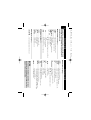
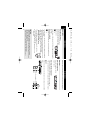
Using the AC / DC adaptor
Turn off the player before connecting the supplied adapter to it and the main power supply
(as shown). The player must be turned off when
the battery charges.
✔ TIP
9:26
Page 8
To avoid damage to the player, switch off before plugging or unplugging the
AC adaptor.
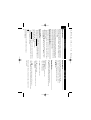
Using the car adapter
Connect the supplied car adapter to the set and the car cigarette lighter outlet.
✔ TIP
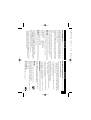
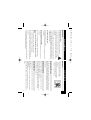
Open the battery compartment. Remove the protective
plastic tab (first time users only).
Insert 1 x lithium 3V battery, type CR2025, then close the
compartment.
Powering your remote control
• To avoid damage to the player, switch off before plugging or unplugging
the car adaptor.
• When connecting with car power (cigarette lighter) adaptor, be sure the
input voltage of the adaptor is identical with car voltage.
• Make sure the temperature is below 35oC when the DVD player is connected to DC 16.0V in a car.
1
2
the same or equivalent type.
CAUTION
- Batteries contain chemical substances, so they should be disposed of properly.
- Danger of explosion if battery is incorrectly replaced. Replace only with
and will corrode the compartment or cause the batteries to burst.
- Incorrect use of batteries can cause electrolyte leakage
8
PREPARATIONS
Remove the battery if the remote control is not to be used for a long time.
Connections
Connecting headphones
Connect the headphones into the
p jack of your set.
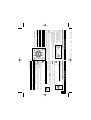
Connecting additional equipment
• Turn off your set before connecting to any additional equipment.
• You can connect the player to a TV or an amplifier to enjoy DVDs or karaoke.
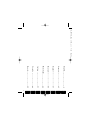
AV OUT
Not supplied
TV
Connect the desired device to this terminal directly (no setting needed in the DVD
mode).
Red
White
Yellow
English