1
RocketRAID 1720 BIOS Utility
3)
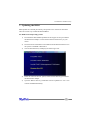
Once the A:\> prompt has appeared, insert the media that contains the
required BIOS files, and type the following command:
loadxxx.xxx
Then, press enter.
Note: xxx.xxx = the name of the BIOS image file (type it exactly as it
appears).
4)
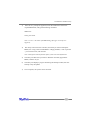
The utility will scan for the controller, and ask if you want to backup the
BIOS (save a copy of the current BIOS to a floppy diskette). This is optional
- you can answer No, and continue.
Note: This option will not function if the system was booted from CD.
5)
The utility will then ask if you want to flash the controller (upgrade the
BIOS). Select Y for yes.
6)
The utility will display a progress bar during the flash procedure, then will
attempt verify the update.
7)
Once complete, the system can be rebooted.
3-7