1
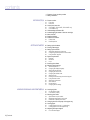
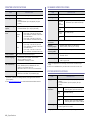
contents
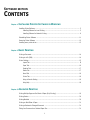
TROUBLESHOOTING
71
ORDERING SUPPLIES AND ACCESSORIES
91
INSTALLING ACCESSORIES
93
67
68
69
69
69
70
70
70
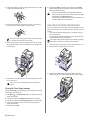
Clearing the Toner Empty message
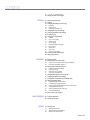
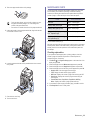
Replacing the paper transfer belt
Maintenance parts
Checking replaceables
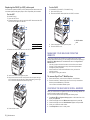
Replacing the DADF (or ADF) rubber pad
Managing your machine from the website
To access SyncThru™ Web Service:
Checking the machine’s serial number
71
71
71
72
72
73
73
74
75
76
77
78
81
81
82
83
85
86
86
86
87
87
88
90
Tips for avoiding paper jams
Clearing document jams
Input Misfeed
Exit misfeed
Roller misfeed
Clearing paper jams
In the paper feed area
In the multi-purpose tray
In the fuser unit area
In the paper exit area
In the optional tray
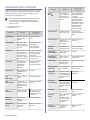
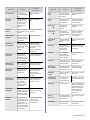
Understanding display messages
Solving other problems
Paper feeding
Printing problems
Printing quality problems
Copying problems
Scanning problems
Samsung Scan Manager problems
Fax problems
Common PostScript problems
Common Windows problems
Common Linux problems
Common Macintosh problems
91
91
92
Supplies
Accessories
How to purchase
93
93
93
94
94
94
95
95
95
96
96
96
97
97
98
98
Precautions to take when installing accessories
Upgrading a memory module
Installing a memory module
Activating the added memory in the PS printer properties
Using a wireless network interface card
Installing a wireless network interface card
Configuring basic network settings
Selecting the authentication type
Setting Encryption
Restoring default values for wireless networking
Using the hard disk
Installing the hard disk
Setting the hard disk in the printer properties
Printing with the optional hard disk
File Policy
Deleting residual image data
Contents_17