1
Notebook Optical Mouse_EFGIS.qxd
19/05/2004
10:07
Page 2
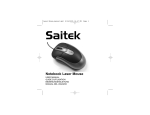
SAITEK NOTEBOOK OPTICAL MOUSE
Introduction
Congratulations on your purchase of the Saitek Notebook Optical Mouse – the perfect mouse to
use with your notebook. The Notebook Optical has a comfortable and compact design and comes
complete with optical sensor that works on any surface, and delivers total accuracy in movement.
Features
-
Designed for left- and right-handers
Works on any surface
Precision Optical Technology
Scroll Wheel
Three Buttons
INSTALLING YOUR NEW MOUSE
On Windows® XP, Me and 2000
1
2
3
With your computer switched on and all applications shut down, plug the mouse into one of
your computer’s USB ports.
Your computer will automatically detect and load the drivers for your new mouse.
Your new Saitek Notebook Optical Mouse is now ready for use.
On Windows® 98 (Second Edition)
1
2
3
4
5
6
With your computer switched on and all applications shut down, plug the mouse into one of
your computer’s USB ports.
When the Add New Hardware Wizard appears, click Next and follow the on-screen
instructions.
When prompted, select Search for the best driver for your device (Recommended), and
click on Next.
At the following screen, select the CD-ROM drive option, insert your Windows®98 (SE) CD,
and click on Next.
Continue to follow the on-screen instructions until the installation is complete; then click on
Finish and remove your CD.
Your new Saitek mouse is now ready for use.