1
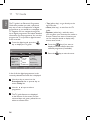
Getting started
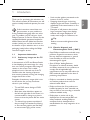
4.1 Before you start
Warning: The connections do not
have to be made before hanging but the
cables must be inserted into connectors
of the TV.
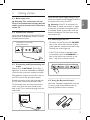
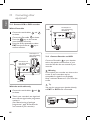
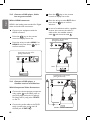
4.2 Connect the antenna
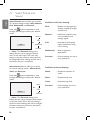
Insert the aerial plug firmly into the 75 Ω :
aerial socket at the bottom of the TV and in
the wall antenna socket.
Connectors at rear of TV
(facing downward)
Verify that the mains supply voltage in your
home corresponds to the voltage printed on
the sticker at the rear of the TV.
Warning: If the TV is mounted on a
swivel base or swivel arm, ensure no strain
is placed on the power cord when the TV
is swivelled. Strain on the power cord can
loosen connections. This may cause arcing
and result in fire.
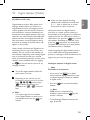
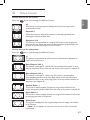
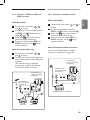
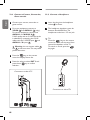
4.4 Switching on the TV
• To switch on the TV, press the POWER
key on the side or top controls. A blue/
green indicator comes on and after a few
seconds the screen lights up.
• If the TV set remains in standby mode
(red indicator), press the PROGRAM + / –
key on the side or top controls or the
P + / - key on the remote control.
4.3 Connecting and Disconnecting the
mains
POWER
PROGRAM
MENU
VOLUME
(Plasma TV) - CAUTION : This a Class 1
apparatus. It must be connected to a MAINS
socket out with a protective earthing connection.
The appliance coupler of the mains cord on
the TV is used as the disconnect device
Ensure the power cord is fully inserted into
the TV mains socket and the wall socket.
To disconnect from the mains, remove the
mains cord from the mains socket at the
back of the TV or remove the plug from the
wall socket.
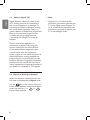
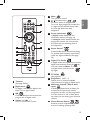
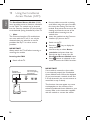
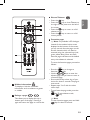
4.5 Using the Remote Control
Insert the 2 batteries supplied. Be sure the
(+) and (-) ends of the batteries line up
correctly (inside of case is marked.)
7
English
4