1
HD
UPnP
English
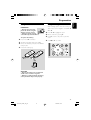
On WAC5 Center is located a 80GB
hard disk, where music is centrally stored.
Via Wi-Fi, all the stored music can be
streamed and played on Station.
UPnP
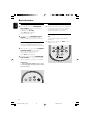
After connecting your WAS5 to an existing
network, you can set up a UPnP* server in the
network. Play from your WAS5 stations the
music collection either on the Center or on the
UPnP server.
For the details on how to use WAS5 Station
together with Wireless Music Center, see the
user manual for WACS57 or WACS5.
* Univeral Plug and Play (UPnPTM) builds on
standard networking technologies and provides
standardized protocols for a wide variety of
home and small business devices. It allows easy
interoperability of all the devices supporting the
the networking technologies.
Requirements for the UPnP server:
● The UPnP device has been connected to the
same network as WAS5
● UPnP server software is installed (e.g. Philips
Media Manager, Musicmatch® ) and the UPnP
server function is enabled.
– With Philips Media Manager, the UPnP server
function is enabled by default.
To connect a UPnP server
If the WAS5 Station is now connected to
Center,
1
2
3
4
5
Check the Center is switched on or to standby
mode
Check your UPnP-enabled PC is switched on
– Switch off your firewall
Switch on the Station
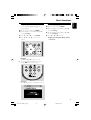
To select Select Server on Station
a. On the remote control, press MENU
b. Use the navigation controls 3 or 4 and 2 to
select
➜ The Station ‘s display shows the list of servers
connected
➜ Server not found appears if there is no
UPnP server in the network
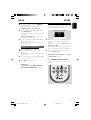
Use the navigation controls 3 or 4 and 2 to
select your desired server
➜ The Station ‘s display shows PC’s music as
it does on PC
If the WAS5 Station has ever been
connected to Center, but is now
disconnected from Center
1
Connect WAS5 to the power supply
➜ Display shows: “Connecting to Center...”
20
p001-p025_WAS5_Eng_37
20
2/8/2006, 10:00