1
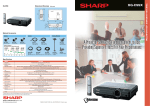
High-Brightness, High-Quality Performance in a Compact and Lightweight Body
with Ease of Operation, Maintenance and Network Controls
SHARP Unique Network System
Web Browser Control
Control with Downloadable Display Manager
Web browser control enables remote access and
management of the projector by utilizing built-in firmware
without the need for additional special software.
A greater variety of network projector control options can be
used when the Sharp Display Manager* is installed on the
main computer.
* Sharp Display Manager can be downloaded from the Sharp Global Home Page for free.
Sharp Global Homepage URL: http://sharp-world.com/projector
High-Brightness Performance in Such a Compact Body
Remote Access for Control and Adjustment
3,300 ANSI Lumen High Brigtness
Sharp’s optoelectronics technology in a three-LCD projection system
maximizes light output. This technology provides efficient 3,300 ANSI
lumen brightness, delivering a
bright, easy-to-see image even
in large, brightly lit rooms.
Compact and
Lightweight
Remote Access for Multiple and Group Projector Control
Room B
Room A
Sharp’s optical mechanism achieves an amazingly compact,
lightweight body, which can be carried easily, while the recessed
lens provides extensive protection against accidental damage.
Easy Operation and Installation
Email is automatically sent to
appointed addresses when
detecting an error message,
such as the lamp going out,
unusual heating or cooling fan
breakdown.
Management PC
LAN
Internet
CAUTION received!
High
Temperature!
e-mail
Direct Power Off Function
Four Optional Lenses and Easy Replacement System
The Direct Power Off function provides convenience for a variety of
applications by keeping the cooling fan operating even after the
power supply has been turned off. This lets users immediately unplug
the projector and take it from the location because there is no need to
wait for the projector to cool down. Along with Direct Power Off, the
Direct Power On function also helps control the power simultaneously
for multiple projectors by using the room’s primary power switch.
The projector may be used with four optional interchangeable
lenses to meet a wide variety of applications and projection
situations. The lenses cover projection distances from 9.11 ft (3.0 m)
to 48.4 ft (14.7 m) for a 100” screen.
And, it is amazingly easy to change lenses. Just detach the cover
and turn the lever. Anytime you enter a new presentation venue,
you can simply relax and quickly change to the lens which best
suits your projection conditions
such as the room size,
projection distance and
projected picture size.
Eco Quiet Mode Direct Button
Eco Quiet Mode extends the LCD and lamp life and reduces fan noise.
With the Direct Buttons built into both the projector and the remote
control, this mode can be conveniently turned on or off at any time.
31dB Low Fan Noise (Eco Quiet Mode On)
Side Access Lamp and Filter
Easy Setting
쎲 Auto Keystone Correction
Maintenance Service Provider
Link to a Specific Website for Service and Support
The projector can be registered to a specific website for
maintenance service and support. For example, the projector can
send an error message, such as to notify that the lamp is burnt out,
to a web address automatically
selected. The address accessed
for maintenance is also shown
on the display.
The lamp and filter in the XG-C330X can be
easily replaced while the projector is on a tabletop or when even
ceiling mounted.
XG-*** ********* *********** ***************** *******
XG-*** ********* *********** ***************** *******
XG-*** ********* *********** ***************** *******
The Display Manager sends
periodic reports and an error
message as well as directly
adjusts the projector gamma
values and other projector
conditions.
Theft Detection and Message
(Network Surveillance System)
A warning message will appear on the
screen of a computer when projector cables
are disconnected.
PJLink™ Capability
The XG-C330X is compatible with devices that support PJLink™,
enabling systems to be easily built for centralized management and operation
using a controller.
For additional information about the PJLink™, visit http://pjlink.jbmia.or.jp/english/
Control System Compatibility
The XG-C330X provides superior compatibility
with various control systems such as Crestron, AMX and Extron.
A Wide Variety of Interfaces
Use of separate cooling systems for each RGB LCD panel achieves
low fan noise.
A management computer can
control multiple projectors
simultaneously.
Periodic/Error Diagnosis and Auto Email Alert
Diagnosis and Auto Email Alert
Compact and Lightweight Body
Useful Features
Projector control functions,
including power on, input select,
volume, and AV mute, can be
controlled and adjusted by a
computer even in another room.
Security and Safety (Notevision Security Pack)
Variety of Interfaces
Notevision Lockdown Function
With a DVI digital terminal compatible with conventional players
and computers, the XG-C330X is equipped with
various video inputs, including composite inputs and four discrete
stereo audio inputs.
The optical unit provides a solid mounting point for ceiling mount
hardware, and the joint area is reinforced by a metal plate. A strong
mount deters theft.
When a projector is subjected to a force of 7,000 N (714 kgf)
Automatically adjusts projected images to compensate for distortion.
쎲 New Tilt Leveler
Easily levels tilted
images.
Flexible Presentation
The conventional model is damaged.
쎲 System Lock Function with Key Code Startup
쎲 Mouse Control
The computer mouse function enables a projector to be controlled
remotely using a built-in USB terminal. In addition, by using an
optional AN-MR2 remote IR receiver, even when the projector is
mounted on a desktop or ceiling and regardless of USB cable length.
The XG-C430X and XG-C330X remain undamaged.
쎲 Network Surveillance System
쎲 Kensington Lock
7,000 N