1
Symfony WebPal® 8
Layout & Button Functions
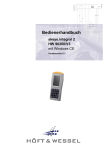
Front-View Layout
Power
Battery
Charge
Network
Connect
Headphone
Socket
Compact
Flash Bay
Stylus
USB Port
Power Input
Power Switch
Function
Buttons
(see below)
Charging
Contacts
Speaker
Scroll
Tool
Button Functions
Function
Location
Requirement
Soft Keyboard
Bottom Left
Enable/Disable
‘Home’ URL
Next to ‘Soft Keyboard’
Activate Web browser (URL user-configurable)
Scroll Tool
Right Center
Vertical scroll
Sleep mode*
Right Edge Side
Manual start/stop – Pull/
Quick Release of Power Switch
Power on/off
Right Edge Side
Off – Pull and Hold power switch for 4 sec.
On – Pull/Quick Release of Power Switch
* Note: You can recover from Sleep mode by tapping on the touch screen or by a Pull/Quick
Release of the Power Switch.
User Manual
Page 3