1
GB.COMPACTUT.101208
INSTALLATION AND MAINTENANCE INSTRUCTIONS FOR
COMPACT UNIT & COMPACT TOP
Applicable to program version 2.03 and newer versions
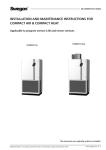
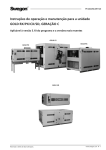
COMPACT Top
COMPACT Unit
The document was originally written in Swedish.
Registered design. The company reserves the right to make design changes without prior notice.
www.swegon.com
1
GB.COMPACTUT.101208
Content
1 GENERAL..................................... 3
1.1 Range of Application.................................3
1.2 Mechanical Design....................................3
1.3 Control System.........................................3
1.4 Environmental Documentation..................3
1.5 The Components of the
Air Handling Units...........................................4
1.5.1 COMPACT Unit...................................4
1.5.2 COMPACT Top....................................5
2 SAFETY PRECAUTIONS............... 6
2.1 Safety switch/............................................6
Main Switch..............................................6
2.2 Risks ........................................................6
2.3 Safety Guards...........................................6
3 INSTALLATION............................ 7
3.1 General.....................................................7
3.2 Transport Within the Site...........................7
3.3 Parts Packed Together with
the Room Units...............................................7
3.3.1 Hand-held Micro Terminal....................7
3.3.2 Supply Air Sensor................................7
3.3.3 Document Pocket................................7
3.4 Location....................................................7
3.4.1 COMPACT Unit...................................7
3.4.1.1 Airflow Direction..............................7
3.4.1.2 Conversion to the Left-hand
Version, if required.......................................8
3.5 Connecting ductwork to the
Air Handling Unit............................................8
3.6 To Mount the Supply Air Sensor.................8
3.7 Connection to the Electric Power Grid.......9
3.7.1 Access.................................................9
3.7.2 Electrical Connections..........................9
3.8 To Connect External Cables.......................9
4 COMMISSIONING..................... 10
4.1 General...................................................10
4.2 Adjusting the Duct System .........................
and Air Devices.....................................11
4.2.1 Adjustment Sequence........................11
4.2.2 Adjustment Procedure.......................11
4.3 To Adjust the Pressure Balance . ..............12
4.3.1 General.............................................12
4.3.2 To Ensure the Correct
Leakage Direction.......................................13
5 HAND-HELD MICRO
TERMINAL AND HOW
TO USE THE MENUS.................... 14
5.1 HAND-HELD MICRO TERMINAL...............14
5.1.1 General.............................................14
5.1.2 Buttons.............................................14
5.1.3 Display Screen...................................14
5.1.4 Abbreviations....................................14
5.2 Menu tree...............................................15
6 MAIN MENU.............................. 16
6.1 General...................................................16
6.2 Selection of Language.............................16
6.3 Changing Operating Mode.....................16
6.4 Settings..................................................16
7 USER LEVEL............................... 17
7.1 Temperature...........................................17
7.1.1 Readings...........................................17
7.1.2 Settings.............................................17
7.2 Air flow/Pressure.....................................18
7.2.1 Readings...........................................18
7.2.2 Settings.............................................18
2
www.swegon.com
7.3 Switch clock............................................19
7.4 Filters......................................................19
7.4.1 Readings...........................................19
7.4.2 Calibration - Filters............................19
7.4.3 Calibration - Rotary Heat Exchanger...19
7.5 Air Adjustment........................................20
7.6 Alarms....................................................20
8 INSTALLATION LEVEL............... 21
8.1 Menu Survey...........................................21
9 FUNCTIONS............................... 22
9.1 Temperature...........................................22
9.2 Temperature Regulation..........................22
9.2.1.1 ERS Regulation...............................23
9.2.1.2 Supply Air Regulation.....................24
9.2.1.3 Extract Air Regulation.....................24
9.2.2 Outdoor Temperature
Compensation............................................25
9.2.3 Summer Night Cooling......................26
9.2.4 Intermittent Night-time Heating.........27
9.2.5 Morning BOOST................................28
9.2.6 External Temperature Sensors............28
9.3 Flow/Pressure..........................................29
9.3.1 Fan Regulation..................................29
9.3.1.1 Flow Regulation..............................29
9.3.1.2 Pressure Regulation........................29
9.3.1.3 Demand Control.............................29
9.3.1.4 Slave Control..................................29
9.3.1.5 Clean Air Control............................30
9.3.2 Outdoor Temperature
Compensation............................................31
9.3.3 Downspeed Control of Fan Speed to
Min. Set Point, Airflow/pressure..................32
9.3.4 To adjust the flow of the slave fan......32
9.4 To Activate the GOLD SD
Filter Monitoring Function.............................32
9.5 Operation...............................................33
9.5.1 Switch clock......................................33
9.5.2 Extended Operation...........................33
9.5.3 Summer time/Winter time.................33
9.6 Heating...................................................34
9.6.1 Heat exchanger.................................34
8.6.1.1 Defrosting the
rotary heat exchanger.................................34
9.6.2 Pre-/Reheating...................................35
9.6.3 Heating BOOST.................................35
9.7 Cooling...................................................36
9.7.1 Operation..........................................36
9.7.2 Cooling Regulation (Control).............36
9.7.3 Periodic Operation.............................37
9.7.4 Regulation Speed..............................37
9.7.5 Outdoor Temperature Limit................37
9.7.6 Restart Time......................................37
9.7.7 Cooling Min Air Flow.........................37
9.7.8 Neutral Zone.....................................37
9.7.9 Cooling BOOST.................................37
9.8 Input/output connections........................38
9.9 IQnomic Plus...........................................39
10 AUTOMATIC FUNCTIONS....... 40
11 READINGS............................... 41
12 MANUAL TEST........................ 41
13 ALARM SETTINGS................... 42
13.1 Fire Alarms............................................42
13.2 External Alarms.....................................42
13.3 Alarm Limits..........................................42
13.4 Alarm Priority........................................42
14 HAND-HELD TERMINAL......... 43
14.1 Language..............................................43
14.2 Air flow unit..........................................43
14.3 Min/Max Adjustment............................43
14.4 Base Settings.........................................43
15 COMMUNICATION.................. 44
15.1 EIA-485................................................44
15.2 Ethernet................................................44
16 SERVICE LEVEL........................ 44
17 MAINTENANCE....................... 45
17.1 Filter Change........................................45
17.1.1 To remove the Filters........................45
17.1.2 To fit new filters...............................45
17.2 Cleaning and Inspection........................45
17.2.1 General...........................................45
17.2.2 Filter Space......................................45
17.2.3 Heat exchangers..............................45
17.2.4 Fans and Fan Space.........................45
17.3 Performance Checks.............................45
18 ALARMS AND
FAULT TRACING........................... 46
18.1 General.................................................46
18.1.1 A and B Alarms................................46
18.1.2 Resetting of alarms..........................46
18.1.3 Changing Alarm Settings.................46
18.2 Alarm Descriptions with
Factory Settings............................................47
19 INFORMATIVE MESSAGES . ... 52
20 TECHNICAL DATA................... 53
20.1 Dimensions,
COMPACT Unit one-piece unit......................53
20.2 Dimensions,
COMPACT Top One-piece Unit......................53
20.3 Electrical Equipment Cubicle.................54
20.3.1 Internal Connections.......................55
20.3.2 Connection to Terminal Blocks.........56
20.4 Electrical Data.......................................57
20.4.1 Air Handling Unit.............................57
20.4.2 Fans................................................57
20.4.3 Electrical equipment cubicle.............57
20.4.4 Heat Exchanger Motor.....................57
20.4.5 Control Inaccuracy...........................57
21 ANNEXES................................ 58
21.1 Compliancy Declaration........................58
21.2 Commissioning Record..........................59
10.1 General.................................................40
10.1.1 Starting Sequence...........................40
10.1.2 Cooling Recovery.............................40
10.1.3 Zero Point Calibration......................40
10.1.4 Anti-frost Monitoring Function –
Air Heater for Hot Water.............................40
10.1.5 Additional cooling –
Electric Air Heater.......................................40
10.1.6 Additional running Heat Exchanger..........................................40
10.1.7 Density-corrected Airflow................40
Registered design. The company reserves the right to make design changes without prior notice.
GB.COMPACTUT.101208
1
GENERAL
1.1 Range of Application
The COMPACT Unit and COMPACT Top are complete air
handling units with built-in control equipment. The air
handling units are designed for comfort ventilation and
can be utilised in smaller buildings such as offices, schools,
day nurseries, public buildings, shops and residential buildings.
The COMPACT Unit air handling units have duct connection spigots on their end panels whereas the COMPACT
Top units have them at the top. The type of unit can
therefore be selected on the basis of the amount of space
available for installing it and for arranging the ducts.
The COMPACT Unit and COMPACT Top are one-piece air
handling units. If supplementary function sections such as
dampers and air coolers are required, they must be installed in the ductwork.
In order to fully obtain all the benefits the COMPACT
system has to offer, it is important keep in mind the air
handling unit’s special characteristics in conjunction with
designing the project, installing the unit, adjusting it and
operating the system.
The unit must be installed indoors.
Important!
Always read the safety precautions in Section 2 that
explain the risks involved in running the unit and
designate who shall be permitted to operate and
service the unit, and carefully follow the installation
instructions provided in each paragraph.
The product identification plate is situated on the top of
the air handling unit. Refer to the particulars on the product identification plate when you contact Swegon.
1.2 Mechanical Design
The COMPACT is available in one physical size and for two
airflow ranges.
The external sheet metal surfaces of the unit are painted
white, NCS S 0502-G, except for the rear of the COMPACT Top unit which consists of an aluminium-zinc plated
sheet steel casing panel..
The upper section of the junction hood of the COMPACT
Unit is light grey, NCS S3502-B and the lower section is
dark grey, NCS S6010-R90B.
The inner skin is predominantly made of aluminium-zinc
plated sheet steel. The casing has 30 mm thick intervening
mineral wool insulation; the inspection doors have 50 mm
thick insulation.
The COMPACT Unit and the COMPACT Top are equipped
with pleated, Class F7 filters.
The type RECOnomic rotary heat exchanger is variable
speed controlled and has a temperature efficiency of up to
85%.
The supply air and extract air fans are direct-driven plug
fans. The fans are equipped with EC motors that provide
high efficiency across the entire operating range.
1.3 Control System
The IQnomic control system is microprocessor-based and is
integrated into the unit. It controls and regulates the fans,
heat exchanger, temperatures, airflows, operating times
and a large number of internal and external functions as
well as alarms.
1.4 Environmental Documentation
Environmental Documentation with the Dismantling
Instructions for Recycling and the Environmental Product
Declaration can be downloaded from our website: www.
swegon.com.
The air handling unit is designed in such a way that it can
be dismantled into its natural parts for scrapping. When
the unit has ended its useful product life, the services of
an accredited recycling company should be utilised for
disposal.
Approximately 94% of the parts in COMPACT air handling
units are recyclable.
Swegon AB is associated with the REPA Register, No.
5560778465.
Contact Swegon AB, Phone: +46 (0)512-322 00, if you
have any questions regarding the dismantling instructions
or the air handling unit’s impact on the environment.
Registered design. The company reserves the right to make design changes without prior notice.
www.swegon.com
3
GB.COMPACTUT.101208
1.5 The Components of the Air Handling Units
1.5.1 COMPACT Unit
The individual components each specified below in a simplified and
diagrammatical description.
5
3
6
4
7
8
1
2
9
11
1
10
2
Fig 1a
19
18
17 16 15
14
13
12
1
Outdoor air
Supply air
Extract air
Exhaust air
2
Fig 1b
The air handling units are supplied in the right-hand version as shown in Fig. 1a.
Coversion to the left-hand version as shown in Fig. can be
carried out via a simple adjustment in the control equipment. See 3.4.1.2. The air handling unit can be installed
vertically. See 3.4.1.1.
In the left-hand version (Fig. 1b), the components marked
with an asterisk change function and designation (the
components are named according to whether they are for
supply air or extract air).
The arrangement of the components
and their designations
1 OUTDOOR AIR* (Left-hand version: Extract air)
2
3
4
5
6
7
8
4
EXHAUST AIR* (Left-hand version: Supply air)
Extract air fan* with motor and motor control system
Pressure sensor, extract air fan* (Position on function selector switch = 1)
Electrical equipm. cubicle with control unit
Hand-held micro terminal
Main switch/Safety switch
Extract air filter*
www.swegon.com
Left-hand version
9 EXTRACT AIR* (Left-hand version: Outdoor air)
10 SUPPLY AIR* (Left-hand version: Exhaust air)
11 Supply air temp. sensor (to be mounted in supply air duct)
12 Supply air fan* with motor and motor control system
13 Extract air temperature sensor*
14 Pressure sensor, supply air fan* (Position on function selector switch = 2)
15 Heat exchanger
16 Drive motor, heat exchanger
17 Sensor, rotation monitor
18 Outdoor air temperature sensor*
19 Supply air filter*
Registered design. The company reserves the right to make design changes without prior notice.
GB.COMPACTUT.101208
1.5.2 COMPACT Top
The individual components each specified below in a simplified
and diagrammatical description.
8
9
The arrangement of the components
and their designations
7
6
10
5
11
4
12
3
13
2
14
1
15
17
1 Supply air fan with motor and motor control system
2 Pressure sensor, supply air fan (Position on function selector switch = 2)
3 Rotation monitor sensor
4 Drive motor, rotary heat exchanger
5 Rotary heat exchanger
6 Sensor, outdoor air temperature
7 Supply air filter
8 Supply air temp. sensor (to be mounted in supply air duct)
9 Hand-held micro terminal
10 Extract air fan with motor and motor control system
11 Pressure sensor, extract air fan (Position on function selector switch = 1)
12 Electrical equipm. cubicle with control unit
13 Sensor, extract air temperature
14 Extract air filter
15 OUTDOOR AIR
16 EXTRACT AIR
17 SUPPLY AIR
18 EXHAUST AIR
19 Main switch/Safety switch
16
18
19
View from the above
Outdoor air
Supply air
Extract air
Exhaust air
Registered design. The company reserves the right to make design changes without prior notice.
www.swegon.com
5
GB.COMPACTUT.101208
2
SAFETY PRECAUTIONS
All staff concerned must acquaint themselves with these
instructions before beginning any work on the unit. Any
damages to the unit or parts of it due to improper handling or misuse by the purchaser or the fitter cannot be
considered subject to guarantee if these instructions have
not been followed correctly.
Warning
Only a qualified electrician or service personnel
trained by Swegon shall be permitted to modify
the air handling unit in conjunction with electrical
installations or the wiring of external functions.
2.1 Safety switch/
Main Switch
On COMPACT Unit, the safety switch is externally positioned on the junction hood.
On the COMPACT Top, the safety switch is positioned on
the top front edge of the air handling unit.
The air handling unit must normally be started and
stopped from the hand-held micro terminal; not by
switching the safety isolating switch on and off.
Always switch off the safety isolating switch before servicing the unit if not otherwise specified in the pertinent
instructions.
2.2 Risks
Warning
Before carrying out any work, make sure that the
power supply to the air handling unit has been
switched off.
Risk areas with moving parts
Typical moving parts are fan impellers and drive pulleys of
the rotary heat exchanger.
Inspection doors can only be opened using a special key,
they therefore function as safety guards for fans and the
heat exchanger. If the ducts are not connected to the fan
outlets, the outlets must be fitted with a safety guard
(wire mesh screen).
Warning
The inspection doors on the filter/fan sections must
not be opened while the unit is in operation.
Under normal operating conditions, use the stop
button on the hand-held terminal to stop the air
handling unit.
Wait until the fans have stopped rotating before
opening the inspection door.
The air pressure inside the filter/fan section is positive, which means that the door can fly open.
2.3 Safety Guards
The lockable inspection door serves as a safety guard for
fans/heat exchangers.
The cover over the power supply unit in the electric equipment cubicle serves as a safety guard for this unit.
Only a qualified electrician or trained service technicians
shall be allowed to remove the safety guards.
Warning
The power supply to the unit shall be isolated by
switching off the safety isolating switch before
removing the safety guard.
As long as the air handling unit is operating, the
safety guards must always be mounted, all inspection doors must be closed, and the junction hood
(COMPACT Unit) on the top of the unit must be
mounted.
6
www.swegon.com
Registered design. The company reserves the right to make design changes without prior notice.
GB.COMPACTUT.101208
3
INSTALLATION
3.1 General
The air handling unit is delivered with packaging, standing
on a wooden pallet.
Any accessories that have been ordered with the unit are
supplied in unmounted condition.
Do not remove the air handling unit’s protective plastic foil
packaging until you’ve finished installing it.
3.2 Transport Within the Site
Before removing the transport pallet from the unit, determine whether a forklift truck or a pallet transporter will be
used for further transporting the unit to where it is to be
placed.
3.3 Parts Packed Together with the Room
Units
Components such as the hand-held micro terminal, supply
air sensor and document pocket are supplied in separate
packaging and delivered together with the air handling
unit.
3.3.1 Hand-held Micro Terminal
The hand-held micro terminal is equipped a 3 m long
cable and a quick-fit connector. For particulars of the
electrical connections, see 20.3.1. A holder for the handheld micro terminal is supplied together with the air
handling unit. The holder can be secured to the outside
of the air handling unit or at another appropriate place.
When installing the air handling unit and connecting pipework and electric cables, make sure that adequate free
space is provided for opening the inspection doors and
covers and withdrawing functional sections, such as filter
cassettes and fan assemblies, clear of the unit casing.
Inspection space required
COMPACT Unit: A clear space of 800 mm must be provided in front of the unit for opening the inspection doors
and at least 200 mm must be provided above the unit for
opening the junction hood.
COMPACT Top: A clear space of 1,000 mm should be provided in front of the unit for opening the inspection door.
(right hung).
3.4.1 COMPACT Unit
3.4.1.1 Airflow Direction
The COMPACT Units are produced in one single variant
where fans, heat exchanger and filters always are arranged
at their given physical location inside the unit.
The air handling units are delivered in the right-hand version, but can easily be converted to the left-hand version.
See below. All that is needed to be done is to move a DIL
switch on the control unit, see 3.4.1.2.
The COMPACT Unit can also be installed vertically. The
stand is available as an accessory.
Right-hand version
3.3.2 Supply Air Sensor
The sensor is equipped with a 7 m long cable and a
quick-fit connector.
For mounting, see 3.6.
3.3.3 Document Pocket
Secure the document pocket to the exterior of the air
handling unit or at another appropriate place.
Left-hand version
3.4 Location
The air handling unit must be mounted horizontally on a
flat and firm supporting surface and this surface must be
constructed in a way enabling it to support the weight of
the unit.
The design of the COMPACT Unit makes it necessary to
mount it on a stand or some other form of base. Otherwise it will not be possible to open the inspection doors.
The stand is available as an accessory.
Outdoor air
Supply air
Extract air
Exhaust air
The air handling units are supplied in the right-hand version.
The unit can be easily converted to the left-hand version at the
building site.
The air handling unit can be installed vertically. This provides six
different installation alternatives.
Registered design. The company reserves the right to make design changes without prior notice.
www.swegon.com
7
GB.COMPACTUT.101208
3.4.1.2 Conversion to the Left-hand Version, if required
1.Stop the air handling unit in the hand-held micro terminal. Close the safety isolating switch.
2.Wait until the fans have stopped rotating. Open the
inspection doors.
3.6 To Mount the Supply Air Sensor
Supply air temp. sensor must be mounted inside the supply air duct.
The sensor must be positioned at a spot that is at least 1.5
metres from the air handling unit.
3.Remove the screws that secure the cover plate of the
heat exchanger for access to the DIL switch.
Important! If an air heater and/or air cooler, if required, is
installed in the system, the sensor must be positioned 1.5
metres from the unit measured from these components.
4.Set DIL switch No. 1 to the ON position (see 20.3) for
the left-hand version (see 3.4.1.1).
1.Measure and mark where the sensor is to be placed.
5.Refit and secure the cover plate.
6. Rotate the rotary heat exchanger by hand to rotate
downwards. This is sufficient tp rotate the rotor approx.
one quarter of a revolution.
7. Close the inspection doors.
2.Drill an 11 mm dia. hole in the supply air duct.
3.Apply sealing compound around the hole and secure
the sensor by means of 2 self-tapping screws.
4.Connect the sensor's quick-fit connector to the socket
at the top of the air handling unit, see 20.3.1. An
extension cable is available as an accessory.
8. Switch on the safety isolating switch.
9. Start the air handling unit.
3.5 Connecting ductwork to the Air Handling Unit
Sealing compound
The air handling unit’s connection spigots are circular and
can be connected to ducts by means of insertion joints
fitted with a rubber ring seal.
Spiral duct bends fitted with a rubber ring seal can be connected directly without any insertion joint.
The insertion joint/duct bend must be secured by pop
rivets or tape in the spigot of the air handling unit.
Ø 11 mm
Self-tapping screw
The ducts should be insulated according to local regulations and customary trade standards.
Duct
Duct bend
Insertion joint
8
www.swegon.com
Duct
Registered design. The company reserves the right to make design changes without prior notice.
GB.COMPACTUT.101208
3.7 Connection to the Electric Power Grid
Connection of the power supply cable from the mains
must be wired across a safety isolating switch.
3.7.1 Access
COMPACT Unit
Remove the upper section of the junction hood. Run the
cable through the cable gland on the backside of the junction hood.
Junction hood
Cable gland
Safety isolating switch
3.8 To Connect External Cables
3.7.1 COMPACT Unit
To gain access to the control unit, remove the cover plate
in front of the heat exchanger. Remove the upper section
of the junction hood. Cables from external sources can
be run in to the electric cubicle through the rubber diaphragm on the backside of the junction hood.
N.B.! Cables for external communication outside the air
handling unit must be arranged at a minimum distance of
100 mm from any current-carrying (live) cable.
3.7.2 COMPACT Top
To gain access to the power unit, remove the cover plate
in the unit’s extract air duct.
Cables from external sources can be run into the air handling unit through the rubber diaphragm by the extract air
intake, located at the top of the unit.
COMPACT Top
Open the inspection panel and dismantle the cover. Run
the cable through the cable gland by the safety isolating
switch.
Safety isolating switch
Cable gland
The external cables can be extended in the existing cable
protection in the extract air duct of the unit. Bundling
straps are pre-fitted inside the cable protection. After
running the cables, secure them by pulling the bundling
straps tight.
Cables can be run in to the electric cubicle according to
appropriate hole indication in the rubber diaphragm.
N.B.! Cables for external communication outside the air
handling unit must be arranged at a minimum distance of
100 mm from any current-carrying (live) cable.
Cover
Cable protection
3.7.2 Electrical Connections
1-phase, 3-wire, 230 V -10/+15%, 50 Hz, 10 AT.
Extract air duct
of the air handling unit
Cover plate
L1 N PE
Electrical equipment cubicle
Safety isolating switch
L1 L2 L3 N PE
Registered design. The company reserves the right to make design changes without prior notice.
www.swegon.com
9
GB.COMPACTUT.101208
4 COMMISSIONING
4.1 General
Sequence for commissioning:
1. Check that there are no foreign objects in unit, ducting system
or functional sections.
2. Turn the safety isolating switch to the ON position (I).
3. Select the language desired, if you have not already done so.
See Section 6.2 or 14.1.
4. The unit has factory settings which make it ready to use. See
Section 21.2 Commissioning record.
However, in many cases, these settings need to be adjusted to
suit the current installation.
Program the switch clock, operating conditions, temperatures,
airflows and functions according to the procedures in Sections
5-16.
Select whether l/s, m3/s or m3/h shall be used as the flow unit.
(INSTALLATION LEVEL in the HAND-HELD MICRO TERMINAL
menu).
Fill out the Commissioning Record and save it in the document
pocket of the unit.
5. Activate, if needed, manual or auto operation (MAIN MENU)
or lock the speed of the fans (AIR ADJUSTMENT menu).
Adjust the ducting system and air devices as described in Section
4.2.
6. Finish off with a filter calibration as described in Section 7.4.2.
10
www.swegon.com
Registered design. The company reserves the right to make design changes without prior notice.
GB.COMPACTUT.101208
4.2 Adjusting the Duct System and Air Devices
In order to prevent the fans from consuming more power
than necessary, it is important to keep the pressure drop in
the system as low as possible.
It is also important that ducting systems and air devices are
correctly adjusted to provide the comfort expected.
When adjusting air devices and the duct system installed
in combination with the GOLD, it is appropriate to follow
the proportionality method.
This means that the proportion between the airflows in
branch ducts stays constant even if the airflow in the main
ducts is changed. The same proportion applies to the air
devices in the installation.
When adjusting the ducting system there is provision for
locking the speed of the fans in the unit to a specific preset flow rate, see Section 6.5.
4.2.1 Adjustment Sequence
The system should be adjusted in the following order:
1. Adjust of the air devices in each branch duct.
2. Adjust the branch ducts.
3. Adjust the main ducts.
4.2.2 Adjustment Procedure
1. Set all the air devices and dampers to the fully open
position.
2. Calculate the ratio of the airflow reading to the design
airflow of all the air devices, branch ducts and main ducts.
The air device in every branch that has the lowest ratio
should be fully open. Use this air device as an INDEX AIR
DEVICE. The same applies to branch dampers and main
dampers.
When you’ve completed the adjustments, one air device in
every branch, one branch damper and one main damper
should consequently be fully open.
3. Start adjusting the main duct that has the highest ratio
and the branch duct in the main duct that has the highest
ratio. Starting from this point enables you to “press” the
air in front of you toward the sections of the system that
have the least air.
4. Adjust the last air device on the duct branch so that
it will have the same ratio as the index device. This air
device will serve as the REFERENCE AIR DEVICE. Often
it is the last air device on the branch that has the lowest
ratio and should be open. In this case, the same air device
serves as the index device and reference device.
5. Throttle the other air devices in the branch to the same
ratio as the reference device.
Note! The ratio in the reference device will change every
time another air device is throttled, so in practice the ratio
for the reference device can be set slightly higher. The
reference device must be measured in between each air
device throttled.
6. Go to the branch that had the next highest ratio and
adjust the air devices there, etc.
Note! All branch dampers should be fully open until all air
devices have been adjusted.
7. Throttle the branch damper that had the highest ratio
to the same ratio that the branch of the lowest ratio had.
Note! Keep in mind that the index damper changes ratio;
proceed as described in item 5.
8. When all branches have been adjusted, throttle the
main dampers in the same manner.
Also see the example below on how to carry out adjustments.
Example on how to carry out adjustments
– Start adjusting duct branch B, since this one has
the highest ratio.
– The last air device, B3, has the lowest ratio and
should be fully open.
Adjust the other air devices, B1 and B2, so that
these will have the same ratio as air device B3 (see
item 5 above).
– Now adjust the air devices in branch duct C. Air
device C4 should be fully open; throttle the others
to the same ratio.
– Adjust the air devices in branch duct A. The index
air device here is air device A3, which means that
you first throttle air device A4 (the reference device)
to device A3:s ratio.
Thereafter the others are adjusted to the same ratio
as air device A4.
– Throttle branch damper B to the same ratio as branch damper A,
throttle branch damper C to the same ratio as branch damper A.
Check that all dampers have the same ratio.
When the adjustment has been completed, 3 air devices and
one branch damper should stand fully open to obtain the lowest
possible pressure in the system.
Registered design. The company reserves the right to make design changes without prior notice.
qp = design airflow (l/s)
qm = airflow reading (l/s)
qm
K (Ratio) =
qp
www.swegon.com
11
GB.COMPACTUT.101208
4.3 To Adjust the Pressure Balance
Adjustment plate
4.3.1 General
The air handling unit is equipped with an adjustment
plate designed for achieving a correct air leakage direction
across the heat exchanger. This prevents the extract air
from being carried over to the supply air.
COMPACT Unit
The pressure balance in the unit should be adjusted when
the ventilation system has been fully installed and all the
air diffusers have been airflow-adjusted as well as for the
supply air and extract air flows that prevail while the air
handling unit is operating normally.
CLOSE
OPEN
COMPACT Top
OPEN
CLOSE
12
www.swegon.com
Registered design. The company reserves the right to make design changes without prior notice.
GB.COMPACTUT.101208
4.3.2 To Ensure the Correct Leakage Direction
The pressure balance in the unit is adjusted by means of a
adjustment plate mounted in the extract air inlet.
IMPORTANT! If you change COMPACT Unit to the lefthand version, you must move the pressure adjusting plate
(must always be situated in the extract air inlet).
Connect a pressure gauge to the pressure measurement
tappings of the unit. The COMPACT Unit has four pressure
measurement tappings. Use the two tappings nearest the
extract air duct! See illustration. The COMPACT Top has
two pressure measurement tappings. See illustration. The
blue pressure measurement tapping is used for measuring the negative pressure in the extract air section and the
white pressure measurement tapping is used for measuring the negative pressure in the supply air section.
Pressure measurement tappings – leakage direction
COMPACT Unit
(Unit shown in the
right-hand version)
- (blue)
+ (White)
EXTRACT AIR
Note that both pressure measurement tappings are used
for measuring negative pressure.
MEASURED VALUES
The negative pressure in the extract air section should be
greater or the same as the negative pressure in the supply
air section.
COMPACT Top
- (blue)
+ (White)
If the negative pressure in the extract air section is the
same or up to 20 Pa greater than the negative pressure
in the supply air section, then you’ve finished this adjustment.
DEVIATIONS
If the negative pressure in the extract air section is less
than that in the supply air section, the adjustment plate
must be readjusted as follows:
1. Stop the air handling unit, open the inspection door
and slightly close the adjustment plate in the air handling unit’s extract air inlet.
3. Close the inspection door and restart the unit.
4. Measure the pressures.
Repeat this procedure until the negative pressure in
the extract air section is the just as high or up to 20 Pa
higher than the negative pressure in the supply air section (0–20 Pa).
5.If the negative pressure in the extract air section is
higher than 20 Pa compared to the supply air section,
although the adjustment plate is completely open, the
leakage and purging air flow will be more than anticipated. This means that the actual extract air flow will
deviate from the preset extract airflow. The deviation
increases as the pressure differential increases.
Registered design. The company reserves the right to make design changes without prior notice.
www.swegon.com
13
GB.COMPACTUT.101208
5
HAND-HELD MICRO TERMINAL AND HOW TO USE THE MENUS
COMPACT-U
TUE 14:40
STOP
MANUAL OPERATION
STOP?
5.1 HAND-HELD MICRO TERMINAL
5.1.1 General
The hand-held micro terminal consists of an encapsulated
control box with a 3-metre long cable for connection to
the air handling unit by means of a quick connector.
The hand-held terminal has an illuminated display, 6 pushbuttons and a red LED for indicating alarms.
5.1.2 Buttons
The buttons have the following functions:
ENTER confirms your selection and proceeds to next
menu level.
ESCAPE reverts to the previous menu.
ADVANCE UPWARD or to the LEFT.
ADVANCE DOWNWARD or to the RIGHT.
DECREASES the value of the highlighted setting.
INCREASES the value of the highlighted setting.
5.1.3 Display Screen
The display screen has 4 lines. Many of the menus however have several lines and these are shown line for line as
you press the ADVANCE DOWNWARD button. The position indicator shows where you are in the menu.
COMPACT-U TUE 14:40
STOP
MANUAL OPERATION
STOP?
Position indicator
MAN/AUTO.OP
SETTINGS
5.1.4 Abbreviations
The following abbreviations are used in the menus
SA = Supply air (E.g. SA FAN = Supply air fan)
EA = Extract air
OUTD = Outdoor air
FV = Anti-frosting monitor
HEAT EXCH = Heat exchanger
14
www.swegon.com
Registered design. The company reserves the right to make design changes without prior notice.
GB.COMPACTUT.101208
5.2 Menu tree
MAIN
MENU
(Section 6)
Important! The appearance of
the menus varies depending
on the type of air handling
unit and functions selected.
COMPACT-U TUE 14:40
STOP
MANUAL OPERATION
STOP?
COMPACT-U TUE 14:40
MANUAL OPERATION
STOP?
MAN/AUTO.OP
AUTO OPERATION
MANUAL LOW SPEED
MANUAL HIGH SPEED
COMPACT-U TUE 14:40
STOP?
MAN/AUTO.OP
SETTINGS
USER LEVEL
TEMPERATURE
(Section 7)
*TEMPERATURE*
READINGS
SETTINGS
FLOW/PRESSURE
*FLOW/PRESSURE*
READINGS
SETTINGS
SWITCH CLOCK
FILTERS
*SWITCH CLOCK*
TIME/DATE
TIME CHANNEL
YEAR CHANNEL
*FILTERS*
READINGS
CALIBRATION
AIR ADJUSTMENT
*AIR ADJUSTMENT*
LOCKS FAN SPEED
TIME SETTING: 0 h
ALARMS
*ALARMS*
ACTIVE ALARMS
ALARM HISTORY
INSTALLATION LEVEL
(Section 8-16)
INSTALLATION
Registered design. The company reserves the right to make design changes without prior notice.
www.swegon.com
15
GB.COMPACTUT.101208
6
MAIN MENU
COMPACT-U TUE14:40
STOP
MANUAL OPERATION
STOP?
6.1 General
The main menu is normally shown if no other menu
has been selected.
The display automatically returns to the main menu
after 30 minutes.
The content in the menu changes depending on the
operating mode selected other functions that affect
the present operating mode and possible tripped
alarms.
COMPACT-U TUE14:40
MANUAL OPERATION
STOP?
MAN/AUTO.OP
COMPACT-U TUE14:40
STOP?
MAN/AUTO.OP
SETTINGS
AUTO OPERATION
MANUAL LOW SPEED
MANUAL HIGH SPEED
6.2 Selection of Language
When the air handling unit is started up for the first
time, a language selection menu is displayed.
Select the language desired.
If you want to change language at a later opportunity – or if you’ve selected the wrong language
– you can change the language at INSTALLATION
LEVEL under HAND TERMINAL. See Section 14.1.
USER LEVEL
INSTALLATION LEVEL
6.3 Changing Operating Mode
You can start and stop the air handling unit or
change over to manual or automatic operation
from the main menu.
The air handling unit should normally be
started and stopped from the hand-held
micro terminal; not by switching the safety
isolating switch on and off.
When the air handling unit is started up, menus
for the various delays that are part of the starting
sequence are shown.
See also Section 10.1.1, Starting Sequence.
6.4 Settings
When selecting SETTINGS in the main menu, you
will advance to User Level and Installation Level.
See Section 7.
16
www.swegon.com
Registered design. The company reserves the right to make design changes without prior notice.
GB.COMPACTUT.101208
7
USER LEVEL
Important! The
appearance of the
menus varies depending
on the type of air
handling unit and
functions selected.
TEMPERATURE
7.1 Temperature
The basic functions can be preset at INSTALLATION LEVEL and the values can be read and set at USER LEVEL.
See also Section 9.2 in which the functions for
temperature are described in detail.
IMPORTANT! If you intend to substantially alter the temperature settings, you should first stop the air handling unit before
doing so.
7.1.1 Readings
*TEMPERATURE*
READINGS
SETTINGS
*TEMPERATURE*
READINGS
SETTINGS
ERS REGULATION 1
Used for checking the performance.
7.1.2 Settings
ERS REGULATION 2
SUPPLY AIR REG.
ERS REGULATION 1
The control unit regulates the relationship between the supply
air and the extract air temperatures according to a factory
preset curve.
ERS REGULATION 2
The control unit regulates the relationship between the supply
air and extract air temperatures according to a custom-plotted
curve. The curve has three adjustable breakpoints.
Settings (see the chart to the right as well):
Value
Setting range
Extract air temperature
X1 10-40 °C X2 10-40 °C X3 10-40 °C Supply air temperature
Y1 10-40 °C Y2 10-40 °C Y3 10-40 °C Factory settings
15 °C
20 °C
22 °C
ERS Regulation 1
Supply air temperature setpoint °C
Factory settings
1
2 °C 20 °C
20 °C
18 °C
14 °C
SUPPLY AIR REG.
Settings:
Value
Setting Factory range
settings
Supply air temperature setpoint
15-40 °C*
21.5 °C
EXTRACT AIR REG.
Settings:
Value
Setting Factory range
settings
Extract air/room temp. Setpoint 15-40 °C*
21.5 °C
Min. supply air temperature
13-25 °C*
15 °C
Max. supply air temperature
18-45 °C*
28 °C
*) The setting range can be changed. See 14.3, Min/Max
Adjustment.
p
Ste
20
1
Step 2
Breakpoint
l
tia
15
n
re
Step 3
e
ff
A
/S
EA
di
Step 4
10
15
20
25
Extract air temperature °C
ERS Regulation 2
Y = Supply air temperature setpoint °C
Settings (see the chart to the right as well):
Value Setting range
Step 1-4
EA/SA Differential 1-5 °C* Breakpoint (refers to
15-23 °C* extract air temperature)
EXTRACT AIR REG.
22
20
1
2
15
3
10
9
12
15
20
25
27
X = Extract air temperature °C
Registered design. The company reserves the right to make design changes without prior notice.
www.swegon.com
17
GB.COMPACTUT.101208
7.2 Air flow/Pressure
Basic functions are set at INSTALLATION LEVEL
and values are read and set at USER LEVEL.
Therefore see also Section 9.3, in which the functions for flow/pressure are described in detail.
AIR FLOW/PRESSURE
*FLOW/PRESSURE*
READINGS
SETTINGS
7.2.1 Readings
Used for performance checks.
7.2.2 Settings
The functions selected at INSTALLATION LEVEL and the
min. and max. airflows of each unit size (see the table
below) determine which values can be set.
Values for airflow (l/s, m3/s, m3/h), pressure (Pa) or input
signal strength (%) can be preset depending on the function selected.
LOW SPEED
Must always be preset! The value for low fan speed cannot be higher than the value for high speed. Low speed
can be set to 0, which means that the fan is standing still.
HIGH SPEED
Must always be preset! The value or pressure for high fan
speed cannot be lower than the value for low fan speed.
*FLOW/PRESSURE*
READINGS
SETTINGS
LOW SPEED
HIGH SPEED
MAX. SPEED
MIN/MAX. SPEED
MAX SPEED
Max speed is only appropriate for functions such as pressure regulation, Heating BOOST or Cooling BOOST. The
value for max fan speed cannot be lower than the value
for high fan speed.
MIN/MAX SPEED
Min/max fan speed is only appropriate for demand-controlled operation. The lowest and highest permissible
flows are preset for each of the fans. This means that the
fans will not operate outside these limits, regardless the
load.
Min/Max Airflows
Airflow
Min flow
COMPACT UNIT
and COMPACT TOP
m3/h *
m3/s
02
300
03
300
Size
Min flow
COMPACT UNIT
and COMPACT TOP
m3/h
m3/s
0,08
800
0,23
0,08
1300
0,36
* When entering settings, round off the values to the nearest
adjustable step.
18
www.swegon.com
Registered design. The company reserves the right to make design changes without prior notice.
GB.COMPACTUT.101208
7.3 Switch clock
Basic functions for the switch clock can be preset
at INSTALLATION LEVEL under FUNCTIONS/OPERATION and the values can be read and set at USER
LEVEL.
SWITCH CLOCK
*SWITCH CLOCK*
TIME/DATE
TIME CHANNEL
YEAR CHANNEL
TIME/DATE
Settings:
The current date and time can be set and adjusted whenever
required.
The switch clock automatically takes leap years into consideration.
Automatic changeover between summer time/winter time to EU
Standard has been preset.
This changeover function can be blocked at INSTALLATION LEVEL
under FUNCTIONS/OPERATION.
Value
TIME/DATE
Day
Time
Date
TIME CHANNEL
Times and days can be set when the unit is to run at high speed,
low speed or be stopped.
Eight different time channels can be set. If the same in-operation
times are to apply every day of the week (Mon-Sun), you need
only program one time channel. Different operation times for
each day of the week can be programmed by programming a
time channel for each day (Mon-Fri, Sat-Sun or Mon, Tues, Wed,
etc)
The time can be set as 00:00-00:00 if the deviating in-operation
period is desirable for the entire 24 hours period.
YEAR CHANNEL
The year channels make it possible to set deviating in-service
times for parts of the day during certain parts of the year. Eight
different year channels (yearly time schedules) can be set. The
year channels over-modulate the time channel during the hours
of the day and the days that the year channel is active. The year
channel dates indicate the dates between which the year channel shall apply and the year channel hours indicate the hours of
the day between which the year channel will steer the controller
to operate the rotary heat exchanger at a specified speed. Other
times within the year channel still apply to that time channel.
The time can be set as 00:00-00:00 if the deviating in-operation
period is desirable for the entire 24 hours period.
Functions for summer night cooling, prolonged operation, etc.,
operate also when the year channel is active.
When reading the filter status, the first value shows current value
and the second value shows current alarm limit.
7.4.2 Calibration - Filters
The filters should be calibrated for the first time in conjunction
with commissioning, when the duct system, air devices and
eventual adjustment plates have been fitted and adjusted; after
that every time the filter media are changed.
Mon-Sun
00:00-23:59
Day/Month/Year
Automatic
Current
Current
Low speed/High speed* High speed
00:00-23:59
00:00-00:00
Not active
Not active
Mon, Tues, Wed etc
Mon-Fri
Mon-Sun
Sat-Sun
YEAR CHANNEL 1-8
Operation
Time
Period
Not active
Stop/Low sp./High sp.
00:00-23:59
From Day/Month/Year
To Day/Month/Year
Not active
00:00-00:00
01/01/2005
01/01/2005
*) Shows Stop/Low speed/High speed if this function is selected
at INSTALLATION LEVEL under FUNCTIONS/OPERATION.
FILTERS
*FILTERS*
READINGS
CALIBRATION
*FILTERS*
READINGS
CALIBRATION
(and anti-frosting function of rotary heat exchanger)
7.4.1 Readings
Factory
setting
TIME CHANNEL 1-8
Operation
Time
Period
7.4 Filters
There are two types of filter monitoring:
Calculated filter monitoring (preset at factory) monitors the fan’s
speed increase conditional on the degree of fouling in the filter.
The calibration involves taking airflow and fan speed readings.
An alarm is initiated when the fan speed has increased by 10%
above the preset alarm limit.
Filter monitoring with a pressure sensor (accessory) measures
the pressure drop across the filter. The alarm limit is preset in Pa.
Setting range
*FILTER CALIBRATION*
STD.FILTER
PREFILTER
HEAT EXCHANGER
Calibration should be activated for both the supply air and the
extract air if both filters are changed or for only for one airflow
direction if only one filter has been changed.
When filter calibration has been activated, the unit runs at high
speed for about 3 minutes.
After the filter has been calibrated, a speed increase of 10%, or
a pressure rise (= fouling of the filters) of 100 Pa is permissible,
after which an alarm is initiated indicating a fouled filter.
The alarm limit can be changed at INSTALLATION LEVEL under
ALARM SETTINGS.
7.4.3 Calibration - Rotary Heat Exchanger
If the anti-frosting function accessory for heat exchanger is installed (see 9.6.1.1) calibration can be selected from this menu.
When calibration R-HX is activated the fans are accelerated to
high speed for about 3 minutes.
Registered design. The company reserves the right to make design changes without prior notice.
www.swegon.com
19
GB.COMPACTUT.101208
7.5 Air Adjustment
The speed of the fans can be locked for up to 72 hours.
This is practical when making air adjustments in the duct
system and air devices.
AIR ADJUSTMENT
*AIR ADJUSTMENT*
LOCKS FAN SPEED.
TIME SETTING: 0 h
The period desired is preset but can be interrupted earlier
by selecting STOP in the menu or by changing the time
setting to 0.
7.6 Alarms
If an alarm is initiated, this is shown in the hand-held terminal both as clear text and by a blinking red diode.
This menu enables you to read alarms quickly.
ALARMS
*ALARMS*
ACTIVE ALARMS
ALARM HISTORY
ACTIVE ALARMS
Shows alarms that are active but have not initiated an
alarm signal in the display. This applies to alarms that have
a long delay, i.e. airflow or temperature alarms.
ALARM HISTORY
The 10 most recent tripped alarms are shown.
Alarm settings can be entered at INSTALLATION
LEVEL under ALARM SETTINGS.
For complete description of alarms, see Section 18.
20
www.swegon.com
Registered design. The company reserves the right to make design changes without prior notice.
GB.COMPACTUT.101208
8
INSTALLATION LEVEL
Important! The appearance of
the menus varies depending
on the type of air handling
unit and functions selected.
8.1 Menu Survey
INSTALLATION
*INSTALLATION*
CODE: 0000
Code = 1111
FUNCTIONS
*FUNCTIONS*
TEMPERATURE
AIR FLOW/PRESSURE
FILTER
READINGS
MANUAL TEST
ALARM SET
HAND TERMINAL
COMMUNICATION
SERVICE LEV.
OPERATION
HEATING
COOLING
IN/OUTPUTS
IQnomic Plus
Section 9
*READINGS*
TEMPERATURE
FANS
HEAT EXCHANGE
Section 10
Automatic functions
Section 11
REGULATION SIGNALS
IN/OUTPUTS
IQnomic Plus
OPERATION TIME
PROGRAMVERSIONS
*MANUAL TEST*
TEMPERATURE
FANS
HEAT EXCHANGE
Section 12
REHEAT
IN/OUTPUTS
IQnomic Plus
*ALARM SETTINGS*
FIRE ALARM
EXTERNAL ALARMS
ALARM LIMITS
Section 13
ALARM PRIORITY
*HAND TERMINAL INST*
LANGUAGE
AIR FLOW UNIT
MIN/MAX SETTING
Section 14
BASE SETTINGS
*COMMUNICATION*
EIA-485
ETHERNET
Section 15
*SERVICE LEV.*
CODE: 0000
Section 16
Registered design. The company reserves the right to make design changes without prior notice.
www.swegon.com
21
GB.COMPACTUT.101208
9 FUNCTIONS
INSTALLATION
9.1 Temperature
FUNCTIONS
Basic functions can be set at INSTALLATION LEVEL
and values are read and set at USER LEVEL.
IMPORTANT! If you intend to substantially alter the temperature settings, you should first stop the air handling
unit before doing so.
9.2 Temperature Regulation
Select ERS Regulation, Supply air regulation or Extract air
regulation.
If ERS Regulation is selected, select between 1 and 2.
Control sequence for ERS regulation and Supply air regulation:
*FUNCTIONS*
TEMPERATURE
AIR FLOW/PRESSURE
FILTER
OPERATION
HEATING
COOLING
IN/OUTPUTS
IQnomic Plus
* TEMPERATURE *
TEMPERATURE REG
OUTDOOR TEMP COMP
SUMMER NIGHT COOL
INTERM. NIGHT HEAT
MORNING BOOST
EXT. SENSORS
Important! The appearance
of the menus varies
depending on the type of air
handling unit and functions
selected.
1.The temperature efficiency of the air handling unit’s heat exchanger is modulated to provide max. heat recovery.
2. After that the air heater, if installed, will begin to generate heat.
3. If a downstream heating coil is not installed, or if the its output is not adequate, the supply air fan will be automatically and variably downspeed-regulated to convey air at a lower flow rate.
A neutral zone can be preset, which allows a lower supply
air temperature setpoint before regulation to a lower flow
rate begins. See 8.3.4
When the supply airflow is regulated to a lower rate, the
heat exchanger will have ”excess heat”, i.e. warm extract
air, giving it capacity to maintain the supply air temperature required.
As the supply airflow is regulated to a lower rate, the air
pressure in the premises will become negative and this will
instead cause outdoor air to be sucked in through leakage spots such as doors and windows. This outdoor air
will then be heated by the ordinary heating system of the
premises.
Downspeed regulation to lower the airflow rate occurs
from the current preset flow (high speed or low speed),
down to half of this flow rate. The degree of regulation
to a lower rate is also limited by the min flow setting of
the unit. When preset flow for low speed is near the min
flow rate, the effect of this regulation to a lower rate will
be small.
Control sequence for Extract air regulation:
1. The temperature efficiency of the air handling unit’s heat exchanger is modulated to provide max. heat recovery.
2. After that, the re-heating coil, if installed, will begin to generate heat.
22
www.swegon.com
Registered design. The company reserves the right to make design changes without prior notice.
GB.COMPACTUT.101208
FRT-reglering 1
Supply air temperature setpoint °C
9.2.1.1 ERS Regulation
ERS regulation means Extract air temperature-Related
Supply air temperature regulation. This means that the
temperature of the supply air is regulated in relation to the
temperature of the extract air. Under normal circumstances, the supply air temperature is regulated to be a few degrees lower than the extract air temperature. In this way,
the heat exchanger will provide optimal performance, and
this means excellent operating economy. ERS regulation is
suitable for use when there is excess heat in the premises
generated, for example, by machinery, lighting or people
and the supply air devices in the premises are suitable diffusing air below room temperature.
ERS REGULATION 1
The control unit regulates the relationship between the
supply air and extract air temperatures according to a
factory-preset curve.
p
Ste
20
Value
range
Step
Breakpoint
(refers to extract air temp.)
EA/SA-Differential
Setting setting
1 – 4
15-23 °C
Factory 1-5 °C
2 °C
1
20 °C
The setting range for the breakpoint and EA/SA differential is limited by the Min. and Max. settings at INSTALLATION LEVEL under HAND TERMINAL.
ERS REGULATION 2
This is used when special needs and conditions are such
that the factory preset ERS regulation 1 curve cannot provide the results required. Conditional on which settings are
made, it may be necessary to install a post-heating coil.
An individually adapted curve regulates the relationship
between the supply air and extract air temperature.
See the chart to the right.
The following settings are possible at USER LEVEL under
TEMPERATURE/SETTINGS:
Value
Extract air temperature
Supply air temperature setpoint
Setting range
Factory setting
X1 10-38 °C X2 11-39 °C X3 12-40 °C 15 °C
20 °C
22 °C
Y1 10-40 °C Y2 10-40 °C Y3 10-40 °C 20 °C
18 °C
14 °C
Step 3
ff
A
-/S
di
EA
Step 4
10
15
20
Extract air temperature °C
25
Factory setting means:
If the extract air temperature is below 20 °C (breakpoint),
the supply air temperature setpoint will be automatically
regulated to be 2 °C (EA/SA differential) lower.
If the extract air temperature is above 20 °C, the supply
air temperature setpoint will follow the curve according to
Step 1.
ERS regulation 2
22
Y = Setpoint supply air temperature °C
Settings:
e
er
l
ia
nt
See the chart to the right.
The steps, breakpoint and EA/SA differential plotted in
the curve can be changed at USER LEVEL under TEMPERATURE/SETTINGS.
Step 2
Breakpoint
15
1
20
1
2
15
3
10
9
12
15
20
25
27
X = Extract air temperature °C
Breakpoints according to factory setting means:
If the extract air temperature is below 15 °C (X1) the setpoint for supply air temperature is constant 20 °C (Y1).
If the extract air temperature is 20 °C (X2) the supply air
temperature set point will be 18 °C (Y2).
If the extract air temperature is above 22 °C (X3), the
supply air temperature setpoint will be constantly 14 °C
(Y3).
Registered design. The company reserves the right to make design changes without prior notice.
www.swegon.com
23
GB.COMPACTUT.101208
9.2.1.2 Supply Air Regulation
Supply air regulation involves keeping a constant supply
air temperature without consideration to the load in the
premises.
This type of regulation can be used when the load and
temperatures of the premises are predictable. In most
cases a reheating coil needs to be installed; possibly a
cooling coil as well.
The following settings can be entered at USER LEVEL under TEMPERATURE/SETTINGS:
Value
Setting range
Supply air temperature setpoint 15-40 °C
Factory setting
21.5 °C
Setting range for the setpoint is limited by Min. and Max.
settings at INSTALLATION LEVEL under HAND TERMINAL.
9.2.1.3 Extract Air Regulation
Extract air regulation involves keeping a constant temperature in the extract air duct (premises), by regulating the
supply air temperature. This provides a uniform temperature in the premises regardless of the load and this type
of regulation requires the installation of a reheating coil;
possibly a cooling coil as well.
The extract air temperature is measured by the temperature sensor inside the COMPACT unit.
If this internal temperature sensor does not give an adequate representative extract air temperature readings,
an external room temperature sensor can be installed and
wired to the control unit’s connection marked “Internal
Bus-1”.
The following settings can be entered at USER LEVEL under TEMPERATURE/SETTINGS:
Value
Setting range
Extract air-/room temp. setpoint 15-40 °C
Min. Supply air temperature
13-18 °C
Max. Supply air temperature
25-45 °C
Factory setting
21.5 °C
15 °C
28 °C
Setting range for the various values is limited by Min. and
Max. settings at INSTALLATION LEVEL under HAND TERMINAL.
24
www.swegon.com
Registered design. The company reserves the right to make design changes without prior notice.
GB.COMPACTUT.101208
9.2.2 Outdoor Temperature Compensation
INSTALLATION
Temperature
Outdoor temperature compensation can be activated if
the premises are abnormally subjected to the effects of
seasonal cold air or hot air due to leakage through large
windows, for instance.
FUNCTIONS
*FUNCTIONS*
TEMPERATURE
AIR FLOW/PRESSURE
FILTER
The supply air temperature setpoint is compensated if the
air handling unit is operating in the supply air regulation
mode, and the extract air temperature setpoint is compensated if the air handling unit is operating in the extract air
regulation mode. This function will have no effect if the
unit is operating in the ERS regulation mode.
The preset temperature setpoint is influenced if the outdoor temperature drops below the preset X2 breakpoint
(winter compensation) and above the preset X3 breakpoint (summer compensation).
OPERATION
HEATING
COOLING
IN/OUTPUTS
IQnomic Plus
* TEMPERATURE *
TEMPERATURE REG
OUTDOOR TEMP COMP
SUMMER NIGHT COOL
INTERM. NIGHT HEAT
MORNING BOOST
EXT. SENSORS
Outdoor temperature compensation
See the chart to the right.
Settings:
Value
Winter compensation
Temperature displacement Y1 Breakpoint X1 Breakpoint X2 Summer compensation
Breakpoint X3 Breakpoint X4 Temperature displacement Y2
Setting range
Factory setting
+0 – +10 °C +3 °C
-30 – -10 °C -20 °C
-10 – +15 °C +10 °C
+15 – +25 °C +25 °C
+25 – +40 °C +40 °C
-10 – +10 °C +2 °C
Y = Temperature displacement °C
It is possible to set negative summer compensation.
Y1
X1
X4
X2
Y2
X3
X = Outdoor temperature °C
Winter compensation in accordance with factory setting
involves:
Outdoor temperature +10 °C (Breakpoint X2): Compensation starts and gradually takes place between 0–3 °C
down to outdoor temperature -20 °C.
Outdoor temperature -20 °C (Breakpoint X1): Constant
compensation takes place with 3 °C (temperature displacement Y1).
Summer compensation in accordance with factory setting
involves:
Outdoor temperature +25 °C (Breakpoint X3): Compensation starts and gradually takes place between 0–2 °C up to
outdoor temperature +40 °C.
Outdoor temperature +40 °C (Breakpoint X4): Constant
compensation takes place with 2 °C (temperature displacement Y2).
Registered design. The company reserves the right to make design changes without prior notice.
www.swegon.com
25
GB.COMPACTUT.101208
9.2.3 Summer Night Cooling
The lower temperature at night is utilised to cool down
the building structure. This reduces the cooling load
during the first hours of the day. If a cooling unit is installed, its in-operation hours will be minimised, thus offering
savings. If no cooling unit is installed, a certain cooling
effect will still be realised.
When summer night cooling function is activated, the unit
fans operate at high speed, with a supply air setpoint of
10°C, from the preset time until the conditions necessary
for stop are satisfied.
Conditions to be met to start summer night cooling at the
preset time:
INSTALLATION
FUNCTIONS
*FUNCTIONS*
TEMPERATURE
AIR FLOW/PRESSURE
FILTER
OPERATION
HEATING
COOLING
IN/OUTPUTS
IQnomic Plus
* TEMPERATURE *
TEMPERATURE REG
OUTDOOR TEMP COMP
SUMMER NIGHT COOL
INTERM. NIGHT HEAT
MORNING BOOST
EXT. SENSORS
• The extract air temperature should be higher than the
preset value
• The extract air should be at least 2°C warmer than the
outdoor air.
• The outdoor temperature should be above the preset
value.
• Heating has not been required between 12.00–23.00
hours.
• The unit must not operate in the high speed mode or
be stopped from an external source or manually from the
hand-held micro terminal.
Conditions to be met to stop summer night cooling at the
preset time:
• The extract air temperature drops below the preset
value.
• The outdoor temperature drops below the preset value.
• Switch clock or external input calls for high speed.
• The extract air is less than 1 °C warmer than the outdoor
air.
The function starts once per set time period.
Settings:
Value
Extract air temperature for start
Extract air temperature for stop
Outdoor temperature for stop
Supply air setpoint
Operating period
26
www.swegon.com
Setting range
17 - 27 °C
12 - 22 °C
5 - 15 °C
10 - 20 °C
00:00-00:00
Factory setting
22 °C
16 °C
10 °C
10 °C
23:00-06:00
Registered design. The company reserves the right to make design changes without prior notice.
GB.COMPACTUT.101208
9.2.4 Intermittent Night-time Heating
The unit is utilised to heat the premises when it is normally
stopped by the switch clock.
The function requires that an external room sensor is
connected and that the air handling unit is provided with
air heater for reheating the air. Connect the TBLZ-1-24-2
Room sensor by means of the modular cable supplied, to
an optional connection marked Internal BUS 1. The capacity of the function will be best if the COMPACT is provided
with a recirculation damper (not Swegon supply) and a
shut-off damper for outdoor air and exhaust air.
When the function is activated, the air handling unit detects when the room temperature drops below the preset
start temperature. The unit starts with preset flows and
the supply air temperature setpoint.
INSTALLATION
FUNCTIONS
*FUNCTIONS*
TEMPERATURE
AIR FLOW/PRESSURE
FILTER
OPERATION
HEATING
COOLING
IN/OUTPUTS
IQnomic Plus
If extract air fan operation is not desirable, the extract
airflow can be set to 0.
* TEMPERATURE *
TEMPERATURE REG
OUTDOOR TEMP COMP
SUMMER NIGHT COOL
INTERM. NIGHT HEAT
MORNING BOOST
EXT. SENSORS
EXTRACT AIR
The damper output can be set to 0. This means that the
connected dampers (such as shut-off dampers for outdoor
air and extract air) will not be affected. These dampers are
normally closed when the air handling unit is stopped and
they also remain closed.
At the same time, the damper in the air recirculation section, if included, will open.
SUPPLY AIR
Conditions to be met for intermittent night-time heating
to start:
Intermittent night-time heating with air recirculation
section:
• The unit should operate in a time channel/switch clock
stop.
If the extract airflow is set to 0 and the damper output is
not activated, the following takes place:
• The room temperature should be below set start temperature.
When conditions for start are met, outdoor air and exhaust air shut-off dampers remain closed. The damper in
the air recirculation section is opened. The extract air fan
is idle.
Conditions to be met for intermittent night-time heating
to stop:
• High speed or external/manual stop should be activated.
• Room temperature should be above the preset stop
temperature.
The supply air fan operates according to the preset supply
airflow and the heating coil downstream of the air handling unit operates according to the supply air temperature
setpoint, until the conditions for stop are met.
• Alarm with preset stop priority has tripped.
If the needed, the air handling unit fans will continue to
operate to cool the electric air heater although other conditions for stop have been met.)
Settings:
Value
Setting Factory range
setting
Room temperature for start 5 - 25 °C 16 °C
Room temperature for stop 5 - 25 °C 18 °C
Supply air temperature setpoint 10 - 40 °C 28 °C
Supply airflow *) m3/s/Pa **) m3/s/Pa
Extract airflow *) m3/s/Pa 0 m3/s/Pa
Damper output 0=not activated 0
1= activated
Control output
0=IQnomic 0
1 =IQnomic Plus
*) The setting range is the same as the min/max settings of the
air handling unit.
**) According to the setting for low speed at USER LEVEL under
FLOW/PRESSURE.
Registered design. The company reserves the right to make design changes without prior notice.
www.swegon.com
27
GB.COMPACTUT.101208
9.2.5 Morning BOOST
The unit is utilised to heat the premises during a preset
period prior to the switch-in time set on the switch clock.
The function is used if the air recirculation section is installed.
The unit starts early and uses the same operation and
temperature regulation settings as it would at the regular
start time.
If the extract air fan is not required to operate, the extract
airflow can be set to 0.
Damper output can be set to be inactive. This means that
connected dampers (e.g. outdoor air and exhaust air shutoff dampers) are not affected. Normally these dampers
are closed when the unit is stopped and thus they remain
closed.
At the same time, the damper in the air recirculation section, if included, will open.
Settings:
INSTALLATION
FUNCTIONS
*FUNCTIONS*
TEMPERATURE
AIR FLOW/PRESSURE
FILTER
OPERATION
HEATING
COOLING
IN/OUTPUTS
IQnomic Plus
* TEMPERATURE *
TEMPERATURE REG
OUTDOOR TEMP COMP
SUMMER NIGHT COOL
INTERM. NIGHT HEAT
MORNING BOOST
EXT. SENSORS
Value
Setting Factory range
setting
Time for start prior to regular start time according to switch clock
hour, min.
00:00
Damper output
Inactive
Inactive
Extract air fan Inactive
Inactive
FL/Rum-temp
10 - 30 °C
22 °C
TL-min
8 - 20 °C
15 °C
TL-max
16 - 50 °C
28 °C
9.2.6 External Temperature Sensors
The IQnomic control unit has provision for wiring an external room sensor and/or external outdoor sensor. The
sensor can be used when the internal sensor of the unit
does not provide representative values.
External Extract air/Room can measure the extract air
temperature in a larger room instead of the temperature
inside the air handling unit.
External Outdoor measures the outdoor air temperature
outdoors, instead of the temperature inside the air handling unit.
Connect the TBLZ-1-24-2 sensor by means of the modular
cable supplied, to an optional connection marked Internal
BUS 1.
Sensor TBLZ-1-24-2 can be used both as a room sensor
and an outdoor sensor. They must therefore be addressed
according to function using the function selector switch
on the sensor. The function selector switch must be in
Position 1 if the sensor is used as a room sensor and in
Position 2 if it is used as an outdoor sensor.
If the TBLZ-1-24-2 sensor is installed outdoors, it must be
mounted inside an air-tight enclosure.
As an alternative, a temperature reading can be communicated to the air handling via communication from e.g. a
main system.
The alarm setting indicates how long the alarm will be
delayed if communication is lost.
28
www.swegon.com
INSTALLATION
FUNCTIONS
*FUNCTIONS*
TEMPERATURE
AIR FLOW/PRESSURE
FILTER
OPERATION
HEATING
COOLING
IN/OUTPUTS
IQnomic Plus
* TEMPERATURE *
TEMPERATURE REG
OUTDOOR TEMP COMP
SUMMER NIGHT COOL
INTERM. NIGHT HEAT
MORNING BOOST
EXT. SENSORS
Settings:
Value
Setting range
Factory setting
External Extract air/Room Inactive//IQnomic Inactive
Communication
External Outdoor
Inactive//IQnomic Inactive
Communication
Alarms
0 - 9990 min.
5 min.
Registered design. The company reserves the right to make design changes without prior notice.
GB.COMPACTUT.101208
9.3 Flow/Pressure
Basic functions are set at INSTALLATION LEVEL and
the values are read and set at USER LEVEL.
INSTALLATION
FUNCTIONS
*FUNCTIONS*
TEMPERATURE
AIR FLOW/PRESSURE
* AIRFLOW/PRESSURE *
FILTER
SA FAN REGULATION
OPERATION
EA FAN REGULATION
HEATING
CLEAN AIR CONTROL
COOLING
9.3.1 Fan Regulation
The type of regulation used for the supply air fan and the
extract air fan respectively can be selected individually.
9.3.1.1 Flow Regulation
Flow regulation involves operating the air handling unit
to keep the preset airflow constant. The speed of the fans
is automatically regulated to provide correct airflow even
if the filters begin to become clogged, air devices are
blocked, etc.
IN/OUTPUTS
IQnomic Plus
* AIRFLOW/PRESSURE *
SA FAN REGULATION
EA FAN REGULATION
CLEAN AIR CONTROL
Constant airflow is advantageous, since the airflow always
is exactly as it was from the beginning.
It should however be noted that everything that increases
the pressure drop in the ventilation system, such as the
blocking of air devices and dust accumulating in the filters, causes the fans to run at a higher speed. This causes
higher power consumption and may also cause discomfort
in the form of noise.
9.3.1.2 Pressure Regulation
The airflow automatically varies to provide constant pressure in the ducting. This type of regulation is also called
VAV regulation (Variable Air Volume).
Pressure regulation is used when damper operations increase the air volume in parts of the ventilation system.
The duct pressure is measured by an external in-duct pressure transducer which is wired to the BUS communication
of the control unit. The setpoint setting required (separate
for low speed and high speed) is entered in Pa.
OUTDOOR TEMP COMP.
SA DOWN REGULATION
SLAVE CONTROL
OUTDOOR TEMP COMP.
SA DOWN REGULATION
SLAVE CONTROL
Settings:
Value Fan regulation (SA/EA)
Detting
Flow regulation
Pressure regulation
Demand control
Slave control
The function can be limited so that the fan speed will not
exceed the preset max. permissible values.
9.3.1.3 Demand Control
The flow demand is regulated via a 0-10 V input signal
from an external sensor, such as a carbon dioxide sensor
that is wired to control unit terminals 35(-) and 37(+). The
required setpoint (separate for low speed and high speed)
is set as a percentage of the input signal.
The function can be limited so that the flow will not be
higher or lower than the preset max. and min. permissible
values respectively.
9.3.1.4 Slave Control
The flow is constantly regulated to be the same from the
one fan as from the other fan. If one fan is pressure-controlled or demand-controlled, the other one can be controlled as a slave to generate the same airflow.
The performance of the fan controlled as a slave can be
restricted if its maximum flow is set to a lower airflow rate.
Both fans cannot be controlled as slaves. If both are selected by mistake, the extract air fan will be forced to operate
in the flow regulation mode.
Registered design. The company reserves the right to make design changes without prior notice.
www.swegon.com
29
GB.COMPACTUT.101208
9.3.1.5 Clean Air Control
The Clean Air Control function is used in ventilation systems where the aim is to regulate the airflow according to
the content of emission/impurities in the room air.
INSTALLATION
FUNCTIONS
*FUNCTIONS*
TEMPERATURE
AIR FLOW/PRESSURE
* AIRFLOW/PRESSURE *
FILTER
SA FAN REGULATION
OPERATION
EA FAN REGULATION
HEATING
CLEAN AIR CONTROL
COOLING
The TBLZ-1-60 VOC sensor accessory (Volatile Organic
Compounds) is required. The VOC sensor measures the
content of emissions/impurities in % VOC.
When an occupant emits CO2, this creates a proportional
amount of emissions/impurities which are measurable by
the VOC sensor. For an approximate translation of the %
VOC to CO2 content, see the diagram.
When the VOC sensor measures contents of emissions/
impurities that are lower than the preset value; the air
handling unit’s supply air and extract air flows are then
equivalent to the preset min. flows. When the VOC sensor
instead measures contents of emissions/impurities that are
higher than the preset value, the supply air and extract air
flows are variably increased until the preset value or max.
flow is reached.
When the Clean Air Control function is activated, the fan
regulation modes are automatically selected (extract air
fan demand controlled, supply air fan slave controlled).
Later on, they can only be read under Functions in the
menu.
2000
CO2 content, ppm
When the air handling unit is energised for the first time,
the VOC sensor is initialised and this involves transmitting
a steady signal of approx. 50% VOC for 6 hours (applies
to the VOC sensors with Part No. 328964-01. VOC sensors with Part No. 328964-02 are initiated at the factory).
If the unit at a later time is de-energised, and is subsequently reenergised, the sensor is reinitialised for 15 minutes (provided that initialisation during the first energising
occasion was not interrupted).
OUTDOOR TEMP COMP.
SA DOWN REGULATION
SLAVE CONTROL
IN/OUTPUTS
IQnomic Plus
1500
1000
400
10
20
30
40
50
60
70
80
90
% VOC
Example:
Settings:
800 ppm is equivalent to approx. 30% VOC.
Value Setting Factory
range setting
Clean Air Control Inactive/Active Inactive
VOC low speed 10 - 90 % 50 %
VOC high speed 10-90 % 30 %
Min. flow * m3/s 0.08 m3/s
Max. flow * m3/s 0.2/0.3 m3/s**
* )The setting range is the same as the min./max. setting of the
air handling unit.
If influenced by other emissions/impurities in the air, such
as cooking odours, cigarette smoke, etc., the VOC content
increases in relation to the CO2 content.
** Size 02 = 0.2 m3/s, Size 03 = 0.3 m3/s
30
www.swegon.com
Registered design. The company reserves the right to make design changes without prior notice.
GB.COMPACTUT.101208
9.3.2 Outdoor Temperature Compensation
INSTALLATION
Airflow
Outdoor temperature compensation of the airflow can be
activated if it is desired to reduce the airflow in the wintertime.
FUNCTIONS
*FUNCTIONS*
TEMPERATURE
AIR FLOW/PRESSURE
* AIRFLOW/PRESSURE *
FILTER
SA FAN REGULATION
OPERATION
EA FAN REGULATION
HEATING
CLEAN AIR CONTROL
COOLING
OUTDOOR TEMP COMP.
IN/OUTPUTS
SA DOWN REGULATION
IQnomic Plus
SLAVE CONTROL
In the flow regulation mode, the current airflow is reduced. In the pressure regulation mode, the current setpoint
for pressure is reduced.
The function has no effect if the airflow is demand-controlled.
The airflow is reduced as a percentage of the current
airflow/pressure.
Value
Y1, max permissible reduction
X1, breakpoint
X2, breakpoint
Setting range
0-50%
-30 – -10 °C
-10 – +15 °C
Factory setting
30 %
-20 °C
+10 °C
Y = Reduction of the airflow in %
Settings:
0%
X2
-10%
-20%
-30%
Y1
-40%
X1
-50%
-30
-20
-10
0
+10
+20
X = Outdoor air temperature °C
Outdoor air compensation according to factory settings
involves:
Outdoor temperature +10 °C (Breakpoint X2): Compensation starts and gradually proceeds between 0–30 % down
to outdoor air temperature -20 °C.
Outdoor air temperature -20 °C (Breakpoint X1): Constant
compensation proceeds at 30 % (max reduction Y1).
Registered design. The company reserves the right to make design changes without prior notice.
www.swegon.com
31
GB.COMPACTUT.101208
9.3.3 Downspeed Control of Fan Speed to Min. Set
Point, Airflow/pressure
Regulation of the supply airflow to a lower flow rate is the
last step in the regulation sequence on increasing heating load for ERS regulation or supply air regulation. The
extract air fan cannot be selected alone; only the supply
air fan or both the supply air and extract air fans can be
selected.
See Section 9.2 as well.
An adjustable temperature decrease allows a lower supply
air temperature setpoint, before down regulation begins.
This neutral zone can be set on line NZ SA DOWN REGULATION in the appropriate menu.
INSTALLATION
FUNCTIONS
*FUNCTIONS*
TEMPERATURE
AIR FLOW/PRESSURE
* AIRFLOW/PRESSURE *
FILTER
SA FAN REGULATION
OPERATION
EA FAN REGULATION
HEATING
CLEAN AIR CONTROL
COOLING
OUTDOOR TEMP COMP.
IN/OUTPUTS
SA DOWN REGULATION
IQnomic Plus
SLAVE CONTROL
Settings:
Value
Function
Neutral zone
Setting range
Inactive/SA/SA+EA
0.0-10.0 °C
Factory settings
Active
0.0 °C
9.3.4 To adjust the flow of the slave fan
It is possible to preset the set point of the slave fan to
provide a higher or lower airflow than the current airflow
of the controlling fan.
The deviation from the airflow of the controlling fan can
be preset by entering a COP. A cooling COP of 0.5 denotes
that the airflow of the slave will be 50% of the master
fan’s airflow.
Settings:
Value
Cooling COP
Setting range
0.5-1.5
The filter monitoring function must be activated for the
filters that are to be monitored.
Settings:
32
www.swegon.com
FUNCTIONS
*FUNCTIONS*
TEMPERATURE
AIR FLOW/PRESSURE
* AIRFLOW/PRESSURE *
FILTER
SA FAN REGULATION
OPERATION
EA FAN REGULATION
HEATING
CLEAN AIR CONTROL
COOLING
OUTDOOR TEMP COMP.
IN/OUTPUTS
SA DOWN REGULATION
IQnomic Plus
SLAVE CONTROL
Factory settings
1,0
9.4 To Activate the GOLD SD Filter Monitoring Function
Value
Standard filter Prefilter INSTALLATION
Setting range
Inactive/SA/EA
SA+EA
Inactive/SA/EA
SA+EA
Factory settings
SA+EA
SA+EA
INSTALLATION
FUNCTIONS
*FUNCTIONS*
TEMPERATURE
AIR FLOW/PRESSURE
FILTER
OPERATION
HEATING
COOLING
IN/OUTPUTS
IQnomic Plus
Registered design. The company reserves the right to make design changes without prior notice.
GB.COMPACTUT.101208
9.5 Operation
INSTALLATION
9.5.1 Switch clock
Basic functions are set at INSTALLATION LEVEL and
the values are read and set at USER LEVEL.
The switch clock controls the operating times of the unit.
The following two basic functions can be set:
LOW SPEED – HIGH SPEED
Low speed is the basic level and times for high speed operation are set at USER LEVEL under SWITCH CLOCK.
FUNCTIONS
*FUNCTIONS*
TEMPERATURE
AIR FLOW/PRESSURE
FILTER
OPERATION
HEATING
COOLING
IN/OUTPUTS
IQnomic Plus
*OPERATION FUNCTION*
SWITCH CLOCK
EXTENDED OPERATION
SUMMER/WINTER TIME
STOP – LOW SPEED – HIGH SPEED
Stop is basic level and times for low speed and high speed
operation are set at USER LEVEL under SWITCH CLOCK.
Settings:
Value
Function
Setting range
Factory settings
Low speed/High speed
Low speed/High speed
Stop/Low speed/High speed
9.5.2 Extended Operation
The inputs for external low speed and external high speed
respectively, can be supplemented with extended operation. They can be used for overtime running activated by a
pushbutton, for example.
*OPERATION FUNCTION*
SWITCH CLOCK
EXTENDED OPERATION
SUMMER/WINTER TIME
Desired time in hours and minutes can be set as follows.
Settings:
Value
External low speed
External high speed
Setting range
0:00 - 23:59
0:00 - 23:59
(hour:min)
Factory settings
0:00
0:05
(hour:min)
9.5.3 Summer time/Winter time
The time and date readings include factory-preset automatic changeover from summer time to normal time and vice
versa, thus conforming to EU standard (the last Sunday in
March and the last Sunday in October respectively).
*OPERATION FUNCTION*
SWITCH CLOCK
EXTENDED OPERATION
SUMMER/WINTER TIME
This automatic changeover can be blocked and set as inactive.
Settings:
Value
Summer time/Winter time
Setting Factory range
settings
Inactive/active Active
Registered design. The company reserves the right to make design changes without prior notice.
www.swegon.com
33
GB.COMPACTUT.101208
9.6 Heating
INSTALLATION
9.6.1 Heat exchanger
FUNCTIONS
8.6.1.1 Defrosting the rotary heat exchanger
In environments where the extract air can occasionally be
humid, the defrosting function can be activated to protect
the heat exchanger from frosting. The function continuously monitors the condition of the heat exchanger rotor
to prevent condensate from freezing in the rotor passages
and clogging them.
The function requires a separate pressure transducer
(preset for heat exchanger defrosting) wired to the control
unit inputs for external BUS communication and connected by hoses to the pressure measuring tappings of the
unit.
*FUNCTIONS*
TEMPERATURE
AIR FLOW/PRESSURE
FILTER
OPERATION
HEATING
COOLING
IN/OUTPUTS
IQnomic Plus
*HEATING*
HEAT EXCHANGER
PRE/REHEAT
HEATING BOOST
See special installation instruction for the TBLZ-1-23-aa
Pressure sensor.
The pressure drop across the rotor must then be calibrated to establish a reference pressure drop for monitoring
purposes. See 7.4.3 Calibration - Heat exchanger.
When the function is activated the pressure drop across
the heat exchanger is continuously measured and the
value is compared with the calibration value. If the pressure drop exceeds the preset limit value, a defrosting sequence is implemented where the rotor speed is gradually
ramped down (ramp time of max. 4 minutes) to the speed
at which the pressure drop across the heat exchanger has
decreased to half of the preset limit value. The rotor speed
can be 0.5 rpm but not slower. During the defrosting operation, warm extract air thaws any possible ice coating. A
time delay of 4 minutes gives the heat exchanger a chance
to dry, before the rotor once again is ramped up (ramp
time max. 4 minutes) to its ordinary speed.
The max. duration of the defrosting operation is 30 minutes. If the pressure drop has not decreased within this
max. duration on six occasions during a 24-hour period,
an alarm is tripped.
EXTRACT AIR
Defrosting function with separate pressure
transducers, in principle
Note that the heat exchanger performs less efficiently
while defrosting is in progress and that the supply air temperature will decrease downstream of the heat exchanger.
Settings:
Value
Defrosting
34
www.swegon.com
Setting Factory range
settings
Inactive/active Inactive
Registered design. The company reserves the right to make design changes without prior notice.
GB.COMPACTUT.101208
9.6.2 Pre-/Reheating
INSTALLATION
AIR HEATER FOR HOT WATER
On selecting the exercising pump or pump+valve function,
the selected relay output will be activated if reheating
is needed and this starts the circulation pump of the air
heater.
If the outdoor temperature is low (colder than +12 °C),
the pump output contact is continuously activated. During
other times, the pump output contact is activated 2
min/24 hours for exercising of circulation pump.
ELECTRIC AIR HEATER
If “pump exercising mode inactive” has been selected, the
relay output is activated whenever heating is required.
FUNCTIONS
*FUNCTIONS*
TEMPERATURE
AIR FLOW/PRESSURE
FILTER
OPERATION
HEATING
COOLING
IN/OUTPUTS
IQnomic Plus
*HEATING*
HEAT EXCHANGER
PRE/REHEAT
HEATING BOOST
The relay output can be used for indicating or blocking the
external function.
EXERCISING MODE
Settings:
Value
Function
Exercise period
Interval
Setting Factory range
settings
Inactive/pump/ Pump
pump+valve/
valve
1 – 60 min.
3 min.
1 – 168 hrs.
24 hrs.
9.6.3 Heating BOOST
Heating boost means that the air handling unit, operating
in the normal flow regulation mode, increases both the
supply airflow and the extract airflow in order to carry
more heat into the premises.
The fans are allowed to work in the range between current flows (low speed, high speed) and preset max speed
flow.
The function only works if the air handling unit is operating in the extract air regulation mode. If demand control
or boost is selected in combination with heating boost,
the flow is controlled by the function that transmits the
highest output signal to the fans.
INSTALLATION
FUNCTIONS
*FUNCTIONS*
TEMPERATURE
AIR FLOW/PRESSURE
FILTER
OPERATION
HEATING
COOLING
IN/OUTPUTS
IQnomic Plus
*HEATING*
HEAT EXCHANGER
PRE/REHEAT
HEATING BOOST
This function cannot be combined with pressure regulation.
The flow increase starts steplessly when there is a difference of 2-10°C (3°C is factory preset) to preset max supply
air temperature. When max supply air temperature has
been reached, the unit runs at preset max flow (For particulars of how to set the max flow, see Section 7.2.2).
Settings:
Value
Heating BOOST
Start limit
Setting range
Inactive/active
2-10 °C
Factory settings
Inactive
3 °C
Registered design. The company reserves the right to make design changes without prior notice.
www.swegon.com
35
GB.COMPACTUT.101208
9.7 Cooling
Control of cooling units is primarily wired to Outp.1 or Outp. 2. If
none of these outputs are vacant, connect the control means to the
IQnomic Plus module. The module’s function selector switch must be
set to Position 6.
9.7.1 Operation
Activate the cooling function.
9.7.2 Cooling Regulation (Control)
Stepless 0-10 V DC
Used when variable cooling control is connected. The COMPACT air
handling unit’s cooling controller modulates a 0-10 V DC signal that
is linear with the cooling load. Connect to the IQnomic Plus module,
terminals 15-16.
Both the cooling relays of the air handling unit operate in parallel
with the signal and are energised when the cooling signal exceeds
0.5 V DC and are de-energised when the signal drops below 0.2 V
DC.
The output for Cooling Relay 1 is connected to IQnomic Plus terminals 1-2 and for Cooling Relay 2 to terminals 4-5.
Stepless 10-0 V DC
Same as above, but the control signal is inverted where a 10 V
output signal means a 0 % cooling load.
On/off, 1 step
Used if cooling in one step is connected. Connect to the IQnomic
Plus module, Cooling relay 1, terminals 1-2. The cooling controller of
the air handling unit regulates the cooling load at 1-100%. Cooling
relays 1 and 2 are energised when the cooling load exceeds 5 % and
are de-energised when the cooling load is less than 2 %.
The 0-10 V DC control signal output operates in parallel with the
0-100 % cooling demand and can be used for indicating the cooling
demand, for instance. Connect to the IQnomic Plus module, terminals 15-16.
On/off, 2 steps
Used when cooling in 2 steps is connected. Connect to the IQnomic
Plus module, Cooling relay 1, terminals 1-2, and Cooling relay 2,
terminals 4-5. The cooling controller of the unit regulates the cooling
demand at 0-100 %.
Cooling relay 1 is energised when the cooling load exceeds 5 % and
is de-energised when the cooling load is less than 2 %. Cooling relay
2 is energised when the cooling load exceeds 55 % and is de-energised when the cooling load is less than 50 %.
The 0-10 V DC control signal output operates in parallel with the
0-100 % cooling demand and can be used for indicating the cooling
demand, for instance. Connect to the IQnomic Plus module, terminals 15-16.
On/off, 3 Steps - Binary
Used when cooling with two inputs controlled with three binary steps
is connected. Connect to the IQnomic Plus module, Cooling relay 1,
terminals 1-2, and Cooling relay 2, terminals 4-5. The cooling controller of the unit regulates the cooling demand at 0-100 %..
On an increasing cooling load:
Cooling relay 1 is energised when the cooling load is above 5 % and
is de-energised when the cooling load is between 40-70 %. Cooling
relay 2 is energised when the cooling load is above 40 %. Cooling
relay 1 is energised again (together with cooling relay 2) when the
cooling load is above 70%.
On a decreasing cooling load:
Cooling relay 1 is deenergised when cooling load is below 60 %, it
is energised again when cooling load is below 30 % and is deenergised again when cooling load is below 2 %. Cooling relay 2 drops
when cooling load is below 30 %.
The 0-10 V DC control signal output operates in parallel with the
0-100 % cooling demand and can be used for indicating the cooling
demand, for instance. Connect to the IQnomic Plus module, terminals 15-16.
36
www.swegon.com
INSTALLATION
FUNCTIONS
*FUNCTIONS*
TEMPERATURE
AIR FLOW/PRESSURE
FILTER
OPERATION
HEATING
COOLING
IN/OUTPUTS
IQnomic Plus
* COOLING *
OPERATION MODE
COOL REGULATION
PERIODIC OPERATION
REGULATION SPEED
OUTDOOR TEMP LIMIT
RESTART TIME
COOL MIN AIR FLOW
NEUTRAL ZONE
COOLING BOOST
On a decreasing cooling load:
Cooling relay 1 drops when cooling load is below 60 %, it is
energised again when cooling load is below 30 % and drops again
when cooling load is below 2 %. Cooling relay 2 drops when
cooling load is below 30 %.
The output for 0-10 V DC control signals (terminals 42-43) operates in parallel with the 0-100 % cooling load and can be used for
indicating the cooling demand, for instance.
Settings for cooling functions on this page and the next:
Value
Setting Factory range
settings
Operation mode
Inactive/active Inactive
Cooling regulation
Stepless 0-10 V On/Off 1 step
Stepless10-0 V
On/Off 1 step
On/Off 2 step
On/Off 3 step binary
Periodic operation
Cooling relay 1
Inactive/pump/ Inactive
pump+valve/valve
Cooling relay 2
Inactive/pump/ Inactive
pump+valve/ valve
Exercise period 1 – 60 min.
3 min.
Interval
1 – 168 hrs.
24 hrs.
Regulation speed
between steps
0-600 sec
300 sec
Outdoor temperature limit
Step 1
0-25 °C
3 °C
Step 2
0-25 °C 5 °C
Step 3
0-25 °C
7 °C
Restart time
0-900 sec
480 sec
Cooling min air flow
Supply air
0-Max flow
–
Extract air
0-Max flow
–
Neutral zone
0-10 °C
2.0 °C
Cooling BOOST
Inactive
Inactive
Comfort
Economy
Sequence
Comfort+economy
Economy+ sequence
Start limit in
connection to
min supply air temp
2-10 °C
3 °C
Registered design. The company reserves the right to make design changes without prior notice.
GB.COMPACTUT.101208
See preceding page for possibilities of setting.
9.7.3 Periodic Operation
Can be selected to run pumps if cooling relay 1 and/or 2
are used.
The exercising mode can be selected for “pump, pump +
valve” or “valve” only (0 - 10 V output). The pumps are
exercised 2 minutes per day if this is activated.
9.7.4 Regulation Speed
The required delay period between the various cooling
steps can be set.
This is done so that a compressor, for instance, will have
time generate required cooling capacity before the next
cooling step is switched in.
This applies to changeover from step 1 to step 2 and from
step 2 to step 3; and only on an increasing cooling load.
9.7.5 Outdoor Temperature Limit
Provision is available for setting an outdoor temperaturerelated blocking function in 3 steps. If the outdoor temperature is below each step limit, the function of the cooling
relays will be blocked.
This function also restricts the 0-10 V output signal to
transmission in steps.
Step 1 maximises the output signal to 2.5 V, step 2 to 5.0
V and step 3 to 7.5 V.
9.7.6 Restart Time
The time should be set in such a way that it follows the
recommendations of the cooling machine supplier for the
number of starts per hour.
The restart time is calculated from the time when a relay is
energised to when it is allowed to be energised again.
The 0-10 V signal is delayed during the same period.
9.7.7 Cooling Min Air Flow
In order for the cooling function to operate the supply air
and extract air airflows must be greater than their respective limit values (preset at USER LEVEL under FLOW/PRESSURE).
The cooling min flow function can be blocked by setting
both flow limits to 0.
9.7.8 Neutral Zone
The neutral zone prevents the cooling and heating systems
from counteracting each other.
Preset neutral zone is added to the setpoint for heating
and the sum of these provides the setpoint for cooling.
9.7.9 Cooling BOOST
Cooling BOOST means that the supply air and extract air
airflows are increased to convey more cooling energy to
the premises.
Cooling BOOST cannot be combined with pressure regulation.
The flow increase takes place between current flow and
preset max flow.
The function can be selected in five variants as follows:
Comfort
The cooling outputs are activated if there is a cooling load.
When the cooling function is active and the temperature
in the supply air drops toward the preset SA min temperature, the flow will steplessly increase.
The GOLD runs at preset max flow when the supply air
temperature is same as the min. temperature.
Economy
Cooling BOOST Economy first uses a higher airflow to cool
the premises, before a start signal is transmitted to the
cooling machines.
The function can also operate without the cooling function being activated.
On a cooling load, the flows are slowly increased up to
preset maximum flow. When the flows are up to max and
if a cooing load is still present, the output contacts for
cooling are activated.
The cooling boost function requires an outdoor air temperature of at least 2 °C lower than the extract air temperature for it to be activated. Normal cooling operation is
activated if the temperature difference is too small.
Sequence
The cooling BOOST Sequence is used if a cooling machine
is sized for a higher than normal cooling flow.
If there is a cooling load, the flow is increased up to the
preset max flow before the cooling function is activated.
The cooling function is delayed 1 minute after the airflow
is increased.
The cooling boost sequence is blocked if no cooling function has been selected.
Comfort + Economy
Cooling BOOST Comfort + Economy is a combination of
the two variants for increasing the airflow.
If the conditions for Cooling BOOST Economy are met, the
unit will begin increasing the airflow before the cooling
unit starts up.
If the conditions for outdoor air are not met, the flow increase will begin when the supply air temperature reaches
the preset Min. permissible temperature.
Economy + Sequence
Cooling BOOST Economy + Sequence is a combination of
the two variants for increasing the airflow.
If the conditions for Cooling BOOST Economy are met, the
unit will begin increasing the airflow before the cooling
unit starts up.
If the conditions for outdoor air are not met, the unit will
begin increasing the airflow when the cooling unit starts
up.
Registered design. The company reserves the right to make design changes without prior notice.
www.swegon.com
37
GB.COMPACTUT.101208
9.8 Input/output connections
INSTALLATION
Outputs
The control unit has two relay-controlled outputs, terminals 1-2 and 3-4.
They must be individually set to the function they are to
have.
Important! A maximum of two of the functions below can
be combined.
Optional functions:
- Damper, output: For control of the outdoor air/exhaust
air damper
- Operation, output: For indicating unit in operation.
- Low speed, output: For indicating low speed operation.
- High speed, output: For indicating high speed operation.
- A Alarm, output: For group alarm A.
- B Alarm, output: For group alarm B.
- Heating, output: For indicating that the reheater is operating.
- Cooling, output 1: For controlling external cooling.
- Cooling, output 2: For controlling external cooling.
FUNCTIONS
*FUNCTIONS*
TEMPERATURE
AIR FLOW/PRESSURE
FILTER
OPERATION
HEATING
COOLING
IN/OUTPUTS
IQnomic Plus
Inputs
The control unit has two digital outputs, terminals 5-6 and
7-8.
They must be individually set to the function they are to
have.
Important! A maximum of two of the functions below can
be combined.
Optional functions:
– External stop. The unit will stop if the input is not closed.
– External LS: For external overtime operation via timer
(switch clock), from stop to low speed operation.
– External HS: For external overtime operation via timer
(switch clock), from stop or low speed operation to high
speed operation.
– External Alarm 1: For connection of External Alarm 1.
– External Alarm 2: For connection of External Alarm 2.
– External reset: For connection of pushbutton for resetting a tripped alarm.
External fire alarm: A fire alarm will trip if the input is not
connected.
38
www.swegon.com
Registered design. The company reserves the right to make design changes without prior notice.
GB.COMPACTUT.101208
9.9 IQnomic Plus
IQnomic Plus is a name given to additional modules for extra
control functions.
See special instructions.
INSTALLATION
FUNCTIONS
*FUNCTIONS*
TEMPERATURE
AIR FLOW/PRESSURE
FILTER
OPERATION
HEATING
COOLING
IN/OUTPUTS
IQnomic Plus
Registered design. The company reserves the right to make design changes without prior notice.
*IQNOMIC PLUS*
www.swegon.com
39
GB.COMPACTUT.101208
10 AUTOMATIC FUNCTIONS
10.1 General
The COMPACT has a number of automatic functions. The
operation of the unit is influenced when certain functions
are activated.
10.1.1 Starting Sequence
The COMPACT has a starting sequence with factory-preset
time delay between every step as follows:
1. The damper relay is energised and opens the shut-off
damper (if installed).
Time delay: 30 seconds.
2. The extract air fan starts and the heat exchanger is
controlled to provide max. heat recovery. Additional heating (if installed) is activated to generate 40% of its max
capacity.
Time delay: 90 seconds.
3. The supply air fan starts.
Time delay: 180 seconds (from the time when the extract
air fan has started).
4. The temperature regulation function begins according
to its regular settings.
The starting sequence prevents the extract air fan from
starting if the shut-off damper is closed. By starting the
extract air fan first, and the heat exchanger as well, the
system also avoids chilling the premises with cool supply
air under cold weather conditions.
10.1.2 Cooling Recovery
Cooling energy recovery is an automatic function that
helps the air handling unit utilize the relative “cooling
energy” that may be present indoors if cooling is required
and the outdoor temperature is high.
The heat exchanger rotates at max. speed and in this way
recovers the relative cooling energy or chilliness in the
extract air.
The conditions for this function to be activated are that
there is a cooling demand and that the outdoor temperature is 1 °C higher than the extract air. The function is
switched out when the cooling load ceases to exist or
when the outdoor temperature is the same as that of the
extract air.
The text COOLING RECOVERY is shown in the hand-held
micro terminal.
10.1.4 Anti-frost Monitoring Function – Air Heater
for Hot Water
The anti frost monitoring function is always active if the
air heater for hot water connected has been supplied by
Swegon.
The function activates a heating device that maintains 13
°C in the coil while the air handling unit is in operation
and 25 °C in the coil when the unit is stopped. An alarm is
initiated and the unit is stopped if the temperature sensor
senses a temperature below 7 °C.
10.1.5 Additional cooling – Electric Air Heater
The fans continue to operate at min speed for 3 minutes
after the air handling unit has been stopped to cool the
electric heating elements if the electric air heater has been
operating.
The text ADD COOLING appears in the hand-held micro
terminal.
10.1.6 Additional running - Heat Exchanger
The rotary heat exchanger automatically continues to
rotate ca 1 minute after the air handling unit has been
stopped.
It takes a little time for the fans to stop rotating after a
stop order has been entered in the micro terminal. This
prevents the admission of cool supply air into the premises.
10.1.7 Density-corrected Airflow
The density of the air is different at different temperatures.
This means that a specific volume of air will change at different air densities.
The COMPACT automatically corrects this, so that correct
air volume is always obtained.
The control equipment always shows the corrected airflow.
10.1.3 Zero Point Calibration
The pressure transducer of the unit is automatically calibrated. This calibration is carried out 3 minutes after the
unit has been stopped.
The text ZERO PT CALIBR is shown in the hand-held micro
terminal.
The fans cannot start while calibration is in progress.
40
www.swegon.com
Registered design. The company reserves the right to make design changes without prior notice.
GB.COMPACTUT.101208
11 READINGS
The operating status and the values can be read. Used for
performance checks and for generally checking values,
settings, power consumption, etc.
INSTALLATION
READINGS
*READINGS*
TEMPERATURE
FANS
HEAT EXCHANGE
No values can be altered in this menu group.
Each menu indicates which values can be read.
The operation times per 24 hour period are given under
the OPERATION TIME menu.
REGULATION SIGNALS
IN/OUTPUTS
IQnomic Plus
OPERATION TIME
PROGRAMVERSIONS
12 MANUAL TEST
Note! Manual test running can cause indoor comfort problems. There is also risk of overloading the
system. The responsibility for discomfort and overload rests totally on the person who activates the
function.
INSTALLATION
MANUAL TEST
Manual test run can take place for testing the inputs and
outputs, fans and heat exchanger, etc.
Used when the air handling unit is first installed to make
sure that all the connections have been correctly wired.
*MANUAL TEST*
TEMPERATURE
FANS
HEAT EXCHANGE
REHEAT
IN/OUTPUTS
IQnomic Plus
Most alarms, functions and normal control modes will be
blocked while manual testing is in progress.
On a return to the other menu groups, the controller resumes normal operation and all settings for manual testing
will be terminated.
Each menu indicates which functions can be test run.
Registered design. The company reserves the right to make design changes without prior notice.
www.swegon.com
41
GB.COMPACTUT.101208
13 ALARM SETTINGS
INSTALLATION
13.1 Fire Alarms
ALARM SET
EXTERNAL FIRE ALARM
The Inp. 1 and Inp. 2 inputs can be used for external fire protection
equipment The resetting of alarms can be selected to occur manually or automatically.
*ALARM SETTINGS*
FIRE ALARM
EXTERNAL ALARMS
ALARM LIMITS
INTERNAL FIRE ALARM
The air handling unit’s internal temperature sensors serve as fire
protection thermostats. An alarm is initiated if the supply air temperature sensor registers more than 70 °C or when the extract air
temperature sensor registers more than 50 °C.
If an external Extract air/Room temperature sensor is connected and
activated, this works parallel with the extract air temperature sensor
of the unit.
ALARM PRIORITY
FANS IN THE EVENT OF A FIRE
The fans in the air handling unit can be used for evacuating gases,
etc.
The activated function works together with the External fire/smoke
function or Internal fire alarm.
If the air handling unit is idle, the pre-selected fans will start up
regardless of whether External Stop or Manual Stop has been
activated in the hand-held micro terminal.
The damper relay in the air handling unit is energised and the
operating relay drops.
The dampers pre-selected for service in the event of a fire, should
be wired to the damper relay and these dampers will open. The
dampers that are meant to close in the event of a fire, should be
wired to the in-operation relay and these dampers will close.
FAN SPEED IN THE EVENT OF FIRE
Will be activated automatically if the fans have been activated in
event of fire (see above), and make it possible to restrict the max
speed of the fans.
Settings:
Value
Setting range
Factory setting
Internal fire alarm
0=inactive
1=activated
auto/manual
Inactive/EA/SA/
SA+EA
10-100%
0
10-100%
100%
External fire alarm
Fan in event of fire
Fan speed in event of
fire, SA
Fan speed in event of
fire, EA
manual
Inactive
100%
13.2 External Alarms
EXTERNAL ALARMS 1 and 2
Input Inp. 1 and Inp. 2 can be used for external alarms (can be
selected under Inputs/Outputs).
Typical uses:
– Motor protection for the circulation pump in the heating or
cooling circuit.
– Service alarm actuated by smoke detectors.
Set the time delay and set whether the alarm shall be activated on
closure or disconnection of the input.
Settings:
Value
Time delay
Alarm at closure
Alarm reset
42
www.swegon.com
Setting Factory range
settings
1-600 sec
10 sec
1=closure
1
0=disconnection
0=auto/1=man 0
13.3 Alarm Limits
Changes in the factory-preset alarm limits should only be
made if you have special reasons for doing so and you
should be aware of the consequences.
TEMPERATURE
DEVIATION SA-TEMP (deviating supply air temperature) indicates
how much the supply air temperature is allowed to be below the
supply air temperature setpoint before an alarm is initiated.
MIN EA-TEMP (min extract air temperature) indicates how low the
extract air temperature is allowed to be before alarm is initiated.
FILTERS
SUPPLY AIR/EXTRACT AIR indicates at which level of contamination
in the supply air filter that an alarm will trip.
HEAT EXCHANGER
ALARM LIMIT indicates at which pressure rise an alarm will trip,
if there is an extra installed pressure transducer for the defrosting
function of the heat exchanger.
SERVICE PERIOD
SERVICE PERIOD indicates the period until the next service.
Settings:
Value
Setting range
TEMPERATURE
Deviating supply air temp.
2-15 °C
Min extract air temp.
8-20 °C
FILTERS
Supply air
50-300 Pa/
5-20%*
Extract air
50-300 Pa/
5-20%*
Supply air, prefilter. 50-300 Pa Extract air, prefilter. 50-300 Pa HEAT EXCHANGER
Alarm limit
30-100
SERVICE PERIOD
Alarm limit
0-99 months
*Depending on the choice of monitor function.
Factory settings
5 °C
15 °C
100 Pa/
10%*
100 Pa/
10%*
100 Pa
100 Pa
Pa 50 Pa
12 months
13.4 Alarm Priority
There should be special reasons for alteration of alarm priority and you should be aware of the consequences.
Changes in priority should only be made if you have special
reasons for doing so and you should be aware of the consequences. The priority of certain alarms cannot be changed.
Settings:
See 18.2 Alarm Descriptions.
Registered design. The company reserves the right to make design changes without prior notice.
GB.COMPACTUT.101208
14 HAND-HELD TERMINAL
INSTALLATION
14.1 Language
HAND TERMINAL
The language desired can be set here. Normally this setting is entered when the air handling unit is started for the
first time and the question ÄNDRA/CHANGE? automatically appears in the hand-held terminal.
*HANDTERMINAL SET*
LANGUAGE
AIR FLOW UNIT
MIN/MAX SETTING
However, the language setting can be changed at any
time.
BASE SETTINGS
Settings:
Value
Language
Setting Factory range
settings
Current languages English is listed in the menu.
The air flow unit desired can be set here.
Settings:
Setting range
l/s
m3/s
m3/h
Used for saving and resetting the settings.
BASE SETTINGS 1 and 2 are two levels where the user
him-/herself saves current settings and activates them
when needed.
The two base settings can be used as a summer setting
and as a winter setting of the air handling unit.
14.2 Air flow unit
Value
Flow unit
14.4 Base Settings
Factory settings
m3/s
The values in INITIAL SETTING 1 and 2 saved in the internal
memory can be transferred to the external MMC memory
by entering SAVE SETTINGS. EXTERNAL MEMORY.
The values can be transferred from the external MMC
memory to the internal memory by entering FETCH EXTERNAL MEMORY.
14.3 Min/Max Adjustment
INITIAL SETTING 1 and 2 must be downloaded into the
control unit by entering INTERNAL MEMORY, LOAD NEW
SETTINGS.
Used for restricting the setting range at user level for setpoints as well as for min. and max. temperature limits.
Under SAVE EXTERNAL MEMORY, there is a function that
can save current settings to the MMC memory.
Settings:
Current settings can be stored directly in the control unit
under FETCH EXTERNAL MEMORY
Value
For EA and SA regulation
Setpoint, min
Setpoint, max
Setting range
Factory settings
10-30°C
10-40°C
15°C
40°C
For EA regulation
Min SA, min
Max SA, min
Min SA, max
Max SA, max
8-20°C
8-20°C
16-50°C
16-50°C
13°C
18°C
25°C
45°C
For ERS regulation 1
Breakpoint, min
Breakpoint, max
EA/SA Diff, min
EA/SA Diff, max
12-26°C
12-26°C
1-7°C
1-7°C
15°C
23°C
1°C
5°C
EA = Extract air
SA = Supply air
ERS= Extract air temperature-related supply air temperature-regulation
FACTORY SETTINGS resets the air handling unit’s settings
to the original values it had when it was supplied (See
21.2 Commissioning Record).
The preset values for communication and alarm priority
are not reset if the factory settings are reinstated.
Settings:
Value
Setting range
Save/fetch setting
Save setting –internal memory
external memory
Save new setting 1
Save new setting 2
Save setting 1
Save setting 2
Save current setting
Save all
Load/fetch –internal memory
external memory
Load new setting 1
Load new setting 2
Fetch setting 1
Fetch setting 2
Fetch current setting
Fetch all
Factory setting
Activate
Registered design. The company reserves the right to make design changes without prior notice.
www.swegon.com
43
GB.COMPACTUT.101208
15 COMMUNICATION
INSTALLATION
Provision for communication and supervision is
integrated as standard into the COMPACT. The unit
is ready to be connected via EIA-485 and Ethernet.
For particulars of connecting and wiring the air
handling unit, see Section 20.3.2 Wiring to Terminals.
Communication can also be established via Ethernet without software other than an ordinary web
browser such as Internet Explorer.
Further information about interfaces, protocol and configuration is available at www.
swegon.se (com) under Products/Air handling
units/COMPACT air handling units/Documentation.
COMMUNICATION
*COMMUNICATION*
EIA-485
ETHERNET
15.1 EIA-485
Protocol and settings for EIA-485 is specified.
Settings:
Value
Modbus RTU
Metasys N2 OPEN
Lon Works
Exolinc
Setting range
Address, speed, parity, stop bits
15.2 Ethernet
Protocol and settings for Ethernet is specified.
Settings:
Value
Ethernet
Setting range
MAC ID
DHCP SERVER (active or inactive)
IP ADDRESS (static or dynamic)
SUBNETM.
GATEWAY
DNS-SERVER
MODBUS TCP CLIENT
(IP address, netmask and port number)
BACNet IP
(active or inactive, Device ID, Port no.)
16 SERVICE LEVEL
INSTALLATION
A code and special training are required for access to this
menu group.
44
www.swegon.com
SERVICE LEV.
*SERVICE LEV.*
CODE:0000
Registered design. The company reserves the right to make design changes without prior notice.
GB.COMPACTUT.101208
17 MAINTENANCE
Warning
FABRIC SEAL
Lift up the fabric seal and inspect its underside. Clean if needed
by brushing or vacuum cleaning.
Before carrying out any work, make sure that the
power supply to the unit has been isolated.
If the fabric seal is worn or substantially fouled, it should be
replaced. Do not lubricate it!
The filters should be changed when the filter alarm has been
activated.
BELT TENSION
Replace the drive belt if it feels loose or worn and slightly slips if
it meets resistance. Contact service personnel trained by Swegon!
Order new filters from Swegon or its representative!
17.2.4 Fans and Fan Space
17.1 Filter Change
State the size of the air handling unit and whether the
change involves one or two air directions.
17.1.1 To remove the Filters
Pull out the handles to free the filters from the filter holder.
Withdraw the filters.
It is advisable to clean inside the filter space while the filters are
gone.
Inspect and clean the fan impellers to remove possible dirt deposits.
Check the impeller to make sure that it is not out of balance.
Clean or brush off the fan motor. It can also be cleaned by
carefully wiping it with a damp cloth that has been dipped in a
solution of water and dishwashing detergent.
Clean the fan space, if needed.
17.1.2 To fit new filters
17.3 Performance Checks
Insert the filters into the filter holder.
General performance checks should be carried out in conjunction with filter change or at least once a year.
Insert the filters as far as possible into the unit and press lightly
on the filter frames, so that they will fit tightly.
Push in the handles so that the filters are clamped in place in the
filter holder.
It is then appropriate to compare the current performance values
of the unit with the Commissioning Record. Eventual deviations
should be remedied.
Carry out a filter calibration as described in Section 7.4.2.
17.2 Cleaning and Inspection
17.2.1 General
Clean the interior of the air handling unit as the need arises.
Inspect the air handling unit thoroughly at the same time that
you replace the filters or at least twice a year.
17.2.2 Filter Space
Cleaning is most appropriate when you change the filters.
17.2.3 Heat exchangers
Check at least twice a year whether cleaning is necessary.
The cleaning work is carried out from the filter space.
The heat exchanger should preferably be cleaned by vacuum
cleaning with a soft nozzle to prevent damaging the air passages
in the rotor.
Turn the rotor by hand to enable you to vacuum clean its entire
surface.
If the heat exchanger is substantially fouled, it can be blown
clean with compressed air.
If necessary, the heat exchanger can be withdrawn from the unit
casing and washed with degreasing solvent. Only service personnel trained by Swegon shall be permitted to use this cleaning
method.
Registered design. The company reserves the right to make design changes without prior notice.
www.swegon.com
45
GB.COMPACTUT.101208
18 ALARMS AND FAULT TRACING
18.1 General
Alarms are indicated by an alarm text and flashing LED in
the hand-held micro terminal.
Fire alarms and frost alarms are shown in all the menu
images. Other alarms are only shown if you are in the
Main menu.
Active, but time-delayed alarms can be viewed quickly at
USER LEVEL under ALARMS. The 10 most recently initiated
alarms can also be read in this menu.
A fault can be traced by examining the function or function section indicated in the alarm text.
Faults can also be traced via the READINGS menu or the
MANUAL TEST menu at Installation level.
If the fault cannot immediately be remedied:
Consider whether the air handling unit can continue to
operate until the fault has been remedied. Choose to
block the alarm and/or to change it from STOP to OPERATION (See Section 12, Alarm settings).
18.1.1 A and B Alarms
For particulars of type A alarm indication to output for
Alarm Relay A (Inp. 1 and Inp. 2), see also 9.8.
For particulars of type B alarm indication to output for
Alarm Relay B (Inp. 1 and Inp. 2), see also 9.8.
From these terminals, alarms can be forwarded with different priority.
18.1.2 Resetting of alarms
Alarms that require manual resetting can be reset from
the hand-held micro terminal. Select RESET in the current
alarm menu.
Alarms that reset themselves automatically do so as soon
as the fault has been remedied.
Alarms can also be reset via a communication network.
18.1.3 Changing Alarm Settings
See Section: 13 Alarm Settings.
46
www.swegon.com
Registered design. The company reserves the right to make design changes without prior notice.
GB.COMPACTUT.101208
Alarm no.
18.2 Alarm Descriptions with Factory Settings
Alarm text
Function
Priority
Stop
Indication
LED
Delay
Resetting
0=blocked
0=In operat.
0=Off
s=seconds
M=manual
A=A alarm
1=Stop
1=On
m=minutes
A=automatic
B=B alarm
1
EXTERNAL FIRE ALARM TRIPPED
For the fire protection function connected to inputs
Inp. 1 or Inp. 2.
A****
1*
1
3s
M
2
INTERNAL FIRE ALARM TRIPPED
The air handling unit’s supply air sensor measures a
temperature more than 70 °C and/or its extract air
sensor measures a temperature more than 50 °C.
The function must be activated manually in the
ALARM SETTINGS menu.
A ****
1*
1
3s
M
3
FROST PROTECTION BELOW ALARM LIMIT
The anti-frosting monitor sensor measures a temperature lower than the preset temperature. Factory
setting: 7 °C.
A ****
1*
1
3s
M
4
R.HX.SPEED MONITOR TRIPPED
No impulses from the rotation detector are registered
with the heat exchanger controller. The air handling
unit will be switched out only if the outdoor temperature drops below 5 °C.
A
0**
1
3s
M
5
FROST PROTECTION SENSOR DEFECTIVE
The anti-frosting monitor temperature sensor is lacking, is not connected or is faulty; an air heater for hot
water is connected.
A ****
1*
1
3s
A
6
7
SUPPLY AIR TEMP SENSOR DEFECTIVE
EXTRACT AIR TEMP SENSOR DEFECTIVE
The supply air/extract air temperature sensor is not
connected or is faulty.
A
A
1
1
1
1
3s
3s
A
A
8
OUTDOOR AIR TEMP SENSOR DEFECTIVE
The outdoor air temperature sensor is not connected
or is faulty.
B
0
1
3s
A
9
NO COMMUNICATION TO R.HX. CONTROLLER
The air handling unit’s control unit cannot establish
correct communication with the heat exchanger
controller.
A***
1
1
10 s
A
10
11
NO COMMUNICATION TO SA FREQUENCY CONV.
NO COMMUNICATION TO EA FREQUENCY CONV.
The air handling unit’s control unit cannot establish
correct communication with frequency inverter.
A ***
A ***
1
1
1
1
10 s
10 s
A
A
12
13
OVER CURRENT IN SA FREQUENCY CONV.
OVER CURRENT IN EA FREQUENCY CONV.
Current above the normal level is supplied to the
motors.
A ***
A ***
1
1
1
1
3s
3s
M
M
14
15
UNDER VOLTAGE IN SA FREQUENCY CONV.
UNDER VOLTAGE IN EA FREQUENCY CONV.
Voltage below the normal level is supplied.
A ***
A ***
1
1
1
1
3s
3s
M
M
* Not adjustable, always stops the air handling unit.
** Not adjustable, stops the air handling unit if the temperature to below +5 ºC.
*** Blocked if the hand terminal does not display the main menu.
**** Cannot be blocked.
Registered design. The company reserves the right to make design changes without prior notice.
www.swegon.com
47
GB.COMPACTUT.101208
Stop
Indication
LED
Delay
Resetting
0=blocked
0=In operat.
0=Off
s=seconds
M=manual
A=A alarm
B=B alarm
1=Stop
1=On
m=minutes
A=automatic
Alarm no.
Priority
Alarm text
Function
18
19
OVER TEMPERATURE IN SA FREQUENCY CONV.
OVER TEMPERATURE IN EA FREQUENCY CONV.
High temperature inside the inverter.
A ***
A ***
1
1
1
1
3s
3s
M
M
20
21
NO COMMUNICATION WITH SA FREQUENCY CONV.
GATEWAY
NO COMMUNICATION WITH EA FREQUENCY CONV.
GATEWAY
The air handling unit’s control unit cannot establish
correct communication with the fan’s communication
gateway.
A***
A***
1
1
1
1
10 s
10 s
A
A
22
23
SA FREQUENCY CONV. HALL SENSOR DEFECTIVE
HALL SENSOR DEFECTIVE EA FREQUENCY CONV.
Internal fault in hall sensor.
A***
A***
1
1
1
1
10 s
10 s
M
M
24
25
EA FREQUENCY CONV. BLOCKED
EA FREQUENCY CONV. BLOCKED.
Motor does not rotate during start up.
A***
A***
1
1
1
1
3s
3s
M
M
26
27
EA FREQUENCY CONV. START-UP FAILURE
START-UP FAILURE EA FREQUENCY CONV.
Wrong rotation during start up.
A***
A****
1
1
1
1
3s
3s
M
M
30
EXT.EA/ROOM TEMP SENSOR DEFECTIVE
Temperature sensor in extract air duct or room is not
connected (”Internal bus 1” contact) or is faulty; or
has been selected with communication.
Applicable if the External sensor, extract air/room or
Intermittent night-time heating function is selected.
A***
1
1
3s
A
31
EXT.OUTDOOR TEMP SENSOR DEFECTIVE
Temperature sensor for outdoor temperature is not
connected (”Internal bus 1” contact) or is faulty; or
has been selected with communication.
Applicable if the External outdoor sensor function is
selected.
B***
0
1
3s
A
34
OVER CURRENT IN R.HX. CONTROLLER
Current above the normal level is supplied to the
rotary heat exchanger’s drive motor.
A ***
1
1
3s
M
35
UNDER VOLTAGE IN R.HX. CONTROLLER
Feed voltage (25V) is supplied to the rotary heat
exchanger’s drive motor.
A ***
1
1
3s
M
36
OVER VOLTAGE IN R.HX. CONTROLLER
Voltage above the normal level (55 V) is supplied to
the rotary heat exchanger’s drive motor.
A ***
1
1
3s
M
37
OVER TEMPERATURE IN R.HX. CONTROLLER
High internal temperature (90°C for the rotary heat
exchanger’s controller).
A ***
1
1
3s
M
38
R.HX. PRESSURE DROP ABOVE ALARM LIMIT
The heat exchanger’s defrosting function has
operated for the full max period 6 times during one
24-hour period.
B ***
0
1
3s
M
*** Blocked if the hand terminal does not display the main menu.
48
www.swegon.com
Registered design. The company reserves the right to make design changes without prior notice.
GB.COMPACTUT.101208
Stop
Indication
LED
Delay
Resetting
0=blocked
0=In operat.
0=Off
s=seconds
M=manual
A=A alarm
B=B alarm
1=Stop
1=On
m=minutes
A=automatic
Alarm no.
Priority
Alarm text
Function
39
EL.HEATING COIL TRIPPED
The thermal overload protection has tripped or is not
connected.
A ***
1
1
3s
M
40
EXTRACT AIR TEMP BELOW ALARM LIMIT
The extract air temperature is below preset alarm
limit for more than 20 minutes.
A ***
1
1
20 m
M
41
SUPPLY AIR TEMP BELOW SETPOINT
The supply air temperature is below the preset setpoint (for ERS and Supply air regulation) or Min
SA temp (for Extract air regulation) longer than 20
minutes.
A ***
1
1
20 m
M
42
EXT. ALARM No.1 TRIPPED
External alarm, connected to control unit input Inp. 1
or Inp. 2, has tripped.
A ***
1
1
Set time
M
43
EXT. ALARM No.2 TRIPPED
External alarm, connected to control unit input Inp. 1
or Inp. 2, has tripped.
B ***
0
1
Set time
M
44
45
SA DUCT PRESSURE BELOW SETPOINT
EA DUCT PRESSURE BELOW SETPOINT
Pressure in supply/extract air duct, if pressure transducers are connected, has been more than 10%
below its setpoint for more than 20 minutes.
B ***
B ***
0
0
1
1
20 m
20 m
M
M
46
47
SA DUCT PRESSURE ABOVE SETPOINT
EA DUCT PRESSURE ABOVE SETPOINT
Pressure in supply/extract air duct, if pressure transducers are connected, has been more than 10%
above its setpoint for more than 20 minutes.
B ***
B ***
0
0
1
1
20 m
20 m
M
M
48
49
SUPPLY AIRFLOW BELOW SETPOINT
EXTRACT AIRFLOW BELOW SETPOINT
The supply/extract airflow has been more than 10%
below its setpoint for more than 20 minutes.
B ***
B ***
0
0
1
1
20 m
20 m
M
M
50
51
SUPPLY AIRFLOW ABOVE SETPOINT
EXTRACT AIRFLOW ABOVE SETPOINT
The supply/extract airflow has been more than 10%
above its setpoint for more than 20 minutes.
B ***
B ***
0
0
1
1
20 m
20 m
M
M
52
53
SUPPLY AIR FILTER DIRTY
EXTRACT AIR FILTER DIRTY
The pressure across the supply /extract air filters has
exceeded the preset alarm limit for more than 10
minutes.
B ***
B ***
0
0
1
1
10 m
10 m
M
M
54
SERVICE PERIOD PAST ALARM LIMIT
The preset service period has expired.
If the alarm is RESET via the hand-held micro terminal, the alarm will be initiated again after 7 days.
A new service period can be set in the ALARM SETTINGS menu.
B ***
0
1
Set time
M
*** Blocked if the hand terminal does not display the main menu.
Registered design. The company reserves the right to make design changes without prior notice.
www.swegon.com
49
GB.COMPACTUT.101208
Stop
Indication
LED
Delay
Resetting
0=blocked
0=In operat.
0=Off
s=seconds
M=manual
A=A alarm
B=B alarm
1=Stop
1=On
m=minutes
A=automatic
Alarm no.
Priority
Alarm text
Function
55
56
NO COMM. SA AIR FLOW PRESSURE SENSOR
NO COMM. EA AIR FLOW PRESSURE SENSOR
The air handling unit’s control unit cannot establish
correct communication with the supply/extract air
flow pressure transducer.
A ***
A ***
1
1
1
1
10 s
10 s
A
A
57
58
NO COMM. SA FILTER PRESSURE SENSOR
NO COMM. EA FILTER PRESSURE SENSOR
The air handling unit’s control unit cannot establish
correct communication with the supply/extract air
filter pressure transducer.
B ***
B ***
1
1
1
1
10 s
10 s
A
A
59
60
NO COMM. SA DUCT PRESSURE SENSOR
NO COMM. EA DUCT PRESSURE SENSOR
The air handling unit’s control unit cannot establish
correct communication with the pressure transducer
connected in the supply/extract air ducting.
Applicable to SA /EA pressure regulation only.
A ***
A ***
1
1
1
1
10 s
10 s
A
A
61
NO COMM. R.HX. PRESSURE SENSOR
The air handling unit’s control unit cannot establish
correct communication with the pressure transducer
connected for the heat exchanger.
Applicable to the defrosting function only.
B ***
0
1
10 s
A
B ***
0
1
3s
A
62-71 NO COMMUNICATION TO I/O-MODUL NR 1–9
The air handling unit’s control unit cannot establish
correct communication with the connected I/O
module 1–9
72
Correct communication can be established between
the CPU circuit card and the control unit*s I/O
processor.
A
1
1
30 s
A
83
SA PREFILTER FOULED
The pressure across the supply air prefilter has constantly exceeded the preset alarm limit for 0 minutes.
B ***
0
1
600 s
M
84
EA PREFILTER FOULED
The pressure across the extract air prefilter has constantly exceeded the preset alarm limit for 0 minutes.
B ***
0
1
600 s
M
85
COOLING OUTPUT 1 TRIPPED
Broken signal is obtained at D11 for I/0-module 6.
Motor protection or pressure switch may have tripped.
A
0
1
3s
M
86
COOLING OUTPUT 2 TRIPPED
Broken signal is obtained at DI2 for I/0-module 6.
The motor protection or pressure switch may have
tripped.
A
0
1
3s
M
89
NO COMM. SA PREFILTER PRESS. SENSOR
The air handling unit’s control unit cannot establish
correct communication with supply air prefilter pressure sensor.
B***
0
1
10 s
A
90
NO COMM. EA PREFILTER PRESS. SENSOR
The air handling unit’s control unit cannot establish
correct communication with extract air prefilter pressure sensor.
B***
0
1
10 s
A
*** Blocked if the hand terminal does not display the main menu.
50
www.swegon.com
Registered design. The company reserves the right to make design changes without prior notice.
GB.COMPACTUT.101208
Stop
Indication
LED
Delay
Resetting
0=blocked
0=In operat.
0=Off
s=seconds
M=manual
A=A alarm
B=B alarm
1=Stop
1=On
m=minutes
A=automatic
Alarm no.
Priority
Alarm text
Function
91
FROST PROTECTION, PREHEATING, BELOW ALARM LIMIT
The sensor for the frost protection monitor, preheating, has measured a temperature lower than the
preset temperature. Factory setting: 7 °C.
A
1
1
3s
M
92
FROST PROTECTION PREHEATING SENSOR DEFECTIVE
The sensor for the frosting protection monitor, preheating, is lacking, is not connected or is faulty, if an
air heater for hot water is connected.
A
1
1
3s
A
93
PREHEATING SENSOR DEFECTIVE
The sensor for preheating is lacking, is not connected
or is faulty, if an air heater for hot water is connected.
A
1
1
3s
A
94
EL. AIR HEATER, PREHEATING, TRIPPED
The thermal overload protection for the connected
electric air preheater, has tripped or is not connected.
A***
1
1
3s
M
95
PREHEATING BELOW SETPOINT
The preheating temperature is below the preset setpoint (for ERS and Supply air control) or Min SA temp
(for Extract air control) longer than 0 minutes.
A***
1
1
20 m
M
99
TIME LOCK TRIPPED
Contact Swegon or their representative.
–
–
–
–****
M
*** Blocked if the hand terminal does not display the main menu.
**** Adjustable: 0-99 months.
Registered design. The company reserves the right to make design changes without prior notice.
www.swegon.com
51
GB.COMPACTUT.101208
19 INFORMATIVE MESSAGES
Informative messages are displayed in the hand-held micro
terminal. Informative messages are displayed only when
the user is viewing the Main menu.
Informative messages provide particulars about necessary settings that have not been entered or unfavourable
operating scenarios, for instance.
Message No.
52
Message Text
1
FILTER CALIBRATION NOT EXECUTED
The pressure across the filters was not calibrated after the first start. Recurrent at 24-hour intervals. The message will not be received after the pressure across the filters has been calibrated.
2
H EXCH CALIBRATION NOT EXECUTED
The pressure across the heat exchanger was not calibrated after the function was activated for the first time.
Recurrent at 24-hour intervals. The message will not be received after the pressure across the heat exchanger
has been calibrated.
3
SPARE
4
INCORRECT DIP SWITCH SETTINGS
DIL switches on the control circuit card are set in a forbidden combination.
5
SPARE
6
E-MAIL ERROR
Error when e-mail is being delivered. The message will be displayed after ten attempts.
7
PREFILTER CAL NOT EXECUTED
The pressure across the prefilters was not calibrated after the first start. Recurrent at 24-hour intervals. The
message will not be received after the pressure across the prefilters has been calibrated.
www.swegon.com
Registered design. The company reserves the right to make design changes without prior notice.
GB.COMPACTUT.101208
20 TECHNICAL DATA
20.1 Dimensions, COMPACT Unit one-piece unit
4
788
50
1214
405
16
788
34
4
16
100
100
ø
25
0
ø
0
25
772 350
ø
350
25
0
ø
224
258
50
285
245
607
772
0
25
245
738
198
285
738
258
50
Weight 160 kg.
A clear space of 800 mm must be provided in front of the unit for opening the inspection
doors and at least 200 mm must be provided above the unit for opening the junction hood.
20.2 Dimensions, COMPACT Top One-piece Unit
1103
917
16
788
4
4
736
34
1302
90
9
60
110
718
883
ø 250 (x4)
170
360
210
Weight 200 kg.
350
A clear space of 1,000 mm should be provided in front of the
unit for opening the inspection doors.
170 201
Registered design. The company reserves the right to make design changes without prior notice.
www.swegon.com
53
GB.COMPACTUT.101208
20.3 Electrical Equipment Cubicle
The electrical equipment cubicle contains two units: the
control unit and the power unit.
On the COMPACT Unit, the control unit is positioned
behind the cover plate of the heat exchanger. This must be
dismantled to gain access.
The power unit is positioned behind the control unit.
The power unit in the COMPACT Unit is accessible after
removing the junction hood from the top of the air handling unit.
On the COMPACT Top unit, remove the cover plate by the
cable entries in the air handling unit’s extract air duct. See
the illustration.
COMPACT Unit
Power unit
Control unit
COMPACT Top
Power unit
Control unit
54
www.swegon.com
Registered design. The company reserves the right to make design changes without prior notice.
Extract air fan
Yellow/Green
Brown
Blue
Power unit
Yellow/Green
Brown
Blue
PE L N PE L N
Blue
Brown
Yellow/Green
Pressure sensor, supply air fan
Sensor, supply air
temperature
Communication, hand-held
micro terminal
Air heater (accessory).
Control unit
Pressure sensor, extract air fan
Red
Brown
Black
20.3.1 Internal Connections
Temperature sensor, extract air
Temperature sensor, outdoor air
VOC sensor, TBLZ-60 (accessory)
Brown
Blue
Orange
Violet
Red
Green
32-36 V AC from transformer
18 V AC from transformer
24 V AC from transformer
Brown
Blue
Black
w
d llo ack
Re Ye Bl
Rotation monitor sensor
Heat exchanger motor
GB.COMPACTUT.101208
Cable, 230 V power supply
201 202
3A
Yellow
Yellow
Transformer
Supply air fan
Registered design. The company reserves the right to make design changes without prior notice.
www.swegon.com
55
GB.COMPACTUT.101208
20.3.2 Connection to Terminal Blocks
External sensor and
Memory card for logIQnomic Plus modules DIL selector switch ging and upgrading
3 4
5 6 7 8 9 10 1112 13
Communication,
hand-held micro
terminal
ON
1 2
Network connection Temperature sensor, supply air
Controller, air heater
Pressure sensor, extract
air fan*
Pressure sensor, supply
air fan*
1415 16 17
18 19 20
21 22 2324 2526 272829 303132
3334353637
Digital inputs, terminals 5–8, are of extra-low voltage type. Analogue inputs, terminal 37 has an input impedance of 66 k.Ω.
Temperature sensor,
outdoor air*
Temperature sensor,
extract air*
*COMPACT Unit: The designations apply to the right-hand version. In the left-hand version, the sensors change function and designation (the
components are named according to whether they are for supply air or extract air).
Terminal
Function
Remarks
1,2
Output 1
Select function individually. Independent contact, max. 5 A/AC1, 1A/AC3, 250 V
AC.
3,4
Output 2
Select function individually. Independent contact, max. 5 A/AC1, 1A/AC3, 250 V
AC.
5,6
Input 1
Select function individually.
7,8
Input 2
Select function individually.
9,10
Control voltage
Control voltage: 24 V AC, max. permissible load : 28 VA. 9 (G), 10 (G0).
11,12,13
Connections for EIA 485
11 communication connection A/RT+, 12 communication connection B/RT–,
13 = GND/COM.
14,15,16, 17 Heat exchanger motor
14 Earth, 15 Red, 16 Yellow, 17 Black.
18,19,20
Rotation monitor sensor
18 Brown, 19 Blue, 20 Black.
21,22
Supply voltage, H EXCH control
36 V AC, in
23,24
Supply voltage, control unit
18 V AC, in
25,26
Supply voltage, outputs 24 V
24 V AC, in
27,28,29
Damper actuator, change-over damper
(Applies to COMPACT Heat only)
27 (G0) Black 24 V AC(-), 28 (G) Red 24 V AC(+), 29 (NO) White 24 V AC out if
active.
30,31,32
Damper actuator, air recirculation damper
30 (G0) Black 24 V AC(-), 31 (G) Red 24 V AC(+), 32 (NO) White 24 V AC out if
active.
33
Output, fixed power supply: 12 V DC out
12 V DC to GND. Max permissible load: 500 mA
34
PWM input for Clean Air Control
VOC sensor
35
Measuring zero, GND
36
Output, fixed power supply: 10 V DC out
10 V DC to GND Max. permissible load: 20 mA.
37
Input, 0–10 V DC, for demand-controlled
control of the airflow
Air quality sensor
DIL selector switches:
COMPACT Unit, right-hand version: DIL switch 4 must be set to the ON position, the other switches must be set to the OFF position.
COMPACT Unit, left-hand version: DIL switches 1 and 4 must be set to the ON position, the other switches must be set to the OFF position.
COMPACT Top: DIL switch 3 must be set to the ON position, the other switches must be set to the OFF position.
56
www.swegon.com
Registered design. The company reserves the right to make design changes without prior notice.
GB.COMPACTUT.101208
20.4 Electrical Data
20.4.1 Air Handling Unit
MIN. POWER SUPPLY
1-phase, 3-wire, 230 V -10/+15%, 50 Hz, 10 AT
20.4.2 Fans
RATED DATA PER FAN
Size 02: Size 03: 1 x 230 V, 50/60 Hz, 0.5 kW (0.28 kW)*
1 x 230 V, 50/60 Hz, 0.5 kW (0.43 kW)*
*) The motor controls limit the output power to the value specified.
20.4.3 Electrical equipment cubicle
One 2-pole 3A Automatic circuit breaker for 230V control
current
20.4.4 Heat Exchanger Motor
Step motor, 3-phase, 5.8 A (2A)*, 62 V max 90 V.
*) The motor controls limit the output power to the value specified.
20.4.5 Control Inaccuracy
Temperature ± 1oC.
Airflow ± 5%.
Registered design. The company reserves the right to make design changes without prior notice.
www.swegon.com
57
(Great Britain )
GB.COMPACTUT.101208
21
ANNEXES
EC DECLARATION OF CONFORMITY FOR THE MACHINERY
Original
21.1 Compliancy Declaration
Directive 2006/42/EC
We, Swegon AB
Box 300
S-535 23 Kvänum
declare under our own sole responsibility that
Air handling units with the following designation:
COMPACT Air, COMPACT Heat, COMPACT Unit, COMPACT Top
and any accessories to the respective designation covered by these directives
comply with the Machinery Directive 2006/42/EC
and also to the following directives
2004/108/EC EMC, (Electromagnetic Compatibility)
2006/95/EC LVD, (the Low Voltage Directive)
The following harmonised standards have been applied:
EN ISO 12100-1, -2 (Safety of machinery, general principles for design)
EN ISO 13857:2008 (Safety distances)
EN ISO 14121-1:2007 (Risk assessment)
EN 60204-1 (Electrical equipment of machines)
EN 61000-6-2, -3 (Electromagnetic compatibility)
The following other standards and specifications have been applied:
EN 1886:2007 (Ventilation for buildings, air handling units)
EN 13053:2006 (Ventilation for buildings, air handling)
Person authorised to compile the technical documentation:
Dan Örtengren
Box 300
535 23 Kvänum
This declaration is applicable only if the air handling unit(s) has/have been installed
according to Swegon’s instructions and provided that the air handling unit(s) has/have not
been modified in any way.
Kvänum, 31/05/2010
Thord Gustafsson, Quality and Environmental Manager, Swegon AB
58
www.swegon.com
Registered design. The company reserves the right to make design changes without prior notice.
GB.COMPACTUT.101208
21.2 Commissioning Record
Company
Our reference
Client
Date
SO No.
Plant
Project/Air handling unit
Subject No.
Plant address
Type/Size
Program version:
Filter calibration done
Time switch clock, current time
Other controls
Settings – time channels (scheduling), time switch clock
Channel
Operating mode
Times
Week day
1
Low
High
:
–
:
:
2
Low
High
:
–
:
:
3
Low
High
:
–
:
:
4
Low
High
:
–
:
:
5
Low
High
:
–
:
:
6
Low
High
:
–
:
:
7
Low
High
:
–
:
:
8
Low
High
:
–
:
:
Settings – year channel (scheduling), time switch clock
Channel
Operating mode
Times
Period
1
Inactive
Stop
High
Low
:
–
:
/
–
–
/
–
2
Inactive
Stop
High
Low
:
–
:
/
–
–
/
–
3
Inactive
Stop
High
Low
:
–
:
/
–
–
/
–
4
Inactive
Stop
High
Low
:
–
:
/
–
–
/
–
5
Inactive
Stop
High
Low
:
–
:
/
–
–
/
–
6
Inactive
Stop
High
Low
:
–
:
/
–
–
/
–
7
Inactive
Stop
High
Low
:
–
:
/
–
–
/
–
8
Inactive
Stop
High
Low
:
–
:
/
–
–
/
–
Registered design. The company reserves the right to make design changes without prior notice.
www.swegon.com
59
GB.COMPACTUT.101208
Function
Factory-preset value
Adjusted value
Temperature
Temp. Reg. (Control) function
Difference SA/EA (°C)
Step
Breakpoint (°C)
X1
Y1
X2
Y2
X3
Y3
Setpoint (°C)
Min. SA temp. (°C)
Min. SA temp. (°C)
Outdoor temp. compensation
Temperature
Winter comp. Y1 (°C)
End point, winter X1 (°C)
Starting point, winter X2 (°C)
Startpoint summer X3 (°C)
Endpoint summer X4 (°C)
Summer comp. Y2 (°C)
Summer night cooling
X ERS 1
21.5
X Inactive
www.swegon.com
ERS 2
SA
21.5
15.0
28.0
Inactive
Active
Active
Inactive
Active
Active
Inactive
Active
X Inactive
Active
Inactive
Active
X Inactive
Active
Inactive
Active
3.0
-20.0
10.0
25.0
40.0
2.0
X Inactive
16.0
18.0
28.0
60
ERS 1
Active
EA/Room start (°C)
EA/Room stop (°C)
SA Night setpoint (°C)
SA flow (m²/s / Pa)
SA flow (m²/s / Pa)
Damper output
Morning BOOST
Time (hh:mm)
Damper
External outdoor
EA
15,0
20.0
20.0
18.0
22.0
14.0
22.0
16.0
10.0
10.0
23:00
06:00
EA/Room temp
EA min
SA max
External sensor
External EA/Room
SA
3,0
2
22,0
EA temp. start (°C)
EA temp. stop (°C)
Outdoor air temp. stop (°C)
SA Setpoint (°C)
In-oper. time start (hh:mm)
In-oper. stop (hh:mm)
Intermittent night-time heating
EA fan
ERS 2
X Inactive
1)
0.0
=0
00:00
22.0°C
15.0°C
28.0°C
X Inactive
IQnom
Comm.
Inactive
IQnom
Comm.
X Inactive
IQnom
Comm.
Inactive
IQnom
Comm.
Registered design. The company reserves the right to make design changes without prior notice.
EA
GB.COMPACTUT.101208
Function
Factory-preset value
Flow/pressure
Fan Regulation, SA*
Fan Regulation, EA*
Flow, low speed*
Flow, high speed*
Flow, max speed
Flow, min. speed
Pressure, low speed*
Pressure, high speed*
Max. fan speed*
Pressure, max speed *
Demand-contr., low speed
Demand-contr., high speed
Clean Air Control
Outdoor temp. compen.
Flow
Winter compens. Y1 (%)
End point, winter X1 (°C)
Start. point, winter X2 (°C)
Down-speed regulation
Function
Neutral zone (°C)
In-operation
Time switch clock function
Slave control
C-Factor
Filter function
Prefilter
Extended operation
External low speed (h:mm)
External low speed (h:mm)
X
Flow
X
Flow
SA
EA
SA
EA
SA
EA
SA
EA
SA (Pa)
EA (Pa)
SA (Pa)
EA (Pa)
SA (%)
EA (%)
SA (Pa)
EA (Pa)
SA (%)
EA (%)
SA (%)
EA (%)
Adjusted value
Pressure
Need
Slave
Flow
Pressure
Need
Slave
Pressure
Need
Slave
Flow
Pressure
Need
Slave
1)
1)
1)
1)
2)
2)
2)
2)
4)
3)
4)
4)
3)
4)
5)
5)
100
100
200
200
100%
100%
400 6)
400 6)
25
25
50
50
X
Inactive
Active
Inactive
Active
X Inactive
Active
Inactive
Active
30
-20
10
Inactive X
SA
SA + EA
Inactive
SA
SA + EA
0,0
X 1. Low – high
2. Stop – low – high
1. Low – high
2. Stop - low - high
1,0
Inact.
SA
EA
X SA+EA
Inact.
SA
EA
SA+EA
X Inact.
SA
EA
SA+EA
Inact.
SA
EA
SA+EA
0:00
0:00
* Not used for Clean Air Control
Registered design. The company reserves the right to make design changes without prior notice.
www.swegon.com
61
GB.COMPACTUT.101208
Function
Factory-preset value
Summer/winter time
Adjusted value
Inactive X Active
Heating
Heat exchanger
Defrosting
X Inactive
Active
Inactive
Active
Inactive
Active
Reheating
Exercising
X
Inact.
Exercise period
Interval
"Heating BOOST"
Function, Off/On
3 Min.
24 hrs.
X Inactive
Start limit, SA temp. (°C)
Pump
Cooling unit controls
Stepless
Stepless
0-10 V
10-0 V
On/off
X On/off
1-step
2-step
On/off
3-step binary mode
Valve
P+V
Active
Auto
operation
Inactive
Auto
operation
Stepless
Stepless
0-10 V
10-0 V
On/off
On/off
1-step
2-step
On/off
3-step binary mode
X Inactive
Pump
P+V
Valve
Inactive
Pump
P+V
Valve
Cooling relay 2
X Inactive
Pump
P+V
Valve
Inactive
Pump
P+V
Valve
Comf.
Econ.
Sequ.
Inactive
Comf.
Econ.
Sequ.
3 Min.
24 hrs.
Step 1 (°C)
Step 2 (°C)
Step 3 (°C)
"Cooling BOOST"
300
3,0
5,0
7,0
480
0,1
0,1
2,0
X Inactive
Comf.+econ.
Start limit SA temp. (°C)
Inputs/Outputs
Relay 1
Relay 2
Input 1
Input 2
"IQnomic Plus"
I/O Module No. 3
Ext. monitoring
I/O Module No. 6
Ext. cooling
I/O Module No. 9
Preheating
www.swegon.com
Inactive
Pump
Cooling relay 1
Reset time (s)
Cool. min. SA flow (m³s)
Cool. min. EA flow (m³s)
Neutral zone (°C)
62
Inact.
3,0
X Inactive
Exercise period
Interval
Control reaction speed
Step duration (s)
Outdoor temp. limit
P+V
Active
Cooling
Exercising
Valve
Econ.+sequ.
Comf.+econ.
Econ.+sequ.
3,0
A Alarm output 4)
B Alarm output 4)
External low speed 5)
External high speed 5)
X Inactive
Active
Inactive
Active
X Inactive
Active
Inactive
Active
X Inactive
Active
Inactive
Active
Registered design. The company reserves the right to make design changes without prior notice.
GB.COMPACTUT.101208
Function
Factory-preset value
Alarm setting
Fire alarm function
Internal fire alarms
External fire alarm
X Inactive
Alarm resetting
Fan oper. in the event of a fire
X
X Inactive
SA fan speed in event of fire (%)
EA fan speed in event of fire (%)
External alarms
Time delay Alarm 1 (s)
Alarm on closure, Alarm 1
Alarm reset
100
100
Time delay Alarm 2 (s)
Alarm on closure, Alarm 2
Alarm reset
10
1
Alarm limit temperature
Deviation, SA setpoint
Min. EA temperature
Filter function
Filter alarm limit
SA (%/Pa)
EA (%/Pa)
H EXCH defrosting
Alarm limit (Pa)
Service period
Alarm limit (month)
Alarm priority See the following pages
Hand-held micro terminal settings
Language
Flow unit
Min./max. setting
Setpoint, SA/EA (°C)
Min. limit, SA (°C)
Max. limit, SA (°C)
Break point, ERS Regulation (°C)
SA/EA Difference (°C)
Initial setting
Communication
EIA-485
Protocol
Address
Speed
Parity
Stop bit
Man.
Adjusted value
Active
Inactive
Active
Auto
Man.
Auto
SA
EA
SA+EA
Inactive
SA
Auto
Man.
Auto
Auto
Man.
Auto
l/s
m3/s
EA
SA+EA
10
1
X Man.
X Man.
5,0
15,0
10/100
10/100
50
12
English
l/s
X m3/s
m3/h
m3/h
15,0/40,0
13,0/18,0
25,0/45,0
15,0/23,0
1,0/5,0
–
Modbus RTU
1
PLA (Exoline) 1
ELA (Exoline) 1
9600
None
1
Registered design. The company reserves the right to make design changes without prior notice.
www.swegon.com
63
GB.COMPACTUT.101208
Function
Ethernet
Mac Id
DHCP server
IP address
Port no.
Net mask
GateWay
DNS server
No. 1
No. 2
Modbus TCP
IP
Port no.
Net mask
BACNet IP
Function
Device ID
Port nr.
Factory-preset value
Adjusted value
Individual
Inactive
10.200.1.1
80
255.0.0.0
000.000.000.000
000.000.000.000
000.000.000.000
000.000.000.000
502
000.000.000.000
Inactive
0000000
47808
The values by turns refer to sizes 02, 03.
1) Applies to COMPACT Heat only
2) Only in combination with Cooling BOOST. 0.2 m3/s, 0.3 m3/s.
3) Only in combination with Demand control. 0.08 m3/s, 0.08 m3/s.
4) Possible options: Control of outdoor air/exhaust air damper, in-operation indication, low speed operation indication, indication or
high speed operation, group alarm A, group alarm B, control of external heating, control of external cooling.
5) Possible options: External stop, external low speed operation, external high speed operation, external alarm 1, external alarm 2,
external reset, external heating, external fire alarm.
6) Only in combination with forcing.
64
www.swegon.com
Registered design. The company reserves the right to make design changes without prior notice.
Alarm No.:
GB.COMPACTUT.101208
Factory preset value
Priority
Function
Indication
0=blocked
LED
A=A alarm
0=Off
B=B alarm
1=On
Adjusted value
Effect
1=Stop
External fire alarm tripped
A****
1
1*
2
Internal fire alarm tripped
A****
1
1*
3
Frost protection below alarm limit
A****
1
1*
4
R.hx. speed monitor tripped
A
1
0**
5
Frost protection sensor defective
A****
1
1*
6
Supply air temp sensor defective
A
1
1
7
Extract air temp sensor defective
A
1
1
8
Outdoor air temp sensor defective
B
1
0
9
No communication to r.hx. controller
A ***
1
1
10
No communication to SA frequency conv.
A ***
1
1
11
No communication to EA frequency conv.
A ***
1
1
12
Over current in SA frequency conv.
A ***
1
1
13
Over current in EA frequency conv.
A ***
1
1
14
Under voltage in SA frequency conv.
A ***
1
1
15
Under voltage in EA frequency conv.
A ***
1
1
18
Excess temperature in SA frequency inverter
A***
1
1
19
Excess temperature in EA frequency inverter
A***
1
1
20
No communication SA frequency range
gateway
A***
1
1
No communication EA frequency range
gateway
A***
1
1
22
Hall sensor defective SA frequency range
A***
1
1
23
Hall sensor defective EA frequency range
A***
1
1
24
SA frequency range blocked
A***
1
1
25
EA frequency range blocked
A***
1
1
26
Start-up failure SA frequency range
A***
1
1
27
Over voltage in EA-2 frequency conv.
A ***
1
1
30
Ext. EA/room temp sensor defective
A ***
1
1
31
Ext. outdoor temp sensor defective
B ***
1
0
34
Over current in r.hx. controller
A ***
1
1
35
Under voltage in r.hx. controller
A ***
1
1
36
Over voltage in r.hx. controller
A ***
1
1
37
Over temperature in r.hx. controller
A ***
1
1
38
R.hx pressure drop above alarm limit
B ***
1
0
39
El.heating coil tripped
A ***
1
1
40
Extract air temp below alarm limit
A ***
1
1
41
Supply air temp below setpoint
A ***
1
1
42
Ext.alarm No.1 tripped
A***
1
1
Registered design. The company reserves the right to make design changes without prior notice.
Indication
Effect
LED
0=Operat.
A=A alarm
0=Off
1=Stop
B=B alarm
1=On
0=Operat. 0=blockedt
1
21
Priority
www.swegon.com
65
GB.COMPACTUT.101208
Alarm No.:
Factory preset value
66
Priority
Function
Indication
0=blocked
LED
A=A alarm
0=Off
Adjusted value
Effect
1=Stop
B=B alarm
1=On
Ext. alarm No.2 tripped
B ***
1
0
44
SA duct pressure below setpoint
B ***
1
0
45
EA duct pressure below setpoint
B ***
1
0
46
SA duct pressure above setpoint
B ***
1
0
47
EA duct pressure above setpoint
B ***
1
0
48
Supply airflow below setpoint
B ***
1
0
49
Extract airflow below setpoint
B ***
1
0
50
Supply airflow above setpoint
B ***
1
0
51
Extract airflow above setpoint
B ***
1
0
52
Supply air filter dirty
B ***
1
0
53
Extract air filter dirty
B ***
1
0
54
Service period past alarm limit
B ***
1
0
55
No comm. SA air flow pressure sensor
A ***
1
1
56
No comm. EA air flow pressure sensor
A ***
1
1
57
No comm. SA filter pressure sensor
B ***
1
0
58
No comm. EA filter pressure sensor
B ***
1
0
59
No comm. SA duct pressure sensor
A ***
1
1
60
No comm. EA duct pressure sensor
A ***
1
1
61
No comm. r.hx. pressure sensor
B ***
1
0
62
No communication to I/O-module No:0
B ***
1
0
63
No communication to I/O-module No:1
B ***
1
0
64
No communication to I/O-module No:2
B ***
1
0
65
No communication to I/O-module No:3
B ***
1
0
66
No communication to I/O-module No:4
B ***
1
0
67
No communication to I/O-module No:5
B ***
1
0
68
No communication to I/O-module No:6
B ***
1
0
69
No communication to I/O-module No:7
B ***
1
0
70
No communication to I/O-module No:8
B ***
1
0
71
No communication to I/O-module No:9
B ***
1
0
72
No communication to main controller I/O
A
1
1
83
Supply air, prefilter fouled.
B***
1
0
84
Exhaust air prefilter, fouled
B***
1
0
85
Cooling Output 1 tripped
A
1
0
86
Cooling Output 2 tripped
A
1
0
89
No comm. with press. sensor by SA prefilter
B***
1
0
90
No comm. with press. sensor by EA prefilter
B***
1
0
91
Frost prot. for preheating, below alarm limit
A
1
1
Indication
Effect
LED
0=Operat.
A=A alarm
0=Off
1=Stop
B=B alarm
1=On
0=Operat. 0=blockedt
43
www.swegon.com
Priority
Registered design. The company reserves the right to make design changes without prior notice.
GB.COMPACTUT.101208
Alarm No.:
Factory preset value
Priority
Function
Indication
0=blocked
LED
A=A alarm
0=Off
Adjusted value
Effect
Priority
B=B alarm
1=On
92
Frost prot. for preheating sensor, faulty
A
1
1
93
Preheating sensor faulty
A
1
1
94
Electric air heater for preheating, tripped
A***
1
1
95
Preheating below setpoint
A***
1
1
99
Time lock tripped
A
1
1
Effect
LED
0=Operat.
A=A alarm
0=Off
1=Stop
B=B alarm
1=On
0=Operat. 0=blockedt
1=Stop
Indication
* Not adjustable, always stops the air handling unit
** Not adjustable, stops the air handling unit at temperature below +5 °C
*** Blocked if the hand terminal does not display the main menu.
**** Cannot be blocked.
Adjustments carried out by:
Date
Company
Name
Registered design. The company reserves the right to make design changes without prior notice.
www.swegon.com
67
GB.COMPACTUT.101208
All documentation is available in digital form and can be downloaded from
www.swegon.com
68
www.swegon.com
Registered design. The company reserves the right to make design changes without prior notice.