1
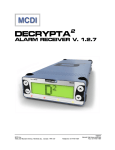
DECRYPTA2
ALARM RECEIVER
V. 1.2.4
Reference guide Preliminary
version 1.2
V040720
MCDI Inc.
7055 Jean-Bourdon Avenue, Montreal, QC, Canada H4K 1G7
Telephone: +514-481-1067
Internet: http://www.mcdi.com
Fax: +514-481-1487
TABLE OF CONTENT Page
1
|
51
Operating guide for Alarm Receiver DECRYPTA2
Contents
Description...........................................................................................................................................................................................2
What’s in the box ..............................................................................................................................................................................2
Physical description of DECRYPTA2 ..................................................................................................................................................2
Size ...............................................................................................................................................................................................2
Buffer memory...............................................................................................................................................................................2
Printer port.....................................................................................................................................................................................2
Phone jack.....................................................................................................................................................................................2
Power connector ...........................................................................................................................................................................2
Buzzer Alert/Warning ....................................................................................................................................................................3
Physical characteristics of DECRYPTA2 ............................................................................................................................................3
Powering DECRYPTA2 receiverr ...........................................................................................................................................................6
Configuring DECRYPTA2 receiver.......................................................................................................................................................10
MCDI winExprecium2.exe ..............................................................................................................................................................10
MCDI Axe configurator 0.1.0 ..........................................................................................................................................................10
Installation ...................................................................................................................................................................................11
Un-Installation .............................................................................................................................................................................11
Usage ..........................................................................................................................................................................................11
Starting other MCDI software from Axe.......................................................................................................................................14
Logger tool.....................................................................................................................................................................................14
Parameter definitions......................................................................................................................................................................16
Transmission rate ..............................................................................................................................................................................17
Transmission rate Serial port..........................................................................................................................................................17
Transmission rate USB port ...........................................................................................................................................................17
Connecting DECRYPTA2 to PCs .........................................................................................................................................................19
Front panel commands and displays .................................................................................................................................................22
Toolbox ..............................................................................................................................................................................................28
Configuration tools..........................................................................................................................................................................28
Communication tools ......................................................................................................................................................................28
Software tool COMIRQ................................................................................................................................................................28
Software tool WINCOMM ............................................................................................................................................................29
DOS Not available ..........................................................................................................................................................................29
LINUX .............................................................................................................................................................................................29
MACINTOSH ..................................................................................................................................................................................30
WINDOWS .....................................................................................................................................................................................30
Receiving ...........................................................................................................................................................................................36
Listen-in, Two way voice ................................................................................................................................................................36
Transmission to computer and printer in MCDI mode ....................................................................................................................38
Transmission to computer and printer in ADEMCO 685 / Surgard emulation mode ......................................................................39
Messages from DECRYPTA2 to DECRYPTA2 printer port: ...............................................................................................................39
Warranty ............................................................................................................................................................................................40
Legal compliance and Warning .........................................................................................................................................................41
United States Regulation FCC Warning .....................................................................................................................................41
EC Declaration of Conformity .........................................................................................................................................................42
EN41003 Warning Application Note 48, Issue 5 ............................................................................................................................43
Glossary.............................................................................................................................................................................................44
MCDI Inc.
7055 Jean-Bourdon Avenue, Montreal, QC, Canada H4K 1G7
Telephone: +514-481-1067
Internet: http://www.mcdi.com
Fax: +514-481-1487
DESCRIPTION Page
2
|
51
Operating guide for Alarm Receiver DECRYPTA2
DESCRIPTION
Alarm Receiver DECRYPTA2
The twin line alarm receiver DECRYPTA2 for PC compatible computers is a MCDI product. This new breed of alarm receivers is
equiped with advanced features such as USB port and dual output to PC.
What’s in the box
1 DECRYPTA2 Alarm Receiver
Cables:
2 RJ11 Phone cables
1 USB Type A to Type B cable 6 feet (1.8M)
1 Serial communication cable 6 feet DB9F to DB9F Null modem
1 Adapter DB9M> DB25F
1 Printer loopback plug
Power:
1 AC/DC power supply with localized IEC power cord.
1 Power cable for batteries (red and black)
Documentation/tools/drivers
1 Printed manual
1 CD with:
PDF documentation/tools/drivers/
Windows logger software
WinSAMM Central station trial version
Drivers and configuration tool WINEXPRECIUM2.EXE
1 Hex key
Physical description of DECRYPTA2
Size
Receiver has all out dimensions (without urethane feet):
15” (L) x 5.5” (W) x 2”(H)
38 cm (L) x 14 cm (W) x 5 cm (H)
Housing:
Rugged aluminum chassis.
Baked black enamel finish.
Buffer memory
Buffer holds up to 1800 events in Native mode (4+2 signal). Buffer is used when computer is absent.
Unit keeps printing during fail time if power is connected and maintained. When computer comes back
on, buffer empties to the computer. If more than 1800 events (4+2 Native mode ) are received in the
buffer during fail time, DECRYPTA2 writes over the oldest event. Written records may be available on
printer connected to parallel printer port.
Printer port
Connector port for IBM compatible parallel printer type DB25 is located at the back of the unit.
Phone jack
connector
Double Phone connector type located at the back of the unit. Connect Green and Red only on each
Serial port
DB9 male plug. Null modem. Located at the back of DECRYPTA2 .
USB port
USB type B (client) plug located at the back of unit
Relay terminal
Terminal block used for trigger of external unit by inboard relay ( 30V DC 1A max). Supports normally
open or normally closed.
Ground post
Terminal to ground unit if required. All parts of chassis are posted to this unit. Logical ground is
connected to casing.
Reset button
Located at the back of the unit.To hard or soft reset receiver portion of DECRYPTA . To hard reset press
button gently once and press once more during the beep. Hard reset will return the unit to factory
settings.
MCDI Inc.
7055 Jean-Bourdon Avenue, Montreal, QC, Canada H4K 1G7
2
Telephone: +514-481-1067
Internet: http://www.mcdi.com
Fax: +514-481-1487
DESCRIPTION Page
3
|
51
Operating guide for Alarm Receiver DECRYPTA2
Power connector
Unit can be powered by :
USB input only – powered from 5V USB port.
Combination of 1 and 2 at the same time.
9-12V DC input only
Refer to powering the unit for more info and full technical specifications.
Alert/WarningBuzzer
On board buzzer is available for alert warning when the Computer is absent.
Is enabled if setup parameter “Check printer” is set to Yes.
Is activated (starts buzzing) by event to be printed on DECRYPTA2 printer port.
To stop buzzing press ON-LINE printer key twice (2). Refer to printer connected to DECRYPTA2 parallel
printer port. Will resume buzzing if printer is left off-line.
Physical characteristics of DECRYPTA2
DECRYPTA2– FRONT VIEW
CARRIAGE
RETURN
BUTTON
UP BUTTON
LCD DISPLAY
ESCAPE
BUTTON
DOWN
BUTTON
LINE 1 and LINE 2 LEDs
Steady: incoming signal
Blink slow: no connexion
Off: idle
POWER LED
Always on when
unit is powered
PRINTER LED
Blinks fast when
printing
COMPUTER LED
Blinks slow: no PC
Blinks Fast: transmitting to PC
FRONT PANEL DESCRIPTION
WINDOWS
Green LED
Lights when DECRYPTA2 is on.
LOCK UNLOCK CONFIGURATION
LINE 1 +2
Red LED
Lights when a transmission occurs
Blinks when phone line is absent
RESET CONFIGURATION
ACCESS CONFIGURATION
COMPUTER
Yellow LED
Lights when a transmission occurs
Blinks when computer is absent
MCDI Inc.
7055 Jean-Bourdon Avenue, Montreal, QC, Canada H4K 1G7
Telephone: +514-481-1067
Internet: http://www.mcdi.com
Fax: +514-481-1487
DESCRIPTION Page
4
|
51
Operating guide for Alarm Receiver DECRYPTA2
PRINTER
Yellow LED
Lights when printing occurs
MCDI Inc.
7055 Jean-Bourdon Avenue, Montreal, QC, Canada H4K 1G7
Telephone: +514-481-1067
Internet: http://www.mcdi.com
Fax: +514-481-1487
DESCRIPTION Page
5
|
51
Operating guide for Alarm Receiver DECRYPTA2
2
DECRYPTA – REAR VIEW
USB CLIENT
SERIAL NUMBER
SERIAL PORT DB9
PORT
8 DIGITS
NULL MODEM
RELAY POSTS
GROUND POST
READ PAGE X
READ PAGE X
RESET BUTTON
RJ11 PHONE INPUT
9-12V DC INPUT READ
PRINTER PORT
PRESS ONCE THEN
LINE 1 AND LINE 2
PAGE X BEFORE
DB25 PARALLEL
ANOTHER TIME DURING
BEEP FOR HARD RESET
REAR PANEL DESCRIPTION
USB PORT
Type B USB connector. USB client to host cable supplied
GROUND LUG
SERIAL NUMBER TAG
All DECRYPTA2 serial number contain 8 digits. Please quote
serial number in emails or when calling for support to speed up
identification process. Serial number appears in configuration
tool when using USB output.
RESET BUTTON
Press once to soft reset DECRYPTA2 . Press once and once
more during beep to hard reset DECRYPTA2.
SERIAL (DB9 male connector)
Data transfer to computer:, Null modem cable supplied
9-12V DC INPUT:
Power input 9-12 V DC 500mA min. Supplied battery
connector and supplied power supply. Refer to section
Electrical feed before using
Serial port: 1200 Baud, 8 bit, 1 stop bit
Pin 2 = transmit
Pin 3= receive
Pin 7 = ground
Cable type=null modem
RELAY TERMINAL
2 POSITIONS.
Normally open and normally close. Refer to section
USING THE ONBOARD RELAY before using. Severe
damages may results if used improperly.
MCDI Inc.
7055 Jean-Bourdon Avenue, Montreal, QC, Canada H4K 1G7
Used to mecanically ground the unit. Refer to Electrical feed for
more details.
PRINTER (DB25 female connector)
.
Printer parallel port. Raw signals received by DECRYPTA2
LINE 1, LINE 2
Incoming phone lines
Tip
Ring
Telephone: +514-481-1067
Internet: http://www.mcdi.com
Fax: +514-481-1487
DESCRIPTION Page
6
|
51
Operating guide for Alarm Receiver DECRYPTA2
Powering DECRYPTA2 receiver
In this section
Electrical inputs
Notes on electrical installation for DECRYPTA2
Removal of USB power paths in DECRYPTA2
Alternative power source 9-12V DC
USB Hub
Notes on using USB power
Ground lug
Using a battery charger
Warnings
ELECTRICAL INPUTS
DECRYPTA2 can be powered from:
1.USB port
2.DC input
3.Combination of 1 and 2
1. DECRYPTA2 powered from USB port only
Minimum requirements: USB Port supplying 5VDC 500mA.
WARNINGS
2
-USB port from PC should be able to supply Decrypa with 500mA. If the PC is not able to supply 500mA, Decrypta 2 will not be
powered trhough USB port.
-Using a USB extension may impede DECRYPTA2 from functioning properly. Test before using in regular operation or critical
situations. Never use a modified USB cable. Verify regularly
-USING USB HUB: It is MCDI experience that most USB hub do not supply enough current to power connected DECRYPTA2.
Before using a USB hub to power one or several DECRYPTA2 check that the hub is able to deliver 500mA 5VDA to each
DECRYPTA2 unit. It is advisable to use the conventional 9-12V DC input of each DECRYPTA2 to power each unit when using a
USB hub.
-USB cable removal during reception of an alarm signal may result in losing said signal.
2
-If USB cable is DECRYPTA sole source of power, events in display memory will be lost when USB cable is removed. Events in
receiver buffer will be not be lost and will be transmitted to PC but not to display.
2. DECRYPTA2 powered from 9-12VDC input only
9-12V DC only
DECRYPTA2 can powered from the 9-12VDC only. Minimum requirements 9-12VDC 500 Ma. Severe damages to the unit may
occur if power supply delivers more than 14VDC.
DECRYPTA2 is supplied with a 100-240V AC 9 V DC power adapter. This power adapter is supplied with an IEC power cord for
localization.
WARNINGS
-Removal of the power source during reception of an alarm signal may result in losing said signal.
2
-If 9-12VDC input is used as DECRYPTA sole source of power, events in memory will be lost when power is removed. Events
in receiver buffer will be not be lost and will be transmitted to PC but not to display.
3. DECRYPTA2 powered from USB and 9-12V DC input at the same time (MCDI recommended method)
MCDI Inc.
7055 Jean-Bourdon Avenue, Montreal, QC, Canada H4K 1G7
Telephone: +514-481-1067
Internet: http://www.mcdi.com
Fax: +514-481-1487
DESCRIPTION Page
7
|
51
Operating guide for Alarm Receiver DECRYPTA2
USB and 9-12V DC input can be used at the same time when following instructions. If one power source fails, the other will
take over without interruption providing it delivers enough current to power the unit. MCDI recommends you power the unit by
using USB power and 9-12VDC input at the same time using a battery supervision circuit (see diagram and notes below).
Methodology of installation:
Check each source on it’s own to insure it delivers enough current to power the unit on its own. Once both are checked, you
should connect both sources. Verify sources regularly.
WARNINGS
-When both power source to DECRYPTA2 are connected to the same origin, losing that origin will result in losing power to
2
DECRYPTA .
-Removal of both power sources will result in losing events in memory.
-Consult a qualified Electrician if you are using other equipment than MCDI supplied equipment.
-Verify setup regularly
Battery in 9-12VDC input
WARNINGS:
-MCDI recommends choosing a high quality lead-acid battery or gel type. Most stores selling security equipment hold a variety of
power levels to choose from.
2
-Decrypta will not charge a battery. A battery used in conjunction with USB output will discharge if not connected to a battery
charger.
2
2
-If not charged, the battery will discharge. DECRYPTA does not provide battery supervision or charge to battery. DECRYPTA is
supplied with a Molex lock type connector. This connector has a red and black wire for connection to battery.
-If use in conjunction with USB input a battery will discharge at a lower rate but WILL STILL DISCHARGE unless a battery
charger is used.
-Do not use a battery supplying more than 14V DC. Significant heat dissipation will result and may damage unit. Do not use a
battery showing signs of tear, leak or corrosion.
2
-Never connect a faulty or drained battery to the DECRYPTA .
Battery time
To calculated battery time:
HOURS OF CONTINUOUS BATTERY OPERATION = POWER IN A-H
2
Example with a fully charged new battery – 500mA drain from DECRYPTA :
12V 600 mAh
1h12min
12V 700 mAh
1h25min
12V 70 Ah
140h
Always refer to battery manufacturer application notes on charging, using and discharging a battery.
Using 2 x 6Vbatteries (serial connection)
2
In using a serial connection, voltage of each power source will be added and delivered to DECRYPTA .
MCDI Inc.
7055 Jean-Bourdon Avenue, Montreal, QC, Canada H4K 1G7
Telephone: +514-481-1067
Internet: http://www.mcdi.com
Fax: +514-481-1487
DESCRIPTION Page
8
|
51
Operating guide for Alarm Receiver DECRYPTA2
Using 2 x 12V batteries (parallel connection)
2
IUsing a parallel connection of batteries, resulting current to DECRYPTA is the sum of current provided by each source.
Batteries should be matched to prevent heating among power components.
Battery charger
A battery along with a battery charger may be used . Using a supervision circuit is preferable. MCDI tested and recommends
Altronix PM212. and a 12V battery. A circuit like the Altronix PM212 will insure a constant tension (9-12V preferred), battery
charge and battery supervision
2
Insure that your circuit delivers less than 14V to DECRYPTA . Significant heat dissipation will result if using a power source of
2
more than 13.8V. This may damage the unit of reduce life expectancy of DECRYPTA .
-Verify installation regularly.
2
-Consult a qualified Electrician prior to connecting DECRYPTA If you are using a battery, a battery charger and/or equipment
MCDI Inc.
7055 Jean-Bourdon Avenue, Montreal, QC, Canada H4K 1G7
Telephone: +514-481-1067
Internet: http://www.mcdi.com
Fax: +514-481-1487
DESCRIPTION Page
9
|
51
Operating guide for Alarm Receiver DECRYPTA2
Notes on:
Removal of USB power paths in DECRYPTA2
Must be done by trained personnal only.
2
When desirable to remove altogether power from the USB port, DECRYPTA unit must opened and a jumper at pin J1 of the
black PCB must be removed and J7 must be moved from position 1-2 to 2-3. Although a competent technician can do this
modification, MCDI strongly advice this modification should be made only by MCDI trained personal and local dealers.
Call MCDI Inc. before attempting this modification.
Alternative power source 9-12V DC
2
DECRYPTA is shipped with a power adaptor. When another power supply is preferred for the 9-12V DC input, a lower voltage
2
should be preferred over a higher voltage to minimize heat dissipation in DECRYPTA .
USB Hub
2
While testing several units, MCDI did not find a USB hub able to power TWO DECRYPTA units. It is recommended that you
power the units by their 9-12V DC input if you plan to use a USB hub and use the USB hub only for the benefit of data
concentration.
Ground lug
2
2
As as safety for users and the DECRYPTA alarm receiver, DECRYPTA is provided with a ground lug at the back on the unit. A
wire of AWG # should be used along with a lug connectors. Ground connection must be maintained and verified regularly to
insure ground to earth is always present.
2
Best practice in making a ground connection from DECRYPTA are to insure a non resistive connection to a known and tested
2
ground in a well built electrical installation or connect the ground lug of DECRYPTA to a metallic water pipe going to earth or
to a rod deeply planted in earth.
2
Should several DECRYPTA units be used it is preferable not to chain units by their ground lugs. A better practice is to use a
ground star technique according to Diagram
Using a battery charger
MCDI tested and recommends a supervision circuit like Altronix PM212 (altronix.com). This circuit will take 16VAC wall
transformer (Alarm panel transformer) charge a 12V battery, insure supervision and will deliver power from battery when AC
feed is missing.
When using a battery charger, insure that the tension at DECRYPTA2 electrical entry is less than 14VDC. Applying voltage of
more than 14V DC may cause significant heat dissipation within unit. Damages may result and this may reduce life expectancy
of DECRYPTA2
WARNINGS
2
-DECRYPTA does not supervise battery.
-Verify electrical set-up regularly.
2
-Always use properly mounted and approved cables to connect DECRYPTA
-Do not use an over charger battery or a battery dispensing more than 14VDC.
2
-Consult a qualified Electrician prior to connecting DECRYPTA If you are using a battery, a battery charger and/or equipment
not provided by MCDI Inc.
2
-Damages resulting from power surges of any kind of specifically excluded from DECRYPTA warranty.
MCDI Inc.
7055 Jean-Bourdon Avenue, Montreal, QC, Canada H4K 1G7
Telephone: +514-481-1067
Internet: http://www.mcdi.com
Fax: +514-481-1487
DESCRIPTION Page
10
|
51
Operating guide for Alarm Receiver DECRYPTA2
Configuring DECRYPTA2 receiver by software
MCDI winExprecium2.exe
There is no switches or jumpers to
configure your card. All settings are done
using the setup program called
winExprecium2.exe ( provided on the
media coming with your card ). This
program works under Windows and can
be executed from any disk drive. To use
it under Windows, your Windows drivers
must be installed first and properly
configured.
To enter the configuration menu double
click on the icon winExprecium2.exe
The following display will appear :
MCDI Axe and Logger tools
Axe configurator is a universal tool for configuring MCDI
receivers. Currently it supports the following receivers:
Exprecium (I and II version)
USB DECRYPTA2
The support for other MCDI receivers will be done in a near
future.
2
Logger is a software tool to log to disk DECRYPTA raw
output . Logged data may be read by word processors and
Excel for reporting or /and analysis.
1. JAVA RUN TIME ENGINE Installation
If you don’t have Sun’s JRE installed you can install it from
the CD. It is located in \ Configurator_logger\Java_installer\
directory. To install, run the installer program j2re-1_4_2_04windows-i586-p.exe. Under Windows XP you will need
administrative privileges in order to install JRE.
MCDI Inc.
7055 Jean-Bourdon Avenue, Montreal, QC, Canada H4K 1G7
Telephone: +514-481-1067
Internet: http://www.mcdi.com
Fax: +514-481-1487
DESCRIPTION Page
11
|
51
Operating guide for Alarm Receiver DECRYPTA2
2. Installation of MCDI Axe configurator 0.1.0
Requirements:
MS Windows XP
Sun’s Java Runtime Environment (JRE) 2. Located on CD.
Axe Configurator Installation
The installation procedure is very simple. To start the installation, run the installer program, Axe_install_0.1.0.exe:
1. It will prompt you for the language you want the installer to run in.
2. The license is displayed. Read it carefully and then click on “I Agree” to agree with the licensing terms.
3. Select the directory in which the Axe Configurator will be installed or accept the default settings, then click on “Install”.
4. You will see the progress of the installation. If you want to see where and which files are being copied, click on “Show
Details”.
5. Press “Close” when finished
A few shortcuts are created for your convenience:
1. On your desktop
2. In the Start Menu, under Start Programs MCDI Axe Configurator
Un-installation
You can un-install Axe Configurator in two ways:
1. From the Control Panel: select Start Settings Control Panel. Then select “Add or remove programs”, choose “Axe
Configurator” from the list and follow the un-installation procedures.
OR
2. Directly: select Start Programs MCDI Axe Configurator Uninstall and follow the un-installation procedures.
Usage
At the startup, you will see the following welcome screen to
configure a device, select it from the device list:
NOTE: The configurator tries to detect what kind of receiver
is connected to the PC. Yet sometimes it’s necessary to
actually start the process of retrieving the configuration in
order to completely determine what kind of receiver it is.
Thus, in the device menu you may see:
“Exprecium” for Exprecium I and II cards
“Serial” for any device attached to physical COM port, for example, Decrypta or the serial port connection of DECRYPTA2.
“USB DECRYPTA2” for the USB connection of the DECRYPTA2.
When you select receiver, its configuration settings will be retrieved, and you will see different configuration screens according to
the type of the receiver (see section “Configuration screens”).
Setting language of the Axe Configurator
You can select English, French, Spanish, German, or Russian. To set the language, select it from the menu Options Language.
Starting other MCDI software from Axe Configurator
You can start WinSAMM, WS Receiver, Traffic Logger, or WinCOM from the Traffic Connect To menu. To set paths to those
programs, select Traffic Settings.
Receiver configuration
When a particular device is selected and its configuration screen is shown (see section “Configuration screens”), the following
actions are available:
MCDI Inc.
7055 Jean-Bourdon Avenue, Montreal, QC, Canada H4K 1G7
Telephone: +514-481-1067
Internet: http://www.mcdi.com
Fax: +514-481-1487
DESCRIPTION Page
12
|
51
Operating guide for Alarm Receiver DECRYPTA2
Submit configuration
Press on the “Submit” button or, equivalently, select File Submit to send the configuration to the receiver, and close the
configuration screen.
NOTE: When the configuration is submitted the receiver is set to
the system time displayed in the “Synchronization” section:
Discard configuration
Press on the “Discard” button or, equivalently, select File Discard to discard any changes made and close the configuration
screen.
Save configuration
To save the current configuration to a file, select File Save.
Open a saved configuration
To load the configuration from a file, select File Open.
NOTE: File extensions are different for different receiver types. You will not be able, for example, to load an Exprecium I
configuration file (*.exp) while configuring an Exprecium II (*.expdec2).
Load Presets
For some receivers, there are preset configurations stored in the “presets” subdirectory of the Axe Configurator directory. You
will see the available presets under File Presets.
Configuration screens
Exprecium I
MCDI Inc.
7055 Jean-Bourdon Avenue, Montreal, QC, Canada H4K 1G7
Telephone: +514-481-1067
Internet: http://www.mcdi.com
Fax: +514-481-1487
DESCRIPTION Page
13
|
51
Operating guide for Alarm Receiver DECRYPTA2
Exprecium II
Serial/USB Decrypta 2
Axe configurator recognizes
Decrypta 2 connected on USB port
of PC. Some options specific to
Decrypta 2 will be showned in this
window when Axe recognizes a
Decrypta 2 unit. Axe will also render
more information from USB
connection, namely receiver name,
firmware version installed in receiver
and serial number of unit. USB port
and COM port redirection (virtual
serial port redirection) are indicated
in the Device drop down menu.
MCDI Inc.
7055 Jean-Bourdon Avenue, Montreal, QC, Canada H4K 1G7
Telephone: +514-481-1067
Internet: http://www.mcdi.com
Fax: +514-481-1487
DESCRIPTION Page
14
|
51
Operating guide for Alarm Receiver DECRYPTA2
Starting other MCDI software from Axe Configurator
You can start WinSAMM, WS Receiver, Traffic Logger, or WinCOM from
the Traffic Connect To menu. To set paths to those programs, select
Traffic Settings. The following window will appear where you can
change your settings.
LOGGER TOOL
2
Logger is a software tool to log to disk DECRYPTA raw output . Logged data may be read by word processors and Excel for
reporting or /and analysis.
REQUIREMENTS
See Axe Configurator tool Java requirements
and installation procedure.
Port:
Choose and connect to the port your receiver
device is attached to.
Interval:
Set interval at which a new log file will be
created. Possible choices are “Hourly”, “Daily”,
“Weekly” and “Monthly”. Consequently, each log
file will contain signals came within an hour, a
day, a week, or a month, respectively.
Day of month, day of week, hour, minute:
Set the exact time when a new log will be
created. The choices available depend on the interval chosen above. For example, if “Hourly” interval is selected,
and the minute is set to “10”, then a new log will be created at 13:10, 14:10, 15:10, 16:10 etc.
NOTE: Every time you change the interval type or its settings, you should reconnect in order for the changes to be
applied.
Log-Directory:
Select the location of the logged signals. The organization of this directory is as follows:
(log-dir) \ (com-port and device name)
e.g.
MyLogs\COM3__Exprecium\
e.g.
2004-06-12__13-00.log
Each log file is named as follows:
Year-Month-Day__Hour-Min.log
Thus, it shows the date and time it was created.
NOTE: Every time the logger starts, it attempts to open the previous log, based on the interval settings. For
example, if it was 14:25 currently, the interval was set to “Hourly”, and the Minute was set to “00”, the logger will try
to open the log created at 14:00. If, indeed, this file exists, the logger will use it to log incoming signals until 15:00,
MCDI Inc.
7055 Jean-Bourdon Avenue, Montreal, QC, Canada H4K 1G7
Telephone: +514-481-1067
Internet: http://www.mcdi.com
Fax: +514-481-1487
DESCRIPTION Page
15
|
51
Operating guide for Alarm Receiver DECRYPTA2
as usual. If, on the other hand, the file does not exist, the logger will create a new log labeled with the current time
of 14:25 and use it to log incoming signals until 15:00.
Auto-Ack
Toggle automatic acknowledging of the incoming signals.
Acknowledge
Acknowledge the reception of the incoming signal.
Disconnect
Disconnect from the receiver device.
Change font size
To change font size of the signals, right-click on the signals window and select “Increase” or “Decrease Font Size”.
MCDI Inc.
7055 Jean-Bourdon Avenue, Montreal, QC, Canada H4K 1G7
Telephone: +514-481-1067
Internet: http://www.mcdi.com
Fax: +514-481-1487
DESCRIPTION Page
16
|
51
Operating guide for Alarm Receiver DECRYPTA2
Parameter definitions
Emulation mode easy setting information: Select desired mode using a radio button.
MCDI Mode
Standard or enhanced
Ademco Mode
Ademco emulation
Surgard Mode
MLR2 or MLR2000(enhanced) emulation
OPTIONS:
MCDI standard
MCDI enhanced
1 digit for receiver# and 1 digit for line #
3 digits for receiver# and 3 digits for line #.
Receiver
Number sent to computer and printer 0 to F (default = 1)
Line 1
Number sent to computer and printer 0 to F (default = 1)
Line 2
Number sent to computer and printer 0 to F (default = 2)
Heartbeat
Yes = enable No = disable (default)
2
DECRYPTA sends Heartbeat signals to computer every 30 seconds only in Native mode and
Surgard mode.
Sescoa SS
Yes = enable No = disable (default)
Conflict with Pulse 4X2 Checksum format
3x2 Instead 4x1
Yes = enable No = disable (default)
Conflict with 4X1 in Compressed Expanded
DO NOT select with Compressed Expanded = Yes
Clear Zero
Yes = Zero removed in 3x1 and 4x1
No = zero present (default)
2
Tells DECRYPTA receiver not to insert a zero in front of the account number and in front of the
alarm code, for incoming 3 x 1 and 4 x 1.
Example:
3 x 1 Extended compressed in 3 x 2 standard
123 4
444 5
After compression: 123 45
Example:
3 x 1 Standard 3 x 1
123 1
Example:
4 x 1 Standard 4 x 1
1234 1
Example:3 x 1 and 4 x 1 without the CLEAR ZERO option:
0123 01 for 3 x 1
1234 01 for 4 x 1
Compressed/
Extended
Listen-In
(3x1,4x2)
Yes = Compressed extended 3x1 or 4x1
(No = default)
Example:
3 x 1 Extended compressed in 4 x 2 standard
123 4
444 5
After compression: 0123 45
Example:
4 x 1 Extended compressed in 4 x 2 standard
1234 5
5555 6 After compression: 1234 56
Empty or 1 .. F
Define code to trigger Listen-In mode in 3x1 or 4x2 formats
MCDI Inc.
7055 Jean-Bourdon Avenue, Montreal, QC, Canada H4K 1G7
Telephone: +514-481-1067
Internet: http://www.mcdi.com
Fax: +514-481-1487
DESCRIPTION Page
17
|
51
Operating guide for Alarm Receiver DECRYPTA2
Printer/Buzzer
Yes = Check printer on DECRYPTA
2
port
No= Do not check for printer (default)
2
By default DECRYPTA does not verify printer status on parallel port but sends data to be printed as if a
printer was connected to this port.
2
(Yes) option tells the DECRYPTA receiver to verify and report on the status of the printer connected to the
2
2
DECRYPTA parallel port. The status verification applies to the DECRYPTA (lowest COM) in the computer if
2
more than one MCDI receiver is installed. A connector is needed to daisy chain multiple DECRYPTA
receivers to send all output to one printer only.
When Check printer option is enabled (Yes) and the computer is absent, each event being sent to printer
triggers a warning buzzer. This warning sound may be stopped by clicking twice the ON-LINE printer key.
Buzzing resumes if printer is left Off-line.
Do not set the "Yes" parameter if no printer is installed. Multiple error messages could be generated by
taking this action.
Handshake delay
Delay to start Handshake after Off Hook. No = normal, Yes=5 seconds
Number of rings
( 1 to 5 ) Number of rings to answer
Caller ID PC
No = Do not send telephone ID data to PC
Yes = Send telephone ID data to PC
Caller ID Printer
No = Do not send telephone ID data to DECRYPTA printer
2
Yes = Send telephone ID data to DECRYPTA printer
Caller ID ALL
No = Do not send telephone ID data except when bad transmission occurs
2
Yes = Send telephone ID to PC and DECRYPTA printer unless PRN and PC select otherwise
Save Date / Time
Yes = enable(Default) No = disable
Send year
Yes = Date including the year
2
Yes, tells DECRYPTA
2
No = Date with no year (default)
to add the Year in date format: HH:mm _ _ MM/DD[/YY] ...
No, by default, tellsDECRYPTA
Display Last Event
Time
Default = 1
2
to use date and time format: MM/DD.
Display setting allowing to always display last Event received instead of default display Date and
Yes = Enable keeping Last Event permanently displayed; No = Revert to Default display.
ACK delay
Wait time in seconds for ACK reception before resend. (Surgard/Native mode only)
Handshake order selection
Options
1400hz / VFSK
SIA / CFSK
DUAL 1400hz / 2300hz
2300hz
STRATEL
TELIM
ROBOFON
Selection inserts
1]400Hz
2)[ SIA ]
3) Cont ID
4) 2300Hz
5) On Hook
6) On Hook
7) On Hook
8) On Hook
In each Selections field insert option needed.
Transmission rate serial communication
1200 bps, no parity, 8 bits, I stop bit
Transmission rate USB communication
MCDI Inc.
7055 Jean-Bourdon Avenue, Montreal, QC, Canada H4K 1G7
Telephone: +514-481-1067
Internet: http://www.mcdi.com
Fax: +514-481-1487
DESCRIPTION Page
18
|
51
Operating guide for Alarm Receiver DECRYPTA2
1200 bps, no parity, 8 bits, I stop bit
MCDI Inc.
7055 Jean-Bourdon Avenue, Montreal, QC, Canada H4K 1G7
Telephone: +514-481-1067
Internet: http://www.mcdi.com
Fax: +514-481-1487
DESCRIPTION Page
19
|
51
Operating guide for Alarm Receiver DECRYPTA2
Connecting DECRYPTA2 to PCs.
Typical scenarios are:
No connection to PC:
DECRYPTA can be used in a stand-alone way, without PC. All configuration parameters can be accessed
2
from the internal configuration menu.
Using one connection (USB or Serial)
-
DECRYPTA connected by USB port only
2
USB
USB
Decrypta2
COM7: Virtual COM
ACK
WSReceiver
application
-
Using only one connection: DECRYPTA2 connected by Serial port only
Decrypta2
SERIAL
COM
ACK
COM1: Physical COM port
WSReceiver
application
Using both connections (USB and Serial)
IMPORTANT: For flexibility of operations the signal received by the card can be acknowledged from either
USB or Serial connection. Therefore it is very important, when using both USB and serial connection, to
acknowledge signals ONLY from the main connection to the receiving software, and not from the
secondary one used for logging.
When connected in this fashion, Decrypta 2 will be seen by the PC as two COM ports. One, the serial
connection, is the physical COM port (ranged COM1 to COM4 usually depending on the number of
available serial ports). Another connection, through USB, is a ”virtual” COM port (can be in the range
COM5 to COM256). Both COM ports can be used to input signals to the PC, therefore one COM port can
be used to connect to PC receiver software, and the other port for logging or monitoring of signals.
DECRYPTA connected by USB and serial port on same PC
2
MCDI Inc.
7055 Jean-Bourdon Avenue, Montreal, QC, Canada H4K 1G7
Telephone: +514-481-1067
Internet: http://www.mcdi.com
Fax: +514-481-1487
DESCRIPTION Page
20
|
51
Operating guide for Alarm Receiver DECRYPTA2
USB
USB
COM
SERIAL
Decrypta2
COM1: Physical COM port
COM7: Virtual COM
WSReceiver
application
ACK
ACK
TrafficLogger
application
Main connection
Secondary logging connection:
signals NOT acknowledged
DECRYPTA connected by USB and serial port on different PC
2
COM7: Virtual COM
USB
WSReceiver
application
USB
SERIAL
Main connection: signals
acknowledged
Decrypta2
ACK
TrafficLogger
application
Secondary logging connection:
signals NOT acknowledged
COM1:
Physical COM
port
COM
ACK
Using USB Hub
-
Several DECRYPTA2 connected to PC by USB hub.
MCDI Inc.
7055 Jean-Bourdon Avenue, Montreal, QC, Canada H4K 1G7
Telephone: +514-481-1067
Internet: http://www.mcdi.com
Fax: +514-481-1487
DESCRIPTION Page
21
|
51
Operating guide for Alarm Receiver DECRYPTA2
USB
USB HUB
Decrypta2
SERIA
USB
Decrypta2
SERIA
COM7: Virtual COM port
COM8: Virtual COM port
COM9: Virtual COM port
USB
Decrypta2
SERIA
WSReceiver
application
ACK
Main connection: signals
acknowledged
Available for
logging/monitoring
Signals NOT
acknowledged
ACK
MCDI Inc.
7055 Jean-Bourdon Avenue, Montreal, QC, Canada H4K 1G7
Telephone: +514-481-1067
Internet: http://www.mcdi.com
Fax: +514-481-1487
DESCRIPTION Page
22
|
51
Operating guide for Alarm Receiver DECRYPTA2
Configuration by front panel commands and displays
Start up menu
Display on power-up. V.1.2.4 is the firmware version in this case
Configuration menu
To enter configuration, press
and
Congifuration Mode
:::::::::::::::::::::::::::::
simultaneously
At any point during configuration
Pressing
Saving Configuration
will save configuration
Choice of language
to select from English, Spanish (español), French (français)
Portuguese (português) or German (deutsch)
to choose language and continue to next menu in selected
language
Output Format to PC
or
to select MCDI, ADEMCO, or SurGard Format
to accept the setting and go to the next menu.
Enhanced mode
(MCDI format RRRLLL; SurGard 2000 format RRLLL)
or
to select either Yes or No
to accept the setting and go to the next one.
- Not available for ADEMCO format.
Assigning receiver and each Line a number
to enter sub-menu
Press simultaneously
Press
DECRYPTA
Alarm Receiver
Version 1.2.4.
MCDI Inc.
or
go to next setting
and
or
to move the cursor.
to select from 0 to 9, and A - F
to accept the settings and continue.
Enabling heartbeat
to select from Yes or no
to choose and continue to next menu
Enabling Sescoa SS format
to select from Yes or no
(SETTINGS)
Choice
Option
____________________________
Language
English
(SETTINGS)
Choice
………………………………………………………………
Output Format
(SETTINGS)
Choice
………………………………………………………………
Enhanced mode
(SETTINGS)
Choice
………………………………………………………………
Receiver ID
Receiver #:
Line 1 #:
Line 2 #:
Option
MCDI
Option
Yes
Option
Edit>>
1
1
2
(SETTINGS)
Choice
Option
____________________________
Heartbeat
Yes
(SETTINGS)
Choice
Option
_____________________________
Sescoa SS
Yes
(SETTINGS)
Choice
Option
_____________________________
3x2 inst’d 4x1
Yes
to choose and continue to next menu
Enabling 3x2 instead of 4x1
to select from Yes or no
to choose and continue to next menu
MCDI Inc.
7055 Jean-Bourdon Avenue, Montreal, QC, Canada H4K 1G7
Telephone: +514-481-1067
Internet: http://www.mcdi.com
Fax: +514-481-1487
DESCRIPTION Page
23
|
51
Operating guide for Alarm Receiver DECRYPTA2
Enabling clear zero
(SETTINGS)
Choice
Option
_____________________________
Clear Zero
Yes
to select from Yes or no
to choose and continue to next menu
(SETTINGS)
Choice
Option
_____________________________
Extended
Yes
Enabling Extended/compressed
to select from Yes or no
to choose and continue to next menu
Choosing listen-in code
to select from 1 to 9, Ato F. “0“ = empty
to choose and continue to next menu
Check printer/buzzer mode
(SETTINGS)
Choice
Option
_____________________________
Listen-In code
E
(SETTINGS)
Choice
Option
_____________________________
Check printer
Yes
to select from Yes or No
to choose and continue to next menu
Wait after off hook option
(SETTINGS)
Choice
Option
_____________________________
Wait after O/H
Yes
to select from no or Yes (4.5 seconds delay)
to choose and continue to next menu
Set the number of rings before answering
or
to select from 1 to 5 rings
to accept the setting and go to the next one.
Enabling CALLER ID to PC
to select from Yes or No
to choose and continue to next menu
Enabling CALLER ID to printer
to select from Yes or No
to choose and continue to next menu
Enabling CALLER ID to be sent with all events
to select from Yes or No
(SETTINGS)
Choice
Option
………………………………………………………………
Number of Rings
1
(SETTINGS)
Choice
Option
_____________________________
Caller ID to PC
Yes
(SETTINGS)
Choice
Option
_____________________________
Caller ID printer
Yes
(SETTINGS)
Choice
Option
_____________________________
Caller ID All
Yes
(SETTINGS)
Choice
Option
_____________________________
Date/time
Yes
to accept the setting and go to the next one.
Sending date and time option
(Surgard mode option )
to select from Yes or no
to choose and continue to next menu
MCDI Inc.
7055 Jean-Bourdon Avenue, Montreal, QC, Canada H4K 1G7
Telephone: +514-481-1067
Internet: http://www.mcdi.com
Fax: +514-481-1487
DESCRIPTION Page
24
|
51
Operating guide for Alarm Receiver DECRYPTA2
Sending year option (Surgard mode option )
to select from Yes or No (ifSet date and time is YES)
(SETTINGS)
Choice
Option
_____________________________
Send year
Yes
to choose and continue to next menu
(SETTINGS)
Choice
Option
_____________________________
ACK delay
2
Delay time for acknowledge to PC
to select delay in seconds from 1 to 5
to choose and continue to next menu
(SETTINGS)
Choice
Option
_____________________________
Time: hour
00
Setting Time: hour
to select from 00 to 23
to accept the setting and go to the next menu
(SETTINGS)
Choice
Option
_____________________________
Time: minutes
22
Setting Time: minutes
to select from 00 to 59
to accept the setting and go to the next menu
(SETTINGS)
Choice
Option
_____________________________
Date: Day..
02
Setting Date: day
to select from 01 to 31
to accept the setting and go to the next menu
Setting Date: month
to select from 01 to 12
to accept the setting and go to the next menu
Setting Date: year
to select from 00 to 99
to accept the setting and go to the next menu
Setting the format for displaying the date in
or
IDLE MODE.
to select the format.
to accept the setting and go to the next menu.
Display Last Event option
or
to select either Yes or No.
Yes = Keeps last event received on display.
No = Reverts to IDLE MODE default setting.
to accept the setting and go to the next one.
(SETTINGS)
Choice
Option
_____________________________
Date: Month
12
(SETTINGS)
Choice
Option
_____________________________
Date: Year
00
(SETTINGS)
Choice
Option
______________________________
Date Format
YY/MM/DD
(SETTINGS)
Choice
Option
______________________________
Display Event
No
(SETTINGS)
Choice
Option
______________________________
Formats
Edit>>
Formats selection (Specific to Surgard format
to enter the sub-menu.
to go to the next setting.
MCDI Inc.
7055 Jean-Bourdon Avenue, Montreal, QC, Canada H4K 1G7
Telephone: +514-481-1067
Internet: http://www.mcdi.com
Fax: +514-481-1487
DESCRIPTION Page
25
|
51
Operating guide for Alarm Receiver DECRYPTA2
[ Formats selection sub-menu]
Press simultaneously
and
or
to move the cursor. Then
Press
or
to select from either Yes or No. Press
accept the settings and continue.
to
to enter the sub-menu.
to go to the next setting.
- Available only in SurGard format.
to enter the sub-menu.
to go to the next setting.
- Available only in SurGard format.
[ 4x1, 4x2, 4x3 Codes sub-menus ] Selecting codes
Press
or
No
No
No
(SETTINGS)
Choice
Option
______________________________
4x3 DTMF Codes
Edit>>
Assigning 4x3 Codes
and
VFSK
BFSK
CFSK
(SETTINGS)
Choice
Option
______________________________
4x1,4x2 Codes
Edit>>
Assigning 4x1 and 4x2 Codes
Press simultaneously
Pulses ► Yes
DTMF
Yes
SIA
Yes
or
0>[0]
1> 1
2> 2
3> 3
4> 0
5> 0
6> 0
7>
8>
9>
A>
B>
A
B
C
D
C> 0
D>
E> 0
F> 0
to move the cursor.
to select from '0' to '9', and 'A' – 'F', or (none)
to accept the settings and continue.
Assigning Handshake sequence
(SETTINGS)
Choice
Option
______________________________
HS Sequence
Edit>>
1) 1400Hz
2)[ SIA ]
3) Cont ID
4) 2300Hz
to enter the sub-menu.
to go to the next setting.
5)
6)
7)
8)
Unused
Unused
Unused
Unused
[ Handshake sequence sub-menu ] Specifying the order.
Press simultaneously
and
or
to move the cursor.
Press
or
to select the handshake from the list:
- 1400 Hz / VFSK - 2300hz
- Dual 1400Hz/2300Hz
SIA / CFSK
(Contact ID)
Telim(works on Telim models only)
- Stratel
Robofon(works on Robofon models only)
to accept the settings and return to the beginning of the
configuration list.
Resetting DECRYPTA2
and
pressed simultaneously at any time will reset
DECRYPTA2 to factory default, and will clear the buffer from all events
received, unless locked (see Locking Settings below).
Note that you should leave the configuration mode without saving any
changes.
DECRYPTA II is reset
MCDI Inc.
Save configuration?
Yes
Saving Configuration
Saving changes and exiting from configuration mode
Press
to leave the configuration mode. Unless locked (see
Locking Settings below), you will be prompted if the new configuration
should be saved. Press
for “Yes”, and
for “No”.
MCDI Inc.
7055 Jean-Bourdon Avenue, Montreal, QC, Canada H4K 1G7
Telephone: +514-481-1067
Internet: http://www.mcdi.com
Fax: +514-481-1487
DESCRIPTION Page
26
|
51
Operating guide for Alarm Receiver DECRYPTA2
If the new configuration is to be saved, “Saving configuration” message
will appear.
MCDI Inc.
7055 Jean-Bourdon Avenue, Montreal, QC, Canada H4K 1G7
Telephone: +514-481-1067
Internet: http://www.mcdi.com
Fax: +514-481-1487
DESCRIPTION Page
27
|
51
Operating guide for Alarm Receiver DECRYPTA2
IDLE MODE. BROWSING RECEIVED EVENTS
Idle Mode default display
When not in configuration nor receiving signals, DECRYPTA2 displays
date on first line and time on second line. Press
browse events in the buffer.
or
to
......
......
00/12/07
00:12:04
......
......
Idle Mode Display options
• To permanently display Last Event received, set “Display Event”
(see above) to Yes.
• To change the format in which the date is displayed, see the “Date
Format” setting above.
Locking / Unlocking Settings
To lock the settings, press simultaneously
and
, then
and
. You will see a lock symbol in the upper left corner of the
screen. Repeat the same procedure to unlock the settings.
•
•
•
Locking the settings makes them read-only to protect from
accidental changes. Settings can still be examined, but not
modified.
Reset is unavailable in this mode.
When leaving the configuration mode by pressing
at any
time, no confirmation will be asked, and no changes saved.
TYPICAL DISPLAYS–INCOMING SIGNALS
4X2, CALLER ID NATIVE FORMAT
LINE 1: TIME AND DATE
LINE 2: RECEIVER AND LINE NUMBER;
SIGNAL FROM PANEL
LINE 3: CALLER ID INFORMATION
LINE 4 RAW DATA
CONTACT ID, CALLER ID, NATIVE FORMAT
LINE 1: TIME AND DATE
LINE 2: RECEIVER AND LINE NUMBER;
SIGNAL FROM PANEL
LINE 3: CALLER ID INFORMATION
LINE 4 RAW DATA
15:30:27__12/07/00
Rec: 1
Line: 2
CID: {4811067}
12 6161 F6
15:30:38__12/07/00
Rec: 1
Line: 2
CID: {4811067}
12 6262 E121 01 000
15:30:47__12/07/00
Rec: 1
Line: 2
CID: {4811067}
12 [#6363INHA000]
SIA, CALLER ID, NATIVE FORMAT
LINE 1: TIME AND DATE
LINE 2: RECEIVER AND LINE NUMBER;
SIGNAL FROM PANEL
LINE 3: CALLER ID INFORMATION
LINE 4 RAW DATA
MCDI Inc.
7055 Jean-Bourdon Avenue, Montreal, QC, Canada H4K 1G7
Telephone: +514-481-1067
Internet: http://www.mcdi.com
Fax: +514-481-1487
DESCRIPTION Page
28
|
51
Operating guide for Alarm Receiver DECRYPTA2
TOOLBOX
CONFIGURATION TOOLS
DECRYPTA can be configured directly from its display and front panel commands. You may also enjoy the same
commands from a PC connected to DECRYPTA2. Configuration tools are provided on the CD that came with
2
DECRYPTA or by download from www.mcdi.com
2
DOS and Windows 95
No tools available under Dos up to Windows 98
USB port will not work under DOS and Windows 95 due to the nature of USB and OS limitations. Serial port must
be used.
Windows 98, ME, 2000, XP.
2
DECRYPTA may be configured by WINEXPRECIUM2.EXE or MCDI AXE configurator. Axe configurator is a java
class tools. Java engine must be present.
Linux
DECRYPTA may be configured with application located on CD or available by download from www.mcdi.com.
2
Traffic can be viewed with Lincomiq. Drivers are included on CD.
Macintosh
This OS is not supported although MCDI successfully tested one specially programmed DECRYPTA2 with a G4
using a MacWIse under OS X (10.3.3). Adjustments to unit programming is needed in order to make it work with
Mac OS drivers. If you are planning to use DECRYPTA2 with Mac, please specify to sales when ordering or contact
MCDI support for reprogramming of unit.
Coding of commands
Line command from a terminal application may be used. Contact MCDI support for coding interface.
Developer's tools.
Coding interface of DECRYPTA2 commands is provided free of charge to developers who present projects and
credentials.
COMMUNICATION TOOLS
Software tool COMIRQ
COMIRQ is a DOS software program shipped with all MCDI receivers. It is used to check signals sent to PC by DECRYPTA
. This tool will not work with USB port due to DOS restrictions.
2
To check installation and find free IRQ, run COMIRQ followed by COM,IRQ parameters.
Example: COMIRQ 2,3
2
(Checks if IRQ 3 is free for a DECRYPTA installed on COM2)
2
When COMIRQ is displayed, send a signal to DECRYPTA where same setup parameters have been given .
Press Space bar to display one signal at a time. Press A to empty receiver buffer and enable ACK.
MCDI Inc.
7055 Jean-Bourdon Avenue, Montreal, QC, Canada H4K 1G7
Telephone: +514-481-1067
Internet: http://www.mcdi.com
Fax: +514-481-1487
DESCRIPTION Page
29
|
51
Operating guide for Alarm Receiver DECRYPTA2
Software tool WINCOM (Windows 95SE, 98, ME, 2000, XP)
Use WINCOM utility to test communication
between computer and DECRYPTA2.
-
-
-
Double click on WINCOM icon to start
the application.
Click on SETTINGS to choose COM
port ( do not change other parameters )
2
that your DECRYPTA is connected to
then click OK.
Click on OPEN to start monitoring
2
selected port. If DECRYPTA is properly
installed and configured you will see
some signals.
Click on ENABLE ACK to acknowledge
all incoming signals.
DOS
Due to the nature of USB port, no drivers is provided for DOS
LINUX DRIVERS
2
USB drivers for supporting DECRYPTA are included in Linux mainstream kernel versions.
2
Creating nodes for DECRYPTA :
If your Linux distribution is using devfs you can skip this step.
Create nodes by doing:
mknode /dev/ttyUSB0 c 188 0
mknode /dev/ttyUSB1 c 188 1
mknode /dev/ttyUSB2 c 188 2
2
To check if you already have the driver enabled, plug the DECRYPTA into the USB port
and do the following:
cat /dev/ttyUSB0
if the following appears:
cat: /dev/ttyUSB0: No such file or directory
you DON'T have a loaded module.
Loading a module:
do the following:
modprobe ftdi_sio
if no error messages were displayed, check if the driver was properly enabled as outlined before. If there was some errors, it
means that you will have to rebuild the drivers.
Rebuilding drivers:
cd /usr/src/linux
if the directory does not exist, install kernel sources from your distribution CD. Contact your Linux vendor
for further support.
make menuconfig. If any error occurs try to reinstall the kernel sources.
Select "USB Support"
Select "Support for USB" <*>
Select "USB Serial Converter Support"
Select "USB Serial Converter Support" <M>
MCDI Inc.
7055 Jean-Bourdon Avenue, Montreal, QC, Canada H4K 1G7
Telephone: +514-481-1067
Internet: http://www.mcdi.com
Fax: +514-481-1487
DESCRIPTION Page
30
|
51
Operating guide for Alarm Receiver DECRYPTA2
Select "USB FTDI Single Port Serial Driver" <M>
Select <Exit>
Select <Exit>
Select <Exit>
Save your configuration
regenerate dependencies:
make dep
build kernel modules:
make modules
install modules:
make modules_install
if no errors occurred, try to load the module as outlined before.
2
2
Displaying USB traffic using lincomirq. Lincomirq is a Linux software program shipped with E and DECRYPTA . It is used to
2
check signals sent to PC by DECRYPTA .
Download lincomirq package from MCDI Inc. website or on included CD
2
DECRYPTA >LINUX>Lincomirq
Unpack the file and recompile it (Refere to README file in lincomirq for further assistance). Run comirq -u 0 to display traffic
2
2
from the first USB DECRYPTA . Running comirq -u 1 will display traffic from the 2nd DECRYPTA etc.
MACINTOSH DRIVERS
2
Located on CD DECRYPTA >DRIVERS>MACINTOSH>
WINDOWS 95SE DRIVERS
2
Located on CD DECRYPTA >DRIVERS>WIN95
WINDOWS 98, ME DRIVERS
2
Located on CD DECRYPTA >DRIVERS>WIN98
WINDOWS ME DRIVERS
2
Located on CD DECRYPTA >DRIVERS>WINME
WINDOWS 2000 DRIVERS
2
Located on CD DECRYPTA >DRIVERS>WIN2000
WINDOWS XP DRIVERS
2
Located on CD DECRYPTA >DRIVERS>WINXP
MCDI Inc.
7055 Jean-Bourdon Avenue, Montreal, QC, Canada H4K 1G7
Telephone: +514-481-1067
Internet: http://www.mcdi.com
Fax: +514-481-1487
DESCRIPTION Page
31
|
51
Operating guide for Alarm Receiver DECRYPTA2
2
Connexion of DECRYPTA under Windows XP or Windows 2000. First time installation
2
USB port enables a rapid and easy deployment of peripherals such as DECRYPTA . Follow the steps enumerated in this
2
section to enable USB communication between your PC and a DECRYPTA Alarm Receiver. This procedure is common to
Windows XP and Windows 2000. The procedure demonstrates a first time installation.
1. Specify the location of thedirectory containing drivers.
Fig. 1
Windows takes care of bringing on screen a new
hardware dialog box (fig. 1) upon first installation. At this
2
point you should insert the DECRYPTA CD supplied with
your unit.
Select the Recommended option : ‘Install the software
automatically’ and click on Next
Fig. 2
Windows will display a new window (fig.2) to locate the
2
direcrtory containing DECRYPTA USB drivers. Make sure the
selection Search removable media if you are installing drivers
from the CD or write the direct path to a known location for
drivers using the ‘Browse’ window.
Click on Next.
Fig.3
Windows will then display a list of components useful to USB
2
installation of DECRYPTA . Fig. 3 shows a warning from
Microsoft. You need to click on Continue Anyway to finish
2
installation of USB components of DECRYPTA .
Fig. 4
Fig .4 will be displayed to confirm the correct installation of
2
USB components for DECRYPTA . If an error message is
displayed contact MCDI support at [email protected] or
[email protected]
MCDI Inc.
7055 Jean-Bourdon Avenue, Montreal, QC, Canada H4K 1G7
Telephone: +514-481-1067
Internet: http://www.mcdi.com
Fax: +514-481-1487
DESCRIPTION Page
32
|
51
Operating guide for Alarm Receiver DECRYPTA2
Fig. 5
2. Installing the Virtual Serial Port.
A last component, a Virtual Serial Port, is needed to make
DECRYPTA2 talk to the PC. Fig. 5 show a new installation
window that will pop on screen at this point
Fig. 6
Once again, you will need to specify the location of the
component. We suggest you accept the Recommended
selection : ‘Install the software automatically’ and click on
Next.
Fig. 6 dialog box pops on screen to Select the location of
the Virtual Port component. Once again if working from the
CD select the Search removable media option and click on
Next or specify the exact location of component
Fig. 7
Once again, a Microsoft warning (Fig. 7) will be displayed on
screen. You need to click on Continue Anyway in order to
2
finish installation of USB DECRYPTA components.
Fig. 8
Fig .8 will be displayed to confirm the correct
installation of USB Serial port component for
2
DECRYPTA . If an error message is displayed contact
MCDI support at [email protected] or [email protected]
MCDI Inc.
7055 Jean-Bourdon Avenue, Montreal, QC, Canada H4K 1G7
Telephone: +514-481-1067
Internet: http://www.mcdi.com
Fax: +514-481-1487
DESCRIPTION Page
33
|
51
Operating guide for Alarm Receiver DECRYPTA2
MCDI Inc.
7055 Jean-Bourdon Avenue, Montreal, QC, Canada H4K 1G7
Telephone: +514-481-1067
Internet: http://www.mcdi.com
Fax: +514-481-1487
DESCRIPTION Page
34
|
51
Operating guide for Alarm Receiver DECRYPTA2
3. Verification
2
You can verify the correct instalation of DECRYPTA by
looking at Windows Device Manager (Fig. 9) or you can
directly go to MCDI Configurator tool (section XXXXXX).
Device
Manager
is
located
at
Start>Control
Panel>System>>Hardware tab>>Device Manager
Fig. 9
Click on tab Hardware and then select Device manager.
Fig. 10
In Ports (COM &LPT), USB Decrypta 2 (COM N) will be
displayed for each DECRYPTA2 connected along with the
COM port in use for each DECRYPTA2 unit connected via
USB.
Fig. 11
4. Changing COM Ports for USB DECRYPTA2
Assigning a new com port to a DECRYPTA2 is easily done. COM
port can be changed manually by double clicking in each
individual USB DECRYPTA2 in the Device manager. A new
Properties windows (Fig. 11) will be displayed. In Port Settings>>
Fig. 12
Advanced a new window Ports will be displayed (fig. 12).
Com port number can be changed to desired port. It is
not advisable to change other parameters. To register
changes click on OK in Port Settings window and OK in
the Properties window. Settings will not be registered
before this is done. In the Device Manager clicking on
MCDI Inc.
7055 Jean-Bourdon Avenue, Montreal, QC, Canada H4K 1G7
Telephone: +514-481-1067
Internet: http://www.mcdi.com
Fax: +514-481-1487
DESCRIPTION Page
35
|
51
Operating guide for Alarm Receiver DECRYPTA2
Refresh icon
will bring a new enumeration with changes.
You can now change internal settings of DECRYPTA2 using your PC and MCDI Configurator tool.
MCDI Inc.
7055 Jean-Bourdon Avenue, Montreal, QC, Canada H4K 1G7
Telephone: +514-481-1067
Internet: http://www.mcdi.com
Fax: +514-481-1487
DESCRIPTION Page
36
|
51
Operating guide for Alarm Receiver DECRYPTA2
WORKING WITH OPERATING SYSTEM
DOS (Serial communication only- no config)
LINUX
Windows 95SE, 98, ME
Windows XP and 2000.
Macintosh: OS X
Receiving
Formats
MCDI
Acron
Ademco L/S expanded
Ademco Old
Franklin Fast
Radionics Expanded
Sescoa SS
CFSK III
SurGard
DTMF
Ademco Contact ID
Ademco Fast / High Speed
DCI
Napco
Scantronic
SIA I - II - ~III
Varitech VFSK
Robofon
Pulse
10,20,40 pps 3x1 - 4x1 - 4x2
10,20,40 pps 4x2
10,20,40 pps 3x1 - 4x1 Extended
Frequencies
Handshake and kissoff:
DTMF
10 char/sec.
FSK
110 bauds or 300 bauds (SIA, CFSK, VFSK)
FSK
Ademco L/S Standard
Ademco Express
FBI Super Fast
Radionics Standard
Sescoa standard
Silent Knight Slow/Fast
Stratel
Telim
Dual Round
Checksum
Dual Round
1800 Hz / 1900 Hz
1400hz / 2300hz
Bell 103
Listen-in, Two way voice
Listen-in function
Some alarm panels offer the option for the Central station operator to listen for sound in the premises where the alarm signal
originates.
Alarm panels supporting “Listen-in” keep the telephone line open after having sent a signal, to allow sound monitoring. The
telephone line will be closed by the Central station subject to operator action or receiver setup.
Listen-in criteria
DECRYPTA2 is triggered into “Listen-in” mode for incoming events according to panel setup for specific formats.
SIA and Contact ID formats have specific codes for Listen-in. See Panel setup.
DTMF formats use the AEx signal where x can be 0 to F at the Installer’s choice.
3x1 and 4x2 formats have no standard codes for Listen-in. DECRYPTA
time.
2
allows self selection of Listen-in codes at Setup
Receiver action upon reception of “Listen-in” trigger
2
Upon reception of event in the Listen-in category, DECRYPTA receiver maintains the telephone line open for a period of
up to 180 seconds or less then 180 seconds upon reception of any telephone tone from the keypad.
Operator control for “Listen-in”
MCDI Inc.
7055 Jean-Bourdon Avenue, Montreal, QC, Canada H4K 1G7
Telephone: +514-481-1067
Internet: http://www.mcdi.com
Fax: +514-481-1487
DESCRIPTION Page
37
|
51
Operating guide for Alarm Receiver DECRYPTA2
Operator must be warned by Monitoring software of account “listen-in” capability. Operator has a maximum of 180 seconds
from time of alarm reception to telephone pickup. Failure to pickup telephone in this delays will cause line hang-up by
DECRYPTA2 receiver.
Once the line is seized by Central station local telephone, the hang-up action of DECRYPTA
2
will have no effect.
2
To close communication with alarm signal site in the first 180 seconds when DECRYPTA is in action, operator must press
2
any key on the telephone keypad before hanging up. DECRYPTA will hang up telephone line before 180 seconds only
upon reception of a tone from telephone keypad.
To close communication with alarm signal site after 180 seconds of event reception, simply hang-up the telephone. This is
2
because DECRYPTA is not in function anymore, its delay having expired.
MCDI Inc.
7055 Jean-Bourdon Avenue, Montreal, QC, Canada H4K 1G7
Telephone: +514-481-1067
Internet: http://www.mcdi.com
Fax: +514-481-1487
DESCRIPTION Page
38
|
51
Operating guide for Alarm Receiver DECRYPTA2
Transmission to computer and printer in MCDI standard mode
Pulse, DTMF, FSK
FORMAT 3x1, 4x1
HH:mm_ _MM/DD[/YY] _ _ RL_CCCC_ØA<CR>
HH:mm_ _MM/DD[/YY] _ _ RL_CCCC_A<CR>
HH:mm_ _MM/DD[/YY] _ _ RL_CCC_A<CR>
HH:mm_ _MM/DD[/YY] _ _ RL_ØCCC_AZ<CR>
HH:mm_ _MM/DD[/YY] _ _ RL_CCCC_AZ<CR>
Default
Option 4x1 set by Setup tool
Option 3x1 set by Setup tool
Option 3x1 extended compressed 4x2
Option 4x1 extended compressed 4x2
Option zero removed 3x1,4x1, extended
FORMAT 4x2
HH:mm_ _MM/DD[/YY] _ _RL_CCCC_AZ<CR>
FORMAT 4x3 (SESCOA SS)
HH:mm_ _MM/DD[/YY] _ _RL_CCCC_AZZ[Z]<CR>
FORMAT 4x3 (SUR GARD)
HH:mm_ _MM/DD[/YY] _ _RL_CCCC_AZZ<CR>
FORMAT ADEMCO HIGH SPEED
HH:mm_ _MM/DD[/YY] _ _RL_CCCC_AAAA_AAAA_A<CR>
FORMAT ACRON
HH:mm_ _MM/DD[/YY] _ _RL_CCCC_AAAAAAAA<CR>
HH:mm_ _MM/DD[/YY] _ _RL_ _CCC_AAAAAAAA<CR>
FORMAT FBI SUPER FAST
HH:mm_ _MM/DD[/YY] _ _RL_CCCC_EZZ<CR>
FORMAT CONTACT ID
HH:mm_ _MM/DD[/YY] _ _RL_CCCC_18_TAAA_GG_ZZZ<CR>
FORMAT MODEM SIA
HH:mm_ _MM/DD{YY}] _ _RL _ [#CCCCCC|EAAZZZ/AAZZZ/AAZZZ]<CR>
<LF>RL_ [#CCCCCC|EAAZZZ/AAZZZ/AAZZZ]<CR>
FORMAT MODEM CFSK / VFSK
Native mode
Ademco685 Emulation
(same as 4x2)
HH:mm_ _MM/DD{/YY} _ _ RL_CCCC_AZ<CR>
CALLER ID
Phone signal added to event code. Examples
HH:mm_ _MM/DD[/YY] _ _RL_CCCC_AZ{t...t}<CR>
HH:mm_ _MM/DD[/YY] _ _RL_CCCC_18_TAAA_GG_ZZZ {t...t}<CR>
HH:mm_ _MM/DD{YY}] _ _RL _ [#CCCCCC|EAAZZZ/AAZZZ/AAZZZ]{t...t}<CR>
Added to 4x2
Added to Contact ID
Added to SIA
Heartbeat
@<CR>
Signal sent to the computer every 30 seconds if option is enabled
MCDI Inc.
7055 Jean-Bourdon Avenue, Montreal, QC, Canada H4K 1G7
Telephone: +514-481-1067
Internet: http://www.mcdi.com
Fax: +514-481-1487
DESCRIPTION Page
39
|
51
Operating guide for Alarm Receiver DECRYPTA2
Code definitions
HH
:
mm
DD
_
__
MM
[YY]
/
R
L
C
A
E
Z
G
T
Ø
<CR>
<ACK>
$06).
@
t...t
[
]
|
#
E
/
<LF>
:
:
:
:
:
:
:
:
:
:
:
:
:
:
:
:
:
:
:
:
Hour
Character ":"
Minute
Day
1 space
2 spaces
Month
Year [Present/Absent]
Character "/"
Receiver number
Line number
Account number
Event code or modifier
Zone type
Zone
Group (Partition)
Type(E or R)
Zero
EOS
Data retransmits to computer every 2 second
:
:
:
:
:
:
:
:
:
Heartbeat signal
Telephone number from Caller ID
Beginning data delimiter (SIA)
Ending data delimiter (SIA)
Field separator (SIA)
Account ID block code (SIA)
Function block code (SIA)
Data code packet separator (SIA)
Line Feed
Receiver Option)
(Receiver Option)
(Receiver Option)
FBI super Fast
(Contact ID)
(Carriage Return)
until ACK is received by DECRYPTA II (ACK=06H or
Receiver Option)
2
DECRYPTA Error and Warning messages sent to Printer port and PC:
HH:MM
MM/DD[YY]
RL
Account
XYY
Time
Time
Date
Date
Receiver
Receiver
0000
0000
01
02
Printer error
Printer reset
Telephone line monitoring Time
Time
Date
Date
Receiver
Receiver
0000
0000
03
04
Error Line 1
Reset Line 1
Telephone line monitoring Time
Time
Date
Date
Receiver
Receiver
0000
0000
05
06
Error Line2
Reset Line2
External battery backup
Time
Time
Date
Date
Receiver
Receiver
0000
0000
07
08
Low external battery
Normal external battery
Transmission message
Time
Time
Date
Date
Receiver
Receiver
0000
00
Bad transmission
[#0000|A BAD TRANSMISSION]
Format SIA
No Transmission
Time
Time
Date
Date
Receiver
Receiver
0000
0000
Printer message
F1
F2
No signal received Line 1
No signal received Line 2
Transmission to computer and printer in ADEMCO 685 / Surgard emulation mode
User Manual : for information on transmission See ADEMCO 685 standards
User Manual : for information on transmission See Surgard MRL2 documentation
Surgard emulation applies to Dial up Alarm signals and Telephone ID
Messages from DECRYPTA2 to DECRYPTA2 printer port
When computer ceases to answer "Computer absent" is sent to DECRYPTA
MCDI Inc.
7055 Jean-Bourdon Avenue, Montreal, QC, Canada H4K 1G7
2
parallel port
Telephone: +514-481-1067
Internet: http://www.mcdi.com
Fax: +514-481-1487
DESCRIPTION Page
40
|
51
Operating guide for Alarm Receiver DECRYPTA2
When computer answers
2
"Computer restore" is sent to DECRYPTA parallel port
CARE OF DECRYPTA2 UNIT:
To clean, always use a slightly damp cloth; never use abrasives or solvents. Avoid pressure, shock, vibration, moisture and
excessive humidity: damage may result. Do not expose to direct sunlight.
Operating condition: 4°C to 40°C.
Storage condition: -15°c to 65°C
Always use with power source as indicated in powering the unit section. Consult a qualified Electrician before using power
sources other than USB port or supplied power adaptor.
FIELD REPLACEABLE PARTS (under MCDI Inc. direction)
NVRAM units (1).
Phone line interface (red PCB).
Selectable jumpers.
Cables.
FIELD UPGRADABLE (upon MCDI Inc. direction)
Firmware programming
Drivers
Communication tools
Enabling DECRYPTA2 in SAMM (DOS version 8.1.95 and lower)
Due to the nature of USB communication and the limitations of DOS, USB communication can not be established under dos
or with a strictly DOS based application. Serial communication from serial port may be established. Refer to SAMM
installation manual page 6 to establish a start up command string.
USB communication to the Signal logger (CD DECRYPTA2 >tools/communication/name of logger )can still be achieved if PC
is Windows 98 and up or by sending USB signal to another PC.
2
Enabling DECRYPTA in SAMM X (version 10.3 or up)
Using WSReceiver.
2
Enabling DECRYPTA in WinSAMM (version 1.2 or up)
Using WS Receiver
2
Enabling DECRYPTA in CentralWorks (DOS)
Due to the nature of USB communication and the limitations of DOS, USB communication can not be established under dos
or with a strictly DOS based application. Serial communication from serial port may be established. Refer to Alarmsoft/Jabco
www.alarmsoft.com 1-757-472-4687 for set-up of serial port communication.
2
USB communication to the Signal logger (CD DECRYPTA >tools/communication/name of logger )can still be achieved if PC is
Windows 98 and up or by sending USB signal to another PC.
Warranty
The Electronic products of MCDI Inc. are under a three year limited warranty. Material is repaired or exchanged, free of charge,
when returned to MCDI service points, post and duty paid. Abused or misused equipment is not covered by this warranty.
Damages or loss of business resulting from the use of MCDI products are not covered by this warranty.
Damages resulting from power surge damages are expressly excluded of warranty.
MCDI Inc.
7055 Jean-Bourdon Avenue, Montreal, QC, Canada H4K 1G7
Telephone: +514-481-1067
Internet: http://www.mcdi.com
Fax: +514-481-1487
DESCRIPTION Page
41
|
51
Operating guide for Alarm Receiver DECRYPTA2
Loss of business, cost incurred during the the use ot MCDI equipment are expressely excluded of warranty.
2
During the period of warranty, advanced replacement service of DECRYPTA is available for during repairs and upgrade. This
service is available for a fee. Please contact our support department at [email protected] to make arrangements. This service
maybe terminated without prior notice and his subject to warehouse stock.
Legal compliance and Warning
United States Regulation FCC Warning
Radio/TV interference
This device is not equipped with dialing equipment.
Telephones equipped with electronic dialing keys generate and use radio frequency energy, and if not installed and used
properly and in strict accordance with the manufacturer's instructions, may cause interference to radio and television reception.
NOTE: This device has been tested and found to comply with Part 15 if the FCC rules. Operation is subject to the following
two conditions:
1.
2.
This device may not cause harmful interference and
This device must accept any interference received, including interference that may cause undesirable operation.
If your device causes interference, one of the following measure may correct the problem:
.
.
.
Reorient or relocate the receiving TV or radio antenna, when this may be done safely.
To the extent possible, move the device and the radio or television farther away from each other, or connect the computer
with the device and the radio or television to outlets on separate circuits.
Consult the dealer or an experienced radio/television technician for additional suggestions.
NOTE: FCC registration does not constitute an expressed or implied guarantee of performance.
Right of the Telephone Company
If this device causes harm to the telephone network, the telephone company may stop your service temporarily or ask you to
remove your equipment until the problem is resolved. If possible, they will notify you in advance. If advance notice is not
practical, you will be notified as soon as possible and be given the opportunity to correct the situation. You will also be
informed of your right to file a complaint with the FCC.
Your telephone company may make changes in its facilities, equipment, operations or procedures that could affect the proper
function of this device. If they do, you will be notified in advance to give you an opportunity to maintain uninterrupted telephone
service.
Federal communication commission (FCC) Notice
FCC Registration Number: This device complies with Part 68, Rules and Regulations, of the FCC for direct connection to the
Public Switched Telephone Network (the FCC registration number and REN number appear on a sticker). If requested, this
information must be provided to the telephone company.
Your connection to the telephone line must comply with these FCC rules:
.
Use only an FCC standard RJ11W/RJ14W or RJ11C/RJ14C network interface jack and FCC compliant line cord and plug
to connect to the telephone line. (To connect the device press the small plastic tab on the plug at the end of the
telephone's line cord. Insert into a jack until it clicks. To disconnect, press the tab and pull out.)
.
If a network interface jack is not already installed in your location, you can order one from your telephone company. Order
RJ11W/RJ14W for wall mounted telephones or RJ11C/RJ14C for desk/table use. In some states, customers are
permitted to install their own jacks.
MCDI Inc.
7055 Jean-Bourdon Avenue, Montreal, QC, Canada H4K 1G7
Telephone: +514-481-1067
Internet: http://www.mcdi.com
Fax: +514-481-1487
DESCRIPTION Page
42
|
51
Operating guide for Alarm Receiver DECRYPTA2
.
This device may not be connected to a party line or coin telephone line. Connection to Party Line Service is subject to
state tariffs (contact the state public utility commission, public service commission or corporation commission for
information).
.
It is no longer necessary to notify the telephone company of your device's Registration and REN number however, you
must provide this information to the telephone company if they request it.
.
If trouble is experienced with this equipment, for repair or warranty information please contact:
Local dealer or
MCDI
7055 Jean-Bourdon Avenue., Montreal, QC, Canada H4K 1G7
Telephone: +(514) 481-1067 Fax: +(514) 481-1487
.
If the equipment is causing harm to the telephone network, the telephone company may request that you disconnect it
until the problem is resolved.
This device does not have any serviceable parts. Repair or exchange must be made by the manufacturer or its
representatives.
.
Signaling method: This device does not dial out.
Ringer Equivalence Number: The FCC Registration label (on the device) includes a Ringer Equivalence Number (REN) which
is used to determine the number of devices you may connect to your telephone line. A high total REN may prevent telephones
from ringing in response to an incoming call and may make placing calls difficult. In most areas, a total REN of 5 should permit
normal telephone operation. To determine the total REN allowed on your telephone line, consult your local telephone company.
Hearing aids This device does not convert the signal for human hearing.
Programming Emergency numbers: This device does not dial out.
Important safety instructions
When using the device, basic safety precautions should always be followed to reduce risk of fire, electrical shock and injury to
persons including the following:
1.
2.
3.
4.
5.
6.
Read and understand all instructions.
Follow the warnings and instructions marked on the product.
This device is installed in a computer. This work should be done by a qualified computer technician.
Avoid using during electrical storm. There may be a remote risk of electrical shock from lightning.
CAUTION: Do no use sharp instruments during installation procedure to eliminate the possibility
of accidental damage to the device, the computer or the cord.
Save these instructions.
Europe EC Declaration of ConformityEC Declaration of ConformityEC Declaration of Conformity
We:
MCDI Inc.
7055 Jean-Bourdon Avec
Montreal, QC
Canada H4K 1G7
Declare under our sole legal responsibility that the following products conform to the protection requirements of council directive
89/336/EEC on the approximation of the laws of member states relating to electromagnetic compatibility, as amended by
directive 93/68/EEC:
MCDI-DECRYPTA2 alarm receiver
The products to which this declaration relates are in conformity with the following relevant harmonised standards, the reference
numbers of which have been published in the Official Journal of the European Communities:
EN50082-1:1992 --- EN55022 CLASS A --- EN 60555 PARTS 2 & 3 ---EN41003:1993 --- BAPT Note 48 revision 5
EN60950/IEC Ed 2 Amendment No1 1992, Amendment No2 1993, Amendment No3 1996
MCDI Inc.
7055 Jean-Bourdon Avenue, Montreal, QC, Canada H4K 1G7
Telephone: +514-481-1067
Internet: http://www.mcdi.com
Fax: +514-481-1487
DESCRIPTION Page
43
|
51
Operating guide for Alarm Receiver DECRYPTA2
Signed this 7th day of January 1997
MCDI Inc.
Europe EN41003 Warning Application Note 48, Issue 5EN41003 Warning Application Note 48, Issue 5EN41003 Warning
Application Note 48, Issue 5
1) The power required by the host and the total of all adapter cards installed within the host environment, together with any
auxiliary apparatus, shall not exceed the power specification of the host apparatus.
The power requirements for the DECRYPTA2 receiver are:
From External Battery (standby) 12V 1A
2) It is essential that, when other option cards are introduced which use or generate a hazardous voltage, the minimum
creepages and clearances specified in the table below are maintained. A hazardous voltage is one which exceeds 42.4V peak
a.c. or 60V d.c. If you have any doubt, seek advice from a competent engineer before installing other adapters into the host
equipment.
3) The equipment must be installed such that with the exception of the connections to the host, clearance and creepage
distances shown in the table below are maintained between the card and any other assemblies which use or generate a voltage
shown in the table below. The larger distance shown in brackets applies where the local environment within the host is subject
to conductive pollution or dry non-conductive pollution which could become conductive due to condensation. Failure to
maintain these minimum distances would invalidate the approval.
4) The analogue telecommunications interface is intended to be connected to telecommunication network voltage (TNV)
circuits which may carry dangerous voltages. The telephone cord(s) must be disconnected from the telecommunications system
until the card has been installed within a host which provides the necessary protection of the operator. If it is subsequently
desired to open the host equipment for any reason, the telephone cord(s) must be disconnected prior to effecting access to any
internal parts which may carry telecommunication network voltages.
Table:
Clearance (mm)
Creepage (mm)
Voltage Used or Generated by
X
Y
Host or Other Cards
2.0
2.4 (3.8)
Up To
2.6
3.0 (4.8)
Up To 125 Vrms or Vdc
4.0
5.0 (8.0)
Up To 250 Vrms or Vdc
4.0
6.4 (10.0)
Up To 300 Vrms or Vdc
For a host or other expansion card fitted in the host, using or generating
voltages greater than 300V (rms or dc), advice from a competent
telecommunication safety engineer must be obtained before installation or
relevant equipment
MCDI Inc.
7055 Jean-Bourdon Avenue, Montreal, QC, Canada H4K 1G7
50 Vrms or Vdc
Above 300 Vrms or Vdc
Telephone: +514-481-1067
Internet: http://www.mcdi.com
Fax: +514-481-1487
DESCRIPTION Page
44
|
51
Operating guide for Alarm Receiver DECRYPTA2
GLOSSARY
Account number
Part of an alarm signal that designates the supervised location
Acknowledge
Single or group of characters sent by a device or software to a device upstream. This distinctive
signal informs the device an alarm event/signal was received. Carriage return is mostly used.
ACRON
Reporting format. Not widely used
Ademco 685
Reporting format of said Alarm receivers.
ANI
Automatic number ID. A service feature in which the directory number or equipment number of a
calling station is automatically obtained
ASCII
American Standard Code for Information Interchange. Pronounced "askee"; binary code of 128
characters represented by a string of seven binary numbers and a parity bit.
AWG
Standardized system for sizing wires according to the wire's diameter. The smaller the AWG
number the larger the diameter of wire. When specified, it is essential to respect the gauge of the
wire to allow heat dissipation.
Automation software
Central station Software
Baud rates
A measure of speed. Alarm receivers mostly communicate with PCs at 1200 bits per second.
Bit
Smallest element of computer information. Either 1 or 0 in binary system. 1 Kb is 1024 bits. A Mb
is 1048567bits. An Ethernet card usually transmits at 10Mb/100Mb
Bios
Basic Input/Output System. Program residing in the ROM chip of a computer. Provides the basic
instructions for controlling computer hardware. Both the operating system and application
software use BIOS routines to ensure compatibility.
Buzzer
Sound device located inside a DECRYPTA2 or on an exprecium alarm receiver card. Emits a
sound when an alarm is received or when a reboot process is under way
Byte
A group of 8 bits. A KB is 1024 bytes, A MB is 1048567 bytes
BFSK
FSK type of communication
Catapult
MCDI IP mode. Also designate a MCDI product Linux application which transforms a PC into an
alarm receiver/router with IP capabilities.
Caller ID
Information sent by the Phone Company that reveals the phone number calling and sometimes
the name linked to this phone number.
MCDI Inc.
7055 Jean-Bourdon Avenue, Montreal, QC, Canada H4K 1G7
Telephone: +514-481-1067
Internet: http://www.mcdi.com
Fax: +514-481-1487
DESCRIPTION Page
45
|
51
Operating guide for Alarm Receiver DECRYPTA2
CCITT
European equivalent to Bell 103. Modem Format. MCDI can be fitted to accept CCITT.
CESA
FSK format developed by Bosch. Used in Europe and mostly in France. Requires specific
programming of selected MCDI equipment
CFSK
FSK format developed by the C & K Company.
Checksum
Used to calculated integrity of an event. Calculating a value for each character of the event and
making a sum of values will generate a number, the checksum. The receiving device must match
this number in order to accept the event. This concept is also used by DECRYPTA2 when in MCDI
Catapult mode.
Close
In alarm industry, the act of arming a system
CID
Caller ID. This acronym is also used for Contact ID, an Ademco format. DECRYPTA2 supports
caller ID or type 1 originally developed by Bellcore. Other type of caller ID (DTMF type) is used
in few countries. Decrypta 2 is not compatible with this type.
Communicator
Part of an alarm system. Dialer
COM port
Other name for the serial port. It is Serial because it transmits the eight bits of a byte of data
along one wire, and receives data on a different wire.
Contact ID
DTMF Alarm Format developed by Ademco. Wide ly used.
CR
Carriage return
DECRYPTA2
DECRYPTA2 alarm receiver.
DB9
9 pins Connector used for serial communication. Located at the back of DECRYPTA2.
DB25
25 pins connector used for parallel communication to printer. Located at the back of DECRYPTA2.
Dead line detection
DECRYPTA2 probes phone lines at 4 seconds interval. If dial tone is not detected, DECRYPTA2
reports a dead line.
DNIS
Dialed number identification service. DTMF.
Dual round
Some panels send alarm event twice. Receiver only if received twice sends kiss off. Pulse only.
Dot matrix
Printer type. Mostly Parallel interface and impact printers. Commonly used to print directly from
DECRYPTA2. Support a line-by-line printing.
MCDI Inc.
7055 Jean-Bourdon Avenue, Montreal, QC, Canada H4K 1G7
Telephone: +514-481-1067
Internet: http://www.mcdi.com
Fax: +514-481-1487
DESCRIPTION Page
46
|
51
Operating guide for Alarm Receiver DECRYPTA2
Drivers
Software instructions used by kernel of operating software to direct or transform the signal of an
attached peripheral such as alarm receiver card Exprecium or DECRYPTA2 USB port.
DTMF
Dual tone multi frequency. Summation of the amplitudes of two sine (cosine) waves of different
frequencies. Example: Keying '1' will send a tone made by adding 1209 Hz and 697 Hz to the
other end of the line. Formats like Contact ID are of DTMF type.
Earth Ground
Any device connection or a grounding rod used to connect devices such as DECRYPTA2 to earth.
Such a connection is used as a sink for electrical transients and possibly damaging potentials,
such as those produced by a nearby lightning strike.
E
2
2
2
Exprecium mode. Advanced programming for Exprecium generation of receivers. Common to
2
MCDI Exprecium PCI cards and Decrypta . Suitable with MCDI Catapult and Extrium receivers.
Event
MCDI uses this terminology to designate a string of characters or a packet that amounts to a
signal sent from an alarm panel.
Firmware
Programs or instructions stored in a PROM. MCDI uses the term firmware to refer to the software
residing on a PROM or EPROM.
FSK
Frequency shift keying. In digital communication, an audio frequency is used for 1 and a different
frequency is used to signal 0
FTC
Fail to close. Event created when a system remains disarmed at preseted time.
FTO
Fail to open. Event created when a system remains armed at preseted time.
GCI 1800/1900
GSM backup interface by MCDI. Iinterfaces GSM phone signal to PSTN (RJ11 plugs) and
transfers ring to let alarm receivers such as Decrypta and DECRYPTA2 receive alarm sent over a
GSM network. 900/1800 are the frequencies used is most of the planet. 1900 is mostly used in
North America and parts of South America.
Ground
Earth ground.
Ground Loop
An alternative path in which current can travel. Ground loops can produce noise.
Ground Lug
A lug used for connecting Decrypta alarm receivers to earth ground. Decrypta receivers should
be connected to earth ground to protect them from transient potentials such as nearby lightning
strikes.
GSM
Global System for Mobile commincations.Wireless phone system used in most parts of the world.
GUI
Graphical User Interface. Pronounced "gooey". Graphical rendering of the programming code
used by the PC.
MCDI Inc.
7055 Jean-Bourdon Avenue, Montreal, QC, Canada H4K 1G7
Telephone: +514-481-1067
Internet: http://www.mcdi.com
Fax: +514-481-1487
DESCRIPTION Page
47
|
51
Operating guide for Alarm Receiver DECRYPTA2
Half Duplex
Each end of a communication circuit can transmit and receive data, but not simultaneously. Most
alarm transmission are of this type.
Handshake
Frequency emited by the alarm panel in order to match the format of the alarm panel.
DECRYPTA2 emits several handshake tones in order to mate with the panel.
Handshake sequence
In DECRYPTA2, the hability to specify an order of appearance in order to speed the matching
process between the panel and the alarm receiver.
Hearbeat
Single caracter or group of caracters sent from one device to the other at regular intervals.
HUB
USB hub. Device used to link several USB client units to a USB port.
ISA
Industry Standard Architecture. Slower 8 or 16-bit BUS (data pathway). TLR and TLR+ receiver
card are of this type. Fading out of the market.
Kiss off
Tonality or signal sent by alarm panel or receiver to inform corresponding device of the end of
session. Some formats do not require handshake but most do.
LAN
Local-Area Network. Connection of workstations, PCs or other LANs to enable data access and
device sharing.
Late to close
LTC. Event created by arming a system after specified time.
Late to open
LTO. Event created by disarming a system after specified time.
Listen-in
Ability to hold the phone line and listen and sometimes talk on the phone line. This feature is
format related.
mA
Milliampere Unit of current that is 1/1000 of an Ampere. Measure of current needed to power
DECRYPTA2
Modem
The name combines "modulate" and "demodulate". Refers to its ability to transmit and receive
data superimposed on a carrier frequency. In alarm industry usage, a modem is a type of
communication. FSK formats are modem types.
Modem3a
2
2
Alarm format owned by Radionics company. Built-in DECRYPTA2 and Exprecium . An agreement
between the user and Radionics is required to activate.
mV
Millivolt. Unit of electrical potential. 1/1000 of a volt.
NVRAM
Non volatile memory. Holds memory without power. Memory with clock functions in use in
DECRYPTA2 . Can be field reprogrammed.
MCDI Inc.
7055 Jean-Bourdon Avenue, Montreal, QC, Canada H4K 1G7
Telephone: +514-481-1067
Internet: http://www.mcdi.com
Fax: +514-481-1487
DESCRIPTION Page
48
|
51
Operating guide for Alarm Receiver DECRYPTA2
Open
In alarm industry, the act of disarming a system
Operator
Alarm Central operator
OS
Operating System such as Windows XP, Linux.
Output
In context refered as 1) signal sent by alarm receiver to alarm panel over phone lines during a
communication 2) signal sent by alarm receiver to PC over USB port or Serial port.
Parity bit
A redundant bit. Added to a record to allow alarm receiver to detect an odd number of bit errors
in said record.
Parallel port
On DECRYPTA2, the printer port – DB25. Transmits the bits of a byte on eight different wires at
the same time (eight bits at the same time).
PCI
Peripheral Component Interconnect. A 32-bit local bus which is faster than ISA bus. Exprecium
2
and Exprecium are of this type. Common in computer made since 2000.
Peripheral
Auxiliary equipment such as DECRYPTA2 attached to a PC.
Pile
Memory stack. Piling of events. Events are stacked in order memory. From the oldest to the
latest. Usually, latest erases the oldest when memory is full
Power Supplies
Energy source for an electrical device. Can be AC powered through a standard wall socket, DC
powered through batteries or solar panel.
PPS
Pulse per second. Signal sent by alarm panel. 10 pps, 20 pps, 40 pps indicates the frequency (or
number) of pulses per second.
PSTN
Public system telephone network
Pulse
Type of communication
Receiver
Alarm receiver such a DECRYPTA2 external receivers or Exprecium cards for PC
Relay
A power switching device that completes or interrupts a circuit by physically moving electrical
contacts into contact with each other. Used in DECRYPTA2 to trigger an external device such as
strobe light, dialer, siren.
Relay normally close
When relay closes the circuit, an electrical impulsion is sent. In DECRYPTA2, will send an
impulsion to a device connected to trigger said device.
MCDI Inc.
7055 Jean-Bourdon Avenue, Montreal, QC, Canada H4K 1G7
Telephone: +514-481-1067
Internet: http://www.mcdi.com
Fax: +514-481-1487
DESCRIPTION Page
49
|
51
Operating guide for Alarm Receiver DECRYPTA2
Relay normally open
When relay opens the circuit, an electrical impulsion is sent. In DECRYPTA2, will send an
impulsion to a device connected to trigger said device.
RJ11
Type of connector. Terminology used to described phone line connectors.
Robofon
FSK format used in Europe, mostly in Scandinavia. Reception of this format requires sprecific
frequeny tuning on MCDI equipment.
RS-232
DB9 connector. Interface between a computer input output port and a peripheral such as
DECRYPTA2.
SAMM
Software developped by MCDI Inc. for alarm monitoring and Central station management.
SERIEE
French DTMF format developped by AEM. Requires specific programing of MCDI equipment
Sescoa SS
Legacyalarm format. Rarely used
SIA
Security Industry of America. Acronym is used to name a format designed under SIA guidance.
Several levels of SIA are used. MCDI supports level 1 and 2 and part of level 3.
S/N
Serial number. Located at back of DECRYPTA2 Starts by 60
SMS
Short message service. Alpha numeric messages sent over GSM networks.
Surge Protector
Device for protection of electronic equipment from damaging voltage levels sometimes occurring
in electrical transients.
STRING
Sometimes referred as an event. A chain of characters that amounts to an alarm signal.
TCP/IP
Transmission Control Protocol/Internet Protocol. Communications protocol commonly used over
Ethernet networks or the Internet.
Transmitter
Digital communicator – alarm panel – located at supervised location
SIM
Subscriber identity Module. SIM Card in a GSM phone. Contains phone identity, phone number
and sometimes address book
Start bit
First bit in a byte
Stop bit
First bit in a byte
SurGard formats
Transmission formats from receiver to PC. Format designed by Surgard Company now a DSC
division. Close to Radionics 6500 format.
.
MCDI Inc.
7055 Jean-Bourdon Avenue, Montreal, QC, Canada H4K 1G7
Telephone: +514-481-1067
Internet: http://www.mcdi.com
Fax: +514-481-1487
DESCRIPTION Page
50
|
51
Operating guide for Alarm Receiver DECRYPTA2
Telim
FSK Format used in Europe, mostly in Germany. Reception of this format requires specific
frequency tuning on MCDI equipment.
USB
Universal serial port
USB type A
Type of connectors used in USB host devices
USB type B
Type of connectors used in USB client devices. Connector used in DECRYPTA2
USB client
Typically a peripheral device such as DECRYPTA2 who will send data to a USB host. Will not
accept signal from another USB client, Will transmit only to a USB host.
USB host
Typically a PC with USB capabilities. The host receives the signal from the client.
USB hub
Device used to connect several USB client devices to a USB host.
VCP
Virtual com port.
VFSK
FSK type of communication. Developped by Varitech (Optex)
VID
Vendor ID. Number designating the vendor of the device.
Virtual com port
Software tool used to emulate a com port and route data from USB to a memory address
equivalent to a serial port. Supplied with DECRYPTA2
Voltage
Unit of measure for electrical potential Noted in volts. Energy potential of a source that can
produce a flow of electricity.
Wincom
Software by MCDI. Communication tools for Windows compatible devices.
WinSAMM
Central station software developped by MCDI Inc.
WSRECEIVER
Software developed by MCDI Inc.. Key component of SAMM X (V 10.3) and WinSAMM.
Necessary to add inputs in both Central Station software.
MCDI Inc.
7055 Jean-Bourdon Avenue, Montreal, QC, Canada H4K 1G7
Telephone: +514-481-1067
Internet: http://www.mcdi.com
Fax: +514-481-1487