1
DESCRIPTION Page
2
|
51
Operating guide for Alarm Receiver DECRYPTA2
DESCRIPTION
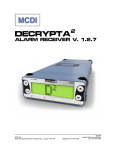
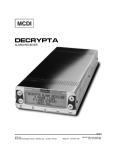
Alarm Receiver DECRYPTA2
The twin line alarm receiver DECRYPTA2 for PC compatible computers is a MCDI product. This new breed of alarm receivers is
equiped with advanced features such as USB port and dual output to PC.
What’s in the box
1 DECRYPTA2 Alarm Receiver
Cables:
2 RJ11 Phone cables
1 USB Type A to Type B cable 6 feet (1.8M)
1 Serial communication cable 6 feet DB9F to DB9F Null modem
1 Adapter DB9M> DB25F
1 Printer loopback plug
Power:
1 AC/DC power supply with localized IEC power cord.
1 Power cable for batteries (red and black)
Documentation/tools/drivers
1 Printed manual
1 CD with:
PDF documentation/tools/drivers/
Windows logger software
WinSAMM Central station trial version
Drivers and configuration tool WINEXPRECIUM2.EXE
1 Hex key
Physical description of DECRYPTA2
Size
Receiver has all out dimensions (without urethane feet):
15” (L) x 5.5” (W) x 2”(H)
38 cm (L) x 14 cm (W) x 5 cm (H)
Housing:
Rugged aluminum chassis.
Baked black enamel finish.
Buffer memory
Buffer holds up to 1800 events in Native mode (4+2 signal). Buffer is used when computer is absent.
Unit keeps printing during fail time if power is connected and maintained. When computer comes back
on, buffer empties to the computer. If more than 1800 events (4+2 Native mode ) are received in the
buffer during fail time, DECRYPTA2 writes over the oldest event. Written records may be available on
printer connected to parallel printer port.
Printer port
Connector port for IBM compatible parallel printer type DB25 is located at the back of the unit.
Phone jack
connector
Double Phone connector type located at the back of the unit. Connect Green and Red only on each
Serial port
DB9 male plug. Null modem. Located at the back of DECRYPTA2 .
USB port
USB type B (client) plug located at the back of unit
Relay terminal
Terminal block used for trigger of external unit by inboard relay ( 30V DC 1A max). Supports normally
open or normally closed.
Ground post
Terminal to ground unit if required. All parts of chassis are posted to this unit. Logical ground is
connected to casing.
Reset button
Located at the back of the unit.To hard or soft reset receiver portion of DECRYPTA . To hard reset press
button gently once and press once more during the beep. Hard reset will return the unit to factory
settings.
MCDI Inc.
7055 Jean-Bourdon Avenue, Montreal, QC, Canada H4K 1G7
2
Telephone: +514-481-1067
Internet: http://www.mcdi.com
Fax: +514-481-1487