1
Chapter 7: BIOS
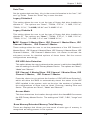
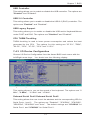
Date/Time
Set the system date and time. Key in the correct information in the "mm", "dd"
and "yy" fields. Press the "Enter" key to save the data.
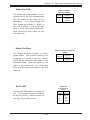
Legacy Diskette A
This setting allows the user to set the type of floppy disk drive installed as
diskette A. The options are "None", "360Kb, 5.25 in", "1.2MB, 5.25 in",
"720Kb, 3.5 in", "1.44 MB, 3.5 in" and "2.88MB 3.5 in".
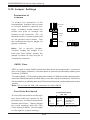
Legacy Diskette B
This setting allows the user to set the type of floppy disk drive installed as
diskette B. The options are "None", "360Kb, 5.25 in", "1.2MB, 5.25 in",
"720Kb, 3.5 in", "1.44 MB, 3.5 in" and "2.88MB 3.5 in".
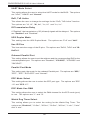
! IDE Channel 0 Master/Slave, IDE Channel 1 Master/Slave, IDE
Channel 2 Master, IDE Channel 3 Master
These settings allow the user to set the parameters of the IDE Channel 0
Master/Slave, IDE Channel 1 Master/Slave, IDE Channel 1 Master/Slave, IDE
Channel 2 Master, IDE Channel 3 Master slots. Hit <Enter> to activate the
sub-menu screen for detailed options of these items. Set the correct
configurations accordingly.
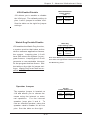
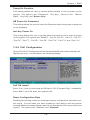
IDE HDD Auto-Detection
This option allows the user to determine the manner in which the AwardBIOS
sets the settings for the IDE Primary Master Device. The options are "None",
"Auto" and "Manual."
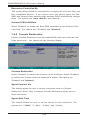
IDE Channel 0 Master/Slave, IDE Channel 1 Master/Slave, IDE
Channel 2 Master, IDE Channel 3 Master
Press the <Auto> key to activate the function of 'IDE HDD Auto-Detection",
which will allow the BIOS to automatically detect the status of the IDE
HDD installed in the system, such as the size, the number of cylinders,
the configurations of items such as Head, Precomp, Landing Zone and
Sector. The options are "None", "Auto" and "Manual."
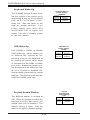
Access Mode
This item determines the location through which the AwardBIOS accesses
the IDE Primary Master Device. The settings are "CHS", "LBA", "Large" and
"Auto".
Base Memory/Extended Memory/Total Memory
These are displays that inform you how much of each type of memory is
recognized as being present in the system.
7-3