1
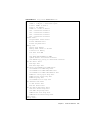
6. 100_mb_twister_loopback_test forces the twisted-pair transceiver into
loopback mode.
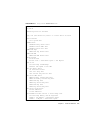
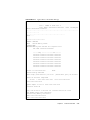
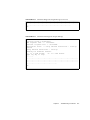
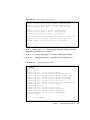
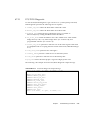
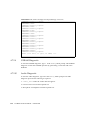
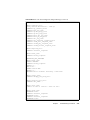
The following code example shows the Ethernet diagnostic output message.
CODE EXAMPLE 4-10
Ethernet Diagnostic Output Message
Enter (0-13 tests, 14 -Quit, 15 -Menu) ===> 2
TEST=’ethernet_test’
Using Onboard Transceiver - Link Up.
SUBTEST=’my_channel_reset’
SUBTEST=’hme_reg_test’
SUBTEST=’global_reg1_test’
SUBTEST=’global_reg2_test’
SUBTEST=’bmac_xif_reg_test’
SUBTEST=’bmac_tx_reg_test’
SUBTEST=’mif_reg_test’
SUBTEST=’mac_internal_loopback_test’
SUBTEST=’10mb_xcvr_loopback_test’
SUBTEST=’100mb_phy_loopback_test’
SUBTEST=’100mb_twister_loopback_test’
Enter (0-13 tests, 14 -Quit, 15 -Menu) ===>
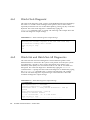
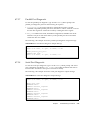
4.7.2.4
Keyboard Diagnostic
To start the keyboard diagnostic, type 3 at the OBdiag Menu prompt. The keyboard
diagnostic consists of an external and internal loopback test. The external loopback
requires a passive loopback connector. The internal loopback verifies the keyboard
port by transmitting and receiving 128 characters.
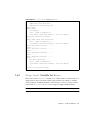
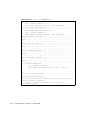
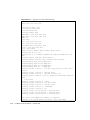
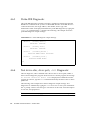
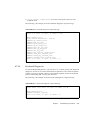
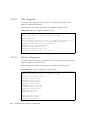
The following code example shows the keyboard diagnostic output message.
CODE EXAMPLE 4-11
Keyboard Diagnostic Output Message
setenv Enter (0-13 tests, 14 -Quit, 15 -Menu) ===> 3
TEST=’keyboard_test’
SUBTEST=’internal_loopback’
Enter (0-13 tests, 14 -Quit, 15 -Menu) ===>
Chapter 4
Troubleshooting Procedures
4-17