1
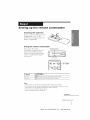
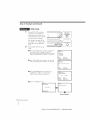
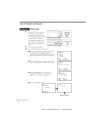
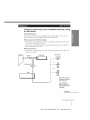
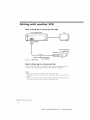
Step 3: Hookups
_VCR
(continued)
setup
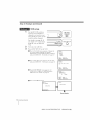
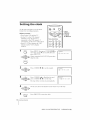
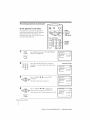
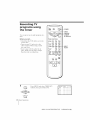
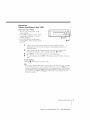
1 Setthe UNiTswit to
h
CH 3 or CH 4, whichever
channel
is not used in your
area. If both are used, set the
switch to either channel.
For details, see page 40. If
you made A/V connections
2
3
(page
step.
8), you
can skip
Turn
on your
Press
EASY SET UP on the VCR.
cable
this
box.
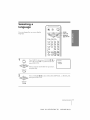
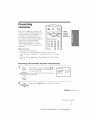
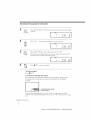
O The LANGUAGE
menu appears. Change the
on screen display language to Spanish
(ESPAI'_OL) or French (FRAN_AIS) if desired,
and press EXECUTE. For details, see page 17.
SET UP
LANGUAGE
"ENGLISH
ESPANOL
FRANOAIS
NEXT
CANCEL
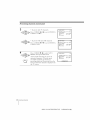
The
and
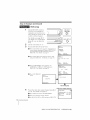
CLOCK
SET menu appears.
Set the clock
press EXECUTE.
For details,
see page 18.
:
:
CLOCK
EXECUTE
EASY SET UP
SET
_1_1/1997
*v
WE
12:00AM
I SET UP
I CANCEL
NEXT
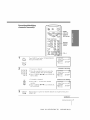
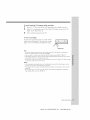
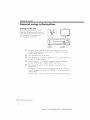
The TUNER
PRESET
rnenu appears.
Set
ANTENNA/CABLE
to CABLE and press
EXECUTE.
For details,
see page 19.
::
EASY
SET UP
EXECUTE
SET UP
TUNER PRESET
ANTENNA/CABLE
ANT
SELECT
NEXT
CANCEL
,CABLE
</"
EXECUTE
EASY SET UP
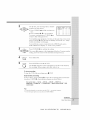
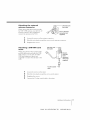
Tire AUTO PRESET starts.
SET UP
AUTO PRESET
SETUPIS
DONE
EXECUTING
I
SET UP
$
Normal
display
14 Getting Started
SONY SLV-675HF/676HF
(E)
3-856-995-11 (1)