1
D:\SONY TV\SY130196_H35 (Rev-1)\4477654121_US\US05OVR.fm
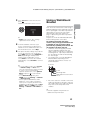
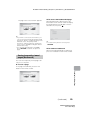
The page of the selected item appears.
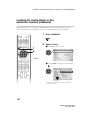
x To access the bookmarked page
When displaying the i-Manual, press the
blue button on the remote control to display
the bookmark list. Press V/v to select the
desired item, then press .
~
• If your TV is connected to the Internet, you
can check for latest FAQ (Frequently Asked
Questions). Refer to “Troubleshooting” in the
i-Manual, select “Frequently Asked
Questions” and then follow the instructions
on the screen. (Available in English and for
United States only)
• You can step through pages using B/b.
Press RETURN to return to the previous
page.
~
• To return to the previous screen, press
RETURN.
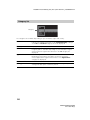
x To remove a bookmark
When the bookmarked page is displayed,
press the red button on the remote control.
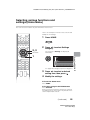
Saving frequently viewed
pages (Bookmark)
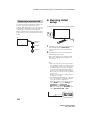
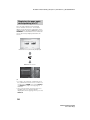
You can save frequently viewed pages for
easy access anytime.
x To save a page
In the page to bookmark, press the red
button on the remote control.
Looking for Instructions
(Continued)
29
XBR-65X850A/55X850A
4-477-654-12(1)