1
Self Diagnosis
Supported model
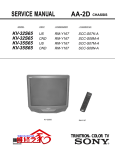
AA-2U CHASSIS
SERVICE MANUAL
MODEL NAME
KV-32FV27
KV-32FV27
REMOTE COMMANDER
DESTINATION
CHASSIS NO.
RM-Y182
US
SCC-S44KA
RM-Y182
CND
SCC-S45GA
Sony KV-32FV27 / 36FS13 /36FS17 / 36FV27/ 38FS17
www.electronicsrepair.net
KV-36FV27
RM-Y182
TRINITRON® COLOR TELEVISION
9-965-901-01
KV-32FV27 / 36FS13 / 36FS17 / 36FV27/ 38FS17
TABLE OF CONTENTS
SECTION TITLE
PAGE
Specifications.......................................................................................................................................3
Warnings and Cautions........................................................................................................................4
Safety Check-Out.................................................................................................................................5
Self-Diagnostic Function......................................................................................................................6
1. Disassembly
1-1. Rear Cover Removal.....................................................................................................................8
1-2. Chassis Assembly Removal..........................................................................................................8
1-3. Service Position ............................................................................................................................8
1-4. Picture Tube Removal ...................................................................................................................9
Anode Cap Removal Procedure...................................................................................................9
2. Set-Up Adjustments
2-1. Beam Landing...............................................................................................................................10
2-2. Convergence.................................................................................................................................11
2-3. Focus ............................................................................................................................................13
2-4. Screen (G2) ..................................................................................................................................13
2-5. White Balance Adjustments ..........................................................................................................13
3. Safety Related Adjustments
3-1. X R530, R531 Confirmation Method (Hold-Down Confirmation) and Readjustments ................14
3-2. B+ Voltage Confirmation and Adjustment .....................................................................................14
4. Circuit Adjustments
4-1. Setting the Service Adjustment Mode...........................................................................................15
4-2. Memory Write Confirmation Method .............................................................................................15
4-3. Remote Adjustment Buttons and Indicators .................................................................................15
4-4. Adjustment Items ..........................................................................................................................16
4-5. Feature ID Map .............................................................................................................................21
4-6. Program Palette Settings ..............................................................................................................21
4-7. A Board Adjustments ....................................................................................................................22
5. Diagrams
5-1. Circuit Boards Location.................................................................................................................25
5-2. Printed Wiring Boards and Schematic Diagrams Information.......................................................25
5-3. Block Diagram and Schematics ....................................................................................................26
A Board ........................................................................................................................................32
AK Board......................................................................................................................................37
C Board ........................................................................................................................................41
G Board........................................................................................................................................43
HA Board......................................................................................................................................45
HB Board......................................................................................................................................46
HS Board......................................................................................................................................47
HX Board......................................................................................................................................48
T Board.........................................................................................................................................49
UX Board......................................................................................................................................50
UY Board......................................................................................................................................56
WA Board .....................................................................................................................................63
5-4. Semiconductors ............................................................................................................................65
6. Exploded Views
6-1. Chassis (KV-36FS13/36FS17/38FS17 ONLY)..............................................................................66
6-2. Chassis (KV-32FV27/36FV27 ONLY) ...........................................................................................67
6-3. Picture Tube Removal ...................................................................................................................68
7. Electrical Parts List ......................................................................................................................................69
—2—
KV-32FV27 / 36FS13 / 36FS17 / 36FV27/ 38FS17
SPECIFICATIONS
KV-36FS13
KV-36FS17
KV-38FS17
KV-36FV27
KV-32FV27
120V, 60Hz
120V, 60Hz
120V, 60Hz
Video 1)
3
3
3
S Video 2)
1
2
2
1
1
1
Audio 4)
4
4
4
Audio Out 5)
1
1
1
Monitor Out
-
1
1
Control-S (IN/OUT)
-
1
1
Speaker output (W)
10W x 2
15W x 2
15W x 2
200W
210W
210W
2W
2W
2W
Power requirements
Number of Inputs/Outputs
Y, PB, PR
3)
Power Consumption (W)
In use (Max)
In Standby
Dimensions(W/H/D)
mm
in
910 x 791 x 650
7
1
882 x 687 x 592
975 x 747 x 633
5
35 /8 x 31 /8 x 25 /8
3
3
7
38 /8 x 29 /4 x 24 /8
34 3/4 x 27 x 23 1/4
Mass
kg
100 kg
107 kg
80 kg
lbs
220 lbs.
236 lbs.
176 lbs.
1) 1 Vp-p 75 ohms unbalanced, sync negative
Television system
2) Y: 1 Vp-p 75 ohms unbalanced, sync negative
American TV standard, NTSC
C: 0.286 Vp-p (Burst signal), 75 ohms
3) Y: 1.0 Vp-p, 75 ohms, sync negative; PB: 0.7 Vp-p, 75 ohms
PR: Vp-p, 75 ohms
Channel coverage
4) 500 mVrms (100% modulation), Impedance: 47 kilohms
VHF: 2-13/ UHF: 14-69/ CATV: 1-125
5) More than 408 mVrms at the maximum volume setting (variable)
More than 408 mVrms (fix); Impedance (output): 2 kilohms
Picture tube
®
Flat Trinitron tube
Visible screen size
32 inch picture measured diagonally (KV 32FV27 ONLY)
36 inch picture measured diagonally (All EXCEPT KV-32FV27)
Actual screen size
34-inch measured diagonally (KV 32FV27 ONLY)
38-inch measured diagonally (All EXCEPT KV-32FV27)
Antenna
75 ohm external terminal for VHF/UHF
Supplied Accessories
RM-Y180 (KV-36FS13 ONLY)
RM-Y181 (KV-36FS17 / 38FS17 ONLY)
RM-Y182 (KV-32FV27 / 36FV27 ONLY)
Battery size AA (R6) (2)
Wireless Stereo Headphones MDR-1F0230//K Set (KV-32FV27/ 36FV27 ONLY)
Battery size AA (R6) for Headphones (KV-32FV27/ 36FV27 ONLY)
•
( ) SRS (SOUND RETRIEVAL SYSTEM)
(KV-32FV27/ 36FV27 ONLY)
•
The ( ) SRS (SOUND RETRIEVAL SYSTEM) is manufactured by
Sony Corporation under license from SRS Labs, Inc. It is covered by U.S.
Patent No. 4,748,669. Other U.S. and foreign patents pending.
Optional Assessories
AV Cable: VMC-810/820/830 HG
Audio Cable: RKC-515HG
Component Video Cable: VMC-10/30 HG
TV Stand: SU-36FD4 (ALL EXCEPT KV-32FV27)
TV Stand: SU 32FD4 (KV-32FV27 ONLY)
•
The word ‘SRS’ and the SRS symbol ( ) are registered trademarks
of SRS Labs, Inc. BBE and BBE symbol are trademarks of BBE Sound,
Inc. and are licensed by BBE Sound, Inc. under U.S. Patent No. 4,638,258
Design and specifications are subject to change without notice.
—3—
KV-32FV27 / 36FS13 / 36FS17 / 36FV27/ 38FS17
WARNINGS AND CAUTIONS
CAUTION
Short circuit the anode of the picture tube and the anode cap to the metal chassis, CRT shield, or carbon painted on the CRT,
after removing the anode.
WARNING!!
An isolation transformer should be used during any service to avoid possible shock hazard, because of live chassis. The chassis of
this receiver is directly connected to the ac power line.
! SAFETY-RELATED COMPONENT WARNING!!
Components identified by shading and ! mark on the schematic diagrams, exploded views, and in the parts list are critical for
safe operation. Replace these components with Sony parts whose part numbers appear as shown in this manual or in supplements
published by Sony. Circuit adjustments that are critical for safe operation are identified in this manual. Follow these procedures
whenever critical components are replaced or improper operation is suspected.
ATTENTION!!
Apres avoir deconnecte le cap de l’anode, court-circuiter l’anode du tube cathodique et celui de l’anode du cap au chassis metallique
de l’appareil, ou la couche de carbone peinte sur le tube cathodique ou au blindage du tube cathodique.
Afin d’eviter tout risque d’electrocution provenant d’un chássis sous tension, un transformateur d’isolement doit etre utilisé lors de tout
dépannage. Le chássis de ce récepteur est directement raccordé à l’alimentation du secteur.
! ATTENTION AUX COMPOSANTS RELATIFS A LA SECURITE!!
Les composants identifies par une trame et par d’une importance marque ! sur les schemas de principe, les vues explosees et les
listes de pieces sont d’uneimportance critique pour la securite du fonctionnement. Ne les remplacer que par des composants Sony
dont le numero de piece est indique dans le present manuel ou dans des supplements publies par Sony. Les reglages de circuit dont
l’importance est critique pour la securite du fonctionnement sont identifies dans le present manuel. Suivre ces procedures lors de
chaque remplacement de composants critiques, ou lorsqu’un mauvais fonctionnement suspecte.
—4—
KV-32FV27 / 36FS13 / 36FS17 / 36FV27/ 38FS17
SAFETY CHECK-OUT
Leakage Test
The AC leakage from any exposed metal part to earth ground and from
all exposed metal parts to any exposed metal part having a return to
chassis, must not exceed 0.5 mA (500 microamperes). Leakage current
can be measured by any one of three methods.
After correcting the original service problem, perform the following
safety checks before releasing the set to the customer:
1. Check the area of your repair for unsoldered or poorly soldered
connections. Check the entire board surface for solder splashes and
bridges.
1. A commercial leakage tester, such as the Simpson 229 or
RCA WT-540A. Follow the manufacturers’ instructions to use these
instructions.
2. Check the interboard wiring to ensure that no wires are “pinched” or
touching high-wattage resistors.
2. A battery-operated AC milliammeter. The Data Precision 245 digital
multimeter is suitable for this job.
3. Check that all control knobs, shields, covers, ground straps, and
mounting hardware have been replaced. Be absolutely certain that
you have replaced all the insulators.
3. Measuring the voltage drop across a resistor by means of a VOM
or battery-operated AC voltmeter. The “limit” indication is 0.75 V,
so analog meters must have an accurate low voltage scale. The
Simpson’s 250 and Sanwa SH-63TRD are examples of passive VOMs
that are suitable. Nearly all battery-operated digital multimeters that
have a 2 VAC range are suitable (see Figure A).
4. Look for unauthorized replacement parts, particularly transistors,
that were installed during a previous repair. Point them out to the
customer and recommend their replacement.
5. Look for parts which, though functioning, show obvious signs of
deterioration. Point them out to the customer and recommend their
replacement.
6. Check the line cords for cracks and abrasion. Recommend the
replacement of any such line cord to the customer.
7. Check the B+ and HV to see if they are specified values. Make sure
your instruments are accurate; be suspicious of your HV meter if sets
always have low HV.
8. Check the antenna terminals, metal trim, “metallized” knobs, screws,
and all other exposed metal parts for AC leakage. Check leakage
as described below.
How to Find a Good Earth Ground
A cold-water pipe is a guaranteed earth ground; the cover-plate retaining
screw on most AC outlet boxes is also at earth ground. If the retaining
screw is to be used as your earth ground, verify that it is at ground
by measuring the resistance between it and a cold-water pipe with an
ohmmeter. The reading should be zero ohms.
If a cold-water pipe is not accessible, connect a 60- to 100-watt troublelight (not a neon lamp) between the hot side of the receptacle and the
retaining screw. Try both slots, if necessary, to locate the hot side on the
line; the lamp should light at normal brilliance if the screw is at ground
potential (see Figure B).
To Exposed Metal
Parts on Set
Trouble Light
AC Outlet Box
0.15 µF
1.5 K Ω
AC
Voltmeter
(0.75 V)
Ohmmeter
Cold-water Pipe
Earth Ground
Figure A. Using an AC voltmeter to check AC leakage.
Figure B. Checking for earth ground.
—5—
KV-32FV27 / 36FS13 / 36FS17 / 36FV27/ 38FS17
SELF-DIAGNOSTIC FUNCTION
Self Diagnosis
Supported model
The units in this manual contain a self-diagnostic function. If an error occurs, the STANDBY/TIMER LED will automatically begin to flash. The number
of times the LED flashes translates to a probable source of the problem. A definition of the STANDBY/TIMER LED flash indicators is listed in the
instruction manual for the user’s knowledge and reference. If an error symptom cannot be reproduced, the Remote Commander can be used to review
the failure occurrence data stored in memory to reveal past problems and how often these problems occur.
Diagnostic Test Indicators
When an error occurs, the STANDBY/TIMER LED will flash a set number of times to indicate the possible cause of the problem. If there is more than
one error, the LED will identify the first of the problem areas.
Results for all of the following diagnostic items are displayed on screen. No error has occurred if the screen displays a “0”.
Diagnostic Item
Power does not turn on
No. of times
STANDBY/ TIMER
lamp flashes
Does not light
Display Result
Probable Cause Location
Detected Symptoms
N/A
• Power cord is not plugged in.
• Fuse is burned out (F601). (G Board)
• Power does not come on.
• No Power is supplied to the TV.
• AC Power supply is faulty.
+B overcurrent (OCP)*
N/A
N/A
• H.OUT (Q502) is shorted.(A Board)
• IC1701 is shorted. (C Board)
• Power does not come on.
• Load on power line is shorted
+B overvoltage (OVP)*
N/A
N/A
• IC643 or T603 is open. (G Board)
• Power does not come on.
V-STOP
4 times
4:0 or 4:1
• +13V is not supplied. (A Board)
• IC561 is faulty. (A Board)
• Has entered standby state after horizontal raster.
• Vertical deflection pulse is stopped.
• Power line is shorted or power supply is stopped.
IK (AKB)
5 times
5:0 or 5:1
• Video OUT (IC561) is faulty. (A Board) • No raster is generated.
• IC355 is faulty. (A Board)
• CRT Cathode current detection reference
• Screen (G2) is improperly adjusted.** • Pulse output is small.
* If a +B overcurrent is detected, stoppage of the vertical deflection is detected simultaneously.
The symptom that is diagnosed first by the microcontroller is displayed on the screen.
** Refer to Screen (G2) Adjustments in Section 2-4. of this manual.
Display of Standby/Timer LED Flash Count
4 times
5 times
LED ON 0.3 sec.
LED OFF 0.3 sec.
LED OFF
3 sec.
Standby/Timer LED
Diagnostic Item
V-STOP
IK (AKB)
Flash Count*
4 times
5 times
*One flash count is not used for self-diagnostic.
Stopping the Standby/Timer LED Flash
Turn off the power switch on the TV main unit or unplug the power cord from the outlet to stop the STANDBY/TIMER LAMP from flashing.
—6—
KV-32FV27 / 36FS13 / 36FS17 / 36FV27/ 38FS17
Self-Diagnostic Screen Display
For errors with symptoms such as “power sometimes shuts off” or “screen sometimes goes out” that cannot be confirmed, it is possible to bring up
past occurrences of failure on the screen for confirmation.
To Bring Up Screen Test
In standby mode, press buttons on the Remote Commander sequentially, in rapid succession, as shown below:
Display
Sound Volume -
Channel 5
Power ON
Note that this differes from entering the Service Mode (Sound volume + ).
Self-diagnostic Screen Display
SELF DIAGNOSIS
2: +B OCP
3: +B OVP
4: VSTOP
5: AKB
101: WDT
N/A
N/A
0
1
24
Numeral “0” means that no fault was detected.
Numeral “1” means a fault was detected one time only.
Handling of Self-Diagnostic Screen Display
Since the diagnostic results displayed on the screen are not automatically cleared, always check the self-diagnostic screen during repairs. When you
have completed the repairs, clear the result display to “0”.
Unless the result display is cleared to “0”, the self-diagnostic function will not be able to detect subsequent faults after completion of the repairs.
Clearing the Result Display
To clear the result display to “0”, press buttons on the Remote Commander sequentially when the diagnostic screen is displayed, as shown below:
Channel 8
ENTER
Quitting the Self-Diagnostic Screen
To quit the entire self-diagnostic screen, turn off the power switch on the Remote Commander or the main unit.
Self-Diagnostic Circuit
A BOARD
IC355
Y/CHROMA JUNGLE
FROM
C BOARD
IC1701 PIN 6
A BOARD
FROM
IC501
PIN 1
21 IK IN
VM 15
A BOARD
IC561
V. OUT
3
A BOARD
IC001
SYSTEM
IO-BDATN
26
REF
18 HP/PROTECT
SDA 35
A BOARD
IC1002
MEMORY
5 BDA
O-TIMELED
59
27
IO-SDAT
DISPLAY
+B overcurrent (OCP)
Occurs when an overcurrent on the +B (135V) line is detected by pin 18 of IC355 (A Board). If the voltage of pin 18 of
IC355 (A Board) is less than 1V when V.SYNC is more than seven verticals in a period, the unit will automatically turn off.
+B overvoltage (OVP)
Occurs when the feedback circuit from +B opens IC643 or T603 or any other associated feedback components.
V-STOP
Occurs when an absence of the vertical deflection pulse is detected by pin 15 of IC355 (A Board). Power supply will
shut down when waveform interval exceeds 2 seconds.
IK (AKB)
If the RGB levels* do not balance within 2 seconds after the power is turned on, this error will be detected by IC355
(A Board). TV will stay on, but there will be no picture.
NOTE:
Watch Dog Timer
Indicates how many times the Watch Dog Timer functions have been activated. Whenever micro is reset by the Watch
Dog Timer, this number is incremented. Maximum number is 255.
* Refers to the RGB levels of the AKB detection Ref pulse that detects 1K.
—7—
KV-32FV27 / 36FS13 / 36FS17 / 36FV27/ 38FS17
SECTION 1: DISASSEMBLY
1-1. REAR COVER REMOVAL
* Screws (+BVTP 4x16)
* Screws(+BVTP 4x16)
* (+BVTP 4 x 16) Screw Legend:
KV-32FV27 = 14 Screws Total
KV-36FV27 = 16 Screws Total
KV-36FS13/ 36FS17 / 38FS17= 15 Screws Total
* Screws (+BVTP 4x16)
* Screws
(+BVTP 4x16)
2 Screws (+BVTP 3x12)
1-2. CHASSIS ASSEMBLY REMOVAL
1-3. SERVICE POSITION
C Board
WA Board
Chassis Assembly
Claw
A Board
UY Board
(KV-36FS13/36FS17/ 38FS17 ONLY)
UX Board
(KV-32FV27/36FV27 ONLY)
—8—
G Board
KV-32FV27 / 36FS13 / 36FS17 / 36FV27/ 38FS17
1-4. PICTURE TUBE REMOVAL
WARNING: BEFORE REMOVING THE ANODE CAP
High voltage remains in the CRT even after the power is disconnected. To avoid electric shock,
discharge CRT before attempting to remove the anode cap. Short between anode and CRT
coated earth ground strap.
8
10
Coated
Earth
Ground
Strap
1
7
2
6
5
3
1. Discharge the anode of the CRT and remove the anode cap.
2. Unplug all interconnecting leads from the deflection yoke, neck
assembly, degaussing coils and CRT grounding strap.
3. Remove the C and WA Board from the CRT.
4. Remove the chassis assembly.
5. Loosen the neck assembly fixing screw and remove.
6. Loosen the deflection yoke fixing screw and remove.
7. Place the set with the CRT face down on a cushion and remove the
degaussing coil holders.
8. Remove the degaussing coils.
9. Remove the CRT grounding strap and spring tension devices.
10. Unscrew the four CRT fixing screws [located on each CRT corner]
and remove the CRT [Take care not to handle the CRT by the
neck].
9
4
ANODE CAP REMOVAL PROCEDURE
WARNING: High voltage remains in the CRT even after the power is disconnected. To avoid electric shock, discharge the CRT before attempting to
remove the anode cap. Short between anode and coated earth ground strap of CRT.
NOTE: After removing the anode cap, short circuit to either the metal chassis, CRT shield, or carbon painted on the CRT.
REMOVAL PROCEDURES
c
b
a
Anode Button
1 Turn up one side of the rubber cap
inthe direction indicated by arrow a .
2 Use your thumb to pull the rubber
cap firmly in the direction indicated
by arrow b .
HOW TO HANDLE AN ANODE CAP
1. Do not use sharp objects which may cause damage to the surface of the anode
cap.
2. To avoid damaging the anode cap, do not squeeze the rubber covering too hard.
A material fitting called a shatter-hook terminal is built into the rubber.
3. Do not force turn the foot of the rubber cover. This may cause the shatter-hook
terminal to protrude and damage the rubber.
—9—
3 When one side of the rubber cap separates from
the anode button, the anode cap can be removed
by turning the rubber cap and pulling it in the
direction of arrow c .
KV-32FV27 / 36FS13 / 36FS17 / 36FV27/ 38FS17
SECTION 2: SET-UP ADJUSTMENTS
The following adjustments should be made when a complete
realignment is required or a new picture tube is installed.
Perform the adjustments in order as follows:
1.
Beam Landing
2.
Convergence
3.
Focus
4.
Screen (G2)/White Balance
These adjustments should be performed with rated power supply
voltage unless otherwise noted.
The controls and switch should be set as follows unless otherwise
noted:
Note Test Equipment Required:
1.
Color Bar Pattern Generator
2.
Degausser
3.
DC Power Supply
4.
Digital Multimeter
5.
Oscilloscope
6.
CRT Analyzer
PICTURE control: normal
BRIGHTNESS control: normal
2-1. BEAM LANDING
Preparation:
• Input a white pattern signal.
• Face the picture tube in an East or West direction to reduce the
influence of geomagnetism.
NOTE: Do not use the hand degausser because it magnetizes the
CRT .
1. Input white pattern from pattern generator.
2. Loosen the deflection yoke mounting screw, and set the purity control
to the center as shown below:
6. Switch over the raster signal to red and blue and confirm the
condition.
7. When the position of the deflection yoke is determined, tighten it with
the deflection yoke mounting screw.
8. When landing at the corner is not right, adjust by using the disk
magnets.
Purity Control
Purity control
corrects this area
3. Input green pattern from pattern generator.
4. Move the deflection yoke backward, and adjust with the purity control
so that green is in the center and red and blue are even on both
sides.
Disk magnets
or rotatable disk
magnets correct
these areas (a-d)
a
b
c
d
Deflection yoke positioning
corrects these areas
b
d
Blue Red
a
Green
c
5. Move the deflection yoke forward, and adjust so that the entire screen
becomes green.
— 10 —
KV-32FV27 / 36FS13 / 36FS17 / 36FV27/ 38FS17
2-2. CONVERGENGE
OPERATION OF BMC (HEXAPOLE) MAGNET
Preparation:
• Perform FOCUS, V. LIN and V. SIZE adjustments.
• Set BRIGHTNESS control to minimum.
• Input dot pattern.
The respective dot positions resulting from moving each magnet interact,
so perform adjustment while tracking.
Center dot
R G B
1. Use the V.STAT tabs to adjust the red, green, and blue dots so they
line up at the center of the screen (move the dots in a horizontal
direction).
R
G
B
RG B
RG B
R GB
RG B
RG B
RG B
RV1761 V.STAT
V.STAT magnet
Y SEPARATION AXIS CORRECTION MAGNET
ADJUSTMENT
VERTICAL AND HORIZONTAL STATIC
CONVERGENCE
1. Input cross-hatch pattern, adjust PICTURE to minimum and
BRIGHTNESS to normal.
2. Adjust the deflection yoke upright so it touches the CRT.
3. Adjust so that the Y separation axis correction magnet on the neck
assembly is symmetrical from top to bottom (open state).
1. Adjust V. STAT magnet to converge red, green and blue dots in the
center of the screen (Vertical movement).
Tilt the V. STAT magnet and adjust static convergence to open or
close the V. STAT magnet.
V.STAT
1
a
a
b
b
B
G
B
G
R
R
2
a
a
R
B
3
GB
b
b
b
PURITY
b
a
a
b
B
R
b
4. Return the deflection yoke to its original position.
GR
G
G
B
R
— 11 —
BMC MAGNET
2. When the V. STAT magnet is moved in the direction of arrow a and b,
red, green, and blue dots move as shown below:
KV-32FV27 / 36FS13 / 36FS17 / 36FV27/ 38FS17
DYNAMIC CONVERGENCE ADJUSTMENT
TLH PLATE ADJUSTMENT
Before starting, perform Vertical and Horizontal Static Convergence
Adjustment.
Preparation:
• Input crosshatch pattern.
• Adjust Picture Quality to standard, Picture and Brightness to 50%,
and Other to standard.
• Adjust the Horizontal Convergence of red and blue dots by tilting the
TLH plate on the deflection yoke.
1. Slightly loosen deflection yoke screw.
2. Remove deflection yoke spacers.
3. Move the deflection yoke for best convergence as
shown below:
G
R B
G
G
B R
R
G
B
B
G
R B
G
B R
Y Magnet
C Board
R
B
G
R
R
G
WA Board
B
TLH Plate
RV1761
V.STAT
XCV
B
R
G
G
YCH
R B
BR
(R) (B)
4. Tighten the deflection yoke screw.
5. Install the deflection yoke spacers.
SCREEN-CORNER CONVERGENCE
1. Affix a permalloy assembly corresponding to the misconverged areas:
b
TLV
H-TRP
G
G
R B
B R
a
a
TLH+
TLH-
1. Adjust XCV core to balance X axis.
2. Adjust YCH VR to balance Y axis.
3. Adjust vertical red and blue convergence with V.TILT (TLV VR).
Perform adjustments while tracking items 1 and 2.
4. Adjust Y MAGNET to correct V.BOW Geometery Distortion.
5. Adjust H-TRP to correct H.Trapezoid Geometry Distortion.
After adjusting items 4 and 5, confirm overall geometry again.
b
a-d: screen-corner
misconvergence
c
RB
(B) (R)
d
c
d
— 12 —
KV-32FV27 / 36FS13 / 36FS17 / 36FV27/ 38FS17
2-3. FOCUS
1.
2.
3.
4.
5.
6.
2-5. WHITE BALANCE ADJUSTMENTS
Input monoscope signal.
Set user controls to normal.
Set video mode to STANDARD.
Set the PICTURE to maximum.
Adjust at 325 Mark for best center/corner focus balance.
Receive an entire white signal. Make sure Magenta Ring is at an
acceptable level.
NO.
24
25
26
27
28
29
36
Item
RDRV
GDRV
BDRV
RCUT
GCUT
BCUT
SBRT
Red Drive
Green Drive
Blue Drive
Red Cut-off
Green Cut-off
Blue Cut-off
Sub Bright
All Models
Screen (G2)
325 MARK
35
325
CENTER
CIRCLE
*Use values from Sub Contrast Adjustments
NOTE: White Balance should be adjusted after
Sub Contrast because RDRV is also used in Sub
Contrast Adjustment (See Page 22).
2-4. SCREEN (G2)
1.
2.
3.
4.
5.
6.
7.
8.
*
31
31
14:Fix
7
7
7
1. Set program palette to STANDARD and push RESET.
2. Input an entire white signal.
3. Set to Service Adjustment Mode.
4. Set the PICTURE and BRIGHT to minimum.
5. Adjust with SBRT if necessary.
6. Set RCUT to “14”.
7. Select GCUT and BCUT with 1 and 4 .
8. Adjust with 3 and 6 for the best white balance.
9. Set the PICTURE and BRIGHT to maximum.
10. Select GDRV and BDRV with 1 and 4 .
11. Adjust with 3 and 6 for the best white balance.
12. Write into the memory by pressing MUTING then ENTER .
13. Repeat steps 1-12 for GDR4, BDR4, GCU4 and BCU4 using Video 4
input.
Focus
35 MARK
Disp.
Input dot pattern from the pattern generator.
Set the user controls to NORMAL.
Attach the G2-Jig to the C Board.
Adjust RCUT, GCUT, BCUT, and SBRT in service mode with an
oscilloscope so that voltages on the red, green, and blue cathodes
are 170 ± 2.0 VDC.
Observe the screen and adjust SCREEN (G2) VR to obtain the faintly
visible background of dot signal.
Push the TEST + JUMP (+ Channel) to cut off the signal. The screen
should be bright or dark. Brightness of raster must be increased
when adjusting.
Adjust screen VR until the screen is slightly cut off, or scarcely lights
up. A signal cannot be seen when the brightness of the raster is
high.
Push the JUMP again to release the cut off.
170 ± 2.0 VDC pedestal
GND
— 13 —
KV-32FV27 / 36FS13 / 36FS17 / 36FV27/ 38FS17
SECTION 3: SAFETY RELATED ADJUSTMENTS
3-1. X R530, R531 CONFIRMATION METHOD
(HOLD-DOWN CONFIRMATION) AND
READJUSTMENTS
HOLD-DOWN READJUSTMENT
If the setting indicated in Step 2 of Hold-Down Operation Confirmation
cannot be met, readjustment should be performed by altering the
resistance value of R530, R531 component marked with X.
Always perform the following adjustments when replacing the following
components marked with a Y mark on the schematic diagram:
Part Replaced ( )
Adjustment
R387, R550, R529, R530,
R531, R532, R533, D519,
D520, D521, IC501, C531,
C532, T503, IC351, Q301,
R356, R359, R361,
D302.....................A Board
HV HOLD-DOWN
R530,R531
digital multimeter
+-
( )
R531 R530
TP85
TP85
ammeter
3mA DC range
A
+-
IC643, R661.........G Board
+
DC Power Supply -
PREPARATION BEFORE CONFIRMATION
1. Using a Variac, apply AC input voltage: 120+2.0/-0.0 VAC.
2. Turn the POWER switch ON.
3. Input a white signal and set the PICTURE and BRIGHT controls to
maximum.
4. Confirm that the voltage of more than 23.0 VDC appears between
TP85 and ground on the A Board.
T503
FBT
FBT
Figure 1
3-2. B+ VOLTAGE CONFIRMATION AND
ADJUSTMENT
Always perform the following adjustments when replacing the following
components, which are marked with Y on the schematic diagram on
the G Board:
HOLD-DOWN OPERATION CONFIRMATION
1. Connect the current meter between Pin 11 of the FBT (T503) and the
PWB land where Pin 11 would normally attach (See Figure 1).
2. Input a dot signal and set PICTURE and BRIGHTNESS to minimum:
IABL = 2175 + 100/ -325 µA.
3. Confirm the voltage of A Board TP91 is 135 ± 1.5 VDC.
4. Connect the digital voltmeter and the DC power supply to TP85 and
ground (See Figure 1).
5. Increase the DC power voltage gradually until the picture blanks out.
6. Turn DC power source off immediately.
7. Read the digital voltmeter indication (standard = 27.24 +0.0 / -0.1
VDC) (KV-32FV27 ONLY), (standard = 27.24 ± 0.1 VDC) (ALL
EXCEPT KV-32FV27).
8. Input a white signal and set PICTURE and BRIGHTNESS to
maximum: IABL = 2175 + 100/ -325 µA.
9. Repeat steps 4 to 7.
G BOARD:
IC643, R661
1. Using a Variac, apply AC input voltage: 130 + 2.0/-0.0 VAC
2. Input a monoscope signal.
3. Set the PICTURE control and the BRIGHT control to
initial reset value.
4. Confirm the voltage of G Board CN641 between pin to ground is
less than 136.5 VDC.
5. If step 4 is not satisfied, replace the R661 on G Board and repeat
the above steps.
— 14 —
KV-32FV27 / 36FS13 / 36FS17 / 36FV27/ 38FS17
SECTION 4: CIRCUIT ADJUSTMENTS
ELECTRICAL ADJUSTMENTS BY REMOTE COMMANDER
Use the Remote Commander (RM-Y180, RM-Y181, RM-Y182) to perform the circuit adjustments in this section.
Test Equipment Required: 1. Pattern generator 2. Frequency counter 3. Digital multimeter 4. Audio oscillator
4-1. SETTING THE SERVICE ADJUSTMENT
MODE
4-2. MEMORY WRITE CONFIRMATION
METHOD
1. Standby mode (Power off).
2. Press Display
Channel 5
1. After adjustment, pull out the plug from the AC outlet, then replace
the plug in the AC outlet again.
2. Turn the power switch ON and set to Service Mode.
3. Call the adjusted items again to confirm they were adjusted.
Sound Volume +
Power
SERVICE ADJUSTMENT MODE ON
Disp.
(Item)
Item
order
VP
HSIZ
Item
data
7
TV
0
4-3. REMOTE ADJUSTMENT BUTTONS AND
INDICATORS
SERVICE
Mode
MUTING
3.
4.
5.
6.
The CRT displays the item being adjusted.
Press 1 or 2 on the Remote Commander to select the item.
Press 3 or 6 on the Remote Commander to change the data.
Press MUTING then ENTER to write into memory.
POWER
(Enter into
memory
(Service Mode)
DISPLAY
(Service Mode)
3
Item (Data up)
SERVICE ADJUSTMENT MODE MEMORY
Disp.
(Item)
VP
HSIZ
Item
order
Item
data
7
TV
0
SERVICE
1
Disp. (Item up)
MUTING
2
(Device Item Up)
ENTER
VP
HSIZ
Item
order
0
ENTER
Disp. (Item down)
(Enter into
memory
8
(Initialize)
Item
data
7
TV
5
(Device item down)
4
Red
7. Press 8 then ENTER on the Remote Commander to initialize.
Disp.
(Item)
6
Item (Data down)
Green
0
(Remove from
memory)
WRITE
Carry out step 7 when adjusting
IDs 0 to 7 and when replacing and
adjusting IC002.
VOLUME (+)
(Service Mode)
RM-Y182
8. DO NOT turn off set until SERVICE appears.
— 15 —
KV-32FV27 / 36FS13 / 36FS17 / 36FV27 / 38FS17
4-4. ADJUSTMENT ITEMS (1 OF 6)
Description
Register
Name
Data
Adj/Fix
Range
Initial
32"
Data
FV
36"/38"
FS
Comments
FV
0-63
Adj
7
7
7
H-Size
0-63
Adj
10
10
10
EW DC bias, 0: -0.5V, 31: 0V, 63: +0.5V
AFC Bow
0-15
Adj
6
6
6
3
VANG
AFC Angle
0-15
Adj
5
5
5
4
Trapezium Adjustment
0-15
Adj
6
6
6
Pin Compensation
0-63
Adj
32
32
32
0: 0.15Vpp, 31: 0.7Vpp, 63: 1.3Vpp
Upper Corner Pin
0-63
Adj
36
36
36
0: -0.4V, 63: +0.4V
Lower Corner Pin
0-63
Adj
36
36
36
0: -0.4V, 63: +0.4V
11
TRAP
PAMP
UCPN
LCPN
VSIZ
VPOS
VLIN
VSCO
0: top/bottom delay 900ns, 7: center, 15: top/bottom advance 900ns
0: top delay/bottom advance 650ns, 7: center,
15: top advance/bottom delay 650ns
0: 1.5ms advance, 15: 1.5ms delay
12
VZOM
13
EHT
ASP
ASP1
SCRL
HBSW
LBLK
RBLK
HDW
EWDC
LVLN
UVLN
RDRV
GDRV
BDRV
RCUT
GCUT
BCUT
RDR4
GDR4
BDR4
RCU4
GCU4
BCU4
5
6
7
8
9
10
14
15
16
17
18
19
20
21
22
23
24
25
26
27
28
29
30
31
32
33
34
35
36
SBRT
37
RON
GON
BON
AXPL
CBPF
COFF
TSSP
TSPF
VSSP
VSPF
YSSP
38
39
40
41
42
43
44
45
46
47
VP
CXA2131AS
H-Position
2
HPOS
HSIZ
VBOW
0
1
0: 2ms delay, 63: 2ms advance
V-Size
0-63
Adj
0
0
0
0: -15%, 31: 0%, 63: +15%
V-Position
0-63
Adj
31
31
31
0: -0.1V, 31: 0V, 63: +0.1V
V-Linearity
0-15
Adj
7
7
7
0: 85% top enlarged, 7: 100% top normal, 15: 115% top compressed
S-Correction
0-15
Adj
7
7
7
16:9 CRT Zoom Mode On/Off
0,1
FIX
0
Vertical Size High Voltage Correction
0-15
FIX
4
4
0: 0V added to VD, 15: 100mVpp added to VD
0: Zoom Off, 1: Zoom On
(top/bottom cut by 25% when ASPECT=31, RGB blanked in this interval)
0: Picture adjusted 0%, 15: Picture Adjusted -5%
Aspect Ration Control 4:3 Mode
0-63
FIX
47
47
0: 75%(16x9 CRT Full), 31: 100%(4x3 CRT Full), 63: 110%
Aspect Ration Control 16:9 Mode
0-63
FIX
47
47
0: 75%(16x9 CRT Full), 31: 100%(4x3 CRT Full), 63: 110%
16:9 Vertical Scroll During Zoom
0-63
FIX
31
31
0: Scrolled toward top 32H, 63: Scrolled toward bottom 32H
H Blanking Switch
0,1
FIX
1
1
0: OFF, 1: ON
Left Blanking
0-15
FIX
15
15
0: +1.2ms, 7: Center, 15: -1.2ms
Right Blanking
0-15
FIX
0
0
0: +1.2ms, 7: Center, 15: -1.2ms
H Drive Pulse Width
0,1
FIX
1
1
0: Normal Mode (25ms), 1: Narrow Pulse Width
0
EW/DC Display 4x3 on 16x9 CRT
0,1
FIX
0
0
0: OFF, 1: ON
Picture Bottom Lin Adjust
0-15
Adj
0
0
0: 100%, 15: 85% Picture top compressed
Picture Top Lin Adjust
0-15
Adj
0
0
Red Drive
0-63
Adj
31
Green Drive
0-63
Adj
31
31
0: 1.5Vpp, 63: 3.0Vpp Greem Signal Output
Blue Drive
0-63
Adj
31
31
0: 1.5Vpp, 63: 3.0Vpp Blue Signal Output
Red Cutoff
0-15
FIX
7
14
0: 3.5mA IK, 7: 13mA IK, 15: 22.7mA IK
Green Cutoff
0-15
Adj
7
7
0: 3.5mA IK, 7: 13mA IK, 15: 22.7mA IK
Blue Cutoff
0-15
Adj
7
7
Video 4 Red Drive
0-63
Adj
31
Video 4 Green Drive
0-63
Adj
31
31
0: 1.5Vpp, 63: 3.0Vpp Greem Signal Output
Video 4 Blue Drive
0-63
Adj
31
31
0: 1.5Vpp, 63: 3.0Vpp Blue Signal Output
Video 4 Red Cutoff
0-15
FIX
7
14
0: 3.5mA IK, 7: 13mA IK, 15: 22.7mA IK
Video 4 Green Cutoff
0-15
Adj
7
7
0: 3.5mA IK, 7: 13mA IK, 15: 22.7mA IK
Video 4 Blue Cutoff
0-15
Adj
7
7
0: 3.5mA IK, 7: 13mA IK, 15: 22.7mA IK
Sub Brightness
0-31
Adj
15
31
54
31
adjust to
IRE
cutoff
0: 100%, 15: 85% Picture bottom compressed
48
0: 1.5Vpp, 63: 3.0Vpp Red Signal Output
0: 3.5mA IK, 7: 13mA IK, 15: 22.7mA IK
0: 1.5Vpp, 63: 3.0Vpp Red Signal Output
54
adjust to IRE cutoff
Sub Brightness
Red Off
0,1
FIX
1
1
0:OFF, 1:ON
Green Off
0,1
FIX
1
1
0:OFF, 1:ON
Blue Off
0,1
FIX
1
1
0:OFF, 1:ON
Axis PAL
0,1
FIX
0
0
0: Normal Axis, 1: Forced PAL Asix
Chroma BPF On/Off
0,1
FIX
1
1
0: BPF OFF, 1: BPF ON
Color On/Off
0,1
FIX
0
0
0: Chroma OFF, 1: Chroma ON
Sub Sharpness for TV Input
0-15
Fix by model
6
Sharpness fo for TV Input
0,1
FIX
1
Sub Sharpness for Video Input
0-15
Fix by model
7
Sharpness fo for Video Input
0,1
FIX
1
Sub Sharpness for YUV Input
0-15
Fix by model
7
— 16 —
6
5
6
0=-12dB, 7=+3.5dB, 15=+9dB
7
0=-12dB, 7=+3.5dB, 15=+9dB
0=2.5MHZ, 1=3.0MHz
1
7
5
7
6
0=2.5MHZ, 1=3.0MHz
1
7
0=-12dB, 7=+3.5dB, 15=+9dB
KV-32FV27 / 36FS13 / 36FS17 / 36FV27 / 38FS17
ADJUSTMENT ITEMS (2 OF 6)
Description
Register
Name
62
BKOF
AGN2
SREF
BBLP
BBHP
SVOL
SBAL
SBAS
STRE
SPCA
CENA
INPA
COUT
YAPS
NSDS
MSS
EXAD
PECS
EXCS
CPP
HDP
CDL
DYCO
DYGA
DCCO
DCGA
YNRK
YNRI
YNRL
CNRK
CNRI
CNRL
ID1O
ID1W
ID1N
CLK
52
53
54
55
56
57
58
59
63
0
1
2
3
4
5
6
0
1
2
0
1
2
3
4
5
6
7
8
9
10
11
12
13
14
15
16
17
18
19
20
21
22
23
VP
CXA2131AS
VBSW
51
AP
BH3868
61
50
Adj/Fix
Range
SRS
TDA7464
3D COMB
uPD64082
60
YSPF
AXNT
PREL
DCT
ABLM
FSC
HOSC
VSS
HSS
HMSK
VTMS
AFC
REFP
48
49
Data
Initial
32"
Data
FV
36"/38"
FS
Comments
FV
Sharpness fo for YUV Input
0,1
FIX
1
1
0=2.5MHZ, 1=3.0MHz
Axis NTSC
0,1
FIX
0
0
0: Japan Axis, 1: US Axis
Pre/Overshoot Ratio
0,1
FIX
1
1
0: 1:1, 1: 2:1
DC Transmission Ratio
0,1
FIX
1
1
0:100%, 1:85%
0:Picture ABL, 1:Picture/Brightness ABL
ABL Mode
0,1
FIX
1
1
FSC Output On/Off
0,1
FIX
1
1
0: FSC output OFF, 1: FSC output ON
H VCO Frequency Adjustment
0-15
FIX
12
12
0: Low, 15: High (40 Hz Steps)
0: 1/3 from sync tip, 1: 1/4 from sync tip
Vsync Slice Level
0,1
FIX
0
1
Hsync Slice Level
0,1
FIX
0
1
0: 1/3 from sync tip, 1: 1/4 from sync tip
Macrovision Countermeasure
0,1
FIX
1
1
0: Off, 1: ON
Select Signal VTIM Pin
0-3
FIX
0
0
0: V retrace timing, 1: Hsync signal, 2: Vsync signal, 3: don't use
AFC
0-3
FIX
0
0
0: High Gain, 1: Medium Gain, 2: don’t use, 3: Extremely low gain
REFP
0,1
FIX
0
0
VBLK Width Control
0-3
FIX
0
0
ABL Signal Detection Level
0,1
FIX
0
0
0: R=20H/G=21H/B=22H, 1: R=23H/G=24H/B=25H
0: 9H from B, 1: 10H from B, 2: 11H from B, 3:12H from B
(When JUMP SW=1)
0: VTH=3V, 1: VTH=1V
Aging Mode 2 - Black Output Mode
0,1
FIX
0
0
0: Black Output Mode OFF, 1: Black Output Mode ON
Surround Effect
0-15
FIX
7
7
0: Min, 15: Max (8-15 LOOP=1)
BBE Low PAss
0-15
FIX
5
5
0: 0.5dB, 15: 10dB
BBE High Pass
0-15
FIX
3
3
0: 0.5dB, 15: 10dB
Sub Volume
0-15
FIX
7
7
0:-0 volume steps, 15:-15 volume steps
Sub Balance
0-15
FIX
7
Sub Bass
0-15
Fix by model
5
5
8
5
8
0: +Right, 15:+Left
7
5
0:-7 steps, 15: +8 steps
5
0:-7 steps, 15: +8 steps
Sub Treble
0-15
Fix by model
3
SRS Space Attenuation
0-63
FIX
0
0
0: 0dB, 63: -31db (1dB steps)
SRS Center Attenuation
0-63
FIX
0
0
0: 0dB, 63: -31db (1dB steps)
Input Attenuation
0-127
FIX
3
3
0: 0dB, 127: -31.5dB (0.5dB steps)
Chroma Signal Gain / BPF
0-3
FIX
3
3
Input/Output gain=1 / BPF ON
Y V-Compensation/Peaking
0-3
FIX
3
3
Correctin enabled for digital/analog inputs
Standard/Non-Standard Processing
0-3
FIX
0
0
Standard adaptive processing
Inter-frame/Inter-line Mode
0-3
FIX
0
0
Adaptive Processing
External ADC Insert
0,1
FIX
0
0
Internal Y-ADC
Pedestal Error Correction
0-3
FIX
0
0
Standard
C sync Input
0-3
FIX
1
1
Use CSI
Y ADC Amplitude/Clamp Method
0-3
FIX
0
0
Y-ADC & C-ADC Vtb=1.25V
H Phase Fine Adjustment
0-7
FIX
3
3
Phase +/- 0msec
C Output Delay Fine Adjustment
0-7
FIX
5
5
Y/C Delay +/- 0msec
Y Moving Coring Level
0-15
FIX
2
2
0: Close to moving pictures, 15: Close to still pictures
Y Moving Coring Gain
0-15
FIX
10
10
0: Close to still Pictures, 15: Close to moving Pictures
C Moving Coring Level
0-15
FIX
2
2
0: Close to moving pictures, 15: Close to still pictures
C Moving Coring Gain
0-15
FIX
9
9
0: Close to still Pictures, 15: Close to moving Pictures
YNR Non-linear Filter Gain
0,1
FIX
1
1
x7/8 large noise reduction and large after image
YNR Non-linear Filter Convergence
0,1
FIX
0
0
6LSB small noise reduction and small after image
YNR Non-linear Filter Limit Level
0-3
FIX
1
1
0: YNR Off , 3: 3LSB large noise reduction
CNR Non-linear Filter Gain
0,1
FIX
1
1
x7/8 large noise reduction and large after image
CNR Non-linear Filter Convergence
0,1
FIX
0
0
6LSB small noise reduction and small after image
CNR Non-linear Filter Limit Level
0-3
FIX
1
1
0: CNR OFF , 3: 3LSB large noise reduction
ID-1 Superimpose Signal
0,1
FIX
0
0
Through, no superimposition
Specifies bit A1 of Word 0
0,1
FIX
0
0
0: 4x3, 1: 16x9
Spedifies bit A2 of Word 0
0,1
FIX
0
0
0: normal, 1:letterbox
CLK8 Pin Output
0,1
FIX
1
1
0: Output 8fsc, 1: Output OFF
— 17 —
KV-32FV27 / 36FS13 / 36FS17 / 36FV27 / 38FS17
ADJUSTMENT ITEMS (3 OF 6)
Description
Register
Name
26
27
28
29
30
31
32
33
34
35
36
37
38
39
40
41
42
43
44
45
46
47
48
49
50
51
52
53
54
55
56
57
58
59
60
61
62
63
64
65
66
0
1
2
3
4
5
6
Adj/Fix
Range
3D COMB
uPD64082
25
ST0S
WSC
VTRH
VTRR
LDSR
PWRE
VAPG
VAPI
TEST
YPFT
YPFG
V1PS
VEGS
CC3N
C0HS
CLPH
SEL2
SEL1
YHCO
YHCG
OVST
CSHD
KCTT
SHT
VCT
OTT
CL2D
CGGT
CLEB
CGT
HPLL
BPLL
FSCF
PLLF
KILR
HSSL
VSSL
BGPS
BGPW
ADCL
ADPD
NSDW
CNRF
SHPR
BLAD
SRTS
YNR
GIRE
DAC1
DAC2
PIC IMP
TA1226
N
24
Data
Initial
32"
Data
FV
36"/38"
FS
Comments
FV
Select ST0 Pin Output Signal
0-3
FIX
1
1
Noise Detection Coring
0-3
FIX
1
1
External Y-ADC clamp pulse
1LSB coring for noise detection circuit
H-sync Non-Standard Detection Hysteresis
0-3
FIX
1
1
Low hysteresis (2 clock pulses)
H-sync Non-Standard Detection Sensitivity
0-3
FIX
1
1
Medium sensativity (+/- 8 clock pulses)
Frame Sync Non-Std Detection Sensativity
0-3
FIX
2
2
Low sensativity (1.5 clock pulses)
Internal ADC Input Range
0,1
FIX
0
0
Same input range on Y-ADC and C-ADC
Vertical Aperture Compensation Gain
0-7
FIX
4
4
0: Correction OFF, 7: Max Correction
Vertical Aperture Comp Convergence
0-31
FIX
12
12
0: Correction OFF, 31: Max Correction
Test Bit
0,1
FIX
0
0
Normal Mode
Y Peaking Filter Center Frequency
0-3
FIX
3
3
4.22 MHz
Y Peaking Filter Gain
0-15
FIX
7
6
0: -1 gain, 15: 0.875 gain
Horizontal Dot Supression Level
0-3
FIX
2
2
Medium suppression
Vertical Dot Supression Level
0-3
FIX
2
2
Medium supression
Line Comb C Separation Filter
0,1
FIX
0
0
Narrow bandwidth
C Signal Delay Time at NR
0,1
FIX
0
0
1H Delay
Y-ADC Clamp Test Bit
0,1
FIX
0
0
Normal Mode
DC Detection High Freq Sensativity
0,1
FIX
0
0
Low sensativity, Close to still pictures
DY detection Low Freq Sensativity
0,1
FIX
0
0
Low sensativity, Close to still pictures
Y High Freq Coring
0-3
FIX
1
0
Small Amount of coring (+/- 1LSB)
Y High Freq Coring Gain
0,1
FIX
0
0
Gain = 1
Non Standard Detection Test Bit
0,1
FIX
0
0
Normal Mode
H/V counter Test Bit
0,1
FIX
0
0
Normal Mode
H/V counter Test Bit
0-3
FIX
0
0
Normal Mode
Non Standard Detection Test Bits
0,1
FIX
0
0
Normal Mode
H/V counter Test Bit
0,1
FIX
0
0
Normal Mode
H/V counter Test Bit
0,1
FIX
0
0
Normal Mode
Clock Generator Test Bit
0,1
FIX
1
1
Normal Mode
Clock Generator Test Bit
0,1
FIX
0
0
Normal Mode
Clock Generator Test Bit
0,1
FIX
0
0
Normal Mode
Clock Generator Test Bit
0,1
FIX
0
0
Normal Mode
Horizontal PLL Filter
0,1
FIX
1
1
Quick convergence
Burst PLL Filter
0,1
FIX
1
1
Quick convergence
Burst Extraction Gain
0,1
FIX
0
0
High gain
PLL Loop Gain
0,1
FIX
1
1
High gain, quick convergence
Killer Detection Reference
0-15
FIX
3
3
0: Detection off, 15: High detection sensativity
Horizontal Sync Slice Level
0-15
FIX
12
12
0: 4LSB, 15: 19LSB
0: HSSL + 0LSB, 15: HSSL + 15LSB
Vertical Sync Slice Level
0-15
FIX
8
8
Burst Gate Start Position
0-15
FIX
5
5
0: Hsync center + 2ms, 15: Hsync center +5.75ms
Internal Burst Gate Pulse Width
0-15
FIX
10
10
0: 0.5ms, 15: 4.25ms
0: 0ns, 3: 20.5ns (typical)
ADC Clock Delay
0-3
FIX
3
3
ADC Power Down
0,1
FIX
1
1
Stop ADC when not in use
Non Standard Detection Test Bit
0,1
FIX
0
0
Normal Mode
CNR Section Test Bit
0,1
FIX
0
Controls both DL APACON and SRT
0-127
Fix by Model
52
Normal Mode
0
52
59
52
0: Minimum, 127: Maximum
Black Area Detect
0-3
FIX
0
0
0: 10IRE, 1: 20IRE, 2: 30IRE, 3: 40IRE
SRT Start Amplitude
0-3
FIX
3
3
0: 7IRE, 1: 10IRE, 2: 14IRE, 3: 28IRE
Controls YNR ON/OFF
0,1
FIX
1
1
YNR ON
Gamma Correction Start Point
0-3
FIX
3
3
0: 70IRE, 1: 80IRE, 2: 90IRE, 3: OFF
1 bit DAC Output
0,1
FIX
0
0
Open
1 bit DAC Output
0,1
FIX
0
0
Open
— 18 —
KV-32FV27 / 36FS13 / 36FS17 / 36FV27 / 38FS17
ADJUSTMENT ITEMS (4 OF 6)
Description
Register
Name
VERB
8
9
10
11
12
0
1
2
3
4
5
12
PSEL
SELD
4SLD
PCOR
AGCR
13
AGCM
14
AGCV
CLMD
CLMS
LMOF
PYDL
FRMY
FRSL
FRWH
FRWV
PBSW
CKIL
COLO
PSHU
4PSU
CPLL
SCAD
PCON
4PCN
PBRT
4PBR
IPER
4IPR
IPEG
4IPG
IPEB
4IPB
BLKR
BLKB
PVGA
4PVG
9
10
11
15
16
17
18
19
20
21
22
23
0
1
2
3
4
5
6
7
8
9
10
11
12
13
14
15
16
17
18
19
PIC IMP
TA1226N
PIP
SDA9588X
7
8
Adj/Fix
Range
PIP-YC
SDA9588X
6
GCUR
BLKC
TEST
RS
RTC
VMLO
PIPH
PIPV
POFV
POFH
VACQ
HACQ
PVID
7
Data
Initial
32"
Data
FV
36"38"
FS
Comments
FV
Controls Curve of Gamma Correction
0,1
FIX
0
0
0: -2.4dB, -1.6dB
Black Conpensation
0,1
FIX
1
1
OFF
Test Bit
0-3
FIX
3
3
Pin 20 Output: 0=RS, 1=SHR, 2=RTC, 3=TEST3
Gain of DL APACON at 8MHz Peak
0-7
FIX
0
0
0: 0dB, 7: +6dB
Compensation Ratio of SRT and DL APACON
0-7
FIX
4
4
0: Min, 7: Max
Gain for Menu VM=LOW
0-2
FIX
1
1
0=off, 1=-6dB, 2=-3dB, 3=0dB
PIP H-position
0-127
FIX
34
36
0:Right, 127:Left
PIP V-position
0-63
FIX
22
22
0:Up, 63:Down
Position Ofset Vertical
0-15
FIX
4
4
Vertical PiP Offset from Center
Position Ofset Horizontal
0-31
FIX
17
18
Horizontal PiP Offset from Center
PiP V-Acquisition Window
0-15
FIX
8
8
0: -8 lines up, 8: Center, 15: +7 pixels down
PiP H-Acquisition Window
0-15
FIX
8
8
0: -16 pixels right, 8: Center, 15: +14 pixels left
PiP Vsync Delay
0-31
FIX
0
0
Vertical Blanking
0,1
FIX
0
0
SELDOWN Bit Control
0,1
FIX
1
1
Step size 3.56ms< 1 step < 6.4ms
0: DAC Blanking during line blanking interval,
1: DAC Blanking during line AND field intervals
0:Open out, 1:TTL out
Select PYS Delay
0-15
FIX
8
8
0: -8 clock cycles, 8: NO delay, 15: +7 clock cycles
Select PYS Delay YUV Input
0-15
FIX
8
8
0: -8 clock cycles, 8: NO delay, 15: +7 clock cycles
Position Correction
0,1
FIX
1
1
0: OFF, 1: ON (Position correction during varying parent frequency)
AGC Gain Control Reset
0,1
FIX
1
1
AGC Mode
0-3
FIX
0
3
12
0: Normal, 1: Reset (transition of 0-->1 resets AGC)
0: Sync height & ADC Overflow, 1: sync height,
2: ADC overflow, 3: AGC Fixed
0: Input valtage 0.5Vpp, 15: Input Voltage is 1.5Vpp
ADC Value
0-15
FIX
11
Clamp Pulse Duration
0-3
FIX
0
0
0: 0.5ms, 1: 0.9ms, 2: 1.2ms, 3: 1.5ms
Clamp Pulse Start
0-3
FIX
2
2
0: 1.0ms, 1: 1.5ms, 2: 2.0ms, 3: 2.5ms
Luminance Offset
0-3
FIX
3
3
0: NO OFFSET, 1: +16LSB, 2: -8LSB, 3: -16LSB
Y/C Delay
0-15
FIX
8
2
Frame Y Level
0-15
Fix by Model
6
4
0: -8 pixels, 15: +7 pixels
5
Adjusts 4 MSB of Frame Y Signal
Frame Type Select
0,1
FIX
1
1
0: Normal frame, 1: 3D frame
Frame Width Horizontal
0-7
FIX
4
4
0: No frame, 7: 7 pixels
Frame Width Vertical
0-3
FIX
1
1
0: No frame, 3: 3 lines
PiP Block Selection (PIPBG vs PIPBLK)
0,1
FIX
0
1
Blocking Type: 0= PIPBG(gray), 1=PIPBLK(black)
Color Killer Threshold
0-3
FIX
0
0
0: -30dB, 1: -18dB, 2: -24dB, 3: color always off
Color Killer Off
0,1
FIX
0
0
0: Color killer active, 1: Color always on
PiP Sub Hue
0-15
FIX
7
7
PiP sub hue
PiP Sub Hue YUV Input
0-15
FIX
7
7
PiP sub hue
Chroma PLL Off
0,1
FIX
0
0
0: Chroma PLL active, 1: Chroma PLL free running
Sub Carrier Freq Fine Adjustment
0-31
FIX
6
6
0: -150 PPM, 7: default, 31: +310 PPM
PiP Contrast
0-15
FIX
0
0
0: nominal, 15: +30% increase
PiP Contrast YUV Input
0-15
FIX
0
0
0: nominal, 15: +30% increase
PiP Brightness
0-15
FIX
2
2
0: nominal, 15: +20% increase
PiP Brightness YUV Input
0-15
FIX
2
2
0: nominal, 15: +20% increase
V Pedestal
0-15
FIX
0
0
0: nominal, 15: +15LSB offset
V Pedestal YUV Input
0-15
FIX
4
0
0: nominal, 15: +15LSB offset
Y Pedestal
0-15
FIX
0
0
0: nominal, 15: +15LSB offset
Y Pedestal YUV Input
0-15
FIX
0
0
0: nominal, 15: +15LSB offset
0: nominal, 15: +15LSB offset
U Pedestal
0-15
FIX
1
1
U Pedestal YUV Input
0-15
FIX
1
1
0: nominal, 15: +15LSB offset
Invert V Pedestal
0,1
FIX
1
0
0: Offset add during blanking, 1: Offset add during active
Invert U Pedestal
0,1
FIX
0
1
0: Offset add during blanking, 1: Offset add during active
Peak Level V Output
0-255
FIX
84
84
0: 0.3Vpp, 192: 1.0Vpp, 255: 1.2Vpp
Peak Level V Output YUV Input
0-255
FIX
69
69
0: 0.3Vpp, 192: 1.0Vpp, 255: 1.2Vpp
— 19 —
KV-32FV27 / 36FS13 / 36FS17 / 36FV27 / 38FS17
ADJUSTMENT ITEMS (5 OF 6)
Description
Register
Name
0
DUM1
VOSD
DISP
RAMW
ICMP
IPOR
FAWD
TILT
24
25
26
27
28
29
0
1
2
3
4
5
6
1
0
1
2
3
4
5
0
VPIC
1
VBRT
2
VCOL
3
VSHP
4
VVM
5
VTRI
6
VGMA
7
VBLK
8
9
10
VAPA
VSRT
VNRM
PIP-YC
SDA9588X
LNJ1
23
DAC
CXA131
5
1
22
Adj/Fix
Range
Initial
32"
Data
FV
36"/38"
FS
Comments
FV
Peak Level U Output
0-255
FIX
52
52
Peak Level U Output YUV Input
0-255
FIX
36
36
0: 0.3Vpp, 192: 1.0Vpp, 255: 1.2Vpp
Peak Level Y Output
0-255
Fix by Model
104
25
Peak Level Y Output YUV Input
0-255
Fix by Model
129
27
UV Output Polarity
0,1
FIX
0
0
Color Saturation Adjustment
0-15
FIX
8
9
0: No color, 8: nominal saturation, 15: nominal x 1.875
Y Peaking Adjustment
0-7
FIX
7
7
0: No peaking, 7: Strongest Peaking
0: 0.3Vpp, 192: 1.0Vpp, 255: 1.2Vpp
35
0: 0.3Vpp, 192: 1.0Vpp, 255: 1.2Vpp
37
0: 0.3Vpp, 192: 1.0Vpp, 255: 1.2Vpp
0: +U/+V output, 1: -U/-V output
Y Peaking Adjustment YUV Input
0-7
FIX
7
7
0: No peaking, 7: Strongest Peaking
Y Coring Enable
0,1
FIX
1
1
0: OFF, 1: ON
Clamp Pulse Length
0-3
FIX
0
0
0=5ms, 1=3.75ms, 2=2.5ms, 3=1.25ms
Rotation Coil
0-63
FIX
31
31
Rotation coil adjustment for nominal value
Sub Color TV Input
0-7
Adj
120
120
111
106
TV Sub Color Adjustment (CXA2039 YUV Models AT DAC)
Sub Color Video Input
0-7
Adj
120
120
122
114
VIDEO1-3 Sub Color Adjustment (CXA2039 YUV Models at DAC)
Sub Color YUV Input
0-7
Adj
120
120
117
YUV Sub Color Adjustment (CXA2039 YUV Models at DAC)
Sub Hue TV Input
0-7
Adj
15
15
16
TV Sub HUE Adjustment (CXA2039 YUV Models at DAC)
Sub Hue Video Input
0-7
Adj
15
15
18
VIDEO1-3 Sub HUE Adjustment (CXA2039 YUV Models at DAC)
Sub Hue YUV Input
0-7
Adj
15
15
16
YUV Sub HUE Adjustment (CXA2039 YUV Models at DAC)
ID1
CXD2085
Decoding Result Held For VCR Scanning
0,1
FIX
0
0
ID-1 Signal Location
0,1
FIX
0
0
CCD
CCD Dummy Register
OP
M306V5
PROGRAM
PALETTE
0
PUGA
4PUG
PYGA
4PYG
CHRO
SATA
YPKG
4YPK
YCOR
CLPL
RTCO
T2CO
V2CO
4COL
T2HU
V2HU
4SHU
XJGL
20
21
Data
Hold data during VCR variable speed playback
Search for ID-1 data +/- one line in VBI
Used to display CC data in Service Mode
VChip OSD Test Register
0,1
FIX
0
0
Used to display VChip data in Service Mode
OSD Position
0-63
Adj
15
15
OSD horizontal position
0
OSD RAM Window
0,1
FIX
0
OSD Non-interlace Threshold
0-15
FIX
4
4
0: 0 fields, 15: 15 fields
OSD Non-interlace Even/Odd Display
0-3
Fix
1
1
0=Even OSD display, 1= Odd OSD display, 2&3=N/A
Factory AutoWide Mode
0,1
Fix
0
0
0= No Autowide in RF mode, 1= Autowide in RF Mode
Tilt Correction Spec
0,1
Fix
0
PROGRAM FOR EACH PALETTE MODE
Set Current Program Pallette
PICTURE Reset Level
Set Current Program Pallette
BRIGHTNESS Reset Level
Set Current Program Pallette
COLOR Reset Level
Set Current Program Pallette
SHARPNESS Reset Level
Set Current Program Pallette
VM Reset Level
Set Current Program Pallette
Color Temp Reset Setting
Set Current Program Pallette
YC/J GAMMA
Set Current Program Pallette
Black Stretch
Set Current Program Palette APACON
Set Current Program Pallette SRT
Set Current Program Pallette NRMD
VIVID
2
STD MOVIE
0= New Tilt Spec for AA2U (less VANG offset), 1= AA2W/AA2H Tilt Spec
SPORTS
0-63
FIX by Palette
50
63
50
38
63
0=MIN, 63=MAX
0-63
FIX by Palette
31
31
31
31
31
0=MIN, 63=MAX
0-63
FIX by Palette
31
38
31
31
38
0=MIN, 63=MAX
0-63
FIX by Palette
31
31
31
31
31
0=MIN, 63=MAX
0-3
FIX by Palette
1
2
1
0
2
0=OFF, 1=LOW, 2=HIGH, 3=N/A
0-3
FIX by Palette
1
0
1
2
0
0=COOL, 1=NEUTRAL, 2=WARM, 3=N/A
0-3
FIX by Palette
2
3
2
2
2
0=GAMMA CORRECTION OFF, 3=+12 IRE CORRECTION @ 40 IRE INPUT
0,1
FIX by Palette
1
1
1
1
1
0=BLACK STRETCH OFF, 1=BLACK STRETCH ON
0,1
0,1
0,1
FIX by Palette
FIX by Palette
FIX by Palette
1
0
0
0
1
0
1
0
0
1
0
0
1
0
1
0=APACON OFF, 1=APACON ON
0=SRT OFF, 1=SRT ON
0=3D YCS, 1=2D YCS
— 20 —
KV-32FV27 / 36FS13 / 36FS17 / 36FV27 / 38FS17
ADJUSTMENT ITEMS (6 OF 6)
Description
Register
Name
Adj/Fix
Range
ID
MAP
RDOF
GDOF
BDOF
RCOF
GCOF
BCOF
DCOF
ID-0
ID-1
ID-2
ID-3
ID-4
ID-5
ID-6
ID-7
WARM
COLOR
TEMP
OFFSET
0
1
2
3
4
5
6
0
1
2
3
4
5
6
7
Data
VALUE
VALUE
Red Drive offset for WARM
Green Drive offset for WARM
Blue Drive offset for WARM
Red Cutoff offset for WARM
Green Cutoff offset for WARM
Blue Cutoff offset for WARM
Dynamic Color setting for WARM
ID-0 (Language/Color Systems)
ID-1 (Input/Output Conifguration)
ID-2 (Audio)
ID-3 (OSD/Timer/V-chip/Ch Fix)
ID-4 (CC/Spot Killer/etc)
ID-5 (V-series Features/etc)
ID-6 (PiP/Ant Sw related)
ID-7 (Special Models/etc)
0-63
0-63
0-63
0-31
0-31
0-31
0,1
0-255
0-255
0-255
0-255
0-255
0-255
0-255
0-255
Initial
32"
Data
FV
FIX
FIX
FIX
FIX
FIX
FIX
FIX
Fix by model
Fix by model
Fix by model
Fix by model
Fix by model
Fix by model
Fix by model
Fix by model
FS
0
4
15
0
2
7
0
89
63
239
99
139
181
6
24
Comments
FV
0
4
15
0
2
7
0
refer to NVM ID Chart
Red Drive MOVIE=RDRV(RDR4)-RDOF
Green Drive MOVIE=GDRV(GDR4)-GDOF
Blue Drive MOVIE=BDRV(BDR4)-BDOF
Red Cutoff MOVIE=RCUT(RCU4)-RCOF
GREEN Cutoff MOVIE=GCUT(GCU4-GCOF)
BLUE Cutoff MOVIE=BCUT(BCU4)-BCOF
0=OFF, 1=ON
See ID map
See ID map
See ID map
See ID map
See ID map
See ID map
See ID map
See ID map
= Not Used for AA-2U
= Fixed Item For AA-2U
4-6. PROGRAM PALETTE SETTINGS
4-5. FEATURE ID MAP
ID
ID7
7
24
TV
SERVICE
00011000
Picture
Brightnness
Color
Sharpness
VM1)
1)
C Temp
Gamma
Blk Comp
V Apa Comp
SRT ON/OFF
NRMD
NVM:G
M306V5ME-1015P
VERSION: 1.0__
Note: Check to be sure NVM is good (NVM: G)
0RGHO
'HVWLQDWLRQ
.9)9
86
.9)9
&1'
.9)6
86
.9)6
&1'
.9)6
+$:$,,
.9)6
86
.9)6
+$:$,,
.9)9
86
.9)9
&1'
.9)9
+$:$,,
.9)6
(
36"/38"
,'
,'
,'
,'
,'
,'
,'
,'
1)
— 21 —
(VPIC)
(VBRT)
(VCOL)
(VSHP)
(VVM)
(VTRI)
(VGMA)
(VBLK)
(VAPA)
(VSRT)
(VNRM)
Vivid
63
31
38
31
2
2
3
1
0
1
0
Standard
50
31
31
31
1
1
2
1
1
0
0
Setting of 3 is invalid for these registers
Movie
38
31
31
31
0
0
2
1
1
0
0
Sports
63
31
38
31
2
2
2
1
1
0
1
KV-32FV27 / 36FS13 / 36FS17 / 36FV27 / 38FS17
TO PROGRAM PROGRAM PALETTE RESET
LEVELS
SUB HUE, SUB COLOR ADJUSTMENT
(T2HU, T2CO, V2HU, V2CO, 4SHU, 4COL)
1.
2.
3.
4.
5.
Note:
Switch to Program Palette to edit.
Enter Service Mode.
Set desired values for current Program Palette settings.
Write into memory by pressing MUTING then ENTER .
Repeat steps 1-4 for each palette.
Example
To Set RESET Level of Standard Mode to 60%
1. Switch to STANDARD Palette.
2. Enter Service Mode.
3. Change value of VPIC to 38 (38/63 = 60%)
4. Write into memory by pressing MUTING then ENTER .
5. Enter Video Menu and press RESET .
6. Reset level of picture for STANDARD PALETTE ONLY is now 38
steps.
T2HU and T2CO are for Tuner inputs.
V2HU and V2CO are for all other Video inputs.
4SHU and 4COL are for Video 4 input.
1. Input a 75% color-bar signal.
2. Set to Service Adjustment Mode and set: VIDEO mode = Standard,
PICTURE = 100%, COLOR = 50%, HUE = 50%.
3. Connect an oscilloscope to Pin 3 of CN351 on the A Board.
4. Select T2HU and T2CO with 1 and 4 .
5. Adjust with 3 and 6 for a flat ± 50mV.
6. Write into memory by MUTING then ENTER .
7. Repeat steps 1-6 for V2HU & V2C0 and 4SHU & 4COL.
V1 V2 V3 V4
4-7. A BOARD ADJUSTMENTS
SUB CONTRAST ADJUSTMENT (RDRV,
RDR4)
1. Input a 75% color-bar signal.
2. Set to: VIDEO mode = Standard, COLOR = Minimum,
PICTURE = 100%, GON = 0 (OFF), BON = 0 (OFF)
3. Set to Service Adjustment Mode and connect an oscilloscope to
pin 1 of CN351 on the A Board.
4. Set RDRV with 1 and 4 .
5. Adjust with 3 and 6 for: 1.85 ± 0.05 Vp-p (KV-32FV27 ONLY),
1.95 ± 0.05 Vp-p (ALL EXCEPT KV-32FV27).
6. Write into memory by pressing MUTING then ENTER .
7. Repeat steps 1-6 for RDR4 using Video 4 input.
V. SIZE ADJUSTMENT (VSIZ)
1.
2.
3.
4.
5.
Input a cross-hatch signal.
Set to Service Adjustment Mode.
Select VSIZ with 1 and 4 .
Adjust with 3 and 6 for the best vertical size.
Write into the memory by pressing MUTING then ENTER .
White
1.95 ± 0.05 Vp-p (ALL EXCEPT KV-32FV27)
1.85 ± 0.05 Vp-p (KV-32FV27 ONLY)
Black
SUB BRIGHT ADJUSTMENT (SBRT)
1.
2.
3.
4.
5.
Set to Service Adjustment Mode.
Input a gray scale pattern signal.
Set the PICTURE to minimum, and BRIGHT to normal.
Select SBRT with 1 and 4 .
Adjust SUB BRIGHT level with 3 and 5 so that the stripe second
from the right is faintly visible.
6. Write into the memory by pressing MUTING then ENTER .
V. POSITION ADJUSTMENT (VPOS)
1.
2.
3.
4.
5.
white
second from the right
black
— 22 —
Input a cross-hatch signal.
Set to Service Adjustment Mode.
Select VPOS with 1 and 4 .
Adjust with 3 and 6 for the best vertical center.
Write into the memory by pressing MUTING then ENTER .
KV-32FV27 / 36FS13 / 36FS17 / 36FV27 / 38FS17
H. SIZE ADJUSTMENT (HSIZ)
1.
2.
3.
4.
5.
V ANGLE (VANG), V BOW (VBOW), UPPER
PIN (UPIN) AND LOW PIN (LPIN)
ADJUSTMENTS
Input a monoscope signal.
Set to Service Adjustment Mode.
Select HSIZ with 1 and 4 .
Adjust with 3 and 6 for the best vertical size.
Write into the memory by pressing MUTING then ENTER .
1.
2.
3.
4.
5.
Input a monoscope signal.
Set to Service Adjustment Mode.
Select VANG, VBOW, UPIN, and LPIN with 1 and 4 .
Adjust with 3 and 6 for the best picture.
Write the memory by pressing MUTING then ENTER .
V ANGLE (VANG)
H. POSITION ADJUSTMENT (HPOS)
HPOS Range is from 0~15.
1. Input a monoscope signal.
2. Set the Service Adjustment Mode.
3. Select HPOS with 1 and 4 .
4. Adjust with 3 and 6 for the best horizontal center.
5. Write into the memory by pressing MUTING then ENTER .
V BOW (VBOW)
UPPER PIN (UPIN)
LOW PIN (LPIN)
V LINEARITY (VLIN), V CORRECTION (VSCO),
PIN AMP (PAMP) AND PIN PHASE (PPHA)
ADJUSTMENTS
1.
2.
3.
4.
5.
Input a cross-hatch signal.
Set to Service Adjustment Mode.
Select VLIN, VSCO, PAMP, and PPHA with 1 and 4 .
Adjust with 3 and 6 for the best picture.
Write the memory by pressing MUTING then ENTER .
V LINEARITY(VLIN)
OSD POSITION ADJUSTMENT (DISP)
1.
2.
3.
4.
5.
VS CORRECTION (VSCO)
Input a color-bar signal.
Set to Service Adjustment Mode.
Select DISP with 1 and 4 .
Adjust with 3 and 6 for adjustment of characters to center.
Write the memory by pressing MUTING then ENTER .
OP
DISP
PIN AMP (PAMP)
PIN PHASE (PPHA)
— 23 —
0
16
TV
Service
KV-32FV27 / 36FS13 / 36FS17 / 36FV27 / 38FS17
ROTATION COIL ADJUSTMENT
1.
2.
3.
4.
5.
Input a monoscope signal.
Push the Menu button on the Remote.
Select the “Set-up” mode.
Select “Tilt Correction”. Confirm that number (0) color changes to red.
Push
(+) on the Remote. Confirm that the number increases up to
+5 and the picture rotates clockwise.
6. Push (-) on the Remote. Confirm that the number decreases down
to -5 and the picture rotates counter-clockwise.
7. Push (+) on the Remote. Return the value to 0.
SET-UP
+5
Channel Set-up
Favorite Channel
Video Label
0
Language: English
Tilt Correction:
Menu
-5
— 24 —
KV-32FV27 / 36FS13 / 36FS17 / 36FV27 / 38FS17
SECTION 5: DIAGRAMS
5-1. CIRCUIT BOARDS LOCATION
HX Board
KV-32FV27/36FV27 ONLY
HX Board
KV-36FS13/36FS17/38FS17 ONLY
C Board
WA Board
C Board
WA Board
HA Board
HB Board
G Board
HS Board
AK Board
AK Board
G Board
A Board
A Board
T Board
UX Board
UY Board
5-2. PRINTED WIRING BOARDS AND
SCHEMATIC DIAGRAMS INFORMATION
All capacitors are in µF unless otherwise noted. pF : µµF 50WV or less
are not indicated except for electrolytics and tantalums.
All electrolytics are in 50V unless otherwise specified.
All resistors are in ohms. K=1000, M=1000k
Indication of resistance, which does not have one for rating electrical
power, is as follows:
Pitch : 5mm
Rating electrical power : 1/ 4 W
1
/ 4 W in resistance, 1/10 W and 1/ 8 W in chip resistance.
: nonflammable resistor.
: fusible resistor.
: internal component.
: panel designation and adjustment for repair.
All variable and adjustable resistors have characteristic curve B, unless
otherwise noted.
Readings are taken with a color-bar signal input.
Readings are taken with a 10M digital multimeter.
Voltages are DC with respect to ground unless otherwise noted.
Voltage variations may be noted due to normal production tolerances.
All voltages are in V.
S : Measurement impossibillity.
: B+line.
:
B-line. (Actual measured value may be different).
: signal path. (RF)
Circled numbers are waveform references.
The components identified by X in this basic schematic diagram have
been carefully factory-selected for each set in order to satisfy regulations
regarding X-ray radiation. Should replacement be necessary, replace
only with the value originally used.
When replacing components identified by Y, make the necessary
adjustments as indicated. If the results do not meet the specified value,
change the component identified by X and repeat the adjustment until
the specified value is achieved. (Refer to Safety Related Adjustments
on Page 14.)
When replacing the parts listed in the table below, it is important to
perform the related adjustments.
Part Replaced ( )
Adjustment
( )
R387, R550, R529, R530,
R531, R532, R533, D519,
D520, D521, IC501, C531,
C532, T503, IC351, Q301,
R356, R359, R361,
D302.....................A Board
HV HOLD-DOWN
R530,R531
IC643, R661.........G Board
REFERENCE INFORMATION
RESISTOR
COIL
CAPACITOR
: RN
: RC
: FPRD
: FUSE
: RW
: RS
: RB
:
: LF-8L
: TA
: PS
: PP
: PT
: MPS
: MPP
: ALB
: ALT
: ALR
METAL FILM
SOLID
NONFLAMMABLE CARBON
NONFLAMMABLE FUSIBLE
NONFLAMMABLE WIREWOUND
NONFLAMMABLE METAL OXIDE
NONFLAMMABLE CEMENT
ADJUSTMENT RESISTOR
MICRO INDUCTOR
TANTALUM
STYROL
POLYPROPYLENE
MYLAR
METALIZED POLYESTER
METALIZED POLYPROPYLENE
BIPOLAR
HIGH TEMPERATURE
HIGH RIPPLE
The components identified by shading and ! symbol are critical for safety. Replace
only with part number specified.
The symbol
indicates a fast operating fuse and is displayed on the component
side of the board. Replace only with fuse of the same rating as marked.
Les composants identifies par un trame et une marque ! sont critiques pour la
securite. Ne les remplacer que par une piece portant le numero specifie.
Le symbole
indique une fusible a action rapide. Doit etre remplace par une
fusible de meme yaleur, comme maque.
— 25 —
KV-32FV27 / 36FS13 / 36FS17 / 36FV27/ 38FS17
5-3. DIAGRAMS
BLOCK DIAGRAM (1 OF 6) (KV-36FS13 / 36FS17/ 38FS17 ONLY)
CN262
AV SWITCH
DVD Y
10
DVD R-Y
11
DVD B-Y
DVD Y
8
IC261
5
C1
3
Y1
6
SSW1
1
V1
J231
C
Y
S TERMINAL BLOCK 3P
3
1
VIDEO1
4
2
TO
Q1201,1202
Q1205,1207
V
V4
19
3
FRONT-V
L4
20
5
FRONT-L
Y4
21
1
FRONT-Y
R6
22
6
C4
23
4
FRONT-C
24
7
FRONT-S.SW
SSW4
L
2
R
2
L1
4
R1
7
V2
A BOARD
9V
12
BUFFERS
CN270
FRONT-R
9
E
13
TV R
64
15
TV-R
TV L
62
14
TV-L
J232
V
PIN JACK BLOCK 3P
VIDEO3
8
R
10
BUFF
DVD
R2
TV V
C OUT1
DVD-Y
Q207
J236
L2
15
Y
Y3
Q210
B-Y
Q202,Q205
GAIN
Q211
Q262
TV-V
6
10
14
3
MAIN-C
5
MAIN-Y
E
TO
A BOARD
BUFF
Q264
8
CN271
O.MUTE
48
9
DVD ATTN
SCL
31
12
SCL
SDA
32
13
SDA
SCL
SDA
BUFFERS
R-Y
2
BUFF
58
FSC
1
DVD B-Y
Q208
BUFF
CN264
15
BUFF
Q265
63
35
BUFFERS
Q212
27
V OUT3
BUFF
BUFF
56
Y5
L
VIDEO4
Y OUT1
DVD R-Y
Q203,Q206
Q209
L
R
J233
PIN JACK BLOCK 2P
L
VAR. OR
FIX OUT
R
14
L3
16
R3
53
V OUT1
Q235
MUTE
Q236
MUTE
BUFF
Q263
9V
Q1051
OFF
MUTE
CN265
E
3
7
10
E
OFF MUTE
5V REG
IC2006
9V
I
O
5V
R OUT1
54
9
R
L OUT1
52
8
L
TO
A BOARD
CN1462
49
51
Y IN1
C IN1
V6
60
L6
59
R6
61
D248
BUFF
AMP
BUFF
Q2009
Q2007
Q2006
BUFF
AMP
BUFF
Q2010
Q2008
Q2005
BUFF
Q2019
12
FL2004
6
12
12
FL2001
FL2002
6
6
BUFF
Q2018
BUFF
Q2003
BUFF
Q2004
BUFF
Q2014
7
ACO
9
AYO
1
CLPO
2
ADIN
FIN
DIG COMB
5
VAR L
6
VAR R
37
CN263
E
E
6
12
9V
4
9V
5
AMUTE
P B-Y
7
P B-Y
P R-Y
8
P R-Y
PY
9
PY
FILTER
P YS
10
IC3504
2CH BLK
11
2 CH BLCK
MAIN VP
2
MAIN VP
MAIN HP
3
MAIN HP
DVD SW2
1
DVD SW2
PYS
TO AK
BOARD
CN272
CN261
1
2
2-DET
E
(3D LINE COMB FILTER)
3
2-L/R
(AV SW)
4
M-IN1
BOARD
5
M-IN3
CN1467
6
M-IN4
7
M-OUT
AA2U-901-FS-BD
— 26 —
TO AK
KV-32FV27 / 36FS13 / 36FS17 / 36FV27 / 38FS17
BLOCK DIAGRAM (2 OF 6) (KV-36FS13 / 36FS17 / 38FS17 ONLY)
CN270
DVD R-Y
10
DVD B-Y
11
DVD Y
8
CN1641
41
CN1232
TO UY
BOARD
12V
7
MENU KEY
7
5
FRONT C
5
CN1233
S2007-S2008
TUNING-MICON
FRONT-R
1
IC001
(FRONT A/V)
CN262
9V
(MENU KEY)
FRONT-V
3
FRONT-L
5
FRONT-Y
1
FRONT-R
6
FRONT-C
4
FRONT-S.SW
E
13
9V
9
15
TV-L
14
NVMWTN
SCL
25
IO-BLCKN
SDA
5
26
IO-BDAT
51
O-AGCMT
AFT OUT
40
I-AFT
FM MONO
35
O-MONO
L
FRONT R
2
R
2
CN271
H-SEP
TV-V
CN264
3
MAIN-Y
5
O.MUTE
8
CH-BLK
7
I-STEREO
MODE
36
O-SAP
FROM FBT
Q005
TO CN1941
IC355
PIN 4
N/S MUTE
200V
50
O-MUTE
52
O-CHBLK
SCL
12
SCL
24
IO-SCLKN
SDA
13
SDA
25
IO-SDAT
I-CVIN
5
R OUT
22
G OUT
23
FSC/XTAL3
46
I-SAPIND
BUFF
BUFF
Q002
7
COMB
9
COMB Y
B OUT
24
IKIN
21
Q305
9V
BUFF
Q306
BUFF
SW
Q310
Q311
39
17
BYOUT
ER-YIN
38
18
RYOUT
37
16
YOUT
12
I-RESET
28
28
R IN
BUFF
O-G
29
27
8
Q370
G IN
SCP
S2006
CN2002
1
POWER
FNC SWS
POWER ON
CN1002
POWER ON
O-B
RESET
17
30
26
B IN
BUFF
1C003
1
2
E
E
2
3
KEY
KEY
3
45
Q1301
I-POWERN
HP/PRM
42
18
I-KEYN
YOUT
S2001-S2005
O-YS
20
25
BUFF
INV
Q1353
Q1352
32
YUVSW
SIRCS
1
DETECTOR
2
2
4
5
STDBY 5V
ST LED
TIMER LED
CN1001
10
I-SIRCS
4
59
O-TIMLED
5
60
O-STLED
RM-CN
1
STDBY 5V
2
ST LED
TIMER LED
O-YM
CN1462
Q1464
4
E
E
OFF MUTE
L OUT
Q1463
7
2
7
R IN
3
10
12
MUTE
TO UY
BOARD
CN265
R
9
L
8
5
28
17
MUTE
Q1461
E
3
E
4
1
6
MUTE
AUDIO-E
4
AUDIO-E
5
NC
6
NC
CLP
INSEL
R OUT
12
STBY 5V
12
9V
6
7
STBY 5V
9V
30V
3
SUB TUNER
Q106
TU101
DE-EM
12
30V
Q105
9
17
SCL
11
SDA
12
VM
19
SW
Q1354
SP MUTE
2H.SYNC
TVOUT
4
DVD Y
CLAMP
R
2
G
3
B
4
9V
5
E
6
IK
TO C
BOARD
CN1761
3
2
1
5
YUV SW
IC352
CN272
2
7
P B-Y
PR-YIN
3
8
P R-Y
PY-IN
1
9
PY
BUFF
25
19
Q361
TVIN
D/A CONV
IC1001
13
MAIN YSW
HUE
2
6
6
17
5
16
BUFF
Q313
BUFF
Q314
DLYSW
YUVSW
HUE
FROM UX
COLOR
BOARD
22
R-YIN
21
B-YIN
CN263
9V
9V
4
6
12
E
PYS
AMUTE
2 CH BLCK
5
2
MAIN VP
18
3
MAIN HP
1
DVD SW2
34
SCL
34
15
SCL
35
SDA
35
14
SDA
3
VDRIVE+
I-VP
1
I-HP
2
SW
BUFF
BUFF
Q006
Q007
Q004
IO-SCLKN
24
IO-SDAT
27
5
2
Q303
AMP
BUFF
Q362
Q364
9V
7
STBY 5V
O-XTAL
9V
I-XTAL
13
15
12
SP MUTE
3
64
O-SPKMT
2H.SYNC
9
43
I-2HSYNC
PIN 5
X001
12MHz
20PP
H DRIVE
19
3
Q501
HP/PRM
T501
6
8
E
E
8
2-MUTE
2-MUTE
11
49
O-2MUTE
2-AFT
2-AFT
10
39
I-2AFT
SCL
4
S CLK
S CLK
4
24
IO-SCLKN
SDA
5
S DATA
27
IO-SDAT
2
SIRCS
S DAT
5
SIRCS
2
M-BUS POW
1
1
Q1303
V1
V OUT
7
3
IN2+
IN1-
6
OUT2
1
PROT
2
IN2-
OUT1
7
4
N/S MUTE
1
VM OUT
5
H-PULSE
4
DF H-DRIVE
2
V-DRIVE
TO WA
BOARD
DGC
Q352
CN941
HIGH VOLTAGE
H OUT
1
Q502
11
PIN
DRIVE
-VD
7
B+
DRIVE+
2
:PMT
CN503
OUT
T502
PIN 1
NECK
PROTECT
OUT
3
5
1
DRIVE-
TO
T505
BOARD
CN942
T504
6
-15V
4
FV
:HLT
TO WA
TF TRANSFORMER
5
5
Q561
T503
NX-4600
TO
3
PIN
Q511,Q512
BUFF
Q507
IC561
14
CN1942
4
200V
V-OUT
VM
TO CRT
T503
E/W DRIVE
SW
Q301
HV
FBT
18
1
10
PIN 12
BUFF
13
5
Q504
11
VM SW
:HDT
15
Q503,
30V
30V
SW
IC351
SW
VTIM
HD OUT
HOLD
N/S CORR
CN1641
BUFF
20
Q003
9V
6
FROM
INV
V CONTROL
FROM FBT
6
7
BUFF
CN1101
STBY 5V
CN1941
NS CORR
3
CN642
AFT OUT
M-BUS POW
12
Q369
DVD R-Y
1
PB-YIN
YM
Y
G BOARD
MUTE OUT
1
3
1
3
-15V
V-PULSE
2
13
6
1
SV
IC501
2
PIN 3
B+
12
S501
11
10
O-2ANTAU
57
O-ANTAUX
58
9
15V
S502
CN1467
2-DET
1
Q351
Q562,
SYNC SEP
200V
VTIM
AFCFIL
6
DET OUT
BUFF
YOUT
BUFF
RYOUT
IC354
IC501
6
BUFF
IC353
Q1302
14
5
DVD B-Y
BYOUT
YUV SW
TO
21
CN1466
5
7
5
HP/PRM
SP. BOX (L)
IN1+
5
CN1764
SP. BOX (R)
L
3
BOARD
NC
11
Q016
L OUT
30
ABL IN
AUDIO +B
9
19
IN L
21
B-YOUT
NC
5
SW
2
10
7
DVD SW2
IC1401
3
31
TO C
E
4
10
Q008
AUDIO +B
6
R-YIN
COLOR
R-YOUT
HEATER
3
63
SW
2
VAR R
2
CN1463
IC1461
11
DGC
2
52
IN R
IC1402
VAR L
18
SCL
R
SHP
BUFF
21
AUDIO PROC
VAR-AMP
1
SDA
1
L IN
AUDIO AMP
Q1462
GND
O-AMUTE
(AUDIO AMP)
CN1464
9V
9
O-CHBLK
P-INT
(AUDIO CNTL)
OSC
SCP
36
Q009
1
10
YS1
SW
CN2001
B-YIN
YIN
4
R OUT
7
CN351
BUFF
Q359
(2ND TUNER)
CN641
9V
6
Q304
BGP BUF
IC2001
NC
TO G
BOARD
BUFF
EB-YIN
EYIN
O-R
(IR DETECTOR)
3
1
PIN 5
Y/C JUNGLE
Q307
37
(KEY)
GND
PWRON
BUFF
MUTE
5
12
I-HSYNC
46
SAP IND
MAIN-C
GND
11
DET OUT2
1
4
61
L OUT
15
FSC
44
Q001
ST IND
R OUT
12V
62
TU102
CN1231
+B
8
STBY 5V
SUB TUNER
1
FRONT-R
O-DGC
2
10
STBY 5V
O-RELAY
+B
1
CN503
Q1103
DET OUT
CN1233
IC002
AGC MUTE
RF AGC
3
O
Q1102
V
6
FRONT L
3
23
6
J1231
2
TV-R
7
I
9V
1
FRONT V
6
WP
4
E
1
MEMORY
5V REG
FRONT-SW
4
7
9
FRONT Y
8
12
8
9V
TO UY
BOARD
+B
I-MENU
8
1
TO UY
BOARD
E
2
2-L/R
3
CN261
M-IN1
4
M-IN3
5
M-IN4
6
M-OUT
7
CN1102
TO
ANTENNA
SWITCH
9V
ANTSW1
E
ANTSW2
(MICON)
(Y/C/J)
4
3
2
1
BUFF
Q103
BUFF
Q104
7
-15V
1
H.DY(+)
(PIN-MOD)
2
H.DY(+)
(V.DEF)
3
H.DY(-)
(H.DEF)
4
H.DY(-)
5
V.DY(-)
6
V.DY(+)
(KV-36FS17 ONLY)
AA2U-901-FS-BD
— 27 —
CN501
(TUNER)
H.DY
H.DY
V.DY
V.DY
KV-32FV27 / 36FS13 / 36FS17 / 36FV27 / 38FS17
BLOCK DIAGRAM (3 OF 6) (KV-36FS13 / 36FS17 / 38FS17 ONLY)
(PIP)
FROM A
BOARD
PROTECT
DRIVER
Q623
CN641
1
+B
2
8
12V
12V
8
4
GND
GND
4
5
GND
GND
5
3
N.C.
N.C.
3
6
9V
9V
6
7
9V
9V
7
9
GND
GND
9
10
STBY 5V
STBY 5V
10
11
PWRON
PWRON
11
12
DGC
DGC
12
+B RECT
CNTL
Q649,Q650
12V REG
9V REG
IC641
11
1
10
2
3
8
1
IC650
8
4
7
2
7
6
6
AUDIO +B
AU +B
1
2
AUDIO +B
AU +B
2
3
AUDIO -
AU - E
3
4
AUDIO -
AU - E
4
5
N.C.
NC
5
6
N.C.
NC
6
1
RY600
2
F601
1
NC
3
DGC
5
2
DRIVER
DGC
10
3
9
4
8
5
DVD SW
10
DVD SW
11
DVD SW
DGC
2
NC
DVD R-Y
3
DV IN
3
DGC
DVD B-Y
13
DU IN
1
DY IN
DGC
RELAY
TO
3.3V
SUB V
BUFF
2
Q3301
Y IN
PIP PROC
IC3303
Y OUT
15
28
CVBS1
U OUT
14
26
Y/CVBS2
V OUT
4
24
I
O
Q651,Q624
BACKUP
Q646
2CH BLK
6
MAIN HP
IC961
3
4
(VELOCITY MOD.)
N/S COIL -
1
2
(QUAD POLE ROT.)
3
SCP
4
VP
TO
8
H-PULSE
5
12V
IC963
3
Q962
1
X
IC965
7
CN1942
Q963
Q965
TO FBT G2
V-PULSE
3
1
18
U OUT1
15
SEL
BUFF
Q961
DF-COMP
7
Q943
AMP
QP
QP DR
CN961
FOCUS
Q.P.-
1
2
Q.P. -
Q.P.-
2
SW
3
Q.P. +
Q.P.+
3
Q1966
4
Q.P. +
Q.P.+
4
5
E
6
E
7
VM
8
VM
VM
8
V-PARA
DRIVE
1
BUFF
Q1964
5
G2
3
G4
CRT
KG KB G2
R
1
3
R IN
R OUT
7
12
R
G
2
2
G IN
G OUT
8
11
G
B
3
1
B IN
B OUT
9
10
B
H1
H2
TO
Q.P. -
6
X
5
QP DR
Q969,Q967
7
VM
NECK ASSY
1
-15V
QP
TO
Q1961
BUFF
1
IC962
X
Q1963
G2
J1761
(FROM FBT)
CN1765
CN1761
Q963
1
-15V
BUFF
Q3316
PROT
9V
4
2
Q3315
Y OUT2
QP-H-DRIVE
TO FBT FOCUS
O
CN942
V-DRIVE
BUFF
17
H-SAW
HP
9V REG
TO
Q3312
V OUT3
1,2
12V
I
A BOARD
HOOK UP
Q3306
SDA
Q946,Q947
6
DF H-DRIVE
BUFF
PY
VM DRIVES
+B
2
16
Q3307
P YS
BUFFER
Q941,942
Q966,968
AMP
Q944,945,
949
1
+B
BUFF
P R-Y
A BOARD
VM
SCL
Q3317
P B-Y
N/S COIL +
CN941
CN1941
6
5
MAIN VP
4
T2
BUFF
NS DRIVE
CN981
N/S MUTE
XQ
Q622
SCL
6
2
10
PROT
SDA
N/S CORR
XIN
X3302
Q621
Q652,Q653
C/CVBS3
1
1 OF 2
CONVERTER
5V REG
9
1
UY BOARD
Q645,Q647
Q648
O
IC3308
DVD SW2
FROM
CN641
Q644
11
IC3310
YUV-SW
DVD Y
1
POWER ON
SOFT START
(SUPPLY)
3.3V REG
T621
SBT
PWR CONTROL
IC643
(POWER)
5V
DGC
2
RY601
IC622
O
DGC
CN601
4
LATCH,OCP
FOLD BACK
I
AC IN
AC
REG
D641
FROM AK
BOARD
AC WHITE
IC601
CN642
1
9V
I
3
5
CN1463
9V
CN602
CN601
AUDIO RECT
(KV-36FS17 ONLY)
IC3302
D602
T603
PRT
9
2 0F 2
5V REG
PWR ON
T601&T602
R607
AC RECT
D643
O
+B
+B
I
+B
2
O
1
Q648
I
CN1641
T605
PIT
FROM CN641
E
5
E
6
VM
7
VM
A BOARD
CRT AMP
CN351
9V
4
E
5
IK
6
H
1
IC1701
9V
8 HEATER
IK
5
CV
H2
KR G1
G4 HV
(FROM FBT)
TO
A BOARD
CN503
200V
E
CN1764
Q1967
4
2
IK-BUFF
Q1790
CN1766
200V
(RGB DRIVE)
1
H1
E
(CRT DRIVE)
CHASSIS
IC964
AA2U-901-FS-BD
— 28 —
KV-32FV27 / 36FS13 / 36FS17 / 36FV27 / 38FS17
BLOCK DIAGRAM (4 OF 6) (KV-32FV27 / 36FV27 ONLY)
CN262
3
DVD B-Y
8
DVD Y
IC261
Y
1
DVD R-Y
11
AV SWITCH
C
S TERMINAL BLOCK 3P
DVD Y
C1
5
J231
10
4
2
BUFF
VIDEO1
SW
Q1201,5,7
Q1202
3
Y1
6
SSW1
TO
9V
V
V1
1
L
L1
2
R
4
R1
7
V2
8
L2
9V
12
V4
19
3
FRONT-V
L4
20
5
FRONT-L
Y4
21
1
FRONT-Y
R6
22
6
C4
23
4
7
BUFF
BUFF
FRONT-R
FRONT-C
24
TV R
64
15
TV-R
TV L
62
14
TV-L
Q1204,8,6
2
CN270
FRONT-S.SW
SSW4
Q1203
A BOARD
9
E
13
J232
V
PIN JACK BLOCK 3P
VIDEO3
CN264
L
TV V
R
63
1
Q265
R2
10
BUFF
Q262
BUFF
DVD Y
Q201,4,7
J236
V OUT3
35
Y
Y3
15
BUFF
Q210
BUFF
B-Y
TV-V
3
MAIN-C
5
MAIN-Y
TO
A BOARD
BUFF
Q264
DVD
VIDEO4
FSC
15
BUFF
8
CN271
DVD ATTN
48
7
CH-BLK
SCL
31
12
SCL
SDA
32
13
SDA
DVD B-Y
Q202,5,8
BUFF
Q211
BUFF
R-Y
DVD R-Y
Q203,6,9
L
R
J233
L
PIN JACK BLOCK 2P
VAR. OR
R
FIX OUT
Q231
MUTE
BUFF
53
R
Y IN1
L OUT1
52
V OUT1
R OUT1
54
3
Q233
MUTE
BUFF
52
Q238
OUT
R3
49
Q246
MUTE
Q237
L
16
Q236
MUTE
V
MONITOR
L3
Q235
MUTE
J234
PIN JACK BLOCK 3P
14
Y MUTE
L OUT1
D/A
CONVERTER
Q234
MUTE
BUFF
54
Q239
IC1051
R OUT1
15
SCL
14
SDA
CN265
E
3
R OUT2
BUFF
58
Q268
C OUT1
L OUT2
BUFF
Y OUT1
56
Q263
R OUT1
L OUT1
3.3V REG
5V
I
IC2005
27
3.3V
O
5V REG
I
SIRCS OUT
S-LINK IN1
Q2017
Q2001
6
VS IN
SCL
9
BUFF
BUFF
7
VP IN
SDA
10
BUFF
AMP
BUFF
Q2009
Q2007
Q2006
AMP
Q2010
J903
BUFF
2
JACK 3P
BUFF
FL2004
Q2015
JACK 3P
OFF MUTE
4
IR ON/OFF
2
IR R
41
1
IR L
54
9
R
52
8
L
TO
A BOARD
CN1462
V6
60
L6
59
R6
61
3
FL2002
2
2
BUFF
BUFF
Q2018
Q2014
BUFF
Q2003
BUFF
Q2004
59
SCL
60
SDA
83
ACO
5
VAR L
6
VAR R
BUFF
BUFF
Q2013
Q2011
CN263
FSC0
47
84
AYO
CLOCK
BUFF
Q2119
88
AYI
50
FSC1
76
6
4
9V
5
AMUTE
P B-Y
7
P R-Y
P B-Y
TO AK
8
P R-Y
BOARD
9
PY
CN272
P YS
10
PYS
2CH BLK
11
2 CH BLCK
MAIN UP
2
MAIN VP
MAIN HP
3
DVD SW2
1
CSI
(3D LINE COMB FILTER)
3D COMB
IC2003
IC2004
J902
BUFF
Q2016
2
FL2003
3
BUFF
96
Q2012
ACI
AA2U-901-FV-BD
— 29 —
MAIN HP
DVD SW2
CN261
2
MEMORY
12
PY
1
(AV SW)
E
E
9V
J905
SIRCS OUT
S-LINK IN4
SIRCS IN
S-LINK OUT
1
E
7
10
43
J904
BUFF
JACK 3P
3
FL2001
3
Q2005
Q2008
Q2019
SIRCS OUT
S-LINK IN3
IR
Q1051
IC2009
5V
O
BUFF
JACK 3P
12
ID1 DECODER
IC2006
9V
Y5
A1
OFF
MUTE
2-DET
E
3
2-L/R
4
M-IN1
BOARD
5
M-IN3
CN1467
6
M-IN4
7
M-OUT
TO AK
KV-32FV27 / 36FS13 / 36FS17 / 36FV27/ 38FS17
BLOCK DIAGRAM (5 OF 6) (KV-32FV27 / 36FV27 ONLY)
CN270
DVD R-Y
10
DVD B-Y
11
DVD Y
8
CN1641
41
+B
I-MENU
CN1232
TO UX
BOARD
7
MENU KEY
7
5
FRONT C
5
12V
CN1234
S2007-S2010
FRONT-R
3
5
FRONT-Y
1
FRONT-R
6
FRONT-C
4
FRONT-S.SW
E
13
9V
4
E
1
7
NVM
1
5V REG
4
9
9V
1
FRONT V
6
17
TV-L
16
V
6
FRONT L
3
L
3
FRONT-R
FRONT R
2
1
R
2
TV-V
1
7
23
NVMWTN
SCL
6
25
IO-BLCKN
SDA
5
26
IO-BDAT
MAIN-C
3
MAIN-Y
5
CN264
O.MUTE
8
CH-BLK
7
AFT OUT
40
I-AFT
FM MONO
35
O-MONO
H-SEP
44
Q001
ST IND
46
I-STEREO
MODE
36
O-SAP
O-RELAY
BUFF
Q005
50
O-MUTE
52
O-CHBLK
IO-SCLKN
SDA
13
SDA
25
IO-SDAT
FROM FBT
IC355
12
(KEY)
E
2
L
1
R OUT
22
G OUT
23
46
FSC/XTAL3
B OUT
24
IKIN
21
I-CVIN
BUFF
5
Q002
7
COMB
9
COMB Y
L-CH
L OUT
2
OSC
BUFF
DRVR
Q410
Q408
FNC SWS
7
POWER ON
CN1002
POWER ON
1
2
2
E
E
3
KEY
KEY
L 401
6
2
R IN
BUFF
DRVR
Q306
BUFF
SW
Q310
Q311
BYOUT
18
RYOUT
37
16
YOUT
28
28
R IN
BUFF
3
6
L 402
2
8
Q370
Q404
Q406
BUFF
DRVR
Q405
Q409
BUFF
DRVR
Q411
Q407
1
CN2001
1
IC2001
2
2
4
SIRCS
SIRCS
STDBY 5V
E
2
IR R
3
20
25
YUVSW
YS1
ST LED
TIMER LED
Q451
CN1462
(2ND TUNER)
9V
(S-LINK)
3
7
R OUT
Q1464
MUTE
E
4
MUTE
L OUT
2
7
R IN
Q1463
10
12
4
MUTE
IR R
2
TO UX
BOARD
IR L
1
CN265
R
9
2
L
8
3
Q1462
SDA
SCL
R IN
R OUT
L OUT
L IN
7
18
SDA
SDA
18
5
17
SCL
SCL
17
28
5
1
28
RM-CN
1
10
I-SIRCS
2
ST LED
4
59
O-STLED
TIMER LED
5
60
O-TIMLED
2
E
3
E
4
L
6
MUTE
O-YM
L OUT
R OUT
STBY 5V
12
TU101
SYNC SEP
DET OUT
Q105
DE-EM
MUTE OUT
DVD Y
1
CLAMP
5
INV
Q1352
10
OSC
SCP
Q1302
BUFF
1
Q351
14
YOUT
17
SCL
11
SDA
12
VM
19
CLP
YUV SW
INSEL
SW
Q1354
30
IC352
4
CN272
PB-YIN
2
7
P B-Y
PR-YIN
3
8
P R-Y
PY-IN
1
9
PY
YM
BUFF
25
Q361
19
TVIN
D/A CONV
Y
IC1001
SHP
36
B-YOUT
Q369
MAIN YSW
HUE
13
DLYSW
2
6
YUVSW
6
17
5
16
BUFF
Q313
BUFF
Q314
HUE
FROM UX
COLOR
BOARD
22
R-YIN
21
B-YIN
CN263
9V
9V
4
6
12
E
11
2 CH BLCK
5
2
MAIN VP
18
3
MAIN HP
DVD SW2
19
34
SCL
34
15
SCL
35
SDA
35
14
SDA
AFCFIL
SP. BOX (L)
DVD SW2
3
1
NS CORR
7
6
CN1941
3
BUFF
20
Q303
AMP
BUFF
SW
2
AUDIO +B
Q362
Q364
Q1303
3
AUDIO-E
4
AUDIO-E
5
NC
6
NC
VDRIVE+
TO
G BOARD
CN642
I-VP
1
I-HP
2
SW
BUFF
BUFF
Q006
Q007
5
Q004
2
SW
1
V1
CN1641
VM SW
IC351
V OUT
BUFF
7
PIN 12
DGC
Q352
N/S CORR
4
N/S MUTE
1
VM OUT
5
H-PULSE
TO WA
BOARD
CN941
13
VTIM
INV
BUFF
IO-SCLKN
24
IO-SDAT
27
:HDT
9V
HD OUT
V CONTROL
HOLD
IN1+
T501
H DRIVE
19
3
Q501
5
IC501
6
STBY 5V
CN1101
STBY 5V
FROM FBT
6
9V
7
9V
9V
30V
12
30V
30V
12
7
STBY 5V
O-XTAL
9V
I-XTAL
13
15
HP/PRM
PIN 5
X001
10MHz
20PP
3
IN2+
IN1-
6
OUT2
1
3
SP MUTE
SP MUTE
3
64
O-SPKMT
9
2H.SYNC
2H.SYNC
9
43
I-2HSYNC
6
H OUT
1
Q502
-VD
PROT
Q503,
2
IN2-
OUT1
7
PIN
DRIVE
IC561
14
7
PROTECT
OUT
3
E
E
8
2-MUTE
2-MUTE
11
49
O-2MUTE
2-AFT
2-AFT
10
39
I-2AFT
S CLK
S CLK
4
24
IO-SCLKN
SDA
5
S DATA
S DAT
5
27
IO-SDAT
2
SIRCS
SIRCS
2
M-BUS POW
M-BUS POW
1
34
5
2
Q507
TF
T502
PIN 1
1
DF H-DRIVE
2
V-DRIVE
TO
WA BOARD
CN942
T504
6
FV
5
5
4
TRANSFORMER
CN503
:HLT
DRIVE-
CN1942
BUFF
T503
NX-4600
TO
3
:PMT
NECK
1
8
11
B+
DRIVE+
PIN
OUT
Q511,Q512
TO CRT
4
V-OUT
VM
HIGH VOLTAGE
T503
200V
E/W DRIVE
SW
Q301
HV
FBT
18
Q562, Q561
4
13
-15V
4
3
1
3
-15V
V-PULSE
2
6
1
SV
T505
TO
IC501
2
PIN 3
B+
12
S501
11
(MICON)
(Y/C/J)
I-MPOW
O-2ANTAU
57
O-ANTAUX
58
10
(TUNER)
(PIN-MOD)
(V.DEF)
9
S502
15V
8
CN1102
SIRCS I/O
2
11
15
Q504
30V
10
1
IC1902
11
V1
SIRCS
2
TO
ANTENNA
STATUS
4
SWITCH
M-IN3
5
10
V3
M-IN4
6
9
V4
V1-S
6
M-OUT
7
13
TV
OUT
V3-S
7
V4-S
8
SW
TVOUT
BUFF
PYS
(H.DEF)
4
2
12
5
A MUTE
CN1467
M-IN1
3
DVD R-Y
AUDIO +B
1
CN261
DVD B-Y
RYOUT
FROM
SCL
AFT OUT
3
BYOUT
9
IC354
BUFF
21
SUB TUNER
2-L/R
32
31
ABL IN
6
TO UX
BOARD
10
7
5
Q016
6
Q106
6
CN1761
Q003
2
BUFF
IK
10
IN L
12
E
6
TO
C BOARD
63
SW
CN1466
5
5
R-YIN
1
5
7
9V
52
SW
21
B
4
SP. BOX (R)
IC1401
3
3
YUV SW
Q1353
BUFF
21
IN R
IC1402
G
O-CHBLK
Q008
CN1463
IC1461
11
R
R
2
O-AMUTE
AUDIO PROC
VAR-AMP
1
MUTE
Q1461
1
L IN
AUDIO AMP
SRS
IC1403
18
R-YOUT
HP/PRM
(AUDIO CNTL/SRS)
SW
4
E
E
BUFF
(AUDIO AMP)
CN1464
2-DET
B IN
VTIM
1
VAR R
26
CN1001
STDBY 5V
1
B-YIN
COLOR
P-INT
IR L
VAR L
30
17
Q1301
O-YS
CN1465
IR ON/OFF
G IN
SW
(IR DET)
5
OFF MUTE
27
IC353
DET
R-CH
OSC
Q402
9V
29
I-KEYN
Q009
L IN
R OUT
O-G
I-POWERN
IR EMIT
D404-407
200V
BUFF
17
YOUT
D403
8
42
CN1764
5
9V
38
HP/PRM
3
TO
C BOARD
NC
Q305
YIN
O-B
45
NC
4
CN351
39
S2001-S2005
D402
IC401
CN2002
S2006
E
3
Q304
ER-YIN
SCP
RESET
1C003
POWER
1
Q401
I-RESET
2
N/S MUTE
BUFF
EB-YIN
EYIN
HEATER
PIN 4
200V
4
IR EMIT
D408-411
???
CN641
DGC
1
BUFF
Q359
(IR HEADPHONES)
PIN 5
TO CN1941
BGP BUF
Q403
TO G
BOARD
9V
PWRON
Y/C JUNGLE
O-R
3
9V
12
I-SAPIND
24
R
NC
6
11
Q307
37
SCL
9V
3
61
DET OUT2
REG
GND
62
BUFF
12
4
5
GND
I-HSYNC
SCL
9V
GND
STBY 5V
L OUT
CN401
4
9
CN1231
MUTE
12V
CN503
O-AGCMT
Q1103
SAP IND
TO UX
BOARD
+B
8
10
STBY 5V
O-DGC
51
R OUT
15
Q1102
2
7
WP
TU102
SUB TUNER
CN271
FSC
IC002
O
AGC MUTE
RF AGC
DET OUT
CN1233
I
J1231
2
TV-R
9V
3
2
FRONT-SW
4
7
9
FRONT Y
8
12
8
9V
FRONT-L
IC001
1
(FRONT A/V)
(MENU KEY)
J1232
CN262
FRONT-V
TUNING-MICON
+B
1
9V
4
ANTSW1
3
E
2
ANTSW2
1
7
-15V
BUFF
Q103
BUFF
Q104
Q1902
AA2U-901-FV-BD
— 30 —
CN501
1
H.DY(+)
2
H.DY(+)
3
H.DY(-)
4
H.DY(-)
5
V.DY(-)
6
V.DY(+)
H.DY
H.DY V.DY
V.DY
KV-32FV27 / 36FS13 / 36FS17 / 36FV27/ 38FS17
BLOCK DIAGRAM (6 OF 6) (KV-32FV27 / 36FV27 ONLY)
FROM A
BOARD
PROTECT
T605
PIT
CN641
1
2
+B
+B
2
8
12V
12V
8
4
GND
GND
4
5
GND
GND
5
3
NC
N.C.
3
9V
7
9V
9
9V
6
9V
7
GND
GND
STBY 5V
STBY 5V
10
11
PWRON
PWRON
11
12
DGC
DGC
12
CN1463
CNTL
Q649,Q650
12V REG
9V REG
IC641
IC650
2
9
3
4
7
AUDIO +B
AU +B
1
2
AUDIO +B
AU +B
2
3
AUDIO-E
AU - E
3
4
AUDIO-E
AU - E
4
5
NC
NC
5
6
NC
NC
6
RY600
2
6
3
6
4
5
5
5V
O
REG
2
NC
3
DGC
RY601
Q644
POWER ON
SOFT START
11
NC
3
DGC
11 DVD SW
10
3
RELAY
9
4
8
5
3
DV IN
DVD B-Y
13
DU IN
1
DY IN
TO
BUFF
SUB V
2
Q3301
Y IN
Y OUT
15
28
CVBS1
U OUT
14
26
Y/CVBS2
V OUT
4
24
1 OF 2
CONVERTER
5V REG
DVD R-Y
DVD Y
UX BOARD
Q645,Q647
Q648
IC3303
10 DVD SW
DGC
2
PIP PROC
IC3308
DGC
2
3.3V
DVD SW
9
DVD SW2
DGC
FROM
CN641
DRIVER
1
O
YUV-SW
T621
SBT
PWR CONTROL
IC643
IC3310
DGC
IC601
1
I
DGC
CN601
1
Q621
I
IC622
I
3.3V REG
F601
D641
O
LATCH,OCP
9V
AC IN
AC
CN601
AUDIO RECT
Q652,Q653
(SUPPLY)
2CH BLK
Q651,Q624
BACKUP
Q646
6
NS DRIVE
CN981
5
3
SCP
4
VP
BUFF
P B-Y
3
4
(VELOCITY MOD.)
N/S COIL -
1
2
(QUAD POLE ROT.)
N/S CORR
6
N/S MUTE
4
BUFF
PY
HOOK UP
Q3306
Q3312
1
+B
8
5
I
IC963
Q962
3
1
X
O
7
QP-H-DRIVE
Q963
TO FBT G2
Q965
TO FBT FOCUS
9V
Q961
DF-COMP
7
V-PULSE
3
1
Q943
QP
QP DR
CN961
NECK ASSY
Q.P. -
Q.P.-
1
2
Q.P. -
Q.P.-
2
SW
3
Q.P. +
Q.P.+
3
Q1966
4
Q.P. +
Q.P.+
4
5
E
E
5
6
E
E
6
7
VM
VM
7
8
VM
VM
8
6
V-PARA
DRIVE
1
BUFF
Q1963
BUFF
Q1964
X
5
QP DR
Q969,Q967
VM
TO
1
X
-15V
QP
TO
Q1961
AMP
1
FOCUS
5
G2
3
G4
CRT
KG KB G2
R
1
3
R IN
R OUT
7
12
R
G
2
2
G IN
G OUT
8
11
G
B
3
1
B IN
B OUT
9
10
B
H1
IC962
1
-15V
SEL
CN1761
Q963
BUFF
4
2
U OUT1
J1761
(FROM FBT)
CN1765
G2
PROT
CN942
V-DRIVE
18
H-SAW
HP
12V
IC965
Y OUT2
1,2
+B
2
17
15
Q3316
V OUT3
Q946,Q947
9V REG
CN1942
BUFF
SDA
VM DRIVES
6
A BOARD
Q3315
P YS
BUFFER
Q941,942
Q966,968
AMP
Q944,945,
949
A BOARD
H-PULSE
BUFF
P R-Y
TO
16
Q3307
IC961
N/S COIL +
SCL
BUFF
CN941
TO
T2
Q3317
MAIN VP
DF H-DRIVE
XQ
6
MAIN HP
12V
2
10
Q622
SCL
VM
XIN
PROT
SDA
CN1941
C/CVBS3
1
X3302
FOLD BACK
(POWER)
FROM AK
BOARD
9V
AC WHITE
2
1
7
IC3302
CN602
1
D602
T603
PRT
8
CN642
1
5V REG
T601&T602
R607
10
8
(PIP)
PWR ON
1
AC RECT
D643
9
10
11
+B RECT
O
+B
I
+B
O
1
FROM CN641
Q648
I
CN1641
6
DRIVER
Q623
VM
A BOARD
CN351
TO
A BOARD
CN503
7
H2
8 HEATER
9V
4
E
5
IK
6
H
1
200V
E
CN1764
4
2
9V
CRT AMP
IK
5
CV
H2
KR G1
G4 HV
(FROM FBT)
IC1701
IK-BUFF
Q1790
CN1766
200V
(RGB DRIVE)
1
H1
E
(CRT DRIVE)
(CHASSIS)
Q1967
IC964
AA2U-901-FV-BD
— 31 —
KV-32FV27 / 36FS13 / 36FS17 / 36FV27 / 38FS17
A BOARD SCHEMATIC DIAGRAM
1
|
2
|
3
|
4
|
5
|
6
|
7
|
8
|
9
|
10
|
11
|
12
|
13
|
14
|
15
|
16
|
17
|
18
|
19
|
20
|
21
|
22
|
CN1233
2P
TO HA BOARD
A
E
E
IK
B
9V
G
R
+B
D003
1SS133
5
1
6
4
3
2
43
41
25V
F:CHIP
B12
0.1
25V
F:CHIP
B13
R313
4.7k
9V
:CHIP
33
32
R315
10k
:CHIP
B40
C320
470
16V
+B
B18
Q004
2SB709A
BUFFER
C345
25V
F:CHIP
0.1
C338
0.1
25V
F:CHIP
9V
B44
C339
25V
F:CHIP
0.1
B43
C340
25V
F:CHIP
0.1
R336
1k
:CHIP
C333
0.01
R016
10k
:CHIP
R1359
100
:CHIP
R359
10k
:CHIP
D302
1SS133
R1358
100
:CHIP
CLAMP
3.5V
:CHIP
Q301
2SD601A
SW
-0.7V
R306
220
R361
1k
:CHIP
D301
MA111TX
OR
R360
220
R385
4.7k
R362
10k
:CHIP
PB-YIN
PR-YIN
INSEL
YIN
8
7
6
5
SG3
SEL2
SG2
SEL1
SG1
B-YIN
R-YIN
CLP
RIN
GIN
VCC
SKOUT
YM
YS
GND
BIN
RYOUT
YCLP
CBCLP
BYOUT
YOUT
CRCLP
NC
B12
B13
TO WA BOARD
CN942
R582
2.2k
23
24
JR051
0
:CHIP
R1371
0
:CHIP
M
C375
0.1
25V
F:CHIP
C382
0.1
25V
F:CHIP
R352
10k
:CHIP
R378
27k
:CHIP
C397
47
25V
C395
47
25V
JR054
0
:CHIP
—
SDA
8
9
10
B22
B23
B17
B16
B18
B19
SCL
VM
BHOLD
BOUT
7
R398
82k
:CHIP
R399
JW(10MM)
R1365
47k
:CHIP
5.9V
Q351
2SD601A
BUFFER
R106
22k
:CHIP
4.3V
5.0V
STBY 5V
Q104
2SB709A
SW
0.0V
4.9V
R109
22k
:CHIP
C1363
0.01
F:CHIP
R1316
56k
:CHIP
0.0V
-2.2V
Q1352
2SD601A
INV
Q1354
2SD601A
SW
C1355
0.001
B:CHIP
C1369
0.1
25V
F:CHIP
R1366
270k
:CHIP
C398
2.2
R1369
68k
:CHIP
R1373
100
:CHIP
R1330
4.7k
:CHIP
C1362
0.0047
B:CHIP
-0.1V
R1362
470k
:CHIP
R1374
47k
:CHIP
12V
R1363
2.2k
:CHIP
1.9V
R1323
1k
:CHIP
R1325
2.2k
:CHIP
D1303
MA111TX
OR
D1304
MA111TX
OR
0.7V
R1321
4.7k
:CHIP
R1318
4.7k
:CHIP
3
2
FB501
1.1UH
R526
10 3W :RS
C510
0.01
100V
:PT
B29
C517
2.2
250V
C516
D504
ERD29-08J
PIN-DAMPER
HV
C553
0.15
250V
L502
2.2mH
:LHL08
1.2
R547
33k
:RN
:PP
FV
DF
5
13
R553
0.47
:FPRD
11
47
R540
68k
:RN-CP
R1320
10k
:CHIP
R518
10k
:CHIP
-13.6V
DRIVE
8
0.2V
Q1302
2SD601A
BUFFER
JW502
5MM
Q512
Q511 2SC4159-E
2SD601A PIN-OUT
PIN-DRIVE
C528
0.0022
B:CHIP
7
D535
MA111TX
D536
0
:CHIP
6
C530
0.0022
:PT
5
C534
47
1
R533
47k
1W
:RS
2
4
R529
D522
1SS133
CLAMP
0
JR002
:CHIP
R514
22k
:CHIP
0.0V
C548
0.1
25V
B:CHIP
FB502
1.1UH
R523
12k
:RN-CP
D516
1SS133
CLAMP
R528
22k
:RN-CP
22k
C543
220
25V
R561
10k
:RN-CP
R525
8.2k
:RN-CP
IC501
NJM2903M-TE2
V-CONTROL HOLD
2
R565
330
2W
:RS
R566
6.8k
:RN-CP
D518
1SS133
CLAMP
3
4
5
6
2
200V
-15V
C568
0.22
:MPS
R559
47
:CHIP
TH501
68
C561
47
L561
JW(5mm)
R567
2.2
:FPRD
JW504
15MM
V DRIVE
D519
EL1Z-V1
PROT-RECT
R531
56k
:CHIP
R530
12k
:RN-CP
R549
4.7k
:RN
D561
1N4003GA
V-BOOST
R551
4.7k
1W
:RS
R543
0.47
:FPRD
C545
0.068
200V
:PT
L517
2.2mH
:LHL08
C547
0.001
100V
:PT
C546
0.001
100V
18
-15V
19
C564
1
C572
1000
25V
0.0V
R532
120
:RN-CP
Q504
2SD601A
PROTECT
-1.1V
5.8V
R544
470k
:CHIP
R521
22k
:CHIP
D523
MTZJ-3.6B
Q562
2SD601A
NECK-PROT
R570
100k
:CHIP
R571
22k
:CHIP
Q561
2SD601A
NECK-PROTECT
0.0V
C563
220
25V
R573
100k
:CHIP
-0.2V
R572
22k
:CHIP
9V
(MICON)
(Y/C/J)
(TUNER)
(PIN-MOD)
(V.DEF)
(H.DEF)
D524
MTZJ-6.8B
C549
0.022
200V
:PT
AA2U-901-A
CN1102
4P
WHT
TO ANT SW
— 32 —
H
E
N.C.
4
N.C.
5
200V
CN501
6P
WHT
:DY
R580
100k
JL501
C531
22
GND
STBY 5V
11
PWRON
12
DGC
TP95
CN503
5P
WHT
:S-MICRO
TO C BOARD
CN1764
R550
0.47
:FPRD
H.PROT
C532
22
9
10
TP96
+12V
C529
22
25V
12V
D513
MTZJ-15B
3
R568
6.8k
:RN-CP
C565
220
9V
8
7
TP52
R569
10k
:RN-CP
7
9V
7
STBY 5V
1
8
-15V
TP85
:RN-CP
1
17
16
GND
6
0.3V
FB504
JW(5MM)
ABL
200V
R524
10k
H.PRT
D521
MTZJ-7.5X
PROT-REF
R527
100k
:CHIP
0.0V
C526
22
250V
D520
1SS133
TEMP-CORR
12V
Q503
2SD601A
PROTECT
3
C571
1000
25V
R577
1k
:CHIP
GND
5
0.3V
9
IC561
STV9379
V-OUT
15
4
10
+B
D515
PR1004GT
PIN-OUT
C525
220p
500V
B
-14.1V
C521
0.0012
B:CHIP
E/W
C519
100p
500V
CH
R519
470
R517
1k
R581
220k
TP89
C520
2200p
500V
C522
1
FB503
1.1UH
L511
15mH
R506
1W :RS
N.C.
D512
ERA38-06
CLAMP
Q507
2SC3840K
SW
R557
100k
+B
3
D511
ERA38-06
DAMP
R556
100k
+B
2
C552
220pF
500V
:B
C544
0.022
630V
:PP
R555
100k
12
H.DY(+)
R554
2.2k
2W
:RS
L504
10mH
:LHL10
CN641
1
R548
4.7k
3W
:RS
D510
ERB44-06
CLAMP
6
TO G BOARD
200V
L505
:PP
D534
PR1004GT
200V.RECT
R542
4.7k
3W
:RS
C512
0.0027
630V
:PP
SV
R510
33
2W
:RS
250V
C541
22
100V
1
R537
0.47
1/2W
H
TP91
135V
T504
DF TRANSFORMER
T503
NX-4600
FBT
2
CN1641
12P
C551
0.47
160V
C550
680p
500V
B
2
B+
C540
100
160V
:HR
R541
*
3W
3
6
12V
R538
220k
D506
1N4003GA
H-POSI
4
4
D530
ER204
-15V.RECT
D531
ER204
+12V.RECT
R560
*
3W
R1507
JW(5MM)
JW(12.5MM)
V.DRIVE
C539
470
25V
R546
22k
:RN
C515
0.001
100V
:PT
C1501
*
250V
:PP
E
R558
B31
B30
B38
C514
0.82
250V
:PP
C513
0.051
400V
:PP
D505
1N4003GA
H-POSI
R509
1k
1/2W
:FPRD
R507
47
1
+15V
-11.1V
4
9V
ANT SW1
CN263
E
50/60
NT/PAL
OR
TO UY BOARD
ANT SW2
1
15
14
13
RESET
11
12
TO UX BOARD
E
2 CH BLCK
10
9
PY
P Y-S
8
P R-Y
7
5
6
E
AMUTE
P B-Y
4
9V
2
3
MAIN HP
MAIN VP
DVD SW2
1
—
C504
470p
500V
B
R545
3.3
:FPRD
8.2V
CN272
15P
:BTOB-P
B25
B32
R1337
1k
:CHIP
Q103
2SB709A
SW
L103
JW(5mm)
Q502
2SD2580-YB
H-OUT
C554
0.0047
2kV
:PP
PIN
R107
22k
:CHIP
L104
JW(5mm)
R502
4.7k
:CHIP
-0.2V
C
R536
0.47
1/2W
+12V
9V
O
H.PULSE
+B
R513
JW(7.5MM)
C503
470p
CH:CHIP
0.5V
R516
2.2k
:RN-CP
R1322
820
:CHIP
6
C505
470p
500V
B
R503
4.7k
:FPRD
11
Q1353
2SB709A
INV
12V
Q1301
2SB709A
BUFFER
3
-0.8V
12V
D1302
1SS133
OR
C1356
10
R1324
0
:CHIP
R108
22k
:CHIP
—
P
6
1.2V
B10
N
6.6V
B42
C374
0.1
25V
F:CHIP
B7
12
5
C1372
0.0047
B:CHIP
R1317
220k
:CHIP
+B
DRIVE+
22
4
R1364
100k
:CHIP
C352
0.1
25V
F:CHIP
10.6V
11
D503
ERC06-15S
DAMPER
OUT
YINLT
9V
21
12
C527
680p
2kV
B
VCC-
R-YIN
20
13
C511
0.022
2kV
:PP
VCC+
GND
B-YIN
19
3
14
5
TP98
+12V
7
DRIVE-
CLAMP
GND
18
2
15
13
4
C509
680p
2kV
B
1.8
YUVSW
TVIN
17
1
16
1
C506
0.047
200V
:PT
107.4V
C507
680p
2kV
B
R563
LEVEL
YSW
16
R1314
1k
:CHIP
17
R501
470
:CHIP
12
C537
470
25V
R520
22
3W
:RS
1.8
YOUT
15
9V
18
D1301
MA111TX
CLAMP
Q501
2SC3209LK
H-DRIVE
D1306
MA111TX
CLAMP
R574
RYOUT
COLOR
14
HUE
DLY
13
1
IC353
TA1226N
SHP
R1319
0.68
1/2W
:FPRD
C1371
0.0047
B:CHIP
R1302
47
19
C1373
470p
CH:CHIP
R1333
4.7k
:CHIP
R1315
100
:CHIP
R512
68
3W
:RS
8
4
DF-H-DRV
5
TP93
B33
200V
D502
ERC06-15S
DAMPER
B
9V
S501
14
C508
470p
500V
+B
-15V
S502
R508
4.7k
T501
:HDT
VCC-
9V
BYOUT
GND
B3
2
20
H DRIVE
C502
0.47
R1387
10k
:RN-CP
TVOUT
IC352
CXA2039M-T6
YUV SW
3
C1357
0.47
16V
F:CHIP
Q359
2SB709A
BGP BUF
R539
680
2W
:RS
TP99
R576
10
3W
:RS
R511
JW(7.5MM)
3
-15V
4
9V
10
T502
:PMT
C501
220p
B
D501
MTZJ-5.6C
SLICE
TP51
12V
1.6V
18k
4
30V
R1313
0
:CHIP
C1370
10
1.8V
2.3V
R515
5
11
R1361
1k
:CHIP
R1301
47
DAC2
6
C599
470
16V
C1359
0.1
25V
F:CHIP
SCP
7
10
B38
2.5V
Q369
2SD601A
BUFFER
C1358
330
25V
C1360
0.01
F:CHIP
OSC
8
2-AFT
0.1
C384
25V
F:CHIP
L1351
Q370
2SD601A
BUFFER
AFA
9
B47
12V
B40
B44
12V
Y
10
2-MUTE
3.7V
9V
BLACK
11
9
TP94
R1303
4.7k
:CHIP
B.PEAK
12
6
8
C393
0.1
25V
F:CHIP
DVD R-Y
5
E
R552
560
2W
:RS
27.4V
—
S DAT
2H SYNC
Q313
2SD601A
BUFFER
3.1V
4
7
R349
470
:CHIP
R347
470
:CHIP
3.7V
C394
0.1
25V
F:CHIP
3
9V
R346
82
:CHIP
4.3V
B43
C351
0.01
F:CHIP
S CLK
STBY 5V
R348
220
:CHIP
Q314
2SD601A
BUFFER
R1370
0
DLYSW
L
4.3V
DVD Y
2
9V
R350
100
B28
R1360
1k
:CHIP
C1361
39p
CH:CHIP
L351
2.3V
DVD B-Y
SIRCS
SP MUTE
R386
10k
9V
M-BUS POW
R1306
1k
:CHIP
R1385
1k
:CHIP
C518
0.068
200V
:PT
1
1
R505
22k
V-DRIVE
3
L501
10mH
:HCC
9
VCC+
R1389
100
:CHIP
12V
CN1101
12P
1
4.3V
D507
1SS133
CLAMP
2
B38
+B
:HCC
T505
:HLT
5
R578
2.2k
:CHIP
10mH
2
3
135V
—
R504
560
2W
:RS
+B
B41
D368
1SS133
PYS-SW
TO AK
BOARD
CN1466
B24
B28
B17
12
B10
K
4.9V
B8
DGND
N.C.
RESET
Q1303
2SD601A
BUFFER
R1305
1.2k
:CHIP
R1304
1.2k
:CHIP
4
12V
10.7V
10.1V
C1351
27p
CH:CHIP
R1395
1k
:CHIP
DAC1
—
GND
R1397
100
:CHIP
6.3V
5.7V
R1398
220
:CHIP
AF C-P
B27
R1392
22k
:CHIP
C1367
0.1
25V
F:CHIP
12V
11
R1005
10k
:CHIP
DCTRAN
10
N.C.
N.C.
ABLIN
N.C.
SDA0
HUE
NS CORR
YOUT
9
R1007
100
:CHIP
B26
R1390
1k
Q364
2SB709A
BUFFER
12V
D1305
MA111TX
CLAMP
Q362
2SD601A
AMP
6.9V
AGND
B CLK
B4
10
8
Q361
2SD601A
BUFFER
9
7
B DAT
11
6
B INT
D1003
MTZJ-10B
PROTECT
R1031
4.7k
:CHIP
L1352
H.DRIVE
SDA1
B25
6
E
COL
R1006
100
:CHIP
B24
R1391
22k
:CHIP
V-PULSE
12V
-15V
+B
7.6V
1
STBY 5V
L503
R1002
100
R1030
4.7k
:CHIP
CN1942
5P
RED
:S-MICRO
B11
STBY 5V
R1001
100
B.DET
5
SDA2
13
4
B OUT
DVD SW
12
R OUT
B31
SDA
+B
B20
15
DVD SW2
3
3
4
2
L
D1004
MTZJ-10B
PROTECT
B29
16
SCL
5
R
JR053
0
:CHIP
8
J
1
C1002
10
B30
VCC
MAIN
YSW
7
—
CHKCA
B20
9V
FULL
DVD
FOR JIG
R1011
3.3
:FPRD
14
R1114
1k
1
CN1103
12P
2
I
IC1001
CXA1315M-T4
D/A CONV.
R1003
10k
:CHIP
+B
R304
220
:CHIP
9V
R1113
1k
NC
8
28
PY-IN
N/S CORR
7
27
B34
C323
F:CHIP
0.01
C344
25V
F:CHIP
B19
H-PULSE
6
26
0.1
B36
5
25
D388
MTZJ-11B
PROT
B16
N/S MUTE
24
C321
0.01
F:CHIP
R1012
:CHIP
IC354
CXA2119M-T6
YUV SW
C343
25V
F:CHIP
0.1
B35
E
4
23
B
1k
22
C322
0.01
F:CHIP
5.0V
100
1
B32
21
G
12V
3
B8
R
VM OUT
2
B38
R316
10k
:CHIP
JR004
1K :CHIP
R356
2
L301
B41
:CHIP
R301
JW(5MM)
1
20
D016
1SS133
OR-OSDBLK
CN941
12V
C319
0.1
25V
F:CHIP
19
D013
1SS133
OR-CHBLK
TO WA BOARD
C301
0.1
:MPS
R314
10k
:CHIP
B42
CN1941
8P
WHT
:S-MICRO
R375
1k
:CHIP
C355
0.01
B:CHIP
18
R089
10k
:CHIP
R015
10k
:CHIP
3
40
39
38
0.1
C318
34
36
C316
-0.4V
Q003
2SD601A
5.0V INV.BUFFER
4
48
47
46
45
44
0
YS1
4.3V
R376
100
:CHIP
17
R384
330
:CHIP
VIDEO
B IN
10
R358
D019
MA111TX
OR-CHBLK
JR003
0
:CHIP
9
GND
1
B11
F:CHIP
1
BOUT
9V
35
30
GOUT
:CHIP
:CHIP
42
5
6
7
8
9
10
11
YS2/YM
25V
2
220
B-YOUT
0.1
3
R335
B
C332
1
220
:CHIP
CN645
R374
470
:CHIP
4
R334
220
HD
SCL
G IN
C314
37
1
2
G
STBY 5V
—
R332
R-YOUT
ROUT
C311
0.1
25V
F:CHIP
Q352
2SD601A
BUFFER
5
R1118
4.7k
R053
:CHIP
R
HP/PRM
SDA
RIN
TO G BOARD
6
D002
MTZJ-5.6C
5V REF
SCP
YUVSW
8
CN1643
1P
5.0V
7
D018
MA111TX
OR-CHBLK
:CHIP
R1101
1k
:CHIP
5.1V
REG
AFCFIL
L302
8
B45
R331
4.7k
:CHIP
VM
IKIN
C359
0.1
25V
F:CHIP
NC
9
:CHIP
5.8V
-VD
YOUT
C306
18p
CH:CHIP
C312
4.7
31
4
8
7
6
B46
C053
B:CHIP
+VD
VCC1
NC
G
10
1k
:CHIP
R1117
4.7k
4.0V
R063
10k
:CHIP
C068
0.01
B:CHIP
1k
0.01
B49
I.REF.
29
C072
0.0022
F:CHIP
1k
Q016
2SD601A
SW
B47
R383
100
:CHIP
R1115
470
:CHIP
EYIN
C310
47
25V
X302
3.579545MHz
28
5
1
4
:CHIP
C331
10
ER-YIN
VCC
16
R007
10k
:CHIP
+B
R061
10k
:CHIP
R009
10k
:CHIP
B48
R387
330
:CHIP
EW
VOUT
V2
C361
0.1
25V
F:CHIP
15
STBY 5V
9V
C005
1
0.7V
R062
10k
:CHIP
R011
4.7k
:CHIP
D384
MTZJ-11B
PROTECT
R330
10k
:RN-CP
EB-YIN
GND2
SW
11
C003
0.047
25V
B:CHIP
B7
H
R004
1M
:CHIP
220
:CHIP
R014
4.7k
:CHIP
R013
4.7k
:CHIP
0.0V
R327
220
:CHIP
1k
220
C336
0.001
B:CHIP
C334
0.01
B:CHIP
GND1
7
V1
12
30V
Q001
2SB709A
H-SEP
5.0V
Q007
2SB709A
AMP
B3
YM
F:CHIP
R086
10k
:CHIP
C396
0.01
B:CHIP
VIDEO
CVBS2/Y2
12
1k
R343
68k
:CHIP
R372
100k
:CHIP
R373
1M :CHIP
COMB Y
ABLFIL
13
R044
:CHIP
R341
10k
:CHIP
YCLAMP
6
14
220
R340
220k
:CHIP
C329
0.1
F:CHIP
C357
47
COMB
FSC
15
R031
R090
220
100
BDA
5
220
R047
R055
100k
:CHIP
Q303
2SD601A
SW
VCC2
VTIM
MOUNT
C309
0.47
13
R003
100k
:CHIP
2
1
1k
R032
WP
BCL
B50
R078
VCC
2
R049
1k
R057
0.0V
C001
220p
CH:CHIP
R020
4.7k
:CHIP
10.5V
APCFIL
27
I-MPOW
CLAMP
R342
100k
:CHIP
VIDEO
R344
10k
:CHIP
Y1
R311
10k
:CHIP
C308
470p
B:CHIP
26
O-MONO
25V
C326
0.1
F:CHIP
C071
0.01
R052
5.0V
R001
2.2k
:CHIP
1SS133
IC002
CAT24WC08J-TE13
NVM
R085
4.7k
R045
0.1
R326
33k
:CHIP
12V
R039
JW(10MM)
FSC/XTAL3
16
220
B4
XTAL2
C1
ABLIN
17
10k
R040
R046
R060
10k
:CHIP
D001
Y
XTAL1
APED
R307
0
:CHIP
R309
0
:CHIP
25
55
O-B
Q006
2SD601A
SW
B38
Q306
2SB709A
BUFFER
1.1V
TP84
R082
100
SDA
C327
4.7
9V
18
R028
42
O-SAP
R002
1k
SCL
C
JL32
IC351
NJM2233BM(TE2)
VM MUTE
R305
220
IC355
CXA2131CS
Y/C/J
19
1k
37
O-G
I-SAPIND
R302
4.7M
:CHIP
D303
MTZJ-5.1C
SLICE
20
R048
:CHIP
R027
C030
O-R
5.0V
SCL
R1110
100
:CHIP
R081
100
9V
21
220
48
IO-SDATN
1.2V
Q305
2SB709A
BUFFER
R096
220
:CHIP
VIDEO
R325
220
:CHIP
1.8V
TP56
B26
R029
100
:CHIP
R030
4.7k
:CHIP
53
52
51
50
R076
41
I-2AFT
D005
*
PROTECT
B
1.9V
3
R023
47k
40
26
IO-BDATN
B27
B23
R036
1k
39
25
I-AFT
0.0V
B22
38
24
I-MENU
IO-BCLKN
27
I-KEYN
IO-SCLKN
3
64
63
62
61
60
59
58
57
56
:CHIP
:CHIP
47
46
45
O-NVMWTN
SDA
D1101
MTZJ-10B
PROTECT
220
220
1.3V
14
TP92
30V REF
R1102
22k
2W
:RS
R006
R008
1.9V
D006
*
PROTECT
STBY 5V
R133
MUTE
D1104
MTZJ-10B
PROTECT
10k
C051
0.0022
B:CHIP
R1128
330
:CHIP
0.0V
R069
Q304
2SB709A
BUFFER
22
L007
10k
43
I-2HSYNC
35
R064
:CHIP
I-HSYNC
34
2.2k
2
O-YM
IC003
PST9143NL
RESET
B33
220
R068
C077
10
:CHIP
C023
220p
CH:CHIP
33
:CHIP
B
R071
44
I-POWERN
22
L006
Q005
2SD601A
BUFFER
5
I-STREON
23
L005
:CHIP
O-MUTE
O-2MUTE
P-INT
21
2.2k
220
:CHIP
O-AGCMT
O-YS
:CHIP
2.2k
ROT
3
O-OSC
GND
4
I-OSC
R070
54
5V
O-CHBLK
28
R065
2.2k
G
SCL
R1106
1k
:CHIP
R337
0.68
1W
:RS
R1109
100
:CHIP
—
1
RM CN
1
E
3
4
5
9
11
12
13
14
15
I-XTAL
:CHIP
220
R075
R
330
C1106
10
220
R074
R066
B35
R073
220
R072
B34
B48
VSS
I-BINTN
29
R1123
330
:CHIP
B36
G
R079
220
:CHIP
R099
4.7k
C1108
22
25V
R1103
1k
:CHIP
5V REF
:CHIP
L003
:CHIP
R097
4.7k
C1104
47
25V
C1103
22
2.2k
470
O-XTAL
16
SDA
L OUT
NC
R OUT
SMD
NC
MUTE
F MONO
ST IND
SAP IND
DET OUT
MODE
VIDEO
B46
5.8V
D1102
MTZJ-33A
PROTECT
L004
I-RESET
O-PAL
30
D1103
MTZJ-5.6C
REF
30V
CH:CHIP
R010
VIDEO
R1105
33k
:CHIP
9V
10p
B49
R033
4.7k
O-50HZ
31
F
Q1102
2SC3311A
5V-REG
B:CHIP
C029
10p
CH:CHIP
R067
O-2ANTAU
32
5V
C1107
0.022
B:CHIP
C1105
47
25V
R012
220
:CHIP
:CHIP
X001
10MHz
0.022
C062
B50
JR4120
0
:CHIP
MAIN V
C1101
2200
25V
DET OUT2
GND
AFT OUT
9V
VIF
RF AGC
AS
SDA
5V
SCL
30V
9V
R1129
0
:CHIP
L002
0
CNVSS
GND
R035
470
:CHIP
3.7V
TP87
C036
22p
CH:CH
C028
B45
1
R1104
22k
:CHIP
L1102
C063
470
25V
O-STLED
O-ANTAUX
I-SIRCS
VCC
4.3V
L1101
TU102
FSS BTF-WA412
TUNER
C035
22p
CH:CHIP
I-HLF
17
R056
220
R034
D012
1SS133
PROTECT
O-DGC
18
AUDIO-R
O-RELAY
19
R041
0 :CHIP
AUDIO-L
—
R019
4.7k
0-AMUTE
O-TIMLED
I-VHOLD
1k
C020
220p
CH:CHIP
10
C100
0.1
F:CHIP
C302
JW(5mm)
B:CHIP
R024
C017
1
C012
560p
CH:CHIP
I-CVIN
STBY 5V
49
2
R025
470
:CHIP
AVCC
6
C080
0.1
F:CHIP
9V
0.001
O-SPKMT
4
VSS
B:CHIP
C014
I-HPN
7
R026
1M
:CHIP
0.022
47
3
I-VPN
8
4.1V
R021
10k
:CHIP
C009
L001
C010
R083
10k
1k
C
R005
220
:CHIP
5.1V
R370
1k
:CHIP
JUMPER WIRE
R043
220
1
R037
Q002
2SD601A
BUFFER
4.7V
RF AGC
STBY 5V
IC001
M306V5ME-105SP
TUNING-MICON
R038
1k
36
R022
10k
20
—
—
2
ST LED
4.4V
9V
R1107
4.7k
:CHIP
Q307
2SD601A
BUFFER
9V
R355
6.8k
:CHIP
VIDEO
VIDEO
D
R354
10k
:CHIP
3.7V
Q310
2SB709A
BUFFER
R321
2.2k
:CHIP
G
VIDEO
R
Q311
2SB709A
AMP
4.3V
3.7V
R
TP83
TP82
0.0V
R353
0
:CHIP
R319
2.2k
:CHIP
BLK
STBY 5V
C1109
10
RMCN
TP88
R320
2.2k
:CHIP
C
E
Q009
2SD601A
SW
0.0V
STBY 5V
JW1464
CN1761
DET OUT
L
—
CN2001
0.0V
4.1V
JL31
TO AK BOARD
CN302
1P
(5 PITCH)
TO C BOARD
23
C
TO HB BOARD
CN351
6P
WHT
:S-MICRO
24
TP81
CN1001
5P
WHT
:S-MICRO
3.6V
Q008
2SD601A
SW
C1004
1
3
0.0V
C1003
2.2
C1118
1
TIMER LED
3
CN2002
4
TO HX BOARD
5
E
CN1002
3P
WHT
:S-MICRO
KEY
POWER
15
14
12
2
OR
1
E
SDA
FSC
SCL
TO UX BOARD
TO UY BOARD
CN264
13
E
SIRCS
10
9
6
5
11
O-MUTE
DVD ATTN
8
E
CH-BLCK
7
SUB-V
MAIN-Y
4
E
MAIN-C
3
2
CN271
15P
:BTOB-P
R1108
10k
:CHIP
5.0V
Q1103
2SD601A
AGC-MUTE
1
15
14
13
12
11
10
JW249
(5MM)
C1117
1
—
TO UX BOARD
OR
TO UY BOARD
TV-V
TV-R
E
TV-L
9V
DVD B-Y
E
DVD R-Y
DVD Y
8
9
FRONT R
FRONT S.SW
FRONT L
CN270
15P
:BTOB-P
CN262
7
6
FRONT C
4
5
E
FRONT V
3
2
E
FRONT Y
1
VIDEO 2
1
JR202
0
:CHIP
B
2
E
FRONT Y
9
8
FRONT V
MENU KEY
7
FRONT C
6
5
FRONT L
FRONT SW
1
CN1232
4
OR
TO HS BOARD
3
E
TO HA BOARD
FRONT R
CN1233
CN1231
9P
WHT
:S-MICRO
2
—
CN1234
TO HS BOARD
1
H.DY(+)
2
H.DY(+)
3
H.DY(-)
4
H.DY(-)
5
V.DY(-)
6
V.DY(+)
H.DY
H.DY
V.DY
V.DY
KV-32FV27 / 36FS13 / 36FS17 / 36FV27 / 38FS17
(*) A BOARD VARIANT MODEL LIST
REF. NO.
C1501
D005
D006
R541
R560
LOCATION
I-3
B-11
B-11
G-17
I-18
KV-32FV27
250V
#
P6KE6.8A
6.8K 3W
6.8K 3W
KV-36FS17/38FS17
#
MTZJ-T-77-5.6C
#
2.2K 3W
2.2K 3W
NOTE: # = Not Mounted
A BOARD WAVEFORMS
1
2
1.9 Vp-p (H)
5
3
4.9 Vp-p (H)
6
3.9 Vp-p (8 MHz)
9
7
10
13
5.7 Vp-p (V)
3.6 Vp-p (H)
12
192.0 Vp-p (H)
2.6 Vp-p (H)
15
16
8.7 Vp-p (V)
1.08 KVp-p (H)
18
17
1.7 Vp-p (H)
2.8 Vp-p (H)
51.6 Vp-p (H)
8
11
14
5.2 Vp-p (H)
5.6 Vp-p (H)
0.9 Vp-p (H)
2.9 Vp-p (H)
4
19
178.7 Vp-p (H)
52.2 Vp-p (V)
— 33 —
53.7 Vp-p (V)
KV-32FV27 / 36FS13 / 36FS17 / 36FV27 / 38FS17
A BOARD IC VOLTAGE LIST
IC001
pin
volt
1
1.9
2
4.0
3
GND
4
5.0
5
2.7
6
0.2
7
1.8
8
N/C
9
N/C
10
4.8
11
GND
12
5.0
13
2.2
14
GND
15
1.2
16
4.8
17
2.7
18
2.7
19
3.3
20
0.0
21
0.0
22
N/C
23
4.8
24
4.7
25
4.7
26
4.7
27
4.7
28
0.0
29
0.0
30
0.0
31
N/C
32
N/C
33
N/C
34
0.0
35
0.0
36
0.0
37
5.4
38
N/C
39
4.0
40
2.9
41
4.9
42
5.0
43
0.0
44
0.0
45
4.0
46
4.0
47
N/C
48
N/C
49
0.0
50
0.0
51
0.0
52
0.0
53
N/C
54
5.0
55
N/C
56
N/C
57
4.8
58
0.0
59
0.0
60
0.0
61
0.0
62
4.7
63
0.0
64
0.0
IC002
pin
volt
1
GND
2
GND
3
GND
4
GND
5
4.7
6
4.7
7
0.0
8
5.0
IC003
pin
volt
1
N/C
2
GND
3
GND
4
5.0
5
5.0
IC351
pin
volt
1
5.8
2
0.3
3
5.3
4
GND
5
N/C
6
9.4
7
5.0
8
GND
IC352
pin
volt
1
5.8
2
5.8
3
5.8
4
GND
5
2.2
6
0.1
7
GND
8
N/C
9
3.9
10
3.9
11
9.0
12
3.1
13
0.1
14
GND
15
2.4
16
4.4
17
4.7
18
GND
19
6.0
20
GND
21
5.8
22
5.8
23
5.8
24
9.0
IC353
pin
volt
1
4.5
2
3.7
3
4.9
4
4.5
5
GND
6
N/C
7
4.5
8
N/C
9
N/C
10
1.3
11
4.7
12
4.7
13
GND
14
11.4
15
5.6
16
11.7
17
7.6
18
1.3
19
3.6
20
N/C
IC354
pin
volt
1
4.0
2
4.0
3
4.0
4
0.3
5
4.0
6
4.0
7
4.0
8
2.2
9
N/C
10
N/C
11
N/C
12
N/C
13
N/C
14
N/C
15
N/C
16
3.9
17
3.9
18
3.9
19
GND
— 34 —
20
0.0
21
0.0
22
N/C
23
9.0
24
N/C
25
N/C
26
N/C
27
N/C
28
N/C
IC355
pin
volt
1
3.5
2
N/C
3
1.5
4
N/C
5
5.0
6
N/C
7
4.5
8
4.8
9
5.3
10
GND
11
3.4
12
2.4
13
3.5
14
3.5
15
5.8
16
7.6
17
1.2
18
3.5
19
1.9
20
2.5
21
2.0
22
1.3
23
1.2
24
1.2
25
0.0
26
4.7
27
4.7
28
4.7
29
N/C
30
4.3
31
4.3
32
3.7
33
9.1
34
4.7
35
4.7
36
7.3
37
4.8
38
5.5
39
5.5
40
GND
41
N/C
42
7.3
43
N/C
44
9.3
45
5.5
46
5.1
47
1.9
48
N/C
IC501
pin
volt
1
-3.5
2
8.2
3
8.0
4
-13.8
5
2.3
6
2.9
7
13.6
8
14.0
IC561
pin
volt
1
1.4
2
14.0
3
-11.9
4
-13.8
5
0.4
6
14.4
7
1.4
IC1001
pin
volt
1
N/C
2
0.1
3
0.3
4
N/C
5
4.4
6
4.7
7
4.7
8
GND
9
9.3
10
N/C
11
9.3
12
9.3
13
GND
14
4.7
15
4.7
16
9.3
All voltages are in V
TU102
pin
volt
1
8.7
2
30.3
3
5.0
4
4.7
5
4.7
6
0.0
7
7.4
8
N/C
9
8.8
10
4.8
11
GND
12
5.9
13
5.5
14
5.0
15
6.1
16
0.0
17
0.0
18
5.0
19
0.0
20
N/C
21
4.5
22
4.5
All voltages are in V
KV-32FV27 / 36FS13 / 36FS17 / 36FV27 / 38FS17
A BOARD IC BLOCK DIAGRAMS
APC FIL
Xtal
FSCOUT
Vcc2
GND2
Y CLAMP
APED
VM OUT/
V PROT
EB-Y IN
ER-Y IN
EY IN
YUV SW
R1 IN
G1 IN
B1 IN
YS1
R2 IN (YOUT)
G2 IN (R-YOUT)
B2 IN (B-YOUT)
YS2/YM
A BOARD: IC355 CXA2131CS
45
47
46
44
40
8
1
15
39
38
37
36
28
27
26
25
32
31
30
29
FSC
<FSC SW>
C VCO
DPIC
<DPIC>
<AGING>
<AGING2>
CHROMA
AMP
ACC DET.
CLAMP
DC TRAN
<DC TRAN>
FILTER ALIGNMENT
CAL. by fsc
Y/C MIX
RGB CLAMP
VPROT
<<VGN>>
VM AMP
<VM LEV>
(OFF YS/YM)
ACC AMP
CHROMA
43
C1 IN
2
CVBS2/Y2 IN
41
CHROMA SW
Y SW
CVBS1/Y1 IN
4
COMB-C IN
7
MONITOR SW
COMB-Y IN
9
VIDEO SW
MON OUT
6
<VIDEO SEL>
<S SEL>
SHARPNESS DL
SHARPNESS AMP
<SHARPNESS>
<SHP F0>
<PRE/OVER>
TRAP + EQ
<TRAP OFF>
ATT
V SYNC SEP
<VSS>
COUNTDOWN
<CD MODE>
<INTERLACE>
LINE COUNTER
V TIM GEN.
<JUMP SW>
<REF P>
<VBLKW>
VSAW GEN
VTIM
H SYNC SEP
<HSS>
<H MASK>
AFC
<AFC GAIN>
<FH HIGH>
<<HLOCK>>
<<HCENT>>
VD SAW FUNC.
<VON>
<V SIZE>
<V POSITION>
EW PARABOLA FUNC.
<H SIZE>
<TRAPEZIUM>
<PIN AMP>
<EW DC>
<UPPER CPIN>
<LOWER CPIN>
HD GEN.
IREF
19
10
12
16
33
GND1
1 REF
REG
VCC1
OUTPUT
STAGE
SUPPLY
6
FLYBACK
GENERATOR
3
FLYBACK
GENERATOR
INVERTING 1
INPUT
POWER
AMPLIFIER
NON-INVERTING
7
INPUT
5
THERMAL
PROTECTION
4
GND
— 35 —
REG
<HD W>
A BOARD: IC561 STV9379
SUPPLY
VOLTAGE
2
<S CORRECTION>
<V LINEARITY>
<EHT COMP>
HD
18
HP/PROTECT
SCP
AFC FIL
5
V TIM
17
20
<ASPECT>
<SCROLL>
<UPPER VLIN>
<LOWER VLIN>
<V ZOOM>
<JUMP SW>
PHASE DET.
<H POSITION>
<AFC BOW>
<AFC ANGLE>
HPROT
<<HNG>>
H TIM GEN.
<H BLK>
<LEFT HBLK>
<RIGHT HBLK>
HSAW GEN.
<HOSC>
(ZAP)
AKB
<<IKR>>
I2C BUS
DECODER
STATUS I/F
DAC
SW
WIDE SAW FUNC.
Y
ABL/PEAK LIM
<ABL MODE>
<ABL VTH>
CLAMP
RGB 1/2
COLOR AMP
<COLOR>
<C OFF>
AXIS
<AXIS NTSC>
<AXIS PAL>
COLOR KILLER
<<KILLER ID OFF>>
BPF
<C BPF>
TV/C2 IN
42
ABL FIL
3
ABL IN
21
IK IN
24
B OUT
23
G OUT
22
R OUT
35
SDA
34
SCL
14
VD-
13
VD+
11
EW
DEMOD.
YS1 SW
<RGB SEL>
YM SW
YS2 SW
DYNAMIC COLOR
<DYNAMIC C>
PICTURE AMP
<PICTURE>
GAMMA AMP
<GAMMA>
CLAMP
BRIGHT CONT
<BRIGHT>
DRIVE AMP
<R/G/B DRIVE>
CUTOFF CONT.
<R/G/B CUTOFF>
R/G/B BLK
<PON>
<R/G/B ON>
APC
<HUE>
EYUV CLAMP
YUV SW
<YSEL>
YUVOUT
<YUVOUT>
OUTPUT
KV-32FV27 / 36FS13 / 36FS17 / 36FV27 / 38FS17
A
[MICON, Y/C/J, TUNER, PIN-MOD, V. DEF, H. DEF]
1
3
3
|
A
|
5
MICON
2
R
00
CN703
4
|
6
|
9
FR ON T V IDE O2
Q
0
05
19
R
0
|
8
|
9
|
1
Q0
0
03
D
0
01
C
0
—
C1104
C
11
19
C1108
6
7
06
R
4
20
16
R034
TP 87
0
6
C
L1
CN1101
1
2
10
5
4
D1102
T P 92
4
R
08
2
D012
DVD B -Y
9V
9
7
R0
5
—
40
35
48
25
R302
30
Q
6
24
R
33
5
TP 95
15
6
CN351
1
D1302
1
R1363
P B-Y
R1336
P Y
R1365
R3
4
9
C1355
C1357
TP 86
C
R
10
2
1
8
CN1941
R
34
3
R
3
42
1
5
R
38
4
C1370
R1332
R1389
C382
1
50/60HZ
Q3
5
9
Q361
R1359
R
13
5
8
E
12 V
YUV
E
RST
NT/PAL
4
R
13
0
C1358
R3
7
1
12
13
R1331
R1385
R
32
6
3
72
R
PYS
11 2CH BLK
L351
Q3
1
3
R3
44
C3
3
6
YCJ
35
3
Q
1
C1359
C397
34
R
8
JR051
10
C1362
R1361
16
19
Q3
0
3
5
P R-Y
R1373
24
20
E
6
9
R1366
15
HP
9 V
SUB VP/HP-SEL
R1318
R1334
5
R1374
R
10
07
Q3
14
R3
9
3
Q
30
2
C1369
C327
10
R
5
77
R383
7
R
13
3
R398
C331
CN302
R3
36
Y
87
R
3
R320
R
3
53
R351
1
36
Q
9
8
5
T P 84
R3
3
7
3
84
D
R
35
9
1
5
R
33
1
5
R1102
1
R
35
5
R1370
4
39
3
10 C
20
Q3
11
3 MA IN
R399
IC1001
R
35
4
—
12
10
DVD SW2
MAIN VP
32
0
R1
C
39
3
IC352
IC355
R329
E
CN301
30
X
1
C
32
0
STBY5V
5
1
C
3
38
C3
5
0
C315
94
C
3
C
3
84
R1
3
13
X
30
2
45
C3
0
0
13
01
Q
14
10 9
15
3
06
C
0
7
D0
Q
0
08
JR056
1
4
R
13
16
71
R1
3
15
R360
C1002
C1001
C3
1
0 C
31
1
C0
6
5
C0
66
D
03
X
3
C3
6
4
30
11
3
R
2
Q
0
09
KEY
57
R
3
20
25
39
5
C
L
0
01
D
0
08
R1
12
8
22
0
R
ST LED
E
IC354
8
C3
5
D006
C077
6
11
1
4
R
35
2
Q
9
C3
5
28
L
30
2
R
03
9
1
3
R
11
4
1
4
JR
00
4
TIMER LED
R
D0
16
3
5
R0
IC002
TV- R
T P 83
IC351
D005
1
TV- L
C1118
C1117
TUNER
3
08
R
02
Q0
5
4
75
R
3
E
DE T OUT
L
C3
5
5
02
C
3
C
0
78
C
0
62
8
TP 82
0
3
Q1
PIP
1
C010
DV D R -Y
TP 81
30V
03
L1
10
7
R
R021
01
X0
1
R
08
C
6
5
8
12
SUB
1R025
DV D Y
E
1
Q1
0
4
3
FRO NT R
RF A GC
CN1102
R1106
C200
10
7
FRO NT S. SW
IC001
25
TU102
1
JR4121
R
06
6
30
E
4
L
10
C025
R042
FRONT-Y
CN1643
Q1102
FRONT-V
R337
R
09
9
D1103
B
C1106
FRONT L
10
B
00
5
L
13
FRONT-C
20
JR201
64
—
|
15
A
R0
0
3
C049
12
4
11
2
R
60
55
50
|
E
Q1103
01
D1
1
03
C
0
45
11
TUNER
10
4
D
1
R
00
1
R0
0
9
40
|
CN1231
0
07
C
0
R0
3
35
10
1
CL105
R0
29
R0
8
5
7
31
|
1
2
2
15
|
11
1
A BOARD LOCATOR LIST
SDA
SW
R
13
05
R
13
0
6
SCL
SHARPNESS
L1351
13
Q
0
3
1
PIN
V
MOD
5
E
4 DF- H-D RV
-15V
3
2 V -DR IVE
1 V-P ULS E
A
1-677-958-21
C533
F
C5
9
9
R546
CN1942
R562
C5
4
4
R
52
9
E
T P93
IC501
R557
R573
R514
C549
-1 5V
O- MU TE
C531
TP 99
R
5
41
1
R527
E /W DR IVE
D535
T505
R544
—
8
E
R
01
7
200V
FB503
C540
C526
H
DEF
+15V
R508
R013
L502
L511
R
08
9
2
C525
FB502
C508
CN501
D
5
23
R0
0
6
TP9 6
2 00 V
D516
R
01
6
E
R553
R517
C530
H
R
53
6
-15V
D561
IC561
H DRI VE
E
R5
3
7
+15 V
D534
V-OUT
R568
T P51
R
09
1
6
2
C518
R518
SDA
F SC
C538
T P9 8
CN503
R519
5
R550
1
5
C568
135V
R5
1
0
D507
R
01
4
3
S CL
D531
7
1
E
SI RCS
D519
C537
C565
R566
STB Y 5 V
R549
H. PRT
T P85
C521
4
E
CH- BL CK
D512
C569
R5
35
R581
C523
MA IN -Y
R5
6
0
R
5
09
T P89
S UB- V
DFT
B
C548
53
R
0
53
R
1
MAI N- C
T504
C542
D510
L561
—
H
Q5
0
7
Q503
C532
E
C550
C561
PIN-OUT
R5
3
2
9V
TV- V
R5
4
8
1
4
R1
38
7
R
55
4
5
Q512
D520
G
DEF
R542
—
DF
T503
FBT
C511
6
00
Q
—
R0
8
6
R
06
1
ABL
C529
R
06
2
06
R
3
7
Q
00
R5
52
C
C571
C
06
8
2000
L505
R5
3
9
TP 94
C1501
R5
12
D503
1 2V
I
D502
CN1641
C506
12
R
L
L517
C507
C5
5
4
C
TP 91
T5
1
0
135 V( +B)
C504
1
Q502
C513
HDT
C
L
10
1
C514
R526
R502
—
R
51
1
R503
C503
E
AA2U
T5
02
H- DRI VE
S502
S501
H
H-OUT
R507
DEF
R580
B
E
E
C
5
45
FB501
B CL K
R513
N .C.
J
— 36 —
1
DIODE
D001
A-4
D002
D-2
D003
A-5
D005
C-3
D006
C-6
D012
C-1
D013
B-5
D016
C-4
D018
C-5
D019
C-8
D301
C-7
D302
E-2
D303
D-4
D368
C-6
D384
D-5
D388
D-5
D501
H-2
D502
H-8
D503
H-8
D504
I-7
D505
H-5
D506
H-5
D507
H-2
D510
F-7
D511
E-8
D512
F-8
D513
E-8
D515
G-3
D516
G-2
D518
H-3
D519
F-8
D520
F-2
D521
F-2
D522
F-2
D523
H-2
D524
H-2
D530
G-8
D531
F-8
D534
G-7
D535
G-2
D536
G-2
D561
G-7
D1003 E-9
D1004 E-9
D1101 A-6
D1102 B-10
D1103 A-11
D1104 A-6
D1301 D-12
D1302 C-11
D1303 C-11
D1304 C-11
D1305 D-11
D1306 D-12
IC
IC001
B-2
IC002
C-2
IC003
C-3
IC351
C-9
IC352 D-10
IC353 C-10
IC354 C-10
IC355
D-6
IC501
F-2
IC561
G-6
IC1001 D-8
TRANSISTOR
Q001
A-5
Q002
C-4
Q003
H-1
Q004
G-1
Q005
A-3
Q006
H-1
Q007
H-1
Q008 D-10
Q009 D-10
Q016
D-2
Q103
B-8
Q104
B-7
Q301
E-3
Q303
D-6
Q304
D-4
Q305
D-4
Q306
D-4
Q307
C-6
Q310
D-4
Q311
D-3
Q313 D-10
Q314
D-9
Q351 D-10
Q352
B-9
Q359 D-12
Q361 D-10
Q362 E-11
Q364 E-12
Q369
D-9
Q370 D-11
Q501
I-2
Q502
I-8
Q503
F-2
Q504
F-3
Q507
F-8
Q511
G-2
Q512
F-3
Q561
F-4
Q562
F-4
Q1102 A-11
Q1103 A-9
Q1301 C-11
Q1302 C-11
Q1303 E-12
Q1352 D-11
Q1353 D-12
Q1354 D-11
CRYSTAL
X001
C-3
X302
D-6
KV-32FV27 / 36FS13 / 36FS17 / 36FV27 / 38FS17
AK BOARD SCHEMATIC DIAGRAM
1
|
2
|
3
|
4
|
5
|
6
|
7
|
8
|
9
|
10
|
11
|
12
|
13
LIGHTNING
FASTON
L102
*
C113
*
R104
*
:CHIP
Q101
*
SET5V-REG
B
9V
L105
*
1
R114
*
:CHIP
2
0.0V
IN4
INH2
STATUS
TV OUT
R116
*
:CHIP
NC
R115
*
:CHIP
D103
*
CLAMP
16
15
V1-S
V1
V3-S
V3
8
D101
*
5V-REF.
V4-S
V4
TO UX BOARD
OR
TO UY BOARD
14
SIRCS
INH1
R1907
*
:CHIP
CN261
C1909
*
:CHIP
13
5.0V
1.1V
5.7V
TP104
Q1902
*
SW
CN1467
*
WHT
:S-MICRO
C1908
*
:CHIP
1
12
(2ND-TUNER)
R117
*
:CHIP
C111
*
0.7V
R1906
*
:CHIP
11
C109
*
:CHIP
(AUDIO CONTROL / SRS)
D104
*
CLAMP
Q105
*
SYNCSEP
5.1V
10
(AUDIO AMP)
C110
*
:CHIP
1
R112
*
:CHIP
2
4.9V
R118
*
:CHIP
GND
VCC
3
—
STBY 5V
C1906
*
4
R119
*
:CHIP
C1907
*
5
1
R113
*
:CHIP
6
Q106
*
BUFFER
CN646
E
IC1902
*
SIRCS I/O
5.6V
TO G BOARD
7
A
3
9V
CN1466
12P
WHT
:S-MICRO
C102
*
:CHIP
TP101
R102
*
:CHIP
R101
*
:CHIP
TO CN1101
TP103
—
7
E
8
M-IN1
5
M-IN3
6
M-IN4
7
M-OUT
C1912
*
:CHIP
C1911
*
:CHIP
SCL
AS
9V
VIF
NC
OUT
AFT
GND
CONT
VOL
D109
*
STBY 5V
STBY 5V
9V
9V
30V
AK BOARD WAVEFORMS
9
2-AFT
10
2-MUTE
11
30V
D108
*
VCC9V
9V
VCC30V
6
VCC5V
5
4
C108
*
TU101
*
SUBTUNER
RF AGC
4
STBY 5V
AF IN
S CLK
S DATA
R2916
*
:CHIP
AF OUT
3
OUT
DET
SP MUTE
OUT
DE-EM
2
2H SYNC
D
C104
*
1
SIRCS
C1910
*
:CHIP
E
2-L/R
C101
*
MUTE
M-BUS POW
TP105
TP102
A BOARD
C
C106
*
5V
R103
*
:CHIP
SDA
—
2-DET
2
9
CN1468
*
C115
*
12
1
30V
—
CN1465
*
WHT
:S-MICRO
9V
S CLK
S DATA
TO T BOARD
IC1401
BH3868FS-E2
AUDIO-PROCESSOR
I
—
C175
470
25V
BTAL
TRER
ROUT
VCR
TC
VCC
SDA
CHIP
SCL
BASL
23
BASR
BTBL
TREL
22
BTBR
24
BTAR
LOUT
BCL
BC
NETW2
PS6
NETW1
VCC
R1424
10k
:CHIP
19
18
R1461
2.2k
:CHIP
C1461
1
C1462
1
Q1463
DTC114EKA
OFF MUTE
R1482
0
:CHIP
7
2
C1414
0.001
B:CHIP
0.0V
6
5
D1466
1SS133
R1415
100
:CHIP
Q1464
DTC114EKA
OFF MUTE
R1483
0
:CHIP
R1407
10k
CHIP
D1463
1SS133
R1417
22k
:CHIP
0.0V
Q1461
2SD601A
MUTE
R1465
47k
:CHIP
C1429
4.7
AUDIO-L
R1421
100
:CHIP
D1461
1SS133
MUTE
R1466
47k
:CHIP
D1469
1SS133
MUTE
AUDIO-R
9V
9V
J
— 37 —
0.0V
2
3
C1477
470
C1478
470
AUDIO-L
R1462
10k
:CHIP
5
R1487
*
:CHIP
C1468
1
AUDIO-R
R1467
10k
:CHIP
R1471
1k
:CHIP
R
4
R1486
*
:CHIP
C1465
1
0.0V
R1464
2.2k
:CHIP
S-GND
L IN
R1474
*
:CHIP
IC1403
*
SRS
9V
R1418
47k
:CHIP
C1428
4.7
C1412
0.022
B:CHIP
R1425
10k
:CHIP
17
1
R1423
220
:CHIP
R
3
R1416
22k
:CHIP
C1411
0.0033
B:CHIP
C1415
0.47
C1416
4.7
L
Q1462
2SD601A
OFF MUTE
11.6V
0.0V
1.2V
6
7
8
9
10
CN1462
4P
WHT
:S-MICRO
12
AUDIO-L(+)OUT
C1470
1
R1475
*
:CHIP
11
L OUT
PS5
C446
*
F:CHIP
MUTE
V REF
4.8 Vp-p (H)
IC1461
TA8216H
AUDIO AMP
PWR-G
HP1
PS4
R440
*
:CHIP
C445
*
F:CHIP
20
PS3
C444
*
F:CHIP
VCC
21
HP2
PS2
16
HP3
PS1
C447
*
B:CHIP
R441
*
:CHIP
R OUT
25
24
23
22
VCC
R442
*
:CHIP
L
4
C1406
0.1
B:CHIP
C1422
0.1
25V
B:CHIP
C1407
0.033
25V
B:CHIP
28
27
26
1
8
2
3
4
5
6
7
HP4
AGND
C448
*
B:CHIP
C442
*
C443
*
F:CHIP
0.0V
IC1402
NJM4558M-TE2
VAR-AMP
1
31
30
BBBL
9
R1404
0
:CHIP
29
BBAL
BBBR
25
BBAR
10
C1417
0.47
C1421
4.7
28
LIN
27
PS2
RIN
26
4
SOUT
R1412
47k
:CHIP
32
1
2
PS1
FILTER
11
C1413
0.001
B:CHIP
AUDIO-R
AGC
LS2
8
C1409
0.0033
B:CHIP
LS1
5
C1408
0.033
25V
B:CHIP
A GND
6
R1406
1M :CHIP
C1410
0.0047
B:CHIP
C1402
100
7
C1405
1
12
R1427
4.7k
:CHIP
13
C1404
1
3
R1403
1M
:CHIP
21
AUDIO-R
C1420
0.022
B:CHIP
—
HP5
SDA
VAR/FIX L
AUDIO-R
H
ADDR
R1413
47k
:CHIP
R1410
22k
:CHIP
AUDIO-L
C1403
4.7
—
HP6
C440
*
C441
*
F:CHIP
2
R445
*
:CHIP
PS1461
R1472
15k
:CHIP
R1469
4.7
:FPRD
C1467
220
25V
R1480
2.2k
:CHIP
C1464
0.1
25V
F:CHIP
D1468
MTZJ-T-77-22B
R1409
0
:CHIP
9
10
SCL
R444
*
:CHIP
D1467
MTZJ-T-77-22B
AUDIO-L
20
8
19
7
L
LP1
VAR/FIX R
18
6
E
OFF MUTE
VAR/FIX L
5
VAR R
R
R1411
10k
:CHIP
R1422
220
:CHIP
GND
15
4
14
G
C1401
4.7
LP2
9
3
C REF
10
2
E
VAR L
C453
* B:CHIP
C454
* CH:CHIP
C455
* F:CHIP
C456
* B:CHIP
C457
* B:CHIP
8
IR R
IR ON/OFF
AUDIO-R
R1420
*
1
15
IR L
R1408
*
:CHIP
AUDIO-L
AUDIO-R
C1452
*
25V
B:CHIP
R OUT
R IN
11
TO UY BOARD
R1458
*
:CHIP
AUDIO-L
L OUT
L IN
12
R450
*
:CHIP
OR
AUDIO-R
R1459
*
:CHIP
C1451
*
CN265
—
C1450
*
CN1464
10P
WHT
:S-MICRO
TO UX BOARD
F
9V
AUDIO-L
R443
*
:CHIP
R446
*
:CHIP
JW1456
*
AUDIO-L
4
8.9V
1.5 Vp-p (H)
9V
AUDIO-R
13
3
Q451
*
SW
14
2
IR R
9V
—
1
E
17
IR L
16
E
C449
*
B:CHIP
L1401
9V
R IN
CN401
C1474
0.1
:MPS
C1471
0.1
:MPS
R
2
AUDIO GND
3
AUDIO GND
4
L
C1475
2200
R1470
4.7
:FPRD
C1476
2200
AUDIO-R(+)
OUT
C1472
0.47
:MPS
C1473
2200
1
JW1433
5MM
R1473
1k
:CHIP
AA2U-901-AK
SPEAKER
BOX (L)
CN1463
6P
WHT
:S-MICRO
R1481
2.2k
:CHIP
AUDIO +B
SPEAKER
BOX (R)
1
AUDIO+B
2
AUDIO+B
3
AUDIO-E
4
AUDIO-E
5
NC
6
NC
TO G BOARD
CN642
KV-32FV27 / 36FS13 / 36FS17 / 36FV27 / 38FS17
(*) AK BOARD VARIANT MODEL LIST
REF. NO. LOCATION
C101
D-4
C102
C-3
C104
D-5
C106
C-6
C108
D-6
C109
B-7
C110
B-7
C111
C-7
C113
C-5
C115
A-5
C440
E-8
C441
F-8
C442
F-8
C443
F-8
C444
F-8
C445
F-8
C446
F-8
C447
F-10
C448
E-9
C449
E-10
C453
F-7
C454
F-7
C455
F-7
C456
G-7
C457
G-7
C1450
E-7
C1451
F-4
C1452
F-7
C1906
B-11
C1907
B-10
C1908
B-12
C1909
B-12
C1910
D-10
C1911
D-10
C1912
D-10
CN1465
F-1
CN1467
C-13
CN1468
B-13
D101
C-6
D103
C-8
D104
B-8
D108
D-7
D109
D-7
IC1403
E-8
IC1902
B-11
JW1456
E-7
L102
C-5
L105
C-6
Q101
C-6
Q105
B-7
Q106
B-6
Q451
F-2
Q1902
B-9
R101
D-4
R102
C-3
KV-36FS13
#
#
#
#
#
#
#
#
#
#
#
#
#
#
#
#
#
#
#
#
#
#
#
#
#
#
#
#
#
#
#
#
#
#
#
#
#
#
#
#
#
#
#
#
#
15MM
#
#
#
#
#
#
#
#
#
KV-36FS17/ 38FS17
1µF
0.0022µF
10µF
47µF 25V
1000µF 25V
220PF
0.047µF 25V
1µF
220µF 25V
1µF
#
#
#
#
#
#
#
#
#
#
#
#
#
#
#
#
#
#
#
#
#
#
#
#
#
#
7P
1P
MTZJ-T-77-5.6C
1SS133T-77
1SS133T-77
MTZJ-T-77-10B
MTZJ-T-77-10B
#
#
15MM
10µH
100µH
2SC3311A-QRSTA
2SB709A-QRS-TX
2SD601A-QRS-TX
#
#
4.7K
33K
KV-32FV27 / 36FV27
1µF
0.0022µF
10µF
47µF 25V
1000µF 25V
220PF
0.047µF 25V
1µF
220µF 25V
1µF
22µF
0.1µF 25V
1µF
0.1µF 25V
1µF 16V
0.1µF 25V
1µF 16V
0.47µF 16V
0.0047µF
0.47µF 16V
0.0047µF
470PF
0.1µF 25V
0.015µF
0.0022µF
4.7µF
4.7µF
0.027µF 25V
0.01µF
10µF
0.001µF
0.001µF
0.001µF
0.001µF
0.001µF
4P
7P
1P
MTZJ-T-77-5.6C
1SS133T-77
1SS133T-77
MTZJ-T-77-10B
MTZJ-T-77-10B
TDA7467D013TR
NJM2145M-TE2
#
10µH
100µH
2SC3311A-QRSTA
2SB709A-QRS-TX
2SD601A-QRS-TX
2SB734-T-34
2SB709A-QRS-TX
4.7K
33K
NOTE: # = Not Mounted
— 38 —
KV-32FV27 / 36FS13 / 36FS17 / 36FV27 / 38FS17
(*) AK BOARD VARIANT MODEL LIST (CONT.)
REF. NO. LOCATION
R103
C-5
R104
C-6
R112
B-7
R113
B-7
R114
B-7
R115
C-7
R116
C-8
R117
C-8
R118
A-7
R119
A-7
R440
F-10
R441
F-10
R442
E-10
R443
E-10
R444
E-10
R445
E-10
R446
E-9
R450
F-2
R1408
F-3
R1486
G-10
R1487
G-10
R1420
F-4
R1458
F-7
R1459
F-7
R1474
G-9
R1475
G-10
R1906
B-9
R1907
B-11
R2916
E-10
TU101
D-5
KV-36FS13
#
#
#
#
#
#
#
#
#
#
#
#
#
#
#
#
#
#
#
470
470
0
#
#
680
680
#
#
#
#
KV-36FS17/ 38FS17
22K
1K
2.2K
100K
1M
10K
10K
4.7K
470
560
#
#
#
#
#
#
#
#
#
470
470
0
#
#
680
680
#
#
#
FSS BTF-FA402
KV-32FV27
22K
1K
2.2K
100K
1M
10K
10K
4.7K
470
560
1K
120K
4.7K
1.5K
47K
33K
3.9K
10K
0
#
#
#
220
220
100
100
10K
220
10K
FSS BTF-FA402
NOTE: # = Not Mounted
AK BOARD IC VOLTAGE LIST
IC1401
pin volt
1
GND
2
0.7
3
1.2
4
4.5
5
4.5
6
4.5
7
4.5
8
4.5
9
4.5
10
4.5
11
0.0
12
4.5
13
1.0
14
1.9
15
9.1
16
17
18
19
20
21
22
23
24
25
26
27
28
29
30
31
32
9.1
4.7
4.7
1.9
1.0
4.5
4.5
4.5
4.5
4.5
4.5
4.5
4.5
4.5
4.5
2.9
4.5
IC1402
pin volt
1
4.5
2
4.5
3
4.5
4
GND
5
4.5
6
4.5
7
4.5
8
9.1
IC1403
pin volt
1
3.9
2
4.5
3
4.5
4
GND
5
4.7
6
7
8
9
10
11
12
13
14
15
16
17
18
19
20
21
22
N/C
4.7
GND
4.5
4.5
4.5
4.5
4.5
4.5
4.5
4.5
4.5
4.5
4.5
4.5
9.1
4.5
23
4.5
24
4.5
25
4.5
26
4.5
27
4.5
28
3.9
IC1461
pin volt
1
1.5
2
4.5
3
GND
4
4.5
5
1.5
6
11.6
7
16.0
8
5.1
9
34.5
10 GND
11
4.2
12
15.7
IC1902
pin volt
1
5.0
2
3.9
3
5.0
4
NC
5
GND
6
0.0
7
0.0
8
0.0
9
0.7
10
0.7
11
0.7
12
N/C
— 39 —
13
14
15
16
0.0
0.4
0.4
GND
All voltages are in V
TU101
pin
1
2
3
4
5
6
7
8
9
10
11
12
13
14
15
volt
9.3
30.2
5.1
4.7
0.0
5.0
7.9
0.0
9.4
7.9
GND
N/C
N/C
N/C
N/C
16
17
18
3.1
0.0
4.0
All voltages are in V
KV-32FV27 / 36FS13 / 36FS17 / 36FV27 / 38FS17
AK
[AUDIO AMP, AUDIO CONTROL/SRS, 2ND TUNER]
1
|
2
|
3
|
4
|
5
|
6
|
7
|
8
|
9
TU101
C110
A
1
12
Q106
6
1
11
15
20
22
D109
1
C112
L102
Q101
L105
Q451
R116
B
E
D108
TP1411
IR 9V
D104
R115
R104
—
CN1466
Q105
R114
R111
C108
CN1465
TP1412
VAR-L
TP1413
VAR-R
R119
4
E
B
TP1401
5V
D1902
CN1468
B
R1423
5
C1427
7
CN1467
C1461
R
CN1464
L
(N50)
C1428
C1472
R
10
R1473
Q1462
C1424
C
1
D1474
C1471
C1466
4
C1474
D1465
—
R1484
Q1464
L
C1467
C1468
C1480
1
C1437
R1476
L
D
TP1404
M-IN3
R
C1470
C1479
C1908
C1909
JR1901
IC1461
R
1
TP1405
M-IN4
C1421
D1464
C1465
C1907
8
TP1403
M-IN1
C1434
R1406
R1481
8
TP1406
M-OUT
C1417
TP1409
MAIN-L
R1487
R1480
D107
C1426
R1486
R1485
1
MAIN-R
D1468
R1463
D1473
IC1901
D106
C1425
R1416
TP1410
D1462
D1467
9
TP1407
MBUS POW
6
1
L
D105
C1429
1
R2912
R2904
4
CN1463
PS1461
R1465
D1472
1
R2905
L1401
R1407
R1411
1
—
R1907
8
C1404
16
R1403
R
17
L
32
C1411
C1412
C1475
C442
C440
C441
C446
28
C1430
C445 R440
C447
R443
—
R441
R442
R445
15
C449
C1416
R446
L
1
R
E
—
C448
R
C1476
1-674-082-61
171694961
L
AA2U
AUDIO AMP
IC1403
R1459
C1451
R1458
AK BOARD LOCATOR LIST
DIODE
D101
A-2
D103
A-6
D104
A-6
D108
A-1
D109
D1461
D1463
D1466
D1467
B-1
B-3
B-2
B-2
C-4
D1468
D1469
IC
IC1401
IC1402
C-4
C-4
D-6
B-6
IC1403
E-8
IC1461
D-3
IC1902
C-8
TRANSISTOR
Q101
A-2
— 40 —
Q105
Q106
Q451
Q1461
Q1462
A-6
A-4
A-8
C-3
C-2
Q1463
Q1464
Q1902
R444
14
C1450
C-2
C-2
D-8
|
KV-32FV27 / 36FS13 / 36FS17 / 36FV27 / 38FS17
C BOARD SCHEMATIC DIAGRAM
1
|
2
|
3
|
4
|
5
R1788
1
1W
:RS
|
6
|
7
L1790
:LHL08
KG KB G2
A
D1795
JW(15.0MM)
H
CN1765
TAB
J1761
C1799
0.0047
2kV
E
G1-2
9
10
35V: 37RSN
KG
11
12
13
G1-3
1
G4
T503(FBT)
CV
—
RV1761
110M
V STAT
CONTROL
R1794
560k
1/2W
C
R1763
1k
1/2W
D1791
1N4003GA
—
R1773
1k
1/2W
R1783
1k
1/2W
GOUT
IK
5
7
8
9
6
CN1761
6P
WHT
:S-MICRO
R1774
100
R1751
220
R1752
220
R1784
100
9V
R
D1790
1SS133
PROTECTOR
R1750
43k
R1789
47k
G
TO A BOARD
CN351
R
1
G
2
B
3
+9V
4
E
5
IK
6
H
1
E
2
NC
3
NC
4
200V
R
R1764
100
4.8V
2.0V
1.9V
R1753
220
G
4
B OUT
3
R OUT
2
G
3
1.8V
—
—
2
VDD
R IN
G IN
1
F
B
1
200V
B IN
200V
C1795
0.001
B
R1795
100
1/2W
D1794
1N4003GA
GND
D
—
CN1766
TAB
D1793
1N4003GA
C1750
0.1
250V
:MPS
IC1701
TDA6108JF/N1B
CRT AMP
E
D1792
1N4003GA
1
C1751
47
250V
TP47R
R OUT
TP47B
B OUT
B
C1792
680p
B
Q1790
2SA1309A
IK-BUFFER
R1792
220
4.4V
4.8V
C1791
100
R1793
30k
C1790
0.01
B
5
CN1764
5P
WHT
:S-MICRO
(RGB DRIVE)
(CRT DRIVE)
CN503
TO A BOARD
AA2U-901-C
—
C BOARD WAVEFORMS
1
2
132.8V p-p (H)
G4 HV
32V: 34RSN
KR
3
FV
TO A BOARD
KR G1
CRT
KB
H1
5
B
G2
R1797
100k
1/2W
H2
CV
1
7
G2
G1-1
T503(FBT)
8
TO A BOARD
6
—
R1796
2.2
2W
:RS
C1794
10
250V
3
135.9V p-p (H)
— 41 —
140.6V p-p (H)
E
|
KV-32FV27 / 36FS13 / 36FS17 / 36FV27 / 38FS17
C
[RGB DRIVE, CRT DRIVE]
1
|
2
|
3
|
4
|
5
|
6
CN1761
IK
B
R
G
AA2U
A
E
9V
AA2U
R1750
—
D1790
8
1
E
B
9
B
R1792
Q1790
IC1701
2
R1774
C1790
C1751
D1794
D1793
—
C1791
R1783
R1773
11
C
D1791
12
10
9
KB
—
1 3
KG
R1763
KR
G1-2
8
R1794
E-CRT
J1761
H2
D
E-CRT
H1
7
1
HEATER
CHECKPOINT
G1
—
CV
6
G2
D1792
1-674-084-61
171694961
E-SPG
E
5
E-FCS
4
—
R1797
F
C1794
—
CN1765
R1788
1
5
HEATER
G
E-CRT
200V
C1799
D1795
G2-SCREEN
CN1764
— 42 —
KV-32FV27 / 36FS13 / 36FS17 / 36FV27/ 38FS17
G BOARD SCHEMATIC DIAGRAM
|
2
|
3
|
4
|
5
|
6
|
7
|
8
|
9
|
10
|
CN646
1P
CN1468
1
C603
0.001
250V
TO A BOARD
R603
2.2M
1/2W
CN1643
—
1
C605
0.22
125V
CN602
2P
:AC
AC WHT
AC
C616
0.001
250V
R623
3.9
20W
1
C604
0.22
125
T601
LFT
VDR602
ERZV10D271
R664
3.9
20W
2
10
5
R607
0.1
1/2W
:RF
1
3
IC601
MX0842B-F
152.8V
R608
1
2W
:RS
T603
PRT
1
C612
0.22
:MPS
DGC
DGC
N.C.
DGC
DGC
1
THP603
1-803-97011
THP
RY601
1-755-14611
2
152.1V
R614
120k
1/2W
-1.1V
2
7
3
6
D613
1SS133T-77
BACKUP
CN601
3P
WHT
MINILOCK
R611
1 2W :RS
D601
1SS133
PROTECT
TO DGC
11.8V
Q644
2SC3311A
DGC-SW
0.0V
2.2k
D612
1SS133T-77
STOPPER
Q646
2SA1309A
BACKUP
12V
R650
D647
D1NL20U-TA2
VOLT-ADJ
C647
100
25V
C665
47
25V
+B
2.2k
L642
LHL08
+B
D648
EZ0150AV1
PROTECT
IC643
DM-58
CONTROL IC
R610
4.7k
1
R659
10k
R647
JW(5)
12.2V
C653
10
160V
C602
10
3
4
R653
1.2k
:RN
R652
0.33
2W
:RS
D653
1SS133T-77
TEMP-CORR
C651
0.0V
Q647
2SC3311A
RESET
R654
330k
:RN
Q651
2SA1407-E
+B-OCP
135.5V
13.5V
R660
10
:FPRD
5
R699
2.4V
0.0033
C617
47
4.7k
:FPRD
C652
0.0022
200V
R655
100k
:RN
:PT
10k
Q648
2SD2144S-TP-V
MAINSW
R665
4.7k
0.0V
R649
R621
10k
D614
1SS133T-77
R626
4.7k
C657
0.1
:MPS
R663
10k
:RN
R662
470k
:RN
Q652
2SA1309A
LATCH
R656
6.8k
3.5V
Q653
2SC3311A
LATCH
0.0V
0.7V
R622
22k
C624
1
12V
STBY5V
STBY5V
F
STBY5V
STBY 5V
D621
ERC04-06S
AC-RECT
D622
ERC04-06S
AC-RECT
FB621
JW(5)
G
C631
0.01
250V
E
R639
4.7
:FPRD
C629
10
250V
147.3V
C630
0.001
:PT
1.6V
Q621
2SK2845-LB102
CONVERTER
R632
—
S
2.2k
0.0V
C634
470p
:PT
1.7
C699
0.22
—
2
11
3
10
4
9
5
D625
1SS133T-77
DETECT
6
8
IC622
BA05T
5V-REG
D628
D1NS4-TA2
5V-RECT
STBY5V
I
C637
330
25V
G
O
C633
0.001
:PT
AA2U-901-G
D627
D1N20R-TA
R638
470
0.4V
Q622
2SC3311A
PROTECT
0.0V
R637
6.8
1/2W
:FPRD
C635
0.001
:PT
STBY 5V
C650
47
25V
T621
SBT
R634
47k
D626
MTZJ-T-72-6.2C
R636
680
1
D624
1SS133T-77
DETECT
R633
10k
R635
22
H
D623
ERA22-08TP3
SNUBBER
R631
22M
1/2W
D698
1SS133T-77
PROTECT
D699
MTZJ-T-77-15
PROTECT
R640
470k
:RN
C636
22
(POWER SUPPLY)
I
—
— 43 —
1
+B
2
+B
3
N.C.
4
GND
5
GND
6
9V
7
9V
8
12V
9
GND
10
STBY 5V
11
PWRON
DGC
CN1641
R657
2.2k
R618
4.7k
R642
3.3k
NC
NC
TO A BOARD
R619
4.7k
6.2V
AU - E
6
CN641
12P
WHT
:S-MICRO
3.5V
0.0V
9.3V
R648
100k
AU - E
5
12
10
CN612
12.6V
12.2V
12V
R661
1.5k
:FPRD
134.0V
Q624
2SA1309A
FOLD-BACK
R627
100
Q645
2SA1309A
SOFT.S
6.9V
C610
0.82
:MPS
R641
3.3k
—
D605
RE13ES-T1B1
GND01
3
100
Q649
2SA1309A
PROTECT
R609
1k
12.2V
5
10k
C695
680p
500V
:C
D643
D4SB20U F3
+B-RECT
G
0.0V
Q650
2SC3311A
9V-OCP
3
LHL08
O
2.2V
C662
C643
100
160V
HR
FB645
1.1UH
D604
1SS133
PROTECT
9.1V
R613
120k
1/2W
R645
R646
1k
11.5V
8
4
C611
0.22
:MPS
R644
1k
AU +B
L652
9V
:RS
C656
R658
JW(5)
C608
220p
1kV
:C
151.4V
R604
10k
R605
10k
D608
RD6.8ES-T1B2
298.6V
C601
0.22
125V
—
0.0V
R602
10k
C609
0.82
:MPS
Q623
2SC3311A
PROTECT
D606
RD24ES-T1B2
STBY5V
TO DGC
D630
D1NL40-TA2
C614
4.7
C618
100
D603
D1NL2OU-TA2
VCC-RECT
R612
120k
1/2W
R624
470k
:RN
C606
560
250V
JW602
(5.0MM)
FB602
0.45UH
FB604
0.45UH
R625
470k
:RN
C607
560
250V
R601
0.47
:FPRD
0.0V
FB603
0.45UH
R681
2W
I
C696
680p
500V
:C
C698
680p
500V
:C
R606
FB601
0.45UH
R615
120k
1/2W
0.47
0.0V
FB647
1.1UH
IC641
PQ09RD21
9V-REG
C661
47
25V
:RS
D642
D10SC4M
LOWB-RECT
C697
680p
500V
:C
12V
C613
2200p
500V
D607
RD6.8ES-T1B2
D602
D4SB60L-F
AC-RECT
R680
2W
O
G
C660
3300
16V
L651
CN603
3P
WHT
MINILOCK
2
L650
R670
47
:FPRD
6
JW601
(5.0MM)
DG3
I
AU +B
2
4
12V
C658
470
25V
R671
47
:FPRD
C644
470
25V
12V
0.39
SG601
D629
D1NL40-TA2
N.C.
D652
D1NS4-TA2
12V-RECT
9
7
D600
1SS133
PROTECT
TO AK BOARD
CN1643
R643
3.3
:FPRD
D651
D1NS4-TA2
12V-RECT
8
4
C
DGC
CN642
6P
WHT
:S-MICRO
IC650
BA12T
12V-REG
FB644
JW(5)
NO PART NUMBER LISTED.
—
11
SG602
GAPS CREATED ON THE PCB.
E
1
3
SPARK GAPS ARE PHYSICAL
DGC
14
1
FB643
JW(5)
2
—
DGC
|
AU+B
FB641
1.1UH
VDR601
ERZV10D271
—
13
C641
2200
FB642
1.1UH
RY600
DH5D1-0(M)
T602
LFT
F601
6.3A
250V
D
T605
1-433-40821
PIT
C615
0.039
800V
JW607
15MM
SG600
B
|
STBY 5V
GND
12
12V
CN645
1P
0.0V
GND
|
D641
D4SBS4F
AUDIO-RECT
TO AK BOARD
A
11
0.0V
1
|
KV-32FV27 / 36FS13 / 36FS17 / 36FV27 / 38FS17
G
[POWER SUPPLY]
1
|
2
|
3
3
|
4
|
5
D600
1
|
6
|
7
D627
C627
10
Q646
C602
6
R632
R633
|
R610
R627
E
D625
C636
D605 C619
B
THP603
—
R619
B
C635
9
R621
O
C637
R638
1
|
R660
D601
I
HOT
8
IC622
COLD
A
|
1
3
R634
R606
C630
CN642
E
E
D612
R635
FB641
R648
R637
Q648
B
C642
R602
R664
B
C699
THP602
D699
D698
C624
C651
D614
R631
FB621
R639
C629
J L60 1
C618
C631
R622
R649
R640
C652
D603
I
IC650
C621
D651
D602
—
R623
C605
PRT
3
R680
R644
C662
L651
R645
R671
Q650
C612
C622
8
C608
C609
2
FB647
9
FB602
C606
R670
L650
FB644
7
C623
C
R681
6
C638
+
JL6 02
FB643
5
4
T603
-
O
IC643
R658
10
R624
1
11
—
D647
B1
IC641
L652
E2
D630
IC601
R625
E1
C1
C614
E
B2
D629
R661
C643
FB645
B
Q651
R612
C607
C656
D608
R615
C615
FB603
R603
CN646
2 CN643
R655
12
1
R656
Q652
1
CN645
G BOARD LOCATOR LIST
DIODE
D600
A-4
D601
A-7
D602
B-3
D603
B-6
D604
D-6
D605
A-7
D606
A-7
D607
d-6
D608
D612
D613
D614
D621
D622
D623
D624
D625
D-6
B-6
A-6
B-9
B-4
B-4
B-5
A-5
A-5
D626
D627
D628
D629
D630
D641
D642
D643
D647
A-4
A-5
A-6
D-3
D-3
B-7
C-7
C-7
C-9
171596622
Q653
FB601
B
—
1-671-380-22
CN641
D653
C603
R607
C645
R653
R652
D604
E
S G60 1
C696
R654
C604
D
R641
D607
C2
D648
D651
D652
D653
D698
D699
C-7
B-8
B-7
D-6
B-5
B-5
IC
IC601
IC622
— 44 —
D-4
A-7
IC641
C-9
IC643
B-6
IC650
B-9
TRANSISTOR
Q621
B-6
Q622
A-4
Q623
B-6
Q624
A-8
Q644 B-10
Q645
Q646
Q647
Q648
Q649
Q650
Q651
Q652
Q653
A-6
A-7
A-7
B-9
C-9
C-9
D-6
D-6
D-6
KV-32FV27 / 36FS13 / 36FS17 / 36FV27 / 38FS17
HA BOARD SCHEMATIC DIAGRAM (KV-32FV27/36FV27 ONLY)
1
|
2
|
3
CN1234
2P
A
|
4
|
5
|
6
(FRONT A/V)
(MENU KEY)
TO A BOARD
CN1233
—
FRONT
VIDEO 2
VIDEO2
2
E
PIN JACL(L TYPE)
1
B
E
—
C
—
9
FRONT Y
8
MENU KEY
7
FRONT V
6
FRONT C
5
FRONT-SW
4
FRONT L
3
FRONT R
2
E
C1239
0
:CHIP
JW1234
(7.5MM)
J1231
FRONT
S-VIDEO INPUT
Y
R1240
0
:CHIP
4
2
1
R1233
4.7k
:CHIP
D1233
MTZJ-10B
PROT
V
1
L
TO A BOARD
C1234
1
CN1231
D
CN1232
9P
WHT
:S-MICRO
—
C
3
R1235
4.7k
:CHIP
R1236
470k
:CHIP
R
R1237
4.7k
:CHIP
C1235
1
R1238
470k
:CHIP
S2010
E
R201
1k
:CHIP
MENU
S2009
—
DOWN
R202
1.8k
:CHIP
S2008
F
UP
R203
4.7k
:CHIP
S2007
—
SELECT
AA2U-901-HA
HA
1
[FRONT/AV, MENU KEY]
|
2
|
3
|
4
|
5
|
6
|
7
1-674
R414
6
D
1
23
C1
23
5
CN1234
CN1232
A
1
1
9
1-674-085-61
171694961
D1
23
5
R1
36
2
R
12
3
8
AA2U
—
R1240
R
2
03
2
02
R
R
2
01
R1233
B
S
20
1
0
J1231
— 45 —
0
9
S
20
20
S
8
0
S2
00
7
KV-32FV27 / 36FS13 / 36FS17 / 36FV27 / 38FS17
HB BOARD SCHEMATIC DIAGRAM (KV-32FV27/36FV27 ONLY)
1
|
2
|
3
|
4
|
5
|
6
|
A
—
CN2001
5P
WHT-L
:S-MICRO
IC2001
SBX3071-71
IR DETECT
3
2
CN1001
1
R2003
—
47
R2001
1k
:CHIP
C2001
100
25V
C2002
0.01
C
TO A BOARD
5.0V
B
(IR DETECTOR)
:CHIP
D2002
LNJ801LPDJA
ST LED
R2002
1k
:CHIP
D2003
LNJ801LPDJA
TIMER LED
AA2U-901-HB
[IR DETECTOR]
1
|
2
|
D2001
0
01
R2
R
2
00
3
A
3
0
02
R2
D2002
D2003
SIRCS
G
E
O
STBY5V
TYMER LED
—
ST LE D
IC2001
171694961
B
1-674-083-61
— 46 —
SIRCS
2
STBY 5V
3
—
HB
1
|
E
4
ST LED
5
TIMER LED
KV-32FV27 / 36FS13 / 36FS17 / 36FV27 / 38FS17
HS
[FRONT A/V, MENU KEY, IR DETECTOR]
1
|
2
|
3
9
A
E
R
NC
C1235
D1236
ME NU KEY
FRO NT V
CN1232
NC
NC
—
F RO NT L
L
D1235
C1234
FR ON T R
E
HS BOARD SCHEMATIC DIAGRAM
1
(KV-36FS13/36FS17/38FS17)
D1233
B
V
1
—
|
S
A
C2003
|
3
|
(MENU KEY)
(IR DETECTOR)
TO A BOARD
FRONT
VIDEO2
CN1233
PIN JACL(L TYPE)
5
C
ST LE D
M
T IM ER LED
T OP
E
S2007
R201
S IRC S
1
—
VIDEO2
2
E
1
E
9
NC
8
—
STB Y5V
D
4
(FRONT A/V)
CN1233
2P
S2008
2
CN2001
U
B
TO P
D
—
MENU KEY
7
FRONT V
6
NC
5
NC
4
FRONT L
3
FRONT R
2
E
J1231
3P
R1239
470
V
L
C1234
1
C
R1236
470k
1
R
TO A BOARD
CN1232
9P
WHT
:S-MICRO
R1237
4.7k
C1235
1
CN1231
—
R1235
4.7k
S2007
UP/DOWN
R1238
470k
S2008
MENU/SEL
E
—
D2002
R201
1k
R203
4.7k
R202
1.8k
—
D
D2001
F
CN2001
5P
WHT-L
:S-MICRO
IC2001
SBX3081-71
IR DETECT
5.0V
IC2001
3
2
—
TO A BOARD
CN1001
1
R2003
47
R2004
—
C2002
0.01
1-677-960-21
E
C2001
470
25V
1k
D2002
LNK0120022G
LED
171843921
G
AA2U-901-HS
—
H
— 47 —
1
SIRCS
2
STBY 5V
3
E
4
ST LED
5
TIMER LED
KV-32FV27 / 36FS13 / 36FS17 / 36FV27 / 38FS17
HX BOARD SCHEMATIC DIAGRAM
1
|
2
A
|
3
|
4
|
5
|
6
(KEY)
—
B
CN2002
3P
WHT-L
:S-MICRO
—
TO A BOARD
R2014
100
:CHIP
CN1002
C
POWER ON
1
R2013
4.7k
:CHIP
—
S2006
R2012
1.8k
:CHIP
2
E
3
KEY
R2010
820
:CHIP
R2011
1k
:CHIP
POWER
D
S2005
S2004
S2003
S2002
TV/V
CH+
CH-
VOL+
S2001
VOL-
AA2U-901-HX
HX
1
[KEY]
|
2
|
3
|
4
|
5
|
6
|
CN2002
1-674-087-61
171694961
—
S2005
S2001
S2002
R
2
01
0
S2003
R2
0
11
— 48 —
R2
0
14
R2
01
2
S2004
R2
0
13
AA2U
A
3
1
S2006
KV-32FV27 / 36FS13 / 36FS17 / 36FV27 / 38FS17
T BOARD SCHEMATIC DIAGRAM
1
|
2
|
3
|
4
|
5
|
6
|
7
|
8
|
9
|
10
|
11
|
12
|
13
|
14
D404-411
R402
47k
:CHIP
(INFRARED EMITTER)
1.2V
2
3
B
R405
100
:CHIP
R406
1.5k
:CHIP
C404
560p
B:CHIP
C408
560p
B:CHIP
CN401
4P
WHT-L
:S-MICRO
NF
1.9V
R412
7.5k
RN:CHIP
C411
4.7
R410
1.5k
:CHIP
C415
0.01
B:CHIP
L401
R413
4.7k
:CHIP
6
C412
0.0022
B:CHIP
2
IR-R
3
9V
4
R414
10k
:CHIP
D406
DAL5815
1.2V
2.7V
C420
0.01
B:CHIP
1.2V
OSC FREQUENCY
(R-CH) 2.8 MHZ
C413
0.0022
B:CHIP
R417
22k
:CHIP
R435
10
:CHIP
R418
4.7k
:CHIP
6
R429
2.2k
:CHIP
C421
0.01
B:CHIP
R427
3.3k
:CHIP
R422
100
:CHIP
1
2
3
2.7V
Q409
2SD1858
DRIVE
1.2V
1.2V
1.2V
0.6V
C425
47
25V
R436
10
:CHIP
R437
10
:CHIP
0.6V
R438
10
:CHIP
9V
Q411
2SB709A
BUFFER
R431
2.2k
RN:CHIP
L402
D403
SVC203SPA
0.6V
0.6V
R430
2.2k
RN:CHIP
C422
47
25V
Q408
2SD1858
DRIVE
2.7V
0.1V
R428
2.2k
:CHIP
D411
DAL5815
Q407
2SD1858
DRIVE
Q406
2SD1858
DRIVE
0.6V
OSC FREQUENCY
4
1
C423
0.01
B:CHIP
R421
100
:CHIP
(L-CH) 2.3 MHZ
C416
47
25V
R425
3.3k
:CHIP
0.2V
1
D410
DAL5815
D405
DAL5815
0.1V
Q404
2SB709A
BUFFER
D409
DAL5815
D404
DAL5815
D407
DAL5815
0.9V
3
C414
47
25V
7.8V
3.2V
0.6V
|
D408
DAL5815
Q410
2SB709A
BUFFER
2
R416
22k
:CHIP
C409
4.7
Q401
2SC2668Y
L-CH OSC
C418
12p
CH:CHIP
D402
SVC203SPA
4
R409
1.5k
:CHIP
9V
CN1465
E
C410
47p
CH:CHIP
R411
100
:CHIP
D401
MTZJ-T-77-5.6C
IR-L
—
1.9V
IN
0.1V
C406
0.01
B:CHIP
TO AK BOARD
E
R408
47k
:CHIP
R420
390k
:CHIP
R439
2.7k
:CHIP
R434
2.7k
:CHIP
9
C407
0.047
B:CHIP
D
—
8
R426
43k
RN:CHIP
C405
47
25V
R404
1.5k
:CHIP
C402
0.047
B:CHIP
—
7
R403
47k
:CHIP
—
C403
4.7
6
5
R407
3.3M
CHIP
C401
47p
:CHIP
C
4
OUT
1
0.2V
VCC
R401
47k
:CHIP
IC401
BA3308
PRE-AMP
OUT
1.9V
VSS
0.1V
ALC
—
NF
1.9V
IN
0.1V
(IR HEADPHONES)
15
C426
0.01
B:CHIP
9V
A
|
C424
0.01
B:CHIP
0.1V
0.6V
0.2V
Q405
2SB709A
BUFFER
0.1V
0.6V
1.2V
1.2V
0.9V
Q403
2SC3311A
REG
R419
10k
:CHIP
R423
390k
:CHIP
C419
10p
CH:CHIP
C417
4.7
R415
330
R432
43k
RN:CHIP
R424
1.5k
:CHIP
3.2V
Q402
2SC2668Y
R-CH OSC
9V
R433
2.7k
:CHIP
R460
2.7k
:CHIP
9V
AA2U-901-T
T
[IR HEADPHONES]
1
|
2
|
3
|
4
CN401
C415
A
B
Q403
1
—
T P40 6
B
Q408
E
Q409
B TP4 05
E
R436
C420
E
R435
—
C419
R420
TP4 03
Q404
R406
R423
R431
B
C404
R402
D403
B
Q407
E
C402
R427
C424
B
R404
R401
R422 R424
Q402
JR401
C414
R419
R432
R438
5
171694961
E
4
R437 E
|
1-674-151-61
R414
C408
Q401
E
B C418
R410
C426
Q406 B
D402
C423
TP 402
L401
Q410
C
R412
R411
TP 40 1
D411
D407
D410
D406
— 49 —
D409
D405
D408
D404
16
KV-32FV27 / 36FS13 / 36FS17 / 36FV27 / 38FS17
UX (MAIN) BOARD SCHEMATIC DIAGRAM (KV-32FV27 / 36FV27 ONLY)
M-IN1
M-IN3
M-IN4
M-OUT
4
5
6
7
E
2-L/R
3
2-DET
50/60
15
2
NT/PAL
14
E
RESET
13
2 CH ALCK
12
11
5.1V
R1206
0
:CHIP
A4
A3
VCC
18
19
20
100
R1240
0
:CHIP
MIO4
MIO5
MIO6
MIO7
MIO8
MIO9
MIO10
MIO11
MIO12
MIO13
MIO14
MIO15
MA4
MA6
MA7
MA2
MA5
4
3
97
ACI
96
36
HO0
VRBC
95
37
HWCK
VRTC
94
38
HRCK
AVDD
93
39
HRST
AVDD
92
40
DGND
VRTY
91
41
HI3
VRBY
90
42
HI2
VCL
89
43
HI1
AYI
88
44
HI0
AGND
87
45
DVDD
AGND
86
46
AVDD
CBPY
85
47
FSCO
AYO
84
48
AGND
ACO
83
49
AGND
CBPC
82
50
FSC1
AVDD
81
IC2004
3D COMB/HH DEC
7
6
1.9V
72
73
74
75
DGND
71
KIL
70
LINE
69
CSI
68
TEST
67
ALTF
66
DYCO9
65
DYCO8
64
DYCO6
63
DYCO4
62
DYCO5
61
DYCO2
60
DYCO3
59
DYCO1
58
76
77
78
79
80
I SET
R2010
10
:CHIP
16
15
X1
R2008
100
:CHIP
VSIN
VPIN
AVSS
C2004
22p
CH:CHIP
:FLR50
SCL
L2012
:FLR50
R1064
10k
:CHIP
R1051
10k
:CHIP
15
3
Y-MUTE
SDA
14
A2
RESET
A1
PALSW2
A0
C2026
47
4
FB2006
0UH
FB2007
0UH
FB2008
0UH
JR2010
0
:CHIP
JR2012
0
:CHIP
JR2014
0
:CHIP
9V
3.3V
R2030
560
:CHIP
C2061
470
25V
C2096
15p
CH:CHIP
R1054
100
:CHIP
C
R2027
1k
:CHIP
R2029
560
:CHIP
2.3V
9V
2
Q2003
2SB709A
BUFFER
Q2008
2SD601A
AMP
C2097
15p
CH:CHIP
Y
3
R2033
2.2k
:CHIP
FL2002
6
R2036
510
:RN-CP
C2045
18p
CH:CHIP
4
5.2V
9V
9V
R2055
47
:CHIP
C
Q2006
2SD601A
BUFFER
7.0V
2
3
6.4V
C2048
10
1.5V
R2051
1k
:CHIP
C1997
0.01
F:CHIP
FL2001
6
4
I
Q2007
2SD601A
AMP
R2043
33k
:CHIP
4.4V
Q2009
2SD601A
C-BUFFER
C2015
0
:CHIP
R2034
2.2k
:CHIP
2.2V
R2039
820
:CHIP
R2050
47
:CHIP
4.4V
R2042
12k
:CHIP
9
C2047
2.2
:CHIP
C2023
47
C2022
0.01
F:CHIP
IC2005
C1998
47
16V
G
5V
C2063
0.1
F:CHIP
O
L2006
R2048
1k
:CHIP
C2064
0.01
F:CHIP
3.3V
C2071
0.1
F:CHIP
C1999
0.01
F:CHIP
3.3V
:CHIP
5V
O
R2017
0
:CHIP
3.8V
C
G
C2068
47
16V
C2065
0.01
F:CHIP
IC2006
NJM78M05DLA(TE1)
5V REG
3.3VREG
I
C2066
47
16V
R2046
12k
:CHIP
1.6V
R2035
560
:RN-CP
5V
4.3V
R2041
820
:CHIP
R2040
2.2k
:CHIP
C2011
47
C2000
0.01
F:CHIP
8
2.1V
9V
R2031
5.6k
:CHIP
1
1.7V
R2038
220
:CHIP
2.8V
1.7V
R1059
4.7k
:CHIP
R2037
1.2k
:CHIP
2.2V
1
9
TVBLK
C2027
0.01
F:CHIP
Q2010
2SD601A
Y-BUFF
R2047
33k
:CHIP
R2044
2.2k
:CHIP
C2067
47
16V
C2070
47
16V
C2069
0.01
F:CHIP
5V-2
D1051
MA111-TX
PROTECT
D1054
0
SHORT
:CHIP
R1062
220
:CHIP
Q1051
2SB709A
OFF MUTE
R1063
10k
:CHIP
JR1001
0
:CHIP
8.9V
8.8V
C1053
220
16V
JR1021
0
:CHIP
JR1002
0
:CHIP
C2054
47
16V
C2057
0.01
F:CHIP
L2004
:CHIP
C2060
0.01
F:CHIP
C2062
47
16V
JR1022
0
:CHIP
JR1023
0
:CHIP
JR1003
0
:CHIP
D1052
MA111-TX
PROTECT
5V
JR1004
0
:CHIP
AUDIO-R
(3D LINE COMB FILTER)
L1201
— 50 —
1
IR L
2
IR R
E
3
4
IR ON/OFF
5
VAR L
6
7
E
VAR R
8
9
R
L
10
OFF MUTE
SCL
SDA
15
FSC
13
14
E
12
11
AUDIO-L
:FLR50
SCL
9
8
O-MUTE
DVD ATTN
7
6
E
CH BLCK
5
MAIN-Y
CN264 TO A MOUNT
15P
CN271
:BTOB-S
L1202
:FLR50
VIDEO
SDA
JL1
3
JL
FL2003
(AV SW)
10
C1215
1
E
C1214
0.01
B:CHIP
4
R1230
10k
:CHIP
SUB-V
R1229
1M
:CHIP
SUB V
15
TV-R
14
13
E
TV-L
12
9V
11
10
DVD R-Y
DVD B-Y
9
E
8
7
FRONT-S.SW
DVD Y
6
5
FRONT-L
FRONT-R
3
4
FRONT-C
FRONT-V
2
JL
CN262 TO A MOUNT
15P
CN270
:BTOB-S
C1210
220p
CH:CHIP
R1236
100k
:CHIP
JR3014
0
:CHIP
1
D902
MTZJ-9110
PROTECT
AUDIO-R
R2201
75
:CHIP
E
R926
1k
:CHIP
FRONT-Y
SIRCS IN
S-LINK OUT
R1228
470
:RN-CP
R902
100
:FPRD
R1235
33
:CHIP
2
DVD Y
J902
1P
C2050
15p
CH:CHIP
3
C1208
4.7
VIDEO
0.0V
E
AUDIO-L
R1237
47k
:CHIP
Q1204
2SB709A
BUFFER
SIRCS
R1308
560
:RN-CP
3.8V
JACK 3P
8.4V
R2056
5.6k
:CHIP
2
R2115
1k
:CHIP
2.0V
R2064
1k
:CHIP
C1207
4.7
MAIN-C
9V
R1238
2.2k
:CHIP
C1204
0.047
25V
B:CHIP
0.0V
1
3.8V
R1227
10k
:CHIP
Q1203
2SD601A
BUFFER
4.4V
R1234
56k
:CHIP
TV-V
D2203
MTZJ-9110
PROT
C
D1053
0
SHORT
:CHIP
JUMPER WIRE
D2202
MTZJ-9110
PROT
O
R2202
75
:CHIP
C284
470
25V
R1233
100k
:CHIP
8.9V
4.4V
C2041
330
25V
R2061
560
:CHIP
C
1.8V
R2067
910
:CHIP
VAR/FIX R
9V
R2203
75
:CHIP
2.5V
Q2012
2SB709AR
BUFFER
2.6V
9V
Q2005
2SD601A
BUFFER
Y
R1058
100
:CHIP
Q2004
2SB709A
BUFFER
10
7
PALSW1
GND
-0.1V
Q1208
2SB709A
BUFFER
Q2016
2SD601A
BUFFER
R2052
1k
:CHIP
C
R2032
5.6k
:CHIP
C2028
470
25V
VAR/FIX L
9.0V
9V
C
C2035
0.1
F:CHIP
JR2013
0
:CHIP
R2028
1k
:CHIP
2.3V
R1057
100
:CHIP
16
2
SCL
13
VCC
MUTE
11 12
1
IR
6
AUDIO-L
Q1206
2SD601A
BUFFER
C2037
47
16V
C2036
0.1
F:CHIP
C
C1051
10
9V
VAR/FIX L
C2202
100
16V
Y
R2022
1k
:CHIP
AUDIO-L
—
C2039
F:CHIP
C2038
0.1
F:CHIP
JR2011
0
:CHIP
AUDIO-R
R1309
100
:CHIP
0.1
JR2009
0
:CHIP
L2005
1mH
:EL0607
IC1051
CXA1315M-T4
D/A CONV.
AUDIO-L
R925
100
:FPRD
R1307
470
:CHIP
C2040
F:CHIP
Y
C2072
100
16V
9V
R1065
100
:CHIP
R923
100
:FPRD
C2201
22 C2203
0.01
B:CHIP
0.1
L2002
:CHIP
Y
R2006
4.7k
:CHIP
C
D2201
MTZJ-9110
PROT
R2103
47
:CHIP
C2033
F:CHIP
C2032
0.1 F:CHIP
C2137
0.1 F:CHIP
R2023
1k
:CHIP
L2011
4.6V
3.9V
0.1
5V
10
SDA
C2074
0.001
CH:CHIP
C2001
22p
CH:CHIP
11
XO
C2051
10
Q2017
2SD601A
BUFFER
R2060
100
:CHIP
R2065
1k
:CHIP
R2076
1k
:CHIP
R2077
1k
:CHIP
9V
3.3V
X2002
VPP
R2057
1k
:CHIP
6
12
AVCO
R2002
10k
:CHIP
C2073
0.001
CHIP
13
VSS
R2009
100
:CHIP
C2014
0.001
B:CHIP
C2052
470p
CH:CHIP
C2046
10
C
C2008
0.1
25V
F:CHIP
C2007
1000
10V
Y
5.2V
4.6V
C2049
1
R2092
1.8k
:CHIP
R2001
10k
:CHIP
14
MICON
OLBX
R2062
220k
:CHIP
C2090
10
R2066
220
:CHIP
C2053
1
3.6V
R2058
2.2k
:CHIP
Y
C2129
0.1
F:CHIP
C2034
0.1
F:CHIP
R2093
1.8k
:CHIP
C2029
0.1
F:CHIP
C2003
0.01
F:CHIP
0169
4.9V
3.4V
1
0 :CHIP
IC2009
CDX2085M-T4
ID1 DECODER
TST
Q2015
2SD601A
BUFFER
Q2014
2SD601A
BUFFER
3.3V
3.3V
XRST
R2063
47k
:CHIP
R2059
1k
:CHIP
R2053
470
:CHIP
Q2011
2SD601A
BUFFER
R2024
100k
:CHIP
R2019
C2019
1
C2013
0.1
25V
F:CHIP
57
3.3V
2.7V
R2007
470
:CHIP
56
DYCO0
55
NSTD
54
DVDD
53
ST0
52
ST1
51
SCL
5
C2024
0
:CHIP
4
C2031
0.1
F:CHIP
HO1
SDA
:CHIP
3.3V
3.3V
35
R2003
33k
:CHIP
Q2001
SD601A
BUFFER
AUDIO-R
N
1
98
R1052
10k
:CHIP
VAR/FIX R
2
DGND
MIO3
5
MA7
MIO2
6
AGND
4
—
7
HO2
5
D912
MTZJ-9110
PROTECT
8
34
AUDIO-R
S-LINK IN4
9
99
R2078
470
:CHIP
Q2119
2SB709A
CLOCK BUFF
R2005
0
SHORT
:CHIP
Y
J905
1P
10
MRAS
8
D911
MTZJ-9110
PROTECT
11
MA6
MIO1
12
MA5
13
MA4
14
MA3
15
MA2
16
6
R2054
470
:CHIP
0.1V
C2044
47
16V
HO3
J904
1P
SIRCS OUT
MA3
MA0
17
MA1
18
MA0
19
MCAS
20
MWE
21
MOE
22
SLA0
0
25
R2074
100
:CHIP
R2073
1k
:CHIP
C2056
15p
CH:CHIP
3.3V
9V
R285
220
:CHIP
R921
100
:FPRD
MA1
IO14
IO15
IO12
IO13
IO10
IO11
IO8
IO9
IO6
IO7
23
R2072
560
:CHIP
3
Q2013
2SB709AR
BUFFER
0.5V
FB2004
0UH
33
R2004
2.2k
:CHIP
VIDEO
C1212
100
16V
IO5
24
CLK8
R2107
|
5V
100
39
38
36
37
D261
MTZJ-9110
PROTECT
R1279
100
:CHIP
IO3
25
2.3V
5V
MA8
5V
9V
IO4
26
40
41
JL2
27
RSTB
:CHIP
R1202
100
:CHIP
:CHIP
28
2
FL2004
LP FILTER
R2071
5.6k
:CHIP
R2049
4.7k
:CHIP
C2025
0.01
F:CHIP
D910
MTZJ-9110
PROTECT
3.3V
FB2009
0UH
MA3
MA1
IO7
17
J903
1P
S-LINK IN1
JACK 3P
MA8
A6
16
A1
15
14
A2
A0
13
MA0
*WE
12
Y
1
Y
C2030
0.1
F:CHIP
NC
NC
11
BUFFER
1.2V
DVDD
L2001
R1201
100
:CHIP
R1277
IO1
IO0
0
24
1.9V
Q2019
2SD601A
BUFFER
Q2018
1.9V 2SB709AR
R2018
0
:CHIP
21
GND
22
A5
MA6
23
SIRCS OUT
JACK 3P
MA7
MA5
MA4
*OE
24
A7
*UCAS
25
MEMORY
NC
10
IO6
9
26
A8
27
*RAS
IO9
28
NC
IO10
IO6
IO7
IO5
IO5
IO4
IO3
IO8
VCC
8
IO2
IO3
IO2
29
IS41C16256-35K
IO4
VCC
30
*LCAS
IO11
IO13
GND
IO14
IO12
IO15
31
MA2
IO14
IO15
IO12
IO13
IO10
IO11
GND
32
DVDD
SIRCS OUT
P
IO1
IO0
0 :CHIP
R2106
C2021
0.1
25V
F:CHIP
9V
S-LINK IN3
—
33
7
CKMD
51
50
49
48
47
46
45
44
43
42
R2105
C2020
0.1
F:CHIP
:CHIP
C2005
390p
CH:CHIP
SDA
SCL
31
:CHIP
AUDIO-L
R284
220
R1261
100
:CHIP
32
SSW5
C5
30
29
:CHIP
B:CHIP
1k
Y5
R5
ADR
:CHIP
|
3.3V-2
29
AVDD
:CHIP
100
52
L OUT1
V OUT1
53
R296
:CHIP
100
R295
:CHIP
CH:CHIP
100
15p
R293
C272
54
55
TRAP1
56
57
V GND
Y OUT1
58
C OUT1
R OUT1
:CHIP
5.6k
R291
59
60
V6
L6
:CHIP
:CHIP
100
R290
5.6k
62
63
61
R6
SUB
TVIN
L OUT3
0
R2079
1k
:CHIP
R2011
470
:CHIP
35
V4
V OUT3
VIDEO2IN
C1211
100
16V
R300
100
:CHIP
R2104
23
Y
R2070
620
:RN-CP
R2069
560
:RN-CP
32
2.3V
34
SSW3
0.01
R230
47k
:CHIP
R OUT3
TV OUT
C3
C287
0.0022
B:CHIP
TV L
DVDIN
28
:CHIP
V OUT2
AGND
27
1k
R OUT2
Y IN2
C2006
0.1
25V
F:CHIP
C273
22
25V
33
R3
C286
0.0022
B:CHIP
JACK 3P
M
Y3
R275
100
:CHIP
Q246
2SD601A
BUFFER
—
—
R289
B:CHIP
TRAP2
VCC
B:CHIP
25V
MAIN
TVIN
TV R
:CHIP
GAIN
C IN2
0.01
5.6k
K
L
L3
C268
0.4V
:CHIP
Y IN1
L OUT2
L5
R274
100
C IN1
C2016
0.1
F:CHIP
R1204
0
:CHIP
Y OUT2
IC261
CXA1845Q
A.V-SWITCH
26
AUDIO-R
V3
AUDIO-R
JUMPER WIRE
C1205
100
16V
0.1
SSW2
0 :CHIP
L1203
C264
:CHIP
R2
C2
:CHIP
5.6k
VIDEO3IN
R302
R273
1k
TV V
64
R272
5.1V
:FLR50
—
R271
4.6V
D246
RD3.3SB-T1
LIMITER
J
4.6V
C277
22
25V
MAIN OUT
V5
R250
4.7k
:CHIP
R270
R276
0
:CHIP
Y2
C
3.3V
Q234
2SD601A
MUTE
R1281
0
:CHIP
Q238
2SB709A
BUFFER
:CHIP
SSW4
0.2V
R254
1k
:CHIP
4.4V
5.6k
9V
4
BIAS
25
C243
0.47
Q239
2SB709A
BUFFER
R269
3.3V
VIDEO
R297
100
:CHIP
SUB OUT
24
5.2V
:CHIP
L2
C4
:CHIP
0.2V
0.0V
Q237
2SB709A
BUFFER
1k
V2
:CHIP
4.2V
VIDEO
MUTE
23
—
R1293
1k
:CHIP
4.7k
R1295
5.6k
SSW1
:CHIP
:CHIP
VIDEO
R1271
10
:CHIP
C2055
0.1
F:CHIP
|
R2016
22k
:CHIP
C2002
100 16V
31 XO
R1263
0
:CHIP
4.8V
R1210
0
:CHIP
C OUT2
:CHIP
R248
470k
:CHIP
R249
Q233
2SD601A
MUTE
D245
RD3.3SB-T1
LIMITER
R268
C1
34
6
R2113
:CHIP
C2095
15p
CH:CHIP
35
5
47
C2042
0.1
F:CHIP
C2009
24p
CH:CHIP
VIDEO
22
R2015
22k
:CHIP
X2001
20MHz
C
AUDIO-L
VIDEO1IN
100
R
C242
0.47
R251
4.7k
:CHIP
100
3
R282
R247
470k
:CHIP
0.0V
R252
1k
:CHIP
100
R267
R1
R6
OUT
R1300
1k
:CHIP
5.1V
R266
9V
R1294
1k
:CHIP
Y1
22
I
L
0.0V
5.1V
:CHIP
:CHIP
MONITOR
R1242
4.7k
:CHIP
:CHIP
100
100
R246
470k
:CHIP
Q231
2SD601A
MUTE
C241
470 25V
5.6k
R265
R281
V
0.1V
Q236
2SD601A
MUTE
R1245
1k
:CHIP
:CHIP
Y4
PIN JACK BLOCK 3P
R245
75
:CHIP
R264
R1244
1k
:CHIP
R1243
4.7k
:CHIP
R259
1k
:CHIP
100
R263
VAR/FIX R
L1
:CHIP
L4
J234
3P
R260
2.2k
:CHIP
C245
0.47
0.0V
5.6k
R262
21
R243
470k
:CHIP
VAR/FIX L
R301
1k
:CHIP
V1
20
—
R
FIX OUT
D248
RD3.3SB
LIMITER
R258
2.2k
:CHIP
R261
100
:CHIP
:CHIP
H
0.0V
R244
1k
:CHIP
R286
5.6k
:CHIP
2.0V
2.0V
0.1V
AUDIO-R
R1276
1k
:CHIP
:CHIP
VAR. OR
C244
0.47
Q211
2SD601A
AMP
Q210
2SD601A
BUFFER
2.6V
R257
1k
:CHIP
R228
1k
:CHIP
5.6k
R241
470k
:CHIP
2.6V
1
2
R280
L
3.2V
R287
100
:CHIP
:CHIP
PIN JACK BLOCK 2P
Q235
2SD601A
MUTE
R242
1k
:CHIP
DVD R-Y
100
—
D205
MTZJ-9110
PROTECTOR
C205
1
Q209
2SD601A
BUFFER
R1269
470 :CHIP
4.1V
C
C
|
4.7V
R1270
1k
:CHIP
R1213
0
:CHIP
R294
15k
:CHIP
C2017
24p
CH:CHIP
AUDIO-L
VIDEO
5.6k
J233
2P
R1292
0
:CHIP
3.9V
R220
100 :CHIP
R229
1k
:CHIP
R279
R
R205
470k
:CHIP
R221
470
:RN-CP
D204
MTZJ-9110
PROTECTOR
C204
1
DVD B-Y
R278
G
R1291
0
:CHIP
R288
5.6k
:CHIP
1
R204
470k
:CHIP
3.2V
2
L
Q206
2SB709A
AMP
2.0V
3.9V
2.6V
Q208
2SD601A
BUFFER
3
7.9V
L261
Y
4
R214
22k
:CHIP
3.9V
Q205
2SB709A
AMP
21
MA8
30
C
C
5
R208
0
:CHIP
Q203
2SD601A
BUFFER
3.9V
8.6V
R1272
1.5k
:RN-CP
Q264
2SB709A
BUFFER
R227
470
:CHIP
6
R218
470
:RN-CP
R1266
470
:CHIP
7
2.6V
R223
100
:CHIP
8
Q202
2SD601A
BUFFER
9
—
7.9V
2.0V
D203
MTZJ-9110
PROTECTOR
C203
22
25V
R212
22k
:CHIP
10
R203
75
:CHIP
R207
0
:CHIP
11
D202
MTZJ-9110
PROTECTOR
8.5V
12
C202
22
25V
Q204
2SB709A
AMP
8.8V
R1265
10
:CHIP
R1212
0
:CHIP
3.8V
1.9V
13
R202
75
:CHIP
R2204
0
:CHIP
R1273
1.8k
:RN-CP
4.5V
Q262
2SB709A
BUFFER
14
D201
MTZJ-9110
PROTECTOR
8.8V
C278
22
25V
Q207
2SD601A
BUFFER
R1285
470
:CHIP
15
R-Y
C201
22
25V
R226
100
:CHIP
16
B-Y
R210
22k
:CHIP
R201
75
:CHIP
2.6V
R216
100
:CHIP
2.6V
C281
100
16V
2.6V
F
Q201
2SD601A
BUFFER
R225
100
:CHIP
7.9V
Y
R211
47k
:CHIP
8.8V
17
R206
0
:CHIP
J236
R213
47k
:CHIP
9V
VIDEO
R1209
0
:CHIP
9V
18
—
DVD
VIDEO4
R209
47k
:CHIP
R224
100
:CHIP
19
E
R222
1k
:CHIP
R219
1k
:CHIP
|
4.4V
Q265
2SD601A
BUFFER
JL8
R215
1k
:CHIP
20
Q268
2SB709A
BUFFER
XI
D239
MTZJ-9110
PROTECTOR
C238
1
|
:CHIP
4
IO2
R1268
1k
:CHIP
R1264
1k
:CHIP
5.2V
R1290
0
:CHIP
3
DGND
Q263
2SB709A
BUFFER
R1225
100k
:CHIP
R1224
47k
:CHIP
2
CPLL
0.0V
1
19
5.1V
4.5V
R
R239
470k
:CHIP
|
9
4.4V
R283
—
36
R1208
1k
:CHIP
D238
MTZJ-9110
PROTECTOR
C237
1
IO9
IO8
Y
C269
R1289
0
:CHIP
18
DYCO7
PY
PYS
1
FB2003
0UH
L
R238
470k
:CHIP
37
4.5V
D
C1203
1
C1202
0.01
B:CHIP
R1222
10k
:CHIP
Q1202
2SD601A
SW
D237
MTZJ-9110
PROTECTOR
C236
100
16V
R1223
100k
:CHIP
R1220
33
:CHIP
0.0V
C1209
220p
CH:CHIP
R1215
470
:RN-CP
V
R237
75
:CHIP
R1221
1M
:CHIP
38
RPLL
3.9V
8.4V
R1267
100
:CHIP
1
J232
3P
R1216
2.2k
:CHIP
R1305
560
:RN-CP
Q1201
2SB709A
BUFFER
2
R1219
10k
:CHIP
C1201
0.047
25V
B:CHIP
39
3
3.8V
D236
MTZJ-9110
PROTECTOR
C235
1
0
|
4.9V
R1288
0
:CHIP
17
IC2003
R1217
56k
:CHIP
9.0V
4.4V
R
R236
470k
:CHIP
8.9V
40
4
C234
1
C2018
0.1
F:CHIP
9V
Q1207
2SB709A
BUFFER
R1306
100
:CHIP
Q1205
2SD601A
BUFFER
D235
MTZJ-9110
PROTECTOR
JUMPER WIRE
5
R1287
0
:CHIP
|
R2153
0
:CHIP
JL9
6
D234
MTZJ-9110
PROTECTOR
C233
100
16V
R235
470k
:CHIP
PIN JACK BLOCK 3P
16
IO16
9V
R1304
470
:CHIP
L
VIDEO3
|
7
R234
75
:CHIP
—
CN1467
15
8
D233
MTZJ-9110
PROTECTOR
V
C
TO AK MOUNT
CN272
|
Y
R232
75 :CHIP
R233
4.7k
:CHIP
—
TO A MOUNT
14
IO1
D232
MTZJ-9110
PROTECTOR
CN261
7P
WHT
:S-MICRO
|
MIO0
C232
100
16V
CN263
15P
:BTOB-S
13
E
2
2CH BLK
4
P YS
1
|
Y
PY
3
S TERMINAL BLOCK 3P
12
DGND
R231
75
:CHIP
Y
|
R2068
P R-Y
B
C
D231
MTZJ-9110
PROTECTOR
P B-Y
VIDEO1
C231
0.01
B:CHIP
9V
J231
3P
TERMINAL BLOCK,S
DVD SW2
—
11
10
TO UX PIP BOARD
|
P R-Y
OFF-PAGE CONNECTOR
10
8
|
9
9
E
|
P B-Y
A
8
6
|
7
7
9V
|
AMUTE
6
4
|
5
5
MAIN VP
|
MAIN HP
4
3
|
MAIN HP
3
DVD SW2
|
1
2
2
|
MAIN VP
1
CN265
10P
WHT
:S-MICRO
TO AK BOARD
CN1464
AA2U-901-UX
|
KV-32FV27 / 36FS13 / 36FS17 / 36FV27 / 38FS17
UX (MAIN) BOARD IC VOLTAGE LIST
IC261
pin
volt
1
4.5
2
4.5
3
4.5
4
4.5
5
4.5
6
4.5
7
4.5
8
4.5
9
N/C
10
4.5
11
N/C
12
0.0
13
N/C
14
4.5
15
4.5
16
4.5
17
4.5
18
0.0
19
4.5
20
4.5
21
4.5
22
4.5
23
4.5
24
4.5
25
N/C
26
N/C
27
4.5
28
4.5
29
4.5
30
0.0
31
4.7
32
4.7
33
GND
34
N/C
35
4.2
36
N/C
37
GND
38
N/C
39
8.9
40
N/C
41
4.6
42
4.4
43
4.4
44
N/C
45
N/C
46
GND
47
N/C
48
4.5
49
4.5
50
4.5
51
N/C
52
4.6
53
4.4
54
4.6
55
4.4
56
4.4
57
GND
58
4.4
59
4.5
60
4.5
61
4.5
62
4.5
63
4.5
64
4.5
IC1051
pin
volt
1
8.9
2
8.9
3
0.4
4
N/C
5
N/C
6
N/C
7
N/C
8
GND
9
N/C
10
N/C
11
GND
12
8.9
13
GND
14
4.7
15
4.7
16
8.9
IC2003
pin
volt
1
5.0
2
1.7
3
1.7
4
1.7
5
1.6
6
5.0
7
1.4
8
1.6
9
1.7
10
1.0
11
N/C
12
N/C
13
2.9
14
0.5
15
N/C
16
1.5
17
1.5
18
1.5
19
1.5
20
5.0
21
GND
22
1.7
23
1.5
24
1.6
25
1.6
26
1.6
27
2.5
28
1.0
29
1.0
30
N/C
31
1.4
32
1.5
33
1.9
34
1.6
35
GND
36
1.7
37
1.7
38
1.7
39
1.7
40
GND
IC2004
pin
volt
1
GND
2
1.5
3
1.5
4
1.5
5
1.5
6
1.5
7
1.5
8
9
10
11
12
13
14
15
16
17
18
19
20
21
22
23
24
25
26
27
28
29
30
31
32
33
34
35
36
37
38
39
40
41
42
43
44
45
46
47
48
49
50
51
52
1.5
1.5
1.0
2.8
2.5
1.3
1.4
1.8
1.6
1.6
1.7
1.7
1.7
1.0
1.6
1.5
1.5
1.5
1.7
1.7
1.7
GND
1.5
1.5
3.3
N/C
N/C
N/C
N/C
N/C
N/C
N/C
GND
0.0
0.0
0.0
0.0
3.3
3.3
1.9
GND
GND
1.5
GND
GND
53
54
55
56
57
58
59
60
61
62
63
64
65
66
67
68
69
70
71
72
73
74
75
76
77
78
79
80
81
82
83
84
85
86
87
88
89
90
91
92
93
94
95
96
97
3.3
GND
GND
N/C
4.0
GND
4.7
4.7
N/C
N/C
N/C
3.3
0.0
0.0
N/C
N/C
N/C
N/C
N/C
N/C
N/C
N/C
N/C
4.4
GND
GND
GND
GND
3.3
1.0
1.7
1.7
1.0
GND
GND
2.2
0.0
1.0
1.0
3.3
3.3
3.3
3.3
0.0
GND
98
0.5
99
1.7
100
3.3
IC2005
pin
volt
IN
5.0
OUT
3.3
GND GND
IC2006
pin
volt
IN
8.9
OUT
5.0
GND GND
IC2009
pin
volt
1
4.8
2
GND
3
4.8
4
1.4
5
4.8
6
1.8
7
1.6
8
GND
9
4.7
10
4.7
11
4.8
12
2.5
13
2.4
14
GND
15
0
16
4.8
All voltages are in V
UX (MAIN) BOARD WAVEFORMS
2
1
0.9 Vp-p (H)
6
0.8 Vp-p (H)
7
0.4 Vp-p (8 MHz)
4
3
1.7 Vp-p (H)
1.8 Vp-p (H)
9
8
1.7 Vp-p (H)
5
0.9 Vp-p (H)
— 51 —
0.8 Vp-p (H)
5.1 Vp-p (H)
KV-32FV27 / 36FS13 / 36FS17 / 36FV27 / 38FS17
UX (PIP) BOARD SCHEMATIC DIAGRAM (KV-32FV27 / 36FV27 ONLY)
1
|
2
|
3
|
4
|
5
|
6
|
7
|
8
|
9
|
10
|
11
|
12
|
13
|
14
|
15
|
5V
A
C3322
27p
CH:CHIP
—
9V
C/CVBS3
SCL
VSSA1
23
28
SDA
VDD
VDDA1
22
27
1
2
3
4
VP
5
Y/CVBS2
26
VREFL
25
C3303
2.2
C3304
0.1
25V
F:CHIP
C3323
0.1
25V
F:CHIP
R3380
220
:CHIP
24
C3307
10
VSS
T
VSSA2
T2
VDDA2
VREF
C3308
0.1
25V
F:CHIP
IC3302
NJM78M05DLA(TE1)
5V REG
L3307
L3308
12
IN2
YOUT2
13
IN3
VOUT3
BLK
18
11
UOUT1
17
C3370
0.01 F:CHIP
16
R3344
1k
:CHIP
3.3V REG
C3320
47
16V
5V
C3318
0.1
25V
F:CHIP
C3319
0.01
F:CHIP
I
—
G
Q3312
2SB709A
HOOKUP
R3361
680
:CHIP
C3317
220
25V
L3301
R3324
1k
:CHIP
R3322
1k
:CHIP
—
C3354
0.01
F:CHIP
R3350
0
:CHIP
9V
9V
R3319
0
:CHIP
R3314
100
:CHIP
—
15
14
4
DU IN
13
5
V IN
U IN
12
11
DVD SW
GND
DVD SW
10
GND
16
1
2
3
U OUT
V OUT
6
DV IN
VCC
GND
DVD SW
C3302
0.01
F:CHIP
C3349
180p
SL:CHIP
0.0V
L3303
0.6V
:FLR50
1.2V
Q3306
2SB709A
BUFFER
P Y
9V
C3315
0
:CHIP
0.7V
P B-Y
1.2V
P R-Y
0.5V
Q3315
2SB709A
BUFFER
C3358
0.01
F:CHIP
C3357
0.01
F:CHIP
R3305
560
:CHIP
9V
9V
0.8V
IC3308
BU4053BCF-T2
YUV SWITCH
P YS
0.0V
Q3316
2SB709A
BUFFER
SUB V
(PIP)
DVD SW2
—
C3328
470
25V
C3316
0
:CHIP
4.5V
R3313
100
:CHIP
I
FB3304
0UH
FB3305
0UH
Y OUT
9
H
5.2V
R3312
330
:CHIP
Y IN
7
E
FB3303
0UH
DY IN
8
DVD Y
Q3301
2SD601A
BUFFER
C3301
47
25V
1
C3368
0
F:CHIP
9V
Q3307
2SB709A
BUFFER
C3311
0.1
25V
F:CHIP
C3309
10
DVD R-Y
R3358
220
:CHIP
L3305
C3327
470
25V
0.1V
3.3V
F
—
C3350
0.1
25V
B:CHIP
L3304
O
R3355
0
:CHIP
G
R3323
1k
:CHIP
G
I
0.0V
IC3310
E
R3359
820
:CHIP
0.6V
R3379
560
:CHIP
15
SEL
R3360
1.5k
:CHIP
R3357
0
:CHIP
C3313
0.1
25V
F:CHIP
C3371
0.01 F:CHIP
—
:FLR50
O
C3369
0.01 F:CHIP
IN1
C3329
47
16V
L3302
5V
19
C3312
10
2CH BLK
C3305
2.2
3.3V
21
C3325
47
16V
FB3302
0UH
—
FB3301
0
:CHIP
3.3V
C3306
0.1
25V
F:CHIP
20
R3310
220
:CHIP
SCL
L3306
D
SCP
6
C
YREFH
4
R3308
220
:CHIP
R3347
3.3k
:CHIP
SDA
XQ
2
R3348
2.2k
:CHIP
MAIN VP
CVBS1
8
R3343
1k
:CHIP
XIN
7
R3316
0
:CHIP
3
9
MAIN HP
0.7V
—
X3302
20.25MHz
Q3317
2SD601A
BUFFER
0.2V
10
R3346
1k
:CHIP
IC3303
SDA9588XB23
PIP PROCESSOR
14
B
C3321
27p
CH:CHIP
DVD B-Y
AA2U-901-UX
— 52 —
16
KV-32FV27 / 36FS13 / 36FS17 / 36FV27/ 38FS17
UX (PIP) BOARD IC VOLTAGE LIST
IC3302
pin
volt
IN
8.7
OUT
5.1
GND GND
IC3303
pin
volt
1
3.6
2
3.6
3
6.5
4
5
6
7
8
9
10
11
12
13
4.5
4.7
4.7
3.3
GND
GND
3.3
1.2
1.2
1.2
14
15
16
17
18
19
20
21
22
23
GND
0.0
0.1
0.0
0.5
3.3
GND
3.3
3.3
GND
24
2.7
25
1.5
26
2.7
27
1.5
28
2.7
IC3308
pin
volt
1
3.5
2
2.7
3
3.2
4
5
6
7
8
9
10
11
12
13
2.7
2.7
GND
GND
GND
0.3
0.3
0.3
GND
3.2
14
2.7
15
2.7
16
8.5
IC3310
pin
volt
IN
5.0
OUT
3.3
GND GND
All voltages are in V
UX (PIP) BOARD WAVEFORMS
1
3
2
2.0 Vp-p (H)
6.5 Vp-p (H)
4
4.5 Vp-p (V)
3.6 Vp-p (V)
UX BOARD (CONDUCTOR) LOCATOR LIST
DIODE
D205
D-3
D245
B-5
D246
B-3
D248
A-3
D261
A-5
D911
E-2
D1051
B-2
D1052
A-2
D1053
B-2
D1054
B-2
D2201
D-2
D2202
D-2
D2203
D-2
TRANSISTOR
Q201
D-4
Q210
C-4
Q211
C-4
Q231
A-4
Q233
B-4
Q234
A-3
Q235
A-4
Q236
Q238
Q239
Q246
Q262
Q263
Q265
Q268
Q1051
Q1201
Q1202
A-4
C-4
C-3
B-4
B-7
B-6
B-6
C-7
B-2
C-6
C-5
Q1206
Q1208
Q2008
Q2017
D-1
C-2
I-6
H-6
C-4
C-4
C-5
C-3
C-3
J-4
I-6
H-2
G-2
G-6
H-6
G-7
C-5
B-5
B-6
C-6
C-6
Q2009
Q2010
Q2011
Q2012
Q2013
Q2014
Q2015
Q2016
Q2018
Q2019
Q2119
Q3301
Q3306
Q3307
Q3312
Q3315
Q3316
Q3317
C-6
B-6
D-5
C-5
C-5
C-5
D-5
D-6
D-5
D-4
C-4
B-3
B-1
B-1
B-1
B-2
B-2
C-2
UX BOARD (COMPONENT) LOCATOR LIST
DIODE
D201
G-4
D202
G-4
D203
G-3
D204
G-3
D231
E-5
D232
E-6
D233
E-5
D234
E-6
D235
F-5
D236
E-5
D237
G-5
D238
G-5
D239
G-5
D902
I-2
D910
E-2
D912
G-2
IC
IC261
H-6
IC1051
J-3
IC2003
B-4
IC2004
C-4
IC2005
D-5
IC2006
E-6
IC2009
F-5
IC3302
B-1
IC3303
B-3
IC3308
B-2
IC3310
B-3
TRANSISTOR
Q201
D-4
Q202
C-3
Q203
C-3
Q204
C-4
Q205
Q206
Q207
Q208
Q209
Q237
Q264
Q1203
Q1204
Q1205
Q1207
Q2001
Q2003
Q2004
Q2005
Q2006
Q2007
— 53 —
KV-32FV27 / 36FS13 / 36FS17 / 36FV27/ 38FS17
UX
[AV SW, 3D LINE COMB FILTER, PIP]
Component Side (KV-32FV27 / 36FV27 ONLY)
1
|
2
|
3
|
4
|
5
A
R3371
R3358
R2038
R2036
R2041
C2045
Q2009
Q2007
1
R2035
R2067
IR R
E
R2115
IR O N O FF
VA L L
VAL R
E
L
C2070
L2005
JR1003
C233
IC2006
V
I
DE
O1
L2012
5
JL6
D236
AA2U
D234
L2011
D232
R240
C232
M2-IN
C2007
R2004
R2005
AV SW
R1270
R1271
R1207
J
L1
3
R1239
C1208
JL11
C1207
L261
R1301
C273
JR1022
R1284
C279
C1211
JL2
D261
R1294
R293
R298
L262
D263
R1295
Q2001
C278
R300
R1261
R1201
R296 R1204
51
JR
1
04
0
D262
R1245
9
R1268
R1283
C282
D240
— 54 —
R1244
R291
R1212
R1202
33
C276
JL7
VR
D244
R1215
52
C1212
ADJ.
C244
8
Q264
R302
MON-OUT
FOCUS
VAR.A.OUT
J233
15
SCREEN ADJ.VR
IC1051
SDA
L1201
F SC
C281
R290
R292
8 R1054
C1053
JR1025
R289
R281 C265
TV-OUT
R1059
D243
R2065
R261
64
J234
Q237
IC261
R263
C261
R267
R270
C287
R282
1
C241
C245
R2006
Q1207
C262
R273
R275
R1306
32
C269
R283
R2003
R2009
C1209
C275
9
R1305
19
16
R1064
C2051
C236
JL8
C1203
C277
C1205
C268
7
Q1205
R280 2 0
C266
R2008
R2007
R1304
D237
C237
C284
D242
C247
R274
C2014
VIDEO4
D239
(L1)
D1243
JL12
C2072
R2010
D238
C238
D201
D202
C202
(R1)
J235
R1070
R1051
L1202
R1058
1
JR1024
2
C203
J902
R1057
C246
C264
R278
L1203
R1065
R1052
E
I
R1297
IC2009
R1216
R271
C263
C286
R279
C243
R256
O.M UTE
E
R1258
C250
R1281
JR1041
C H- BLK
D241
R1259
R1296
D902
C1051
S UB- V
MA IN -Y
D203
C242
C248
Q267
Q1203
1
CN264
MAI N-C
SIR CS
1-718-440-13
R1274
E
S CL
C204
C1214
C1210
R1233
TV- V
—
1-677-961-13
C249
R1226
R902
E
(L3)
C2201
C1204
AA2U
R1234
R1238
C201
C1215
JL5
H
C205
D2201
R1227
D204
D205
Q1204
R1229
R1230
—
D235
J236
D2203
P YS
R1235
C2001
D912
P Y
PIP INT
6
C2013
8
1
D2202
C2202
P R -Y
C2019
R2022
9
16
R2001
J905
P B- Y
G
R2023
C2004
R2002
R925
M3-IN
E
E
C235
D911
J232
VIDEO3
J904
X2
00
2
A-MUTE
—
10
CN265
20
C
28
06
1
2
C
JR1004
J231
M1-IN
R923
R921
J903
003-A
N AIN H P
F
4
R
O FF MU TE
C234
NAI N VP
9V
3
IR L
IC2005
D910
A-1395-
D VD SW 2
CN261
C2048
D233
CN263
—
7
Q2006
C2066
C2002
2
M- IN1
M- IN3
M- IN4
M- OUT
D231
E
JL4
CN267
1
2- L/R
JL10
C2000
C2062
T V-L
Q2016
L2002
C2023
9V
T V-R
Q2010
R 20 69
R2071
FL2004
Q2018
R2073
C2043
R2060
R2072
C2015
FL2003
Q2014
R2024
C2003
R2019
C2024
L2007
R2
01
7
C2068
C1999
Q2019
R2070
C2053
C2067
Q2015
Q2013
Q2011
L2006
D VD B-Y
E
1
C1998
Q2005
R2056
R2063
E
R2037
C2011
E
—
L2004
Q2012
R2057
R2059
R2092
L2001
R2049
C2006
C2044
R2054
80
R2093
R2031
Q2003
C2039
C2032
C2033
C2090
L3305
JR3014
DVD Y
R2018
C2031
R2079
R2107
A
FRO NT- S. SW
C2041
FL2001
51
C2
0
26
FRO NT- R
D VD R-Y
C2049
C3327
L3304
R2032
R2028
C2046
81
Q2119
D3301
FRO NT- C
50
D3302
X3302
C3303
FRO NT- V
F RON T-L
1
100
R2106
R2104
L3306
1
28
C3304
1
R3301
R3306
E
D
X2001
C3325
C3305
C3306
C3320
CN262
R3343
Q3317
C3319
R3347
C3345
C3307
JL9
Q2004
20
IC2004
30
FRO NT- Y
—
R2153
L3308
FL2002
C2037
1
14
C3309
R3334
C3317
2- DET
FB2009
31
C3318
IC3310
21
40
L3307
C3349
L3303
L3301
JR3310
R3346
R3316
R3348
C3346
IC2003
R3308
15
R3333
R3305
R3302
E
C3369
R3310
C3312
IC3303
1
R3309
R3379
16
R3 328
R3323
Q3306
C3310
R3313
1
E
C3370
Q3301
R3344
30
2
C3371
JL1
8
9
C3301
C3316
R3326
R3356
JR3311
R 331 8
R3361
C
R3352
Q3310
IC3308
C2054
R3322
C3
32
8
L3
D
Q3315
Q3316
C3350
Q3312
E
C3329
C3324
R3364
R3373
R3359
R3360
R3317
B
IC3302
R3355
Q3308
F
R3325
C3326
Q3307
R3372
—
|
JL3
VHF/UHF
—
6
B
C
G
A
|
10
UX
KV-32FV27 / 36FS13 / 36FS17 / 36FV27/ 38FS17
[AV SW, 3D LINE COMB FILTER, PIP]
Conductor Side (KV-32FV27 / 36FV27 ONLY)
1
|
2
|
3
|
4
|
5
|
6
|
1-677-961-13
V AR .A. OUT
C244
R241
E
A
1-718-440-13
L1201
F SC
SC L
SIR CS
—
Q236
C245
R1241
R2013
E
R257
R242
R2014
R1062
R255
R247
C H-B LK
R285
R249
R248
SU B-V
M AIN -C
Q1405
R1279
R1293
C250
R286
R254
R1273
Q268
C242
R1251
R1272
Q243
C281
Q244
Q239
Q206
C249
R1225
Q207
R252
R1236
Q242
9
R1264
C1262
R1275
C
R1263
D241
R902
R1308
Q262
Q241
C243
R1260
R1237
R1267
R288
R1246
R1250
C1215
R297
R295
R1249
—
R1210
R1277
R1248
R926
TV- V
Q212
C1212
R250
J235
E
10
R294
C282
Q246
R230
R1300
R335
R1205
Q231
C241
C246
Q1406
L262
C271
Q1051
MAI N-Y
B
D243
R259
R244
R1063
O.M UTE
E
C273
D244
C1053
L1202
SD A
R222
Q238
R219
Q1202
R1266
R225
8
R276
Q205
R226
R1209
R1224
R1256
Q1206
E
Q204
Q203
D2201
R1221
C1202
R223
Q211
R1220
R229
R1219
PI P I NT
—
P Y -S
D2203
Q210
7
PY
C2203
P R- Y
D2202
P B -Y
M3 -I N
E
A- MUT E
D
9V
J236
R924
MA IN HP
Y4
MAI N V P
C2019
D VD SW2
X2002
J232
—
R922
C2008
R237
R238
M 2-I N
6
C2073
C2007
C234
R239
E
R233
J231
TV -L
R235
9V
R231
C231
R236
C2062
C233
D VD R- Y
M 1-I N
L2005
R921
D VD B- Y
C2070
R923
E
DV D Y
O FF MU TE
C2066
F RO NT- S.S W
F
C2011
4
FRO NT- R
F RON T- L
R
C3327
E
JR 201 2
JR2 011
FR ONT -V
E
L
J R20 13
L3304
F RON T- C
VAL L
C2068
C2069
C3322
R2078
C2067
FB2004
C3320
FB2006
FB3304
C2020
R2105
C 331 1
C2137
C3313
C3358
L3301
—
C3312
C3354
L3302
3
C2010
C2129
C2016
C3309
FB3303
L3303
IR R
C2041
C2035
C2029
C3317
C2048
C2036
R 20 50
C20 12
C2049
R2029
C2040
C2046
C2009
M -OU T
C3357
C2037
JR2007
M-I N4
R2044
R2030
R2055
FB2003
R 33 21
E
IR L
R2058
R2045
C2042
R2076
C3307
FB3305
IR O N O FF
R2061
R2053
C2044
C3305
R2034
R2042
C2047
R2066
FB2008
FB2007
VA L R
C2022
FRO NT- Y
—
G
5
D231
E
—
JR1021
D233
R232
R234
TV -R
M- IN 3
C3310
C2154
C2018
2
M- IN 1
2 -L /R
R3307
C3328
E
H
R3363
R2068
C3329
R3365
R3357
R3354
R3324
R2183
R3362
C3315
—
2- DE T
R2113
R2188
G
F
E
1
D
I
C
C1997
B
— 55 —
A
KV-32FV27 / 36FS13 / 36FS17 / 36FV27 / 38FS17
UY (MAIN) BOARD SCHEMATIC DIAGRAM (KV-36FS13 / 36FS17 / 38FS17 ONLY)
M-IN4
M-OUT
7
TO AK MOUNT
M-IN3
TO UY PIP BOARD
16
6
CN261
*
WHT
:S-MICRO
|
M-IN1
15
4
|
5
14
E
|
2-L/R
13
3
|
2-DET
12
1
|
2
NT/PAL
50/60
14
15
E
RESET
13
2 CH BLCK
11
11
OFF-PAGE CONNECTOR
12
PY
PYS
P R-Y
|
|
17
|
18
|
22
|
23
|
24
|
25
E
R1289
0
:CHIP
R238
470k
:CHIP
—
C1262
22K :CHIP
C3573
0.022
B:CHIP
C
R1265
10
:CHIP
R1207
470
:RN-CP
VIDEO
R3593
560
:CHIP
C3574
0.01
:CHIP
VIDEO
R1239
470
:RN-CP
AUDIO-R
R3592
56k
:CHIP
C3575
10
C3577
10
5V
C3576
0.01
:CHIP
AUDIO-L
D239
MTZJ-T-9110
PROTECTOR
R1290
0
:CHIP
R239
470k
:CHIP
C278
*
D238
MTZJ-T-9110
PROTECTOR
C238
1
R
VIDEO
3.8V
41
ADCK
42
CPO
:CHIP
100
100
R296
R297
:CHIP
100
R295
:CHIP
15p
C272
:CHIP
CH:CHIP
100
R293
:CHIP
5.6k
* :CHIP
R290
0 :CHIP
5.6k
R289
:CHIP
52
PLVS
DVSS
18
44
VCV
MOD2
17
45
PLVD
DVDD
16
46
CLVD
TEST
15
47
CLPEN
VB
14
48
CLVS
IRF
13
32
7
8
1
2
3
4
5
6
9
7
8
9
10
11
12
VIDEO
C3560
0.1
25V
F:CHIP
C3559
0.1
25V
F:CHIP
C282
470
25V
D261
MTZJ-T-9110
PROTECTOR
5.0V
L3581
L3582
:FLR50
:FLR50
R3584
2.2k
:CHIP
R3527
220
:CHIP
9V
VIDEO
R1279
100
:CHIP
9V
R2032
5.6k
:CHIP
R2028
1k
:CHIP
Q264
2SB709A
BUFFER
R1210
0
:CHIP
R2030
560
:CHIP
1.8V
3.8V
1
2
6
R2037
1.2k
:RN-CP
R1231
0
:CHIP
3
R2033
2.2k
:RN-CP
FL2002
C2168
120p
CH:CHIP
R2044
2.2k
:RN-CP
Q2005
2SD601A
BUFFER
4.5V
C2096
15p
CH:CHIP
Q2004
2SB709A
BUFFER
1.1V
R285
220
:CHIP
4
R2036
1.2k
:CHIP
R2038
150
:RN-CP
Q2008
2SD601A
AMP
R2047
33k
:CHIP
4.6V
R2041
820
:CHIP
R2055
47
:CHIP
3.9V
2.3V
1.6V
C2045
27p
CH:CHIP
Q2010
2SD601A
Y-BUFFER
4.6V
R2046
12k
:CHIP
R2051
1k
:CHIP
C
C2048
10
9V
R284
220
:CHIP
R2027
1k
:CHIP
1.8V
1.1V
AUDIO-L
9V
D1053
0
:CHIP
C284
470
25V
9V
R2029
560
:CHIP
C2097
15p
CH:CHIP
Q2003
2SB709A
BUFFER
Q1051
2SB709A
OFF MUTE
L1202
:FLR50
R1063
10k
:CHIP
9.0V
D1052
MA111-TX
PROTECTOR
C1053
220
16V
R2021
22k
:CHIP
4.5V
C2012
0.01
B:CHIP
1
2
3
Q2006
2SD601A
BUFFER
3.9V
R2035
1k
:CHIP
C2015
0.01
B:CHIP
R2081
12k
:CHIP
FL2001
R2034
2.2k
:CHIP
4
Q2007
2SD601A
AMP
R2040
2.2k
:CHIP
R2043
33k
:CHIP
4.4V
Q2009
2SD601A
C-BUFFER
4.4V
3.7V
2.3V
C2047
2.2
1.7V
R2039
820
:CHIP
R2048
1k
:CHIP
R2050
47
:CHIP
R2042
12k
:CHIP
JR1020
0 :CHIP
9.1V
SCL
L1201
:FLR50
SDA
JL1
D1054
0
:CHIP
R2031
22k
:CHIP
6
R1062
220
:CHIP
JUMPER WIRE
C2202
22
25V
JR1014
0
:CHIP
JR1016
0
:CHIP
JR1018
0
:CHIP
JR1015
0
:CHIP
JR1017
0
:CHIP
JR1019
0
:CHIP
JR1021
0
:CHIP
JR1022
0
:CHIP
JR1001
0
:CHIP
JR1003
0
:CHIP
JR1023
0
:CHIP
JR1002
0
:CHIP
JR1004
0
:CHIP
FB2006
0UH
FB2007
0UH
FB2008
0UH
C
SUB V
R1226
0
:CHIP
R2202
75
:CHIP
(3D LINE COMB FILTER)
VIDEO
—
9V
9V
Y
C1205
470
25V
N
R3585
3.3k
:CHIP
C2062
47
16V
C3565
0.1
25V
F:CHIP
R2018
0
:CHIP
R2017
0
:CHIP
9V
4.5V
9V
(AV SW)
R1275
4.7k
:CHIP
AUDIO-L
VIDEO
DVD Y
— 56 —
2
1
IR L
IR R
4
3
E
IR ON/OFF
6
5
VAR L
7
E
VAR R
9
8
L
R
OFF MUTE
15
14
E
FSC
13
SDA
12
SCL
11
10
E
SIRCS
9
3
4
SUB-V
MAIN-C
2
1
CN271
TV-V
TO A MOUNT
E
15
CN264
15P
:BTOB-S
TV-R
14
TV-L
12
13
E
9V
11
DVD B-Y
10
9
E
DVD R-Y
7
8
DVD Y
FRONT-S.SW
5
6
FRONT-R
FRONT-L
4
3
2
E
FRONT-C
CN270
FRONT-V
1
TO A MOUNT
FRONT-Y
CN262
15P
:BTOB-S
10
AUDIO-R
AUDIO-R
DVD ATTN
—
VIDEO
C2060
0.01
F:CHIP
R3583
3.3k
:CHIP
R1271
10
:CHIP
-1.4V
D2202
MTZJ-9110
PROTECTOR
L2004
C3567
0.01
C3562
0.1
25V
F:CHIP
D1051
MA111-TX
PROTECTOR
JR1203
0
SHORT
:CHIP
C1213
470
25V
9V
R259
1k
:CHIP
9V
C3579
47
16V
C3561
10
R3582
220
:CHIP
R1205
0
:CHIP
AUDIO-R
M
C3566
10
G
C2000
470
25V
I
C3564
0.1
25V
F:CHIP
C3558
10
AUDIO-L
R260
2.2k
:CHIP
R3586
0
:CHIP
L2005
1mH
:EL0607
51
49
48
47
46
45
44
43
42
SDA
31
19
43
9V
40
41
SCL
30
MOD1
O
C2049
47
16V
R2057
1k
:CHIP
39
38
35
C5
SSW5
29
B:CHIP
:CHIP
20
0 :CHIP
R3590
1k
28
0.01
C269
R283
Y5
R5
27
37
36
V OUT3
34
R OUT3
33
SUB
TVIN
100
VEH3
5V
0 :CHIP
R3591
IC2006
NJM78M05DLA(TE1)
5V REG
50
L OUT1
53
V OUT1
54
55
TRAP1
R OUT1
56
Y OUT1
V GND
57
58
C OUT1
60
59
L6
V6
61
R6
63
62
TV L
TV V
21
4.4V
AUDIO-L
7
-0.1
IC3504
CXD2064Q-T6
COMB FILTER
VEH2
5.1V
JL2
8
Q236
2SD601A
MUTE
C245
0.47
NTPL1
22
MCKO
24
Q2014
2SD601A
BUFFER
4
Y
O-MUTE
0.0V
R1277
*
:CHIP
C1211
22
25V
C1212
22 25V
D248
RD3.3SB
LIMITER
-0.1
R243
470k
:CHIP
50/60
23
VEH1
C
R1281
0 :CHIP
R258
2.2k :CHIP
L OUT2
R1270
1k
:CHIP
CH BLCK
R244
1k
:CHIP
R257
:CHIP
C273
22
25V
5
R
0.0V
1k
TEST
PNR
PLSL
40
3
R3595
0
:CHIP
C3563
0.1
25V
F:CHIP
R300
100
:CHIP
Y
AUDIO
-R
R1261
100
:CHIP
6
R241
470k
:CHIP
FIX OUT
C244
0.47
6
E
L
R278
5.6k
:CHIP
DVDD
CKSL
DTR
2
6
R2060
100
:CHIP
R3511
0
:CHIP
C
MAIN-Y
VAR. OR
Q235
2SD601A
MUTE
R242
1k
:CHIP
C279
0.01
B:CHIP
R298
0
:CHIP
R282
J233
2P
R292
:CHIP
5.6k
R288
C286
0.0022
B:CHIP
R280
—
V OUT2
ADR
DVD B-Y
C287
0.0022
B:CHIP
R OUT2
L OUT3
B:CHIP
V4
R275
100
:CHIP
TV OUT
VIDEO2IN
0.01
DVD R-Y
TVIN
2
3
4
5
6
7
8
9
10
C3
SSW3
:CHIP
TRAP2
Y IN2
C268
B:CHIP
L5
1k
26
25V
R3
0 :CHIP
0.1
R274
Y OUT2
VCC
DVDIN
V5
C264
3.4V
Q211
2SD601A
BUFFER
R1276
1k
:CHIP
:CHIP
GAIN
AGND
SSW4
5.6k
Y3
25
R273
L3
:CHIP
25
C3557
0.01
B:CHIP
5V
Y IN1
C IN2
IC261
CXA1845Q
A.V-SWITCH
24
100
V3
C4
R272
:CHIP
23
5.6k
11
R271
C2
SSW2
R302
2.1V
C277
22
25V
R270
:CHIP
VIDEO3IN
5.6k
K
R276
0
:CHIP
R2
:CHIP
R301
1k
:CHIP
1k
Y2
SUB OUT
R6
2.7V
2.1V
R229
*
:CHIP
3.4V
L2
:CHIP
C IN1
MUTE
Y4
—
5.6k
V2
22
2.7V
R228
*
:CHIP
9V
R268
SSW1
26
9V
C OUT2
21
Q210
2SD601A
BUFFER
:CHIP
VIDEO1IN
27
39
C
5
BIAS
MAIN OUT
28
JUMPER WIRE
R205
470k
:CHIP
4.0V
D205
MTZJ-T-9110
PROTECTOR
C205
1
100
R269
5.6k :CHIP
Q209
*
BUFFER
R1269
*
:CHIP
R267
4.0V
4.1
R220
*
:RN-CP
:CHIP
12
R221
*
:RN-CP
R
R1292
0
:CHIP
R1266
*
Q206 :CHIP
*
BUFFER
2.1V
D204
MTZJ-T-9110
PROTECTOR
C204
1
4.1V
8.7V
100
R1
C1
:CHIP
J
R1291
0
:CHIP
8.1V
Q203
*
BUFFER
2.7V
R204
470k
:CHIP
8.1V
Q208
*
BUFFER
R266
:CHIP
13
L
R219
*
:CHIP
1.9V
:CHIP
14
R218
*
:RN-CP
R214
22k
:CHIP
R223
*
:CHIP
R227
*
:CHIP
5.6k
100
15
R208
0
:CHIP
R213
47k
:CHIP
Q205
*
AMP
R264
R265
L1
Y1
16
D203
MTZJ-T-9110
PROTECTOR
C203
22
25V
R212
22k
:CHIP
R226
*
:CHIP
:CHIP
17
—
R207
0
:CHIP
8.1V
R203
75
:CHIP
D202
MTZJ-T-9110
PROTECTOR
C202
22
25V
R222
*
:RN-CP
100
R263
Q207
*
BUFFER
:CHIP
18
R202
75
:CHIP
Q202
*
BUFFER
2.1V
R-Y
D201
MTZJ-T-9110
PROTECTOR
2.7V
I
C201
22
25V
R211
47k
:CHIP
8.7V
B-Y
R210
22k
:CHIP
8.1V
DVD
R201
75
:CHIP
R2204
*
:CHIP
R209
47k
:CHIP
R1285
*
:CHIP
5.6k
19
Y
VIDEO4
R225
*
:CHIP
R216
*
:CHIP
2.6V
R206
0
:CHIP
R262
MAIN
V1
1
9V
J236
R291
:CHIP
100
R287
:CHIP
5.6k
R286
64
TV R
R261
100 :CHIP
29
C3556
0.1
25V
F:CHIP
4
L4
H
3
30
38
AUDIO-R
R294
15k
:CHIP
1
R1209
0
:CHIP
20
—
2
31
FIN
C
G
32
1
R2073
1k
:CHIP
FL2004
37
AUDIO-L
L261
33
VRF
C237
1
L
4.6V
JL8
D237
MTZJ-T-9110
PROTECTOR
Q262
2SB709A
BUFFER
C3578
0.01
34
VG
R1273
1.8k
:RN-CP
5.2V
C236
22
25V
R237
75
:CHIP
F
3.9V
R1264
1k
:CHIP
R1263
0
:CHIP
R1272
1.5k
:RN-CP
35
AYO
J232
3P
V
4.5V
36
DAVS
VIDEO
C281
22
25V
VIDEO3
Q265
2SD601A
BUFFER
4.6V
0.0V
E
—
Q212
2SD601A
BUFFER
APCN
Q1202
2SD601A
SW
R3594
0
:CHIP
DVSS
9V
4.6V
R2071
5.6k
:CHIP
VIDEO
9V
ACO
4.4V
R1284
0
:CHIP
R1224
47k
:CHIP
C3571
0.01
R3599
0
:CHIP
R1268
1k
:CHIP
DAVD
—
R1225
100k
:CHIP
5.2V
C1202
0.01
B:CHIP
TEST
R1222
10k
:CHIP
C3568
0.01
TRAP
Q263
2SB709A
BUFFER
9V
R2072
560
:CHIP
4.1V
R2070
33
:RN-CP
C3569
10
RT
R1221
1M
:CHIP
C3570
10
TEST
C1209
220p
CH:CHIP
R1267
100
:CHIP
C1203
1
ADVS
D
R1216
2.2k
:CHIP
5.2V
4.5V
4.8V
5V
R1223
100k
:CHIP
R1220
33
:CHIP
R2074
100
:CHIP
Q2019
2SD601A
BUFFER
C2056
15p
CH:CHIP
Q2018
2SB709A
BUFFER
L2009
ADVD
R1215
470
:RN-CP
Q1205
2SD601A
BUFFER
VIDEO
Q1201
2SB709A
BUFFER
R1217
56k
:CHIP
C1201
0.047
25V
B:CHIP
3.8V
R2069
470
:RN-CP
5V
TEST
R1305
560
:RN-CP
R1219
10k
:CHIP
D236
MTZJ-T-9110
PROTECTOR
Q1207
2SB709A
BUFFER
8.9V
4.6V
R2016
22k
:CHIP
DVDD
D235
MTZJ-T-9110
PROTECTOR
R1288
0
:CHIP
R1304
470
:CHIP
RB
D234
MTZJ-T-9110
PROTECTOR
C235
1
R
VIDEO
9V
C234
1
R1287
0
:CHIP
R2015
22k
:CHIP
C2002
22
25V
DVSS
R235
470k
:CHIP
R236
470k
:CHIP
P
21
R1306
100
:CHIP
ADIN
R234
75
:CHIP
L
—
|
JL9
CLPO
C
O
20
JUMPER WIRE
9V
C233
22
25V
V
2CH BLK
C232
22
D233
MTZJ-T-9110
PROTECTOR
—
D232
MTZJ-T-9110
PROTECTOR
P YS
2
R232
75
:CHIP
PY
9V
R233
4.7k
:CHIP
—
—
|
CN1467
0.0V
1
Y
4
8.6V
3
9V
C
9.0V
S TERMINAL
L
19
D231
MTZJ-T-9110
PROTECTOR
C231
0.01
B:CHIP
9.0V
R231
75
:CHIP
VIDEO1
BLOCK 3P
—
|
J231
3P
4.0V
B
10
—
8
CN272
9
TO A MOUNT
10
P R-Y
A
DVD SW2
CN263
15P
:BTOB-S
|
E
9
P B-Y
|
6
8
7
|
P B-Y
7
9V
|
AMUTE
6
4
|
5
5
MAIN VP
|
MAIN HP
4
3
|
MAIN HP
3
1
|
2
2
MAIN VP
|
DVD SW2
1
CN265
10P
WHT
:S-MICRO
TO AK BOARD
CN1464
AA2U-901-UY
|
KV-32FV27 / 36FS13 / 36FS17 / 36FV27 / 38FS17
UY (MAIN) BOARD WAVEFORMS
1
3
2
1.0 Vp-p (H)
6
2.0 Vp-p (H)
1.0 Vp-p (H)
2.0 Vp-p (H)
2.0 Vp-p (H)
1.0 Vp-p (H)
2.2 Vp-p (H)
9
8
7
5
4
1.0 Vp-p (H)
1.7 Vp-p (H)
(*) UY (MAIN) BOARD VARIANT MODEL LIST
REF. NO. LOCATION
C278
E-8
CN261
A-11
G-3
Q202
Q203
H-4
Q205
G-4
Q206
H-4
Q207
G-5
Q208
G-5
Q209
H-5
R216
G-3
R218
G-3
R219
G-4
R220
H-4
R221
H-4
KV-36FS13
#
#
#
#
#
#
#
#
#
#
#
#
#
#
KV-36FS17/38FS17
22µF
7P
2SD601A-QRS-TX
2SD601A-QRS-TX
2SB709A-QRS-TX
2SB709A-QRS-TX
2SD601A-QRS-TX
2SD601A-QRS-TX
2SD601A-QRS-TX
100
470
1K
100
470
REF. NO. LOCATION
R222
G-4
R223
G-4
R225
G-4
R226
G-4
R227
G-5
R228
H-5
R229
H-5
R290
F-8
R1266
G-4
R1269
H-4
R1277
G-9
R1285
G-4
R2204
G-3
KV-36FS13
#
#
#
#
#
#
#
#
#
#
#
#
#
KV-36FS17/38FS17
1K
100
100
100
470
1K
1K
100
470
470
100
470
0
NOTE: # = Not Mounted
UY (MAIN) BOARD IC VOLTAGE LIST
IC261
pin
1
2
3
4
5
6
7
8
9
10
11
12
13
14
15
16
17
18
19
20
volt
4.5
4.5
4.5
4.5
4.5
4.5
4.5
4.5
N/C
4.5
N/C
0.0
N/C
4.5
4.5
4.5
4.5
0.0
4.5
4.5
21
22
23
24
25
26
27
28
29
30
31
32
33
34
35
36
37
38
39
40
41
42
N/C
4.5
N/C
7.9
N/C
N/C
4.5
4.5
4.5
0.0
4.7
4.7
GND
N/C
4.2
N/C
GND
N/C
9.0
N/C
N/C
4.4
43
44
45
46
47
48
49
50
51
52
53
54
55
56
57
58
59
60
61
62
63
64
N/C
N/C
N/C
GND
N/C
4.5
4.5
4.5
4.5
4.6
4.4
4.6
4.4
4.4
GND
4.4
4.5
4.5
4.5
4.5
4.5
4.5
IC2006
pin
volt
IN
9.0
OUT
4.9
GND
GND
IC3504
pin
volt
1
1.4
2
1.4
3
0.5
4
GND
5
4.8
6
2.6
7
1.0
8
4.8
9
1.0
10
GND
11
2.7
12
2.0
13
2.0
14
1.0
15
GND
— 57 —
16
17
18
19
20
21
22
23
24
25
26
27
28
29
30
31
32
33
34
35
36
37
4.8
0.3
GND
0.3
GND
4.8
4.8
GND
GND
GND
GND
4.8
GND
GND
GND
4.8
GND
GND
4.8
GND
GND
2.3
38
39
40
41
42
43
44
45
46
47
48
4.8
GND
2.2
2.2
3.3
GND
3.3
4.8
4.8
GND
GND
All voltages are in V
KV-32FV27 / 36FS13 / 36FS17 / 36FV27 / 38FS17
UY (PIP) BOARD SCHEMATIC DIAGRAM (KV-36FS17 / 38FS17 ONLY)
1
|
2
|
3
|
4
|
5
|
6
|
7
|
8
|
9
|
10
|
11
|
12
|
13
|
14
|
15
|
16
5V
A
C3322
27p
CH:CHIP
IC3303
SDA9588XB23
PIP PROCESSOR
9V
5
SDA
C/CVBS3
24
6
SCL
VSSA1
23
VDD
VDDA1
VSS
VREF
21
T
VSSA2
20
28
4
VP
YREFH
27
1
2
3
SCP
Y/CVBS2
26
VREFL
25
C3303
2.2
C3304
0.1
25V
F:CHIP
4
R3347
3.3k
:CHIP
R3343
1k
:CHIP
SDA
XQ
CVBS1
2
R3348
2.2k
:CHIP
MAIN VP
—
R3316
0
:CHIP
7
0.7V
8
B
XIN
9
R3346
1k
:CHIP
3
X3302
Q3317
2SD601A
BUFFER
0.2V
MAIN HP
R3308
220
:CHIP
SCL
R3310
220
:CHIP
C
L3306
C3306
0.1
25V
F:CHIP
FB3301
0
3.3V
C3325
0.47
16V
C3323
0.1
25V
F:CHIP
C3305
2.2
3.3V
22
—
C3321
27p
CH:CHIP
C3307
10
C3308
0.1
25V
F:CHIP
FB3302
0UH
R3381
220
:CHIP
L3307
11
IN1
UOUT1
18
IN2
YOUT2
17
IN3
VOUT3
16
VDDA2
C3312
10
D
C3369
0.01 :CHIP
5V
0.1
C3313
25V F:CHIP
R3360
1.5k
:CHIP
R3357
0
:CHIP
R3379
560
:CHIP
R3361
680
:CHIP
R3309
470
:CHIP
IC3310
E
SEL
15
14
BLK
Q3312
2SB709A
HOOK UP
3.3V REG
R3323
1k
:CHIP
C3350
0.1
25V
B:CHIP
0.0V
R3344
1k
:CHIP
L3302
R3359
820
:CHIP
0.6V
C3371
0.01 :CHIP
IC3302
NJM78M05DLA(TE1)
C3329
5V REG
47
16V
O
C3370
0.01 :CHIP
—
C3328
470
10V
L3308
19
10
T2
12
3.3V
13
—
R3358
220
:CHIP
G
L3304
L3305
9V
I
:FLR50
C3327
470
25V
1.2V
9V
0.0V
L3303
:FLR50
C3349
180
:CHIP
0.6V
Q3306
2SB709A
BUFF
PY
5V
I
C3320
47
16V
—
C3319
0.01
F:CHIP
O
G
C3318
0.1
25V
F:CHIP
R3324
1k
:CHIP
L3301
C3317
220
C3315
0
3.3V
C3309
10
F
C3311
0.1
25V
F:CHIP
5V
C3354
0.01
25V
F:CHIP
—
R3350
0
:CHIP
9V
9V
C3368
0.01
F:CHIP
4.5V
H
—
R3313
100
:CHIP
15
14
13
U IN
12
16
1
2
DU IN
V IN
DVD SW
DVD SW
GND
DVD SW
C3302
0.01 :CHIP
Q3307
2SB709A
BUFFER
R3355
0
:CHIP
C3316
0
1.2V
P R-Y
Q3315
2SB709A
BUFFER
C3358
10
C3357
0.01
9V
11
GND
GND
10
R3312
330
:CHIP
U OUT
V OUT
9
5.2V
FB3304
0UH
FB3305
0UH
3
Q3301
2SD601A
BUFFER
DV IN
4
—
E
Y OUT
5
FB3303
0UH
Y IN
6
DVD R-Y
VCC
DY IN
7
DVD Y
0.5V
C3301
47 25V
1
8
G
R3319
0
:CHIP
R3322
1k
:CHIP
P B-Y
0.7V
0.1V
9V
R3305
560
:CHIP
IC3308
BU4053BCF-T2
YUV SWITCH
0.8V
P YS
0.0V
Q3316
2SB709A
BUFFER
R3314
100
:CHIP
2CH BLK
SUB V
I
DVD SW2
(PIP)
DVD B-Y
—
AA2U-901-UY
— 58 —
KV-32FV27 / 36FS13 / 36FS17 / 36FV27 / 38FS17
(*) UY (PIP) BOARD VARIANT MODEL LIST (KV-36FS17 / 38FS17 ONLY)
REF. NO. LOCATION
C3301
F-5
C3302
F-5
C3303
B-8
C3304
B-9
C3305
B-9
C3306
B-8
C3307
C-9
C3308
C-9
C3309
E-5
C3311
E-5
C3312
D-8
C3313
D-8
C3315
E-10
C3316
F-10
C3317
E-5
C3318
E-4
C3319
E-3
C3320
E-3
C3321
A-6
C3322
A-6
C3323
C-6
C3325
C-6
C3327
D-13
C3328
C-12
C3329
C-13
C3349
D-11
C3350
D-11
C3354
F-6
C3357
G-6
C3358
G-6
C3368
F-3
C3369
D-6
C3370
D-6
C3371
D-6
FB3301
C-7
FB3302
C-6
FB3303
G-4
FB3304
G-4
IC3302
C-13
IC3303
A-7
IC3308
F-5
IC3310
E-4
KV-36FS13
#
#
#
#
#
#
#
#
#
#
#
#
#
#
#
#
#
#
#
#
#
#
#
#
#
#
#
#
#
#
#
#
#
#
#
#
#
#
#
#
#
#
KV-36FS17/38FS17 REF. NO. LOCATION
47µF 25V
L3301
D-5
.01µF
L3302
D-12
2.2µF
L3303
D-11
.1µF 25V
L3304
C-13
2.2µF
L3305
C-13
.1µF 25V
L3306
C-5
10µF
L3307
C-8
.1µF 25V
L3308
C-8
10µF
Q3301
G-3
.1µF 25V
Q3306
D-12
10µF
Q3307
E-10
.1µF 25V
Q3312
D-10
0
Q3315
F-9
0
Q3316
H-10
220µF 25V
Q3317
B-3
.1µF 25V
R3305
G-10
.01µF
R3308
B-4
47µF 16V
R3309
D-8
27PF
R3310
C-4
27PF
R3312
G-3
.1µF 25V
R3313
G-2
47µF 16V
R3314
G-2
470µF 25V
R3316
B-3
470µF 10V
R3319
F-3
47µF 16V
F-9
R3322
180PF
R3323
D-11
.1µF 25V
R3324
E-10
.01µF
R3343
B-3
.01µF
R3344
D-8
.01µF
R3346
B-3
0
R3347
B-4
.01µF
R3348
B-3
.01µF
R3350
F-9
.01µF
R3355
E-9
0
R3357
D-9
0µH
R3358
D-11
0µH
R3359
D-11
0µH
R3360
D-11
NJM78M05DLA (TE1)
R3361
D-10
SDA9588XB23
R3379
D-8
BU4053BCF-T2
R3381
C-6
UPC29M33T-E1
X3302
A-6
KV-36FS13
#
#
#
#
#
#
#
#
#
#
#
#
#
#
#
#
#
#
#
#
#
#
#
#
#
#
#
#
#
#
#
#
#
#
#
#
#
#
#
#
#
#
KV-36FS17/38FS17
10µH
18µH
33µH
10µH
10µH
10µH
10µH
10µH
2SD601A-QRS-TX
2SB709A-QRS-TX
2SB709A-QRS-TX
2SB709A-QRS-TX
2SB709A-QRS-TX
2SB709A-QRS-TX
2SD601A-QRS-TX
560
220
470
220
330
100
100
0
0
1K
1K
1K
1K
1K
1K
3.3K
2.2K
0
0
0
220
820
1.5K
680
560
220
1-781-929-21
NOTE: # = Not Mounted
UY (PIP) BOARD WAVEFORMS (KV-36FS17 / 38FS17 ONLY)
1
2.0 Vp-p (H)
4
3
2
6.5 Vp-p (H)
3.6 Vp-p (V)
— 59 —
4.5 Vp-p (V)
KV-32FV27 / 36FS13 / 36FS17 / 36FV27 / 38FS17
UY (PIP) BOARD IC VOLTAGE LIST (KV-36FS17 / 38FS17 ONLY)
IC3302
pin
volt
IN
8.7
OUT
5.1
GND
GND
IC3303
pin
volt
1
3.6
2
3.6
3
6.5
4
5
6
7
8
9
10
11
12
13
4.5
4.7
4.7
3.3
GND
GND
3.3
1.2
1.2
1.2
14
15
16
17
18
19
20
21
22
23
GND
0.0
0.1
0.0
0.5
3.3
GND
3.3
3.3
GND
24
2.7
25
1.5
26
2.7
27
1.5
28
2.7
IC3308
pin
volt
1
3.5
2
2.7
3
3.2
4
5
6
7
8
9
10
11
12
13
2.7
2.7
GND
GND
GND
0.3
0.3
0.3
GND
3.2
14
2.7
15
2.7
16
8.5
IC3310
pin
volt
IN
5.0
OUT
3.3
GND GND
All voltages are in V
UY BOARD (COMPONENT) LOCATOR LIST
DIODE
D201
G-4
D202
G-4
D203
G-3
D204
G-3
D231
E-5
D232
E-6
D233
E-5
D234
E-6
D235
F-5
D236
E-5
D237
G-5
D238
G-5
D239
G-5
IC
IC261
H-6
IC2006
E-6
IC3302
B-1
IC3303
B-3
IC3308
B-2
IC3310
B-3
IC3504
B-4
TRANSISTOR
Q264
I-6
Q1205
G-6
Q1207
H-6
Q2003
C-5
Q2004
B-5
Q2005
Q2006
Q2007
Q2009
Q2010
Q2014
Q2018
Q2019
Q3301
Q3307
Q3312
Q3315
Q3316
Q3317
B-6
C-6
C-6
C-6
B-6
C-5
D-5
D-4
B-3
B-1
B-1
B-2
B-2
C-2
UY BOARD (CONDUCTOR) LOCATOR LIST
DIODE
D205
D248
D261
D1051
D1052
D1053
D1054
D2202
D-3
A-3
A-3
B-2
A-2
B-2
B-2
D-2
TRANSISTOR
Q202
C-4
Q203
D-3
Q205
C-4
Q206
C-3
Q207
C-5
Q208
D-3
Q209
C-2
Q210
D-4
Q211
Q212
Q235
Q236
Q262
Q263
Q265
Q1051
Q1201
— 60 —
C-4
B-6
A-4
A-4
B-7
B-6
B-6
B-2
C-6
Q1202
Q2008
Q3306
C-5
I-6
B-1
KV-32FV27 / 36FS13 / 36FS17 / 36FV27 / 38FS17
UY
[3D LINE COMB FILTER, AV SW, PIP]
Component Side (KV-36FS13 / 36FS17 / 38FS17 ONLY)
1
|
2
|
3
|
4
G
A
|
C
B
6
A
1
C3547
L3582
R3572
L2003
CN261
10
C2168
FL2002
R2004
R2005
Q2001
R2065
C2048
R1215
AV SW
C278
R1268
R1270
R293
JR1022
C1208
JL11
C1207
C1211
C273
L261
R1301
R1294
JL12
R1
J
04
0
D261
R1295
D263
R1245
R1207
R1239
C279
R1271
R1284
JL2
C282
D262
— 61 —
R1244
R2006
R300
R298
R1201
R1261
R1277
L262
D240
VR
D244
9
R1283
R1212
51
R296 R1204
12
0
2
33 C276 R
JL7
ADJ.
C244
R289
C1212
FOCUS
VAR.A.OUT
A D J . V R
J233
R3371
15
S C R E E N
IC1051
L1201
F SC
R2003
R2009
R261
R302
D243
IC261
R263
C261
R267
R281 C265
MON-OUT
R1059
R1070
Q237
R291
8
Q264
52
C241
C245
C281
R290
R292
8 R1054
C1053
JR1025
R2035
Q1207
C262
R270
64
C275
9
C2051
C236
R1306
1
16
R1064
JL8
19
J234
R1051
1
7
R1305
C1209
R273
R282
C287
TV-OUT
J235
R283
6
C2043
Q1205
32
C269
R2081
R2008
R2007
R1304
R280 2 0
C266
C268
R2010
D237
C1203
R275
C1205
R274
C2014
VIDEO4
C237
C277
D242
C247
C286
R278
L1203
FL2001
Q2006
C2072
C284
C201
(L1)
D1243
R1297
IC2009
D238
D239
C238
D201
D202
C202
J902
R1058
JR1024
2
C250
R1281
C246
C264
R279
D902
C1051
L1202
SDA
I
(R1)
Q267
Q1203
1
CN264
E
R1258
R
10
57
R1052
E
SIR CS
D241
R2080
C2013
R1216
R271
C263
R1259
R1296
R1065
O.M UTE
S CL
C203
C248
C243
MAI N-Y
R256
JL13
9
8 C2047
1-718-438-22
C242
R1274
C H- BLK
D203
R1233
JR1041
SU B-V
—
C204
C1210
C249
TV- V
E
MA IN- C
E
1-677-959-22
R1226
C1215
JL5
H
(L3)
C205
C2201
AA2U
R1234
R1238
R902
—
D204
D2201
R1227
C1204
C1214
R1235
D205
R1229
R1230
G
C2001
J236
Q1204
E
D235
D912
D2203
P YS
C2019
16
1
PI P- INT
—
C235
VIDEO3
R925
P Y
R2022
R2021
R2001
D2202
C2202
P R -Y
R2023
C2004
R2002
J905
P B- Y
R2025
R2031
D236
J232
M3-IN
E
C2012
D234
L2011
D232
C232
M2-IN
J904
A-M UTE
F
5
L2012
J903
R240
X2002
D911
N AIN H P
1
CN265
IC2006
JL6
C2007
C234
NAI N VP
9V
JR1013
VIDEO1
C233
D233
D VD SW 2
L2009
JR1012
R3513
R3587
R3595
C2000
R2015
O FF MU TE
C2049
D231
CN263
—
4
R
C2002
Q2012
L
C2053
C2062
E
JL4
7
R3570
R3594
C3569
25
24
VA L L
FL2004
FL2003
R2016
T V-L
T V-R
L2005
JR1003
E
R921
JR1004
9V
E
IR O N O FF
D910
A-1373- 811-A
D VD B-Y
IR R
L2004
E
C2046
C3327
J231
M1-IN
D VD R-Y
3
VAL R
R923
E
JR1011
C1213
JR3014
DVD Y
R3588
R2012
D3301
L3304
FRO NT- S. SW
M -O UT
IR L
C3567
R3585
D3302
X3302
L3305
C3565
2
M -I N4
C3566
JR1030
FRO NT- R
R3511
R2011
FRO NT- C
F RON T-L
R3583
C3303
FRO NT- V
13
1
28
R3584
C3563
C3304
C3320
1
R3301
R3306
12
L3306
C3305
C3319
Q3317
R3343
C3306
IC3310
Q3515
R3512
E
M- IN1
M- IN3
JL10
Q3514
R3574
C3568
C3579
36
C3546
C3561
JL9
2-L /R
R3571
R3575
C3570
C3572
C3571
37
R3599
C3564
C3562
R3347
C3345
CN262
R3346
R3316
R3348
C3346
C3307
E
—
L3581
1
C3558
C3559
2- DET
Q3513
R3573
C3560
FRO NT- Y
D
C3573
C3578
C3557
C3325
C3318
—
R3519
C3574
C3309
L3308
C3
3
17
R3577
R3576
IC3504
R3308
14
IC3303
1
R3379
15
JR3310
R3598
C3576
C3577
L3307
C3349
L3301
R3302
16
R3328
R3318
R3305
C3312
C3310
C3575
R3593
R3592
R3313
R3309
R3333
E
JL1
R3310
R3326
1
E
C3371
C3370
C3369
Q3301
8
9
C3301
Q3316
Q3310
R3344
R3358
R3334
C
IC3308
C3316
C3329
C3328
JR3311
R3356
L3303
Q3306
R3323
AA2U
1
R3352
L3302
R3361
D
Q3315
R3322
C3324
R3355
C3350
Q3312
E
R3325
IC3302
R3364
R3373
R3360
R3317
R3372
R3359
F
CN267
VHF/UHF
C3326
Q3308
B
—
5
JL3
Q3307
—
|
10
KV-32FV27 / 36FS13 / 36FS17 / 36FV27 / 38FS17
UY
[3D LINE COMB FILTER, AV SW, PIP]
Conductor Side (KV-36FS13 / 36FS17 / 38FS17 ONLY)
1
|
2
|
3
AA2U
4
1-718-438-22
SC L
SIR CS
R257
R242
R1063
R1062
R255
R247
C246
R249
R248
R285
MAI N-C
R1293
Q1405
C1212
R1210
R297
R1279
R1250
R1249
—
R254
D241
R1273
Q268
R1272
Q243
Q206
C249
R222
Q238
Q239
Q242
C281
R1225
Q207
R252
R1236
R219
8
R276
Q205
R226
R1266
R225
R1209
R1224
R1256
Q1206
E
Q204
Q203
D2201
R1221
C1202
R223
Q211
R2055
R1220
R229
R1219
PIP I NT
—
R2051
P Y -S
D2203
R2050
Q210
PY
D2202
P B -Y
Q2008
R2040
R2043
A -MU TE
D
R2044
Q2009
M3 -I N
E
7
R2046
C2203
P R- Y
R2048
R1232
R2047
C2045
R2033
9V
J236
R924
MA IN HP
R2042
C2047
Q2007
C2015
Y4
MAI N V P
C2019
D VD SW2
R2034
X2002
J232
—
R1231
C2073
Q2005
6
FL2002
R2029
R922
M 2-I N
C2008
R237
R238
C2007
C234
E
D233
R232
TV -L
—
R235
9V
R231
C231
R236
D VD R- Y
M 1-I N
Q2019
R921
D VD B- Y
L2005
E
DV D Y
L3305
C2002
JR1021
C2062
C233
Q2014
R2069
R2060
R2052
R923
C2049
R2067
F RO NT- S.S W
F
5
D231
E
R2028
R233
J231
R234
TV -R
R2020
R2027
R239
C2050
R2057
R2056
R2074
FRO NT- R
O FF MU TE
R2054
Q2011
C2053
R
FL2004
F RON T- C
R2115
R2064
L3304
FL2003
L
Q2013
C2056
R2071
E
R2062 C2052
FR ONT -V
VAL L
VA L R
FRO NT- Y
—
JR1016
C3322
JR1017
JR1015
C3320
E
IR L
JR1019
JR1014
C3305
IR O N O FF
L2004
JR1018
FB2008
FB2007
FB2006
4
R2072
F RON T- L
E
G
9
R1264
C1262
Q244
R1275
C
R1263
C242
R1251
R1308
AV SW
Q241
C243
R1260
R1237
C1215
R286
JR1203
R902
Q262
R288
R1246
C250
R1267
R295
R926
TV- V
Q212
Q246
R1248
E
10
R294
C282
R250
J235
R335
R1205
Q231
R230
R1300
Q1406
L262
C271
C241
MAI N-Y
SUB -V
B
D243
Q1051
C H-B LK
C273
R259
R244
O.M UTE
E
6
C245
R1241
R2014
|
D244
Q236
R2013
E
—
C1053
L1202
5
C244
R241
E
SD A
|
V AR .A. OUT
L1201
F SC
A
|
1-677-959-22
IR R
3
C3307
FB3305
FB3304
C3561
C3317
C3309
R3527
FB3303
L3303
R3582
C3311
L3301
—
C3558
JR1033
C3358
C3312
M -OU T
C3579
M-I N4
C3357
M- IN 3
R3321
L3302
2
M- IN 1
2 -L /R
JR1032
JR1031
C3328
E
H
C3310
R3363
2- DE T
C3329
R3365
R3357
R3354
R3324
R3362
C3315
—
1
G
F
E
D
C
AA2U
I
B
— 62 —
A
KV-32FV27 / 36FS13 / 36FS17 / 36FV27 / 38FS17
WA BOARD SCHEMATIC DIAGRAM
|
2
|
3
|
4
|
5
|
6
|
7
CN941
8P
WHT
:S-MICRO
TO A BOARD
CN1941
A
R943
220
:CHIP
VM OUT
—
2
E
3
NS MUTE
4
H-PULSE
5
N/S CORR
6
NC
B
CN942
5P
RED
:S-MICRO
C965
47
25V
CN1942
V-PULSE
1
V-DRIVE
2
-15V
2.9V
R964
10k
:CHIP
2.6V
R963
4.7k
:CHIP
C950
470
25V
R1941
47
1/2W
:FPRD
E
R1942
3.3
:FPRD
R941
1.8k
C953
0.047
200V
:PT
5
67.6V
R1950
47
:FPRD
|
12
R1948
560
R959
68
:CHIP
C946
100
25V
C1974
47
25V
C957
0.047
200V
:PT
C956
0.001
:PT
14
|
C1948
0.0022
B:CHIP
R977
47
:FPRD
QP
CN961
8P
:BTOB-S
2
12V
|
Q966
2SB709A
BUFFER
C1961
0.082
400V
C1972
47
25V
13
8.3V
7.9V
3
1
|
8.3V
IC965
NJM78M09FA
9V REG
C958
470
25V
0.9V
R1947
18k
C955
2.2
160V
R1949
3.3
:FPRD
11
2.5V
R953
68
:CHIP
R954
220
:CHIP
|
Q968
2SD601A
BUFFER
R957
10k
:CHIP
Q945
2SD601A
AMP
1.9V
10
0.3V
D947
MTZJ-T-77-39
DC.BIAS
R1944
18k
C954
0.001
:PT
8.6V
R958
100
:CHIP
2.5V
D941
1SS133
TEMP-CORR
R952
470
:CHIP
Q947
2SC5511
VM.DRIVE.2
R1946
1k
:FPRD
134.5V
|
7.9V
C952
0.1
200V
:PT
D946
MTZJ-T-77-39
DC.BIAS
R1943
560
:FPRD
TP941
R1945
330
3W
:RS
67.6V
+B
4
C944
10
C951
22
160V
Q946
2SA2005
VM.DRIVE.1
9
R955
820
:CHIP
Q944
2SD601A
AMP
R951
1k
:CHIP
Q942
2SD709A
BUFFER
5.0V
|
R956
100
:CHIP
D951
1SS133T-77
R995
1.2k
:CHIP
5.6V
R947
100
:CHIP
5.0V
135.0V
3
DF H-DRIVE
Q949
2SB709A
AMP
8
12V
R950
1k
:CHIP
D950
1SS133T-77
R944
1k
:CHIP
12V
R945
1k
:CHIP
C949
0.0047
500V
E
3.5V
TO A BOARD
10.9V
R992
3.3k
:CHIP
L942
JW(5mm)
RV941
47k
R994
100
:CHIP
11.5V
10.9V
Q941
2SD601A
BUFFER
3.2V
Q943
2SD601A
AMP
R993
1k
:CHIP
C941
1000
25V
8
8.7V
C
R962
15k
:CHIP
+B
R960
4.7k
:CHIP
C1941
470
25V
L944
JW(5mm)
R986
2.2k
:CHIP
7
+B
—
R949
2.2k
:CHIP
R961
56k
:CHIP
1
12V
|
1.9V
1
L961
9V
L964
10mH
:LHL13
1
Q.P.-
Q.P.-
1
2
Q.P.-
Q.P.-
2
3
Q.P.+
Q.P.+
3
4
Q.P.+
Q.P.+
4
5
E
E
5
6
E
E
6
7
VM
VM
7
8
VM
VM
8
QP
VM
VM
+B
—
12V
D966
PR1004GT
9V
Q962
2SA1309A
HP
5
C972
100p
:CHIP
+
R982
1.2k
:CHIP
0.2V
0.2V
H-P
0.5V
2
3
FB901
1.1UH
R983
1
R966
10k
:CHIP
C1947
0.1
:MPS
R984
1.5
:FPRD
C947
47
25V
R975
10k
:CHIP
0.5V
R2980
100k
:CHIP
4
3
-15V
F
2
C976
0.0027
:PP
1
6.5V
7.5V
C973
0.01
:CHIP
6
7
R1960
330
:CHIP
D963
MA111
CLAMP
R1971
1M
:CHIP
R1978
100
:CHIP
R1972
10k
:CHIP
R2971
*
CHIP
R1976
*
6.5V
R1951
100k
:CHIP
Q963
2SA1309A
QP-H-DRV
R2965
4.7k
:CHIP
C962
10
4.0V
9V
4
8
R1962
10k
:RN-CP
R1952
100k
:CHIP
R1953
33k
:CHIP
R2969
4.7k
:CHIP
R990
100
:CHIP
5
4
7
3
2
4.4V
R968
*
:CHIP
R2972
470k
:CHIP
D944
1SS133
R1954
R1955
*
12k
:CHIP :RN-CP
R1958
3.3k
:CHIP
7.9V
6.8V
5
6
7
1
8
R973
2.2k
:CHIP
0.4V
R972
4.7k
:CHIP
C968
0.01
:CHIP
R971
1k
:CHIP
0.4V
R1991
22k
:CHIP
R1959
10k
:CHIP
R991
5.6k 7.3V
:RN-CP
3.8V
R970
*
:CHIP
8
R1981
22k
:CHIP
C970
0.01
B:CHIP
Q961
2SD601A
SW
R1969
10k
:CHIP
9V
Q1963
2SB709A
PROTECT
Q1964
2SB709A
BUFFER
6.4V
6.9V
R1970
4.7k
:CHIP
4.4V
6.4V
C966
1
4.4V
D945
MTZJ-T-77-5.6C
R974
12k
:RN-CP
7.2V
H
1
R1987
*
:CHIP
R969
100
:CHIP
(QUAD POLE ROT)
R2975
3.3k
:CHIP
4.4V
IC962
NJM2903D
DF-COMP
(VELOCITY MODULATOR)
6
C961
0.1
B:CHIP
C964
0.33
16V
:CHIP
G
—
2
D943
1SS133
12V
—
3
C1966
0.22
:PP
4.3V
(*) WA BOARD VARIANT MODEL LIST
C1968
0.22
:PP
1.4V
IC964
NJM2904D
VP DRIVE
4.4V
R1975
*
:CHIP
Q967
2SB734-T-34
QP DRIVE
R2976
100
:CHIP
R2973
100
:CHIP
C960
0.01
:CHIP
R1961
*
:CHIP
4.9V
4.3V
8.5V
R2968
*
:CHIP
C1962
0.01
B:CHIP
R2963
*
R1980
470
:CHIP
4.9V
R1989
33k
:CHIP
R1992
2.2k
:CHIP
R2962
68
2W
:RS
S
6.5V
Q969
2SD601A
QP DRIVE
R1990
47k
:CHIP
C977
0.047
:CHIP
9V
R1964
2.2k
:CHIP
IC963
NJM2903D
H-SAW
5
C971
47
25V
2.0V
COIL
R946
220
2W
1
4.6V
-
4.2V
FB902
1.1UH
COIL
R1963
220
:CHIP
R1967
680k
:RN
D964
ERA82-004TP5
4.9V
4
1.1V
N.C
N/S
3
D962
1SS133
PROTECT
R978
10k
:CHIP
6.8V
N/S
2
R980
10k
:CHIP
6.5V
N/S COIL
1
CN981
3P
WHT
:S-MICRO
C974
0.01
:PT
IC961
LA6500-FA
N/S AMP
Q965
IRF614
QP-H-OUT
-0.2V
3.2V
4.0V
C1946
0.1
:MPS
Q1961
2SB734
QP DRIVE
R1973
270
:CHIP
+B
R2979
100k
:CHIP
8.5V
R976
2.2k
:CHIP
Q948
DAN202K-T-146
—
R988
2.2k
6.8V
R967
8.2k
:CHIP
C1965
*
11.4V
12V
5.8V
R965
15k
:CHIP
+9V
R981
22k
:CHIP
R979
220
:CHIP
D
—
D1962
1SS133
+12V
C963
4.7
E
D1961
1SS133
R985
1k
+B
R1982
22k
:CHIP
C967
10
5.0V
Q1967
2SB709A
BUFFER
2.8V
R1956
2.2k
:CHIP
Q1966
2SD601A
SW
R1957
0
:CHIP
-2.1V
R1983
10k
:CHIP
R1984
47k
:CHIP
—
AA2U-901-WA
— 63 —
REF. NO. LOCATION
C1965
D-11
H-9
R968
H-9
R970
G-10
R1954
F-6
R1961
F-6
R1975
E-9
R1976
G-10
R1987
D-11
R2963
E-9
R2968
E-10
R2971
KV-32FV27
0.01µF 630V
3.3K
47K
47K RES-CHIP
56K
4.7K
3.3K RES-CHIP
100K
68 2W
4.7K
47K
KV-36FS13/
36FS17/ 38FS17/
36FV27
0.022µF 630V
6.8K
39K
47K METAL CHIP
39K
6.8K
3.3K METAL CHIP
33K
#
3.3K
68K
NOTE: # = Not Mounted
KV-32FV27 / 36FS13 / 36FS17 / 36FV27 / 38FS17
WA
[VELOCITY MODULATOR, QUAD POLE ROTATE]
2
|
3
|
4
|
VM
C9
4
8
A
|
E
Q P+
6
|
7
|
8
|
9
|
10
96
R
2
3
QP -
94
C
5
V M OUT
1 2V
E
—
5
8
|
1
1
N /S COI L
NC
Q
9
49
+B (13 5V )
1
C1
94
C9
5
5
R
9
54
95
R
9
44
D
9
R
29
7
6
Q9
4
5
C9
5
9
63
Q
19
R9
5
6
R
94
5
R1
9
49
Q1
96
4
Q9
6
8
96
6
R
96
2 Q
D9
64
R
1
94
8
D
1
96
1
TP 402
Q1
9
61
E R1
96
0
C9
57
R1
9
73
D
19
6
2
R435
R436
R
19
4
3
90
F
B
2
C1946
C9
5
6
R9
7
9
L9
42
Q9
4
6
B
E
R
1
97
6
C9
4
7
R1
9
67
C
9
76
B
97
R
2
1
R1
9
51
5
Q407
8
Q409
R438
CN943
RV
9
41
C1947
94
Q
3
E
R437 E
90
1
F
B
D
1
R
9
75
CN942
N .C
N/ S COI L-
5
29
7
2
C9
1 R
6
R1
9
54
C9
6
2
1
IC964
9
68
R
IC963
5
R1963
R2980
C977
R984
C
94
7
R
99
6
5
8
1
46
1 R9
3
D9
62
C
19
7
3
1-674-086-61
C971
R9
3
7
I
171694961
IC965
O
IC962
CN2002
1
— 64 —
674
R
1
98
4
R
2
96
9
R
19
9
0
8
R
96
0
R9
6
3
R
19
89
4
E
R1
9
92
R
19
8
7
R1
55
9
R2
9
73
R
19
7
8 1
Q9
63
1
C
1
94
9
99
1
R
1
R
19
6
6
4
C
97
2
97
R
6
R
96
5
R
96
6
98
3
R
1
R1
9
68
B
C
19
50
Q9
69
1
R
1
97
R1
44
9
—
R2
9
75
Q9
6
5
C
94
1
C
R1
9
81
C
1
96
1
D9
6
6
1
—
R1
9
58
R
19
59
9
55
R
Q9
41
R
94
3
D
9
67
R1
9
50
R
99
2
9
93
R
AA2U
C
19
6
5
R
19
4
5
R
99
5
FBT 1 5V- P
B
96
R
2
2
1
C
N9
6
R
9
52
N/S MU TE
087
61
5
4
R
19
5
6
C415
KV-32FV27 / 36FS13 /36FS17 / 36FV27/ 38FS17
5-4. SEMICONDUCTORS
D1NL20U-TA2 PR1004GT
EL1Z-V1
ERA22-08TP3
ERC06-15S
CATHODE
ERD29-08J
EZ0150AV1
ERB44-06TP1
MTZJ-77-22B
1N4003GA
ANODE
ER204
MTZJ-T-9110
D1NS4-TA2 MTZJ-T-77-6.8B
D120R-TA
ERA38-06TP1
ERA82-004TP5
MTZJ-T-77-10B
CATHODE
MTZJ-T-77-15
MTZJ-T-77-39
MTZJ-T-77-11B
MTZJ-T-77-15B
MTZJ-T-77-24B
ANODE
MTZJ-T-77-33A
D10SC4M
D4SB60L-F
D1NL40-TA2
MA111-TX
RD.3SB-T1
P6KE6.8A
CXA1845q-64PIN
2SC3209LK-TP
2SB734-T-34
2SC4159-E
1
1
23
2
B
51
E C
B
C E
3
BH3868FS-E2
2SB709A-QRS-TX
2SD601A-QRS-TX
DTC114EKA-T146
33
C
{
’
’
52
32
64
20
B
ANODE
{
’
CATHODE
’
DM-58
1
1
E
TOP VIEW
19
TOP VIEW
TA1226N
TDA7467-D013TR
CSA213CS
BA3308
NJM4558M-TE2
NJM78M09FA
SOP
1
N
1
MARKING SIDE VIEW
1
TOP VIEW
1
pin 1 ~N
2
TOP VIEW
Small Outline L-leaded
Package
Pin 8 ~ 98
3
Mt (one side, both side)
2SA1309A-QRSTA
2SC3311A-QRSTA
2SD1858-Q-TV2 LETTER SIDE
2SC2668-YTP
2SD2144S-TP-V
IRF614
NJM2903D
NJM2903M-TE2
NJM2904D
BU4053BCF-T2
G
E
C
E C
B
1
D
CXA1315M-T4
NJM2145M-TE2
CSD2064Q-T6
CXA2039M-T6
TOP VIEW
S
B
ERC06-15S
MTZJ-T-77-5.1C
MTZJ-T-77-5.6C
MTZJ-T-77-7.5X
24SBS6-F
2DAL5815
SVC203SPA-AL
DAN202K
3
CATHODE
2
+
1
~
~
-
32
3
ANODE
CATHODE
ANODE
3
1
2
2
1
— 65 —
1
KV-32FV27 / 36FS13 /36FS17 / 36FV27/ 38FS17
SECTION 6: EXPLODED VIEWS
Components not identified by a part number or
description are not stocked because they are seldom
required for routine service.
* Items marked with an asterisk are not stocked since
The component parts of an assembly are indicated by
the reference numbers in the far right column of the parts
list and within the dotted lines of the diagram.
NOTE: The components identified by shading and ! mark are critical for safety.
Replace only with part number specified.
they are seldom required for routine service. Expect
some delay when ordering these components.
NOTE: Les composants identifies par un trame et une marque ! sont critiques pour
la securite. Ne les remplacer que par une piece portant le numero specifie.
6-1. CHASSIS (KV-36FS13/36FS17/38FS17 ONLY)
7-685-648-91 SCREW +BVTP 3X12 TYPE 2 TT(B)
7-685-663-79 SCREW +BVTP 4X16 TYPE 2 IT-3
4-388-477-02 SCREW 3X16, TAPPING, +BV WASHER
14
21
15
24
13
16
7
25
12
1
20
17
5
18
11
8
2
23
10
4
22
9
19
3
6
22
2
REF.NO.
*
PART NO.
DESCRIPTION
REF.NO.
PART NO.
DESCRIPTION
[Assembly Includes]
*
*
1
2
3
4
A-1372-636-A
HX MOUNTED PC BOARD
1-544-858-11
SPEAKER
A-1372-822-A
HS MOUNTED PC BOARD
A-1299-467-A
A COMPLETE PC BOARD
The high-voltage leads associated with the FBT on this board are not
included and must be ordered separately. [See items 15-17]
!
!
!
!
13
14
15
16
17
18
3-704-372-71
1-453-338-21
1-251-715-22
1-900-805-19
1-900-805-22
1-771-787-11
*
*
*
5
6
6
A-1316-397-A
A-1299-489-A
A-1299-468-A
*
19
20
21
! 7
! 8
1-790-316-41
8-598-542-20
1-766-374-11
PLUG, F-PIN (KV-36FS13 ONLY)
4-076-951-01
HINGE, PWB
4-076-073-03
COVER, REAR
The labels associated with the rear cover are not included and must be
ordered separately. [See items 24-25.]
! 9
10
*
11
*
12
*
12
8-598-501-90
1-556-945-21
1-557-056-31
A-1395-031-A
A-1395-027-A
22
23
24
24
25
25
1-900-805-21
4-080-328-01
4-070-353-01
4-070-354-01
4-076-655-11
4-076-655-01
G COMPLETE PC BOARD
AK COMPLETE PC BOARD (KV-36FS13 ONLY)
AK COMPLETE PC BOARD (KV-36FS17/38FS17
ONLY)
CORD, AC POWER (WITH CONNECTOR)
TUNER FSS-BTF-WA412
TUNER FSS-BTF-FA402 (KV-36FS17 ONLY)
CABLE, P-P (KV-36FS17/38FS17 ONLY)
CABLE, P-P (KV-36FS17/38FS17 ONLY)
UY COMPLETE PC BOARD (KV-36FS13 ONLY)
UY COMPLETE PC BOARD (KV-36FS17/38FS17
ONLY)
— 66 —
HOLDER, HV CABLE
FBT ASSY NX-4600
[15-17]
HV CAP ASSY
FOCUS LEAD
G2 LEAD
SWITCH, RF ANTENNA (KV-36FS17/38FS17 ONLY)
CONNECTOR, SPEAKER
HOOK, AC CORD
LABEL, TUNER TERMINAL (Except KV-36FS13)
LABEL, BLANK TERMINAL (KV-36FS13 ONLY)
LABEL, TERMINAL (KV-36FS13 ONLY)
LABEL, TERMINAL (KV-36FS17/38FS17 ONLY)
KV-32FV27 / 36FS13 /36FS17 / 36FV27/ 38FS17
NOTE: The components identified by shading and ! mark are critical for safety.
Replace only with part number specified.
NOTE: Les composants identifies par un trame et une marque ! sont critiques pour
la securite. Ne les remplacer que par une piece portant le numero specifie.
6-2 . CHASSIS (KV-32FV27/36FV27 ONLY)
7-685-648-91 SCREW +BVTP 3X12 TYPE 2 TT(B)
7-685-663-79 SCREW +BVTP 4X16 TYPE 2 IT-3
4-388-477-02 SCREW 3X16, TAPPING, +BV WASHER
2
12
24
13
22
14
11
21
23
15
1
10
25
20
19
16
18
2
5
17
6
7
8
9
REF.NO.
*
*
*
1
2
5
5
PART NO.
DESCRIPTION
[Assembly Includes]
A-1372-636-A
HX MOUNTED PC BOARD
1-529-358-21
SPEAKER, BOX (5,10CM)
A-1299-467-A
A COMPLETE PC BOARD (KV-36FV27 ONLY)
A-1299-476-A
A COMPLETE PC BOARD (KV-32FV27 ONLY)
The high-voltage leads associated with the FBT on this board are not
included and must be ordered separately. [See item 13-15]
REF.NO.
6
7
8
9
10
A-1372-634-A
A-1372-635-A
A-1299-469-A
A-1394-934-A
A-1316-397-A
HA MOUNTED PC BOARD
HB MOUNTED PC BOARD
AK COMPLETE PC BOARD
T COMPLETE PC BOARD
G COMPLETE PC BOARD
! 11
1-790-316-41
! 11
1-790-316-11
!
!
!
!
!
!
1-453-338-21
1-251-715-22
1-900-805-19
1-900-805-22
8-598-542-20
8-598-501-90
CORD, AC POWER (WITH CONNECTOR)
(KV-36FV27 ONLY)
CORD, AC POWER (WITH CONNECTOR)
(KV-32FV27 ONLY)
FBT ASSY NX-4600
[13-15]
HV CAP ASSY
FOCUS LEAD
G2 LEAD
TUNER FSS-BTF-WA412
TUNER FSS-BTF-FA402
12
13
14
15
16
17
DESCRIPTION
*
*
18
19
20
1-556-945-21
1-557-056-31
1-771-787-11
*
21
22
23
24
24
A-1395-028-A
UX COMPLETE PC BOARD
3-704-372-71
HOLDER, HV CABLE
4-076-951-01
HINGE, PWB
4-068-998-04
COVER, REAR (KV-36FV27 ONLY)
4-068-000-25
COVER, REAR (KV-32FV27 ONLY)
The labels associated with the rear cover are not included and must be
ordered separately. [See item 26]
4-080-328-01
HOOK, AC CORD (KV-36FV27 ONLY)
4-070-353-01
LABEL, TUNER TERMINAL
*
*
*
*
*
*
PART NO.
25
26
— 67 —
CABLE, P-P
CABLE, P-P
SWITCH, RF ANTENNA
KV-32FV27 / 36FS13 /36FS17 / 36FV27/ 38FS17
NOTE: The components identified by shading and ! mark are critical for safety.
Replace only with part number specified.
NOTE: Les composants identifies par un trame et une marque ! sont critiques pour
la securite. Ne les remplacer que par une piece portant le numero specifie.
6-3. PICTURE TUBE REMOVAL
39
4-046-765-12 SCREW, TAPPING 7+ CROWN WASHER
40
38
41
42
44
46
37
43
35
36
45
32
31
47
34
27
48
25
28
30
26
REF.NO.
*
PART NO.
29
33
DESCRIPTION
[Assembly Includes]
REF.NO.
*
*
25
26
27
27
27
4-068-992-01
4-068-991-01
X-4038-797-1
X-4038-798-1
X-4038-799-1
27
28
X-4037-665-2
3-704-179-31
CASE, IR SHIELD (Except KV-36FS13/36FS17)
PANEL, IR (Except KV-36FS13/36FS17)
BEZNET ASSY (KV-32FV27 ONLY) [28-30]
BEZNET ASSY (KV-36FV27 ONLY) [28-30]
BEZNET ASSY
[28-30]
(KV-36FS13/36FS17 ONLY)
BEZNET ASSY (KV-38FS17 ONLY) [28-30]
EMBLEM (NO.9), SONY
29
29
30
30
31
31
4-075-658-11
X-4037-631-3
3-703-574-01
4-047-464-01
4-068-986-01
4-075-657-01
DOOR (KV-36FS13/36FS17/38FS17 ONLY)
DOOR ASSEMBLY (KV-32FV27/36FV27 ONLY)
RETAINER, DOOR (KV-32FV27/36FV27 ONLY)
CATCHER, PUSH (KV-36FS13/36FS17/38FS17)
GUIDE, LED (KV-32FV27/36FV27 ONLY)
GUIDE, LED (KV-36FS13/36FS17/38FS17 ONLY)
32
33
4-068-982-22
4-068-984-01
MULTI-BUTTON (TOP)
MULTI-BUTTON (BOTTOM) (Except KV-36FS13/
36FS17)
! 34
8-735-048-61
ITC 38RSN-A1
(KV-36FS13/ 36FS17/36FV27/
36FV27CND ONLY)
ITC 38RSN-A1M
(KV-36FS13H/36FS17H/36FV27H/38FS17 ONLY)
! 34
8-735-081-61
PART NO.
DESCRIPTION
35
36
A-1331-942-A
A-1375-221-A
36
37
38
! 39
! 39
40
A-1375-220-A
4-036-329-01
4-065-895-11
1-416-828-41
1-416-827-21
4-083-414-01
C (VAR) MOUNTED PC BOARD
WA COMPLETE PC BOARD
(ALL EXCEPT KV-32FV27)
WA COMPLETE PC BOARD (KV-32FV27 ONLY)
SPRING (B), TENSION
HOLDER, DGC
COIL, DEGAUSSING (Except KV-32FV27)
COIL, DEGAUSSING (KV-32FV27 ONLY)
PIECE A(110), CONV CORRECT (KV-32FV27 ONLY)
41
42
43
4-081-170-01
4-053-005-01
1-452-032-00
PLATE TLH CONVERGENCE (KV-32FV27 ONLY)
SPACER, DY (KV-32FV27 ONLY)
MAGNET,DISC (KV-32FV27 ONLY)
! 44
! 44
8-735-066-05
8-735-081-05
! 44
! 45
! 45
8-735-048-05
8-451-499-21
8-451-506-11
CRT 34RSN(SDP) (KV-32FV27 ONLY)
CRT 38RSN (KV-36FS13H/36FS17H/ 36FV27H/
38FS17 ONLY)
CRT 38RSN (KV-36FS13/36FS17/36FV27 ONLY)
DY Y34RSA-X (KV-32FV27 ONLY)
DY Y38RSA-X (ALL EXCEPT KV-32FV27)
! 46
47
*
47
48
8-453-007-41
4-078-952-01
4-064-378-01
1-452-896-11
NECK ASSEMBLY NA324-M4 (KV-32FV27 ONLY)
CUSHION, 20MM X 20MM (KV-32FV27 ONLY)
CUSHION (20MM), CRT (KV-36FS13/36FS17/38FS17)
COIL NA ROTATION (RT200) (KV-32FV27 ONLY)
*
— 68 —
KV-32FV27 / 36FS13 /36FS17 / 36FV27/ 38FS17
SECTION 7: ELECTRICAL PARTS LIST
NOTE: The components identified by shading
and ! mark are critical for safety. Replace only
with part number specified.
The components in this manual identified by the following
symbol: X indicate parts that have been carefully factoryselected to satisfy regulations regarding X-ray radiation for
each set.
Should replacement be required for one of these
components, replace only with the value originally used.
NOTE: Les composants identifies par un trame et
une marque ! sont critiques pour la securite. Ne
les remplacer que par une piece portant le numero
specifie.
* Items marked with an asterisk are not stocked since they
are seldom required for routine service. Expect some delay
when ordering these components.
REF.NO.
PART NO.
DESCRIPTION
REF.NO.
VALUES
A
*
A-1299-476-A
*
A-1299-467-A
4-382-854-11
A COMPLETE PC BOARD
(KV-32FV27 ONLY)
A COMPLETE PC BOARD
(KV-36FS13/36FS17/36FV27/38FS17 ONLY)
1-251-715-22
1-900-805-19
1-900-805-22
When ordering parts by reference
number, please include the board name.
DESCRIPTION
VALUES
C072
C077
C080
1-164-161-11
1-126-964-11
1-165-319-11
CERAMIC CHIP
ELECT
CERAMIC CHIP
0.0022µF 10%
10µF
20%
0.1µF
50V
50V
50V
C100
C301
C306
C308
C309
1-165-319-11
1-136-165-00
1-163-233-11
1-163-005-11
1-126-959-11
CERAMIC CHIP
FILM
CERAMIC CHIP
CERAMIC CHIP
ELECT
0.1µF
0.1µF
18pF
470pF
0.47µF
50V
50V
50V
50V
50V
C310
C311
C312
C314
C316
1-104-664-11
1-163-038-11
1-126-963-11
1-163-038-11
1-163-038-11
ELECT
CERAMIC CHIP
ELECT
CERAMIC CHIP
CERAMIC CHIP
47µF
0.1µF
4.7µF
0.1µF
0.1µF
C318
C319
C320
C321
C322
1-163-038-11
1-163-038-11
1-126-935-11
1-163-031-11
1-163-031-11
CERAMIC CHIP
CERAMIC CHIP
ELECT
CERAMIC CHIP
CERAMIC CHIP
0.1µF
0.1µF
470µF
0.01µF
0.01µF
C323
C326
C327
C329
C331
1-163-031-11
1-165-319-11
1-126-963-11
1-165-319-11
1-126-964-11
CERAMIC CHIP
CERAMIC CHIP
ELECT
CERAMIC CHIP
ELECT
0.01µF
0.1µF
4.7µF
0.1µF
10µF
C332
C333
C334
C336
C338
1-126-960-11
1-102-129-00
1-163-021-91
1-163-009-11
1-163-038-11
ELECT
CERAMIC
CERAMIC CHIP
CERAMIC CHIP
CERAMIC CHIP
1µF
0.01µF
0.01µF
0.001µF
0.1µF
C339
C340
C343
C344
C345
1-163-038-11
1-163-038-11
1-163-038-11
1-163-038-11
1-163-038-11
CERAMIC CHIP
CERAMIC CHIP
CERAMIC CHIP
CERAMIC CHIP
CERAMIC CHIP
0.1µF
0.1µF
0.1µF
0.1µF
0.1µF
25V
25V
25V
25V
25V
C351
C352
C355
C357
C359
1-163-031-11
1-163-038-11
1-163-021-91
1-126-967-11
1-163-038-11
CERAMIC CHIP
CERAMIC CHIP
CERAMIC CHIP
ELECT
CERAMIC CHIP
0.01µF
0.1µF
0.01µF
47µF
0.1µF
50V
25V
50V
50V
25V
5%
5%
10%
20%
SCREW (M3X10), P, SW (+)
The high-voltage leads associated with the FBT on the A board are not included and
must be ordered separately. Order the following leads when requesting this A board:
!
!
!
PART NO.
A
RESISTORS
• All resistors are in ohms
• F : nonflammable
• All variable and adjustable resistors
have characteristic curve B, unless
otherwise noted.
HV CAP ASSY
FOCUS LEAD
G2 LEAD
CAPACITOR
C001
C003
C005
C009
1-163-259-91
1-163-809-11
1-126-960-11
1-126-967-11
CERAMIC CHIP
CERAMIC CHIP
ELECT
ELECT
220pF
0.047µF
1µF
47µF
5%
10%
20%
20%
50V
25V
50V
50V
C010
C012
C014
C017
C020
1-163-037-11
1-163-135-00
1-163-009-11
1-126-960-11
1-163-259-91
CERAMIC CHIP
CERAMIC CHIP
CERAMIC CHIP
ELECT
CERAMIC CHIP
0.022µF
560pF
0.001µF
1µF
220pF
10%
5%
10%
20%
5%
50V
50V
50V
50V
50V
C023
C028
C029
C030
C035
1-163-259-91
1-163-227-11
1-163-227-11
1-163-038-11
1-163-235-11
CERAMIC CHIP
CERAMIC CHIP
CERAMIC CHIP
CERAMIC CHIP
CERAMIC CHIP
220pF
10pF
10pF
0.1µF
22pF
5%
50V
0.50pF 50V
0.50pF 50V
25V
5%
50V
C036
C051
C053
C062
C063
1-163-235-11
1-164-161-11
1-163-021-91
1-163-037-11
1-126-941-11
CERAMIC CHIP
CERAMIC CHIP
CERAMIC CHIP
CERAMIC CHIP
ELECT
22pF
0.0022µF
0.01µF
0.022µF
470µF
5%
10%
10%
10%
20%
50V
50V
50V
50V
25V
C068
C071
1-163-021-91
1-102-129-00
CERAMIC CHIP
CERAMIC
0.01µF
0.01µF
10%
10%
50V
50V
— 69 —
20%
20%
25V
25V
50V
25V
25V
20%
25V
25V
16V
50V
50V
20%
50V
50V
50V
50V
50V
20%
20%
10%
10%
10%
10%
20%
50V
50V
50V
50V
25V
KV-32FV27 / 36FS13 /36FS17 / 36FV27/ 38FS17
NOTE: The components identified by shading
and ! mark are critical for safety. Replace only
with part number specified.
REF.NO.
PART NO.
DESCRIPTION
A
NOTE: Les composants identifies par un trame et une
marque ! sont critiques pour la securite. Ne les
remplacer que par une piece portant le numero specifie.
VALUES
REF.NO.
C361
C374
C375
C382
C384
1-163-038-11
1-163-038-11
1-163-038-11
1-163-038-11
1-163-038-11
CERAMIC CHIP
CERAMIC CHIP
CERAMIC CHIP
CERAMIC CHIP
CERAMIC CHIP
0.1µF
0.1µF
0.1µF
0.1µF
0.1µF
25V
25V
25V
25V
25V
C393
C394
C395
C396
C397
1-163-038-11
1-163-038-11
1-104-664-11
1-163-021-91
1-104-664-11
CERAMIC CHIP
CERAMIC CHIP
ELECT
CERAMIC CHIP
ELECT
0.1µF
0.1µF
47µF
0.01µF
47µF
20%
10%
20%
25V
25V
25V
50V
25V
C398
C501
C502
C503
C504
1-126-961-11
1-102-110-00
1-126-959-11
1-163-133-00
1-102-228-00
ELECT
CERAMIC
ELECT
CERAMIC CHIP
CERAMIC
2.2µF
220pF
0.47µF
470pF
470pF
20%
10%
20%
5%
10%
50V
50V
50V
50V
500V
C505
C506
! C507
C508
C509
1-102-228-00
1-106-383-00
1-162-116-00
1-102-228-00
1-162-116-00
CERAMIC
MYLAR
CERAMIC
CERAMIC
CERAMIC
470pF
0.047µF
680pF
470pF
680pF
10%
10%
10%
10%
10%
500V
200V
2KV
500V
2KV
C510
! C511
C512
! C513
! C514
1-137-150-11
1-137-347-11
1-129-928-00
1-130-118-91
1-115-521-11
MYLAR
FILM
FILM
FILM
FILM
0.01µF
0.022µF
0.0027µF
0.051µF
0.82µF
10%
3%
10%
5%
5%
100V
2KV
630V
400V
250V
C515
C516
C517
C518
C519
1-104-987-11
1-115-356-11
1-107-649-11
1-106-387-00
1-107-612-11
MYLAR
FILM
ELECT
MYLAR
CERAMIC
0.001µF
1.2µF
2.2µF
0.068µF
100pF
10%
5%
20%
10%
5%
100V
250V
250V
200V
500V
C520
C521
C522
C525
C526
1-164-646-11
1-163-010-11
1-126-960-11
1-102-244-00
1-107-662-11
CERAMIC
CERAMIC CHIP
ELECT
CERAMIC
ELECT
2200pF
0.0012µF
1µF
220pF
22µF
10%
10%
20%
10%
20%
500V
50V
50V
500V
250V
C527
C528
C529
C530
C531
1-162-116-00
1-164-161-11
1-128-551-11
1-137-366-11
1-126-965-11
CERAMIC
CERAMIC CHIP
ELECT
MYLAR
ELECT
680pF
0.0022µF
22µF
0.0022µF
22µF
10%
10%
20%
5%
20%
2KV
50V
25V
50V
50V
C532
C534
C537
C539
C540
1-126-965-11
1-126-967-11
1-126-941-11
1-126-941-11
1-107-995-11
ELECT
ELECT
ELECT
ELECT
ELECT
22µF
47µF
470µF
470µF
100µF
20%
20%
20%
20%
50V
50V
25V
25V
160V
C541
C543
1-128-560-11
1-104-666-11
ELECT
ELECT
22µF
220µF
20%
20%
PART NO.
DESCRIPTION
VALUES
C544
C545
C546
1-129-718-00
1-106-387-00
1-104-987-11
FILM
MYLAR
MYLAR
0.022µF 5%
0.068µF 10%
0.001µF 10%
630V
200V
100V
C547
C548
C549
C550
C551
1-104-987-11
1-164-004-11
1-106-375-12
1-102-002-00
1-109-954-11
MYLAR
CERAMIC CHIP
MYLAR
CERAMIC
ELECT
0.001µF
0.1µF
0.022µF
680pF
0.47µF
10%
10%
20%
10%
20%
100V
25V
200V
500V
160V
C552
C553
! C554
C561
C563
1-102-244-00
1-117-661-11
1-104-491-11
1-126-967-11
1-104-666-11
CERAMIC
FILM
FILM
ELECT
ELECT
220pF
0.15µF
0.0047µF
47µF
220µF
10%
5%
3%
20%
20%
500V
250V
2KV
50V
25V
C564
C565
C568
C571
C572
1-126-960-11
1-126-969-11
1-136-169-00
1-126-942-61
1-126-942-61
ELECT
ELECT
FILM
ELECT
ELECT
1µF
220µF
0.22µF
1000µF
1000µF
20%
20%
5%
20%
20%
50V
50V
50V
25V
25V
C599
C1002
C1003
C1004
C1101
1-126-935-11
1-126-964-11
1-126-961-11
1-126-960-11
1-126-943-11
ELECT
ELECT
ELECT
ELECT
ELECT
470µF
10µF
2.2µF
1µF
2200µF
20%
20%
20%
20%
20%
16V
50V
50V
50V
25V
C1103
C1104
C1105
C1106
C1107
1-126-965-11
1-104-664-11
1-104-664-11
1-126-964-11
1-163-037-11
ELECT
ELECT
ELECT
ELECT
CERAMIC CHIP
22µF
47µF
47µF
10µF
0.022µF
20%
20%
20%
20%
10%
50V
25V
25V
50V
50V
C1108
C1109
C1117
C1118
C1351
1-128-551-11
1-126-964-11
1-126-960-11
1-126-960-11
1-163-237-11
ELECT
ELECT
ELECT
ELECT
CERAMIC CHIP
22µF
10µF
1µF
1µF
27pF
20%
20%
20%
20%
5%
25V
50V
50V
50V
50V
C1355
C1356
C1357
C1358
C1359
1-163-009-11
1-126-964-11
1-164-005-11
1-126-940-11
1-163-038-11
CERAMIC CHIP
ELECT
CERAMIC CHIP
ELECT
CERAMIC CHIP
0.001µF 10%
10µF
20%
0.47µF
330µF
20%
0.1µF
50V
50V
16V
25V
25V
C1360
C1361
C1362
C1363
C1367
1-163-031-11
1-163-241-11
1-163-017-00
1-163-031-11
1-163-038-11
CERAMIC CHIP
CERAMIC CHIP
CERAMIC CHIP
CERAMIC CHIP
CERAMIC CHIP
0.01µF
39pF
5%
0.0047µF 10%
0.01µF
0.1µF
50V
50V
50V
50V
25V
C1369
C1370
C1371
C1372
1-163-038-11
1-126-964-11
1-163-017-00
1-163-017-00
CERAMIC CHIP
ELECT
CERAMIC CHIP
CERAMIC CHIP
0.1µF
10µF
20%
0.0047µF 10%
0.0047µF 10%
25V
50V
50V
50V
100V
25V
— 70 —
KV-32FV27 / 36FS13 /36FS17 / 36FV27/ 38FS17
NOTE: The components identified by shading
and ! mark are critical for safety. Replace only
with part number specified.
REF.NO.
C1373
! C1501
PART NO.
DESCRIPTION
1-163-133-00
1-107-846-11
CERAMIC CHIP
FILM
(KV-32FV27 ONLY)
VALUES
470pF
0.1µF
REF.NO.
5%
5%
CONNECTOR
*
*
*
*
*
CN270
CN271
CN272
CN302
CN351
1-774-105-11
1-774-105-11
1-774-105-11
1-508-784-00
1-564-509-11
CONNECTOR, BOARD TO BOARD 15P
CONNECTOR, BOARD TO BOARD 15P
CONNECTOR, BOARD TO BOARD 15P
PIN, CONNECTOR (5MM PITCH) 1P
PLUG, CONNECTOR 6P
*
*
*
*
*
CN501
CN503
CN1001
CN1002
CN1102
1-580-798-11
1-564-508-11
1-564-508-11
1-564-506-11
1-564-507-11
CONNECTOR PIN (DY) 6P
PLUG, CONNECTOR 5P
PLUG, CONNECTOR 5P
PLUG, CONNECTOR 3P
PLUG, CONNECTOR 4P
*
CN1231
CN1233
CN1643
CN1941
CN1942
1-564-512-11
1-564-505-11
1-695-915-11
1-564-511-11
1-564-508-11
PLUG, CONNECTOR 9P
PLUG, CONNECTOR 2P
TAB (CONTACT)
PLUG, CONNECTOR 8P
PLUG, CONNECTOR 5P
*
*
A
NOTE: Les composants identifies par un trame et une
marque ! sont critiques pour la securite. Ne les
remplacer que par une piece portant le numero specifie.
50V
250V
8-719-991-33
8-719-109-89
8-719-991-33
8-719-109-89
D006
8-719-081-27
D012
D013
D016
8-719-991-33
8-719-991-33
8-719-991-33
DIODE 1SS133T-77
DIODE 1SS133T-77
DIODE 1SS133T-77
D018
D019
D301
D302
D303
8-719-073-01
8-719-073-01
8-719-073-01
8-719-991-33
8-719-921-44
DIODE MA111-TX
DIODE MA111-TX
DIODE MA111-TX
DIODE 1SS133T-77
DIODE MTZJ-T-77-5.1C
D368
D384
D388
D501
D502
8-719-991-33
8-719-921-80
8-719-921-80
8-719-109-89
8-719-945-80
DIODE 1SS133T-77
DIODE MTZJ-T-77-11B
DIODE MTZJ-T-77-11B
DIODE MTZJ-T-77-5.6C
DIODE ERC06-15S
! D503
D504
D505
D506
D507
D510
D511
8-719-945-80
8-719-900-26
8-719-075-33
8-719-075-33
8-719-991-33
8-719-300-33
8-719-981-47
DIODE ERC06-15S
DIODE ERD29-08J
DIODE 1N4003GA
DIODE 1N4003GA
DIODE 1SS133T-77
DIODE ERB44-06TP1
DIODE ERA38-06TP1
DESCRIPTION
D512
D513
! D515
8-719-981-47
8-719-110-41
8-719-075-41
DIODE ERA38-06TP1
DIODE MTZJ-T-77-15B
DIODE PR1004GT
D516
D518
! D519
D520
D521
8-719-991-33
8-719-991-33
8-719-302-43
8-719-991-33
8-719-921-63
DIODE 1SS133T-77
DIODE 1SS133T-77
DIODE EL1Z-V1
DIODE 1SS133T-77
DIODE MTZJ-T-77-7.5X
D522
D523
D524
! D530
D531
8-719-991-33
8-719-109-69
8-719-109-97
8-719-081-01
8-719-081-01
DIODE 1SS133T-77
DIODE MTZJ-T-77-3.6B
DIODE MTZJ-T-77-6.8B
DIODE ER204
DIODE ER204
D534
D535
D536
D561
D1003
8-719-075-41
8-719-073-01
1-216-295-11
8-719-075-33
8-719-110-17
DIODE PR1004GT
DIODE MA111-TX
SHORT
DIODE 1N4003GA
DIODE MTZJ-T-77-10B
D1004
D1101
D1102
D1103
D1104
8-719-110-17
8-719-110-17
8-719-982-24
8-719-109-89
8-719-110-17
DIODE MTZJ-T-77-10B
DIODE MTZJ-T-77-10B
DIODE MTZJ-T-77-33A
DIODE MTZJ-T-77-5.6C
DIODE MTZJ-T-77-10B
D1301
D1302
D1303
D1304
D1305
D1306
8-719-073-01
8-719-991-33
8-719-073-01
8-719-073-01
8-719-073-01
8-719-073-01
DIODE MA111-TX
DIODE 1SS133T-77
DIODE MA111-TX
DIODE MA111-TX
DIODE MA111-TX
DIODE MA111-TX
DIODE
D001
D002
D003
D005
PART NO.
DIODE 1SS133T-77
DIODE MTZJ-T-77-5.6C
DIODE 1SS133T-77
DIODE MTZJ-T-77-5.6C
(ALL EXCEPT KV-32FV27)
DIODE P6KE6.8A
(KV-32FV27 ONLY)
VALUES
FERRITE BEAD
FB501
FB502
FB503
1-410-397-21
1-410-397-21
1-410-397-21
FERRITE
FERRITE
FERRITE
IC
IC001
IC002
IC003
8-759-835-08
8-759-562-42
8-759-352-91
IC M306V5ME-105SP
IC CAT24WC08J-TE13
IC PST9143NL
IC351
IC352
IC353
IC354
! IC355
8-759-710-86
8-752-080-75
8-759-462-91
8-752-082-49
8-752-098-79
IC NJM2233BM(TE2)
IC CXA2039M-T6
IC TA1226N
IC CXA2119M-T6
IC CXA2131CS
IC501
! IC561
IC1001
8-759-700-07
8-759-192-71
8-752-058-68
IC NJM2903M-TE2
IC STV9379
IC CXA1315M-T4
— 71 —
1.1µH
1.1µH
1.1µH
KV-32FV27 / 36FS13 /36FS17 / 36FV27/ 38FS17
NOTE: The components identified by shading
and ! mark are critical for safety. Replace only
with part number specified.
REF.NO.
PART NO.
DESCRIPTION
VALUES
REF.NO.
CHIP CONDUCTOR
JR001
JR002
JR003
JR004
JR005
JR051
1-216-295-11
1-216-295-11
1-216-295-11
1-216-049-11
1-216-295-11
1-216-295-11
SHORT
SHORT
SHORT
RES-CHIP
SHORT
SHORT
JR053
JR054
JR202
JR4120
1-216-295-11
1-216-295-11
1-216-295-11
1-216-295-11
SHORT
SHORT
SHORT
SHORT
A
NOTE: Les composants identifies par un trame et une
marque ! sont critiques pour la securite. Ne les
remplacer que par une piece portant le numero specifie.
1K
5%
1-414-857-11
1-414-857-11
1-414-856-11
1-414-182-11
INDUCTOR
INDUCTOR
INDUCTOR
INDUCTOR
100µH
100µH
10µH
6.8µH
L005
L006
L007
L301
L302
1-410-506-11
1-410-506-11
1-410-506-11
1-414-857-11
1-414-856-11
INDUCTOR
INDUCTOR
INDUCTOR
INDUCTOR
INDUCTOR
5.6µH
5.6µH
5.6µH
100µH
10µH
L351
L501
L502
L503
L504
1-414-186-31
1-406-677-11
1-412-552-11
1-406-677-11
1-419-754-11
INDUCTOR
INDUCTOR
INDUCTOR
INDUCTOR
INDUCTOR
33µH
10MH
2.2MH
10MH
10MH
L505
L511
L517
L1101
L1102
1-406-978-11
1-411-189-11
1-412-552-11
1-414-857-11
1-414-856-11
INDUCTOR
INDUCTOR
INDUCTOR
INDUCTOR
INDUCTOR
150µH
15MH
2.2MH
100µH
10µH
L1351
L1352
1-414-856-11
1-412-754-21
INDUCTOR
INDUCTOR
10µH
39µH
8-729-216-22
8-729-422-27
8-729-422-27
8-729-216-22
TRANSISTOR 2SB709A-QRS-TX
TRANSISTOR 2SD601A-QRS-TX
TRANSISTOR 2SD601A-QRS-TX
TRANSISTOR 2SB709A-QRS-TX
Q005
Q006
Q007
Q008
Q009
8-729-422-27
8-729-422-27
8-729-216-22
8-729-422-27
8-729-422-27
TRANSISTOR 2SD601A-QRS-TX
TRANSISTOR 2SD601A-QRS-TX
TRANSISTOR 2SB709A-QRS-TX
TRANSISTOR 2SD601A-QRS-TX
TRANSISTOR 2SD601A-QRS-TX
Q016
Q103
Q104
8-729-422-27
8-729-216-22
8-729-216-22
TRANSISTOR 2SD601A-QRS-TX
TRANSISTOR 2SB709A-QRS-TX
TRANSISTOR 2SB709A-QRS-TX
VALUES
8-729-422-27
8-729-422-27
TRANSISTOR 2SD601A-QRS-TX
TRANSISTOR 2SD601A-QRS-TX
Q304
Q305
Q306
Q307
Q310
8-729-216-22
8-729-216-22
8-729-216-22
8-729-422-27
8-729-216-22
TRANSISTOR 2SB709A-QRS-TX
TRANSISTOR 2SB709A-QRS-TX
TRANSISTOR 2SB709A-QRS-TX
TRANSISTOR 2SD601A-QRS-TX
TRANSISTOR 2SB709A-QRS-TX
Q311
Q313
Q314
Q351
Q352
8-729-216-22
8-729-422-27
8-729-422-27
8-729-422-27
8-729-422-27
TRANSISTOR 2SB709A-QRS-TX
TRANSISTOR 2SD601A-QRS-TX
TRANSISTOR 2SD601A-QRS-TX
TRANSISTOR 2SD601A-QRS-TX
TRANSISTOR 2SD601A-QRS-TX
Q359
Q361
Q362
Q364
Q369
8-729-216-22
8-729-422-27
8-729-422-27
8-729-216-22
8-729-422-27
TRANSISTOR 2SB709A-QRS-TX
TRANSISTOR 2SD601A-QRS-TX
TRANSISTOR 2SD601A-QRS-TX
TRANSISTOR 2SB709A-QRS-TX
TRANSISTOR 2SD601A-QRS-TX
Q370
Q501
! Q502
Q503
Q504
8-729-422-27
8-729-140-50
8-729-045-26
8-729-422-27
8-729-422-27
TRANSISTOR 2SD601A-QRS-TX
TRANSISTOR 2SC3209LK-TP
TRANSISTOR 2SD2580-YB
TRANSISTOR 2SD601A-QRS-TX
TRANSISTOR 2SD601A-QRS-TX
Q507
! Q511
! Q512
Q561
Q562
8-729-043-95
8-729-422-27
8-729-809-29
8-729-422-27
8-729-422-27
TRANSISTOR 2SC3840K
TRANSISTOR 2SD601A-QRS-TX
TRANSISTOR 2SC4159-E
TRANSISTOR 2SD601A-QRS-TX
TRANSISTOR 2SD601A-QRS-TX
Q1102
Q1103
Q1301
Q1302
Q1303
8-729-423-33
8-729-422-27
8-729-216-22
8-729-422-27
8-729-422-27
TRANSISTOR 2SC3311A-QRSTA
TRANSISTOR 2SD601A-QRS-TX
TRANSISTOR 2SB709A-QRS-TX
TRANSISTOR 2SD601A-QRS-TX
TRANSISTOR 2SD601A-QRS-TX
Q1352
Q1353
Q1354
8-729-422-27
8-729-216-22
8-729-422-27
TRANSISTOR 2SD601A-QRS-TX
TRANSISTOR 2SB709A-QRS-TX
TRANSISTOR 2SD601A-QRS-TX
1/10W
TRANSISTOR
Q001
Q002
Q003
Q004
DESCRIPTION
Q301
Q303
COIL
L001
L002
L003
L004
PART NO.
RESISTOR
— 72 —
R001
R002
R003
1-216-057-00
1-249-417-11
1-216-097-11
RES-CHIP
CARBON
RES-CHIP
2.2K
1K
100K
5%
5%
5%
1/10W
1/4W
1/10W
R004
R005
R006
R007
R008
1-216-121-11
1-216-033-00
1-216-033-00
1-216-073-00
1-216-033-00
RES-CHIP
RES-CHIP
RES-CHIP
RES-CHIP
RES-CHIP
1M
220
220
10K
220
5%
5%
5%
5%
5%
1/10W
1/10W
1/10W
1/10W
1/10W
R009
R010
1-216-073-00
1-216-041-00
RES-CHIP
RES-CHIP
10K
470
5%
5%
1/10W
1/10W
KV-32FV27 / 36FS13 /36FS17 / 36FV27/ 38FS17
A
REF.NO.
PART NO.
DESCRIPTION
VALUES
REF.NO.
PART NO.
DESCRIPTION
VALUES
R011
R012
R013
R014
R015
1-216-065-91
1-216-033-00
1-216-065-91
1-216-065-91
1-216-073-00
RES-CHIP
RES-CHIP
RES-CHIP
RES-CHIP
RES-CHIP
4.7K
220
4.7K
4.7K
10K
5%
5%
5%
5%
5%
1/10W
1/10W
1/10W
1/10W
1/10W
R067
R068
R069
R070
R071
1-216-057-00
1-249-429-11
1-249-429-11
1-216-057-00
1-249-409-11
RES-CHIP
CARBON
CARBON
RES-CHIP
CARBON
2.2K
10K
10K
2.2K
220
5%
5%
5%
5%
5%
1/10W
1/4W
1/4W
1/10W
1/4W
R016
R019
R020
1-216-073-00
1-249-425-11
1-216-065-91
RES-CHIP
CARBON
RES-CHIP
10K
4.7K
4.7K
5%
5%
5%
1/10W
1/4W
1/10W
R021
R022
R023
R024
R025
1-216-073-00
1-216-073-00
1-249-437-11
1-249-417-11
1-216-041-00
RES-CHIP
RES-CHIP
CARBON
CARBON
RES-CHIP
10K
10K
47K
1K
470
5%
5%
5%
5%
5%
1/10W
1/10W
1/4W
1/4W
1/10W
R072
R073
R074
R075
R076
R078
1-216-033-00
1-249-409-11
1-216-033-00
1-249-409-11
1-216-033-00
1-249-417-11
RES-CHIP
CARBON
RES-CHIP
CARBON
RES-CHIP
CARBON
220
220
220
220
220
1K
5%
5%
5%
5%
5%
5%
1/10W
1/4W
1/10W
1/4W
1/10W
1/4W
R026
R027
R028
R029
R030
1-216-121-11
1-249-417-11
1-249-429-11
1-216-025-11
1-216-065-91
RES-CHIP
CARBON
CARBON
RES-CHIP
RES-CHIP
1M
1K
10K
100
4.7K
5%
5%
5%
5%
5%
1/10W
1/4W
1/4W
1/10W
1/10W
R079
R081
R082
R083
R085
1-216-033-00
1-247-807-31
1-247-807-31
1-249-429-11
1-249-425-11
RES-CHIP
CARBON
CARBON
CARBON
CARBON
220
100
100
10K
4.7K
5%
5%
5%
5%
5%
1/10W
1/4W
1/4W
1/4W
1/4W
R031
R032
R033
R034
R035
1-216-033-00
1-249-409-11
1-249-425-11
1-216-295-11
1-216-041-00
RES-CHIP
CARBON
CARBON
SHORT
RES-CHIP
220
220
4.7K
5%
5%
5%
1/10W
1/4W
1/4W
R086
R089
R090
R096
R097
1-216-073-00
1-216-073-00
1-249-409-11
1-216-033-00
1-249-425-11
RES-CHIP
RES-CHIP
CARBON
RES-CHIP
CARBON
10K
10K
220
220
4.7K
5%
5%
5%
5%
5%
1/10W
1/10W
1/4W
1/10W
1/4W
470
5%
1/10W
R036
R037
R038
R040
R041
1-249-417-11
1-249-417-11
1-249-417-11
1-216-033-00
1-216-295-11
CARBON
CARBON
CARBON
RES-CHIP
SHORT
1K
1K
1K
220
5%
5%
5%
5%
1/4W
1/4W
1/4W
1/10W
R099
R106
R107
R108
R109
1-249-425-11
1-216-081-00
1-216-081-00
1-216-081-00
1-216-081-00
CARBON
RES-CHIP
RES-CHIP
RES-CHIP
RES-CHIP
4.7K
22K
22K
22K
22K
5%
5%
5%
5%
5%
1/4W
1/10W
1/10W
1/10W
1/10W
R043
R044
R045
R046
R047
1-249-409-11
1-249-417-11
1-216-033-00
1-216-033-00
1-216-049-11
CARBON
CARBON
RES-CHIP
RES-CHIP
RES-CHIP
220
1K
220
220
1K
5%
5%
5%
5%
5%
1/4W
1/4W
1/10W
1/10W
1/10W
R133
R302
R304
R305
R306
1-216-037-00
1-208-291-11
1-216-033-00
1-249-409-11
1-249-409-11
RES-CHIP
RES-CHIP
RES-CHIP
CARBON
CARBON
330
4.7M
220
220
220
5%
5%
5%
5%
5%
1/10W
1/10W
1/10W
1/4W
1/4W
R048
R049
R052
R053
R055
1-249-417-11
1-249-417-11
1-216-049-11
1-216-025-11
1-216-097-11
CARBON
CARBON
RES-CHIP
RES-CHIP
RES-CHIP
1K
1K
1K
100
100K
5%
5%
5%
5%
5%
1/4W
1/4W
1/10W
1/10W
1/10W
R307
R309
R311
R313
R314
1-216-295-11
1-216-295-11
1-216-073-00
1-216-065-91
1-216-073-00
SHORT
SHORT
RES-CHIP
RES-CHIP
RES-CHIP
10K
4.7K
10K
5%
5%
5%
1/10W
1/10W
1/10W
R056
R057
R060
R061
R062
1-249-409-11
1-216-049-11
1-216-073-00
1-216-073-00
1-216-073-00
CARBON
RES-CHIP
RES-CHIP
RES-CHIP
RES-CHIP
220
1K
10K
10K
10K
5%
5%
5%
5%
5%
1/4W
1/10W
1/10W
1/10W
1/10W
R315
R316
R319
R320
R321
1-216-073-00
1-216-073-00
1-216-057-00
1-216-057-00
1-216-057-00
RES-CHIP
RES-CHIP
RES-CHIP
RES-CHIP
RES-CHIP
10K
10K
2.2K
2.2K
2.2K
5%
5%
5%
5%
5%
1/10W
1/10W
1/10W
1/10W
1/10W
R063
R064
R065
R066
1-216-073-00
1-216-057-00
1-216-057-00
1-216-057-00
RES-CHIP
RES-CHIP
RES-CHIP
RES-CHIP
10K
2.2K
2.2K
2.2K
5%
5%
5%
5%
1/10W
1/10W
1/10W
1/10W
R325
R326
R327
R330
R331
R332
R334
1-216-033-00
1-216-085-00
1-216-033-00
1-208-806-11
1-216-065-91
1-216-033-00
1-216-033-00
RES-CHIP
RES-CHIP
RES-CHIP
METAL CHIP
RES-CHIP
RES-CHIP
RES-CHIP
220
33K
220
10K
4.7K
220
220
5%
5%
5%
0.50%
5%
5%
5%
1/10W
1/10W
1/10W
1/10W
1/10W
1/10W
1/10W
— 73 —
KV-32FV27 / 36FS13 /36FS17 / 36FV27/ 38FS17
NOTE: The components identified by shading
and ! mark are critical for safety. Replace only
with part number specified.
REF.NO.
!
A
A component identified by this X symbol indicates that it
has been carefully factory-selected to satisfy regulations
regarding X-ray radiation. Should replacement be required,
replace only with the value originally used.
PART NO.
DESCRIPTION
VALUES
R335
R336
R337
1-216-033-00
1-216-049-11
1-216-347-11
RES-CHIP
RES-CHIP
METAL OXIDE
220
1K
0.68
5%
5%
5%
1/10W
1/10W
1W
R514
R515
R516
1-216-081-00
1-208-812-11
1-208-790-11
RES-CHIP
METAL CHIP
METAL CHIP
22K
18K
2.2K
5%
1/10W
0.50% 1/10W
0.50% 1/10W
R340
R341
R342
R343
R344
1-216-105-91
1-216-073-00
1-216-097-11
1-216-093-91
1-216-073-00
RES-CHIP
RES-CHIP
RES-CHIP
RES-CHIP
RES-CHIP
220K
10K
100K
68K
10K
5%
5%
5%
5%
5%
1/10W
1/10W
1/10W
1/10W
1/10W
R517
R518
R519
R520
R521
1-249-417-11
1-216-073-00
1-249-413-11
1-215-907-11
1-216-081-00
CARBON
RES-CHIP
CARBON
METAL OXIDE
RES-CHIP
1K
10K
470
22
22K
5%
5%
5%
5%
5%
1/4W
1/10W
1/4W
3W
1/10W
R346
R347
R348
R349
R350
1-216-023-00
1-216-041-00
1-216-033-00
1-216-041-00
1-247-807-31
RES-CHIP
RES-CHIP
RES-CHIP
RES-CHIP
CARBON
82
470
220
470
100
5%
5%
5%
5%
5%
1/10W
1/10W
1/10W
1/10W
1/4W
R523
R524
R525
R526
R527
1-208-808-11
1-249-429-11
1-208-804-11
1-215-905-11
1-216-097-11
METAL CHIP
CARBON
METAL CHIP
METAL OXIDE
RES-CHIP
12K
10K
8.2K
10
100K
0.50%
5%
0.50%
5%
5%
1/10W
1/4W
1/10W
3W
1/10W
R352
R353
R354
R355
R356
1-216-073-00
1-216-295-11
1-216-073-00
1-216-069-00
1-216-025-11
RES-CHIP
SHORT
RES-CHIP
RES-CHIP
RES-CHIP
10K
5%
1/10W
10K
6.8K
100
5%
5%
5%
1/10W
1/10W
1/10W
R528
R529
!XR530
!XR531
R532
1-208-814-91
1-208-814-91
1-208-808-11
1-216-091-00
1-208-760-11
METAL CHIP
METAL CHIP
METAL CHIP
RES-CHIP
METAL CHIP
22K
22K
12K
56K
120
0.50%
0.50%
0.50%
5%
0.50%
1/10W
1/10W
1/10W
1/10W
1/10W
R358
R359
R360
R361
R362
1-216-295-11
1-216-073-00
1-249-409-11
1-216-049-11
1-216-073-00
SHORT
RES-CHIP
CARBON
RES-CHIP
RES-CHIP
10K
220
1K
10K
5%
5%
5%
5%
1/10W
1/4W
1/10W
1/10W
R533
! R536
! R537
R538
R539
1-215-902-11
1-260-288-11
1-260-288-11
1-247-887-00
1-215-891-11
METAL OXIDE
CARBON
CARBON
CARBON
METAL OXIDE
47K
0.47
0.47
220K
680
5%
5%
5%
5%
5%
1W
1/2W
1/2W
1/4W
2W
R370
R372
R373
R374
R375
1-216-049-11
1-216-097-11
1-216-121-11
1-216-041-00
1-216-049-11
RES-CHIP
RES-CHIP
RES-CHIP
RES-CHIP
RES-CHIP
1K
100K
1M
470
1K
5%
5%
5%
5%
5%
1/10W
1/10W
1/10W
1/10W
1/10W
R540
R541
1-208-826-11
1-215-922-11
R541
1-215-919-11
5%
3W
R376
R378
R383
R384
R385
1-216-025-11
1-216-083-00
1-216-025-11
1-216-037-00
1-249-425-11
RES-CHIP
RES-CHIP
RES-CHIP
RES-CHIP
CARBON
100
27K
100
330
4.7K
5%
5%
5%
5%
5%
1/10W
1/10W
1/10W
1/10W
1/4W
R542
! R543
1-215-921-11
1-249-377-11
METAL CHIP
68K
METAL OXIDE
6.8K
(KV-32FV27 ONLY)
METAL OXIDE
2.2K
(ALL EXCEPT KV-32FV27)
METAL OXIDE
4.7K
CARBON
0.47
5%
5%
3W
1/4W
R544
! R545
R546
R547
1-216-113-00
1-249-387-11
1-215-453-00
1-215-457-00
RES-CHIP
CARBON
METAL
METAL
470K
3.3
22K
33K
5%
5%
1%
1%
1/10W
1/4W
1/4W
1/4W
R386
R387
R398
R501
R502
1-249-429-11
1-216-037-00
1-216-095-00
1-216-041-00
1-216-065-91
CARBON
RES-CHIP
RES-CHIP
RES-CHIP
RES-CHIP
10K
330
82K
470
4.7K
5%
5%
5%
5%
5%
1/4W
1/10W
1/10W
1/10W
1/10W
R548
R549
! R550
R551
R552
1-215-921-11
1-215-437-00
1-249-377-11
1-215-873-00
1-216-455-21
METAL OXIDE
METAL
CARBON
METAL OXIDE
METAL OXIDE
4.7K
4.7K
0.47
4.7K
560
5%
1%
5%
5%
5%
3W
1/4W
1/4W
1W
2W
R503
R504
R505
R506
R507
1-249-425-11
1-216-455-21
1-249-433-11
1-215-861-00
1-249-401-11
CARBON
METAL OXIDE
CARBON
METAL OXIDE
CARBON
4.7K
560
22K
47
47
5%
5%
5%
5%
5%
1/4W
2W
1/4W
1W
1/4W
! R553
R554
R555
R556
R557
1-260-288-11
1-215-894-11
1-249-441-11
1-249-441-11
1-249-441-11
CARBON
METAL OXIDE
CARBON
CARBON
CARBON
0.47
2.2K
100K
100K
100K
5%
5%
5%
5%
5%
1/2W
2W
1/4W
1/4W
1/4W
R508
R509
R510
R512
1-249-425-11
1-260-328-11
1-215-883-11
1-215-910-00
CARBON
CARBON
METAL OXIDE
METAL OXIDE
4.7K
1K
33
68
5%
5%
5%
5%
1/4W
1/2W
2W
3W
R559
R560
1-216-017-91
1-215-922-11
RES-CHIP
METAL OXIDE
(KV-32FV27 ONLY)
47
6.8K
5%
5%
1/10W
3W
REF.NO.
— 74 —
PART NO.
DESCRIPTION
VALUES
0.50% 1/10W
5%
3W
KV-32FV27 / 36FS13 /36FS17 / 36FV27/ 38FS17
NOTE: The components identified by shading
and ! mark are critical for safety. Replace only
with part number specified.
REF.NO.
PART NO.
R560
1-215-919-11
R561
R563
R565
R566
DESCRIPTION
A
NOTE: Les composants identifies par un trame et une
marque ! sont critiques pour la securite. Ne les
remplacer que par une piece portant le numero specifie.
VALUES
5%
3W
1-208-806-11
1-214-798-21
1-215-889-00
1-208-802-11
METAL OXIDE
2.2K
(ALL EXCEPT KV-32FV27)
METAL CHIP
10K
METAL
1.8
METAL OXIDE
330
METAL CHIP
6.8K
0.50%
1%
5%
0.50%
1/10W
1/2W
2W
1/10W
! R567
R568
R569
R570
1-249-385-11
1-208-802-11
1-208-806-11
1-216-097-11
CARBON
METAL CHIP
METAL CHIP
RES-CHIP
2.2
6.8K
10K
100K
5%
0.50%
0.50%
5%
1/4W
1/10W
1/10W
1/10W
R571
R572
R573
R574
R576
1-216-081-00
1-216-081-00
1-216-097-11
1-214-798-21
1-215-905-11
RES-CHIP
RES-CHIP
RES-CHIP
METAL
METAL OXIDE
22K
22K
100K
1.8
10
5%
5%
5%
1%
5%
1/10W
1/10W
1/10W
1/2W
3W
R577
R578
R580
R581
R582
1-216-049-11
1-216-057-00
1-249-441-11
1-247-887-00
1-249-421-11
RES-CHIP
RES-CHIP
CARBON
CARBON
CARBON
1K
2.2K
100K
220K
2.2K
5%
5%
5%
5%
5%
1/10W
1/10W
1/4W
1/4W
1/4W
R1001
R1002
R1003
R1005
R1006
1-247-807-31
1-247-807-31
1-216-073-00
1-216-073-00
1-216-025-11
CARBON
CARBON
RES-CHIP
RES-CHIP
RES-CHIP
100
100
10K
10K
100
5%
5%
5%
5%
5%
1/4W
1/4W
1/10W
1/10W
1/10W
R1007
R1011
R1012
R1030
R1031
1-216-025-11
1-249-387-11
1-216-049-11
1-216-065-91
1-216-065-91
RES-CHIP
CARBON
RES-CHIP
RES-CHIP
RES-CHIP
100
3.3
1K
4.7K
4.7K
5%
5%
5%
5%
5%
1/10W
1/4W
1/10W
1/10W
1/10W
R1101
R1102
R1103
R1104
R1105
1-216-049-11
1-215-900-11
1-216-049-11
1-216-081-00
1-216-085-00
RES-CHIP
METAL OXIDE
RES-CHIP
RES-CHIP
RES-CHIP
1K
22K
1K
22K
33K
5%
5%
5%
5%
5%
1/10W
2W
1/10W
1/10W
1/10W
R1106
R1107
R1108
R1109
R1110
1-216-049-11
1-216-065-91
1-216-073-00
1-216-025-11
1-216-025-11
RES-CHIP
RES-CHIP
RES-CHIP
RES-CHIP
RES-CHIP
1K
4.7K
10K
100
100
5%
5%
5%
5%
5%
1/10W
1/10W
1/10W
1/10W
1/10W
R1113
R1114
R1115
R1117
R1118
R1123
R1128
1-249-417-11
1-249-417-11
1-216-041-00
1-249-425-11
1-249-425-11
1-216-037-00
1-216-037-00
CARBON
CARBON
RES-CHIP
CARBON
CARBON
RES-CHIP
RES-CHIP
1K
1K
470
4.7K
4.7K
330
330
5%
5%
5%
5%
5%
5%
5%
1/4W
1/4W
1/10W
1/4W
1/4W
1/10W
1/10W
— 75 —
REF.NO.
PART NO.
DESCRIPTION
R1129
R1301
R1302
1-216-295-11
1-249-401-11
1-249-401-11
SHORT
CARBON
CARBON
R1303
R1304
R1305
R1306
R1313
1-216-065-91
1-216-051-00
1-216-051-00
1-216-049-11
1-216-295-11
R1314
R1315
R1316
R1317
R1318
VALUES
47
47
5%
5%
1/4W
1/4W
RES-CHIP
RES-CHIP
RES-CHIP
RES-CHIP
SHORT
4.7K
1.2K
1.2K
1K
5%
5%
5%
5%
1/10W
1/10W
1/10W
1/10W
1-216-049-11
1-216-025-11
1-216-091-00
1-216-105-91
1-216-065-91
RES-CHIP
RES-CHIP
RES-CHIP
RES-CHIP
RES-CHIP
1K
100
56K
220K
4.7K
5%
5%
5%
5%
5%
1/10W
1/10W
1/10W
1/10W
1/10W
R1319
R1320
R1321
R1322
R1323
1-260-290-71
1-216-073-00
1-216-065-91
1-216-047-91
1-216-049-11
CARBON
RES-CHIP
RES-CHIP
RES-CHIP
RES-CHIP
0.68
10K
4.7K
820
1K
5%
5%
5%
5%
5%
1/2W
1/10W
1/10W
1/10W
1/10W
R1324
R1325
R1330
R1333
R1337
1-216-295-11
1-216-057-00
1-216-065-91
1-216-065-91
1-216-049-11
SHORT
RES-CHIP
RES-CHIP
RES-CHIP
RES-CHIP
2.2K
4.7K
4.7K
1K
5%
5%
5%
5%
1/10W
1/10W
1/10W
1/10W
R1358
R1359
R1360
R1361
R1362
1-216-025-11
1-216-025-11
1-216-049-11
1-216-049-11
1-216-113-00
RES-CHIP
RES-CHIP
RES-CHIP
RES-CHIP
RES-CHIP
100
100
1K
1K
470K
5%
5%
5%
5%
5%
1/10W
1/10W
1/10W
1/10W
1/10W
R1363
R1364
R1365
R1366
R1369
1-216-057-00
1-216-097-11
1-216-089-11
1-216-107-00
1-216-093-91
RES-CHIP
RES-CHIP
RES-CHIP
RES-CHIP
RES-CHIP
2.2K
100K
47K
270K
68K
5%
5%
5%
5%
5%
1/10W
1/10W
1/10W
1/10W
1/10W
R1370
R1371
R1373
R1374
R1385
1-216-295-11
1-216-295-11
1-216-025-11
1-216-089-11
1-216-049-11
SHORT
SHORT
RES-CHIP
RES-CHIP
RES-CHIP
100
47K
1K
5%
5%
5%
1/10W
1/10W
1/10W
R1387
R1389
R1390
R1391
R1392
1-249-429-11
1-216-025-11
1-249-417-11
1-216-081-00
1-216-081-00
CARBON
RES-CHIP
CARBON
RES-CHIP
RES-CHIP
10K
100
1K
22K
22K
5%
5%
5%
5%
5%
1/4W
1/10W
1/4W
1/10W
1/10W
R1395
R1397
R1398
1-216-049-11
1-216-025-11
1-216-033-00
RES-CHIP
RES-CHIP
RES-CHIP
1K
100
220
5%
5%
5%
1/10W
1/10W
1/10W
KV-32FV27 / 36FS13 /36FS17 / 36FV27/ 38FS17
NOTE: The components identified by shading
and ! mark are critical for safety. Replace only
with part number specified.
REF.NO.
PART NO.
DESCRIPTION
VALUES
REF.NO.
SWITCH
S501
S502
1-572-707-11
1-572-707-11
!
!
!
!
1-437-195-11
1-426-981-11
1-453-338-21
1-424-584-11
1-435-098-11
1-800-193-00
8-598-542-20
1-126-941-11
1-126-965-11
C441
1-163-038-11
C442
1-126-960-11
C443
1-163-038-11
C444
1-164-346-11
C445
1-163-038-11
C446
1-164-346-11
C447
1-107-823-11
C448
1-163-017-00
C449
1-107-823-11
C453
1-163-017-00
AK COMPLETE PC BOARD
(KV-32FV27 / 36FV27 ONLY)
AK COMPLETE PC BOARD
(KV-36FS13 ONLY)
AK COMPLETE PC BOARD
(KV-36FS17/38FS17 ONLY)
C454
1-163-133-00
C455
1-163-038-11
C456
1-163-023-00
SCREW (M3X10), P, SW (+)
C457
1-164-161-11
C1401
C1402
1-126-963-11
1-126-968-11
CERAMIC CHIP
0.1µF
(KV-32FV27/36FV27 ONLY)
CERAMIC CHIP
0.015µF
(KV-32FV27/36FV27 ONLY)
CERAMIC CHIP
0.0022µF
(KV-32FV27/36FV27 ONLY)
ELECT
4.7µF
ELECT
100µF
C1403
C1404
C1405
C1406
1-126-963-11
1-126-960-11
1-126-960-11
1-164-004-11
ELECT
ELECT
ELECT
CERAMIC CHIP
C1407
C1408
C1409
C1410
C1411
1-163-989-11
1-163-989-11
1-164-182-11
1-163-017-00
1-164-182-11
C1412
C1413
C1414
C1415
C1416
C1417
C1420
1-163-037-11
1-163-009-11
1-163-009-11
1-126-959-11
1-126-963-11
1-126-959-11
1-163-037-11
TRANSFORMER, HORIZONTAL DRIVE
TRANSFORMER, FERRITE (PMT)
FBT ASSY, NX-4600
TRANSFORMER, DYNAMIC FOCUS
TRANSFORMER, HORIZONTAL LINEAR
THERMISTOR
TUNER, FSS BTF-WA412
CRYSTAL
! X001
! X302
1-767-686-21
1-567-505-11
VIBRATOR, CRYSTAL
OSCILLATOR, CRYSTAL
AK
*
A-1299-469-A
*
A-1299-489-A
*
A-1299-468-A
4-382-854-11
CAPACITOR
C101
1-126-960-11
C102
1-164-161-11
C104
1-126-964-11
C106
1-104-664-11
C108
1-126-942-61
C109
1-163-259-91
C110
1-163-809-11
C111
1-126-960-11
C113
1-104-666-11
VALUES
C175
C440
SWITCH LEVER
SWITCH LEVER
TUNER
! TU102
DESCRIPTION
1-126-960-11
THERMISTOR
TH501
PART NO.
C115
TRANSFORMER
T501
T502
T503
T504
T505
A AK
NOTE: Les composants identifies par un trame et une
marque ! sont critiques pour la securite. Ne les
remplacer que par une piece portant le numero specifie.
ELECT
1µF
(ALL EXCEPT KV-36FS13)
CERAMIC CHIP
0.0022µF
(ALL EXCEPT KV-36FS13)
ELECT
10µF
(ALL EXCEPT KV-36FS13)
ELECT
47µF
(ALL EXCEPT KV-36FS13)
ELECT
1000µF
(ALL EXCEPT KV-36FS13)
CERAMIC CHIP
220pF
(ALL EXCEPT KV-36FS13)
CERAMIC CHIP
0.047µF
(ALL EXCEPT KV-36FS13)
ELECT
1µF
(ALL EXCEPT KV-36FS13)
ELECT
220µF
(ALL EXCEPT KV-36FS13)
20%
50V
10%
50V
20%
50V
20%
25V
20%
25V
5%
50V
10%
25V
20%
50V
20%
25V
— 76 —
ELECT
1µF
(ALL EXCEPT KV-36FS13)
ELECT
470µF
ELECT
22µF
(KV-32FV27/36FV27 ONLY)
CERAMIC CHIP
0.1µF
(KV-32FV27/36FV27 ONLY)
20%
50V
20%
20%
25V
50V
25V
ELECT
1µF
(KV-32FV27/36FV27 ONLY)
CERAMIC CHIP
0.1µF
(KV-32FV27/36FV27 ONLY)
CERAMIC CHIP
1µF
(KV-32FV27/36FV27 ONLY)
CERAMIC CHIP
0.1µF
(KV-32FV27/36FV27 ONLY)
CERAMIC CHIP
1µF
(KV-32FV27/36FV27 ONLY)
20%
50V
CERAMIC CHIP
0.47µF
(KV-32FV27/36FV27 ONLY)
CERAMIC CHIP
0.0047µF
(KV-32FV27/36FV27 ONLY)
CERAMIC CHIP
0.47µF
(KV-32FV27/36FV27 ONLY)
CERAMIC CHIP
0.0047µF
(KV-32FV27/36FV27 ONLY)
CERAMIC CHIP
470pF
(KV-32FV27/36FV27 ONLY)
10%
16V
10%
50V
10%
16V
10%
50V
5%
50V
25V
16V
25V
16V
25V
10%
50V
10%
50V
20%
20%
50V
50V
4.7µF
1µF
1µF
0.1µF
20%
20%
20%
10%
50V
50V
50V
25V
CERAMIC CHIP
CERAMIC CHIP
CERAMIC CHIP
CERAMIC CHIP
CERAMIC CHIP
0.033µF
0.033µF
0.0033µF
0.0047µF
0.0033µF
10%
10%
10%
10%
10%
25V
25V
50V
50V
50V
CERAMIC CHIP
CERAMIC CHIP
CERAMIC CHIP
ELECT
ELECT
ELECT
CERAMIC CHIP
0.022µF
0.001µF
0.001µF
0.47µF
4.7µF
0.47µF
0.022µF
10%
10%
10%
20%
20%
20%
10%
50V
50V
50V
50V
50V
50V
50V
KV-32FV27 / 36FS13 /36FS17 / 36FV27/ 38FS17
NOTE: The components identified by shading
and ! mark are critical for safety. Replace only
with part number specified.
REF.NO.
PART NO.
DESCRIPTION
VALUES
C1421
C1422
C1428
1-126-963-11
1-164-004-11
1-126-963-11
ELECT
CERAMIC CHIP
ELECT
C1429
C1450
1-126-963-11
1-126-963-11
C1451
1-126-963-11
C1452
1-163-986-00
C1461
1-126-960-11
ELECT
4.7µF
ELECT
4.7µF
(KV-32FV27/36FV27 ONLY)
ELECT
4.7µF
(KV-32FV27/36FV27 ONLY)
CERAMIC CHIP
0.027µF
(KV-32FV27/36FV27 ONLY)
ELECT
1µF
C1462
C1464
C1465
C1467
C1468
1-126-960-11
1-163-038-11
1-126-960-11
1-104-666-11
1-126-960-11
ELECT
CERAMIC CHIP
ELECT
ELECT
ELECT
C1470
C1471
C1472
C1473
C1474
1-126-960-11
1-136-165-00
1-137-194-81
1-128-550-11
1-136-165-00
ELECT
FILM
FILM
ELECT
FILM
C1475
C1476
C1477
C1478
C1906
1-128-550-11
1-128-550-11
1-126-971-11
1-126-971-11
1-102-129-00
C1907
1-126-964-11
C1908
1-163-009-11
C1909
1-163-009-11
C1910
1-163-009-11
C1911
1-163-009-11
C1912
1-163-009-11
4.7µF
0.1µF
4.7µF
CN1462
CN1463
CN1464
CN1465
1-564-507-11
1-564-509-11
1-764-333-11
1-564-507-11
*
*
CN1466
CN1467
1-564-515-11
1-564-510-11
CN1468
1-695-915-11
REF.NO.
20%
10%
20%
50V
25V
50V
20%
20%
50V
50V
20%
50V
10%
25V
20%
50V
1µF
0.1µF
1µF
220µF
1µF
20%
25V
20%
20%
20%
50V
1µF
0.1µF
0.47µF
2200µF
0.1µF
20%
5%
5%
20%
5%
50V
50V
50V
50V
50V
ELECT
2200µF
ELECT
2200µF
ELECT
470µF
ELECT
470µF
CERAMIC
0.01µF
(KV-32FV27/36FV27 ONLY)
20%
20%
20%
20%
10%
50V
50V
50V
50V
50V
ELECT
10µF
(KV-32FV27/36FV27 ONLY)
CERAMIC CHIP
0.001µF
(KV-32FV27/36FV27 ONLY)
CERAMIC CHIP
0.001µF
(KV-32FV27/36FV27 ONLY)
CERAMIC CHIP
0.001µF
(KV-32FV27/36FV27 ONLY)
CERAMIC CHIP
0.001µF
(KV-32FV27/36FV27 ONLY)
CERAMIC CHIP
0.001µF
(KV-32FV27/36FV27 ONLY)
20%
50V
10%
50V
10%
50V
10%
50V
PART NO.
DESCRIPTION
VALUES
DIODE
50V
25V
50V
D101
8-719-109-89
D103
8-719-991-33
D104
8-719-991-33
D108
8-719-110-17
D109
8-719-110-17
D1461
D1463
D1466
D1467
D1468
D1469
8-719-991-33
8-719-991-33
8-719-991-33
8-719-924-13
8-719-924-13
8-719-991-33
DIODE MTZJ-T-77-5.6C
(ALL EXCEPT KV-36FS13)
DIODE 1SS133T-77
(ALL EXCEPT KV-36FS13)
DIODE 1SS133T-77
(ALL EXCEPT KV-36FS13)
DIODE MTZJ-T-77-10B
(ALL EXCEPT KV-36FS13)
DIODE MTZJ-T-77-10B
(ALL EXCEPT KV-36FS13)
DIODE 1SS133T-77
DIODE 1SS133T-77
DIODE 1SS133T-77
DIODE MTZJ-T-77-22B
DIODE MTZJ-T-77-22B
DIODE 1SS133T-77
IC
IC1401
IC1402
IC1403
8-759-578-88
8-759-100-96
8-759-537-26
! IC1461
IC1902
8-759-246-70
8-759-470-63
IC BH3868FS-E2
IC NJM4558M-TE2
IC TDA7467D013TR
(KV-32FV27/36FV27 ONLY)
IC TA8216H
IC NJM2145M-TE2
(KV-32FV27/36FV27 ONLY)
CHIP CONDUCTOR
JR1901
1-216-295-11
JR1902
1-216-295-11
SHORT
(KV-32FV27/36FV27 ONLY)
SHORT
(KV-32FV27/36FV27 ONLY)
COIL
10%
50V
10%
50V
L102
1-414-856-11
L105
1-414-857-11
L1401
1-414-857-11
INDUCTOR
10µH
(ALL EXCEPT KV-36FS13)
INDUCTOR
100µH
(ALL EXCEPT KV-36FS13)
INDUCTOR
100µH
IC LINK
! PS1461
CONNECTOR
*
*
*
*
AK
NOTE: Les composants identifies par un trame et une
marque ! sont critiques pour la securite. Ne les
remplacer que par une piece portant le numero specifie.
1-532-984-11
LINK, IC 2A/90V
TRANSISTOR
PLUG, CONNECTOR 4P
PLUG, CONNECTOR 6P
PLUG, CONNECTOR 10P
PLUG, CONNECTOR 4P
(KV-32FV27/36FV27 ONLY)
PLUG, CONNECTOR 12P
PLUG, CONNECTOR 7P
(ALL EXCEPT KV-36FS13)
TAB (CONTACT)
(ALL EXCEPT KV-36FS13)
— 77 —
Q101
8-729-423-33
Q105
8-729-424-02
Q106
8-729-422-27
Q451
8-729-140-97
TRANSISTOR 2SC3311A-QRSTA
(ALL EXCEPT KV-36FS13)
TRANSISTOR 2SB709A-QRS-TX
(ALL EXCEPT KV-36FS13)
TRANSISTOR 2SD601A-QRS-TX
(ALL EXCEPT KV-36FS13)
TRANSISTOR 2SB734-T-34
(KV-32FV27/36FV27 ONLY)
KV-32FV27 / 36FS13 /36FS17 / 36FV27/ 38FS17
AK
REF.NO.
PART NO.
Q1461
8-729-422-27
Q1462
8-729-422-27
Q1463
Q1464
Q1902
8-729-900-53
8-729-900-53
8-729-424-02
DESCRIPTION
VALUES
TRANSISTOR 2SD601A-QRS-TX
(ALL EXCEPT KV-36FS13)
TRANSISTOR 2SD601A-QRS-TX
(ALL EXCEPT KV-36FS13)
TRANSISTOR DTC114EKA-T146
TRANSISTOR DTC114EKA-T146
TRANSISTOR 2SB709A-QRS-TX
(KV-32FV27/36FV27 ONLY)
RESISTOR
R101
1-216-065-91
R102
1-216-085-91
R103
1-216-081-00
R104
1-216-049-11
R112
1-216-057-00
R113
1-216-097-11
R114
1-216-121-11
R115
1-216-073-00
R116
1-216-073-00
R117
1-216-065-91
R118
1-208-774-11
R119
1-208-776-11
R440
1-216-049-11
R441
1-216-099-00
R442
1-216-065-91
R443
1-216-053-00
R444
1-216-089-11
R445
1-216-085-00
R446
1-216-063-91
R450
1-216-073-00
R1403
R1404
1-216-121-11
1-216-295-11
RES-CHIP
4.7K
(ALL EXCEPT KV-36FS13)
RES-CHIP
33K
(ALL EXCEPT KV-36FS13)
RES-CHIP
22K
(ALL EXCEPT KV-36FS13)
RES-CHIP
1K
(ALL EXCEPT KV-36FS13)
RES-CHIP
2.2K
(ALL EXCEPT KV-36FS13)
RES-CHIP
100K
(ALL EXCEPT KV-36FS13)
RES-CHIP
1M
(ALL EXCEPT KV-36FS13)
RES-CHIP
10K
(ALL EXCEPT KV-36FS13)
RES-CHIP
10K
(ALL EXCEPT KV-36FS13)
RES-CHIP
4.7K
(ALL EXCEPT KV-36FS13)
METAL CHIP
470
(ALL EXCEPT KV-36FS13)
METAL CHIP
560
(ALL EXCEPT KV-36FS13)
RES-CHIP
1K
(KV-32FV27/36FV27 ONLY)
RES-CHIP
120K
(KV-32FV27/36FV27 ONLY)
RES-CHIP
4.7K
(KV-32FV27/36FV27 ONLY)
RES-CHIP
1.5K
(KV-32FV27/36FV27 ONLY)
RES-CHIP
47K
(KV-32FV27/36FV27 ONLY)
RES-CHIP
33K
(KV-32FV27/36FV27 ONLY)
RES-CHIP
3.9K
(KV-32FV27/36FV27 ONLY)
RES-CHIP
10K
(KV-32FV27/36FV27 ONLY)
RES-CHIP
1M
SHORT
REF.NO.
PART NO.
R1406
R1407
R1408
1-216-121-11
1-216-073-00
1-216-295-11
R1409
DESCRIPTION
VALUES
5%
5%
1/10W
1/10W
1-216-295-11
RES-CHIP
1M
RES-CHIP
10K
SHORT
(KV-32FV27/36FV27 ONLY)
SHORT
R1410
R1411
R1412
R1413
R1415
1-216-081-00
1-216-073-00
1-216-089-11
1-216-089-11
1-216-025-11
RES-CHIP
RES-CHIP
RES-CHIP
RES-CHIP
RES-CHIP
5%
5%
5%
5%
5%
1/10W
1/10W
1/10W
1/10W
1/10W
R1416
R1417
R1418
R1420
1-216-081-00
1-216-081-00
1-216-089-11
1-216-295-11
1/10W
1/10W
1/10W
R1421
1-216-025-11
RES-CHIP
22K
5%
RES-CHIP
22K
5%
RES-CHIP
47K
5%
SHORT
(KV-36FS13/36FS17/38FS17 ONLY)
RES-CHIP
100
5%
1-216-033-00
1-216-033-00
1-216-073-00
1-216-073-00
1-216-065-91
RES-CHIP
RES-CHIP
RES-CHIP
RES-CHIP
RES-CHIP
220
220
10K
10K
4.7K
5%
5%
5%
5%
5%
1/10W
1/10W
1/10W
1/10W
1/10W
5%
1/10W
5%
1/10W
5%
5%
5%
1/10W
1/10W
1/10W
22K
10K
47K
47K
100
5%
1/10W
5%
1/10W
5%
1/10W
5%
1/10W
5%
1/10W
5%
1/10W
5%
1/10W
R1422
R1423
R1424
R1425
R1427
5%
1/10W
R1458
1-216-033-00
5%
1/10W
R1459
1-216-033-00
5%
1/10W
R1461
R1462
R1464
1-216-057-00
1-216-073-00
1-216-057-00
RES-CHIP
220
(KV-32FV27/36FV27 ONLY)
RES-CHIP
220
(KV-32FV27/36FV27 ONLY)
RES-CHIP
2.2K
RES-CHIP
10K
RES-CHIP
2.2K
R1465
R1466
R1467
R1469
R1470
1-216-089-11
1-216-089-11
1-216-073-00
1-249-389-11
1-249-389-11
RES-CHIP
RES-CHIP
RES-CHIP
CARBON
CARBON
5%
5%
5%
5%
5%
1/10W
1/10W
1/10W
1/4W
1/4W
R1471
R1472
R1473
R1474
1-216-049-11
1-216-077-91
1-216-049-11
1-216-025-11
1/10W
1/10W
1/10W
1/10W
R1474
1-216-049-11
RES-CHIP
1K
5%
RES-CHIP
15K
5%
RES-CHIP
1K
5%
RES-CHIP
100
5%
(KV-32FV27/36FV27 ONLY)
RES-CHIP
1K
5%
(KV-36FS13/36FS17/38FS17 ONLY)
RES-CHIP
100
5%
(KV-32FV27/36FV27 ONLY)
RES-CHIP
1K
5%
(KV-36FS13/36FS17/38FS17 ONLY)
RES-CHIP
2.2K
5%
RES-CHIP
2.2K
5%
SHORT
SHORT
1/10W
0.50% 1/10W
0.50% 1/10W
5%
1/10W
5%
1/10W
5%
1/10W
5%
1/10W
5%
1/10W
5%
1/10W
R1475
1-216-025-11
5%
1/10W
R1475
1-216-049-11
5%
1/10W
5%
1/10W
R1480
R1481
R1482
R1483
1-216-057-00
1-216-057-00
1-216-295-11
1-216-295-11
— 78 —
47K
47K
10K
4.7
4.7
1/10W
1/10W
1/10W
1/10W
1/10W
KV-32FV27 / 36FS13 /36FS17 / 36FV27/ 38FS17
NOTE: The components identified by shading
and ! mark are critical for safety. Replace only
with part number specified.
REF.NO.
PART NO.
R1486
1-216-041-00
R1487
1-216-041-00
R1906
1-216-073-00
R1907
1-216-033-00
R2916
1-216-295-11
DESCRIPTION
VALUES
REF.NO.
RES-CHIP
470
5%
(KV-36FS13/36FS17/38FS17 ONLY)
RES-CHIP
470
5%
(KV-36FS13/36FS17/38FS17 ONLY)
RES-CHIP
10K
5%
(KV-32FV27/36FV27 ONLY)
RES-CHIP
220
5%
(KV-32FV27/36FV27 ONLY)
SHORT
(KV-32FV27/36FV27 ONLY)
1/10W
8-598-501-90
L1790
C (VAR) MOUNTED PC BOARD
4-382-854-11
SCREW (M3X10), P, SW (+)
Q1790
*
*
C1750
C1751
C1790
C1791
1-137-528-11
1-107-655-11
1-102-129-00
1-126-968-11
MYLAR
ELECT
CERAMIC
ELECT
0.1µF
47µF
0.01µF
100µF
10%
20%
10%
20%
250V
250V
50V
50V
C1792
C1794
C1795
C1799
1-102-116-00
1-107-652-11
1-102-074-00
1-162-114-00
CERAMIC
ELECT
CERAMIC
CERAMIC
680pF
10%
10µF
20%
0.001µF 10%
0.0047µF
50V
250V
50V
2KV
CN1761
CN1764
CN1765
CN1766
1-564-509-11
1-564-508-11
1-785-879-11
1-695-915-11
PLUG, CONNECTOR 6P
PLUG, CONNECTOR 5P
CONNECTOR, ONE TOUCH
TAB (CONTACT)
8-719-991-33
8-719-075-33
8-719-075-33
8-719-075-33
8-719-075-33
DIODE 1SS133T-77
DIODE 1N4003GA
DIODE 1N4003GA
DIODE 1N4003GA
DIODE 1N4003GA
IC
! IC1701
8-759-562-43
IC TDA6108JF/N1B
JACK
! J1761
1-251-797-11
SOCKET, CRT
INDUCTOR
100µH
8-729-119-76
TRANSISTOR 2SA1309A-QRSTA
R1750
R1751
R1752
! R1753
R1763
1-247-870-11
1-249-409-11
1-249-409-11
1-249-409-11
1-260-328-11
CARBON
CARBON
CARBON
CARBON
CARBON
43K
220
220
220
1K
5%
5%
5%
5%
5%
1/4W
1/4W
1/4W
1/4W
1/2W
R1764
R1773
R1774
R1783
R1784
1-247-807-31
1-260-328-11
1-247-807-31
1-260-328-11
1-247-807-31
CARBON
CARBON
CARBON
CARBON
CARBON
100
1K
100
1K
100
5%
5%
5%
5%
5%
1/4W
1/2W
1/4W
1/2W
1/4W
R1788
R1789
R1792
R1793
R1794
1-216-349-00
1-249-437-11
1-249-409-11
1-247-866-11
1-260-132-11
METAL OXIDE
CARBON
CARBON
CARBON
CARBON
1
47K
220
30K
560K
5%
5%
5%
5%
5%
1W
1/4W
1/4W
1/4W
1/2W
R1795
! R1796
R1797
1-260-087-11
1-216-373-11
1-260-123-11
CARBON
METAL OXIDE
CARBON
100
2.2
100K
5%
5%
5%
1/2W
2W
1/2W
VARIABLE RESISTOR
RV1761
1-241-714-11
RES, ADJ, METAL FILM 110M
A-1316-397-A
G COMPLETE PC BOARD
1-533-223-11
4-382-854-11
HOLDER, FUSE
SCREW (M3X10), P, SW (+)
G
*
DIODE
D1790
D1791
D1792
D1793
D1794
1-412-537-31
RESISTOR
CAPACITOR
CONNECTOR
VALUES
1/10W
TUNER, FSS BTF-FA402
(KV-36FS17/38FS17 ONLY)
A-1331-942-A
DESCRIPTION
TRANSISTOR
1/10W
C
*
PART NO.
COIL
1/10W
TUNER
! TU101
AK C G
NOTE: Les composants identifies par un trame et une
marque ! sont critiques pour la securite. Ne les
remplacer que par une piece portant le numero specifie.
CAPACITOR
C601
C602
! C603
! C604
! C605
1-136-346-21
1-126-964-11
1-113-903-11
1-136-346-21
1-136-346-21
MYLAR
ELECT
CERAMIC
MYLAR
MYLAR
0.22µF
10µF
0.001µF
0.22µF
0.22µF
20%
20%
20%
20%
20%
125V
50V
250V
125V
125V
! C606
! C607
C608
C609
C610
C611
1-117-894-11
1-117-894-11
1-107-824-11
1-136-176-00
1-136-176-00
1-136-169-00
ELECT
ELECT
CERAMIC
FILM
FILM
FILM
560µF
560µF
220pF
0.82µF
0.82µF
0.22µF
20%
20%
5%
5%
5%
5%
250V
250V
1KV
50V
50V
50V
— 79 —
KV-32FV27 / 36FS13 /36FS17 / 36FV27/ 38FS17
NOTE: The components identified by shading
and ! mark are critical for safety. Replace only
with part number specified.
REF.NO.
PART NO.
DESCRIPTION
VALUES
REF.NO.
C612
C613
C614
C615
1-136-169-00
1-164-646-11
1-126-963-11
1-117-976-11
FILM
CERAMIC
ELECT
FILM
0.22µF
2200pF
4.7µF
0.039µF
5%
10%
20%
5%
50V
500V
50V
800V
! C616
C617
C618
C624
! C629
1-113-903-11
1-126-967-11
1-126-968-11
1-126-960-11
1-107-652-11
CERAMIC
ELECT
ELECT
ELECT
ELECT
0.001µF
47µF
100µF
1µF
10µF
20%
20%
20%
20%
20%
250V
50V
50V
50V
250V
C630
C631
C633
C634
C635
1-130-471-00
1-137-605-11
1-130-471-00
1-130-467-00
1-130-471-00
MYLAR
MYLAR
MYLAR
MYLAR
MYLAR
0.001µF
0.01µF
0.001µF
470pF
0.001µF
5%
10%
5%
5%
5%
50V
250V
50V
50V
50V
C636
C637
C641
C643
C644
1-126-965-11
1-126-940-11
1-128-550-11
1-107-995-11
1-126-941-11
ELECT
ELECT
ELECT
ELECT
ELECT
22µF
330µF
2200µF
100µF
470µF
20%
20%
20%
160V
20%
50V
25V
50V
C647
C650
C651
C652
C653
1-104-665-11
1-104-664-11
1-130-477-00
1-106-351-00
1-107-636-11
ELECT
ELECT
MYLAR
MYLAR
ELECT
100µF
47µF
0.0033µF
0.0022µF
10µF
20%
20%
5%
20%
20%
25V
25V
50V
200V
160V
C656
C657
C658
C660
C661
1-126-964-11
1-136-165-00
1-126-941-11
1-126-936-11
1-104-664-11
ELECT
FILM
ELECT
ELECT
ELECT
10µF
0.1µF
470µF
3300µF
47µF
20%
5%
20%
20%
20%
50V
50V
25V
16V
25V
C662
C665
C695
C696
C697
1-126-933-11
1-104-664-11
1-164-625-11
1-164-625-11
1-164-625-11
ELECT
ELECT
CERAMIC
CERAMIC
CERAMIC
100µF
47µF
680pF
680pF
680pF
20%
20%
10%
10%
10%
16V
25V
500V
500V
500V
C698
C699
1-164-625-11
1-136-169-00
CERAMIC
FILM
680pF
0.22µF
10%
5%
500V
50V
CN601
CN602
CN603
CN641
CN642
CN645
CN646
1-573-963-11
1-580-844-11
1-573-963-11
1-564-515-11
1-564-509-11
1-695-915-11
1-695-915-11
PART NO.
DESCRIPTION
VALUES
DIODE
D600
D601
! D602
D603
D604
8-719-991-33
8-719-991-33
8-719-510-53
8-719-063-70
8-719-991-33
DIODE 1SS133T-77
DIODE 1SS133T-77
DIODE D4SB60L-F
DIODE D1NL20U-TA2
DIODE 1SS133T-77
D605
D606
D607
D608
D612
8-719-923-83
8-719-110-60
8-719-109-97
8-719-109-97
8-719-991-33
DIODE MTZJ-T-77-13A
DIODE MTZJ-T-77-24B
DIODE MTZJ-T-77-6.8B
DIODE MTZJ-T-77-6.8B
DIODE 1SS133T-77
D613
D614
D621
D622
D623
8-719-991-33
8-719-991-33
8-719-911-55
8-719-911-55
8-719-948-45
DIODE 1SS133T-77
DIODE 1SS133T-77
DIODE ERC04-06S
DIODE ERC04-06S
DIODE ERA22-08TP3
D624
D625
D626
D627
D628
8-719-991-33
8-719-991-33
8-719-109-93
8-719-510-48
8-719-510-02
DIODE 1SS133T-77
DIODE 1SS133T-77
DIODE MTZJ-T-77-6.2C
DIODE D1N20R-TA
DIODE D1NS4-TA2
D629
D630
D641
D642
D643
8-719-052-90
8-719-052-90
8-719-060-89
8-719-510-12
8-719-062-40
DIODE D1NL40-TA2
DIODE D1NL40-TA2
DIODE D4SBS6-F
DIODE D10SC4M
DIODE D4SBL20µF3
D647
! D648
D651
D652
D653
D698
D699
8-719-063-70
8-719-057-52
8-719-510-02
8-719-510-02
8-719-991-33
8-719-991-33
8-719-923-86
DIODE D1NL20U-TA2
DIODE EZ0150AV1
DIODE D1NS4-TA2
DIODE D1NS4-TA2
DIODE 1SS133T-77
DIODE 1SS133T-77
DIODE MTZJ-T-77-15
25V
FUSE
! F601
1-532-506-51
FUSE 6.3A/250V
FERRITE BEAD
CONNECTOR
*
*
*
*
*
G
NOTE: Les composants identifies par un trame et une
marque ! sont critiques pour la securite. Ne les
remplacer que par une piece portant le numero specifie.
FB601
FB602
FB603
FB604
FB641
FB642
FB645
FB647
PIN, CONNECTOR (PC BOARD) 3P
PIN, CONNECTOR (POWER)
PIN, CONNECTOR (PC BOARD) 3P
PLUG, CONNECTOR 12P
PLUG, CONNECTOR 6P
TAB (CONTACT)
TAB (CONTACT)
— 80 —
1-410-396-41
1-410-396-41
1-410-396-41
1-410-396-41
1-410-397-21
1-410-397-21
1-410-397-21
1-410-397-21
FERRITE
FERRITE
FERRITE
FERRITE
FERRITE
FERRITE
FERRITE
FERRITE
0.45µH
0.45µH
0.45µH
0.45µH
1.1µH
1.1µH
1.1µH
1.1µH
KV-32FV27 / 36FS13 /36FS17 / 36FV27/ 38FS17
NOTE: The components identified by shading
and ! mark are critical for safety. Replace only
with part number specified.
REF.NO.
PART NO.
DESCRIPTION
VALUES
REF.NO.
IC
! IC601
IC622
IC641
IC643
IC650
8-729-045-41
8-759-450-47
8-759-653-07
8-749-012-13
8-759-394-35
TRANSISTOR MX0842B-F
IC BA05T
IC PQ09RD21
IC DM-58
IC BA12T
COIL
L642
L650
L651
L652
1-412-529-11
1-412-519-11
1-412-519-11
1-412-519-11
INDUCTOR
INDUCTOR
INDUCTOR
INDUCTOR
G
NOTE: Les composants identifies par un trame et une
marque ! sont critiques pour la securite. Ne les
remplacer que par une piece portant le numero specifie.
PART NO.
DESCRIPTION
VALUES
! R623
! R624
! R625
R626
R627
R631
R632
R633
1-240-257-11
1-215-485-00
1-215-485-00
1-249-425-11
1-249-405-11
1-240-205-91
1-249-421-11
1-249-429-11
CMT-MELF
METAL
METAL
CARBON
CARBON
CARBON
CARBON
CARBON
3.9
470K
470K
4.7K
100
22M
2.2K
10K
5%
1%
1%
5%
5%
5%
5%
5%
20W
1/4W
1/4W
1/4W
1/4W
1/2W
1/4W
1/4W
R634
R635
R636
R637
R638
1-249-437-11
1-247-791-91
1-249-415-11
1-260-302-51
1-249-413-11
CARBON
CARBON
CARBON
CARBON
CARBON
47K
22
680
6.8
470
5%
5%
5%
5%
5%
1/4W
1/4W
1/4W
1/2W
1/4W
22µH
3.3µH
3.3µH
3.3µH
TRANSISTOR
! Q621
Q622
Q623
Q624
Q644
8-729-044-30
8-729-423-33
8-729-423-33
8-729-119-76
8-729-423-33
TRANSISTOR 2SK2845-LB102
TRANSISTOR 2SC3311A-QRSTA
TRANSISTOR 2SC3311A-QRSTA
TRANSISTOR 2SA1309A-QRSTA
TRANSISTOR 2SC3311A-QRSTA
! R639
R640
R641
R642
R643
1-249-389-11
1-215-485-00
1-247-843-11
1-247-843-11
1-260-298-51
CARBON
METAL
CARBON
CARBON
CARBON
4.7
470K
3.3K
3.3K
3.3
5%
1%
5%
5%
5%
1/4W
1/4W
1/4W
1/4W
1/2W
Q645
Q646
Q647
Q648
Q649
8-729-119-76
8-729-119-76
8-729-423-33
8-729-922-39
8-729-119-76
TRANSISTOR 2SA1309A-QRSTA
TRANSISTOR 2SA1309A-QRSTA
TRANSISTOR 2SC3311A-QRSTA
TRANSISTOR 2SD2144S-TP-V
TRANSISTOR 2SA1309A-QRSTA
R644
R645
R646
R648
R649
1-249-417-11
1-249-429-11
1-249-417-11
1-249-441-11
1-249-425-11
CARBON
CARBON
CARBON
CARBON
CARBON
1K
10K
1K
100K
4.7K
5%
5%
5%
5%
5%
1/4W
1/4W
1/4W
1/4W
1/4W
Q650
Q651
Q652
Q653
8-729-423-33
8-729-802-71
8-729-119-76
8-729-423-33
TRANSISTOR 2SC3311A-QRSTA
TRANSISTOR 2SA1407-E
TRANSISTOR 2SA1309A-QRSTA
TRANSISTOR 2SC3311A-QRSTA
R650
! R652
R653
R654
R655
1-249-421-11
1-216-363-00
1-215-423-00
1-215-481-00
1-215-469-00
CARBON
METAL OXIDE
METAL
METAL
METAL
2.2K
0.33
1.2K
330K
100K
5%
5%
1%
1%
1%
1/4W
2W
1/4W
1/4W
1/4W
R656
R657
R659
R660
! R661
1-249-427-11
1-249-421-11
1-249-429-11
1-249-393-11
1-249-419-11
CARBON
CARBON
CARBON
CARBON
CARBON
6.8K
2.2K
10K
10
1.5K
5%
5%
5%
5%
5%
1/4W
1/4W
1/4W
1/4W
1/4W
R662
R663
! R664
R665
R670
1-215-485-00
1-215-445-00
1-240-257-11
1-249-425-11
1-260-312-11
METAL
METAL
CMT-MELF
CARBON
CARBON
470K
10K
3.9
4.7K
47
1%
1%
5%
5%
5%
1/4W
1/4W
20W
1/4W
1/2W
R671
R680
R681
R699
1-260-312-11
1-216-364-11
1-216-365-00
1-249-429-11
CARBON
METAL OXIDE
METAL OXIDE
CARBON
47
0.39
0.47
10K
5%
5%
5%
5%
1/2W
2W
2W
1/4W
RESISTOR
! R601
R602
! R603
R604
R605
1-249-377-11
1-249-429-11
1-219-776-11
1-249-429-11
1-249-429-11
CARBON
CARBON
CARBON
CARBON
CARBON
0.47
10K
2.2M
10K
10K
5%
5%
10%
5%
5%
1/4W
1/4W
1/2W
1/4W
1/4W
R606
! R607
R608
R609
R610
1-249-421-11
1-202-933-61
1-216-369-00
1-249-417-11
1-249-425-11
CARBON
FUSIBLE
METAL OXIDE
CARBON
CARBON
2.2K
0.1
1
1K
4.7K
5%
10%
5%
5%
5%
1/4W
1/2W
2W
1/4W
1/4W
R611
R612
R613
R614
R615
1-216-369-00
1-260-124-11
1-260-124-11
1-260-124-11
1-260-124-11
METAL OXIDE
CARBON
CARBON
CARBON
CARBON
1
120K
120K
120K
120K
5%
5%
5%
5%
5%
2W
1/2W
1/2W
1/2W
1/2W
R618
R619
R621
R622
1-249-425-11
1-249-425-11
1-249-429-11
1-249-433-11
CARBON
CARBON
CARBON
CARBON
4.7K
4.7K
10K
22K
5%
5%
5%
5%
1/4W
1/4W
1/4W
1/4W
RELAY
! RY600
! RY601
— 81 —
1-755-266-11
1-755-198-11
RELAY, AC POWER
RELAY
KV-32FV27 / 36FS13 /36FS17 / 36FV27/ 38FS17
NOTE: The components identified by shading
and ! mark are critical for safety. Replace only
with part number specified.
REF.NO.
PART NO.
NOTE: Les composants identifies par un trame et une
marque ! sont critiques pour la securite. Ne les
remplacer que par une piece portant le numero specifie.
DESCRIPTION
VALUES
REF.NO.
TRANSFORMER
!
!
!
!
!
T601
T602
T603
T605
T621
1-426-717-11
1-426-717-11
1-429-992-11
1-433-408-11
1-431-852-11
S2009
S2010
TRANSFORMER, LINE FILTER (LFT)
TRANSFORMER, LINE FILTER (LFT)
TRANSFORMER, CONVERTER (PRT)
TRANSFORMER, CONVERTER (PIT)
TRANSFORMER, CONVERTER (SRT)
1-803-629-11
*
THERMISTOR, POSITIVE
1-801-074-41
1-801-074-41
C2001
C2002
VARISTOR ERZV10D271
VARISTOR ERZV10D271
HA
HA MOUNTED PC BOARD
(KV-32FV27/36FV27 ONLY)
1-126-960-11
1-126-960-11
1-216-295-91
IC2001
ELECT
ELECT
SHORT
1µF
1µF
20%
20%
50V
50V
A-1372-635-A
HB MOUNTED PC BOARD
(KV-32FV27/36FV27 ONLY)
1-104-665-11
1-164-096-11
1-564-520-11
1-564-512-11
1-564-505-11
8-719-110-17
8-719-057-09
8-719-057-09
PLUG, CONNECTOR 9P
PLUG, CONNECTOR 2P
8-742-211-20
PLUG, CONNECTOR
5P
20%
25V
50V
5%
5%
5%
1/10W
1/10W
1/10W
1-770-361-11
DIODE MTZJ-T-77-10B
*
HYB IC SBX3071-71
RES-CHIP
RES-CHIP
RES-CHIP
1K
1K
47
A-1372-822-A
HS MOUNTED PC BOARD
(KV-36FS13/36FS17/38FS17 ONLY)
CAPACITOR
TERMINAL BLOCK, S
R201
R202
R203
R1233
R1235
1-216-049-11
1-216-055-00
1-216-065-91
1-216-065-91
1-216-065-91
RES-CHIP
RES-CHIP
RES-CHIP
RES-CHIP
RES-CHIP
1K
1.8K
4.7K
4.7K
4.7K
5%
5%
5%
5%
5%
1/10W
1/10W
1/10W
1/10W
1/10W
R1236
R1237
R1238
R1240
1-216-113-00
1-216-065-91
1-216-113-00
1-216-295-91
RES-CHIP
RES-CHIP
RES-CHIP
SHORT
470K
4.7K
470K
5%
5%
5%
1/10W
1/10W
1/10W
C1234
C1235
C2001
C2002
1-126-960-11
1-126-960-11
1-126-935-11
1-164-096-11
ELECT
ELECT
ELECT
CERAMIC
CONNECTOR
*
*
CN1232
CN1233
CN2001
1-564-512-11
1-564-505-11
1-564-508-11
PLUG, CONNECTOR 9P
PLUG, CONNECTOR 2P
PLUG, CONNECTOR 5P
DIODE
D2002
SWITCH
1-572-198-11
1-572-198-11
DIODE LNJ801LPDJA
DIODE LNJ801LPDJA
HS
RESISTOR
S2007
S2008
100µF
0.01µF
1-216-049-11
1-216-049-11
1-216-017-91
JACK
J1231
ELECT
CERAMIC
RESISTOR
R2001
R2002
R2003
DIODE
D1233
SWITCH KEYBOARD
SWITCH KEYBOARD
IC
CONNECTOR
CN1232
CN1234
CN2001
D2002
D2003
CAPACITOR
*
1-572-198-11
1-572-198-11
DIODE
A-1372-634-A
C1234
C1235
C1239
VALUES
CONNECTOR
*
*
DESCRIPTION
CAPACITOR
VARISTOR
VDR601
! VDR602
PART NO.
HB
THERMISTOR
! THP603
G HA HB HS
8-719-070-80
DIODE LNK0120022G
IC
SWITCH KEYBOARD
SWITCH KEYBOARD
IC2001
— 82 —
8-742-212-20
HYB IC SBX3081-71
1µF
1µF
470µF
0.01µF
20%
20%
20%
50V
50V
16V
50V
KV-32FV27 / 36FS13 /36FS17 / 36FV27/ 38FS17
HS HX T
REF.NO.
PART NO.
DESCRIPTION
VALUES
REF.NO.
JACK
J1231
1-691-110-11
JACK, PIN 3P
RESISTOR
R201
R202
R203
R1235
R1236
R1237
R1238
R2003
R2004
1-249-417-11
1-249-420-11
1-249-425-11
1-249-425-11
1-247-895-91
1-249-425-11
1-247-895-91
1-249-401-11
1-249-417-11
CARBON
CARBON
CARBON
CARBON
CARBON
CARBON
CARBON
CARBON
CARBON
1K
1.8K
4.7K
4.7K
470K
4.7K
470K
47
1K
5%
5%
5%
5%
5%
5%
5%
5%
5%
1/4W
1/4W
1/4W
1/4W
1/4W
1/4W
1/4W
1/4W
1/4W
SWITCH
S2007
S2008
1-762-816-11
1-762-816-11
SWITCH TACTILE
SWITCH TACTILE
A-1372-636-A
HX MOUNTED PC BOARD
HX
*
CONNECTOR
*
CN2002
1-564-518-11
PLUG, CONNECTOR
PART NO.
DESCRIPTION
C404
C405
C406
C407
C408
1-163-135-00
1-104-664-11
1-163-021-91
1-163-809-11
1-163-135-00
CERAMIC CHIP
ELECT
CERAMIC CHIP
CERAMIC CHIP
CERAMIC CHIP
560pF
47µF
0.01µF
0.047µF
560pF
5%
20%
10%
10%
5%
50V
25V
50V
25V
50V
C409
C410
C411
C412
C413
1-126-963-11
1-163-243-11
1-126-963-11
1-164-161-11
1-164-161-11
ELECT
CERAMIC CHIP
ELECT
CERAMIC CHIP
CERAMIC CHIP
4.7µF
47pF
4.7µF
0.0022µF
0.0022µF
20%
5%
20%
10%
10%
50V
50V
50V
50V
50V
C414
C415
C416
C417
C418
1-104-664-11
1-163-021-91
1-104-664-11
1-126-963-11
1-163-229-11
ELECT
CERAMIC CHIP
ELECT
ELECT
CERAMIC CHIP
47µF
0.01µF
47µF
4.7µF
12pF
20%
10%
20%
20%
5%
25V
50V
25V
50V
50V
C419
C420
C421
C422
C423
1-163-227-11
1-163-021-91
1-163-021-91
1-104-664-11
1-163-021-91
CERAMIC CHIP
CERAMIC CHIP
CERAMIC CHIP
ELECT
CERAMIC CHIP
10pF
0.01µF
0.01µF
47µF
0.01µF
0.50pF
10%
10%
20%
10%
50V
50V
50V
25V
50V
C424
C425
C426
1-163-021-91
1-104-664-11
1-163-021-91
CERAMIC CHIP
ELECT
CERAMIC CHIP
0.01µF
47µF
0.01µF
10%
20%
10%
50V
25V
50V
3P
CONNECTOR
RESISTOR
R2010
R2011
R2012
R2013
R2014
1-216-047-91
1-216-049-11
1-216-055-00
1-216-065-91
1-216-025-11
*
RES-CHIP
RES-CHIP
RES-CHIP
RES-CHIP
RES-CHIP
820
1K
1.8K
4.7K
100
5%
5%
5%
5%
5%
1/10W
1/10W
1/10W
1/10W
1/10W
S2001
S2002
S2003
S2004
S2005
S2006
1-572-198-11
1-572-198-11
1-572-198-11
1-572-198-11
1-572-198-11
1-572-198-11
SWITCH KEYBOARD
SWITCH KEYBOARD
SWITCH KEYBOARD
SWITCH KEYBOARD
SWITCH KEYBOARD
SWITCH KEYBOARD
T
*
1-564-519-11
PLUG, CONNECTOR 4P
D401
D402
D403
D404
D405
8-719-109-89
8-719-057-93
8-719-057-93
8-719-992-13
8-719-992-13
DIODE MTZJ-T-77-5.6C
DIODE SVC203SPA-AL
DIODE SVC203SPA-AL
DIODE DAL5815
DIODE DAL5815
D406
D407
D408
D409
D410
D411
8-719-992-13
8-719-992-13
8-719-992-13
8-719-992-13
8-719-992-13
8-719-992-13
DIODE DAL5815
DIODE DAL5815
DIODE DAL5815
DIODE DAL5815
DIODE DAL5815
DIODE DAL5815
IC
IC401
A-1394-934-A
T COMPLETE PC BOARD
(KV-32FV27/36FV27 ONLY)
1-163-243-11
1-163-809-11
1-126-963-11
L401
L402
CERAMIC CHIP
CERAMIC CHIP
ELECT
47pF
5%
0.047µF 10%
4.7µF
20%
8-759-939-73
IC BA3308
COIL
CAPACITOR
C401
C402
C403
CN401
DIODE
SWITCH
50V
25V
50V
— 83 —
VALUES
1-411-987-11
1-411-988-11
COIL (OSC)
COIL (OSC)
KV-32FV27 / 36FS13 /36FS17 / 36FV27/ 38FS17
T UX
REF.NO.
PART NO.
DESCRIPTION
VALUES
REF.NO.
TRANSISTOR
Q401
Q402
Q403
Q404
Q405
8-729-266-83
8-729-266-83
8-729-423-33
8-729-216-22
8-729-216-22
TRANSISTOR 2SC2668-YTP
TRANSISTOR 2SC2668-YTP
TRANSISTOR 2SC3311A-QRSTA
TRANSISTOR 2SB709A-QRS-TX
TRANSISTOR 2SB709A-QRS-TX
Q406
Q407
Q408
Q409
Q410
Q411
8-729-931-14
8-729-931-14
8-729-931-14
8-729-931-14
8-729-216-22
8-729-216-22
TRANSISTOR 2SD1858-Q-TV2
TRANSISTOR 2SD1858-Q-TV2
TRANSISTOR 2SD1858-Q-TV2
TRANSISTOR 2SD1858-Q-TV2
TRANSISTOR 2SB709A-QRS-TX
TRANSISTOR 2SB709A-QRS-TX
R435
R436
R437
R438
R439
R460
PART NO.
DESCRIPTION
VALUES
1-216-001-00
1-216-001-00
1-216-001-00
1-216-001-00
1-216-059-00
1-216-059-00
RES-CHIP
RES-CHIP
RES-CHIP
RES-CHIP
RES-CHIP
RES-CHIP
10
10
10
10
2.7K
2.7K
A-1395-028-A
UX COMPLETE PC BOARD
(KV-32FV27/36FV27 ONLY)
5%
5%
5%
5%
5%
5%
1/10W
1/10W
1/10W
1/10W
1/10W
1/10W
UX
*
RESISTOR
CAPACITOR
R401
R402
R403
R404
R405
1-216-089-11
1-216-089-11
1-216-089-11
1-216-053-00
1-216-025-11
RES-CHIP
RES-CHIP
RES-CHIP
RES-CHIP
RES-CHIP
47K
47K
47K
1.5K
100
5%
5%
5%
5%
5%
1/10W
1/10W
1/10W
1/10W
1/10W
C201
C202
C203
C204
C205
1-128-551-11
1-128-551-11
1-128-551-11
1-126-960-11
1-126-960-11
ELECT
ELECT
ELECT
ELECT
ELECT
22µF
22µF
22µF
1µF
1µF
20%
20%
20%
20%
20%
25V
25V
25V
50V
50V
R406
R407
R408
R409
R410
1-216-053-00
1-216-133-00
1-216-089-11
1-216-053-00
1-216-053-00
RES-CHIP
RES-CHIP
RES-CHIP
RES-CHIP
RES-CHIP
1.5K
3.3M
47K
1.5K
1.5K
5%
5%
5%
5%
5%
1/10W
1/10W
1/10W
1/10W
1/10W
C231
C232
C233
C234
C235
1-163-021-91
1-126-933-11
1-126-933-11
1-126-960-11
1-126-960-11
CERAMIC CHIP
ELECT
ELECT
ELECT
ELECT
0.01µF
100µF
100µF
1µF
1µF
10%
20%
20%
20%
20%
50V
16V
16V
50V
50V
R411
R412
R413
R414
1-216-025-11
1-208-803-11
1-216-065-91
1-216-073-00
RES-CHIP
METAL CHIP
RES-CHIP
RES-CHIP
100
7.5K
4.7K
10K
5%
0.50%
5%
5%
1/10W
1/10W
1/10W
1/10W
C236
C237
C238
C241
C242
1-126-933-11
1-126-960-11
1-126-960-11
1-126-941-11
1-126-959-11
ELECT
ELECT
ELECT
ELECT
ELECT
100µF
1µF
1µF
470µF
0.47µF
20%
20%
20%
20%
20%
16V
50V
50V
25V
50V
R415
R416
R417
R418
R419
1-249-411-11
1-216-081-00
1-216-081-00
1-216-065-91
1-216-073-00
CARBON
RES-CHIP
RES-CHIP
RES-CHIP
RES-CHIP
330
22K
22K
4.7K
10K
5%
5%
5%
5%
5%
1/4W
1/10W
1/10W
1/10W
1/10W
C243
C244
C245
C264
C268
1-126-959-11
1-126-959-11
1-126-959-11
1-164-004-11
1-163-021-91
ELECT
ELECT
ELECT
CERAMIC CHIP
CERAMIC CHIP
0.47µF
0.47µF
0.47µF
0.1µF
0.01µF
20%
20%
20%
10%
10%
50V
50V
50V
25V
50V
R420
R421
R422
R423
R424
1-216-111-00
1-216-025-11
1-216-025-11
1-216-111-00
1-216-053-00
RES-CHIP
RES-CHIP
RES-CHIP
RES-CHIP
RES-CHIP
390K
100
100
390K
1.5K
5%
5%
5%
5%
5%
1/10W
1/10W
1/10W
1/10W
1/10W
C269
C272
C273
C277
C278
1-163-021-91
1-163-231-11
1-128-551-11
1-128-551-11
1-128-551-11
CERAMIC CHIP
CERAMIC CHIP
ELECT
ELECT
ELECT
0.01µF
15pF
22µF
22µF
22µF
10%
5%
20%
20%
20%
50V
50V
25V
25V
25V
R425
R426
R427
R428
R429
1-216-061-00
1-208-821-11
1-216-061-00
1-216-057-00
1-216-057-00
RES-CHIP
METAL CHIP
RES-CHIP
RES-CHIP
RES-CHIP
3.3K
43K
3.3K
2.2K
2.2K
5%
0.50%
5%
5%
5%
1/10W
1/10W
1/10W
1/10W
1/10W
R430
R431
R432
R433
R434
1-208-790-11
1-208-790-11
1-208-821-11
1-216-059-00
1-216-059-00
METAL CHIP
METAL CHIP
METAL CHIP
RES-CHIP
RES-CHIP
2.2K
2.2K
43K
2.7K
2.7K
0.50%
0.50%
0.50%
5%
5%
1/10W
1/10W
1/10W
1/10W
1/10W
C281
C284
C286
C287
C1051
C1053
C1201
C1202
C1203
C1204
1-126-933-11
1-126-941-11
1-164-161-11
1-164-161-11
1-126-964-11
1-126-934-11
1-163-809-11
1-163-021-91
1-126-960-11
1-163-809-11
ELECT
ELECT
CERAMIC CHIP
CERAMIC CHIP
ELECT
ELECT
CERAMIC CHIP
CERAMIC CHIP
ELECT
CERAMIC CHIP
100µF
470µF
0.0022µF
0.0022µF
10µF
220µF
0.047µF
0.01µF
1µF
0.047µF
20%
20%
10%
10%
20%
20%
10%
10%
20%
10%
16V
25V
50V
50V
50V
16V
25V
50V
50V
25V
— 84 —
KV-32FV27 / 36FS13 /36FS17 / 36FV27/ 38FS17
UX
REF.NO.
PART NO.
DESCRIPTION
VALUES
C1205
C1207
C1208
C1209
C1210
1-126-933-11
1-126-963-11
1-126-963-11
1-163-259-91
1-163-259-91
ELECT
ELECT
ELECT
CERAMIC CHIP
CERAMIC CHIP
100µF
4.7µF
4.7µF
220pF
220pF
20%
20%
20%
5%
5%
16V
50V
50V
50V
50V
C1211
C1212
C1214
C1215
C1997
C1998
1-126-933-11
1-126-933-11
1-163-021-91
1-126-960-11
1-163-031-11
1-104-664-11
ELECT
ELECT
CERAMIC CHIP
ELECT
CERAMIC CHIP
ELECT
100µF
100µF
0.01µF
1µF
0.01µF
47µF
20%
20%
10%
20%
16V
16V
50V
50V
50V
16V
C1999
C2000
C2001
C2002
C2003
1-163-031-11
1-163-031-11
1-163-235-11
1-126-933-11
1-163-031-11
CERAMIC CHIP
CERAMIC CHIP
CERAMIC CHIP
ELECT
CERAMIC CHIP
0.01µF
0.01µF
22pF
100µF
0.01µF
C2004
C2005
C2006
C2007
C2008
1-163-235-11
1-163-131-00
1-163-038-11
1-126-926-11
1-163-038-11
CERAMIC CHIP
CERAMIC CHIP
CERAMIC CHIP
ELECT
CERAMIC CHIP
22pF
390pF
0.1µF
1000µF
0.1µF
5%
5%
C2009
C2011
C2013
1-163-102-00
1-126-967-11
1-163-038-11
CERAMIC CHIP
ELECT
CERAMIC CHIP
24pF
47µF
0.1µF
5%
20%
50V
50V
25V
C2014
C2015
C2016
C2017
C2018
1-163-009-11
1-216-295-11
1-165-319-11
1-163-102-00
1-165-319-11
CERAMIC CHIP
SHORT
CERAMIC CHIP
CERAMIC CHIP
CERAMIC CHIP
0.001µF 10%
50V
0.1µF
24pF
0.1µF
50V
50V
50V
C2019
C2020
C2021
C2022
C2023
1-126-960-11
1-165-319-11
1-163-038-11
1-163-031-11
1-126-967-11
ELECT
CERAMIC CHIP
CERAMIC CHIP
CERAMIC CHIP
ELECT
1µF
0.1µF
0.1µF
0.01µF
47µF
C2024
C2025
C2026
C2027
C2028
1-216-295-11
1-163-031-11
1-126-967-11
1-163-031-11
1-126-941-11
SHORT
CERAMIC CHIP
ELECT
CERAMIC CHIP
ELECT
0.01µF
47µF
0.01µF
470µF
C2029
C2030
C2031
C2032
C2033
1-165-319-11
1-165-319-11
1-165-319-11
1-165-319-11
1-165-319-11
CERAMIC CHIP
CERAMIC CHIP
CERAMIC CHIP
CERAMIC CHIP
CERAMIC CHIP
0.1µF
0.1µF
0.1µF
0.1µF
0.1µF
50V
50V
50V
50V
50V
C2034
C2035
C2036
1-165-319-11
1-165-319-11
1-165-319-11
CERAMIC CHIP
CERAMIC CHIP
CERAMIC CHIP
0.1µF
0.1µF
0.1µF
50V
50V
50V
20%
5%
20%
50V
20%
5%
20%
20%
20%
20%
50V
50V
50V
16V
50V
50V
25V
10V
25V
50V
50V
25V
50V
50V
50V
50V
50V
25V
— 85 —
REF.NO.
PART NO.
DESCRIPTION
VALUES
C2037
C2038
1-104-664-11
1-165-319-11
ELECT
CERAMIC CHIP
47µF
0.1µF
C2039
C2040
C2041
C2042
C2044
1-165-319-11
1-165-319-11
1-126-940-11
1-165-319-11
1-104-664-11
CERAMIC CHIP
CERAMIC CHIP
ELECT
CERAMIC CHIP
ELECT
0.1µF
0.1µF
330µF
0.1µF
47µF
C2045
C2046
C2047
C2048
1-163-233-11
1-126-964-11
1-164-505-11
1-126-964-11
CERAMIC CHIP
ELECT
CERAMIC CHIP
ELECT
18pF
10µF
2.2µF
10µF
5%
20%
20%
50V
50V
16V
50V
C2049
C2050
C2051
C2052
C2053
1-126-960-11
1-163-231-11
1-126-964-11
1-163-133-00
1-126-960-11
ELECT
CERAMIC CHIP
ELECT
CERAMIC CHIP
ELECT
1µF
15pF
10µF
470pF
1µF
20%
5%
20%
5%
20%
50V
50V
50V
50V
50V
C2054
C2055
C2056
C2057
C2060
1-104-664-11
1-165-319-11
1-163-231-11
1-163-031-11
1-163-031-11
ELECT
CERAMIC CHIP
CERAMIC CHIP
CERAMIC CHIP
CERAMIC CHIP
47µF
0.1µF
15pF
0.01µF
0.01µF
20%
16V
50V
50V
50V
50V
C2061
C2062
C2063
C2064
C2065
C2066
1-126-941-11
1-104-664-11
1-165-319-11
1-163-031-11
1-163-031-11
1-104-664-11
ELECT
ELECT
CERAMIC CHIP
CERAMIC CHIP
CERAMIC CHIP
ELECT
470µF
47µF
0.1µF
0.01µF
0.01µF
47µF
20%
20%
C2067
C2068
C2069
C2070
C2071
1-104-664-11
1-104-664-11
1-163-031-11
1-104-664-11
1-165-319-11
ELECT
ELECT
CERAMIC CHIP
ELECT
CERAMIC CHIP
47µF
47µF
0.01µF
47µF
0.1µF
20%
20%
C2072
C2073
C2074
C2090
C2095
1-126-933-11
1-163-275-11
1-163-275-11
1-126-964-11
1-163-231-11
ELECT
CERAMIC CHIP
CERAMIC CHIP
ELECT
CERAMIC CHIP
100µF
0.001µF
0.001µF
10µF
15pF
20%
5%
5%
20%
5%
16V
50V
50V
50V
50V
C2096
C2097
C2129
C2137
C2201
1-163-231-11
1-163-231-11
1-165-319-11
1-165-319-11
1-126-965-11
CERAMIC CHIP
CERAMIC CHIP
CERAMIC CHIP
CERAMIC CHIP
ELECT
15pF
15pF
0.1µF
0.1µF
22µF
5%
5%
50V
50V
50V
50V
50V
C2202
C2203
C3301
C3302
C3303
1-126-933-11
1-163-021-91
1-104-664-11
1-163-031-11
1-126-961-11
ELECT
CERAMIC CHIP
ELECT
CERAMIC CHIP
ELECT
100µF
0.01µF
47µF
0.01µF
2.2µF
20%
10%
20%
20%
20%
20%
5%
20%
20%
20%
20%
16V
50V
50V
50V
25V
50V
16V
25V
16V
50V
50V
50V
16V
16V
16V
50V
16V
50V
16V
50V
25V
50V
50V
KV-32FV27 / 36FS13 /36FS17 / 36FV27/ 38FS17
NOTE: The components identified by shading
and ! mark are critical for safety. Replace only
with part number specified.
REF.NO.
PART NO.
DESCRIPTION
VALUES
C3304
C3305
C3306
C3307
1-163-038-11
1-126-961-11
1-163-038-11
1-126-964-11
CERAMIC CHIP
ELECT
CERAMIC CHIP
ELECT
0.1µF
2.2µF
0.1µF
10µF
C3308
C3309
C3311
C3312
C3313
1-163-038-11
1-126-964-11
1-163-038-11
1-126-964-11
1-163-038-11
CERAMIC CHIP
ELECT
CERAMIC CHIP
ELECT
CERAMIC CHIP
0.1µF
10µF
0.1µF
10µF
0.1µF
C3315
C3316
C3317
1-216-295-11
1-216-295-11
1-104-666-11
SHORT
SHORT
ELECT
220µF
C3318
C3319
C3320
C3321
C3322
1-163-038-11
1-163-031-11
1-104-664-11
1-163-237-11
1-163-237-11
CERAMIC CHIP
CERAMIC CHIP
ELECT
CERAMIC CHIP
CERAMIC CHIP
C3323
C3325
C3327
C3328
C3329
1-163-038-11
1-104-660-91
1-126-941-11
1-126-941-11
1-104-660-91
C3349
C3350
C3354
C3357
C3358
C3368
C3369
C3370
C3371
REF.NO.
20%
20%
20%
20%
25V
50V
25V
50V
25V
50V
25V
50V
25V
20%
25V
0.1µF
0.01µF
47µF
27pF
27pF
20%
5%
5%
25V
50V
16V
50V
50V
CERAMIC CHIP
ELECT
ELECT
ELECT
ELECT
0.1µF
47µF
470µF
470µF
47µF
20%
20%
20%
20%
25V
16V
25V
25V
16V
1-163-123-00
1-164-004-11
1-163-031-11
1-163-031-11
1-163-031-11
CERAMIC CHIP
CERAMIC CHIP
CERAMIC CHIP
CERAMIC CHIP
CERAMIC CHIP
180pF
0.1µF
0.01µF
0.01µF
0.01µF
1-216-295-11
1-163-031-11
1-163-031-11
1-163-031-11
SHORT
CERAMIC CHIP
CERAMIC CHIP
CERAMIC CHIP
0.01µF
0.01µF
0.01µF
5%
10%
CN261
CN265
1-564-510-11
1-764-333-11
PART NO.
DESCRIPTION
D237
D238
D239
D245
D246
8-719-032-47
8-719-032-47
8-719-032-47
8-719-157-94
8-719-157-94
DIODE MTZJ-T-9110
DIODE MTZJ-T-9110
DIODE MTZJ-T-9110
DIODE RD3.3SB-T1
DIODE RD3.3SB-T1
D248
D261
D902
D910
D911
8-719-157-94
8-719-032-47
8-719-032-47
8-719-032-47
8-719-032-47
DIODE RD3.3SB-T1
DIODE MTZJ-T-9110
DIODE MTZJ-T-9110
DIODE MTZJ-T-9110
DIODE MTZJ-T-9110
D912
D1051
D1052
D1053
D1054
8-719-032-47
8-719-073-01
8-719-073-01
1-216-295-11
1-216-295-11
DIODE MTZJ-T-9110
DIODE MA111-TX
DIODE MA111-TX
SHORT
SHORT
D2201
D2202
D2203
8-719-032-47
8-719-032-47
8-719-032-47
DIODE MTZJ-T-9110
DIODE MTZJ-T-9110
DIODE MTZJ-T-9110
50V
25V
50V
50V
50V
50V
50V
50V
FB2003
FB2004
FB2006
FB2007
FB2008
FB2009
1-414-233-22
1-414-230-22
1-414-230-22
1-414-230-22
1-414-230-22
1-414-233-22
FERRITE
FERRITE
FERRITE
FERRITE
FERRITE
FERRITE
0µH
0µH
0µH
0µH
0µH
0µH
FB3301
FB3302
FB3303
FB3304
FB3305
1-216-295-11
1-414-230-22
1-414-230-22
1-414-230-22
1-414-230-22
SHORT
FERRITE
FERRITE
FERRITE
FERRITE
0µH
0µH
0µH
0µH
FILTER
FL2001
FL2002
FL2003
FL2004
PLUG, CONNECTOR 7P
PLUG, CONNECTOR 10P
DIODE
1-239-848-21
1-239-848-21
1-239-848-21
1-239-848-21
FILTER, LOW PASS
FILTER, LOW PASS
FILTER, LOW PASS
FILTER, LOW PASS
IC
D201
D202
D203
D204
8-719-032-47
8-719-032-47
8-719-032-47
8-719-032-47
DIODE MTZJ-T-9110
DIODE MTZJ-T-9110
DIODE MTZJ-T-9110
DIODE MTZJ-T-9110
D205
D231
D232
D233
D234
D235
D236
8-719-032-47
8-719-032-47
8-719-032-47
8-719-032-47
8-719-032-47
8-719-032-47
8-719-032-47
DIODE MTZJ-T-9110
DIODE MTZJ-T-9110
DIODE MTZJ-T-9110
DIODE MTZJ-T-9110
DIODE MTZJ-T-9110
DIODE MTZJ-T-9110
DIODE MTZJ-T-9110
VALUES
FERRITE BEAD
CONNECTOR
*
*
UX
NOTE: Les composants identifies par un trame et une
marque ! sont critiques pour la securite. Ne les
remplacer que par une piece portant le numero specifie.
IC261
IC1051
IC2003
! IC2004
IC2005
8-752-066-69
8-752-058-68
8-759-831-86
8-759-594-44
8-759-559-82
IC CXA1845Q
IC CXA1315M-T4
IC IS41C16256-35K
IC UPD64082GF-3BA
IC UPC29M33T-E1
IC2006
IC2009
IC3302
! IC3303
IC3308
IC3310
8-759-358-38
8-752-395-13
8-759-358-38
8-759-830-24
8-759-932-69
8-759-559-82
IC NJM78M05DLA(TE1)
IC CXD2085M-T4
IC NJM78M05DLA(TE1)
IC SDA9588XB23
IC BU4053BCF-T2
IC UPC29M33T-E1
— 86 —
KV-32FV27 / 36FS13 /36FS17 / 36FV27/ 38FS17
UX
REF.NO.
PART NO.
DESCRIPTION
VALUES
REF.NO.
JACK
J231
J232
J233
J234
J236
J902
J903
J904
J905
1-750-515-11
1-750-517-11
1-750-516-11
1-750-517-11
1-774-358-11
1-764-143-11
1-764-143-11
1-764-143-11
1-764-143-11
PART NO.
DESCRIPTION
VALUES
TRANSISTOR
TERMINAL BLOCK, S 3P
JACK BLOCK, PIN 3P
JACK BLOCK, PIN 2P
JACK BLOCK, PIN 3P
JACK BLOCK, PIN
JACK
JACK
JACK
JACK
CHIP CONDUCTOR
Q201
Q202
Q203
Q204
Q205
8-729-422-27
8-729-422-27
8-729-422-27
8-729-216-22
8-729-216-22
TRANSISTOR 2SD601A-QRS-TX
TRANSISTOR 2SD601A-QRS-TX
TRANSISTOR 2SD601A-QRS-TX
TRANSISTOR 2SB709A-QRS-TX
TRANSISTOR 2SB709A-QRS-TX
Q206
Q207
Q208
Q209
8-729-216-22
8-729-422-27
8-729-422-27
8-729-422-27
TRANSISTOR 2SB709A-QRS-TX
TRANSISTOR 2SD601A-QRS-TX
TRANSISTOR 2SD601A-QRS-TX
TRANSISTOR 2SD601A-QRS-TX
JR1001
JR1002
JR1003
JR1004
JR1021
1-216-295-11
1-216-295-11
1-216-295-11
1-216-295-11
1-216-295-11
SHORT
SHORT
SHORT
SHORT
SHORT
Q210
Q211
Q231
Q233
Q234
8-729-422-27
8-729-422-27
8-729-422-27
8-729-422-27
8-729-422-27
TRANSISTOR 2SD601A-QRS-TX
TRANSISTOR 2SD601A-QRS-TX
TRANSISTOR 2SD601A-QRS-TX
TRANSISTOR 2SD601A-QRS-TX
TRANSISTOR 2SD601A-QRS-TX
JR1022
JR1023
JR2009
JR2010
JR2011
1-216-295-11
1-216-295-11
1-216-295-11
1-216-295-11
1-216-295-11
SHORT
SHORT
SHORT
SHORT
SHORT
Q235
Q236
Q237
Q238
Q239
8-729-422-27
8-729-422-27
8-729-216-22
8-729-216-22
8-729-216-22
TRANSISTOR 2SD601A-QRS-TX
TRANSISTOR 2SD601A-QRS-TX
TRANSISTOR 2SB709A-QRS-TX
TRANSISTOR 2SB709A-QRS-TX
TRANSISTOR 2SB709A-QRS-TX
JR2012
JR2013
JR2014
JR3014
1-216-295-11
1-216-295-11
1-216-295-11
1-216-295-11
SHORT
SHORT
SHORT
SHORT
Q246
Q262
Q263
Q264
Q265
8-729-422-27
8-729-216-22
8-729-216-22
8-729-216-22
8-729-422-27
TRANSISTOR 2SD601A-QRS-TX
TRANSISTOR 2SB709A-QRS-TX
TRANSISTOR 2SB709A-QRS-TX
TRANSISTOR 2SB709A-QRS-TX
TRANSISTOR 2SD601A-QRS-TX
Q268
Q1051
Q1201
Q1202
Q1203
8-729-216-22
8-729-216-22
8-729-216-22
8-729-422-27
8-729-422-27
TRANSISTOR 2SB709A-QRS-TX
TRANSISTOR 2SB709A-QRS-TX
TRANSISTOR 2SB709A-QRS-TX
TRANSISTOR 2SD601A-QRS-TX
TRANSISTOR 2SD601A-QRS-TX
Q1204
Q1205
Q1206
Q1207
Q1208
8-729-216-22
8-729-422-27
8-729-422-27
8-729-216-22
8-729-216-22
TRANSISTOR 2SB709A-QRS-TX
TRANSISTOR 2SD601A-QRS-TX
TRANSISTOR 2SD601A-QRS-TX
TRANSISTOR 2SB709A-QRS-TX
TRANSISTOR 2SB709A-QRS-TX
Q2001
Q2003
Q2004
Q2005
Q2006
8-729-422-27
8-729-216-22
8-729-216-22
8-729-422-27
8-729-422-27
TRANSISTOR 2SD601A-QRS-TX
TRANSISTOR 2SB709A-QRS-TX
TRANSISTOR 2SB709A-QRS-TX
TRANSISTOR 2SD601A-QRS-TX
TRANSISTOR 2SD601A-QRS-TX
Q2007
Q2008
Q2009
Q2010
Q2011
Q2012
Q2013
8-729-422-27
8-729-422-27
8-729-422-27
8-729-422-27
8-729-422-27
8-729-216-22
8-729-216-22
TRANSISTOR 2SD601A-QRS-TX
TRANSISTOR 2SD601A-QRS-TX
TRANSISTOR 2SD601A-QRS-TX
TRANSISTOR 2SD601A-QRS-TX
TRANSISTOR 2SD601A-QRS-TX
TRANSISTOR 2SB709A-QRS-TX
TRANSISTOR 2SB709A-QRS-TX
COIL
L261
L1201
L1202
L1203
L2001
1-414-857-11
1-408-591-11
1-408-591-11
1-408-591-11
1-412-056-11
INDUCTOR
INDUCTOR
INDUCTOR
INDUCTOR
INDUCTOR
100µH
1µH
1µH
1µH
4.7µH
L2002
L2004
L2005
L2006
L2011
1-412-058-11
1-412-058-11
1-410-494-11
1-412-058-11
1-410-116-11
INDUCTOR
INDUCTOR
INDUCTOR
INDUCTOR
INDUCTOR
10µH
10µH
1MH
10µH
560µH
L2012
L3301
L3302
L3303
L3304
1-410-116-11
1-414-856-11
1-410-473-11
1-410-476-11
1-414-856-11
INDUCTOR
INDUCTOR
INDUCTOR
INDUCTOR
INDUCTOR
560µH
10µH
18µH
33µH
10µH
L3305
L3306
L3307
L3308
1-414-856-11
1-414-856-11
1-414-856-11
1-414-856-11
INDUCTOR
INDUCTOR
INDUCTOR
INDUCTOR
10µH
10µH
10µH
10µH
— 87 —
KV-32FV27 / 36FS13 /36FS17 / 36FV27/ 38FS17
UX
REF.NO.
PART NO.
DESCRIPTION
VALUES
Q2014
Q2015
Q2016
Q2017
Q2018
8-729-422-27
8-729-422-27
8-729-422-27
8-729-422-27
8-729-216-22
TRANSISTOR 2SD601A-QRS-TX
TRANSISTOR 2SD601A-QRS-TX
TRANSISTOR 2SD601A-QRS-TX
TRANSISTOR 2SD601A-QRS-TX
TRANSISTOR 2SB709A-QRS-TX
Q2019
Q2119
Q3301
Q3306
Q3307
8-729-422-27
8-729-216-22
8-729-422-27
8-729-424-02
8-729-424-02
TRANSISTOR 2SD601A-QRS-TX
TRANSISTOR 2SB709A-QRS-TX
TRANSISTOR 2SD601A-QRS-TX
TRANSISTOR 2SB709A-QRS-TX
TRANSISTOR 2SB709A-QRS-TX
Q3312
Q3315
Q3316
Q3317
8-729-424-02
8-729-424-02
8-729-424-02
8-729-422-27
TRANSISTOR 2SB709A-QRS-TX
TRANSISTOR 2SB709A-QRS-TX
TRANSISTOR 2SB709A-QRS-TX
TRANSISTOR 2SD601A-QRS-TX
REF.NO.
RESISTOR
R201
R202
R203
R204
R205
1-216-022-00
1-216-022-00
1-216-022-00
1-216-113-00
1-216-113-00
RES-CHIP
RES-CHIP
RES-CHIP
RES-CHIP
RES-CHIP
75
75
75
470K
470K
5%
5%
5%
5%
5%
1/10W
1/10W
1/10W
1/10W
1/10W
R206
R207
R208
R209
R210
1-216-295-11
1-216-295-11
1-216-295-11
1-216-089-11
1-216-081-00
SHORT
SHORT
SHORT
RES-CHIP
RES-CHIP
47K
22K
5%
5%
1/10W
1/10W
R211
R212
R213
R214
R215
1-216-089-11
1-216-081-00
1-216-089-11
1-216-081-00
1-216-049-11
RES-CHIP
RES-CHIP
RES-CHIP
RES-CHIP
RES-CHIP
47K
22K
47K
22K
1K
5%
5%
5%
5%
5%
1/10W
1/10W
1/10W
1/10W
1/10W
R216
R218
R219
R220
R221
1-216-025-11
1-208-774-11
1-216-049-11
1-216-025-11
1-208-774-11
RES-CHIP
METAL CHIP
RES-CHIP
RES-CHIP
METAL CHIP
100
470
1K
100
470
5%
0.50%
5%
5%
0.50%
1/10W
1/10W
1/10W
1/10W
1/10W
R222
R223
R224
R225
R226
1-216-049-11
1-216-025-11
1-216-025-11
1-216-025-11
1-216-025-11
RES-CHIP
RES-CHIP
RES-CHIP
RES-CHIP
RES-CHIP
1K
100
100
100
100
5%
5%
5%
5%
5%
1/10W
1/10W
1/10W
1/10W
1/10W
R227
R228
R229
R230
R231
1-216-041-00
1-216-049-11
1-216-049-11
1-216-089-11
1-216-022-00
RES-CHIP
RES-CHIP
RES-CHIP
RES-CHIP
RES-CHIP
470
1K
1K
47K
75
5%
5%
5%
5%
5%
1/10W
1/10W
1/10W
1/10W
1/10W
R232
R233
1-216-022-00
1-216-065-91
RES-CHIP
RES-CHIP
75
4.7K
5%
5%
1/10W
1/10W
— 88 —
PART NO.
DESCRIPTION
VALUES
R234
R235
R236
1-216-022-00
1-216-113-00
1-216-113-00
RES-CHIP
RES-CHIP
RES-CHIP
75
470K
470K
5%
5%
5%
1/10W
1/10W
1/10W
R237
R238
R239
R241
R242
1-216-022-00
1-216-113-00
1-216-113-00
1-216-113-00
1-216-049-11
RES-CHIP
RES-CHIP
RES-CHIP
RES-CHIP
RES-CHIP
75
470K
470K
470K
1K
5%
5%
5%
5%
5%
1/10W
1/10W
1/10W
1/10W
1/10W
R243
R244
R245
R246
R247
1-216-113-00
1-216-049-11
1-216-022-00
1-216-113-00
1-216-113-00
RES-CHIP
RES-CHIP
RES-CHIP
RES-CHIP
RES-CHIP
470K
1K
75
470K
470K
5%
5%
5%
5%
5%
1/10W
1/10W
1/10W
1/10W
1/10W
R248
R249
R250
R251
R252
1-216-113-00
1-216-065-91
1-216-065-91
1-216-065-91
1-216-049-11
RES-CHIP
RES-CHIP
RES-CHIP
RES-CHIP
RES-CHIP
470K
4.7K
4.7K
4.7K
1K
5%
5%
5%
5%
5%
1/10W
1/10W
1/10W
1/10W
1/10W
R254
R257
R258
R259
R260
1-216-049-11
1-216-049-11
1-216-057-00
1-216-049-11
1-216-057-00
RES-CHIP
RES-CHIP
RES-CHIP
RES-CHIP
RES-CHIP
1K
1K
2.2K
1K
2.2K
5%
5%
5%
5%
5%
1/10W
1/10W
1/10W
1/10W
1/10W
R261
R262
R263
R264
R265
1-216-025-11
1-216-067-00
1-216-025-11
1-216-067-00
1-216-025-11
RES-CHIP
RES-CHIP
RES-CHIP
RES-CHIP
RES-CHIP
100
5.6K
100
5.6K
100
5%
5%
5%
5%
5%
1/10W
1/10W
1/10W
1/10W
1/10W
R266
R267
R268
R269
R270
1-216-025-11
1-216-025-11
1-216-067-00
1-216-067-00
1-216-049-11
RES-CHIP
RES-CHIP
RES-CHIP
RES-CHIP
RES-CHIP
100
100
5.6K
5.6K
1K
5%
5%
5%
5%
5%
1/10W
1/10W
1/10W
1/10W
1/10W
R271
R272
R273
R274
R275
1-216-067-00
1-216-025-11
1-216-067-00
1-216-049-11
1-216-025-11
RES-CHIP
RES-CHIP
RES-CHIP
RES-CHIP
RES-CHIP
5.6K
100
5.6K
1K
100
5%
5%
5%
5%
5%
1/10W
1/10W
1/10W
1/10W
1/10W
R276
R278
R279
R280
R281
1-216-295-11
1-216-067-00
1-216-025-11
1-216-067-00
1-216-025-11
SHORT
RES-CHIP
RES-CHIP
RES-CHIP
RES-CHIP
5.6K
100
5.6K
100
5%
5%
5%
5%
1/10W
1/10W
1/10W
1/10W
R282
R283
R284
R285
1-216-025-11
1-216-049-11
1-216-033-00
1-216-033-00
RES-CHIP
RES-CHIP
RES-CHIP
RES-CHIP
100
1K
220
220
5%
5%
5%
5%
1/10W
1/10W
1/10W
1/10W
KV-32FV27 / 36FS13 /36FS17 / 36FV27/ 38FS17
UX
REF.NO.
PART NO.
DESCRIPTION
VALUES
REF.NO.
PART NO.
DESCRIPTION
VALUES
R286
R287
R288
R289
R290
R291
1-216-067-00
1-216-025-11
1-216-067-00
1-216-067-00
1-216-025-11
1-216-067-00
RES-CHIP
RES-CHIP
RES-CHIP
RES-CHIP
RES-CHIP
RES-CHIP
5.6K
100
5.6K
5.6K
100
5.6K
5%
5%
5%
5%
5%
5%
1/10W
1/10W
1/10W
1/10W
1/10W
1/10W
R1227
R1228
R1229
R1230
R1233
R1234
1-216-073-00
1-208-774-11
1-216-121-11
1-216-073-00
1-216-097-11
1-216-091-00
RES-CHIP
METAL CHIP
RES-CHIP
RES-CHIP
RES-CHIP
RES-CHIP
10K
470
1M
10K
100K
56K
5%
0.50%
5%
5%
5%
5%
1/10W
1/10W
1/10W
1/10W
1/10W
1/10W
R293
R294
R295
R296
R297
R300
R301
1-216-025-11
1-216-077-91
1-216-025-11
1-216-025-11
1-216-025-11
1-216-025-11
1-216-049-11
RES-CHIP
RES-CHIP
RES-CHIP
RES-CHIP
RES-CHIP
RES-CHIP
RES-CHIP
100
15K
100
100
100
100
1K
5%
5%
5%
5%
5%
5%
5%
1/10W
1/10W
1/10W
1/10W
1/10W
1/10W
1/10W
R1235
R1236
R1237
R1238
R1240
R1242
R1243
1-216-013-00
1-216-097-11
1-216-089-11
1-216-057-00
1-216-295-11
1-216-065-91
1-216-065-91
RES-CHIP
RES-CHIP
RES-CHIP
RES-CHIP
SHORT
RES-CHIP
RES-CHIP
33
100K
47K
2.2K
5%
5%
5%
5%
1/10W
1/10W
1/10W
1/10W
4.7K
4.7K
5%
5%
1/10W
1/10W
R302
R902
R921
R923
R925
R926
1-216-295-11
1-249-405-11
1-249-405-11
1-249-405-11
1-249-405-11
1-216-049-11
SHORT
CARBON
CARBON
CARBON
CARBON
RES-CHIP
100
100
100
100
1K
5%
5%
5%
5%
5%
1/4W
1/4W
1/4W
1/4W
1/10W
R1244
R1245
R1261
R1263
R1264
R1265
1-216-049-11
1-216-049-11
1-216-025-11
1-216-295-11
1-216-049-11
1-216-001-00
RES-CHIP
RES-CHIP
RES-CHIP
SHORT
RES-CHIP
RES-CHIP
1K
1K
100
5%
5%
5%
1/10W
1/10W
1/10W
1K
10
5%
5%
1/10W
1/10W
R1051
R1052
R1054
R1057
R1058
1-216-073-00
1-216-073-00
1-216-025-11
1-216-025-11
1-216-025-11
RES-CHIP
RES-CHIP
RES-CHIP
RES-CHIP
RES-CHIP
10K
10K
100
100
100
5%
5%
5%
5%
5%
1/10W
1/10W
1/10W
1/10W
1/10W
R1266
R1267
R1268
R1269
R1270
1-216-041-00
1-216-025-11
1-216-049-11
1-216-041-00
1-216-049-11
RES-CHIP
RES-CHIP
RES-CHIP
RES-CHIP
RES-CHIP
470
100
1K
470
1K
5%
5%
5%
5%
5%
1/10W
1/10W
1/10W
1/10W
1/10W
R1059
R1062
R1063
R1064
R1065
1-216-065-91
1-216-033-00
1-216-073-00
1-216-073-00
1-216-025-11
RES-CHIP
RES-CHIP
RES-CHIP
RES-CHIP
RES-CHIP
4.7K
220
10K
10K
100
5%
5%
5%
5%
5%
1/10W
1/10W
1/10W
1/10W
1/10W
R1271
R1272
R1273
R1276
R1277
1-216-001-00
1-216-655-11
1-208-788-11
1-216-049-11
1-216-025-11
RES-CHIP
METAL CHIP
METAL CHIP
RES-CHIP
RES-CHIP
10
1.5K
1.8K
1K
100
5%
0.50%
0.50%
5%
5%
1/10W
1/10W
1/10W
1/10W
1/10W
R1201
R1202
R1204
R1206
R1208
1-216-025-11
1-216-025-11
1-216-295-11
1-216-295-11
1-216-049-11
RES-CHIP
RES-CHIP
SHORT
SHORT
RES-CHIP
100
100
5%
5%
1/10W
1/10W
1-216-025-11
1-216-295-11
1-216-041-00
1-216-295-11
1-216-295-11
RES-CHIP
SHORT
RES-CHIP
SHORT
SHORT
100
5%
1/10W
470
5%
1/10W
1/10W
R1279
R1281
R1285
R1287
R1288
R1209
R1210
R1212
R1213
R1215
1-216-295-11
1-216-295-11
1-216-295-11
1-216-295-11
1-208-774-11
SHORT
SHORT
SHORT
SHORT
METAL CHIP
470
0.50% 1/10W
R1289
R1290
R1291
R1292
R1293
1-216-295-11
1-216-295-11
1-216-295-11
1-216-295-11
1-216-049-11
SHORT
SHORT
SHORT
SHORT
RES-CHIP
1K
5%
1/10W
R1216
R1217
R1219
R1220
R1221
1-216-057-00
1-216-091-00
1-216-073-00
1-216-013-00
1-216-121-11
RES-CHIP
RES-CHIP
RES-CHIP
RES-CHIP
RES-CHIP
2.2K
56K
10K
33
1M
5%
5%
5%
5%
5%
1/10W
1/10W
1/10W
1/10W
1/10W
R1294
R1295
R1300
R1304
R1305
1-216-049-11
1-216-049-11
1-216-049-11
1-216-041-00
1-208-776-11
RES-CHIP
RES-CHIP
RES-CHIP
RES-CHIP
METAL CHIP
1K
1K
1K
470
560
5%
5%
5%
5%
0.50%
1/10W
1/10W
1/10W
1/10W
1/10W
R1222
R1223
R1224
R1225
1-216-073-00
1-216-097-11
1-216-089-11
1-216-097-11
RES-CHIP
RES-CHIP
RES-CHIP
RES-CHIP
10K
100K
47K
100K
5%
5%
5%
5%
1/10W
1/10W
1/10W
1/10W
R1306
R1307
R1308
R1309
1-216-025-11
1-216-041-00
1-208-776-11
1-216-025-11
RES-CHIP
RES-CHIP
METAL CHIP
RES-CHIP
100
470
560
100
5%
5%
0.50%
5%
1/10W
1/10W
1/10W
1/10W
1K
5%
— 89 —
KV-32FV27 / 36FS13 /36FS17 / 36FV27/ 38FS17
UX
REF.NO.
PART NO.
DESCRIPTION
VALUES
R2001
R2002
R2003
R2004
R2005
R2006
1-216-073-00
1-216-073-00
1-216-085-00
1-216-057-00
1-216-295-11
1-216-065-91
RES-CHIP
RES-CHIP
RES-CHIP
RES-CHIP
SHORT
RES-CHIP
10K
10K
33K
2.2K
5%
5%
5%
5%
1/10W
1/10W
1/10W
1/10W
4.7K
5%
1/10W
R2007
R2008
R2009
R2010
R2011
R2015
R2016
1-216-041-00
1-216-025-11
1-216-025-11
1-216-001-00
1-216-041-00
1-216-081-00
1-216-081-00
RES-CHIP
RES-CHIP
RES-CHIP
RES-CHIP
RES-CHIP
RES-CHIP
RES-CHIP
470
100
100
10
470
22K
22K
5%
5%
5%
5%
5%
5%
5%
1/10W
1/10W
1/10W
1/10W
1/10W
1/10W
1/10W
R2017
R2018
R2019
R2022
R2023
1-216-295-11
1-216-295-11
1-216-295-11
1-216-049-11
1-216-049-11
SHORT
SHORT
SHORT
RES-CHIP
RES-CHIP
1K
1K
5%
5%
1/10W
1/10W
R2024
R2027
R2028
R2029
R2030
1-216-097-11
1-216-049-11
1-216-049-11
1-216-043-91
1-216-043-91
RES-CHIP
RES-CHIP
RES-CHIP
RES-CHIP
RES-CHIP
100K
1K
1K
560
560
5%
5%
5%
5%
5%
1/10W
1/10W
1/10W
1/10W
1/10W
R2031
R2032
R2033
R2034
R2035
1-216-067-00
1-216-067-00
1-216-057-00
1-216-057-00
1-208-776-11
RES-CHIP
RES-CHIP
RES-CHIP
RES-CHIP
METAL CHIP
5.6K
5.6K
2.2K
2.2K
560
5%
5%
5%
5%
0.50%
1/10W
1/10W
1/10W
1/10W
1/10W
R2036
R2037
R2038
R2039
R2040
R2041
R2042
1-208-775-11
1-216-051-00
1-216-033-00
1-216-047-91
1-216-057-00
1-216-047-91
1-216-075-00
METAL CHIP
RES-CHIP
RES-CHIP
RES-CHIP
RES-CHIP
RES-CHIP
RES-CHIP
510
1.2K
220
820
2.2K
820
12K
0.50%
5%
5%
5%
5%
5%
5%
1/10W
1/10W
1/10W
1/10W
1/10W
1/10W
1/10W
R2043
R2044
R2046
R2047
R2048
1-216-085-00
1-216-057-00
1-216-075-00
1-216-085-00
1-216-049-11
RES-CHIP
RES-CHIP
RES-CHIP
RES-CHIP
RES-CHIP
33K
2.2K
12K
33K
1K
5%
5%
5%
5%
5%
1/10W
1/10W
1/10W
1/10W
1/10W
R2049
R2050
R2051
R2052
R2053
1-216-065-91
1-216-017-91
1-216-049-11
1-216-049-11
1-216-041-00
RES-CHIP
RES-CHIP
RES-CHIP
RES-CHIP
RES-CHIP
4.7K
47
1K
1K
470
5%
5%
5%
5%
5%
1/10W
1/10W
1/10W
1/10W
1/10W
R2054
R2055
R2056
1-216-041-00
1-216-017-91
1-216-067-00
RES-CHIP
RES-CHIP
RES-CHIP
470
47
5.6K
5%
5%
5%
1/10W
1/10W
1/10W
— 90 —
REF.NO.
PART NO.
DESCRIPTION
VALUES
R2057
R2058
R2059
R2060
R2061
R2062
1-216-049-11
1-216-057-00
1-216-049-11
1-216-025-11
1-216-043-91
1-216-105-91
RES-CHIP
RES-CHIP
RES-CHIP
RES-CHIP
RES-CHIP
RES-CHIP
1K
2.2K
1K
100
560
220K
5%
5%
5%
5%
5%
5%
1/10W
1/10W
1/10W
1/10W
1/10W
1/10W
R2063
R2064
R2065
R2066
R2067
R2068
1-216-089-11
1-216-049-11
1-216-049-11
1-216-033-00
1-216-048-00
1-216-295-11
RES-CHIP
RES-CHIP
RES-CHIP
RES-CHIP
RES-CHIP
SHORT
47K
1K
1K
220
910
5%
5%
5%
5%
5%
1/10W
1/10W
1/10W
1/10W
1/10W
R2069
R2070
R2071
R2072
R2073
1-208-776-11
1-216-646-11
1-216-067-00
1-216-043-91
1-216-049-11
METAL CHIP
METAL CHIP
RES-CHIP
RES-CHIP
RES-CHIP
560
620
5.6K
560
1K
0.50%
0.50%
5%
5%
5%
1/10W
1/10W
1/10W
1/10W
1/10W
R2074
R2076
R2077
R2078
R2079
1-216-025-11
1-216-049-11
1-216-049-11
1-216-041-00
1-216-049-11
RES-CHIP
RES-CHIP
RES-CHIP
RES-CHIP
RES-CHIP
100
1K
1K
470
1K
5%
5%
5%
5%
5%
1/10W
1/10W
1/10W
1/10W
1/10W
R2092
R2093
R2103
R2104
R2105
1-216-055-00
1-216-055-00
1-216-017-91
1-216-295-11
1-216-295-11
RES-CHIP
RES-CHIP
RES-CHIP
SHORT
SHORT
1.8K
1.8K
47
5%
5%
5%
1/10W
1/10W
1/10W
R2106
R2107
R2113
R2115
R2153
R2201
R2202
1-216-295-11
1-216-295-11
1-216-017-91
1-216-049-11
1-216-295-11
1-216-022-00
1-216-022-00
SHORT
SHORT
RES-CHIP
RES-CHIP
SHORT
RES-CHIP
RES-CHIP
47
1K
5%
5%
1/10W
1/10W
75
75
5%
5%
1/10W
1/10W
R2203
R2204
R3305
R3308
R3310
1-216-022-00
1-216-295-11
1-216-043-91
1-216-033-00
1-216-033-00
RES-CHIP
SHORT
RES-CHIP
RES-CHIP
RES-CHIP
75
5%
1/10W
560
220
220
5%
5%
5%
1/10W
1/10W
1/10W
R3312
R3313
R3314
R3316
R3319
1-216-037-00
1-216-025-11
1-216-025-11
1-216-295-11
1-216-295-11
RES-CHIP
RES-CHIP
RES-CHIP
SHORT
SHORT
330
100
100
5%
5%
5%
1/10W
1/10W
1/10W
R3322
R3323
R3324
R3343
1-216-049-11
1-216-049-11
1-216-049-11
1-216-049-11
RES-CHIP
RES-CHIP
RES-CHIP
RES-CHIP
1K
1K
1K
1K
5%
5%
5%
5%
1/10W
1/10W
1/10W
1/10W
KV-32FV27 / 36FS13 /36FS17 / 36FV27/ 38FS17
NOTE: The components identified by shading
and ! mark are critical for safety. Replace only
with part number specified.
REF.NO.
PART NO.
DESCRIPTION
VALUES
1K
1K
3.3K
2.2K
REF.NO.
R3344
R3346
R3347
R3348
R3350
1-216-049-11
1-216-049-11
1-216-061-00
1-216-057-00
1-216-295-11
RES-CHIP
RES-CHIP
RES-CHIP
RES-CHIP
SHORT
R3355
R3357
R3358
R3359
1-216-295-11
1-216-295-11
1-216-033-00
1-216-047-91
SHORT
SHORT
RES-CHIP
RES-CHIP
220
820
5%
5%
1/10W
1/10W
R3360
R3361
R3379
R3380
1-216-053-00
1-216-045-00
1-216-043-91
1-216-033-00
RES-CHIP
RES-CHIP
RES-CHIP
RES-CHIP
1.5K
680
560
220
5%
5%
5%
5%
1/10W
1/10W
1/10W
1/10W
5%
5%
5%
5%
1/10W
1/10W
1/10W
1/10W
CRYSTAL
! X2001
! X2002
! X3302
UX UY
NOTE: Les composants identifies par un trame et une
marque ! sont critiques pour la securite. Ne les
remplacer que par une piece portant le numero specifie.
1-767-606-11
1-767-367-21
1-781-929-21
VIBRATOR, CRYSTAL
VIBRATOR, CERAMIC
VIBRATOR, CRYSTAL
*
A-1395-031-A
*
A-1395-027-A
UY COMPLETE PC BOARD
(KV-36FS13 ONLY)
UY COMPLETE PC BOARD
(KV-36FS17/38FS17 ONLY)
UY
CAPACITOR
PART NO.
C278
1-128-551-11
C279
C281
C282
VALUES
20%
25V
1-163-021-91
1-128-551-11
1-126-941-11
ELECT
22µF
(KV-36FS17/38FS17 ONLY)
CERAMIC CHIP
0.01µF
ELECT
22µF
ELECT
470µF
10%
20%
20%
50V
25V
25V
C284
C286
C287
C1053
C1201
1-126-941-11
1-164-161-11
1-164-161-11
1-126-934-11
1-163-809-11
ELECT
CERAMIC CHIP
CERAMIC CHIP
ELECT
CERAMIC CHIP
470µF
0.0022µF
0.0022µF
220µF
0.047µF
20%
10%
10%
20%
10%
25V
50V
50V
16V
25V
C1202
C1203
C1205
C1209
C1211
1-163-021-91
1-126-960-11
1-126-941-11
1-163-259-91
1-128-551-11
CERAMIC CHIP
ELECT
ELECT
CERAMIC CHIP
ELECT
0.01µF
1µF
470µF
220pF
22µF
10%
20%
20%
5%
20%
50V
50V
25V
50V
25V
C1212
C1213
C1262
C2000
C2002
1-128-551-11
1-126-941-11
1-216-081-00
1-126-941-11
1-128-551-11
ELECT
ELECT
RES-CHIP
ELECT
ELECT
22µF
470µF
22K
470µF
22µF
20%
20%
5%
20%
20%
25V
25V
1/10W
25V
25V
C2012
C2015
C2045
C2047
C2048
1-163-021-91
1-163-021-91
1-163-237-11
1-126-961-11
1-126-964-11
CERAMIC CHIP
CERAMIC CHIP
CERAMIC CHIP
ELECT
ELECT
0.01µF
0.01µF
27pF
2.2µF
10µF
10%
10%
5%
20%
20%
50V
50V
50V
50V
50V
C2049
C2056
C2060
C2062
C2096
1-104-664-11
1-163-231-11
1-163-031-11
1-104-664-11
1-163-231-11
ELECT
CERAMIC CHIP
CERAMIC CHIP
ELECT
CERAMIC CHIP
47µF
15pF
0.01µF
47µF
15pF
20%
5%
50V
20%
5%
16V
50V
C2097
C2168
C2202
C3301
1-163-231-11
1-163-253-11
1-128-551-11
1-104-664-11
5%
5%
20%
20%
50V
50V
25V
25V
C3302
1-163-031-11
CERAMIC CHIP
15pF
CERAMIC CHIP
120pF
ELECT
22µF
ELECT
47µF
(KV-36FS17/38FS17 ONLY)
CERAMIC CHIP
0.01µF
(KV-36FS17/38FS17 ONLY)
ELECT
2.2µF
(KV-36FS17/38FS17 ONLY)
CERAMIC CHIP
0.1µF
(KV-36FS17/38FS17 ONLY)
ELECT
2.2µF
(KV-36FS17/38FS17 ONLY)
CERAMIC CHIP
0.1µF
(KV-36FS17/38FS17 ONLY)
ELECT
10µF
(KV-36FS17/38FS17 ONLY)
20%
C201
C202
C203
C204
C205
1-128-551-11
1-128-551-11
1-128-551-11
1-126-960-11
1-126-960-11
ELECT
ELECT
ELECT
ELECT
ELECT
22µF
22µF
22µF
1µF
1µF
20%
20%
20%
20%
20%
25V
25V
25V
50V
50V
C231
C232
C233
C234
C235
1-163-021-91
1-126-965-11
1-128-551-11
1-126-960-11
1-126-960-11
CERAMIC CHIP
ELECT
ELECT
ELECT
ELECT
0.01µF
22µF
22µF
1µF
1µF
10%
20%
20%
20%
20%
50V
50V
25V
50V
50V
C236
C237
C238
C244
C245
1-128-551-11
1-126-960-11
1-126-960-11
1-126-959-11
1-126-959-11
ELECT
ELECT
ELECT
ELECT
ELECT
22µF
1µF
1µF
0.47µF
0.47µF
20%
20%
20%
20%
20%
25V
50V
50V
50V
50V
C3303
1-126-961-11
C3304
1-163-038-11
C3305
1-126-961-11
C264
C268
C269
C272
C273
C277
1-164-004-11
1-163-021-91
1-163-021-91
1-163-231-11
1-128-551-11
1-128-551-11
CERAMIC CHIP
CERAMIC CHIP
CERAMIC CHIP
CERAMIC CHIP
ELECT
ELECT
0.1µF
0.01µF
0.01µF
15pF
22µF
22µF
10%
10%
10%
5%
20%
20%
25V
50V
50V
50V
25V
25V
C3306
1-163-038-11
C3307
1-126-964-11
— 91 —
DESCRIPTION
16V
50V
50V
50V
25V
20%
50V
25V
20%
50V
KV-32FV27 / 36FS13 /36FS17 / 36FV27/ 38FS17
UY
REF.NO.
PART NO.
C3308
1-163-038-11
C3309
1-126-964-11
C3311
1-163-038-11
C3312
1-126-964-11
C3313
1-163-038-11
C3315
1-216-295-11
C3316
1-216-295-11
C3317
1-104-666-11
C3318
1-164-004-11
C3319
1-163-031-11
C3320
1-104-664-11
C3321
1-163-237-11
C3322
1-163-237-11
C3323
1-163-038-11
C3325
1-104-664-11
C3327
1-126-941-11
C3328
1-126-935-11
C3329
1-104-664-11
C3349
1-163-123-00
C3350
1-164-004-11
C3354
1-163-031-11
C3357
1-163-031-11
C3358
1-163-031-11
C3368
1-216-295-11
C3369
1-163-031-11
C3370
1-163-031-11
DESCRIPTION
VALUES
CERAMIC CHIP
0.1µF
(KV-36FS17/38FS17 ONLY)
ELECT
10µF
(KV-36FS17/38FS17 ONLY)
CERAMIC CHIP
0.1µF
(KV-36FS17/38FS17 ONLY)
ELECT
10µF
(KV-36FS17/38FS17 ONLY)
CERAMIC CHIP
0.1µF
(KV-36FS17/38FS17 ONLY)
SHORT
(KV-36FS17/38FS17 ONLY)
SHORT
(KV-36FS17/38FS17 ONLY)
ELECT
220µF
(KV-36FS17/38FS17 ONLY)
CERAMIC CHIP
0.1µF
(KV-36FS17/38FS17 ONLY)
CERAMIC CHIP
0.01µF
(KV-36FS17/38FS17 ONLY)
ELECT
47µF
(KV-36FS17/38FS17 ONLY)
CERAMIC CHIP
27pF
(KV-36FS17/38FS17 ONLY)
CERAMIC CHIP
27pF
(KV-36FS17/38FS17 ONLY)
CERAMIC CHIP
0.1µF
(KV-36FS17/38FS17 ONLY)
ELECT
47µF
(KV-36FS17/38FS17 ONLY)
ELECT
470µF
(KV-36FS17/38FS17 ONLY)
ELECT
470µF
(KV-36FS17/38FS17 ONLY)
ELECT
47µF
(KV-36FS17/38FS17 ONLY)
CERAMIC CHIP
180pF
(KV-36FS17/38FS17 ONLY)
CERAMIC CHIP
0.1µF
(KV-36FS17/38FS17 ONLY)
CERAMIC CHIP
0.01µF
(KV-36FS17/38FS17 ONLY)
CERAMIC CHIP
0.01µF
(KV-36FS17/38FS17 ONLY)
CERAMIC CHIP
0.01µF
(KV-36FS17/38FS17 ONLY)
SHORT
(KV-36FS17/38FS17 ONLY)
CERAMIC CHIP
0.01µF
(KV-36FS17/38FS17 ONLY)
CERAMIC CHIP
0.01µF
(KV-36FS17/38FS17 ONLY)
20%
REF.NO.
PART NO.
25V
C3371
1-163-031-11
50V
C3556
C3557
C3558
C3559
1-163-038-11
1-163-021-91
1-126-964-11
1-163-038-11
CERAMIC CHIP
0.01µF
(KV-36FS17/38FS17 ONLY)
CERAMIC CHIP
0.1µF
CERAMIC CHIP
0.01µF
ELECT
10µF
CERAMIC CHIP
0.1µF
C3560
C3561
C3562
C3563
C3564
C3565
1-163-038-11
1-126-964-11
1-163-038-11
1-163-038-11
1-163-038-11
1-163-038-11
CERAMIC CHIP
ELECT
CERAMIC CHIP
CERAMIC CHIP
CERAMIC CHIP
CERAMIC CHIP
0.1µF
10µF
0.1µF
0.1µF
0.1µF
0.1µF
C3566
C3567
C3568
C3569
C3570
1-126-964-11
1-163-021-91
1-163-021-91
1-126-964-11
1-126-964-11
ELECT
CERAMIC CHIP
CERAMIC CHIP
ELECT
ELECT
10µF
0.01µF
0.01µF
10µF
10µF
20%
10%
10%
20%
20%
50V
50V
50V
50V
50V
C3571
C3573
C3574
C3575
C3576
1-163-021-91
1-163-037-11
1-163-021-91
1-126-964-11
1-163-021-91
CERAMIC CHIP
CERAMIC CHIP
CERAMIC CHIP
ELECT
CERAMIC CHIP
0.01µF
0.022µF
0.01µF
10µF
0.01µF
10%
10%
10%
20%
10%
50V
50V
50V
50V
50V
C3577
C3578
C3579
1-126-964-11
1-163-021-91
1-104-664-11
ELECT
CERAMIC CHIP
ELECT
10µF
0.01µF
47µF
20%
10%
20%
50V
50V
16V
25V
20%
DESCRIPTION
VALUES
50V
10%
20%
25V
50V
50V
25V
50V
25V
20%
25V
10%
25V
20%
25V
50V
25V
25V
25V
25V
50V
20%
16V
5%
50V
5%
50V
25V
20%
CONNECTOR
16V
20%
25V
20%
10V
20%
16V
5%
50V
10%
25V
*
CN261
1-564-510-11
*
CN265
1-764-333-11
PLUG, CONNECTOR 7P
(KV-36FS17/38FS17 ONLY)
PLUG, CONNECTOR 10P
DIODE
50V
50V
D201
D202
D203
D204
D205
8-719-032-47
8-719-032-47
8-719-032-47
8-719-032-47
8-719-032-47
DIODE MTZJ-T-9110
DIODE MTZJ-T-9110
DIODE MTZJ-T-9110
DIODE MTZJ-T-9110
DIODE MTZJ-T-9110
D231
D232
D233
D234
D235
8-719-032-47
8-719-032-47
8-719-032-47
8-719-032-47
8-719-032-47
DIODE MTZJ-T-9110
DIODE MTZJ-T-9110
DIODE MTZJ-T-9110
DIODE MTZJ-T-9110
DIODE MTZJ-T-9110
D236
D237
D238
D239
D248
D261
D1051
8-719-032-47
8-719-032-47
8-719-032-47
8-719-032-47
8-719-157-94
8-719-032-47
8-719-073-01
DIODE MTZJ-T-9110
DIODE MTZJ-T-9110
DIODE MTZJ-T-9110
DIODE MTZJ-T-9110
DIODE RD3.3SB-T1
DIODE MTZJ-T-9110
DIODE MA111-TX
50V
50V
50V
— 92 —
KV-32FV27 / 36FS13 /36FS17 / 36FV27/ 38FS17
NOTE: The components identified by shading
and ! mark are critical for safety. Replace only
with part number specified.
REF.NO.
D1052
D1053
D1054
D2202
PART NO.
8-719-073-01
1-216-295-11
1-216-295-11
8-719-032-47
DESCRIPTION
VALUES
DIODE MA111-TX
SHORT
SHORT
DIODE MTZJ-T-9110
FERRITE
FB2006
FB2007
FB2008
FB3301
1-414-230-22
1-414-230-22
1-414-230-22
1-216-295-11
FB3302
1-414-230-22
FB3303
1-414-230-22
FB3304
1-414-230-22
FB3305
1-414-230-22
FERRITE
0µH
FERRITE
0µH
FERRITE
0µH
SHORT
(KV-36FS17/38FS17 ONLY)
FERRITE
0µH
(KV-36FS17/38FS17 ONLY)
1-239-847-11
1-239-847-11
1-239-847-11
REF.NO.
PART NO.
JR1019
JR1020
JR1021
JR1022
JR1023
JR1203
1-216-295-11
1-216-295-11
1-216-295-11
1-216-295-11
1-216-295-11
1-216-295-11
8-752-066-69
8-759-358-38
8-759-358-38
! IC3303
8-759-830-24
IC3308
8-759-932-69
IC3310
8-759-559-82
IC3504
8-752-390-37
FERRITE
0µH
(KV-36FS17/38FS17 ONLY)
FERRITE
0µH
(KV-36FS17/38FS17 ONLY)
FERRITE
0µH
FILTER, LOW PASS
FILTER, LOW PASS
FILTER, LOW PASS
IC CXA1845Q
IC NJM78M05DLA(TE1)
IC NJM78M05DLA(TE1)
(KV-36FS17/38FS17 ONLY)
IC SDA9588XB23
(KV-36FS17/38FS17 ONLY)
IC BU4053BCF-T2
(KV-36FS17/38FS17 ONLY)
IC UPC29M33T-E1
(KV-36FS17/38FS17 ONLY)
IC CXD2064Q-T6
1-750-515-11
1-750-517-11
1-750-516-11
1-774-358-11
TERMINAL BLOCK, S 3P
JACK BLOCK, PIN 3P
JACK BLOCK, PIN 2P
JACK BLOCK, PIN
CHIP CONDUCTOR
JR1001
JR1002
JR1003
JR1004
JR1014
JR1015
JR1016
JR1017
JR1018
1-216-295-11
1-216-295-11
1-216-295-11
1-216-295-11
1-216-295-11
1-216-295-11
1-216-295-11
1-216-295-11
1-216-295-11
SHORT
SHORT
SHORT
SHORT
SHORT
SHORT
1-414-857-11
1-408-591-11
1-408-591-11
1-414-856-11
1-410-494-11
INDUCTOR
INDUCTOR
INDUCTOR
INDUCTOR
INDUCTOR
100µH
1µH
1µH
10µH
1MH
L2009
L3301
1-414-856-11
1-414-856-11
L3302
1-410-473-11
L3303
1-410-476-11
L3304
1-414-856-11
INDUCTOR
10µH
INDUCTOR
10µH
(KV-36FS17/38FS17 ONLY)
INDUCTOR
18µH
(KV-36FS17/38FS17 ONLY)
INDUCTOR
33µH
(KV-36FS17/38FS17 ONLY)
INDUCTOR
10µH
(KV-36FS17/38FS17 ONLY)
L3305
1-414-856-11
L3306
1-414-856-11
L3307
1-414-856-11
L3308
1-414-856-11
L3581
L3582
1-408-591-11
1-408-591-11
INDUCTOR
10µH
(KV-36FS17/38FS17 ONLY)
INDUCTOR
10µH
(KV-36FS17/38FS17 ONLY)
INDUCTOR
10µH
(KV-36FS17/38FS17 ONLY)
INDUCTOR
10µH
(KV-36FS17/38FS17 ONLY)
INDUCTOR
1µH
INDUCTOR
1µH
TRANSISTOR
JACK
J231
J232
J233
J236
VALUES
L261
L1201
L1202
L2004
L2005
IC
IC261
IC2006
IC3302
DESCRIPTION
COIL
FILTER
FL2001
FL2002
FL2004
UY
NOTE: Les composants identifies par un trame et une
marque ! sont critiques pour la securite. Ne les
remplacer que par une piece portant le numero specifie.
SHORT
SHORT
SHORT
SHORT
SHORT
SHORT
SHORT
SHORT
SHORT
— 93 —
Q202
8-729-422-27
Q203
8-729-422-27
Q205
8-729-216-22
Q206
8-729-216-22
Q207
8-729-422-27
Q208
8-729-422-27
Q209
8-729-422-27
Q210
Q211
Q212
Q235
Q236
8-729-422-27
8-729-422-27
8-729-422-27
8-729-422-27
8-729-422-27
TRANSISTOR 2SD601A-QRS-TX
(KV-36FS17/38FS17 ONLY)
TRANSISTOR 2SD601A-QRS-TX
(KV-36FS17/38FS17 ONLY)
TRANSISTOR 2SB709A-QRS-TX
(KV-36FS17/38FS17 ONLY)
TRANSISTOR 2SB709A-QRS-TX
(KV-36FS17/38FS17 ONLY)
TRANSISTOR 2SD601A-QRS-TX
(KV-36FS17/38FS17 ONLY)
TRANSISTOR 2SD601A-QRS-TX
(KV-36FS17/38FS17 ONLY)
TRANSISTOR 2SD601A-QRS-TX
(KV-36FS17/38FS17 ONLY)
TRANSISTOR 2SD601A-QRS-TX
TRANSISTOR 2SD601A-QRS-TX
TRANSISTOR 2SD601A-QRS-TX
TRANSISTOR 2SD601A-QRS-TX
TRANSISTOR 2SD601A-QRS-TX
KV-32FV27 / 36FS13 /36FS17 / 36FV27/ 38FS17
UY
REF.NO.
PART NO.
DESCRIPTION
VALUES
REF.NO.
PART NO.
Q262
Q263
Q264
8-729-216-22
8-729-216-22
8-729-216-22
TRANSISTOR 2SB709A-QRS-TX
TRANSISTOR 2SB709A-QRS-TX
TRANSISTOR 2SB709A-QRS-TX
R216
1-216-025-11
R218
1-208-774-11
Q265
Q1051
Q1201
Q1202
Q1205
8-729-422-27
8-729-216-22
8-729-216-22
8-729-422-27
8-729-422-27
TRANSISTOR 2SD601A-QRS-TX
TRANSISTOR 2SB709A-QRS-TX
TRANSISTOR 2SB709A-QRS-TX
TRANSISTOR 2SD601A-QRS-TX
TRANSISTOR 2SD601A-QRS-TX
R219
1-216-049-11
R220
1-216-025-11
R221
1-208-774-11
Q1207
Q2003
Q2004
Q2005
Q2006
8-729-216-22
8-729-216-22
8-729-216-22
8-729-422-27
8-729-422-27
TRANSISTOR 2SB709A-QRS-TX
TRANSISTOR 2SB709A-QRS-TX
TRANSISTOR 2SB709A-QRS-TX
TRANSISTOR 2SD601A-QRS-TX
TRANSISTOR 2SD601A-QRS-TX
R222
1-216-049-11
R223
1-208-758-11
R225
1-216-025-11
Q2007
Q2008
Q2009
Q2010
Q2014
8-729-422-27
8-729-422-27
8-729-422-27
8-729-422-27
8-729-422-27
TRANSISTOR 2SD601A-QRS-TX
TRANSISTOR 2SD601A-QRS-TX
TRANSISTOR 2SD601A-QRS-TX
TRANSISTOR 2SD601A-QRS-TX
TRANSISTOR 2SD601A-QRS-TX
R226
1-216-025-11
R227
1-216-041-00
R228
1-216-049-11
Q2018
Q2019
Q3301
8-729-216-22
8-729-422-27
8-729-422-27
R229
1-216-049-11
Q3306
8-729-216-22
Q3307
8-729-216-22
TRANSISTOR 2SB709A-QRS-TX
TRANSISTOR 2SD601A-QRS-TX
TRANSISTOR 2SD601A-QRS-TX
(KV-36FS17/38FS17 ONLY)
TRANSISTOR 2SB709A-QRS-TX
(KV-36FS17/38FS17 ONLY)
TRANSISTOR 2SB709A-QRS-TX
(KV-36FS17/38FS17 ONLY)
R231
R232
R233
Q3312
8-729-216-22
Q3315
8-729-216-22
Q3316
8-729-216-22
Q3317
8-729-422-27
TRANSISTOR 2SB709A-QRS-TX
(KV-36FS17/38FS17 ONLY)
TRANSISTOR 2SB709A-QRS-TX
(KV-36FS17/38FS17 ONLY)
TRANSISTOR 2SB709A-QRS-TX
(KV-36FS17/38FS17 ONLY)
TRANSISTOR 2SD601A-QRS-TX
RESISTOR
R201
R202
R203
R204
R205
1-216-022-00
1-216-022-00
1-216-022-00
1-216-113-00
1-216-113-00
RES-CHIP
RES-CHIP
RES-CHIP
RES-CHIP
RES-CHIP
75
75
75
470K
470K
5%
5%
5%
5%
5%
1/10W
1/10W
1/10W
1/10W
1/10W
R206
R207
R208
R209
R210
1-216-295-11
1-216-295-11
1-216-295-11
1-216-089-11
1-216-081-00
SHORT
SHORT
SHORT
RES-CHIP
RES-CHIP
47K
22K
5%
5%
1/10W
1/10W
R211
R212
R213
R214
1-216-089-11
1-216-081-00
1-216-089-11
1-216-081-00
RES-CHIP
RES-CHIP
RES-CHIP
RES-CHIP
47K
22K
47K
22K
5%
5%
5%
5%
1/10W
1/10W
1/10W
1/10W
— 94 —
DESCRIPTION
VALUES
RES-CHIP
100
(KV-36FS17/38FS17 ONLY)
METAL CHIP
470
(KV-36FS17/38FS17ONLY)
RES-CHIP
1K
(KV-36FS17/38FS17 ONLY)
RES-CHIP
100
(KV-36FS17/38FS17 ONLY)
METAL CHIP
470
(KV-36FS17/38FS17 ONLY)
RES-CHIP
1K
(KV-36FS17/38FS17 ONLY)
METAL CHIP
100
(KV-36FS17/38FS17 ONLY)
RES-CHIP
100
(KV-36FS17/38FS17 ONLY)
RES-CHIP
100
(KV-36FS17/38FS17 ONLY)
RES-CHIP
470
(KV-36FS17/38FS17 ONLY)
RES-CHIP
1K
(KV-36FS17/38FS17 ONLY)
5%
1/10W
0.50% 1/10W
5%
1/10W
5%
1/10W
0.50% 1/10W
5%
1/10W
0.50% 1/10W
5%
1/10W
5%
1/10W
5%
1/10W
5%
1/10W
5%
1/10W
1-216-022-00
1-216-022-00
1-216-065-91
RES-CHIP
1K
(KV-36FS17/38FS17 ONLY)
RES-CHIP
75
RES-CHIP
75
RES-CHIP
4.7K
5%
5%
5%
1/10W
1/10W
1/10W
R234
R235
R236
R237
R238
1-216-022-00
1-216-113-00
1-216-113-00
1-216-022-00
1-216-113-00
RES-CHIP
RES-CHIP
RES-CHIP
RES-CHIP
RES-CHIP
75
470K
470K
75
470K
5%
5%
5%
5%
5%
1/10W
1/10W
1/10W
1/10W
1/10W
R239
R241
R242
R243
R244
1-216-113-00
1-216-113-00
1-216-049-11
1-216-113-00
1-216-049-11
RES-CHIP
RES-CHIP
RES-CHIP
RES-CHIP
RES-CHIP
470K
470K
1K
470K
1K
5%
5%
5%
5%
5%
1/10W
1/10W
1/10W
1/10W
1/10W
R257
R258
R259
R260
R261
1-216-049-11
1-216-057-00
1-216-049-11
1-216-057-00
1-216-025-11
RES-CHIP
RES-CHIP
RES-CHIP
RES-CHIP
RES-CHIP
1K
2.2K
1K
2.2K
100
5%
5%
5%
5%
5%
1/10W
1/10W
1/10W
1/10W
1/10W
R262
R263
R264
R265
R266
R267
R268
R269
1-216-067-00
1-216-025-11
1-216-067-00
1-216-025-11
1-216-025-11
1-216-025-11
1-216-067-00
1-216-067-00
RES-CHIP
RES-CHIP
RES-CHIP
RES-CHIP
RES-CHIP
RES-CHIP
RES-CHIP
RES-CHIP
5.6K
100
5.6K
100
100
100
5.6K
5.6K
5%
5%
5%
5%
5%
5%
5%
5%
1/10W
1/10W
1/10W
1/10W
1/10W
1/10W
1/10W
1/10W
KV-32FV27 / 36FS13 /36FS17 / 36FV27/ 38FS17
UY
REF.NO.
PART NO.
DESCRIPTION
VALUES
REF.NO.
PART NO.
DESCRIPTION
VALUES
R270
R271
R272
R273
R274
R275
R276
1-216-049-11
1-216-067-00
1-216-025-11
1-216-067-00
1-216-049-11
1-216-025-11
1-216-295-11
RES-CHIP
RES-CHIP
RES-CHIP
RES-CHIP
RES-CHIP
RES-CHIP
SHORT
1K
5.6K
100
5.6K
1K
100
5%
5%
5%
5%
5%
5%
1/10W
1/10W
1/10W
1/10W
1/10W
1/10W
R1239
R1261
R1263
R1264
R1265
R1266
1-208-774-11
1-216-025-11
1-216-295-11
1-216-049-11
1-216-001-00
1-216-041-00
METAL CHIP
470
RES-CHIP
100
SHORT
RES-CHIP
1K
RES-CHIP
10
RES-CHIP
470
(KV-36FS17/38FS17 ONLY)
R278
R280
R282
R283
R284
1-216-067-00
1-216-067-00
1-216-025-11
1-216-049-11
1-216-033-00
RES-CHIP
RES-CHIP
RES-CHIP
RES-CHIP
RES-CHIP
5.6K
5.6K
100
1K
220
5%
5%
5%
5%
5%
1/10W
1/10W
1/10W
1/10W
1/10W
R1267
R1268
R1269
1-216-025-11
1-216-049-11
1-216-041-00
R285
R286
R287
R288
R289
R290
1-216-033-00
1-216-067-00
1-216-025-11
1-216-067-00
1-216-067-00
1-216-025-11
RES-CHIP
220
RES-CHIP
5.6K
RES-CHIP
100
RES-CHIP
5.6K
RES-CHIP
5.6K
RES-CHIP
100
(KV-36FS17/38FS17 ONLY)
5%
5%
5%
5%
5%
5%
1/10W
1/10W
1/10W
1/10W
1/10W
1/10W
R1270
R1271
R1272
R1273
R1275
R291
R292
R293
R294
1-216-067-00
1-216-295-11
1-216-025-11
1-216-077-91
RES-CHIP
SHORT
RES-CHIP
RES-CHIP
5.6K
5%
1/10W
100
15K
5%
5%
1/10W
1/10W
R295
R296
R297
R298
R300
1-216-025-11
1-216-025-11
1-216-025-11
1-216-295-11
1-216-025-11
RES-CHIP
RES-CHIP
RES-CHIP
SHORT
RES-CHIP
100
100
100
5%
5%
5%
1/10W
1/10W
1/10W
100
5%
1/10W
R301
R302
R1062
R1063
R1205
1-216-049-11
1-216-295-11
1-216-033-00
1-216-073-00
1-216-295-11
RES-CHIP
SHORT
RES-CHIP
RES-CHIP
SHORT
1K
5%
1/10W
220
10K
5%
5%
1/10W
1/10W
R1207
R1209
R1210
R1215
R1216
1-208-774-11
1-216-295-11
1-216-295-11
1-208-774-11
1-216-057-00
METAL CHIP
SHORT
SHORT
METAL CHIP
RES-CHIP
470
0.50% 1/10W
470
2.2K
R1217
R1219
R1220
R1221
R1222
1-216-091-00
1-216-073-00
1-216-013-00
1-216-121-11
1-216-073-00
RES-CHIP
RES-CHIP
RES-CHIP
RES-CHIP
RES-CHIP
R1223
R1224
R1225
R1226
R1231
1-216-097-11
1-216-089-11
1-216-097-11
1-216-295-11
1-216-295-11
RES-CHIP
RES-CHIP
RES-CHIP
SHORT
SHORT
0.50% 1/10W
5%
1/10W
5%
5%
5%
1/10W
1/10W
1/10W
RES-CHIP
100
RES-CHIP
1K
RES-CHIP
470
(KV-36FS17/38FS17 ONLY)
5%
5%
5%
1/10W
1/10W
1/10W
1-216-049-11
1-216-001-00
1-216-655-11
1-208-788-11
1-216-065-91
RES-CHIP
RES-CHIP
METAL CHIP
METAL CHIP
RES-CHIP
5%
5%
0.50%
0.50%
5%
1/10W
1/10W
1/10W
1/10W
1/10W
R1276
R1277
1-216-049-11
1-216-025-11
5%
5%
1/10W
1/10W
R1279
R1281
R1284
1-216-025-11
1-216-295-11
1-216-295-11
RES-CHIP
1K
RES-CHIP
100
(KV-36FS17/38FS17 ONLY)
RES-CHIP
100
SHORT
SHORT
5%
1/10W
R1285
1-216-041-00
5%
1/10W
R1287
R1288
R1289
R1290
1-216-295-11
1-216-295-11
1-216-295-11
1-216-295-11
RES-CHIP
470
(KV-36FS17/38FS17 ONLY)
SHORT
SHORT
SHORT
SHORT
R1291
R1292
R1304
R1305
R1306
1-216-295-11
1-216-295-11
1-216-041-00
1-208-776-11
1-216-025-11
SHORT
SHORT
RES-CHIP
METAL CHIP
RES-CHIP
0.50% 1/10W
5%
1/10W
R2015
R2016
R2017
R2018
R2021
1-216-081-00
1-216-081-00
1-216-295-11
1-216-295-11
1-216-081-00
56K
10K
33
1M
10K
5%
5%
5%
5%
5%
1/10W
1/10W
1/10W
1/10W
1/10W
R2027
R2028
R2029
R2030
R2031
100K
47K
100K
5%
5%
5%
1/10W
1/10W
1/10W
R2032
R2033
R2034
R2035
R2036
— 95 —
1K
10
1.5K
1.8K
4.7K
470
560
100
5%
1/10W
0.50% 1/10W
5%
1/10W
RES-CHIP
RES-CHIP
SHORT
SHORT
RES-CHIP
22K
22K
5%
5%
1/10W
1/10W
22K
5%
1/10W
1-216-049-11
1-216-049-11
1-216-043-91
1-216-043-91
1-216-081-00
RES-CHIP
RES-CHIP
RES-CHIP
RES-CHIP
RES-CHIP
1K
1K
560
560
22K
5%
5%
5%
5%
5%
1/10W
1/10W
1/10W
1/10W
1/10W
1-216-067-00
1-208-790-11
1-216-057-00
1-216-049-11
1-216-051-00
RES-CHIP
METAL CHIP
RES-CHIP
RES-CHIP
RES-CHIP
5.6K
2.2K
2.2K
1K
1.2K
5%
0.50%
5%
5%
5%
1/10W
1/10W
1/10W
1/10W
1/10W
KV-32FV27 / 36FS13 /36FS17 / 36FV27/ 38FS17
UY
REF.NO.
PART NO.
R2037
R2038
R2039
R2040
R2041
R2042
R2043
1-208-784-11
1-208-762-11
1-216-047-91
1-216-057-00
1-216-047-91
1-216-075-00
1-216-085-00
METAL CHIP
METAL CHIP
RES-CHIP
RES-CHIP
RES-CHIP
RES-CHIP
RES-CHIP
1.2K
150
820
2.2K
820
12K
33K
0.50%
0.50%
5%
5%
5%
5%
5%
1/10W
1/10W
1/10W
1/10W
1/10W
1/10W
1/10W
R2044
R2046
R2047
R2048
R2050
1-208-790-11
1-216-075-00
1-216-085-00
1-216-049-11
1-216-017-91
METAL CHIP
RES-CHIP
RES-CHIP
RES-CHIP
RES-CHIP
2.2K
12K
33K
1K
47
0.50%
5%
5%
5%
5%
1/10W
1/10W
1/10W
1/10W
1/10W
R2051
R2055
R2057
R2060
R2069
1-216-049-11
1-216-017-91
1-216-049-11
1-216-025-11
1-208-774-11
RES-CHIP
RES-CHIP
RES-CHIP
RES-CHIP
METAL CHIP
1K
47
1K
100
470
5%
5%
5%
5%
0.50%
R2070
R2071
R2072
R2073
R2074
1-216-615-91
1-216-067-00
1-216-043-91
1-216-049-11
1-216-025-11
METAL CHIP
RES-CHIP
RES-CHIP
RES-CHIP
RES-CHIP
33
5.6K
560
1K
100
R2081
R2202
R2204
1-216-075-00
1-216-022-00
1-216-295-11
R3305
1-216-043-91
R3308
1-216-033-00
R3309
1-216-041-00
R3310
1-216-033-00
R3312
1-216-037-00
R3313
1-216-025-11
R3314
1-216-025-11
R3316
1-216-295-11
R3319
1-216-295-11
R3322
1-216-049-11
R3323
1-216-049-11
R3324
1-216-049-11
DESCRIPTION
VALUES
REF.NO.
PART NO.
R3343
1-216-049-11
R3344
1-216-049-11
R3346
1-216-049-11
R3347
1-216-061-00
R3348
1-216-057-00
R3350
1-216-295-11
1/10W
1/10W
1/10W
1/10W
1/10W
R3355
1-216-295-11
R3357
1-216-295-11
R3358
1-216-033-00
0.50%
5%
5%
5%
5%
1/10W
1/10W
1/10W
1/10W
1/10W
R3359
1-216-047-91
R3360
1-216-053-00
R3361
1-216-045-00
RES-CHIP
12K
RES-CHIP
75
SHORT
(KV-36FS17/38FS17 ONLY)
RES-CHIP
560
(KV-36FS17/38FS17 ONLY)
RES-CHIP
220
(KV-36FS17/38FS17 ONLY)
5%
5%
1/10W
1/10W
R3379
1-216-043-91
R3381
1-216-033-00
5%
1/10W
5%
1/10W
R3511
R3527
RES-CHIP
470
(KV-36FS17/38FS17 ONLY)
RES-CHIP
220
(KV-36FS17/38FS17 ONLY)
RES-CHIP
330
(KV-36FS17/38FS17 ONLY)
RES-CHIP
100
(KV-36FS17/38FS17 ONLY)
5%
1/10W
5%
1/10W
5%
1/10W
5%
1/10W
RES-CHIP
100
(KV-36FS17/38FS17 ONLY)
SHORT
(KV-36FS17/38FS17 ONLY)
SHORT
(KV-36FS17/38FS17 ONLY)
RES-CHIP
1K
(KV-36FS17/38FS17 ONLY)
RES-CHIP
1K
(KV-36FS17/38FS17 ONLY)
RES-CHIP
1K
(KV-36FS17/38FS17 ONLY)
5%
1/10W
DESCRIPTION
VALUES
RES-CHIP
1K
(KV-36FS17/38FS17 ONLY)
RES-CHIP
1K
(KV-36FS17/38FS17 ONLY)
RES-CHIP
1K
(KV-36FS17/38FS17 ONLY)
5%
1/10W
5%
1/10W
5%
1/10W
RES-CHIP
3.3K
(KV-36FS17/38FS17 ONLY)
RES-CHIP
2.2K
(KV-36FS17/38FS17 ONLY)
SHORT
(KV-36FS17/38FS17 ONLY)
5%
1/10W
5%
1/10W
5%
1/10W
5%
1/10W
5%
1/10W
5%
1/10W
5%
1/10W
5%
1/10W
1-216-295-11
1-216-033-00
RES-CHIP
680
(KV-36FS17/38FS17 ONLY)
RES-CHIP
560
(KV-36FS17/38FS17 ONLY)
RES-CHIP
220
(KV-36FS17/38FS17 ONLY)
SHORT
RES-CHIP
220
5%
1/10W
R3582
R3583
R3584
R3585
R3586
1-216-033-00
1-216-061-00
1-216-057-00
1-216-061-00
1-216-295-11
RES-CHIP
RES-CHIP
RES-CHIP
RES-CHIP
SHORT
220
3.3K
2.2K
3.3K
5%
5%
5%
5%
1/10W
1/10W
1/10W
1/10W
R3590
R3591
R3592
R3593
R3594
R3595
R3599
1-216-295-11
1-216-295-11
1-216-091-00
1-216-043-91
1-216-295-11
1-216-295-11
1-216-295-11
SHORT
SHORT
RES-CHIP
RES-CHIP
SHORT
SHORT
SHORT
56K
560
5%
5%
1/10W
1/10W
SHORT
(KV-36FS17/38FS17 ONLY)
SHORT
(KV-36FS17/38FS17 ONLY)
RES-CHIP
220
(KV-36FS17/38FS17 ONLY)
RES-CHIP
820
(KV-36FS17/38FS17 ONLY)
RES-CHIP
1.5K
(KV-36FS17/38FS17 ONLY)
CRYSTAL
5%
1/10W
5%
1/10W
5%
1/10W
! X3302
— 96 —
1-781-929-21
VIBRATOR, CRYSTAL(KV-36FS17/38FS17 ONLY)
KV-32FV27 / 36FS13 /36FS17 / 36FV27/ 38FS17
NOTE: The components identified by shading
and ! mark are critical for safety. Replace only
with part number specified.
REF.NO.
PART NO.
DESCRIPTION
VALUES
WA
*
A-1375-220-A
*
A-1375-221-A
4-382-854-11
WA
NOTE: Les composants identifies par un trame et une
marque ! sont critiques pour la securite. Ne les
remplacer que par une piece portant le numero specifie.
WA COMPLETE PC BOARD
(KV-32FV27 ONLY)
WA COMPLETE PC BOARD
(KV-36FS13/36FS17/36FV27/38FS17 ONLY)
SCREW (M3X10), P, SW (+)
CAPACITOR
C941
C944
C946
C947
C949
1-126-942-61
1-126-964-11
1-104-665-11
1-104-664-11
1-161-830-00
ELECT
ELECT
ELECT
ELECT
CERAMIC
1000µF
10µF
100µF
47µF
0.0047µF
20%
20%
20%
20%
25V
50V
25V
25V
500V
C950
C951
C952
C953
C954
1-126-941-11
1-107-645-11
1-104-999-11
1-106-383-00
1-115-202-91
ELECT
ELECT
MYLAR
MYLAR
MYLAR
470µF
22µF
0.1µF
0.047µF
0.001µF
20%
20%
10%
10%
5%
25V
160V
200V
200V
63V
C955
C956
C957
C958
C960
1-107-667-11
1-115-202-91
1-106-383-00
1-126-941-11
1-163-021-91
ELECT
MYLAR
MYLAR
ELECT
CERAMIC CHIP
2.2µF
0.001µF
0.047µF
470µF
0.01µF
20%
5%
10%
20%
10%
160V
63V
200V
25V
50V
C961
C962
C963
C964
C965
1-164-004-11
1-126-964-11
1-126-963-11
1-110-501-11
1-104-664-11
CERAMIC CHIP
ELECT
ELECT
CERAMIC CHIP
ELECT
0.1µF
10µF
4.7µF
0.33µF
47µF
10%
20%
20%
10%
20%
25V
50V
50V
16V
25V
C966
C967
C968
C970
C971
1-126-960-11
1-126-964-11
1-163-021-91
1-163-021-91
1-104-664-11
ELECT
ELECT
CERAMIC CHIP
CERAMIC CHIP
ELECT
1µF
10µF
0.01µF
0.01µF
47µF
20%
20%
10%
10%
20%
50V
50V
50V
50V
25V
C972
C973
C974
C976
C977
1-163-251-11
1-163-021-91
1-137-509-11
1-130-967-00
1-104-760-11
CERAMIC CHIP
CERAMIC CHIP
MYLAR
FILM
CERAMIC CHIP
100pF
0.01µF
0.01µF
0.0027µF
0.047µF
5%
10%
5%
5%
10%
50V
50V
63V
50V
50V
C1941
C1946
C1947
C1948
C1961
C1962
C1965
1-126-941-11
1-136-165-00
1-136-165-00
1-164-161-11
1-129-725-00
1-163-021-91
1-136-601-11
ELECT
FILM
FILM
CERAMIC CHIP
FILM
CERAMIC CHIP
FILM
(KV-32FV27 ONLY)
470µF
0.1µF
0.1µF
0.0022µF
0.082µF
0.01µF
0.01µF
20%
5%
5%
10%
5%
10%
5%
25V
50V
50V
50V
400V
50V
630V
REF.NO.
PART NO.
C1965
1-129-718-00
C1966
C1968
C1972
C1974
DESCRIPTION
VALUES
630V
1-137-378-11
FILM
0.022µF 5%
(ALL EXCEPT KV-32FV27)
MYLAR
0.22µF 5%
1-137-378-11
1-104-664-11
1-104-664-11
MYLAR
ELECT
ELECT
50V
25V
25V
0.22µF
47µF
47µF
5%
20%
20%
CONNECTOR
*
*
*
*
CN941
CN942
CN961
CN981
1-564-511-11
1-564-508-11
1-770-723-11
1-564-506-11
PLUG, CONNECTOR 8P
PLUG, CONNECTOR 5P
CONNECTOR, BOARD TO BOARD 8P
PLUG, CONNECTOR 3P
DIODE
D941
D943
D944
D945
D946
8-719-991-33
8-719-991-33
8-719-991-33
8-719-109-89
8-719-110-88
DIODE 1SS133T-77
DIODE 1SS133T-77
DIODE 1SS133T-77
DIODE MTZJ-T-77-5.6C
DIODE MTZJ-T-77-39
D947
D950
D951
D962
D963
8-719-110-88
8-719-991-33
8-719-991-33
8-719-991-33
8-719-073-01
DIODE MTZJ-T-77-39
DIODE 1SS133T-77
DIODE 1SS133T-77
DIODE 1SS133T-77
DIODE MA111-TX
D964
D966
D1961
D1962
8-719-210-21
8-719-075-41
8-719-991-33
8-719-991-33
DIODE ERA82-004TP5
DIODE PR1004GT
DIODE 1SS133T-77
DIODE 1SS133T-77
FERRITE BEAD
FB901
FB902
1-410-397-21
1-410-397-21
FERRITE
FERRITE
1.1µH
1.1µH
IC
IC961
IC962
IC963
IC964
IC965
8-759-803-42
8-759-659-67
8-759-659-67
8-759-700-42
8-759-701-59
IC LA6500-FA
IC NJM2903D
IC NJM2903D
IC NJM2904D
IC NJM78M09FA
COIL
L961
L964
1-459-104-00
1-406-989-21
COIL, WITH CORE
INDUCTOR
10MH
TRANSISTOR
Q941
Q942
Q943
Q944
Q945
— 97 —
8-729-422-27
8-729-216-22
8-729-422-27
8-729-422-27
8-729-422-27
TRANSISTOR 2SD601A-QRS-TX
TRANSISTOR 2SB709A-QRS-TX
TRANSISTOR 2SD601A-QRS-TX
TRANSISTOR 2SD601A-QRS-TX
TRANSISTOR 2SD601A-QRS-TX
50V
KV-32FV27 / 36FS13 /36FS17 / 36FV27/ 38FS17
WA
REF.NO.
PART NO.
DESCRIPTION
VALUES
REF.NO.
PART NO.
Q946
Q947
Q948
Q949
Q961
Q962
Q963
8-729-045-05
8-729-045-04
8-719-914-43
8-729-216-22
8-729-422-27
8-729-119-76
8-729-119-76
TRANSISTOR 2SA2005
TRANSISTOR 2SC5511
DIODE DAN202K-T-146
TRANSISTOR 2SB709A-QRS-TX
TRANSISTOR 2SD601A-QRS-TX
TRANSISTOR 2SA1309A-QRSTA
TRANSISTOR 2SA1309A-QRSTA
R970
1-208-822-11
R970
1-208-820-11
R971
R972
R973
Q965
Q966
Q967
Q968
Q969
8-729-931-45
8-729-216-22
8-729-140-97
8-729-422-27
8-729-422-27
TRANSISTOR IRF614
TRANSISTOR 2SB709A-QRS-TX
TRANSISTOR 2SB734-T-34
TRANSISTOR 2SD601A-QRS-TX
TRANSISTOR 2SD601A-QRS-TX
Q1961
Q1963
Q1964
Q1966
Q1967
8-729-140-97
8-729-216-22
8-729-216-22
8-729-422-27
8-729-216-22
TRANSISTOR 2SB734-T-34
TRANSISTOR 2SB709A-QRS-TX
TRANSISTOR 2SB709A-QRS-TX
TRANSISTOR 2SD601A-QRS-TX
TRANSISTOR 2SB709A-QRS-TX
RESISTOR
R941
R943
R944
R945
R946
1-249-420-11
1-216-033-00
1-216-049-11
1-216-049-11
1-215-888-00
CARBON
RES-CHIP
RES-CHIP
RES-CHIP
METAL OXIDE
1.8K
220
1K
1K
220
5%
5%
5%
5%
5%
1/4W
1/10W
1/10W
1/10W
2W
R947
R949
R950
R951
R952
1-216-025-11
1-216-057-00
1-216-049-11
1-216-049-11
1-216-041-00
RES-CHIP
RES-CHIP
RES-CHIP
RES-CHIP
RES-CHIP
100
2.2K
1K
1K
470
5%
5%
5%
5%
5%
1/10W
1/10W
1/10W
1/10W
1/10W
R953
R954
R955
R956
R957
1-216-021-00
1-216-033-00
1-216-047-91
1-216-025-11
1-216-073-00
RES-CHIP
RES-CHIP
RES-CHIP
RES-CHIP
RES-CHIP
68
220
820
100
10K
5%
5%
5%
5%
5%
1/10W
1/10W
1/10W
1/10W
1/10W
R958
R959
R960
R961
R962
1-216-025-11
1-216-021-00
1-216-065-91
1-216-091-00
1-216-077-91
RES-CHIP
RES-CHIP
RES-CHIP
RES-CHIP
RES-CHIP
100
68
4.7K
56K
15K
5%
5%
5%
5%
5%
1/10W
1/10W
1/10W
1/10W
1/10W
R963
R964
R965
R966
R967
R968
1-216-065-91
1-216-073-00
1-216-077-91
1-216-073-00
1-216-071-00
1-216-061-00
5%
5%
5%
5%
5%
5%
1/10W
1/10W
1/10W
1/10W
1/10W
1/10W
R968
1-208-802-11
R969
1-216-025-11
RES-CHIP
4.7K
RES-CHIP
10K
RES-CHIP
15K
RES-CHIP
10K
RES-CHIP
8.2K
RES-CHIP
3.3K
(KV-32FV27 ONLY)
METAL CHIP
6.8K
(ALL EXCEPT KV-32FV27 ONLY)
RES-CHIP
100
0.50% 1/10W
5%
1/10W
— 98 —
DESCRIPTION
VALUES
1-216-049-11
1-216-065-91
1-216-057-00
METAL CHIP
47K
(KV-32FV27 ONLY)
METAL CHIP
39K
(ALL EXCEPT KV-32FV27 ONLY)
RES-CHIP
1K
RES-CHIP
4.7K
RES-CHIP
2.2K
0.50% 1/10W
5%
5%
5%
1/10W
1/10W
1/10W
R974
R975
R976
R977
R978
1-208-808-11
1-216-073-00
1-216-057-00
1-249-401-11
1-216-073-00
METAL CHIP
RES-CHIP
RES-CHIP
CARBON
RES-CHIP
12K
10K
2.2K
47
10K
0.50%
5%
5%
5%
5%
1/10W
1/10W
1/10W
1/4W
1/10W
R979
R980
R981
R982
R983
1-216-033-00
1-216-073-00
1-216-081-00
1-216-051-00
1-249-381-11
RES-CHIP
RES-CHIP
RES-CHIP
RES-CHIP
CARBON
220
10K
22K
1.2K
1
5%
5%
5%
5%
5%
1/10W
1/10W
1/10W
1/10W
1/4W
R984
R985
R986
R988
R990
1-249-383-11
1-215-421-00
1-216-057-00
1-215-429-00
1-216-025-11
CARBON
METAL
RES-CHIP
METAL
RES-CHIP
1.5
1K
2.2K
2.2K
100
5%
1%
5%
1%
5%
1/4W
1/4W
1/10W
1/4W
1/10W
R991
R992
R993
R994
R995
1-208-800-11
1-208-794-11
1-216-049-11
1-216-025-11
1-216-051-00
METAL CHIP
METAL CHIP
RES-CHIP
RES-CHIP
RES-CHIP
5.6K
3.3K
1K
100
1.2K
0.50%
0.50%
5%
5%
5%
1/10W
1/10W
1/10W
1/10W
1/10W
R1941
R1942
R1943
R1944
R1945
1-260-312-11
1-249-387-11
1-249-414-11
1-249-432-11
1-215-914-11
CARBON
CARBON
CARBON
CARBON
METAL OXIDE
47
3.3
560
18K
330
5%
5%
5%
5%
5%
1/2W
1/4W
1/4W
1/4W
3W
R1946
R1947
R1948
R1949
R1950
1-249-417-11
1-249-432-11
1-249-414-11
1-249-387-11
1-249-401-11
CARBON
CARBON
CARBON
CARBON
CARBON
1K
18K
560
3.3
47
5%
5%
5%
5%
5%
1/4W
1/4W
1/4W
1/4W
1/4W
R1951
R1952
R1953
R1954
1-216-097-11
1-216-097-11
1-216-085-00
1-216-089-11
5%
5%
5%
5%
1/10W
1/10W
1/10W
1/10W
R1954
1-208-822-11
RES-CHIP
100K
RES-CHIP
100K
RES-CHIP
33K
RES-CHIP
47K
(KV-32FV27 ONLY)
METAL CHIP
47K
(ALL EXCEPT KV-32FV27)
R1955
R1956
R1957
R1958
1-208-808-11
1-216-057-00
1-216-295-91
1-216-061-00
METAL CHIP
RES-CHIP
SHORT
RES-CHIP
12K
2.2K
0.50% 1/10W
5%
1/10W
3.3K
5%
0.50% 1/10W
0.50% 1/10W
1/10W
KV-32FV27 / 36FS13 /36FS17 / 36FV27/ 38FS17
WA
REF.NO.
PART NO.
R1959
R1960
R1961
1-216-073-00
1-216-037-00
1-208-824-11
R1961
1-208-820-11
R1962
DESCRIPTION
VALUES
5%
1/10W
5%
1/10W
0.50% 1/10W
1-208-806-11
RES-CHIP
10K
RES-CHIP
330
METAL CHIP
56K
(KV-32FV27 ONLY)
METAL CHIP
39K
(ALL EXCEPT KV-32FV27)
METAL CHIP
10K
! R1963
R1964
R1967
R1969
R1970
1-216-033-00
1-216-057-00
1-215-489-00
1-216-073-00
1-216-065-91
RES-CHIP
RES-CHIP
METAL
RES-CHIP
RES-CHIP
5%
5%
1%
5%
5%
1/10W
1/10W
1/4W
1/10W
1/10W
R1971
R1972
R1973
R1975
1-216-121-11
1-216-073-00
1-216-035-00
1-208-798-11
5%
5%
5%
0.50%
1/10W
1/10W
1/10W
1/10W
*
*
*
R1975
1-216-069-00
RES-CHIP
1M
RES-CHIP
10K
RES-CHIP
270
METAL CHIP
4.7K
(KV-32FV27 ONLY)
RES-CHIP
6.8K
(ALL EXCEPT KV-32FV27)
5%
1/10W
R1976
1-216-061-00
5%
1/10W
R1976
1-208-794-11
R1978
R1980
R1981
1-216-025-11
1-216-041-00
1-216-081-00
RES-CHIP
3.3K
(KV-32FV27 ONLY)
METAL CHIP
3.3K
(ALL EXCEPT KV-32FV27)
RES-CHIP
100
RES-CHIP
470
RES-CHIP
22K
R1982
R1983
R1984
R1987
1-216-081-00
1-216-073-00
1-216-089-11
1-216-097-11
R1987
1-208-818-11
R1989
R1990
R1991
R1992
R2962
220
2.2K
680K
10K
4.7K
0.50% 1/10W
0.50% 1/10W
0.50% 1/10W
REF.NO.
PART NO.
R2971
1-208-826-11
R2972
R2973
R2975
R2976
R2979
R2980
1-216-113-00
1-216-025-11
1-216-061-00
1-216-025-11
1-216-097-11
1-216-097-11
RV941
1-238-019-11
METAL CHIP
68K
(ALL EXCEPT KV-32FV27)
RES-CHIP
470K
RES-CHIP
100
RES-CHIP
3.3K
RES-CHIP
100
RES-CHIP
100K
RES-CHIP
100K
0.50% 1/10W
5%
5%
5%
5%
5%
5%
1/10W
1/10W
1/10W
1/10W
1/10W
1/10W
RES, ADJ, CARBON
47K
ACCESSORIES AND PACKAGING
*
4-041-259-01
4-066-646-02
4-082-303-01
4-075-691-03
4-069-471-12
BAG, PROTECTION (KV-32FV27 ONLY)
BAG, PROTECTION (ALL EXCEPT KV-32FV27)
CARTON, HSC (KV-36FV27 ONLY)
CARTON, INDIVIDUAL (KV-36FS13/36FS17/38FS17)
CARTON, INDIVIDUAL (KV-32FV27 ONLY)
*
*
*
*
4-068-786-12
4-068-789-11
4-081-768-01
4-075-047-02
CUSHION, UPPER (KV-32FV27 ONLY)
CUSHION, LOWER (KV-32FV27 ONLY)
CUSHION, LOWER (KV-36FV27 ONLY)
CUSHION,ASSY LOWER
(KV-36FS13/36FS17/38FS17)
CUSHION,ASSY UPPER
(KV-36FS13/36FS17/38FS17)
1/10W
1/10W
1/10W
RES-CHIP
22K
RES-CHIP
10K
RES-CHIP
47K
RES-CHIP
100K
(KV-32FV27 ONLY)
METAL CHIP
33K
(ALL EXCEPT KV-32FV27)
5%
5%
5%
5%
1/10W
1/10W
1/10W
1/10W
0.50% 1/10W
4-081-775-31
1-208-818-11
1-216-089-11
1-216-081-00
1-216-057-00
1-215-885-00
METAL CHIP
RES-CHIP
RES-CHIP
RES-CHIP
METAL OXIDE
0.50%
5%
5%
5%
5%
1/10W
1/10W
1/10W
1/10W
2W
4-081-776-22
R2963
1-215-885-00
5%
2W
R2965
R2968
1-216-065-91
1-216-065-91
5%
5%
1/10W
1/10W
R2968
1-208-794-11
R2969
R2971
1-216-065-91
1-216-089-11
METAL OXIDE
68
(KV-32FV27 ONLY)
RES-CHIP
4.7K
RES-CHIP
4.7K
(KV-32FV27 ONLY)
METAL CHIP
3.3K
(ALL EXCEPT KV-32FV27)
RES-CHIP
4.7K
RES-CHIP
47K
(KV-32FV27 ONLY)
4-075-048-01
8-953-742-90
*
4-396-077-01
4-081-775-22
4-081-776-31
4-081-776-41
HEADPHONE MDR-IF0230//K SET
(KV-32FV27/36FV27 ONLY)
JOINT ( KV-36FV27 ONLY)
MANUAL, INSTRUCTION (English)
(KV-32FV27/36FV27/36FV27H ONLY)
MANUAL, INSTRUCTION (French)
(KV-32FV27CND/36FV27CND ONLY)
MANUAL, INSTRUCTION (English)
(KV-36FS13/36FS13H/36FS17 ONLY)
MANUAL, INSTRUCTION (French)
(KV-36FS13CND ONLY)
MANUAL, INSTRUCTION (Spanish)
(KV-38FS17 ONLY)
REMOTE COMMANDER
1-476-680-11
1-476-681-11
0.50% 1/10W
5%
5%
VALUES
VARIABLE RESISTOR
5%
5%
5%
33K
47K
22K
2.2K
68
DESCRIPTION
1-476-668-11
1/10W
1/10W
4-978-977-11
Sony Corporation
Sony Technology Center
Technical Services
9-965-901-01
— 99 —
REMOTE COMMANDER (RM-Y180)
(KV-36FS13 ONLY)
REMOTE COMMANDER (RM-Y181)
(KV-36FS17/38FS17 ONLY)
REMOTE COMMANDER (RM-Y182)
(KV-32FV27/36FV27 ONLY)
BATTERY COVER
(FOR RM-Y180, RM-Y181, RM-Y182)
English
4-081-776-21
TM
Operating Instructions
KV-36FS13
KV-36FS17
WARNING
NOTIFICATION
To reduce the risk of fire or shock hazard, do not expose the TV to
rain or moisture.
This equipment has been tested and found to comply with the
limits for a Class B digital device pursuant to Part 15 of the FCC
Rules. These limits are designed to provide reasonable protection
against harmful interference in a residential installation. This
equipment generates, uses, and can radiate radio frequency energy
and, if not installed and used in accordance with the instructions,
may cause harmful interference with radio communications.
However, there is no guarantee that interference will not occur in a
particular installation. If this equipment does cause harmful
interference to radio or television reception, which can be
determined by turning the equipment off and on, the user is
encouraged to try to correct the interference by one or more of the
following measures:
CAUTION
RISK OF ELECTRIC SHOCK
DO NOT OPEN
ATTENTION
RISQUE DE CHOC ELECTRIQUE,
NE PAS OUVRIR
PRECAUCION
RIESGO DE CHOQUE ELECTRICO
NO ABRIR
CAUTION: TO REDUCE THE RISK OF ELECTRIC SHOCK,
❑
❑
❑
❑
DO NOT REMOVE COVER (OR BACK).
NO USER-SERVICEABLE PARTS INSIDE.
REFER SERVICING TO QUALIFIED SERVICE PERSONNEL.
This symbol is intended to alert the user to the
presence of uninsulated “dangerous voltage”
within the product’s enclosure that may be of
sufficient magnitude to constitute a risk of
electric shock to persons.
This symbol is intended to alert the user to the
presence of important operating and maintenance
(servicing) instructions in the literature
accompanying the appliance.
CAUTION
TO PREVENT ELECTRIC SHOCK, MATCH WIDE BLADE OF
PLUG TO WIDE SLOT, FULLY INSERT.
Reorient or relocate the receiving antennas.
Increase the separation between the equipment and receiver.
Connect the equipment into an outlet on a circuit different
from that to which the receiver is connected.
Consult the dealer or an experienced radio/TV technician for
help.
You are cautioned that any changes or modifications not
expressly approved in this manual could void your authority
to operate this equipment.
Safety
❑ Operate the TV only on 120 V AC.
❑ The plug is designed, for safety purposes, to fit into the wall
❑
outlet only one way. If you are unable to insert the plug fully
into the outlet, contact your dealer.
If any liquid or solid object should fall inside the cabinet,
unplug the TV immediately and have it checked by qualified
service personnel before operating it further.
Installing
❑ To prevent internal heat buildup, do not block the ventilation
❑
❑
openings.
Do not install the TV in a hot or humid place, or in a place
subject to excessive dust or mechanical vibration.
The AC power cord is attached to the rear of the TV with
hooks. Do not attempt to remove the cord from these hooks.
Doing so could cause damage to the TV
CAUTION
When using TV games, computers, and similar products with your
TV, keep the brightness and contrast functions at low settings. If a
fixed (non-moving) pattern is left on the screen for long periods of
time at a high brightness or contrast setting, the image can be
permanently imprinted onto the screen. Continuously watching
the same program can cause the imprint of station logos onto the
TV screen. These types of imprints are not covered by your
warranty because they are the result of misuse.
Note on Caption Vision
This television receiver provides display of television closed
captioning in accordance with §15.119 of the FCC rules.
Note on Cleaning the TV
Clean the TV with a soft dry cloth. Never use strong solvents such
as thinner or benzine, which might damage the finish of the
cabinet.
Note to CATV System Installer
This reminder is provided to call the CATV system installer’s
attention to Article 820-40 of the NEC that provides guidelines for
proper grounding and, in particular, specifies that the cable ground
shall be connected to the grounding system of the building, as close
to the point of cable entry as practical.
Use of this television receiver for other than private viewing of
programs broadcast on UHF or VHF or transmitted by cable
companies for the use of the general public may require
authorization from the broadcaster/cable company and/or
program owner.
As an ENERGY STAR® Partner,
Sony has determined that this
product or product models meets
the ENERGY STAR ® guidelines
for energy efficiency.
ENERGY STAR® is a U.S. registered mark.
Owner’s Record
The model and serial numbers are provided on the front of this
instruction manual and at the rear of the TV. Refer to them
whenever you call upon your Sony dealer regarding this product.
About this Manual
This manual is for models KV-36FS13 and KV-36FS17. The menu
and illustrations shown are for model KV-36FS17 to show the
maximum features available. Differences in operation will be
indicated in the text, for example, “For KV-36FS13 only.”
Important Safeguards
For your protection, please read these instructions completely, and
keep this manual for future reference.
Carefully observe and comply with all warnings, cautions and
instructions placed on the set or described in the operating
instructions or service manual.
WARNING
Cleaning
Unplug the set from the wall outlet before
cleaning or polishing it. Do not use liquid
cleaners or aerosol cleaners. Use a cloth lightly
dampened with water for cleaning the exterior
of the set.
To guard against injury, the following basic safety precautions
should be observed in the installation, use and servicing of the set.
Installation
Use
Do not use attachments not recommended by the
manufacturer, as they may cause hazards.
Power Sources
This set should be operated only from the type
of power source indicated on the serial/model
plate. If you are not sure of the type of electrical
power supplied to your home, consult your
dealer or local power company. For those sets
designed to operate from battery power, refer
to the operating instructions.
Grounding or Polarization
Attachments
Water and Moisture
Do not use power-line operated sets near
water — for example, near a bathtub,
washbowl, kitchen sink, or laundry tub, in a
wet basement, or near a swimming pool, etc.
This set is equipped with a polarized AC power cord plug (a plug
having one blade wider than the other), or with a three-wire
grounding type plug (a plug having a third pin for
grounding).Follow the instructions below:
For the set with a polarized AC power cord plug
This plug will fit into the power outlet only one
way. This is a safety feature. If you are unable to
insert the plug fully into the outlet, try reversing
the plug. If the plug still fails to fit, contact your electrician to have
a suitable outlet installed. Do not defeat the safety purpose of the
polarized plug by forcing it in.
Alternate Warning
Accessories
Do not place the set on an unstable cart, stand,
table or shelf. The set may fall, causing serious
injury to a child or an adult and serious damage
to the set. Use only a cart or stand recommended
by the manufacturer for the specific model of TV.
An appliance and cart combination should be
moved with care. Quick stops, excessive force,
and uneven surfaces may cause the appliance and
cart combination to overturn.
For the set with a three-wire grounding type AC plug
This plug will only fit into a grounding-type
power outlet. This is a safety feature. If you are
unable to insert the plug into the outlet, contact
your electrician to have a suitable outlet installed.
Do not defeat the safety purpose of the grounding plug.
Overloading
Do not overload wall outlets, extension cords or
convenience receptacles beyond their capacity,
since this can result in fire or electric shock.
Always turn the set off when it is not being
used. When the set is left unattended and
unused for long periods of time, unplug it
from the wall outlet as a precaution against
the possibility of an internal malfunction that
could create a fire hazard.
If a snapping or popping sound from a TV set is
continuous or frequent while the TV is operating,
unplug the TV and consult your dealer or service
technician. It is normal for some TV sets to make
occasional snapping or popping sounds,
particularly when being turned on or off.
Object and Liquid Entry
Never push objects of any kind into the set
through the cabinet slots as they may touch
dangerous voltage points or short out parts that
could result in a fire or electric shock. Never spill
liquid of any kind on the set.
Ventilation
The slots and openings in the cabinet and in the back or bottom are
provided for necessary ventilation. To ensure reliable operation of
the set, and to protect it from overheating, these slots and openings
must never be blocked or covered.
❑
Never cover the slots and openings with a
cloth or other materials.
❑
Never block the slots and openings by
placing the set on a bed, sofa, rug or other
similar surface.
❑
Never place the set in a confined space, such
as a bookcase or built-in cabinet, unless
proper ventilation is provided.
❑
Do not place the set near or over a radiator
or heat register, or where it is exposed to
direct sunlight.
Power-Cord Protection
Service
Do not allow anything to rest on or roll over the
power cord, and do not place the set where the
power cord is subject to wear or abuse.
Damage Requiring Service
Antennas
Unplug the set from the wall outlet and refer servicing to qualified
service personnel under the following conditions:
❑
When the power cord or plug
is damaged or frayed.
❑
If liquid has been spilled into
the set.
❑
If the set has been exposed to
rain or water.
❑
If the set has been subject to
excessive shock by being
dropped, or the cabinet has
been damaged.
❑
If the set does not operate
normally when following the
operating instructions. Adjust
only those controls that are
specified in the operating
instructions. Improper
adjustment of other controls
may result in damage and
will often require extensive
work by a qualified technician
to restore the set to normal operation.
❑
When the set exhibits a distinct change in performance, it
indicates a need for service.
Outdoor Antenna Grounding
If an outdoor antenna is installed, follow the precautions below. An
outdoor antenna system should not be located in the vicinity of
overhead power lines or other electric light or power circuits, or
where it can come in contact with such power lines or circuits.
WHEN INSTALLING AN OUTDOOR ANTENNA SYSTEM,
EXTREME CARE SHOULD BE TAKEN TO KEEP FROM
CONTACTING SUCH POWER LINES OR CIRCUITS AS
CONTACT WITH THEM IS ALMOST INVARIABLY FATAL.
Be sure the antenna system is grounded so as to provide some
protection against voltage surges and built-up static charges.
Section 810 of the National Electrical Code (NEC) in USA and
Section 54 of the Canadian Electrical Code in Canada provides
information with respect to proper grounding of the mast and
supporting structure, grounding of the lead-in wire to an antenna
discharge unit, size of grounding conductors, location of antenna
discharge unit, connection to grounding electrodes, and
requirements for the grounding electrode.
Antenna Grounding According to the NEC
Refer to section 54-300 of Canadian Electrical Code for Antenna
Grounding.
Antenna lead-in wire
Servicing
Ground clamp
Antenna discharge unit
(NEC Section 810-20)
Electrical wire
equipment
Ground clamps
Antenna lead-in wire
NEC: National Electrical Code
Power service grounding electrode
system (NEC Art 250 Part H)
Lightning
For added protection for this television receiver during a lightning
storm, or when it is left unattended and unused for long periods of
time, unplug it from the wall outlet and disconnect the antenna.
This will prevent damage to the receiver due to lightning and
power-line surges.
Do not attempt to service the set yourself since
opening the cabinet may expose you to dangerous
voltage or other hazards. Refer all servicing to
qualified service personnel.
Replacement Parts
When replacement parts are required, be sure the service
technician certifies in writing that he has used replacement parts
specified by the manufacturer that have the same characteristics as
the original parts.
Unauthorized substitutions may result in fire, electric shock or
other hazards.
Safety Check
Upon completion of any service or repairs to the
set, ask the service technician to perform routine
safety checks (as specified by the manufacturer) to
determine that the set is in safe operating
condition, and to so certify. When the set reaches
the end of its useful life, improper disposal could
result in a picture tube implosion. Ask a qualified
service technician to dispose of the set.
Contents
Introducing the FD Trinitron Wega
Overview................................................................1
Presenting the FD Trinitron Wega......................2
Package Contents ..................................................3
Using the Remote Control ...................................3
Installing the TV
Overview................................................................9
TV Controls and Connectors .............................10
Basic Connections (Connecting a Cable
or Antenna) ..................................................12
Connecting a VCR and Cable............................16
Connecting a VCR and Cable Box
(KV-36FS17 only) ........................................17
Connecting Two VCRs for Tape Editing .........20
Connecting a Satellite Receiver.........................21
Connecting a Satellite Receiver with a VCR ...22
Connecting an Audio Receiver .........................24
Connecting a DVD Player with
Component Video Connectors..................25
Connecting a DVD Player with A/V
Connectors ...................................................26
Connecting a Camcorder ...................................27
Setting Up the TV Automatically .....................28
Using the Features
Overview..............................................................29
Using Favorite Channels ...................................30
Using Picture in Picture (PIP)
(KV-36FS17 only) ........................................31
Using the Menus
Overview..............................................................35
Using the Video Menu ......................................36
Using the Audio Menu .....................................38
Using the Channel Menu ..................................40
Using the Parent Menu .....................................42
Using the Timer Menu ......................................45
Using the Setup Menu.......................................46
Using the Basic Menu........................................48
Other Information
Overview..............................................................49
Programming the Remote Control ...................50
Operating Other Components with Your
TV Remote Control.....................................52
Troubleshooting ..................................................54
Specifications .......................................................56
Index .....................................................................59
v
Introducing the FD Trinitron Wega
Overview
This chapter defines the contents of your Wega TV and provides an
overview of how to set up and use basic features.
Topic
Page
Presenting the FD Trinitron Wega
2
Package Contents
3
Using the Remote Control
3
1
Introducing the FD Trinitron Wega
Presenting the FD Trinitron Wega
The FD Trinitron Wega (pronounced VAY-GAH) is characterized by
outstanding contrast, uncompromising accuracy, and corner-tocorner detail.
You will recognize the superiority of Wega technology almost
immediately. The first thing you will probably notice is minimal glare
from the flat picture tube. This flat-screen technology improves
picture detail without distortion, unlike conventional curved screens.
The FD Trinitron delivers outstanding image detail not only at the
screen center, but also at the corners — so you can enjoy a bright,
clear picture from any location in a room.
Features
Some of the features that you will enjoy with your new TV include:
❑
16:9 Enhancement: Vertical Compression technology that
maximizes picture resolution on “anamorphic” or “enhanced for
widescreen” sources, including selected DVDs.
❑
Velocity Modulation: Vertical line enhancement that sharpens
picture definition.
❑
Parental Control: V-Chip technology allows parents to block
unsuitable programming for younger viewers.
❑
Component Video Input: Offers the best video quality for DVD
player connections.
❑
S-VIDEO Input: Provides a high-quality image for connected
equipment.
Also, on the KV-36FS17 model:
2
❑
Dual Tuner Picture in Picture (PIP): Allows you to watch two
programs at once.
❑
Favorite Channel Preview: Preview up to eight favorite channels
without leaving the current channel.
Introducing the FD Trinitron Wega
Package Contents
Along with your new Trinitron TV, the packing box contains a remote
control and two AA batteries. These items are all you need to set it up
and operate the TV in its basic configuration.
Most peripherals come with the necessary cables to connect them. If
you want to set up special configurations, you may need to buy extra
cables or connectors. It is best to ensure that you have all needed
materials on hand before beginning a special-connection project.
Using the Remote Control
The remote control is the primary mechanism for controlling your TV.
Handle the remote control with care. avoid dropping it, getting it wet,
placing it in direct sunlight, near a heater, or where the humidity is
high.
Inserting Batteries
Insert two size AA (R6) batteries (supplied) by matching the + and –
on the batteries to the diagram inside the battery compartment.
✍ Remove the batteries to avoid damage from possible battery leakage whenever
you anticipate that the remote control will not be used for an extended period.
3
Introducing the FD Trinitron Wega
Button Descriptions
The POWER button on the remote control (no. 11 in the illustration
below) activates both the remote control and the TV.
Button
1
qa
2
qs
3
4
5
qd
qf
qg
1 MUTING
Mutes the sound. Press again or press VOL + to restore
the sound.
2 SYSTEM OFF
Powers off all Sony equipment at once. (This feature
may not work with older Sony equipment.)
3 TV/VCR
Switch between TV and VCR mode. If you have a
non-Sony VCR, you will need to program the remote
control to recognize your VCR. For details, see
“Programming the Remote Control” on page 50
m
Rewind
M
Fast-forward
N
Play
x
Stop
qj
X
Pause (Press again to resume playback or recording)
qk
RECORD
To record, press N and a simultaneously.
qh
6
7
Description
8
ql
9
w;
q;
4 SLEEP
Press repeatedly until the TV displays the time in
minutes (15, 30, 45, 60, or 90) that you want the TV to
remain on before shutting off automatically. Cancel by
pressing until SLEEP OFF appears.
5 PICTURE MODE
Cycles through the available video picture modes:
Vivid, Standard, Movie, Sports. Also available in the Video
menu. For details, see “Selecting Video Options” on
page 36.
6 JUMP
Press to jump back and forth between two channels.
The TV alternates between the current channel and the
last channel that was selected.
7 TV/SAT
Switches between the TV and SAT (satellite) inputs
when in SAT FUNCTION mode.
RM-Y180
Provides quick access for changing available audio
settings. For details, see “Selecting Audio Options” on
page 38.
Model
Remote
8 RESET
KV-36FS13
KV-36FS17
(See page 6)
RM-Y180
RM-Y181
Press when in a menu to reset the settings to the
factory defaults.
9 VOL +/-
Adjusts the volume.
q; CODE SET
Used for programming the remote control to operate
non-Sony video equipment. For details, see
“Programming the Remote Control” on page 50.
qa POWER buttons
(GREEN)
Turn on and off the TV and other audio/video
equipment.
4
Introducing the FD Trinitron Wega
Button
Description
qs FUNCTION buttons
(WHITE)
Select the equipment (TV, VCR/DVD, SAT/CABLE)
that you want to operate. The indicator lights up
momentarily when pressed to show which device the
remote control is operating.
qd TV/VIDEO
Cycles through the video equipment connected to your
TV’s video inputs.
qf DISPLAY
Press once to display the current time and channel
label (if set) and channel number. Press again to turn
Display off. For details on setting the time, see “To set
the Current Time” on page 45.
qg MTS/SAP
Cycles through the Multi-channel TV Sound (MTS)
options: Stereo, Auto-SAP (Second Audio Program), and
Mono. For details, see “Using the Audio Menu” on
page 38.
qh 0 - 9 and ENTER
Press 0 - 9 to select a channel, the channel changes after
2 seconds. Press ENTER to select immediately.
qj GUIDE
Displays the program guide of your satellite antenna.
qk
Arrows and Select. Pressing down on the center
button selects the item.
ql MENU
Press to display the TV menu. Press again to exit from
the menus.
w; CH +/-
Scan through channels.
5
Introducing the FD Trinitron Wega
The POWER button on the remote control (no. 11 in the illustration
below) activates both the remote control and the TV.
Button
1
qa
2
qs
Description
1 MUTING
Mutes the sound. Press again or press VOL + to restore
the sound.
2 SYSTEM OFF
Powers off all Sony equipment at once. (This feature
may not work with older Sony equipment.)
3 TV/VCR CONTROLS and PIP CONTROLS
3
4
5
qd
qf
qg
qh
qj
6
7
qk
AUDIO
Alternates sound between the main picture and the
window picture.
CH+/-
Changes the channel in the window picture.
FREEZE
Freezes the window picture. Press again to restore the
picture.
PIP
Turns on/off PIP. For details, see “Using Picture in
Picture (PIP)” on page 31.
POSITION
Moves the location of the window picture.
SWAP
Switches the position of the main picture with the
window picture.
TV/VCR
Changes the VHF/UHF output of the VCR.
TV/VIDEO
In the window picture, cycles through the video
equipment connected to your TV’s video inputs: TV,
VIDEO 1, VIDEO 2, VIDEO 3, VIDEO 4.
ql
8
9
q;
w;
wa
4 SLEEP
Press repeatedly until the TV displays the time in
minutes (15, 30, 45, 60, or 90) that you want the TV to
remain on before shutting off automatically. Cancel by
pressing until SLEEP OFF appears.
5 PICTURE MODE
Cycles through the available video picture modes:
Vivid, Standard, Movie, Sports. Also available in the Video
menu. For details, see “Selecting Video Options” on
page 36.
6 JUMP
Press to jump back and forth between two channels.
The TV alternates between the current channel and the
last channel that was selected.
7 TV/SAT
Switches between the TV and SAT (satellite) inputs
when in SAT FUNCTION mode.
RM-Y181
Provides quick access for changing available audio
settings. For details, see “Selecting Audio Options” on
page 38.
6
8 RESET
Press when in a menu to reset the settings to the
factory defaults.
9 VOL +/-
Adjusts the volume.
q; CODE SET
Used for programming the remote control to operate
non-Sony video equipment. For details, see
“Programming the Remote Control” on page 50.
Introducing the FD Trinitron Wega
Button
Description
qa POWER buttons
(GREEN)
Turn on and off the TV and other audio/video
equipment.
qs FUNCTION buttons
(WHITE)
Select the equipment (TV, VCR/DVD, SAT/CABLE)
that you want to operate. The indicator lights up
momentarily when pressed to show which device the
remote control is operating.
qd TV/VIDEO
Cycles through the video equipment connected to your
TV’s video inputs.
qf ANT
Changes the VHF/UHF input to the AUX input.
qg DISPLAY
Press once to display the current time and channel
label (if set) and channel number. Press again to turn
Display off. For details on setting the time, see “To set
the Current Time” on page 45.
qh MTS/SAP
Cycles through the Multi-channel TV Sound (MTS)
options: Stereo, Auto-SAP (Second Audio Program), and
Mono. For details, see “Using the Audio Menu” on
page 38.
qj 0 - 9 and ENTER
Press 0 - 9 to select a channel, the channel changes after
2 seconds. Press ENTER to select immediately.
qk GUIDE
Displays the program guide of your satellite antenna.
ql
Arrows and Select. Pressing down on the center
button selects the item.
w; MENU
Press to display the TV menu. Press again to exit from
the menus.
wa CH+/-
Changes the channel in the main picture.
7
Installing the TV
Overview
This chapter includes illustrated instructions for setting up your TV.
Note About the AC
Power Cord
Topic
Page
TV Controls and Connectors
10
Basic Connections (Connecting a Cable or Antenna)
12
Connecting a VCR and Cable
16
Connecting a VCR and Cable Box (KV-36FS17 only)
17
Connecting Two VCRs for Tape Editing
20
Connecting a Satellite Receiver
21
Connecting a Satellite Receiver with a VCR
22
Connecting an Audio Receiver
24
Connecting a DVD Player with Component Video
Connectors
25
Connecting a DVD Player with A/V Connectors
26
Connecting a Camcorder
27
Setting Up the TV Automatically
28
The AC power cord is attached to the rear of the TV with hooks. Use
caution when removing the AC plug from its holder. Gently slide the
cord in the upward direction without removing the cord from the two
lower hooks.
You can detach
the cord from
this hook
Do not remove the cord from the hook
AC Power cord
9
Installing the TV
TV Controls and Connectors
Front Panel Menu
Controls
The front panel menu controls allow access to the on-screen menus
without the use of a remote control. Pressing the MENU button brings
up the on-screen menus. The arrow buttons (Vv) move the on-screen
cursor in the menus and the ( ) button selects the menu item.
TV Rear Panel
Model KV-36FS13
6
4
7
3
5
Model KV-36FS17
4
6
1
2
3
7
5
10
Installing the TV
Back Panel Descriptions
Connection
Description
1 AUX
(KV-36FS17)
Allows you to view local and cable channels if your cable
provider does not feature local channels. You can switch
between local and cable channels easily by pressing ANT
on the remote control. Devices connected to the AUX
input cannot be viewed in PIP.
2 TO CONVERTER
(KV-36FS17)
This is a VHF/UHF out jack that lets you set up your TV
to switch between scrambled channels (through a cable
box) and normal cable channels (CATV). Use this jack
instead of a splitter to get better picture quality when
needing to switch between scrambled and unscrambled
cable channels.
3 VHF/UHF
Connects to your VHF/UHF antenna or cable.
4 S VIDEO
Connects to the S VIDEO OUT jack of your VCR or other
S VIDEO-equipped video component. Provides better
picture quality than the VHF/UHF jacks or the Video IN
jack.
5 AUDIO (L/R)/
VIDEO
Connects to the audio and video OUT jacks on your VCR
or other video component. A third video input (VIDEO
2) is located on the front panel of the TV. The Audio and
Video IN jacks provide better picture quality than the
VHF/UHF jack.
6 Y, PB, PR, L, R
Connects to your DVD player’s or Digital Set-top box’s
component video (Y, PB, PR) and audio (L/R) jacks.
7 AUDIO OUT
(VAR/FIX)
L (MONO)/R
Connects to the left and right audio inputs of your audio
or video component. You can use these outputs to listen
to your TV’s audio through your stereo system.
11
Installing the TV
Basic Connections (Connecting a Cable or Antenna)
Connecting Directly
to Cable or an
Antenna
The connection you choose depends on the cable found in your
home.
Newer homes usually have standard coaxial cable:
VHF Only or VHF/UHF or Cable
75-ohm
coaxial
cable
VHF/UHF
Rear of TV
Older homes may have 300-ohm, twin-lead cable:
VHF Only or UHF Only or VHF/UHF
300-ohm twin
lead cable
VHF/UHF
Rear of TV
Antenna connector
Other homes may have both:
VHF and UHF
75-ohm
coaxial cable
VHF/UHF
Rear of TV
U/V Mixer
(not supplied)
300-ohm twin
lead cable
12
Installing the TV
Cable and Antenna
(KV-36FS17 only)
If your cable provider does not feature local channels, you may find
this set-up convenient.
CATV cable
(No connection to
TO CONVERTER)
AUX
Rear of TV
TO CONVERTER
VHF/UHF
Rear of TV
Antenna cable
To receive channels using an antenna, instead of using the CATV cable
1 Select antenna mode by pressing the ANT button on the remote
control. (This is a toggle: pressing the button once selects antenna
mode; pressing the button again selects cable mode.)
2 Turn the Cable to OFF (see page 42).
3 Perform the Auto Program function (see page 42).
Basic Cable Box
Connections
Cable Box and Cable
This is the preferred basic cable TV hookup to use if your cable TV
company scrambles some channels, but not all of them (pay channels
vs. regular cable channels), and you need to use a cable box.
With this setup you can:
❑ Use the TV remote control to change channels on your cable box
when the signal is scrambled.
❑ Use the TV remote control to change channels using your TV
when the signal is not scrambled. (Your TV’s tuner provides a
better signal than the cable box.)
❑ Use the PIP feature normally with the CATV input.
❑ Use the PIP feature partially with the cable box. (When you
switch the TV input to AUX — to use the cable box — the
scrambled picture will display only in the main window. If you
turn on the PIP, you will be able to see any of the regular channels
in the PIP window, but you cannot SWAP the pictures between
the main and PIP windows.)
(Continued on the next page)
13
Installing the TV
(Continued from the previous page)
1 Connect the Cable TV cable to the TV’s VHF/UHF jack.
2 Using a coaxial cable, connect the TV’s TO CONVERTER jack to
the cable box’s IN jack. The TV’s internal converter allows you to
switch between unscrambled signals coming straight into the TV
and scrambled signals coming in through the cable box,
eliminating the need for an external splitter.
3 Using a coaxial cable, connect the cable box’s OUT jack to the
TV’s AUX jack.
Cable box
IN
75-ohm coaxial cable
(not supplied)
AUX
Rear of TV
OUT
3
2
TO CONVERTER
Rear of TV
75-ohm coaxial cable (not supplied)
1
VHF/UHF
Rear of TV
CATV cable (unscrambled channels)
To switch between channels from cable box and channels from regular cable
❑ Press the ANT button on the TV remote control. (This is a toggle:
pressing the button once selects the cable box; pressing the button
again selects regular cable.)
To use the cable box
❑ Have your TV tuner set to channel 3 or 4 (as appropriate) and
then use the cable box to switch channels.
To use the TV remote control to switch channels on the cable box
❑ Program the remote control as necessary. (See “Programming the
Remote Control” on page 50.) Then use the remote control to
switch cable box channels.
To prevent the accidental switching of TV channels
❑ When using the cable box, you need your TV to stay on a
required channel (usually channel 3 or 4). You can use the TV’s
Channel Fix feature to lock in a specific channel. The Channel Fix
feature is under the Channel menu. For details, see “Using the
Channel Menu” on page 40.
14
Installing the TV
Cable Box only
Use this hookup if:
❑ You subscribe to a cable TV system that scrambles or encodes all
signals, requiring a cable box to view all channels, and
❑ You do not intend to hook up any other audio or video
equipment to your TV.
When all channels are routed through your cable box, only one
unscrambled signal is sent to the TV, so you cannot use the PIP
feature. If some of your channels are scrambled, but others are not,
consider using the hookup “Cable Box and Cable” on page 13
instead.
1 Connect the coaxial connector from your cable service to the
cable box’s IN jack.
2 Using a coaxial cable, connect the cable box’s OUT jack to the
TV’s VHF/UHF jack.
VHF/UHF
Rear of TV
Cable
1
2
IN
OUT
Cable box
15
Installing the TV
Connecting a VCR and Cable
Use this hookup if you subscribe to a cable TV (CATV) system that
does not require a cable box.
1 Connect the CATV cable to the VCR’s IN jack.
2 Using a coaxial cable, connect the VCR’s OUT jack to the TV’s
VHF/UHF jack.
3 Using an A/V cable, connect the VCR’s Audio and Video OUT
jacks to the TV’s Audio and Video IN jacks.
✍ If the VCR you are connecting has an S VIDEO jack, you can use an S VIDEO
cable for improved picture quality (compared to a combination audio/video
cable). Because S VIDEO cables carry only the video signal, you will need audio
cables for sound.
TV
Coaxial cable
VCR
AUDIO-R (red)
AUDIO-L (white)
VIDEO (yellow)
CATV
A/V cable
16
Installing the TV
Connecting a VCR and Cable Box
(KV-36FS17 only)
Use this hookup if:
❑ Your cable TV company scrambles some channels, but not all of
them (pay channels vs. regular cable channels) and you therefore
need to use a cable box, and
❑ You want to use the PIP feature.
With this setup you can:
❑ Use the TV remote control to change cable box channels when the
signal is scrambled.
❑ Use the TV remote control to change TV channels when the
signal is not scrambled. (Your TV’s tuner provides a better signal
than the cable box.)
❑ Use the PIP feature.
❑ Record both regular CATV and scrambled channels.
To connect a cable box and a VCR, you will need:
❑ A small, inexpensive device known as a splitter.
❑ Three coaxial cables.
❑ Either a combination audio/video cable, or an S VIDEO cable
and audio cables.
1 Connect the CATV cable to the single (input) jack of the splitter.
2 Use a coaxial cable to connect one of the two output jacks of the
splitter to the TV’s VHF/UHF jack.
3 Use a coaxial cable to connect the other output jack of the splitter
to the input jack of the cable box.
4 Use a coaxial cable to connect the output jack of the cable box to
the input jack of the VCR.
5 Use the video line (yellow) of a combination audio/video (A/V)
cable to connect the video output jack of the VCR to the video
input jack of the TV.
✍ If the VCR has an S VIDEO jack, you can use an S VIDEO cable to improve
picture quality, replace the yellow video cable of the combination A/V
cable with the S VIDEO cable. (Do not connect both types of cable at the
same time.) You will still need audio cables for sound.
Connect the left (white) and right (red) audio output channels of
the VCR to the respective input channels on the TV.
(Continued on the next page)
17
(Continued from the previous page)
Installing the TV
TV
Coaxial
cable
CATV
cable
Splitter
(not supplied)
Cable box
Coaxial
cable
AUDIO-R (red)
AUDIO-L (white)
VIDEO (yellow)
VCR
A/V cable
To view cable box channels
❑ Turn on the VCR and set it to the channel the cable box uses
(channel 3 or 4). Set the TV to VIDEO 1. Use the cable box to
switch channels.
To use the TV remote control to switch channels on the cable box
❑ Program the remote control as necessary. (See “Programming the
Remote Control” on page 50.) Then use the remote control to
switch cable box channels.
To use the TV remote control to switch channels on the VCR
❑ Program the remote control as necessary. (By default, the remote
control is set for a Sony VCR; to change to another brand see
“Programming the Remote Control” on page 50.) Then use the
VCR buttons on the remote control to switch VCR channels.
18
Installing the TV
To use PIP with the Cable Box
❑ Turn on the cable box and VCR. Use the remote control’s TV/VIDEO
(yellow) button to set the PIP output to VIDEO 1. Change the PIP
channel via the cable box. (The cable box’s tuner is used as the
PIP video source; if you do not turn on the cable box, the PIP will
not work.)
✍ This system is needed because the cable box unscrambles only one channel at
a time (unlike regular cable, which makes all channels available concurrently).
19
Installing the TV
Connecting Two VCRs for Tape Editing
If you connect two VCR’s together, so you can record from one to the
other, you may want to monitor the recording process. You can
connect the recording VCR into your TV and then view what is being
recorded. The procedure below shows you how to do this.
1 Using an A/V cable, connect the playback VCR’s Audio and
Video OUT jacks to the recording VCR’s Audio and Video IN
jacks.
2 Using an A/V cable, connect the recording VCR’s Audio and
Video OUT jacks to the TV’s Audio and Video IN jacks.
TV
VCR (recording)
VCR (playback)
AUDIO-R (red)
AUDIO-L (white)
VIDEO (yellow)
A/V cable
A/V cable
To change the video input of the VCR.
❑ See your VCR’s user’s guide for instructions.
To view what is being recorded
❑ Use the remote control to set the TV to the video input to which
the recording VCR is connected. (VIDEO 1 in the illustration
above.)
✍ If the VCRs you are connecting have S VIDEO jacks, you can use S VIDEO
cables to improve picture quality, replace the yellow video cable of the
combination A/V cable with the S VIDEO cable. (Do not connect both types of
cable at the same time.) You will still need audio cables for sound.
20
Installing the TV
Connecting a Satellite Receiver
1 Connect the satellite antenna cable to the satellite receiver’s
SATELLITE IN jack.
2 Using an A/V cable, connect the satellite receiver’s Audio and
Video OUT jacks to the TV’s Audio and Video IN jacks.
3 Connect a coaxial cable from your cable or antenna to the TV’s
VHF/UHF jack.
✍ If the satellite receiver has an S VIDEO jack, you can use an S VIDEO cable to
improve picture quality, replace the yellow video cable of the combination A/V
cable with the S VIDEO cable. (Do not connect both types of cable at the same
time.) You will still need audio cables for sound.
TV
Coaxial
cable
Satellite antenna
cable
AUDIO-R (red)
AUDIO-L (white)
VIDEO (yellow)
Satellite receiver
A/V cable
21
Installing the TV
Connecting a Satellite Receiver with a VCR
1 Connect the satellite antenna cable to the satellite receiver’s
SATELLITE IN jack.
2 Connect the CATV cable to the VCR’s VHF/UHF IN jack.
3 Using a coaxial cable, connect the VCR’s OUT jack to the TV’s
VHF/UHF jack.
4 Using an A/V cable, connect the satellite receiver’s Audio and
Video OUT jacks to the VCR’s Audio and Video IN jacks.
5 Using an A/V cable, connect the VCR’s Audio and Video OUT
jacks to the TV’s Audio and Video IN jacks.
Satellite antenna
cable
Satellite receiver
VCR
TV
CATV
Coaxial
cable
AUDIO-R (red)
AUDIO-L (white)
VIDEO (yellow)
Coaxial
cable
A/V cable
✍ If the satellite receiver and VCR have S VIDEO jacks, you can use an S VIDEO
cable to improve picture quality, replace the yellow video cable of each
combination A/V cable with the S VIDEO cable. (Do not connect both types of
cable at the same time.) You will still need audio cables for sound.
22
Installing the TV
To change VCR video input
❑ See your VCR’s user’s guide for instructions.
To watch satellite TV, or the VCR
❑ Use the TV/VIDEO on the remote control to select VIDEO 1. (The TV
must be turned on.)
To watch cable TV
❑ Use the TV/VIDEO on the remote control to select VHF/UHF. (The
TV must be turned on.)
23
Installing the TV
Connecting an Audio Receiver
For improved sound quality, you may want to send the TV’s audio
signals to your stereo system. The procedure below tells you how.
1 Using audio cables, connect the TV’s Audio OUT jacks to the
audio receiver’s Audio LINE IN jacks.
AUDIO-L
(white)
AUDIO-R
(red)
Line input
24
Installing the TV
Connecting a DVD Player with Component
Video Connectors
This is the preferred hookup to use if your DVD player has
component video (Y, PB, PR) jacks.
1 Using three separate component video cables, connect the DVD
player’s Y, PB and PR jacks to the Y, PB and PR jacks on the TV. Use
the VIDEO 4 connections.
✍ The Y, PB and PR jacks on your DVD player are sometimes labeled Y, CB and
CR, or Y, B-Y and R-Y. If so, connect the cables to like colors.
2 Using an audio cable, connect the DVD player’s Audio OUT jacks
to the TV’s Audio IN jacks. Be sure to use the same column
(VIDEO 4) of inputs that you used for the video connection.
Component video cables
TV
DVD player
AUDIO-R (red)
AUDIO-L (white)
Audio cable
✍ You cannot record the signal from any equipment connected into the Y, PB, PR
jacks.
25
Installing the TV
Connecting a DVD Player with A/V Connectors
Use this hookup if your DVD player does not have component video
(Y, PB, PR) jacks.
✍ An S VIDEO connection will give a good quality video signal, but if your DVD
player has component video, that connection (described on the previous page)
will give an even better video signal.
1 Using audio cables, connect the DVD player’s Audio OUT jacks
to the TV’s Audio IN jacks.
2 Using an S VIDEO cable, connect the DVD player’s S VIDEO jack
to the TV’s S VIDEO jack.
TV
S VIDEO
cable
DVD player
AUDIO-R (red)
AUDIO-L (white)
Audio cable
To switch between your TV and DVD
❑ Use the TV/VIDEO button on the remote control to switch from one
input device to another.
26
Installing the TV
Connecting a Camcorder
For easy connection of a camcorder, the TV has front Audio and
Video inputs (shown below). If you prefer, however, you can connect
the camcorder to the TV’s rear Audio and Video IN jacks.
1 Using A/V cables, connect the camcorder’s Audio and Video
OUT jacks to the TV’s Audio and Video IN jacks.
AUDIO-R (red)
AUDIO-L (white)
VIDEO (yellow)
A/V output
If you have a mono camcorder, connect its audio output to the TV’s
AUDIO L jack.
✍ If the camcorder has an S VIDEO jack, you can use an S VIDEO cable to
improve picture quality, replace the yellow video cable of the combination A/V
cable with the S VIDEO cable. (Do not connect both types of cable at the same
time.) You will still need audio cables for sound.
To view the camera’s output
❑ Use the TV’s remote control to set the appropriate input on the
TV (VIDEO 2, in the illustration).
27
Installing the TV
Setting Up the TV Automatically
After you finish connecting your TV, you need to run Auto Setup to
set up your channels. The Auto Setup screen appears when you turn
your TV on for the first time after installing it. If you do not want to
set up the channels at this time, you can do it later by using the Auto
Program feature in the Channel menu (see page 40).
✍ The Auto Setup feature does not apply for installations that use a cable box for
all channel selection.
Using Auto Setup
1 Press POWER to turn on the TV.
2 Press the TV function button on the remote control.
3 Press CH+ on the front of your TV to run the Auto Setup or press
CH– to exit. If you use the channel buttons on your remote control,
be sure to use the main set of buttons.
To reset the TV to factory settings
1 Turn the TV on.
2 Hold down the RESET button on the remote control.
3 Press and release the POWER button on the TV. (The TV will turn
itself off, then back on.)
4 Release the RESET button.
28
Using the Features
Overview
This chapter describes how to use special features of your TV.
Topic
Page
Using Favorite Channels
30
Using Picture in Picture (PIP) (KV-36FS17 only)
31
29
Using the Features
Using Favorite Channels
The Favorite Channel feature lets you select programs from a list of
favorite channels that you specify.
To display a list of your favorite channels
1 If you have not already done so, create a list of favorite channels.
(See the Favorite Channels section of “Selecting Channel
Options” on page 40.)
2 If any menus are open, close them.
3 Press
. (The Favorite Channels options appear.)
4 Press V or v to highlight the channel you want to watch. (If you
have a KV-36FS17 model, the PIP window will open, showing a
preview of the highlighted Favorite Channel.)
5 When you find the channel you want, press
30
to select it.
Using the Features
Using Picture in Picture (PIP)
(KV-36FS17 only)
Picture in Picture (PIP) allows you to watch two channels
simultaneously — one in the main window and another in a
secondary (PIP) window.
Displaying Picture in
Picture
Indicates which picture is
currently receiving sound
Main
picture
9
6
2
Main picture channel
number in green
Window picture channel
number in white
Window picture
To use PIP:
1 Make sure your TV is tuned to a channel that you know is airing
programming.
2 Press the
button (or the button labeled PIP). The window
picture appears.
3 Use the yellow-labeled buttons on your remote control (see
diagram) to control the PIP features (which are listed on the next
page).
To check your PIP:
1 Tune your TV to a channel that you know is airing programming.
2 Press SWAP and select that same channel as the main window.
You should now have the same program playing in both your
main window and your picture window.
3 Use the PIP (yellow) CH+/- buttons to change the channel in the
picture window.
✍ You must press TV (FUNCTION) before you can control PIP with the yellowlabeled buttons.
The AUX input cannot be viewed in the PIP window.
(Continued on the next page)
31
(Continued from the previous page)
Using the Features
4 Now use the main CH+/- buttons of your remote control to
change the channel in the main window. If this does not work,
check “Troubleshooting” on page 54 for potential solutions.
PIP Functions
1
2
3
4
5
6
7
Yellow-labeled
PIP Button
1 FREEZE
Freezes the window picture. Press again to restore the
picture. The main window continues to play as usual.
2 CH +/-
Changes the channel in the window picture. To change
the channel in the main window, use the main CH+/buttons at the bottom of the remote control.
3 POSITION
Moves the location of the window picture among the
four corners of the screen.
4 SWAP
Switches the main picture with the window picture.
Press again to change them back.
5 PIP
Turns the PIP feature on and off. Press repeatedly to
change the window size (1/9, 1/16, OFF).
6 TV/VIDEO
Cycles through available video equipment you have
connected to the TV.
7 AUDIO
Alternates sound between the main picture and the
window picture. The sound symbol (9) appears for 3
seconds, indicating whether you are hearing sound
from the main picture or the window picture.
RM-Y181 remote control
32
Description
Using the Features
To change channels/programs in the PIP window
❑ Use the yellow PIP CH+/- button to scroll through the TV
channels.
❑
Use the yellow TV/VIDEO button to cycle through your other video
equipment connected to the TV, such as your VCR, DVD player
or Satellite Receiver.
Setups that affect your ability to use PIP
❑ Any video equipment you have connected to the AUX input
z Be sure to label your
video sources to make
them easier to find in the
Display easier. See
“Video Label” on page 47
for labeling instructions.
cannot be viewed in the PIP window.
❑
If you are viewing all channels through a cable box, the PIP
feature will not work. The cable box only unscrambles one signal
at a time, so the window picture will be the same as the main
picture.
❑
You can use PIP to see pictures from different sources on your TV.
For example, you can have a regular (CATV) channel and the
output from a VCR or DVD player or satellite receiver on screen
at the same time using PIP. To do this:
1 Connect the CATV cable to the UHF/VHF input on the back
of the TV.
2 Connect the peripheral (VCR or DVD player or satellite
receiver) to any of the VIDEO IN inputs on the the back of the
TV.
3 Tune to one image in the main picture.
4 Tune to a second image in the PIP window.
You can then SWAP the images on the TV screen.
✍ You cannot use a signal from the AUX connection with PIP.
33
Using the Menus
Overview
Opening and choosing a menu:
1 Press MENU to display the Menu screen.
Move
TV/SAT
RESET
MENU
2 Use the arrow buttons to move to the desired menu icon. Press
to select it.
GUIDE
Select
Arrow buttons
3 Use the arrow buttons to scroll up and down through the
features.
4 See the specific menu page for instructions on moving through
the menu.
The Menu gives you access to the following features:
To end a menu session:
Press MENU again
To end one menu session
and move to another:
Press F to return to the
menu icons.
Menu Icon Description
Page
Allows you to make adjustments to your picture
36
settings. It also allows you to customize the Picture
Mode based on the type of program you are viewing.
Offers enhanced audio options such as listening to
second audio programming (SAP) or customizing
the Effect of the sound on your TV.
38
Allows you to set up a Favorite Channel list, run the
Auto Program function, and more.
40
Lets you control the viewing of programs based on
their ratings.
42
Lets you set the clock on your TV and allows you to
program your TV for scheduled viewing using the
Timers.
45
Provides several options for setting up your
channels, labeling your video inputs, and
selecting the language of the on-screen menus.
46
Provides quick access to frequently used settings.
48
35
Using the Menus
Using the Video Menu
To select the Video Menu
1 Press MENU.
2 Use the arrow buttons to move
to the Video icon
press
.
and
3 Use the arrow buttons to scroll
up and down through the
options.
4 Press
to select a feature.
That feature’s adjustment appears.
5 Use the arrow buttons to make the desired adjustments.
6 Press
to select/set.
7 Press MENU to exit the menu screen.
To restore the factory default settings for Picture, Brightness, Color, Hue,
Sharpness, Color Temp and VM.
❑ Press RESET on the remote control when in the Video menu.
Selecting Video
Options
z To change from one Video
Mode to another, use the
PICTURE MODE button on the
remote control.
The Video Menu includes the following options.
Option
Mode
Customized
picture
viewing
Description
Vivid
Standard
Movie
Sports
Select for enhanced picture contrast and
sharpness.
Select for standard picture settings.
Select to display a softer picture.
Select to display a brighter, more intense picture.
✍ You can alter the Video Menu settings (Picture, Brightness,
Color, etc.) for each Mode.
Picture
Brightness
Color
Hue
Sharpness
36
Adjust to increase picture contrast and deepen the color, or
decrease picture contrast and soften the color.
Adjust to brighten or darken the picture.
Adjust to increase or decrease color intensity.
Adjust to increase or decrease the green tones.
Adjust to sharpen or soften the picture.
Using the Menus
Option
Color Temp
White
intensity
adjustment
VM
Velocity
Modulation
Description
Choose from three color temperatures:
Cool
Select to give the white colors a blue tint.
Neutral
Select to give the white colors a neutral tint.
Warm
Select to give the white colors a red tint
(NTSC-Standard).
Sharpens picture definition to give every object a sharp, clean
edge. Select from High, Low, OFF.
37
Using the Menus
Using the Audio Menu
To select the Audio Menu
1 Press MENU.
2 Use the arrow buttons to move
to the Audio icon
.
and press
3 Use the arrow buttons to scroll
up and down through the
options.
4 Press
to select an option.
That option’s settings appear.
5 Use the arrow buttons to scroll through the settings.
6 Press
to select the desired setting.
7 Press MENU to exit the menu screen.
To restore the factory default settings for Treble, Bass, and Balance
❑ Press RESET on the remote control when in the Audio menu.
Selecting Audio
Options
z As a shortcut to using the
menus, use the
button on
the remote control to cycle
through available audio
settings.
The Audio Menu includes the following options:
Option
Treble
Bass
Balance
MTS
Enjoy stereo,
bilingual and
mono programs
Speaker
38
Description
Adjust to decrease or increase higher-pitched sounds.
Adjust to decrease or increase lower-pitched sounds.
Adjust to emphasize left or right speaker balance.
Stereo
Select for stereo reception when viewing a
program broadcast in stereo.
Auto-SAP
Select to automatically switch the TV to second
audio programs when a signal is received. (If no
SAP signal is present, the TV remains in Stereo
mode.)
Mono
Select for mono reception. (Use to reduce noise
during weak stereo broadcasts.)
ON
Select to turn on the TV speakers.
OFF
Select to turn off the TV speakers and listen to
the TV's sound only through your external
audio system speakers.
Using the Menus
Option
Audio Out
Easy control of
volume
adjustments
Description
This option can be set only when the Speaker option is set
to OFF.
Variable
The TV’s speakers are turned off, but the
volume output from your audio system can still
be controlled by the TV’s remote control.
Fixed
The TV’s speakers are turned off and the
volume output of the TV is fixed. Use your
audio receiver’s remote control to adjust the
volume through your audio system.
39
Using the Menus
Using the Channel Menu
To select the Channel Menu
1 Press MENU.
2 Use the arrow buttons to move
to the Channel icon
press
.
and
3 Use the arrow buttons to scroll
up and down through the
options.
4 Press
to select a feature.
That feature’s options appear.
5 Use the arrow buttons to scroll through the options.
6 Press
to select the desired option.
7 Press MENU to exit the menu screen.
Selecting Channel
Options
The Channel Menu includes the following options:
Option
Favorite Channel
Cable
Description
1 Press
to select a favorite channel number.
2
Use the arrow buttons to scroll through the channels
until you find the channel you want to add to your
favorites.
3
Press
ON
OFF
to select it.
Select if you are receiving cable channels
with a CATV cable.
Select if you are using an antenna.
✍ You should run Auto Program after changing the cable
setting.
Channel Fix
2-6
Useful when you
have a cable box or
satellite receiver
connected
AUX 2-6
Auto Program
40
“Fix” your TV’s channel setting to 3 or 4
and use the cable box or Satellite receiver to
change channels. Select one of these
settings if you have connected the device to
the VHF/UHF jack.
Same as 2-6, except you select one of these
settings if you have connected the device to
the AUX jack (see page 11).
VIDEO 1
Use this setting if you have connected the
device to the Audio and Video IN jacks.
Automatically programs the TV for all receivable
channels.
Using the Menus
Option
Channel
Skip/Add
z Channels that you set to
be skipped can be accessed
only with the 0-9 buttons.
Description
Removes and adds viewable channels.
1
Use the arrow buttons to scroll through the channels
until you find the channel you want to skip/add.
2
3
Press
to select it.
Press the arrow buttons to toggle between “Add” or
“Skip.”
4
Channel Label
Press
to select.
Label up to 40 channels with their station call letters.
41
Using the Menus
Using the Parent Menu
The Parent menu allows you to set up the TV to block programs
according to their content and rating levels.
To select the Parent Menu
1 Press MENU.
2 Use the arrow buttons to move
to the Parent icon
press
.
and
3 Use the 0-9 buttons on the
remote control to enter your
four-digit password.
4 Confirm your password by
entering it again. (The Parent menu options appear.)
5 Use the arrow buttons to scroll through the settings.
6 Press
to select the desired setting.
7 Press MENU to exit the menu screen.
✍ You need your password for any future access into the Parent menu. If you
lose your password, see “Lost password” on page 55.
Using the Parent
Menu
z If you are not familiar with
the Parental Guideline rating
system, you should select Child,
Youth, or Young Adult to help
simplify the rating selection. To
set more restrictive ratings,
select Custom.
The Parent menu includes the following options.
Option
Description
OFF
Parental Lock
Turn ratings on/off
and select a rating Child
system
z For descriptions of Child,
Youth, and Young Adult
ratings, see page 43.
Change Password
42
Parental lock is off. No programs are
blocked from viewing.
Maximum ratings permitted are:
❏ US: TV-Y, TV-G, G
❏ Canada: C, G
Youth
Maximum ratings permitted are:
❏ US: TV-PG, PG
❏ Canada: 8 ans+
Young Adult
Maximum ratings permitted are:
❏ US: TV-14, PG-13
❏ Canada: 14+, 13 ans+
Custom
Select to set ratings manually.
❏ US: See page 43 for details.
❏ Canada: See page 44 for details.
For changing your password.
Using the Menus
US Models:
Selecting Custom
Rating Options
z The content ratings will
increase depending on the level
of the age-based rating. For
example, a program with a TVPG V (Violence) rating may
contain moderate violence,
while a TV-14 V (Violence)
rating may contain more intense
violence.
For US models, the Custom Rating Menu includes the following
options. (For Canadian models, see page 44.)
Option
Movie Rating
TV Rating
Block programs
by their rating,
content or both
z To ensure maximum
blocking capability, the agebased ratings should be
blocked.
z If you block unrated TV
programs, be aware that the
following types of programs
may be blocked: emergency
broadcasts, political programs,
sports, news, public service
announcements, religious
programs and weather.
Viewing Blocked
Programs
Unrated
Block programs
or movies that
are broadcast
without a rating
Description
G
All children and General Audience.
PG
Parental Guidance suggested.
PG-13
Parental Guidance for children under 13.
R
Restricted viewing, parental guidance is
suggested for children under 17.
NC-17
No one 17 or under allowed.
and X
Age-Based Options
TV-Y
All children.
TV-Y7
Directed to older children.
TV-G
General Audience.
TV-PG
Parental Guidance suggested.
TV-14
Parents Strongly cautioned.
TV-MA
Mature Audience only.
Content-Based Options
FV
Fantasy Violence.
D
Suggestive Dialogue.
L
Strong Language.
S
Sexual situations.
V
Violence.
Block
Blocks all programs and movies that are
broadcast without a rating.
Allow
Allows programs and movies that are broadcast
without a rating.
You can view blocked programs by entering the password. Press the
ENTER button when tuned to a blocked program, then enter the
password. This temporarily switches off the Parental Lock. To
reactivate the Parental Lock settings, turn off the TV. When the TV is
turned on again, your Parental Controls settings are reactivated.
(Continued on the next page)
43
Using the Menus
Canadian Models:
Selecting Custom
Rating Options
(Continued from the previous page)
For Canadian models, the Custom Rating Menu includes the
following options. (For US models, see page 43.)
Option
English Rating
French Rating
USA Rating
Viewing Blocked
Programs
44
Description
C
All children.
C8
Children 8 years and older.
G
General programming.
PG
Parental Guidance.
14+
Viewers 14 and older.
18+
Adult programming.
G
General programming.
8 ans+
Not recommended for young children.
13 ans+
Not recommended for ages under 13.
16 ans+
Not recommended for ages under 16.
18 ans+
Programming restricted to adults.
See “US Models” on page 43 for details.
You can view blocked programs by entering the password. Press the
ENTER button when tuned to a blocked program, then enter the
password. This temporarily switches off the Parental Lock. To
reactivate the Parental Lock settings, turn off the TV. When the TV is
turned on again, your Parental Controls settings are reactivated.
Using the Menus
Using the Timer Menu
To select the Timer Menu
1 Press MENU.
2 Use the arrow buttons to move
to the Timer icon
.
and press
To set the Current Time
1 Use the arrow buttons to select
“Current Time”, then press
.
2 If it is currently Daylight Savings Time, be sure to set the mode to
“ON” first. (Daylight Savings Time starts in the Spring, and ends
in the Fall.)
3 Use the arrow buttons to enter the correct time, then press
4 Press MENU to exit the menu screen.
.
To set the Timer
Before setting the timer, be sure to set your TV’s clock to the current
time (and, if appropriate, to Daylight Savings Mode).
1 Use the arrow buttons to move to “Timer 1” or
“Timer 2”, then press
.
2 Use the arrow buttons to enter your date, time and channel
preferences, then press
to select each one.
3 Press MENU to exit the menu screen.
To reset the Clock or Timers
❑ Press RESET on the remote control, when in the Timer menu, to
reset to the factory defaults.
Selecting Timer
Options
The Timer Menu includes the following options:
Option
Timer 1
Timer 2
Current Time
Daylight Savings
Description
Program
Select to set the Timer by day, time, duration,
and channel.
OFF
Select to turn off the Timer. (Your previous
settings will be saved.)
Set the current time.
ON
Select in the spring to turn on this mode
during Daylight Saving Time.
OFF
Select in the fall to turn off this mode at the
end of Daylight Saving Time.
45
Using the Menus
Using the Setup Menu
To select the Setup Menu
1 Press MENU.
2 Use the arrow buttons to move
to the Setup icon
and press
.
3 Use the arrow buttons to scroll
through the features.
4 Press
to select a feature.
(That feature’s options appear.)
5 Use the arrow buttons to scroll through the options.
6 Press
to select the desired option.
7 Press MENU to exit the menu screen.
Selecting
Setup Options
46
The Setup Menu includes the following options:
Option
Caption Vision
Description
Allows you to select from three closed-caption modes (for
programs that are broadcast with closed caption).
CC1, CC2,
Displays a printed version of the
CC3, CC4
dialog or sound effects of a
program. (Should be set to CC1 for
most programs.)
TEXT1, TEXT2,
Displays network/station
TEXT3, TEXT4
information presented using either
half or the whole screen (if
available). For closed captioning,
set to CC1.
Displays a network name, program
XDS
(Extended Data
name, program length, and time of
Service)
the show (if the broadcaster offers
this service).
OFF
Turns off Caption Vision.
Using the Menus
Option
Video Label
Description
Allows you to label the audio/video components you
connected to the TV, so you can identify them when using
the TV/VIDEO button. When in the Setup menu’s Video
Label feature, use the arrow buttons to highlight an input
to label, then press
to select it. Use the arrow buttons
to scroll through the labels. Press
to select the
component you connected to each of the input jacks on the
back of your TV. Select “Skip” if you do not have a
component connected to a particular set of input jacks.
VIDEO 1/2/3
Choose VHS, 8mm, Beta, LD,
Game, SAT, DVD, Web, Receiver,
DTV, Skip
VIDEO 4
Choose DVD, DTV, Skip
✍ If you select “Skip”, your TV skips this connection when
you press the TV/VIDEO button.
Tilt Correction
Language
z To use this feature with
widescreen DVDs, set your
DVD player to 16:9 aspect
ratio.
16:9 Enhanced
Demo
Allows you to correct any tilt of the picture.
Select to display all on-screen menus in your language of
choice.
Provides enhanced picture resolution for widescreen
(anamorphic) sources, such as selected DVD titles (only
available when the TV is in VIDEO mode). Press TV/VIDEO
and select from one of the following options:
ON
To activate.
OFF
To turn off 16:9.
Runs a demonstration of on-screen menus.
47
Using the Menus
Using the Basic Menu
To select the Basic Menu
1 Press MENU.
2 Use the arrow buttons to move
to the Basic icon
.
and press
3 Use the arrow buttons to scroll
through the features.
4 Press
to select a feature.
(That feature’s options appear.)
5 Use the arrow buttons to scroll through the options.
6 Press
to select the desired option.
7 Press MENU to exit the menu screen.
Selecting
Basic Options
z As a shortcut to using the
menus, use the
button on
the remote control to cycle
through available audio
settings.
48
The Basic Menu includes the following options:
Option
Picture
Caption Vision
Advanced Menu
Description
Adjust the picture contrast.
Displays your current advanced-menu setting:
(CC1–4, TEXT 1–4, or XDS) and OFF.
Select to return to the advanced menus.
Other Information
Overview
This chapter includes the following topics:
Topic
Page
Programming the Remote Control
50
Operating Other Components with
Your TV Remote Control
52
Troubleshooting
54
Specifications
56
Index
59
49
Other Information
Programming the Remote Control
The remote control is preset to operate Sony-brand video equipment.
If you have video equipment other than Sony brand that you want to
control with the TV’s remote control, use the following procedure to
program the remote control.
✍ The equipment must have infrared (IR) remote capability in order to be used
with the remote control.
1 Check the list of “Manufacturer’s Codes” on page 51, and find
z
❑
❑
❑
❑
50
If more than one code
number is listed, try
entering them one by
one until you come to
the correct code for
your component.
If you enter a new code
number, the code
number you
previously entered at
that setting is erased.
In some cases, you may
not be able to operate
your component with
the supplied remote
control. In such cases,
use the component’s
own remote control
unit.
Whenever you remove
the batteries to replace
them, the code
numbers may revert to
the factory setting and
must be reset.
the three-digit code number for the manufacturer of your
component. (If more than one code number is listed, use the
number listed first.
✍ You must do step 4 within 10 seconds of step 3, or you must redo
steps 2 and 3.
2 Press CODE SET.
3 Press the function button for the type of component you want to
control with the TV’s remote control (VCR/DVD or SAT/
CABLE).
4 Enter the three-digit manufacturer’s code number.
5 Press ENTER.
6 To check if the code number works, aim the TV’s remote control
at the component and press the green POWER button that
corresponds with that component. If it responds, you are done. If
not, try using another code listed for that manufacturer.
Other Information
Manufacturer’s Codes
Manufacturer
Code
DVD Players
Olympic
Optimus
Panasonic
309, 308
327
308, 309, 306,
307
305, 304
308, 309
308, 309, 310
308
308, 309, 306
304, 305, 308,
309, 311, 312,
313, 310, 329
309, 330, 328,
335, 324, 338
314
322, 313, 321
330, 335
312, 313, 321,
335, 323, 324,
325, 326
327, 328
315
338, 327
Manufacturer
Code
VCRs
Sony
Hitachi
JVC
Magnavox
Mitsubishi
Oritron
Panasonic
Philips
Pioneer
RCA
Samsung
Toshiba
Zenith
751
758
756
757
761
759
753
757
752
755
758
754
760
Manufacturer
Code
Sony
Admiral
(M. Ward)
Aiwa
Audio
Dynamic
Broksonic
Canon
Citizen
Craig
Criterion
Curtis Mathes
Daewoo
DBX
Dimensia
Emerson
301
327
Fisher
Funai
General
Electric
Go Video
Goldstar
Hitachi
338, 344
314, 337
319, 317
309, 308
332
302, 332
315
304, 338, 309
341, 312, 309
314, 336, 337
304
319, 320, 316,
317, 318, 341
330, 335
338
329, 304, 309
322, 339, 340
332
306, 304,
305,338
Instant Replay 309, 308
JC Penney
309, 305, 304,
330, 314, 336,
337
JVC
314, 336, 337,
345, 346, 347
Kenwood
314, 336, 332,
337
LXI (Sears)
332, 305, 330,
335, 338
Magnavox
308, 309, 310
Marantz
314, 336, 337
Marta
332
Memorex
309, 335
Minolta
305, 304
Mitsubishi/
323, 324, 325,
MGA
326
Multitech
325, 338, 321
NEC
314, 336, 337
Pentax
Philco
Philips
Pioneer
Quasar
RCA/
PROSCAN
Realistic
Sansui
Samsung
Sanyo
Scott
Sharp
Shintom
Signature
2000 (M.
Ward)
SV2000
Sylvania
Symphonic
Tashiro
Tatung
Teac
Technics
Toshiba
Wards
Yamaha
Zenith
338
308, 309, 338,
310
338
332
314, 336, 337
314. 336, 338,
337
309, 308
312, 311
327, 328, 335,
331, 332
314, 330, 336,
337
331
Laserdisc Players
Manufacturer
Code
Sony
Panasonic
Pioneer
701
704, 710
702
Cable Boxes
Manufacturer
Code
Sony
Hamlin/Regal
230
222, 223, 224,
225, 226
201, 202, 203,
204, 205, 206,
207, 208, 218
227, 228, 229
219, 220, 221
214, 215
209, 210, 211
Jerrold/G. I.
Oak
Panasonic
Pioneer
Scientific
Atlanta
Tocom
Zenith
216, 217
212, 213
Satellite Receivers
Manufacturer
Code
Sony
Dish Network
Echostar
General
Electric
Hitachi
Hughes
Mitsubishi
Panasonic
RCA/
PROSCAN
Toshiba
801
810
810
802
805
804
809
803
802, 808
806, 807
51
Other Information
Operating Other Components with Your TV Remote Control
Operating a VCR
Operating a DVD
Player
52
To Do This ...
Press
Turn on/off
VCR/DVD (green POWER button)
Select VCR
VCR/DVD (FUNCTION button)
Change channels
CH +/-
Record
N and z simultaneously.
Play
N
Stop
x
Fast forward
M
Rewind the tape
m
Pause
X (press again to resume normal playback)
Search the picture forward
or backward
M or m during playback
(release to resume normal playback)
Change input mode
TV/VCR
To Do This ...
Press
Turn on/off
VCR/DVD (green POWER button)
Select DVD
VCR/DVD (FUNCTION button)
Play
N
Stop
x
Pause
X (press again to resume normal playback)
Step through different
tracks of an audio disc
M to step forward, or m to step backward
Step through different
chapters of a video disc
CH+ to step forward, or CH- to step backward
Select tracks directly
0-9 buttons
Display the menu
(Setup)
MENU
Other Information
Operating a Cable
Box
Operating a Satellite
Receiver
To Do This ...
Press
Turn on/off
SAT/CABLE (green POWER button)
Select Cable Box
SAT/CABLE (FUNCTION button)
Select a channel
0-9 buttons, ENTER
Change channels
CH +/-
Back to previous channel
JUMP
To Do This ...
Press
Turn on/off
SAT/CABLE (green POWER button)
Select Satellite Receiver
SAT/CABLE (FUNCTION button)
Select a channel
0-9 buttons, ENTER
Change channels
CH +/-
Back to previous channel
JUMP
Change input mode
TV/SAT
Display channel number
DISPLAY
Display DBS guide
GUIDE
Display DBS menu
MENU
Move highlight (cursor)
arrows
Select item
Operating an MDP
(Laserdisc Player)
button
To Do This ...
Press
Turn on/off
VCR/DVD (green POWER button)
Select MDP
VCR/DVD (FUNCTION button)
Play
N
Stop
x
Pause
X (press again to resume normal playback)
Search the picture forward
or backward
M or m during playback
(release to resume normal playback)
Search a chapter forward or
backward
CH +/-
53
Other Information
Troubleshooting
Problem
Possible Remedies
Reset TV to
factory settings
❏
No picture
(screen not lit), no sound
❏
❏
❏
❏
Remote control
does not operate
Dark, poor or no
picture (screen lit),
good sound
Good picture,
no sound
Cannot receive upper
channels (UHF) when
using an antenna
❏
❏
❏
❏
❏
❏
❏
❏
❏
❏
❏
❏
❏
Dotted lines
or stripes
❏
❏
❏
❏
❏
❏
TV is fixed to one channel
❏
Double images or ghosts
❏
❏
No color
Only snow and noise
appear on the screen
Cannot operate menu
Cannot receive any
channels when using
cable TV
❏
❏
❏
❏
Cannot gain enough volume ❏
when using a cable box
54
Turn on the TV. While holding down the RESET button on the remote
control, press the POWER button on the TV. (The TV will turn itself off,
then back on again.) Release the RESET button.
If your TV does not turn on, and a red light keeps flashing, your TV may
need service. Call your local Sony Service Center.
Make sure the power cord is plugged in.
Push the power button on the front of the TV.
Check to see if the TV/VIDEO setting is correct: when watching TV, set to
TV. When watching connected equipment, set to VIDEO 1, 2, 3, or 4, as
appropriate.
Try another channel, it could be station trouble.
Batteries could be weak. Replace the batteries.
Press TV (FUNCTION) when operating your TV.
Make sure the TV’s power cord is connected securely to the wall outlet.
Locate the TV at least 3-4 feet away from fluorescent lights.
Check the orientation of the batteries.
Adjust the Picture setting in the Video menu (see page 36).
Adjust the Brightness setting in the Video menu (see page 36).
Check antenna/cable connections.
Press MUTING so that “MUTING” disappears from the screen (see page 4).
Make sure Speaker is set to ON in the Audio menu (see page 38).
Change Cable to OFF (see page 40).
Use Auto Program in the Channel menu to add receivable channels that are
not presently in the TV’s memory (see page 40).
Adjust the Color settings in the Video menu (see page 36).
Check the antenna/cable connections.
Try another channel; it could be station trouble.
Press ANT to change the input mode (see page 7).
Adjust the antenna.
Move the TV away from noise sources such as cars, neon signs, or hairdryers.
Use Auto Program in the Channel menu to add receivable channels that are
not presently in the TV’s memory (see page 40).
Check your Channel Fix settings (see page 40).
Using a highly directional outdoor antenna or a cable may solve the
problem.
If the item you want to choose appears in gray, you cannot select it.
Use Auto Program in the Channel menu to add receivable channels that are
not presently in the TV’s memory (see page 40).
Check your cable settings.
Make sure Cable is set to ON in the Channel menu (see page 40).
Increase the volume of the cable box using the cable box’s remote control.
Then press TV (FUNCTION) and adjust the TV’s volume.
Other Information
Problem
Possible Remedies
Cannot receive channels
❏
Unable to select a channel
❏
Lost password
❏
Cannot change channels
with the remote control
❏
❏
❏
Cannot cycle through the
other video equipment
connected to the TV
There is a black box
on the screen
The remote control will
not work in PIP mode
There is no window
picture, or it is just static
❏
❏
❏
❏
❏
❏
I get the same program in
the window picture as in
the main picture
❏
I cannot get anything but
TV in my window picture
❏
❏
Use Auto Program in the Channel menu to add receivable TV channels that
are not presently in TV memory (see page 40).
Use Auto Program in the Channel menu to add receivable TV channels that
are not presently in TV memory (see page 40).
In the password screen (see page 42), enter the following master password:
4357. The master password clears your previous password; it cannot be
used to temporarily unblock channels.
If you are using the TV to change channels, be sure the TV FUNCTION
button is selected.
If you are using another device to change channels, be sure you have not
inadvertently switched your TV from the channel 3 or 4 setting. Use the
Channel Fix feature to “fix” the channel based on the hookup you used (see
page 40).
If you are using another device to change channels, be sure to press the green
“FUNCTION” button for that device. For example, if you are using your
VCR to change channels, be sure to press the VCR/DVD FUNCTION button.
Be sure the Video Label feature has not been set to “Skip” (see page 47).
You have selected a text option in the Setup menu and no text is available.
(See page 46 to reset Setup selections.) To turn off this feature, select OFF in
the Caption Vision option. If you were trying to select closed captioning,
select CC1 instead of TEXT 1-4.
Press the TV FUNCTION button. You may have inadvertently pressed the
VCR/DVD FUNCTION button, which changes the PIP buttons to VCR mode.
Be sure your window picture is set to a video source/channel that has a
program airing.
You may be tuned to a video input with nothing connected to it. Try
cycling through your video inputs using the PIP TV/VIDEO button.
PIP is not set to receive a signal from the AUX input. If you connected a
VCR, DVD player or Satellite Receiver to the AUX input on the TV, it will
not show in the small window picture.
Both may be set to the same channel. Try changing channels in either the
main picture or the window picture.
You may using a cable box for all your channels. If you must have a cable
box to unscramble all channels, then you are limited to only one picture
(because that is all that the cable box allows - one channel at a time). But if
you need the cable box only part time (to unscramble premium channels),
then you can use PIP when you are not using the cable box (when you use
the CATV cable without going through the box).
Be sure the video label has not been set to skip your video inputs. (See the
Setup menu on page 47.)
If, after reading these operating instructions, you have additional questions related to the use of your Sony
television, please call our Direct Response Center at 1-800-222-SONY (7669) (U.S. residents only) or
(416) 499-SONY (7669) (Canadian residents only).
55
Other Information
Specifications
All Models (General)
Picture Tube
Antenna
Television System
Channel Coverage
VHF
UHF
CATV
Power Requirements
Number of Inputs/Outputs
Video (IN)
S Video (IN)
FD Trinitron® tube
75 ohm external terminal for VHF/UHF
NTSC, American TV Standard
2-13
14-69
1-125
120V, 60 Hz
3
1
Audio (IN)
4
Variable/Fixed Audio (OUT)
1
Component Video Input
1 (Y, PB, PR)
1 Vp-p, 75 ohms unbalanced, sync negative
Y: 1 Vp-p, 75 ohms unbalanced, sync negative
C: 0.286 Vp-p (Burst signal), 75 ohms
500 mVrms (100% modulation)
Impedance: 47 kilohm
More than 408 mVrms at the maximum
volume setting (Variable)
More than 408 mVrms (Fixed)
Impedance (output): 2 kilohms
Y: 1.0 Vp-p, 75 ohms unbalanced, sync
negative; PB: 0.7 Vp-p, 75 ohms
PR: 0.7 Vp-p, 75 ohms
KV-36FS13, 36FS17
Supplied Accessories
Supplied Accessories
Remote Control
KV-36FS13
KV-36FS17
AA (R6) Batteries
Optional Accessories
AV Cable
Audio Cable
Component Video Cable
TV Stand
Visible Screen Size
Actual CRT Size
Speaker Output
Dimensions (W x H x D)
Mass
Power Consumption
In Use
In Standby
56
RM-Y180
RM-Y181
2 supplied for remote control
VMC-810/820/830 HG
RKC-515HG
VMC-10/30 HG
SU-36FD4
36 in (911 mm) picture measured diagonally
38 in (965.2 mm) picture measured diagonally
10 W x 2
910 x 791 x 650 mm (35 7/8 x 31 1/8 x 25 5/8 in)
100 kg (220 lbs)
200 W
2W
Index
16:9 (anamorphic or widescreen) 2, 48
A
Activating a PIP screen 31
Adding channels to the channel list 40
Adjusting the picture definition 37
ANT button 7
Aspect ratio, 16:9 47
Audio menu 35, 38
audio receiver, connecting 23
Auto Program (channel setup) 27, 40
Auto-SAP 35, 38
Auto setup 28
B
balance, adjusting 38
Basic menu 35, 48
bass, adjusting 38
batteries
setting up 27
closed caption modes 46
Code Set Button 4, 6, 50
color temperature, adjusting 36
color, adjusting 36
Connecting:
Audio Receiver 24
Cable or antenna 12-15
Cable box 13-15
Camcorder 27
DVD player 25, 26
Satellite receiver 21
VCR 16-20
VCR with satellite receiver 22
Contents of box 3
Controls and connections 10-11
Converter 14
D
inserting in remote 3
bilingual audio 38
blocking programs. See ratings.
brightness, adjusting 36
Demo, menus 47
Display button 5, 7
Display, turning off 5, 7
DVD player
using with TV remote control 52
with A/V connectors, connecting 25
with component video connectors,
connecting 24
C
cable
box, connecting with VCR 17
connecting 12-15
setting ON/OFF 40
with VCR, connecting 16
cable box, using with TV remote control 53
camcorder, connecting 26
Caption Vision 46, 48
CATV. see cable
Channel List
Adding channels to 40
Removing channels from 40
Channel menu 35
Channel Setup menu 40
Channel Skip/Add 41
E
Enhanced picture resolution 47
Extended Data Service 46
F
Favorite Channel
setting up 40
using 30
Favorites button 30
features 2
Front Panel controls 10
channels
creating labels 41
(Continued on the next page)
59
Index
(Continued from the previous page)
G
H
Picture size, adjusting in PIP 32
power cord, removing from holder 9
presetting channels 40
problems, troubleshooting 54-55
Hookups 12-27
hue, adjusting 36
R
Guide button 5, 7
I
inputs, labeling 47
ratings, setting 42-43
ratings, viewing blocked programs 43, 44
Rear panel controls and connections 10-11
remote control
described 4-7
inserting batteries 3
programming 50-51
J
Jump button 4, 6
L
label
Remote control, operating other components
wtih
VCR 52
MDP 53
Satellite receiver 53
DVD 52
Cable box 53
channels 41
video inputs 47
Languages, setting for closed captioning 46, 48
Locking programs 42
M
Manufacturer’s Codes 49
MDP, using with TV remote control 53
Menu button 5, 7
menus
Audio 35, 38
Basic 35, 48
Channel 35, 40
Channel Setup 40
Parent 35, 42
Parental Control 42
Setup 35, 46
Timer 35, 45
Video 35, 36
MTS 5, 38
Muting 4, 6
P
Parent menu 35, 42
parental control, described 2
password
changing 42
picture contrast, adjusting 36
picture definition, adjusting 37
Picture in Picture (PIP), using 31
picture, adjusting 48
Picture Mode 4, 6
60
Removing channels from the channel list 40
Reset button 4, 6
resetting
Audio options 38
Timer options 45
Video options 36
S
Safety ii, iii, iv
SAT/CABLE power button 4, 7
SAT/CABLE function button 5, 7
satellite receiver, using with TV remote control
53
Setting favorite channels 40
setting up channels 27
Setup menu 35, 46
sharpness, adjusting 36
Sleep timer/button 4, 6
speakers
turning on/off 38
using external speakers 38
specifications 56
surround sound 39
Index
T
tape-to-tape editing 19
tilt, correcting 47
Time,
set current 45
set daylight savings 45
Timer menu 35, 45
Timer setting 45
treble, adjusting 38
troubleshooting 54-55
TV function button 5, 7
TV power button 4, 7
TV/VIDEO button 5, 7
V
VCR
connecting two, for tape editing 19
using with TV remote control 52
with cable box, connecting 17
with cable, connecting 16
with satellite receiver, connecting 21
VCR/DVD power button 4, 7
VCR/DVD function button 5, 7
Velocity Modulation 2, 37
video inputs, labeling 47
Video menu 35, 36
Video Modes, selecting 36
W
Wega, described 2
widescreen 47
widescreen, described 2
61
Printed in U.S.A.
4-081-775-21
TM
Operating Instructions
KV-32FV27
© 2001 by Sony Corporation
KV-36FV27
WARNING
NOTIFICATION
To reduce the risk of fire or shock hazard, do not expose the TV to
rain or moisture.
This equipment has been tested and found to comply with the
limits for a Class B digital device pursuant to Part 15 of the FCC
Rules. These limits are designed to provide reasonable protection
against harmful interference in a residential installation. This
equipment generates, uses, and can radiate radio frequency energy
and, if not installed and used in accordance with the instructions,
may cause harmful interference with radio communications.
However, there is no guarantee that interference will not occur in a
particular installation. If this equipment does cause harmful
interference to radio or television reception, which can be
determined by turning the equipment off and on, the user is
encouraged to try to correct the interference by one or more of the
following measures:
CAUTION
RISK OF ELECTRIC SHOCK
DO NOT OPEN
ATTENTION
RISQUE DE CHOC ELECTRIQUE,
NE PAS OUVRIR
PRECAUCION
RIESGO DE CHOQUE ELECTRICO
NO ABRIR
CAUTION: TO REDUCE THE RISK OF ELECTRIC SHOCK,
❑
❑
❑
❑
DO NOT REMOVE COVER (OR BACK).
NO USER-SERVICEABLE PARTS INSIDE.
REFER SERVICING TO QUALIFIED SERVICE PERSONNEL.
This symbol is intended to alert the user to the
presence of uninsulated “dangerous voltage”
within the product’s enclosure that may be of
sufficient magnitude to constitute a risk of
electric shock to persons.
This symbol is intended to alert the user to the
presence of important operating and maintenance
(servicing) instructions in the literature
accompanying the appliance.
CAUTION
TO PREVENT ELECTRIC SHOCK, MATCH WIDE BLADE OF
PLUG TO WIDE SLOT, FULLY INSERT.
Reorient or relocate the receiving antennas.
Increase the separation between the equipment and receiver.
Connect the equipment into an outlet on a circuit different
from that to which the receiver is connected.
Consult the dealer or an experienced radio/TV technician for
help.
You are cautioned that any changes or modifications not
expressly approved in this manual could void your authority
to operate this equipment.
Safety
❑ Operate the TV only on 120 V AC.
❑ The plug is designed, for safety purposes, to fit into the wall
❑
outlet only one way. If you are unable to insert the plug fully
into the outlet, contact your dealer.
If any liquid or solid object should fall inside the cabinet,
unplug the TV immediately and have it checked by qualified
service personnel before operating it further.
Installing
❑ To prevent internal heat buildup, do not block the ventilation
❑
❑
openings.
Do not install the TV in a hot or humid place, or in a place
subject to excessive dust or mechanical vibration.
The AC power cord is attached to the rear of the TV with
hooks. Do not attempt to remove the cord from these hooks.
Doing so could cause damage to the TV
CAUTION
When using TV games, computers, and similar products with your
TV, keep the brightness and contrast functions at low settings. If a
fixed (non-moving) pattern is left on the screen for long periods of
time at a high brightness or contrast setting, the image can be
permanently imprinted onto the screen. Continuously watching
the same program can cause the imprint of station logos onto the
TV screen. These types of imprints are not covered by your
warranty because they are the result of misuse.
Note on Caption Vision
This television receiver provides display of television closed
captioning in accordance with §15.119 of the FCC rules.
Note on Cleaning the TV
Clean the TV with a soft dry cloth. Never use strong solvents such
as thinner or benzine, which might damage the finish of the
cabinet.
Note to CATV System Installer
This reminder is provided to call the CATV system installer’s
attention to Article 820-40 of the NEC that provides guidelines for
proper grounding and, in particular, specifies that the cable ground
shall be connected to the grounding system of the building, as close
to the point of cable entry as practical.
Use of this television receiver for other than private viewing of
programs broadcast on UHF or VHF or transmitted by cable
companies for the use of the general public may require
authorization from the broadcaster/cable company and/or
program owner.
As an ENERGY STAR® Partner,
Sony has determined that this
product or product models meets
the ENERGY STAR ® guidelines
for energy efficiency.
ENERGY STAR® is a U.S. registered mark.
(z)® SRS Sound Retrieval System
The (z) SRS (SOUND RETRIEVAL SYSTEM) is manufactured by
Sony Corporation under license from SRS Labs, Inc. It is covered by
U.S. Patent No. 4,748,669. Other U.S. and foreign patents pending.
The word “SRS” and the SRS symbol (z) are registered trademarks
of SRS Labs, Inc.
Licensed by BBE Sound, Inc. under USP 4638258.4482866. BBE and
BBE symbol are trademarks of BBE Sound, Inc.
FD Trinitron and the Wega logo are trademarks of Sony
Corporation.
Owner’s Record
The model and serial numbers are provided on the front of this
instruction manual and at the rear of the TV. Refer to them
whenever you call upon your Sony dealer regarding this product.
About this Manual
This manual is for models KV-32FV27 and KV-36FV27. The menu
and illustrations shown are for model KV-36FV27 to show the
maximum features available. Differences in operation will be
indicated in the text, for example, “For KV-36FV27 only.”
Important Safeguards
For your protection, please read these instructions completely, and
keep this manual for future reference.
Carefully observe and comply with all warnings, cautions and
instructions placed on the set or described in the operating
instructions or service manual.
WARNING
Cleaning
Unplug the set from the wall outlet before
cleaning or polishing it. Do not use liquid
cleaners or aerosol cleaners. Use a cloth lightly
dampened with water for cleaning the exterior
of the set.
To guard against injury, the following basic safety precautions
should be observed in the installation, use and servicing of the set.
Installation
Use
Do not use attachments not recommended by the
manufacturer, as they may cause hazards.
Power Sources
This set should be operated only from the type
of power source indicated on the serial/model
plate. If you are not sure of the type of electrical
power supplied to your home, consult your
dealer or local power company. For those sets
designed to operate from battery power, refer
to the operating instructions.
Grounding or Polarization
Attachments
Water and Moisture
Do not use power-line operated sets near
water — for example, near a bathtub,
washbowl, kitchen sink, or laundry tub, in a
wet basement, or near a swimming pool, etc.
This set is equipped with a polarized AC power cord plug (a plug
having one blade wider than the other), or with a three-wire
grounding type plug (a plug having a third pin for
grounding).Follow the instructions below:
For the set with a polarized AC power cord plug
This plug will fit into the power outlet only one
way. This is a safety feature. If you are unable to
insert the plug fully into the outlet, try reversing
the plug. If the plug still fails to fit, contact your electrician to have
a suitable outlet installed. Do not defeat the safety purpose of the
polarized plug by forcing it in.
Alternate Warning
Accessories
Do not place the set on an unstable cart, stand,
table or shelf. The set may fall, causing serious
injury to a child or an adult and serious damage
to the set. Use only a cart or stand recommended
by the manufacturer for the specific model of TV.
An appliance and cart combination should be
moved with care. Quick stops, excessive force,
and uneven surfaces may cause the appliance and
cart combination to overturn.
For the set with a three-wire grounding type AC plug
This plug will only fit into a grounding-type
power outlet. This is a safety feature. If you are
unable to insert the plug into the outlet, contact
your electrician to have a suitable outlet installed.
Do not defeat the safety purpose of the grounding plug.
Overloading
Do not overload wall outlets, extension cords or
convenience receptacles beyond their capacity,
since this can result in fire or electric shock.
Always turn the set off when it is not being
used. When the set is left unattended and
unused for long periods of time, unplug it
from the wall outlet as a precaution against
the possibility of an internal malfunction that
could create a fire hazard.
If a snapping or popping sound from a TV set is
continuous or frequent while the TV is operating,
unplug the TV and consult your dealer or service
technician. It is normal for some TV sets to make
occasional snapping or popping sounds,
particularly when being turned on or off.
Object and Liquid Entry
Never push objects of any kind into the set
through the cabinet slots as they may touch
dangerous voltage points or short out parts that
could result in a fire or electric shock. Never spill
liquid of any kind on the set.
Ventilation
The slots and openings in the cabinet and in the back or bottom are
provided for necessary ventilation. To ensure reliable operation of
the set, and to protect it from overheating, these slots and openings
must never be blocked or covered.
❑
Never cover the slots and openings with a
cloth or other materials.
❑
Never block the slots and openings by
placing the set on a bed, sofa, rug or other
similar surface.
❑
Never place the set in a confined space, such
as a bookcase or built-in cabinet, unless
proper ventilation is provided.
❑
Do not place the set near or over a radiator
or heat register, or where it is exposed to
direct sunlight.
Power-Cord Protection
Service
Do not allow anything to rest on or roll over the
power cord, and do not place the set where the
power cord is subject to wear or abuse.
Damage Requiring Service
Antennas
Unplug the set from the wall outlet and refer servicing to qualified
service personnel under the following conditions:
❑
When the power cord or plug
is damaged or frayed.
❑
If liquid has been spilled into
the set.
❑
If the set has been exposed to
rain or water.
❑
If the set has been subject to
excessive shock by being
dropped, or the cabinet has
been damaged.
❑
If the set does not operate
normally when following the
operating instructions. Adjust
only those controls that are
specified in the operating
instructions. Improper
adjustment of other controls
may result in damage and
will often require extensive
work by a qualified technician
to restore the set to normal operation.
❑
When the set exhibits a distinct change in performance, it
indicates a need for service.
Outdoor Antenna Grounding
If an outdoor antenna is installed, follow the precautions below. An
outdoor antenna system should not be located in the vicinity of
overhead power lines or other electric light or power circuits, or
where it can come in contact with such power lines or circuits.
WHEN INSTALLING AN OUTDOOR ANTENNA SYSTEM,
EXTREME CARE SHOULD BE TAKEN TO KEEP FROM
CONTACTING SUCH POWER LINES OR CIRCUITS AS
CONTACT WITH THEM IS ALMOST INVARIABLY FATAL.
Be sure the antenna system is grounded so as to provide some
protection against voltage surges and built-up static charges.
Section 810 of the National Electrical Code (NEC) in USA and
Section 54 of the Canadian Electrical Code in Canada provides
information with respect to proper grounding of the mast and
supporting structure, grounding of the lead-in wire to an antenna
discharge unit, size of grounding conductors, location of antenna
discharge unit, connection to grounding electrodes, and
requirements for the grounding electrode.
Antenna Grounding According to the NEC
Refer to section 54-300 of Canadian Electrical Code for Antenna
Grounding.
Antenna lead-in wire
Servicing
Ground clamp
Antenna discharge unit
(NEC Section 810-20)
Electrical wire
equipment
Ground clamps
Antenna lead-in wire
NEC: National Electrical Code
Power service grounding electrode
system (NEC Art 250 Part H)
Lightning
For added protection for this television receiver during a lightning
storm, or when it is left unattended and unused for long periods of
time, unplug it from the wall outlet and disconnect the antenna.
This will prevent damage to the receiver due to lightning and
power-line surges.
Do not attempt to service the set yourself since
opening the cabinet may expose you to dangerous
voltage or other hazards. Refer all servicing to
qualified service personnel.
Replacement Parts
When replacement parts are required, be sure the service
technician certifies in writing that he has used replacement parts
specified by the manufacturer that have the same characteristics as
the original parts.
Unauthorized substitutions may result in fire, electric shock or
other hazards.
Safety Check
Upon completion of any service or repairs to the
set, ask the service technician to perform routine
safety checks (as specified by the manufacturer) to
determine that the set is in safe operating
condition, and to so certify. When the set reaches
the end of its useful life, improper disposal could
result in a picture tube implosion. Ask a qualified
service technician to dispose of the set.
Contents
Introducing the FD Trinitron Wega
Overview................................................................1
Presenting the FD Trinitron Wega......................2
Package Contents ..................................................3
Using the Remote Control ...................................3
Installing the TV
Overview................................................................7
TV Controls and Connectors ...............................8
Basic Connections (Connecting a Cable
or Antenna) ..................................................10
Connecting a VCR and Cable............................14
Connecting a VCR and Cable Box ....................15
Connecting Two VCRs for Tape Editing .........18
Connecting a Satellite Receiver.........................19
Connecting a Satellite Receiver with
a VCR ............................................................20
Connecting an Audio Receiver .........................22
Connecting a DVD Player with
Component Video Connectors..................23
Connecting a DVD Player with
A/V Connectors ..........................................24
Connecting a Camcorder ...................................25
Using the CONTROL S Feature ........................26
Setting Up the TV Automatically .....................27
Using the Features
Overview..............................................................29
Using Favorite Channels....................................30
Using Picture in Picture (PIP) ...........................31
Using Wireless Headphones .............................34
Using the Menus
Overview..............................................................37
Using the Video Menu ......................................38
Using the Audio Menu .....................................40
Using the Channel Menu ..................................42
Using the Parent Menu .....................................44
Using the Timer Menu ......................................47
Using the Setup Menu.......................................48
Using the Basic Menu........................................50
Other Information
Overview..............................................................51
Programming the Remote Control ...................52
Operating Other Components with
Your TV Remote Control ...........................54
Troubleshooting ..................................................56
Specifications .......................................................58
Index .....................................................................61
v
Introducing the FD Trinitron Wega
Overview
This chapter defines the contents of your Wega TV and provides an
overview of how to set up and use basic features.
Topic
Page
Presenting the FD Trinitron Wega
2
Package Contents
3
Using the Remote Control
3
1
Introducing the FD Trinitron Wega
Presenting the FD Trinitron Wega
The FD Trinitron Wega (pronounced VAY-GAH) is characterized by
outstanding contrast, uncompromising accuracy, and corner-tocorner detail.
You’ll recognize the superiority of Wega technology almost
immediately. The first thing you probably will notice is minimal glare
from the flat picture tube. This flat-screen technology improves
picture detail without distortion, unlike conventional curved screens.
The FD Trinitron delivers outstanding image detail not only at the
screen center, but also at the corners — so you can enjoy a bright,
clear picture from any location in a room.
Features
2
Some of the features that you will enjoy with your new TV include:
❑
16:9 Enhancement: Vertical Compression technology that
maximizes picture resolution on “anamorphic” or “enhanced for
widescreen” sources, including selected DVDs.
❑
Velocity Modulation: Vertical line enhancement that sharpens
picture definition.
❑
Steady Sound: Equalizes volume levels so there is consistent
output between programs and commercials.
❑
Parental Control: V-Chip technology allows parents to block
unsuitable programming for younger viewers.
❑
Component Video Inputs: Offers the best video quality for DVD
player connections.
❑
S-VIDEO Inputs: Provides a high-quality image for connected
equipment.
❑
Dual Tuner Picture in Picture (PIP): Allows you to watch two
programs at once.
❑
Favorite Channel Preview: Preview up to eight favorite channels
without leaving the current channel.
❑
Wireless Infrared Headphones: Enjoy listening to programs
without disturbing anyone else.
Introducing the FD Trinitron Wega
Package Contents
Along with your new Trinitron TV, the packing box contains a remote
control, a pair of wireless headphones, and three AA batteries (two
for the remote control, one for the headphones). These items are all
you need to set it up and operate the TV in its basic configuration.
Most peripherals come with the necessary cables to connect them. If
you want to set up special configurations, you may need to buy extra
cables or connectors. It is best to ensure that you have all needed
materials on hand before beginning a special-connection project.
Using the Remote Control
The remote control is the primary mechanism for controlling your TV.
Handle the remote control with care; avoid dropping it, getting it wet,
placing it in direct sunlight, near a heater, or where the humidity is
high.
Inserting Batteries
Insert two size AA (R6) batteries (supplied) by matching the + and –
on the batteries to the diagram inside the battery compartment.
✍ Remove the batteries to avoid damage from possible battery leakage whenever
you anticipate that the remote control will not be used for an extended period.
3
Introducing the FD Trinitron Wega
Button Descriptions
The POWER button on the remote control (no. 13 in the illustration
below) activates both the remote control and the TV.
Outside Panel
Button
1 MUTING
1
qd
2 SYSTEM OFF
qf
2
3
4
3 SLEEP
qg
qh
qj
4 DISPLAY
5
6
qk 5 JUMP
7
ql
8
w;
6
Description
Press to mute the sound. Press again or press VOL + to
restore the sound.
Powers off all Sony equipment at once. (This feature may
not work with older Sony equipment.)
Press repeatedly until the TV displays the time in minutes
(15, 30, 45, 60, or 90) that you want the TV to remain on
before shutting off automatically. Cancel by pressing until
SLEEP OFF appears. While Sleep feature is set, press once to
view remaining time
Press once to display the current time and channel label (if
set) and channel number. Press again to turn Display off.
See page 47 for details on setting the time.
Press to jump back and forth between two channels. The
TV alternates between the current channel and the last
channel that was selected.
Turns the headphones on/off.
9
q;
wa 7 PICTURE MODE
qa
ws
qs
wd 8 TV/SAT
9 MENU
q; VOL +/qa
RM-Y182
z To scan rapidly through the
channels, press and hold down the
CH+ or CH- button.
qs CODE SET
qd POWER buttons
(GREEN)
qf FUNCTION
buttons
(WHITE)
4
Press repeatedly to step through the available video picture
modes: Vivid, Standard, Pro, Movie. Also available in the Video
menu. For details, see “Selecting Video Options” on
page 38.
Switches between the TV and SAT (satellite) inputs when in
SAT FUNCTION mode.
Provides quick access for changing available audio settings.
For details, see “Selecting Audio Options” on page 38.
Press to display the TV on-screen menu. Press again to exit
from the menus.
Adjusts the volume.
Joystick allows for movement of the on-screen cursor.
Pressing down on the center of the joystick selects the item.
Used for programming the remote control to operate nonSony video equipment. For details, see “Programming the
Remote Control” on page 52.
Turn on and off the TV and other audio/video equipment
you have programmed into the remote control. For
instructions, see “Programming the Remote Control” on
page 52.
Select the equipment (TV, VCR/DVD, SAT/CABLE) that
you want to operate. The indicator lights up momentarily
when pushed to show which device the remote control is
operating.
Introducing the FD Trinitron Wega
Button
qg TV/VIDEO
qh
qj
qk
ql
w;
wa
ws
wd
Description
Cycles through the video equipment connected to the TV’s
video inputs: TV, VIDEO 1, VIDEO 2, VIDEO 3, VIDEO 4, VIDEO 5,
VIDEO 6.
ANT
Changes between the VHF/UHF input to the AUX input.
0 – 9 and ENTER Press 0 - 9 to select a channel, the channel changes after 2
seconds. Press ENTER to select immediately.
SWAP
Switches the position of the main picture with the window
picture.
Turns on/off PIP. For details, see “Using Picture in Picture
(PIP)” on page 29.
GUIDE
Displays the program guide of your satellite antenna.
CH +/Scan through channels.
RESET
Press when in a menu to reset the settings to the factory
defaults.
Use to switch control for connected video equipment. You
AV 1 2 3 DVD
can program one video source for each switch position. For
details, see “Programming the Remote Control” on page 52.
Inside Panel
1 TV/VCR
1
2
3
4
5
6
2 m
REC
M
N
7
x
8
X
3
MENU
9
4 TITLE
q; 5 AUDIO
6 POSITION
7 MTS
8 FREEZE
9 CH +/–
q; TV/VIDEO
Switch between TV and VCR mode. If you have a
non-Sony VCR, you will need to program the remote
control to recognize your VCR. For details, see
“Programming the Remote Control” on page 52.
Rewind
Record (press the blank button – above, left – at the same
time)
Fast-forward
Play
Stop
Pause (Press again to resume normal playback)
Displays the DVD’s menu.
Displays the DVD’s Title menu.
Alternates sound between the main picture and the
window picture.
Moves the location of the PIP window picture.
Cycles through the Multi-channel TV Sound (MTS) options:
Stereo and Mono.
Freezes the window picture. Press again to restore the
picture.
Changes the channel in the PIP window picture.
The PIP window picture, cycles through the video equipment
connected to your TV’s video inputs: TV, VIDEO 1, VIDEO 2, VIDEO
3, VIDEO 4. This allows you to select different sources for the
PIP display.
5
Installing the TV
Overview
This chapter includes illustrated instructions for setting up your TV.
Topic
Note About the AC
Power Cord
Page
TV Controls and Connectors
8
Basic Connections (Connecting a Cable or Antenna)
10
Connecting a VCR and Cable
14
Connecting a VCR and Cable Box
15
Connecting Two VCRs for Tape Editing
18
Connecting a Satellite Receiver
19
Connecting a Satellite Receiver with a VCR
20
Connecting an Audio Receiver
22
Connecting a DVD Player with Component Video
Connectors
23
Connecting a DVD Player with A/V Connectors
24
Connecting a Camcorder
25
Using the CONTROL S Feature
26
Setting Up the TV Automatically
27
The AC power cord is attached to the rear of the TV with hooks. Use
caution when removing the AC plug from its holder. Gently slide the
cord in the upward direction without removing the cord from the two
lower hooks.
You can detach
the cord from
this hook
Do not remove the cord from the hooks.
AC Power cord
7
Installing the TV
TV Controls and Connectors
Front Panel Menu
Controls
The front panel menu controls allow access to the on-screen menus
without the use of a remote control. Pressing the MENU button brings
up the on-screen menus. The arrow buttons (Vv) move the on-screen
cursor in the menus and the ( ) button selects the menu item.
TV Rear Panel
Model KV-36FV27
4
9
1
2
5
3
7
8
6
Back Panel Descriptions
Connection
8
Description
1 AUX
Allows you to view local and cable channels if your cable
provider does not feature local channels. You can switch
between local and cable channels easily by pressing ANT
on the remote control. Devices connected to the AUX
input cannot be viewed in PIP.
2 TO CONVERTER
This is a VHF/UHF out jack that lets you set up your TV
to switch between scrambled channels (through a cable
box) and normal cable channels (CATV). Use this jack
instead of a splitter to get better picture quality when
needing to switch between scrambled and unscrambled
cable channels.
3 VHF/UHF
Connects to your VHF/UHF antenna or cable.
Installing the TV
Connection
Description
4 S VIDEO
Connects to the S VIDEO OUT jack of your VCR or other
S VIDEO-equipped video component. Provides better
picture quality than the VHF/UHF jacks or the Video IN
jack.
5 MONITOR OUT
Lets you record the program you are watching to a VCR.
When two VCRs are connected (see page 17), you can
use your TV as a monitor for tape-to-tape editing.
6 AUDIO (L/R)/
VIDEO
Connects to the audio and video OUT jacks on your VCR
or other video component. A third video input (VIDEO
2) is located on the front panel of the TV. The Audio and
Video IN jacks provide better picture quality than the
VHF/UHF jack.
7 AUDIO OUT
(VAR/FIX)
L (MONO)/R
Connects to the left and right audio inputs of your audio
or video component. You can use these outputs to listen
to your TV’s audio through your stereo system.
8 CONTROL S IN/OUT Allows the TV to receive (IN) and send (OUT) remote
control signals (via wire) to other Sony infraredcontrolled audio or video components.
9 Y, PB, PR, L, R
Connects to your DVD player’s or Digital Set-top box’s
component video (Y, PB, PR) and audio (L/R) jacks.
9
Installing the TV
Basic Connections (Connecting a Cable or Antenna)
Connecting Directly
to Cable or to an
Antenna
The connection you choose depends on the cable found in your
home.
Newer homes usually have standard coaxial cable:
VHF Only or VHF/UHF or Cable
75-ohm
coaxial
cable
VHF/UHF
Rear of TV
Older homes may have 300-ohm, twin-lead cable:
VHF Only or UHF Only or VHF/UHF
300-ohm twin
lead cable
VHF/UHF
Rear of TV
Antenna connector
Other homes may have both:
VHF and UHF
75-ohm
coaxial cable
VHF/UHF
Rear of TV
U/V Mixer
(not supplied)
300-ohm twin
lead cable
10
Installing the TV
Cable and Antenna
If your cable provider does not feature local channels, you may find
this set-up convenient.
CATV cable
(No connection to
TO CONVERTER)
AUX
Rear of TV
TO CONVERTER
VHF/UHF
Antenna cable
To receive channels using an antenna, instead of using the CATV cable
1 Select antenna mode by pressing the ANT button on the remote
control. (This is a toggle: pressing the button once selects antenna
mode; pressing the button again selects cable mode.)
2 Turn the Cable to OFF (see page 42).
3 Perform the Auto Program function (see page 42).
Basic Cable Box
Connections
Cable Box and Cable
This is the preferred basic cable TV hookup to use if your cable TV
company scrambles some channels, but not all of them (pay channels
vs. regular cable channels), and you need to use a cable box.
With this setup you can:
❑ Use the TV remote control to change channels on your cable box
when the signal is scrambled.
❑ Use the TV remote control to change channels using your TV
when the signal is not scrambled. (Your TV’s tuner provides a
better signal than the cable box.)
❑ Use the PIP feature normally with the CATV input.
❑ Use the PIP feature partially with the cable box. (When you
switch the TV input to AUX — to use the cable box — the
scrambled picture will display only in the main window. If you
turn on the PIP, you will be able to see any of the regular channels
in the PIP window, but you cannot SWAP the pictures between
the main and PIP windows.)
(Continued on the next page)
11
Installing the TV
(Continued from the previous page)
1 Connect the Cable TV cable to the TV’s VHF/UHF jack.
2 Using a coaxial cable, connect the TV’s TO CONVERTER jack to
the cable box’s IN jack. The TV’s internal converter allows you to
switch between unscrambled signals coming straight into the TV
and scrambled signals coming in through the cable box,
eliminating the need for an external splitter.
3 Using a coaxial cable, connect the cable box’s OUT jack to the
TV’s AUX jack.
Cable box
IN
75-ohm coaxial cable
(not supplied)
AUX
Rear of TV
OUT
3
2
TO CONVERTER
Rear of TV
75-ohm coaxial cable (not supplied)
1
VHF/UHF
Rear of TV
CATV cable (unscrambled channels)
To switch between channels from cable box and channels from regular cable
❑ Press the ANT button on the TV remote control. (This is a toggle:
pressing the button once selects the cable box; pressing the button
again selects regular cable.)
To use the cable box
❑ Have your TV tuner set to channel 3 or 4 (as appropriate) and
then use the cable box to switch channels.
To use the TV remote control to switch channels on the cable box
❑ Program the remote control as necessary. (See “Programming the
Remote Control” on page 52.) Then use the remote control to
switch cable box channels.
To use the TV remote control to switch channels on the VCR
❑ Program the remote control as necessary. (By default, the reomte
control is set for a Sony VCR; to change to another brand see
“Programming the Remote Control” on page 52.) Then use the
VCR buttons on the remote control to switch channels on the
VCR.
To prevent the accidental switching of TV channels
❑ When using the cable box, you need your TV to stay on a
required channel (usually channel 3 or 4). You can use the TV’s
Channel Fix feature to lock in a specific channel. The Channel Fix
feature is under the Channel menu. For details, see “Using the
Channel Menu” on page 42.
12
Installing the TV
Cable Box only
Use this hookup if:
❑ You subscribe to a cable TV system that scrambles or encodes all
signals, requiring a cable box to view all channels, and
❑ You do not intend to hook up any other audio or video
equipment to your TV.
When all channels are routed through your cable box, only one
unscrambled signal is sent to the TV, so you cannot use the PIP
feature. If some of your channels are scrambled, but others are not,
consider using the hookup “Cable Box and Cable” on page 11
instead.
1 Connect the coaxial connector from your cable service to the
cable box’s IN jack.
2 Using a coaxial cable, connect the cable box’s OUT jack to the
TV’s VHF/UHF jack.
VHF/UHF
Rear of TV
Cable
1
2
IN
OUT
Cable box
13
Installing the TV
Connecting a VCR and Cable
Use this hookup if you subscribe to a cable TV (CATV) system that
does not require a cable box.
1 Connect the CATV cable to the VCR’s IN jack.
2 Using a coaxial cable, connect the VCR’s OUT jack to the TV’s
VHF/UHF jack.
3 Using an A/V cable, connect the VCR’s Audio and Video OUT
jacks to the TV’s Audio and Video IN jacks.
✍ If the VCR you are connecting has an S VIDEO jack, you can use an S VIDEO
cable for improved picture quality (compared to a combination audio/video
cable). Because S VIDEO cables carry only the video signal, you will need audio
cables for sound.
TV
Coaxial cable
VCR
AUDIO-R (red)
AUDIO-L (white)
VIDEO (yellow)
CATV
A/V cable
14
Installing the TV
Connecting a VCR and Cable Box
Use this hookup if:
❑ Your cable TV company scrambles some channels, but not all of
them (pay channels vs. regular cable channels) and you therefore
need to use a cable box, and
❑
You want to use the PIP feature.
With this setup you can:
Use the TV remote control to change cable box channels when the
signal is scrambled.
❑
❑
❑
❑
Use the TV remote control to change TV channels when the
signal is not scrambled. (Your TV’s tuner provides a better signal
than the cable box.)
Use the PIP feature.
Record both regular CATV and scrambled channels.
To connect a cable box and a VCR, you will need:
A small, inexpensive device known as a splitter.
Three coaxial cables.
Either a combination audio/video cable, or an S VIDEO cable
and audio cables.
❑
❑
❑
1 Connect the CATV cable to the single (input) jack of the splitter.
2 Use a coaxial cable to connect one of the two output jacks of the
splitter to the TV’s VHF/UHF jack.
3 Use a coaxial cable to connect the other output jack of the splitter
to the input jack of the cable box.
4 Use a coaxial cable to connect the output jack of the cable box to
the input jack of the VCR.
5 Use the video line (yellow) of a combination audio/video (A/V)
cable to connect the video output jack of the VCR to the video
input jack of the TV.
✍ If the VCR has an S VIDEO jack, you can use an S VIDEO cable to improve
picture quality, replace the yellow video cable of the combination A/V
cable with the S VIDEO cable. (Do not connect both types of cable at the
same time.) You will still need audio cables for sound.
Connect the left (white) and right (red) audio output channels of
the VCR to the respective input channels on the TV.
(Continued on the next page)
15
(Continued from the previous page)
Installing the TV
TV
Coaxial
cable
CATV
cable
Splitter
(not supplied)
Cable box
Coaxial
cable
AUDIO-R (red)
AUDIO-L (white)
VIDEO (yellow)
VCR
A/V cable
To view cable box channels
❑ Turn on the VCR and set it to the channel the cable box uses
(channel 3 or 4). Set the TV to VIDEO 1. Use the cable box to
switch channels.
To use the TV remote control to switch channels on the cable box
❑ Program the remote control as necessary. (See “Programming the
Remote Control” on page 52.) Then use the remote control to
switch cable box channels.
To use the TV remote control to switch channels on the VCR
❑ Program the remote control as necessary. (By default, the remote
control is set for a Sony VCR; to change to another brand see
“Programming the Remote Control” on page 52.) Then use the
VCR buttons on the remote control to switch VCR channels.
16
Installing the TV
To use PIP with the Cable Box
❑ Turn on the cable box and VCR. Use the remote control’s TV/VIDEO
(yellow) button to set the PIP output to VIDEO 1. Change the PIP
channel via the cable box. (The cable box’s tuner is used as the
PIP video source; if you do not turn on the cable box, the PIP will
not work.)
✍ This system is needed because the cable box unscrambles only one channel at
a time (unlike regular cable, which makes all channels available concurrently).
17
Installing the TV
Connecting Two VCRs for Tape Editing
If you connect two VCR’s together, so you can record from one to the
other, you may want to monitor the recording process. You can
connect the recording VCR into your TV and then view what is being
recorded. The procedure below shows you how to do this.
1 Using an A/V cable, connect the playback VCR’s Audio and
Video OUT jacks to the recording VCR’s Audio and Video IN
jacks.
2 Using an A/V cable, connect the recording VCR’s Audio and
Video OUT jacks to the TV’s Audio and Video IN jacks.
TV
VCR (recording)
VCR (playback)
AUDIO-R (red)
AUDIO-L (white)
VIDEO (yellow)
A/V cable
A/V cable
To change the video input of the VCR.
❑ See your VCR’s user’s guide for instructions.
To view what is being recorded
❑ Use the remote control to set the TV to the video input that the
recording VCR is connected to. (VIDEO 1 in the illustration
above.)
✍ If the VCRs you are connecting have S VIDEO jacks, you can use S VIDEO
cables to improve picture quality, replace the yellow video cable of the
combination A/V cable with the S VIDEO cable. (Do not connect both types of
cable at the same time.) You will still need audio cables for sound.
18
Installing the TV
Connecting a Satellite Receiver
1 Connect the satellite antenna cable to the satellite receiver’s
SATELLITE IN jack.
2 Using an A/V cable, connect the satellite receiver’s Audio and
Video OUT jacks to the TV’s Audio and Video IN jacks.
3 Connect a coaxial cable from your cable or antenna to the TV’s
VHF/UHF jack.
✍ If the satellite receiver has an S VIDEO jack, you can use an S VIDEO cable to
improve picture quality, replace the yellow video cable of the combination A/V
cable with the S VIDEO cable. (Do not connect both types of cable at the same
time.) You will still need audio cables for sound.
TV
Coaxial
cable
Satellite antenna
cable
AUDIO-R (red)
AUDIO-L (white)
VIDEO (yellow)
Satellite receiver
A/V cable
19
Installing the TV
Connecting a Satellite Receiver with a VCR
1 Connect the satellite antenna cable to the satellite receiver’s
SATELLITE IN jack.
2 Connect the CATV cable to the VCR’s VHF/UHF IN jack.
3 Using a coaxial cable, connect the VCR’s OUT jack to the TV’s
VHF/UHF jack.
4 Using an A/V cable, connect the satellite receiver’s Audio and
Video OUT jacks to the VCR’s Audio and Video IN jacks.
5 Using an A/V cable, connect the VCR’s Audio and Video OUT
jacks to the TV’s Audio and Video IN jacks.
Satellite antenna
cable
Satellite receiver
VCR
TV
CATV
Coaxial
cable
AUDIO-R (red)
AUDIO-L (white)
VIDEO (yellow)
Coaxial
cable
A/V cable
✍ If the satellite receiver and VCR have S VIDEO jacks, you can use an S VIDEO
cable to improve picture quality, replace the yellow video cable of each
combination A/V cable with the S VIDEO cable. (Do not connect both types of
cable at the same time.) You will still need audio cables for sound.
20
Installing the TV
To change VCR video input
❑ See your VCR’s user’s guide for instructions.
To watch satellite TV, or the VCR
❑ Use the TV/VIDEO on the remote control to select VIDEO 1.
To watch cable TV
❑ Use the TV/VIDEO on the remote control to select VHF/UHF.
21
Installing the TV
Connecting an Audio Receiver
For improved sound quality, you may want to send the TV’s audio
signals to your stereo system. The procedure below tells you how.
1 Using audio cables, connect the TV’s Audio OUT jacks to the
audio receiver’s Audio LINE IN jacks.
AUDIO-L
(white)
AUDIO-R
(red)
Line input
22
Installing the TV
Connecting a DVD Player with Component
Video Connectors
This is the preferred hookup to use if your DVD player has
component video (Y, PB, PR) jacks.
1 Using three separate component video cables, connect the DVD
player’s Y, PB and PR jacks to the Y, PB and PR jacks on the TV. Use
the VIDEO 4 connections.
✍ The Y, PB and PR jacks on your DVD player are sometimes labeled Y, CB and
CR, or Y, B-Y and R-Y. If so, connect the cables to like colors.
2 Using an audio cable, connect the DVD player’s Audio OUT jacks
to the TV’s Audio IN jacks. Be sure to use the same column
(VIDEO 4) of inputs that you used for the video connection.
Component video cables
TV
DVD player
AUDIO-R (red)
AUDIO-L (white)
Audio cable
✍ You cannot record the signal from any equipment connected into the Y, PB, PR
jacks.
23
Installing the TV
Connecting a DVD Player with A/V Connectors
Use this hookup if your DVD player does not have component video
(Y, PB, PR) jacks.
✍ An S VIDEO connection will give a good quality video signal, but if your DVD
player has component video, that connection (described on the previous page)
will give an even better video signal.
1 Using audio cables, connect the DVD player’s Audio OUT jacks
to the TV’s Audio IN jacks.
2 Using an S VIDEO cable, connect the DVD player’s S VIDEO jack
to the TV’s S VIDEO jack.
TV
S VIDEO
cable
DVD player
AUDIO-R (red)
AUDIO-L (white)
Audio cable
To switch between your TV and DVD
❑ Use the TV/VIDEO button on the remote control to switch from one
input device to another.
24
Installing the TV
Connecting a Camcorder
For easy connection of a camcorder, the TV has front Audio and
Video inputs (shown below). If you prefer, however, you can connect
the camcorder to the TV’s rear Audio and Video IN jacks.
1 Using A/V cables, connect the camcorder’s Audio and Video
OUT jacks to the TV’s Audio and Video IN jacks.
AUDIO-R (red)
AUDIO-L (white)
VIDEO (yellow)
A/V output
If you have a mono camcorder, connect its audio output to the TV’s
AUDIO L jack.
✍ If the camcorder has an S VIDEO jack, you can use an S VIDEO cable to
improve picture quality, replace the yellow video cable of the combination A/V
cable with the S VIDEO cable. (Do not connect both types of cable at the same
time.) You will still need audio cables for sound.
To view the camera’s output
❑ Use the TV’s remote control to set the appropriate input on the
TV (VIDEO 2, in the illustration).
25
Installing the TV
Using the CONTROL S Feature
The CONTROL S feature allows you to control other equipment
through your TV. Pointing the remote control at your TV, rather than
at the equipment, allows you to keep other equipment hidden or out
of direct line of sight.
To control your other Sony equipment with your TV’s remote control,
use a CONTROL S cable (not supplied) to connect the equipment’s
CONTROL S IN jack to the TV’s CONTROL S OUT jack.
TV
26
Installing the TV
Setting Up the TV Automatically
After you finish connecting your TV, you need to run Auto Setup to
set up your channels. The Auto Setup screen appears when you turn
your TV on for the first time after installing it. If you do not want to
set up the channels at this time, you can do it later by using the Auto
Program feature in the Channel menu (see pages 42 and 42).
✍ The Auto Setup feature does not apply for installations that use a cable box for
all channel selection.
Using Auto Setup
1 Press POWER to turn on the TV.
2 Press the TV function button on the remote control.
3 Press CH+ on the front of your TV to run the Auto Setup or press
CH– to exit. If you use the channel buttons on your remote control,
be sure to use the main set of buttons.
To reset TV to factory settings
1 Turn the TV on.
2 Hold down the RESET button on the remote control.
3 Press and release the POWER button on the TV. (The TV will turn
itself off, then back on.)
4 Release the RESET button.
27
Using the Features
Overview
This chapter describes how to use special features of your TV.
Topic
Page
Using Favorite Channels
30
Using Picture in Picture (PIP)
31
Using Wireless Headphones
34
29
Using the Features
Using Favorite Channels
The Favorite Channel feature lets you select programs from a list of
favorite channels that you specify.
To display a list of your favorite channels
1 If you have not already done so, create a list of favorite channels.
(See the Favorite Channels section of “Selecting Channel
Options” on page 40.)
2 If any menus are open, close them.
3 Press . (The Favorite Channels options appear.)
4 Press V or v to highlight the channel you want to watch. The
program on that channel appears in the preview window.
Press to select.
30
Using the Features
Using Picture in Picture (PIP)
Picture in Picture (PIP) allows you to watch two channels
simultaneously — one in the main window and another in a
secondary (PIP) window.
Displaying Picture in
Picture
Indicates which picture is
currently receiving sound
Main
picture
9
6
2
Main picture channel
number in green
Window picture channel
number in white
Window picture
To use PIP:
1 Make sure your TV is tuned to a channel that you know is airing
programming.
2 Press the
button (or the button labeled PIP). The window
picture appears.
3 Use the yellow-labeled buttons on your remote control (see
diagram) to control the PIP features (which are listed on the next
page).
To check your PIP:
1 Tune your TV to a channel that you know is airing programming.
2 Press SWAP and select that same channel as the main window.
You should now have the same program playing in both your
main window and your picture window.
3 Use the PIP (yellow) CH+/- buttons to change the channel in the
picture window.
✍ You must press TV (FUNCTION) before you can control PIP with the yellowlabeled buttons.
The AUX input cannot be viewed in the PIP window.
(Continued on the next page)
31
(Continued from the previous page)
Using the Features
4 Now use the main CH+/- buttons of your remote control to
change the channel in the main window. If this does not work,
check “Troubleshooting” on page 54 for potential solutions.
PIP Functions
Yellow-labeled
PIP Button
3
1
1 AUDIO
Alternates sound between the main picture and the
window picture. The sound symbol (9) appears for
3 seconds, indicating whether you are hearing
sound from the main picture or the window picture.
2 POSITION
Moves the location of the window picture among
the four corners of the screen.
3 FREEZE
Freezes the window picture. Press again to restore
the picture. The main window continues to play as
usual.
4 CH +/–
Changes the channel in the window picture. To
change the channel in the main window, use the
main CH+/- buttons at the bottom of the remote
control.
5 TV/VIDEO
Cycles through available video equipment you have
connected to the TV.
6 SWAP
Switches the main picture with the window picture.
Press again to change them back.
7
Turns the PIP feature on and off. Press repeatedly to
change the window size (1/9, 1/16, OFF).
4
2
5
6
7
RM-Y182
32
Description
Using the Features
To change channels/programs in the PIP window
❑ Use the yellow PIP CH+/- button to scroll through the TV
channels.
❑
Use the yellow TV/VIDEO button to cycle through your other video
equipment connected to the TV, such as your VCR, DVD player
or Satellite Receiver.
Setups that affect your ability to use PIP
❑ Any video equipment you have connected to the AUX input
z Be sure to label your
video sources to make
them easier to find in the
Display. See “Video Label”
on page 49 for labeling
instructions.
cannot be viewed in the PIP window.
❑
If you are viewing all channels through a cable box, the PIP
feature will not work. The cable box only unscrambles one signal
at a time, so the window picture will be the same as the main
picture.
❑
You can use PIP to see pictures from different sources on your TV.
For example, you can have a regular (CATV) channel and the
output from a VCR or DVD player or satellite receiver on screen
at the same time using PIP. To do this:
1 Connect the CATV cable to the UHF/VHF input on the back
of the TV.
2 Connect the peripheral (VCR or DVD player or satellite
receiver) to any of the VIDEO IN inputs on the the back of the
TV.
3 Tune to one image in the main picture.
4 Tune to a second image in the PIP window.
You can then SWAP the images on the TV screen.
✍ You cannot use a signal from the AUX connection with PIP.
33
Using the Features
Using Wireless Headphones
✍ Wireless headphones are included and can be used only with Sony TV models
KV-32FV26 and 36FV26.
Installing the Battery
Install the supplied size AA (R6) battery into the headphones.
1 Open the battery compartment lid by pressing and sliding the lid
as illustrated.
2 Insert the battery into the compartment with the positive side up
and then close the lid.
When used continuously, the battery lasts:
up to 40 hours
with an alkaline battery
up to 20 hours
with a manganese battery
Replace the battery with a new one when the sound becomes weak.
34
Using the Features
Using the
Headphones
1 Press
. (The i icon and channel number display.)
i
6
2 Turn on the power by placing the headphones securely onto your
head.
Power indicator
Volume control
To listen to sound only from wireless headphones
❑ Turn down the TV speaker level, or press MUTING on the remote
control.
To turn off headphones,
❑ Put down the headphones and press
.
To ensure optimal sound reception with headphones
❑ Be sure that the infrared transmitter on the TV and the infrared
sensors on the headphones have a clear (unobstructed) line of
sight to one another.
To protect the TV’s infrared transmitter from possible damage
❑ Press
to turn off the headphone feature when the
headphones are not in use.
To protect your hearing from sudden or prolonged excessive volume
❑ Set the headphone volume just high enough to hear comfortably.
Infrared sensors
Infrared transmitter
✍ For optimal sound quality, be sure that the infrared transmitter on the TV, and
the infrared sensors on the headphones, are not obstructed and can “see” one
another.
35
Using the Features
Listening to Sound
from PIP Main and
Window Pictures
To use your headphones to listen to the sound from the main or
window picture (when using PIP), select the audio source.
1 If PIP is not already started, press
to display a PIP window.
6
2
2 Press
.
The i icon and channel number appear for about three seconds.
(The i is level with the channel number of the main picture.)
i
6
2
Main picture audio
Press
again to switch the audio to the PIP window.
(The i changes - drops down - to the level of the PIP channel.)
i
6
2
Window picture audio
3 When you are finished using the headphones, press
to turn
them off.
i
OFF
2
Headphones off
✍ Exiting from PIP returns the sound to the main picture.
The audio to the headphones automatically turns off when the TV is powered
off.
SAP (Second Audio Programs) are not available in the PIP window.
36
Using the Menus
Overview
Opening and choosing a menu:
VOL
MENU
CH
RESET
Move
1 Press MENU to display the Menu screen.
Select
2 Use the joystick to move to the desired menu icon. Press
Joystick
to
select it.
3 Use the joystick to scroll up and down through the features.
4 See the specific menu page for instructions on moving through
the menu.
The Menu gives you access to the following features:
Menu Icon Description
Page
Allows you to make adjustments to your picture
38
settings. It also allows you to customize the Picture
Mode based on the type of program you are viewing.
Offers enhanced audio options such as listening to
second audio programming (SAP) or customizing
the Effect of the sound on your TV.
40
Press MENU again
Allows you to set up a Favorite Channel list, run the
Auto Program function, and more.
42
To end one menu session
and move to another:
Lets you control the viewing of programs based on
their ratings.
44
Lets you set the clock on your TV and allows you to
program your TV for scheduled viewing using the
Timers.
47
Provides several options for setting up your
channels, labeling your video inputs, and
selecting the language of the on-screen menus.
48
Provides quick access to frequently used settings.
50
To end a menu session:
Press F to return to the
menu icons.
Move the joystick to
choose a menu icon and
press
to select it.
37
Using the Menus
Using the Video Menu
To select the Video Menu
1 Press MENU.
2 Use the joystick to move to the
Video icon
and press
.
3 Use the joystick to scroll up
and down through the options.
4 Press
to select a feature.
That feature’s adjustment
appears.
5 Use the joystick to make the desired adjustments.
6 Press to select/set.
7 Press MENU to exit the menu screen.
To restore the factory default settings for Picture, Brightness, Color, Hue,
Sharpness, Color Temp and VM.
❑ Press RESET on the remote control when in the Video menu.
Selecting Video
Options
z To change from one Video
Mode to another, use the
PICTURE MODE button on the
remote control.
The Video Menu includes the following options.
Option
Mode
Customized
picture
viewing
Description
Vivid
Standard
Movie
Sports
Select for enhanced picture contrast and
sharpness.
Select for standard picture settings.
Select to display a softer picture.
Select to display a brighter, more intense picture.
✍ You can alter the Video Menu settings (Picture, Brightness,
Color, etc.) for each Mode.
Picture
Brightness
Color
Hue
Sharpness
38
Adjust to increase picture contrast and deepen the color, or
decrease picture contrast and soften the color.
Adjust to brighten or darken the picture.
Adjust to increase or decrease color intensity.
Adjust to increase or decrease the green tones.
Adjust to sharpen or soften the picture.
Using the Menus
Option
Color Temp
White
intensity
adjustment
VM
Velocity
Modulation
Description
Choose from three color temperatures:
Cool
Select to give the white colors a blue tint.
Neutral
Select to give the white colors a neutral tint.
Warm
Select to give the white colors a red tint
(NTSC-Standard).
Sharpens picture definition to give every object a sharp, clean
edge. Select from High, Low, OFF.
39
Using the Menus
Using the Audio Menu
To select the Audio Menu
1 Press MENU.
2 Use the joystick to move to the
Audio icon
and press
.
3 Use the joystick to scroll up
and down through the options.
4 Press
to select an option.
That option’s settings appear.
5 Use the joystick to scroll
through the settings.
6 Press to select the desired setting.
7 Press MENU to exit the menu screen.
To restore the factory default settings for Treble, Bass, and Balance
❑ Press RESET on the remote control when in the Audio menu.
Selecting Audio
Options
z As a shortcut to using the
menus, use the
button on
the remote control to cycle
through available audio
settings.
The Audio Menu includes the following options:
Option
Treble
Bass
Balance
Steady Sound
Effect
MTS
Enjoy stereo,
bilingual and
mono programs
Description
Adjust to decrease or increase higher-pitched sounds.
Adjust to decrease or increase lower-pitched sounds.
Adjust to emphasize left or right speaker balance.
ON
Select to stabilize the volume.
OFF
Select to turn off Steady Sound.
SRS
Produces a dynamic three-dimensional sound
for stereo signals.
Simulated
Surround
OFF
Stereo
Auto-SAP
Mono
Speaker
40
ON
OFF
Adds a surround-like effect to mono programs.
Select for Surround sound.
Normal stereo or mono reception.
Select for stereo reception when viewing a
program broadcast in stereo.
Select to automatically switch the TV to second
audio programs when a signal is received. (If no
SAP signal is present, the TV remains in Stereo
mode.)
Select for mono reception. (Use to reduce noise
during weak stereo broadcasts.)
Select to turn on the TV speakers.
Select to turn off the TV speakers and listen to
the TV's sound only through your external
audio system speakers.
Using the Menus
Option
Audio Out
Easy control of
volume
adjustments
Description
This option can be set only when the Speaker option is set
to OFF.
Variable
The TV’s speakers are turned off, but the
volume output from your audio system can still
be controlled by the TV’s remote control.
Fixed
The TV’s speakers are turned off and the
volume output of the TV is fixed. Use your
audio receiver’s remote control to adjust the
volume through your audio system.
41
Using the Menus
Using the Channel Menu
To select the Channel Menu
1 Press MENU.
2 Use the joystick to move to the
Channel icon
press .
and
3 Use the joystick to scroll up
and down through the options.
4 Press
to select a feature.
That feature’s options appear.
5 Use the joystick to scroll through the options.
6 Press to select the desired option.
7 Press MENU to exit the menu screen.
Selecting Channel
Options
The Channel Menu includes the following options:
Option
Favorite Channel
Cable
Description
1 Press to select a favorite channel number.
2
Use the joystick to scroll through the channels until
you find the channel you want to add to your
favorites.
3
Press
ON
OFF
to select it.
Select if you are receiving cable channels
with a CATV cable.
Select if you are using an antenna.
✍ You should run Auto Program after changing the cable
setting.
Channel Fix
2-6
Useful when you
have a cable box or
satellite receiver
connected
AUX 2-6
Auto Program
42
“Fix” your TV’s channel setting to 3 or 4
and use the cable box or Satellite receiver to
change channels. Select one of these
settings if you have connected the device to
the VHF/UHF jack.
Same as 2-6, except you select one of these
settings if you have connected the device to
the AUX jack (see page 8).
VIDEO 1
Use this setting if you have connected the
device to the Audio and Video IN jacks.
Automatically programs the TV for all receivable
channels.
Using the Menus
Option
Channel
Skip/Add
z Channels that you set to
be skipped can be accessed
only with the 0-9 buttons.
Channel Label
Description
Removes and adds viewable channels.
1
Use the joystick to scroll through the channels until
you find the channel you want to skip/add.
2
3
4
Press
to select it.
Press the joystick to toggle between “Add” or “Skip.”
Press
to select.
Label up to 40 channels with their station call letters.
43
Using the Menus
Using the Parent Menu
The Parent menu allows you to set up the TV to block programs
according to their content and rating levels.
To select the Parent Menu
1 Press MENU.
2 Use the joystick to move to the
Parent icon
and press
.
3 Use the 0-9 buttons on the
remote control to enter your
four-digit password.
4 Confirm your password by
entering it again. (The Parent
menu options appear.)
5 Use the joystick to scroll through the settings.
6 Press to select the desired setting.
7 Press MENU to exit the menu screen.
✍ You need your password for any future access into the Parent menu. If you
lose your password, see “Lost password” on page 57.
Using the Parent
Menu
z If you are not familiar with
the Parental Guideline rating
system, you should select Child,
Youth, or Young Adult to help
simplify the rating selection. To
set more restrictive ratings,
select Custom.
The Parent menu includes the following options.
Option
Description
OFF
Parental Lock
Turn ratings on/off
and select a rating Child
system
z For descriptions of Child,
Youth, and Young Adult
ratings, see page 45.
Change Password
44
Parental lock is off. No programs are
blocked from viewing.
Maximum ratings permitted are:
❏ US: TV-Y, TV-G, G
❏ Canada: C, G
Youth
Maximum ratings permitted are:
❏ US: TV-PG, PG
❏ Canada: 8 ans+
Young Adult
Maximum ratings permitted are:
❏ US: TV-14, PG-13
❏ Canada: 14+, 13 ans+
Custom
Select to set ratings manually.
❏ US: See page 45 for details.
❏ Canada: See page 46 for details.
For changing your password.
Using the Menus
US Models:
Selecting Custom
Rating Options
z The content ratings will
increase depending on the level
of the age-based rating. For
example, a program with a TVPG V (Violence) rating may
contain moderate violence,
while a TV-14 V (Violence)
rating may contain more intense
violence.
For US models, the Custom Rating Menu includes the following
options. (For Canadian models, see page 46.)
Option
Movie Rating
TV Rating
Block programs
by their rating,
content or both
z To ensure maximum
blocking capability, the agebased ratings should be
blocked.
z If you block unrated TV
programs, be aware that the
following types of programs
may be blocked: emergency
broadcasts, political programs,
sports, news, public service
announcements, religious
programs and weather.
Viewing Blocked
Programs
Unrated
Block programs
or movies that
are broadcast
without a rating
Description
G
All children and General Audience.
PG
Parental Guidance suggested.
PG-13
Parental Guidance for children under 13.
R
Restricted viewing, parental guidance is
suggested for children under 17.
NC-17
No one 17 or under allowed.
and X
Age-Based Options
TV-Y
All children.
TV-Y7
Directed to older children.
TV-G
General Audience.
TV-PG
Parental Guidance suggested.
TV-14
Parents Strongly cautioned.
TV-MA
Mature Audience only.
Content-Based Options
FV
Fantasy Violence.
D
Suggestive Dialogue.
L
Strong Language.
S
Sexual situations.
V
Violence.
Block
Blocks all programs and movies that are
broadcast without a rating.
Allow
Allows programs and movies that are broadcast
without a rating.
You can view blocked programs by entering the password. Press the
ENTER button when tuned to a blocked program, then enter the
password. This temporarily switches off the Parental Lock. To
reactivate the Parental Lock settings, turn off the TV. When the TV is
turned on again, your Parental Controls settings are reactivated.
(Continued on the next page)
45
Using the Menus
Canadian Models:
Selecting Custom
Rating Options
(Continued from the previous page)
For Canadian models, the Custom Rating Menu includes the
following options. (For US models, see page 45.)
Option
English Rating
French Rating
USA Rating
Viewing Blocked
Programs
46
Description
C
All children.
C8
Children 8 years and older.
G
General programming.
PG
Parental Guidance.
14+
Viewers 14 and older.
18+
Adult programming.
G
General programming.
8 ans+
Not recommended for young children.
13 ans+
Not recommended for ages under 13.
16 ans+
Not recommended for ages under 16.
18 ans+
Programming restricted to adults.
See “US Models” on page 45 for details.
You can view blocked programs by entering the password. Press the
ENTER button when tuned to a blocked program, then enter the
password. This temporarily switches off the Parental Lock. To
reactivate the Parental Lock settings, turn off the TV. When the TV is
turned on again, your Parental Controls settings are reactivated.
Using the Menus
Using the Timer Menu
To select the Timer Menu
1 Press MENU.
2 Use the joystick to move to the
Timer icon
and press
.
To set the Current Time
1 Use the joystick to select
“Current Time”, then press
.
2 If it is currently Daylight
Savings Time, be sure to set the mode to “ON” first. (Daylight
Savings Time starts in the Spring, and ends in the Fall.)
3 Use the joystick to enter the correct time, then press
4 Press MENU to exit the menu screen.
.
To set the Timer
Before setting the timer, be sure to set your TV’s clock to the current
time (and, if appropriate, to Daylight Savings Mode).
1 Use the joystick to move to “Timer 1” or
“Timer 2”, then press
.
2 Use the joystick to enter your date, time and channel preferences,
then press
to select each one.
3 Press MENU to exit the menu screen.
To reset the Clock or Timers
❑ Press RESET on the remote control, when in the Timer menu, to
reset to the factory defaults.
Selecting Timer
Options
The Timer Menu includes the following options:
Option
Timer 1
Timer 2
Current Time
Daylight Savings
Description
Program
Select to set the Timer by day, time, duration,
and channel.
OFF
Select to turn off the Timer. (Your previous
settings will be saved.)
Set the current time.
ON
Select in the spring to turn on this mode
during Daylight Saving Time.
OFF
Select in the fall to turn off this mode at the
end of Daylight Saving Time.
47
Using the Menus
Using the Setup Menu
To select the Setup Menu
1 Press MENU.
2 Use the joystick to move to the
Setup icon
and press
.
3 Use the joystick to scroll
through the features.
4 Press
to select a feature.
(That feature’s options appear.)
5 Use the joystick to scroll
through the options.
6 Press to select the desired option.
7 Press MENU to exit the menu screen.
Selecting
Setup Options
48
The Setup Menu includes the following options:
Option
Caption Vision
Description
Allows you to select from three closed-caption modes (for
programs that are broadcast with closed caption).
CC1, CC2,
Displays a printed version of the
CC3, CC4
dialog or sound effects of a
program. (Should be set to CC1 for
most programs.)
TEXT1, TEXT2,
Displays network/station
TEXT3, TEXT4
information presented using either
half or the whole screen (if
available). For closed captioning,
set to CC1.
XDS
Displays a network name, program
(Extended Data
name, program length, and time of
Service)
the show (if the broadcaster offers
this service).
OFF
Turns off Caption Vision.
Using the Menus
Option
Video Label
Description
Allows you to label the audio/video components you
connected to the TV, so you can identify them when using
the TV/VIDEO button. When in the Setup menu’s Video
Label feature, use the joystick to highlight an input to
label, then press
to select it. Use the joystick to scroll
through the labels. Press
to select the component you
connected to each of the input jacks on the back of your TV.
Select “Skip” if you do not have a component connected to
a particular set of input jacks.
VIDEO 1/2/3
Choose VHS, 8mm, Beta, LD,
Game, SAT, DVD, Web, Receiver,
DTV, Skip
VIDEO 4
Choose DVD, DTV, Skip
✍ If you select “Skip”, your TV skips this connection when
you press the TV/VIDEO button.
Tilt Correction
Language
z To use this feature with
widescreen DVDs, set your
DVD player to 16:9 aspect
ratio.
16:9 Enhanced
Demo
Allows you to correct any tilt of the picture.
Select to display all on-screen menus in your language of
choice.
Provides enhanced picture resolution for widescreen
(anamorphic) sources, such as selected DVD titles (only
available when the TV is in VIDEO mode). Press TV/VIDEO
and select from one of the following options:
ON
To activate.
OFF
To turn off 16:9.
Runs a demonstration of on-screen menus.
49
Using the Menus
Using the Basic Menu
To select the Basic Menu
1 Press MENU.
2 Use the joystick to move to the
Basic icon
and press
.
3 Use the joystick to scroll
through the features.
4 Press
to select a feature.
(That feature’s options appear.)
5 Use the joystick to scroll through the options.
6 Press to select the desired option.
7 Press MENU to exit the menu screen.
Selecting
Basic Options
z As a shortcut to using the
menus, use the
button on
the remote control to cycle
through available audio
settings.
The Basic Menu includes the following options:
Option
Picture
Caption Vision
Effect
Advanced Menu
50
Description
Adjust the picture contrast.
Displays your current advanced-menu setting:
(CC1–4, TEXT 1–4, or XDS) and OFF.
SRS
Produces a dynamic threedimensional sound for stereo
signals.
Simulated
Adds a surround-like effect to
mono programs.
Surround
Select for Surround sound.
OFF
Normal stereo or mono reception.
Select to return to the advanced menus.
Other Information
Overview
This chapter includes the following topics:
Topic
Page
Programming the Remote Control
52
Operating Other Components with
Your TV Remote Control
54
Troubleshooting
56
Specifications
58
Index
59
51
Other Information
Programming the Remote Control
The remote control is preset to operate Sony-brand video equipment.
Sony
Equipment
Switch Position
on Remote Control
Programmable
Code Number
Beta, ED Beta VCRs
AV1
303
8 mm VCR
AV2
302
VHS VCR
AV3
301
DVD Player
DVD
751
If you have video equipment other than Sony brand that you want to
control with the TV’s remote control, use the following procedure to
program the remote control.
✍ The equipment must have infrared (IR) remote capability in order to be used
with the remote control.
1 Check the list of “Manufacturer’s Codes” on page 53, and find
z
❑
❑
❑
❑
52
If more than one code
number is listed, try
entering them one by
one until you come to
the correct code for
your component.
If you enter a new code
number, the code
number you
previously entered at
that setting is erased.
In some cases, you may
not be able to operate
your component with
the supplied remote
control. In such cases,
use the component’s
own remote control
unit.
Whenever you remove
the batteries to replace
them, the code
numbers may revert to
the factory setting and
must be reset.
the three-digit code number for the manufacturer of your
component. (If more than one code number is listed, use the
number listed first.)
✍ You must do step 4 within 10 seconds of step 3, or you must redo
steps 2 and 3.
2 Press CODE SET.
3 Press the function button for the type of component you want to
control with the TV’s remote control (VCR/DVD or SAT/
CABLE).
4 Enter the three-digit manufacturer’s code number.
5 Press ENTER.
6 To check if the code number works, aim the TV’s remote control
at the component and press the green POWER button that
corresponds with that component. If it responds, you are done. If
not, try using another code listed for that manufacturer.
Other Information
Manufacturer’s Codes
Manufacturer
Code
DVD Players
309, 308
327
308, 309, 306,
307
305, 304
308, 309
308, 309, 310
308
308, 309, 306
304, 305, 308,
309, 311, 312,
313, 310, 329
309, 330, 328,
335, 324, 338
314
322, 313, 321
330, 335
312, 313, 321,
335, 323, 324,
325, 326
327, 328
315
338, 327
Manufacturer
Code
VCRs
Olympic
Optimus
Panasonic
Sony
Hitachi
JVC
Magnavox
Mitsubishi
Oritron
Panasonic
Philips
Pioneer
RCA
Samsung
Toshiba
Zenith
751
758
756
757
761
759
753
757
752
755
758
754
760
Manufacturer
Code
Sony
Admiral
(M. Ward)
Aiwa
Audio
Dynamic
Broksonic
Canon
Citizen
Craig
Criterion
Curtis Mathes
Daewoo
DBX
Dimensia
Emerson
301
327
Fisher
Funai
General
Electric
Go Video
Goldstar
Hitachi
338, 344
314, 337
319, 317
309, 308
332
302, 332
315
304, 338, 309
341, 312, 309
314, 336, 337
304
319, 320, 316,
317, 318, 341
330, 335
338
329, 304, 309
322, 339, 340
332
306, 304,
305,338
Instant Replay 309, 308
JC Penney
309, 305, 304,
330, 314, 336,
337
JVC
314, 336, 337,
345, 346, 347
Kenwood
314, 336, 332,
337
LXI (Sears)
332, 305, 330,
335, 338
Magnavox
308, 309, 310
Marantz
314, 336, 337
Marta
332
Memorex
309, 335
Minolta
305, 304
Mitsubishi/
323, 324, 325,
MGA
326
Multitech
325, 338, 321
NEC
314, 336, 337
Pentax
Philco
Philips
Pioneer
Quasar
RCA/
PROSCAN
Realistic
Sansui
Samsung
Sanyo
Scott
Sharp
Shintom
Signature
2000 (M.
Ward)
SV2000
Sylvania
Symphonic
Tashiro
Tatung
Teac
Technics
Toshiba
Wards
Yamaha
Zenith
338
308, 309, 338,
310
338
332
314, 336, 337
314. 336, 338,
337
309, 308
312, 311
327, 328, 335,
331, 332
314, 330, 336,
337
331
Laserdisc Players
Manufacturer
Code
Sony
Panasonic
Pioneer
701
704, 710
702
Cable Boxes
Manufacturer
Code
Sony
Hamlin/Regal
230
222, 223, 224,
225, 226
201, 202, 203,
204, 205, 206,
207, 208, 218
227, 228, 229
219, 220, 221
214, 215
209, 210, 211
Jerrold/G. I.
Oak
Panasonic
Pioneer
Scientific
Atlanta
Tocom
Zenith
216, 217
212, 213
Satellite Receivers
Manufacturer
Code
Sony
Dish Network
Echostar
General
Electric
Hitachi
Hughes
Mitsubishi
Panasonic
RCA/
PROSCAN
Toshiba
801
810
810
802
805
804
809
803
802, 808
806, 807
53
Other Information
Operating Other Components with Your TV Remote Control
Operating a VCR
Operating a DVD
Player
54
Move the slide switch to the AV input you coded for the VCR.
To Do This ...
Press
Turn on/off
VCR/DVD (green POWER button)
Select VCR
VCR/DVD (FUNCTION button)
Change channels
CH +/-
Record
z and a simultaneously.
Play
N
Stop
x
Fast forward
M
Rewind the tape
m
Pause
X (press again to resume normal playback)
Search the picture forward
or backward
M or m during playback
(release to resume normal playback)
Change input mode
TV/VCR
Move the slide switch to the AV input you coded for the DVD Player.
To Do This ...
Press
Turn on/off
VCR/DVD (green POWER button)
Select DVD
VCR/DVD (FUNCTION button)
Play
N
Stop
x
Pause
X (press again to resume normal playback)
Step through different
tracks of an audio disc
M to step forward, or m to step backward
Step through different
chapters of a video disc
CH+ to step forward, or CH- to step backward
Select tracks directly
0-9 buttons
Display the menu
(Setup)
MENU
Other Information
Operating a Cable
Box
Operating a Satellite
Receiver
To Do This ...
Press
Turn on/off
SAT/CABLE (green POWER button)
Select Cable Box
SAT/CABLE (FUNCTION button)
Select a channel
0-9 buttons, ENTER
Change channels
CH +/-
Back to previous channel
JUMP
To Do This ...
Press
Turn on/off
SAT/CABLE (green POWER button)
Select Satellite Receiver
SAT/CABLE (FUNCTION button)
Select a channel
0-9 buttons, ENTER
Change channels
CH +/-
Back to previous channel
JUMP
Change input mode
TV/SAT
Display channel number
DISPLAY
Display DBS guide
GUIDE
Display DBS menu
MENU
Move highlight (cursor)
Joystick
Select item
Operating an MDP
(Laserdisc Player)
button
Move the slide switch to the AV input you coded for the selected
switch position.
To Do This ...
Press
Turn on/off
VCR/DVD (green POWER button)
Select AV 1, 2, 3 or DVD
switch position
VCR/DVD (FUNCTION button)
Play
N
Stop
x
Pause
X (press again to resume normal playback)
Search the picture forward
or backward
M or m during playback
(release to resume normal playback)
Search a chapter forward or
backward
CH +/-
55
Other Information
Troubleshooting
Problem
Possible Remedies
Reset TV to factory settings ❏
No picture
(screen not lit), no sound
❏
❏
❏
❏
Remote control
does not operate
Dark, poor or no
picture (screen lit),
good sound
Good picture,
no sound
Cannot receive upper
channels (UHF) when
using an antenna
❏
❏
❏
❏
❏
❏
❏
❏
❏
❏
❏
❏
❏
Dotted lines
or stripes
❏
❏
❏
❏
❏
❏
TV is fixed to one channel
❏
Double images or ghosts
❏
❏
No color
Only snow and noise
appear on the screen
Cannot operate menu
❏
Cannot receive any channels ❏
when using cable TV
❏
❏
56
Turn on the TV. While holding down the RESET button on the remote
control, press the POWER button on the TV. (The TV will turn itself off,
then back on again.) Release the RESET button.
If your TV does not turn on, and a red light keeps flashing, your TV may
need service. Call your local Sony Service Center.
Make sure the power cord is plugged in.
Push the power button on the front of the TV.
Check to see if the TV/VIDEO setting is correct: when watching TV, set to
TV. When watching connected equipment, set to VIDEO 1, 2, 3, or 4, as
appropriate.
Try another channel, it could be station trouble.
Batteries could be weak. Replace the batteries.
Press TV (FUNCTION) when operating your TV.
Make sure the TV’s power cord is connected securely to the wall outlet.
Locate the TV at least 3-4 feet away from fluorescent lights.
Check the orientation of the batteries.
Adjust the Picture setting in the Video menu (see page 38).
Adjust the Brightness setting in the Video menu (see page 38).
Check antenna/cable connections.
Press MUTING so that “MUTING” disappears from the screen (see page 4).
Make sure Speaker is set to ON in the Audio menu (see page 40).
Change Cable to OFF (see page 42).
Use Auto Program in the Channel menu to add receivable channels that are
not presently in the TV’s memory (see page 42).
Adjust the Color settings in the Video menu (see page 38).
Check the antenna/cable connections.
Try another channel; it could be station trouble.
Press ANT to change the input mode (see page 5).
Adjust the antenna.
Move the TV away from noise sources such as cars, neon signs, or hairdryers.
Use Auto Program in the Channel menu to add receivable channels that are
not presently in the TV’s memory (see page 42).
Check your Channel Fix settings (see page 42).
Using a highly directional outdoor antenna or a cable may solve the
problem.
If the item you want to choose appears in gray, you cannot select it.
Use Auto Program in the Channel menu to add receivable channels that are
not presently in the TV’s memory (see page 42).
Check your cable settings.
Make sure Cable is set to ON in the Channel menu (see page 42).
Other Information
Problem
Possible Remedies
Cannot gain enough volume ❏
when using a cable box
Cannot receive channels
❏
Unable to select a channel
❏
Lost password
❏
Cannot change channels
with the remote control
❏
❏
❏
Cannot cycle through the
other video equipment
connected to the TV
There is a black box on
the screen
❏
❏
The remote control will
❏
not work in PIP mode
There is no window picture ❏
or it is just static
❏
❏
I get the same program in
the window picture as in
the main picture
❏
I cannot get anything but
TV in my window picture
❏
❏
Increase the volume of the cable box using the cable box’s remote control.
Then press TV (FUNCTION) and adjust the TV’s volume.
Use Auto Program in the Channel menu to add receivable TV channels that
are not presently in TV memory (see page 42).
Use Auto Program in the Channel menu to add receivable TV channels that
are not presently in TV memory (see page 42).
In the password screen (see page 44), enter the following master password:
4357. The master password clears your previous password; it cannot be
used to temporarily unblock channels.
If you are using the TV to change channels, be sure the TV FUNCTION
button is selected.
If you are using another device to change channels, be sure you have not
inadvertantly switched your TV from the channel 3 or 4 setting. Use the
Channel Fix feature to “fix” the channel based on the hookup you used (see
page 42).
If you are using another device to change channels, be sure to press the green
“FUNCTION” button for that device. For example, if you are using your
VCR to change channels, be sure to press the VCR/DVD FUNCTION button.
Be sure the Video Label feature has not been set to “Skip” (see page 49).
You have selected a text option in the Setup menu and no text is available.
(See page 48 to reset Setup selections.) To turn off this feature, select OFF in
the Caption Vision option. If you were trying to select closed captioning,
select CC1 instead of TEXT 1-4.
Press the TV FUNCTION button. You may have inadvertantly pressed the
VCR/DVD FUNCTION button, which changes the PIP buttons to VCR mode.
Be sure your window picture is set to a video source/channel that has a
program airing.
You may be tuned to a video input with nothing connected to it. Try
cycling through your video inputs using the PIP TV/VIDEO button.
PIP is not set to receive a signal from the AUX input. If you connected a
VCR, DVD player or Satellite Receiver to the AUX input on the TV, it will
not show in the small window picture.
Both may be set to the same channel. Try changing channels in either the
main picture or the window picture.
You may using a cable box for all your channels. If you must have a cable
box to unscramble all channels, then you are limited to only one picture
(because that is all that the cable box allows - one channel at a time). But if
you need the cable box only part time (to unscramble premium channels),
then you can use PIP when you are not using the cable box (when you use
the CATV cable without going through the box).
Be sure the video label has not been set to skip your video inputs. (See the
Setup menu on page 49.)
If, after reading these operating instructions, you have additional questions related to the use of your Sony
television, please call our Direct Response Center at 1-800-222-SONY (7669) (U.S. residents only) or
(416) 499-SONY (7669) (Canadian residents only).
57
Other Information
Specifications
All Models (General)
Picture Tube
Antenna
Television System
Channel Coverage
VHF
UHF
CATV
Power Requirements
Number of Inputs/Outputs
Video (IN)
S Video (IN)
FD Trinitron® tube
75 ohm external terminal for VHF/UHF
NTSC, American TV Standard
2-13
14-69
1-125
120V, 60 Hz
3
2
Audio (IN)
4
Variable/Fixed Audio (OUT)
1
CONTROL-S (IN/OUT)
Component Video Input
1
1 (Y, PB, PR)
1 Vp-p, 75 ohms unbalanced, sync negative
Y: 1 Vp-p, 75 ohms unbalanced, sync negative
C: 0.286 Vp-p (Burst signal), 75 ohms
500 mVrms (100% modulation)
Impedance: 47 kilohm
More than 408 mVrms at the maximum
volume setting (Variable)
More than 408 mVrms (Fixed)
Impedance (output): 2 kilohms
Y: 1.0 Vp-p, 75 ohms unbalanced, sync
negative; PB: 0.7 Vp-p, 75 ohms
PR: 0.7 Vp-p, 75 ohms
KV-32FV27
Supplied Accessories
Remote Control
AA (R6) Batteries
Wireless Stereo Headphones
Optional Accessories
AV Cable
Audio Cable
Component Video Cable
TV Stand
Visible Screen Size
Actual CRT Size
Speaker Output
Dimensions (W x H x D)
Mass
Power Consumption
In Use
In Standby
58
RM-Y182
2 supplied for remote control, 1 supplied for wireless headphones
MDR-IF0230
VMC-810/820/830 HG
RKC-515HG
VMC-10/30 HG
SU-32FD4
32 in (812.8 mm) picture measured diagonally
34 in (863.6 mm) picture measured diagonally
15 W x 2
882 x 687 x 592 mm (34 3/4 x 27 x 23 1/4 in)
80 kg (176 lbs)
210 W
2W
Other Information
KV-36FV27
Supplied Accessories
Remote Control
AA (R6) Batteries
Wireless Stereo Headphones
Optional Accessories
AV Cable
Audio Cable
Component Video Cable
TV Stand
Visible Screen Size
Actual CRT Size
Speaker Output
Dimensions (W x H x D)
Mass
Power Consumption
In Use
In Standby
RM-Y182
2 supplied for remote control, 1 supplied for wireless headphones
MDR-IF0230
VMC-810/820/830 HG
RKC-515HG
VMC-10/30 HG
SU-36FD4
36 in (914.4 mm) picture measured diagonally
38 in (965.2 mm) picture measured diagonally
15 W x 2
975 x 757 x 633 mm (38 3/8 x 29 3/4 x 24 7/8 in)
107 kg (236 lbs)
210 W
2W
59
Index
16:9 (widescreen) 2, 49
Channel Skip/Add 43
channels
A
Activating a PIP screen 31
Adding channels to the channel list 42
Adjusting the picture definition 39
Adjusting the audio
Steady sound 40
ANT button 5
Aspect ratio, 16:9 49
Audio menu 37, 40
audio receiver, connecting 22
Auto Program (channel setup) 27, 42
Auto-SAP 40
Auto setup 27
B
balance, adjusting 40
Basic menu 37, 50
bass, adjusting 40
batteries
inserting in remote 3
inserting in wireless headphones 34
bilingual audio 40
blocking programs. See ratings.
brightness, adjusting 38
creating labels 43
setting up 27
closed caption modes 48
Code Set Button 4, 52
color temperature, adjusting 39
color, adjusting 38
Connecting:
Audio Receiver 22
Cable or antenna 10-13
Cable box 11-13
Camcorder 25
DVD player 23, 24
Satellite receiver 19
VCR 14-18
VCR with satellite receiver 20
Contents of box 3
CONTROL S 26
Controls and connections 8
Converter 12
D
Demo, menus 49
Display button 5
Display, turning off 5
DVD player
using with TV remote control 54
with A/V connectors, connecting 24
with component video connectors, connecting
23
C
cable
box, connecting with VCR 15
connecting 10-13
setting ON/OFF 42
with VCR, connecting 14
cable box, using with TV remote control 55
camcorder, connecting 25
Caption Vision 48, 50
CATV. see cable
Channel List
E
Enhanced picture resolution 48
Extended Data Service 48
Adding channels to 3
Removing channels from 42
Channel menu 37
Channel Setup menu 42
(Continued on the next page)
59
Index
(Continued from the previous page)
F
P
Favorite Channel
setting up 42
using 30
Favorites button 30
features 2
Front Panel controls 8
G
Guide button 5
H
headphones, see wireless headphones
Hookups 10-26
hue, adjusting 38
Parent menu 37, 44
parental control, described 2
password
changing 44
picture contrast, adjusting 38
picture definition, adjusting 39
Picture in Picture (PIP), using 31
picture, adjusting 50
Picture Mode 4
Picture size, adjusting in PIP 32
power cord, removing from holder 7
presetting channels 42
problems, troubleshooting 56-57
R
I
inputs, labeling 49
J
ratings, setting 44-45
ratings, viewing blocked programs 45, 46
Rear panel controls and connections 8-9
remote control
described 4-5
inserting batteries 3
programming 52
Jump button 5
L
label
channels 43
video inputs 49
Remote control, buttons inside flap 5
Remote control, operating other components
wtih
VCR 54
MDP 55
Satellite receiver 55
DVD 54
Cable box 55
Languages, setting for closed captioning 49
Locking programs 44
M
Manufacturer’s Codes 53
MDP, using with TV remote control 55
Menu button 5
menus
Audio 37, 40
Basic 37, 50
Channel 37
Channel Setup 42
Parent 37
Parental Control 44
Setup 37, 48
Timer 37, 47
Video 37, 38
MTS 5, 40
Muting 4
60
Removing channels from the channel list 42
Reset button 5
resetting
Audio options 40
Timer options 47
Video options 38
S
Safety ii, iii, iv
SAT/CABLE power button 4
SAT/CABLE function button 4
satellite receiver, using with TV remote control
55
Setting favorite channels 42
setting up channels 27
Setup menu 37, 48
Index
sharpness, adjusting 38
Sleep timer/button 4
sound effect (3-D), adjusting 40, 50
speakers
turning on/off 40
using external speakers 40
specifications 58-59
Steady Sound, adjusting 40
Steady Sound, described 2
surround sound 40, 50
T
tape-to-tape editing 18
tilt, correcting 49
Time,
set current 47
set daylight savings 47
Timer menu 37, 47
Timer setting 47
treble, adjusting 40
troubleshooting 56-57
TV function button 4
TV power button 4
TV/VIDEO button 4
V
VCR
connecting two, for tape editing 18
using with TV remote control 54
with cable box, connecting 15
with cable, connecting 14
with satellite receiver, connecting 20
VCR/DVD power button 4
VCR/DVD function button 4
Velocity Modulation 2, 39
video inputs, labeling 49
Video menu 37, 38
Video Modes, selecting 38
W
Wega, described 2
widescreen 49
widescreen, described 2
wireless headphones 34-36
61
PRINTING THE SERVICE MANUAL
The PDF of this service manual is not designed to be printed from cover to cover. The pages vary in size, and must therefore be printed in sections
based on page dimensions.
NON-SCHEMATIC PAGES
Data that does NOT INCLUDE schematic diagrams are formatted to 8.5 x 11 inches and can be printed on standard letter-size and/or A4-sized paper.
SCHEMATIC DIAGRAMS
The schematic diagram pages are provided in two ways, full size and tiled. The full-sized schematic diagrams are formatted on paper sizes between
8.5” x 11” and 18” x 30” depending upon each individual diagram size. Those diagrams that are LARGER than 11” x 17” in full-size mode have been
tiled for your convience and can be printed on standard 11” x 17” (tabloid-size) paper, and reassembled.
TO PRINT FULL SIZE SCHEMATIC DIAGRAMS
If you have access to a large paper plotter or printer capable of outputting the full-sized diagrams, output as follows:
1) Note the page size(s) of the schematics you want to output as indicated in the middle window at the bottom of the viewing screen.
2) Go to the File menu and select Print Set-up. Choose the printer name and driver for your large format printer. Confirm that the printer settings
are set to output the indicated page size or larger.
3) Close the Print Set Up screen and return to the File menu. Select “Print...” Input the page number of the schematic(s) you want to print in the
print range window. Choose OK.
TO PRINT TILED VERSION OF SCHEMATICS
Schematic pages that are larger than 11” x 17” full-size are provided in a 11” x 17” printable tiled format near the end of the document. These can be
printed to tabloid-sized paper and assembled to full-size for easy viewing.
If you have access to a printer capable of outputting the tabloid size (11” x 17”) paper, then output the tiled version of the diagram as follows:
1) Note the page number(s) of the schematics you want to output as indicated in the middle window at the bottom of the viewing screen.
2) Go to the File menu and select Print Set-up. Choose the printer name and driver for your printer. Confirm that the plotter settings are set to output
11” x 17”, or tabloid size paper in landscape (
) mode.
3) Close the Print Set Up screen and return to the File menu. Select “Print...” Input the page number of the schematic(s) you want to print in the
print range window. Choose OK.
TO PRINT SPECIFIC SECTIONS OF A SCHEMATIC
To print just a particular section of a PDF, rather than a full page, access the Graphics Select tool in the Acrobat Reader tool bar.
1) To view the Graphics Select Tool, press and HOLD the mouse button over the Text Select Tool which looks like: T
This tool will expand to reveal to additional tools.
Choose the Graphics Select tool by placing the cursor over the button on of the far right that looks like:
2) After selecting the Graphics Select Tool, place your cursor in the document window and the cursor will change to a plus (+) symbol. Click and
drag the cursor over the area you want to print. When you release the mouse button, a marquee (or dotted lined box) will be displayed outlining
the area you selected.
3) With the marquee in place, go to the file menu and select the “Print...” option. When the print window appears, choose the option under the section
called “Print Range” which says “Selected Graphic”.
Select OK and the output will print only the area that you outlined with the marquee.
(continued >)
ON-SCREEN SEARCH OPTION
All of the text within the service manual PDF is content searchable. This means that you can enter any text, word, phrase or reference number that
appears in the manual, and the PDF software will search, find and move the cursor to the location where you requested text first appears. This feature
can be particularly useful in locating components on a specific schematic or printed wire circuit board (PWB) diagrams.
Follow these steps to effectively locate a component on a schematic diagram:
1) Locate the schematic you want to search by clicking on the corresponding bookmark on the left side of the screen. The view on the right of the
screen will then jump to the desired schematic page.
2) Magnify the diagram to at least 400% before conducting a component search. This will enable you to easily view the reference number when
it is highlighted on screen. To do this, click on the magnifying glass button on the tool bar at the top of the screen. Move the cursor over the
diagram and RIGHT click you mouse. Select the 400% magnification option on the pop-up menu. Click on the button with the icon of the open
hand to deactivate the magnification tool
3) Search the diagram (or the entire manual) by clicking on the binocular button tool at the top of the screen. The “Find” window will appear and
allow you to type in your desired text. Type in a reference designator, such as R502, and click on the “Find” button. If the component is not on the
diagram, but is listed anywhere else in the manual, the cursor will jump to the first location the text is found in the file. To find another instance of
that same text, click on the binocular button again and select “Find Again.”