1
Instructions for the user
5.3
Programming
Cooking duration: the 2nd key
can be pressed to set the cooking duration. Before it can be set, the
thermostat must be turned to the desired cooking temperature and the function selector knob to any
setting. To set the cooking duration, proceed as follows:
-
-
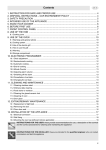
Press key
; the pointer will go to position 12 and the adjacent symbol
will flash (Fig. 1).
Use the
or
key to set the cooking duration: each pressure on the
key adds 1 minute to the cooking duration, and every 12 minutes a new
inside segment will light up (figure 2 shows a cooking duration of 1 hour).
Once the desired duration is obtained, cooking will start about 5 seconds
after the last pressure on
or .
The display will show the current time, represented by the constantly
illuminated segments, and the minutes left to the end of the cooking time,
represented by the flashing segments (each flashing segment means 12
minutes of cooking time left).
At the end of the cooking time the timer will switch the oven heating elements
off, the beeps will start to sound and the numbers on the dial will flash.
The duration can also be reset by deleting the program selected: Press the
central key
for 2 seconds to cancel the set duration and the oven will have
to be manually switched off if the cooking operation is in progress.
1
2
Warning: it is not possible to set cooking durations of more than 12 hours.
Cooking start: as well as setting a cooking duration, the cooking start time can also be set (with a
maximum delay of 12 hours in relation to the current time). To set the cooking start/end time, proceed
as follows:
- Set the cooking duration as described in the previous point.
- Within 5 seconds of last pressing key
or
, press key
again to set the cooking end time.
Symbol
will flash on the display together with the current time, with internal segments
illuminated to show the end of cooking time. Use keys
or
to set the cooking end time.
- 5 seconds after the last key is pressed, the display will show the current time and the cooking
start and end times, which will be represented by the illuminated inside segments. The display
segments will be constantly illuminated as long as the current time is not the same as the cooking
start time; as soon as the current time reaches the set starting time, all the inside segments will
start to flash, indicating that the oven has started cooking.
- At the end of the cooking time the timer will switch the oven heating elements off, the beeps will
start to sound and the numbers on the dial will flash.
for 2 seconds; if cooking has
- To delete the entire set program, hold down the central key
already started, the oven will have to be switched off manually.
- Here we can see a programming example: the current time is 7:06 and
cooking is programmed to start at 8.00 and end at 9.00.
- At 8 o'clock the inside segments between 8 and 9 will start to flash, while the
hours hand will remain still.
Warning: for the oven to start cooking operations after the programming procedures described above,
the thermostat and function selector knob must be correctly set to the desired temperature and
function.
5.4
Display brightness reduction
To reduce the energy consumption in stand-by, key
brightness. To restore the normal brightness, press
8
can be pressed to reduce the display
again.