1
Table of Contents
12
24
Start-up Guide
Checking the accessories .................................. 4
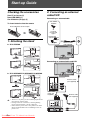
1: Attaching the stand......................................... 4
2: Connecting an antenna/cable/VCR ................ 4
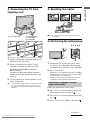
3: Preventing the TV from toppling over ............. 5
4: Bundling the cables ........................................ 5
5: Performing the initial set-up............................ 5
Additional Information
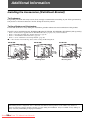
Installing the Accessories (Wall-Mount
Bracket) .............................................................24
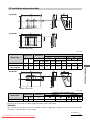
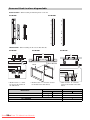
TV installation dimensions table...................... 25
Screw and Hook locations diagram/table ....... 26
Troubleshooting ................................................27
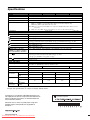
Specifications ......................................Back cover
Selecting the language, country/region and
location .............................................................. 5
Auto-tuning the TV............................................. 6
Watching TV....................................................... 6
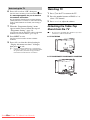
Detaching the Table-Top Stand from the TV...... 6
Safety information .............................................. 7
Precautions ........................................................ 8
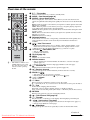
Overview of the remote ...................................... 9
Using the Tools menu...................................... 10
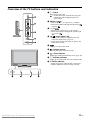
Overview of the TV buttons and indicators....... 11
12
Using Optional Equipment
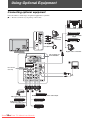
Connecting optional equipment ........................ 12
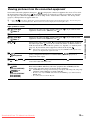
Viewing pictures from the connected
equipment......................................................... 13
Viewing Twin Picture ........................................ 14
Viewing PIP (Picture in Picture)........................ 14
Using MENU Functions
Navigating through menus ............................... 15
Listening to the FM Radio ................................ 15
Using the Favourite List.................................... 16
Settings adjustment .......................................... 17
Picture menu ................................................... 17
Sound menu .................................................... 18
Screen menu ................................................... 19
Set-up menu .................................................... 19
PC Settings menu............................................ 20
Channel Set-up menu...................................... 21
Eco menu ........................................................ 23
Before operating the TV, please read “Safety information” (page 7). Retain this manual for future reference.
Downloaded From TV-Manual.com Manuals
3 GB