1
C:\Documents and Settings\kenji\Desktop\Work\4-140-825 Caper\11(2)
EN\4140825112\4140825112_Caper EN_EN\01US04XXX.fm
masterpage:Left
Introducing Your BRAVIA® TV
Experiencing Stunning HD with Your BRAVIA TV
To experience the stunning detail of your new BRAVIA TV, you need access to high-definition
(HD) programming. Your BRAVIA TV can receive and display HD programming from:
•
•
•
•
Over-the-air broadcasting via HD-quality antenna
HD cable subscription
HD satellite subscription
Blu-ray Disc™ player or other HD compatible external equipment
Contact your cable, satellite or HD service provider for information on upgrading to HD
programming.
The Four Steps to a Full HD Experience
Set, Source, Sound, and Setup
Along with your BRAVIA TV set, a complete HD system requires a source of HD
programming, an HD sound system, and a proper connection setup. Refer to the Quick
Setup Guide, enclosed separately, for connecting other optional equipment.
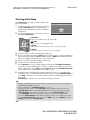
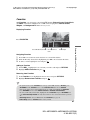
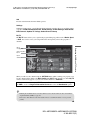
You can enjoy crisp, clear images, smooth
movement, and high-impact visuals from
1080 HD signals as shown here.
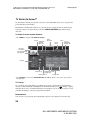
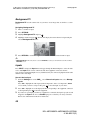
When you compare a high-definition signal to
a standard definition signal, you will notice a
big difference in picture quality. If black bars
appear as shown here, press WIDE on the
remote control to fill the screen.
4
KDL-40Z5100/KDL-46Z5100/KDL-52Z5100
4-140-825-11(2)