1
Sony Notebook User Guide
Using your notebook
n N
75
9
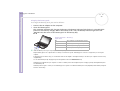
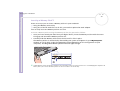
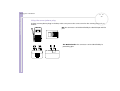
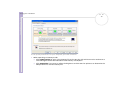
Click the service icon you want to use and proceed as applicable in each profile. When the connection
has been completed and the information has been sent, an information dialog box is shown and the
service icon turns blue.
✍ Do not simultaneously use the Bluetooth™ function and wireless
communication devices which use the 2.4 GHz band such as a wireless
LAN PC Card.
The passkey can be different each time, but must be the same at both
ends.
For certain devices, such as a mouse, no passkey can be entered.
! If you changed the name of your computer during Windows® setup,
please go to USB Bluetooth™ Device under Device Manager
(Start - Control Panel - System - Hardware - Device Manager
- Bluetooth™ Radios) and right-click Properties. Under
Advanced click Default to restore the default name since the name
of your computer and the computer name defined in BlueSpace NE
must be the same. For further information, please go to www.vaiolink.com.