1
Using the Wireless Headset with Wireless Controllers
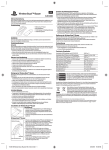
After pairing the Wireless Headset with the PS3™ system, a maximum of four
wireless controllers can be used.
Pairing the Wireless Headset with a mobile phone
1.Press and hold the power button on the Wireless Headset until the power
indicator flashes alternately in green and red, indicating that Bluetooth®
Discovery Mode is enabled.
2.Turn on the Bluetooth® feature on your mobile phone and start scanning
for the headset.
3.Select the Wireless Headset from the list of displayed devices.
If prompted for a pass key, enter “0000”.
The headset is now paired with the mobile phone.
NOTE: See your mobile phone’s instruction manual for further information on activating the
phone’s Bluetooth® functionality.
Turning the Wireless Headset
on and off
To turn on the Wireless Headset:
Press and hold the power button for
approximately three seconds. The power
indicator will be lit in solid green for two
seconds to indicate that the headset is
turned on.
To turn off the Wireless Headset:
Press and hold the power button for at least five seconds, until the power
indicator begins to flash green to indicate that the headset is turning off.