1
N Operating the system
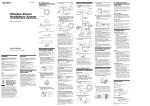
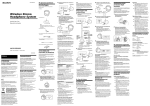
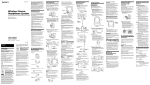
3 Select the radio frequency with the
CHANNEL selector switch.
Listening to a program
Before listening
To prevent your ears from being damaged, first
lower the volume.
1 Turn on the audio/video equipment
connected to the transmitter.
If the transmitter is connected to the
headphone jack, set the volume control
of the audio source equipment as high
as possible but not so high that the
audio signal becomes distorted.
2 Remove the headphones from the
transmitter.
The transmitter’s power indicator will
light in green.
The headphones turn on automatically
and the power indicator lights in red.
123
CHANNEL
DC IN 9V
R
A
L
INPUT
B
OFF ON
NOISE FILTER
123
CHANNEL
4 Put on the headphones.
Be sure to put the right housing (R) on
your right ear and the left housing (L)
on your left ear.
Note
If you are not going to use the headphones for the time
being, turn them off by pressing the POWER button.
Continue to next page
9
MDR-RF885RK. 2-593-177-11(1). GB