1
To switch to Multipoint mode
1
2
Make sure that the headset is turned on.
Press and hold down both the Power key and the Volume up key until a purple
notification light flashes twice.
To manually pair your headset with two Bluetooth® devices
1
2
3
4
5
Make sure that the headset is in Multipoint mode and is paired successfully
with the first Bluetooth® device.
Turn off the headset.
Headset: Press and hold down the Power key until a blue notification light
starts flashing rapidly.
Second Bluetooth® device: Scan for Bluetooth® devices, then select SBH60 in
the list of available devices. Follow the pairing instructions that appear on the
screen.
First Bluetooth® device: To reconnect to the headset, select SBH60 in the list
of paired devices on the Bluetooth® settings screen.
To automatically pair your headset with two Bluetooth® devices
1
2
3
4
Make sure that the headset is in Multipoint mode and is paired successfully
with the first Bluetooth® device.
Second Bluetooth® device: Make sure that the NFC function is turned on and
that the screen is active and unlocked.
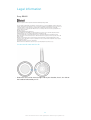
Place the second Bluetooth® device over your headset so that the NFC
detection area of each device touches the other, then follow the pairing
instructions that appear on the screen.
First Bluetooth® device: To reconnect to the headset, select SBH60 in the list
of paired devices on the Bluetooth® settings screen.
To switch to Singlepoint mode
1
2
Make sure that the headset is turned on and disconnected from all Bluetooth®
devices.
Press and hold down both the Power key and the Volume down key until a
purple notification light flashes once.
9
This is an Internet version of this publication. © Print only for private use.