1
Instructions for the user
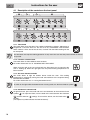
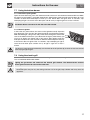
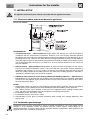
4.1 Description of the controls on the front panel
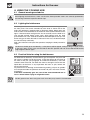
4.1.1 Timer knob
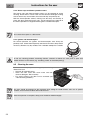
This knob allows to set the timer. The numbers indicated are minutes. Adjustment is
progressive so that the time can also be set to any intermediate value between
these numbers. At the end of the set time, a buzzer will sound but cooking will not
be interrupted.
The timer does not stop the cooking operation. It only warns the user that the preset number of minutes
has passed.
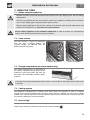
4.1.2 Function selection knob
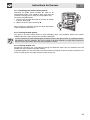
This knob allows to select different oven functions.
For further information see “8. COOKING WITH THE OVEN”.
When using the grill or the fan-assisted grill, the light comes on to signal that the
oven is heating up. When this light goes out, the preset heating temperature has
been reached.
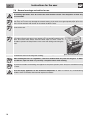
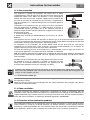
4.1.3 Gas oven thermostat knob
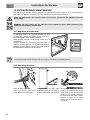
This knob allows to light the bottom burner inside the oven. The cooking
temperature is selected by turning the knob anti-clockwise to the required setting,
between MIN and MAX.
For further information see “7.7 Using the bottom burner”.
To switch on the light while the bottom burner is being used, turn the timer knob to symbol
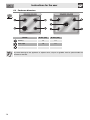
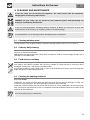
4.1.4 Hob burners control knob
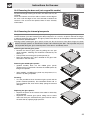
To light the flame, press the knob and turn it anti-clockwise to the maximum flame
symbol (
). To adjust the flame, turn the knob to the zone between the maximum
( ) and the minimum ( ) settings. To turn off the burner, turn the knob to the
position.
(The adjacent symbol indicates the front left burner).
10
.