1
User instructions
3. Description of the controls
3.1
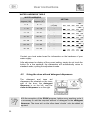
Upper panel
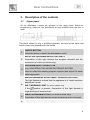
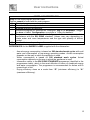
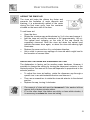
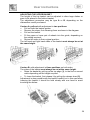
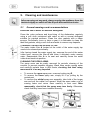
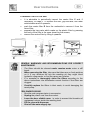
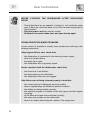
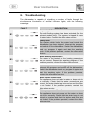
All the dishwasher controls are grouped on the upper panel. Switch-on,
programming, switch-off, etc. procedures are only possible when the door is
open.
The panel shown is only a guideline example: the form of the lights and
buttons may vary depending on the model.
1
ON/OFF BUTTON
Press this button to switch the dishwasher on/off.
SELECTED PROGRAM INDICATOR LIGHTS
2
Illumination of this light denotes the program selected and the
occurrence of a fault (troubleshooting).
PROGRAM SELECTION BUTTON
3
+ ADJUSTING THE WATER SOFTENING SYSTEM
Used to select the washing program required and adjust the water
softening system.
WATER HARDNESS ADJUSTMENT ON INDICATOR LIGHT
The light flashes to indicate that the appliance is in “water hardness
4
adjustment” mode.
SALT WARNING LIGHT (on some models only)
If the
symbol is present, illumination of this light denotes a
regenerating salt warning level.
5
6
RINSE AID WARNING LIGHT (on some models only)
Illumination of this light denotes a rinse aid warning level in the tank.
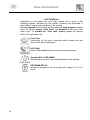
OPTIONS (on some models only)
9