1
IR TROUBLESHOOTING GUIDE
Symptom #5: Absolutely No Functionality
(How to determine which component is at fault)
Component to Test
Instructions
1.
Verify Power Supply
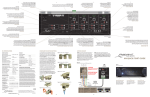
With a Multimeter, measure the DC Voltage of the
Power Supply while it is connected to the IR Router.
Put the negative lead of the meter on the terminal
marked GND and the positive lead on the terminal
marked 12VDC (or V). You should get a reading
between 11.5VDC and 13.0VDC. If not, remove the
supply from the IR Router and measure again - this
time directly on the 2.5mm coaxial plug. If it reads between 11.5VDC and 13VDC, the Power Supply is most
likely good. Reconnect to the IR Router and proceed
to Step 2. NOTE: In most cases this will indicate the
Power Supply is good but in some cases the Power
Supply can still be bad (i.e. reads good when not
plugged in but may not be able to handle the current
load of the system.)
2.
Verify Flasher. (Proficient Dual-Visible IR
Flasher)
Remove the Power Supply from the IR Router and all
Flashers from the output. Place a jumper wire on the
IR Router between IR and +12V. Reconnect the Power
Supply and one Flasher. The Flasher should light
bright and solid. Repeat for all Flashers.
18