1
USING MENUS
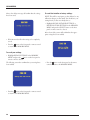
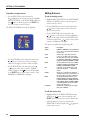
After a short delay a message will confirm that the settings
have been saved:
To recall the installer or factory settings
NOTE: This will lose any inputs you have defined, or any
calibration changes you have made. You should save your
settings first if you have not already done so.
• Highlight RECALL INSTALLER SETTINGS or
RECALL FACTORY SETTINGS in the MEMORY
MENU and press the SELECT button on the front
panel or remote control to select it.
After a short delay a screen will confirm that the appropriate settings have been recalled:
• Wait 10 seconds to allow the settings to be completely
stored.
• Press the button on the front panel or remote control
to return to the MEMORY MENU.
To recall your settings
• Highlight RECALL SETTINGS in the MEMORY
MENU and press the
button on the front panel or
remote control to select it.
The following screen then confirms that your settings have
been recalled:
• Press the button on the front panel or the remote
control to return to the MEMORY MENU.
• Press the button on the front panel or remote control
to return to the MEMORY MENU.
16
SPA21 SURROUND AMPLIFIER USER GUIDE