1
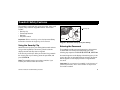
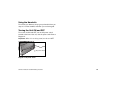
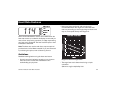
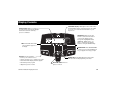
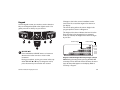
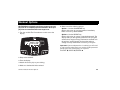
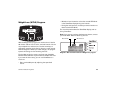
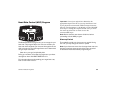
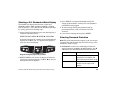
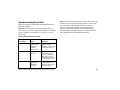
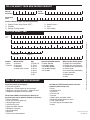
M9.3x_Quickstart Card_front.pdf 7/19/2005 11:23:32 AM QUICKSTART iTM CAUTION: Before using the treadmill, read all these instructions. Failure to do so may result in serious injury. C M Y CM MY CY Do not allow people unfamiliar with its operation, or children, on or near the treadmill. Consult with your physician and receive a thorough physical examination. Know your physician-recommended heart rate target zone. At the beginning of a workout, straddle the belt by placing your feet firmly on the right and left staging platforms. Always face the display and use the handrail for balance. Never attempt to turn around on the treadmill while the running belt is moving. Keep hands and clothing away from the belt and rear roller. If you feel pain, faintness, or dizziness, stop exercising immediately. Begin Your Workout with QUICKSTART 9.31 9.33 9.35 CMY K Use the Security Clip Always attach the security clip to your clothing before each workout. A tug on the lanyard trips the security switch inside the display and stops the running belt. If the security switch trips while you are exercising, the treadmill retains your workout statistics and enters pause mode. To resume your workout, reattach the security clip to your clothing, enter the password, and then press the SPEED ▲ key. Workout Tips Before and after a workout, gently stretch your lower body and back to help prevent stiffness or soreness. At the beginning of a workout, take several minutes to bring your heart rate into your target zone (shown in Diagram D on the other side of this card). Incorporate a cool-down period into your workout to help lower your heart rate and minimize muscle stiffness or soreness. Keys on the keypad respond to the slightest touch. Use gentle pressure on the keys as you exercise. If your treadmill supports the hand-held heart rate feature, use both hands to grasp the touch-sensitive handrail grips to display your heart rate. 1. Turn ON the treadmill, using the I/O power switch on the front panel. 2. Step on the treadmill. 3. Face the display and straddle the running belt. 4. Attach the security clip to your clothing. 5. Hold on to the handrail with one hand. 6. Press QUICKSTART. 7. If needed, enter the password. Refer to your owner’s manual. A 3-second countdown appears, and then the running belt starts moving. The Manual program begins. Note: If you prefer a different program, refer to your owner’s manual. 8. Step on to the running belt with the speed at 1 mph (1 kph), and begin your workout. To increase the belt speed, press SPEED ▲. To increase or decrease the incline or speed, use the INCLINE ▲ ▼ or SPEED ▲ ▼ keys. To pause, press the red STOP button. 9. Enter a cool-down phase by lowering the speed and incline. End your workout by pressing the red STOP button. 10. Press RESET to display your workout summary. The display shows your cumulative time, distance, and the number of calories burned during your workout. 11. Remove the security clip from your clothing and hold on to the handrail as you step off the treadmill. 12. To prevent unauthorized use, turn the treadmill OFF. M9.3x 48199-102, 04 Novermber 2004, en