1
Instruction manual
USB/SD/MMC operation
be placed on the unit. Normal ventilation of the
unit shall not be impeded for intended use.
USB/SD/MMC playback
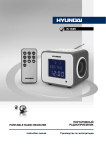
• Insert a USB device into the USB port or
insert a memory card into the memory card
slot. Set BUZZ/HI-FI switch to HI-FI position.
Set MP3/FM/AM switch to MP3 position.
To select between USB and memory card
playback press and hold
button.
• During playback press
button to pause
playback. Press this button again to resume
playback.
• During playback press / buttons to go
to previous or next track.
• To adjust volume rotate VOLUME regulator.
Accessories
Receiver
AC/DC power adaptor
Audio cable 3.5-3.5 mm
Instruction manual
Warranty card
Consumer information
1 pc
1 pc
1 pc
1 pc
1 pc
1 pc
General USB/SD/MMC notes
• This unit is equipped with a USB socket
that can accept and play MP3 files stored on
standard USB flash (compatible with USB
version 2.0) up to 32 Gb. This unit is also
equipped with an SD/MMC card socket that
can accept and play MP3 files stored on
standard SD/MMC cards up to 16 Gb.
• FAT16/FAT32 file system is supported by
this unit.
• Always switch off the unit or change mode
to another one before removing a USB flash
drive or SD/MMC card, to prevent damage to
your USB device or memory card.
• Although this product is fully compatible
with USB and SD/MMC card standard formats,
a small percentage of USB flash drives and SD/
MMC cards might not be readable, due to those
device manufacturers’ non-compliance with the
full (official) USB and SD/MMC card standards.
Maintenance and care
If necessary, clean the unit with a piece of
cloth dampened with water only (be sure the
power cord is disconnected). The unit shall not
be exposed to dripping or splashing and no
objects filled with liquids, such as vases, shall
5