1
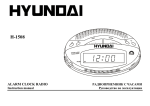
H-1612
PORTABLE RADIO RECEIVER
Instruction manual
Description
1. Telescopic antenna
2. Handle
3. Dial scale
4. Power LED
5. Band switch
6. Tuning control regulator
7. Digital clock
8. Volume control regulator
9. Clock SET button
10. Clock MODE button
11. Stereo headphone jack
12. Speaker
Important safeguards
·
·
·
·
CAUTION: To reduce the risk of electric shock, do not remove cover (or back). Prefer servicing to qualified service personnel.
DANGEROUS VOLTAGE: Uninsulated dangerous voltage, that may be of sufficient magnitude to constitute a risk of electrical shock to persons, is
present within this product enclosure.
ATTENTION: The owner s manual contains important operating and maintenance instructions for your safety, it is necessary to refer the manual.
Protect your device from influence of high temperature, water or other liquids. Do not use the radio receiver in bathrooms, near cookers, the heating
equipment and avoid hit of direct solar beams.
Power supply
Battery operation
·
·
Open the battery compartment cover.
Insert 4 batteries (UM-2) for working radio and one battery (UM-3) for working digital clock. Please observe correct battery polarities or the set will not
work.
2
·
·
Close the battery compartment cover.
When the batteries are exhausted, they should be removed from the set to prevent leakage.
AC OPERATION
·
·
·
·
The appliance is for household use only.
Before the first connecting of the appliance check that voltage indicated on the rating label corresponds the mains voltage in your home.
Insert the plug into the power supply.
The set is now working as radio receiver with digital clock and it will flash the clock figures to show you it is not set correctly.
Radio operation
·
·
·
·
Rotate the Volume control regulator clockwise past the click to turn the radio on, thus the Power LED should light up.
Select your desired broadcasting band with Band switch.
Rotate the Tuning control regulator to receive the desired broadcast.
Adjust the level of sound with Volume control regulator.
Antenna
·
·
For FM and SW reception, adjust the telescopic antenna appropriately to obtain the best reception on the band selected.
The AM or LW antenna is magnetic bar within the system. The set should be placed to a position for the best reception.
Digital clock
·
Digital clock operated by individual UM-3 battery.
Clock set button
·
·
·
Press the Clock SET button once to reveal present date (month/date).
Press the Clock SET button twice to reveal the reading of the seconds.
Press the Clock SET button once again to return to the normal clock mode.
Date and time settings
·
·
·
·
·
·
Press the Clock MODE button twice and then press the Clock SET button to set correct month.
Press the Clock MODE button once more and then press the Clock SET button to set correct date.
Press the Clock MODE button one more time and then press the Clock SET button to set correct hours.
Press the Clock MODE button once more and then press the Clock SET button to set correct minutes.
Press the Clock MODE button one more time to return to the clock mode.
Press the Clock SET button to resume time operation with colon flashing.
3
Connections
Stereo headphone connecting
·
·
·
For private listening radio, insert 3.5 mm headphone into the stereo headphone jack.
Adjust volume control to the appropriate level as desired.
When the stereo headphone jack is plugged, speakers will disconnect automatically.
Maintenance and care
·
·
·
Check your batteries regularly, old or discharged batteries should be replaced. If the unit is not going to be used for some time, remove the batteries to
avoid leakage and damage.
Electronic products of this kind should never be subjected to moisture or extreme temperatures.
If necessary, clean the unit with a piece of cloth dampened with water only (be sure the batteries is not inserted to the battery compartment).
Specification
Radio frequency range
RMS
Power supply
FM: 64-108 MHz
AM: 530-1600 KHz
LW: 150-270 KHz
SW: 3-12 MHz
1W
Net / Gross weight
AC: 220 V, 50 Hz
DC 6V (UM-2 x 4)
DC 1.5V (UM-3 x 1) for LCD clock
0.25 kg / 0.30 kg
Gift box dimension (L x W x H)
283 mm x 83 mm x 151 mm
4
1.
2.
3.
4.
5.
6.
7.
8.
9.
10.
11.
12.
(
·
)
(
:
.
·
.
:
.
,
.
·
:
.
.
·
,
,
·
)
,
.
.
.
5
UM-2
·
·
·
UM-3
,
,
.
.
,
.
·
·
.
,
,
,
·
·
.
.
,
.
·
,
.
·
·
·
·
.
,
.
.
FM
SW
,
.
.
·
AM
LW
.
.
·
·
·
·
·
·
·
A
UM-3.
(
)
.
.
.
,
,
.
.
,
.
6
LW
·
·
·
,
.
.
.
·
·
·
3,5
.
.
·
.
,
,
.
·
·
.
,
,
,
FM: 64-108 M
AM: 530-1600 K
LW: 150-270 K
SW: 3-12 M
1
RMS
AC: 220
, 50
DC 6V (UM-2 x 4)
DC 1,5V (UM-3 x 1)
0,25 / 0,30
/
( x
x
)
283
x 83
x 151
7
.
.