1
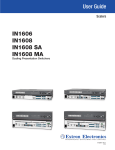
Application Name: Current Version: Product Configuration Software (PCS) 2.1 The following notes provide the revision history, list of known issues, and added features in the current software release. For more information please call your Extron Application Engineer. Updated: August 4, 2014 Extron Products Affected: Model Name Minimum Firmware Version Required NEW Annotator 300 DSC 301 HD DSC 3G-HD A DSC HD-3G A DTP CrossPoint 84 IPCP MA 70 DTP CrossPoint 84 IPCP SA DTP T HWP 232/332 DTP T USW 233/333 1.00 1.02 1.00 1.00 1.01 1.01 1.00 1.00 DTP T UWP 232/332 FOX II DP HDMI DA4/HDMI DA6 IN1606 IN1608 IPCP MA 70/IN1608 IPCP SA IN1608/IN1608 MA/IN1608 SA MPS 601 MPS 602/MPS 602 SA/ MPS 602 MA PVS 405D 1.00 1.00 1.00 2.13 2.15 2.13 1.00 1.00 1.00 SW2 HDMI/SW4 HDMI SW6 HDMI/SW8 HDMI 2.00 1.00 Page 1 79-562-01 Rev. 2.1.0.2a TECH NOTES Minimum System Requirements: Processor: Intel Core 2 Duo or AMD equivalent 2 GB or more recommended Serial port, USB port, or network connection with a data transfer rate of 10 Mbps, 100 Mbps recommended 1280x768 minimum resolution Microsoft® Windows® XP SP3, Windows® 7 and Windows® 8 Microsoft .NET® framework 4.0 Read-only RS-232 –Parity bit, data bit, and stop bit for RS-232 port are now readonly in the software. Supported SW HDMI Products - Only newer versions of the SW2 HDMI (60-84121) and SW4 HDMI (60-841-22) are supported. Part numbers 60-841-01 & 60-84102 are not supported. Supported HDMI DA Products – Only the HDMI DA4 (60-998-01) & HDMI DA6 (60-999-01) are supported. The HDMI DA2 (60-997-01) is not supported at this time. PVS 405D – RS-232 Pass-Through via MLC - MLC 104 IP Plus and MLC 226 IP series RS-232 pass-through connection is supported in this software by selecting the device under ‘New Configuration File’ option. Once the device page tab is open, click on the drop down arrow, where you can select either ‘Connect’ or ‘Connect and Apply’. This option is not available under the ‘TCP/IP’ tab. PVS 405D - Telnet Port & Pass-Thru Port - Default MLC 104 IP Plus and MLC 226 IP series telnet port is 23 and pass-thru port is 2003. PVS 405D - Update Firmware - Tools drop-down menu is only available when connecting to the switcher via USB connection. The software will disconnect you from the device prior to updating the firmware. You may need to reconnect USB connection after the update is complete. Page 2 79-562-01 Rev. 2.1.0.2a KNOWN ISSUES The following is a list of known software issues found in Product Configuration Software 2.1 Issue (Originated in v2.0) – Cannot connect to password protected DTP CrossPoint 84(IPCP MA 70, IPCP SA) – When trying to connect to a DTP CrossPoint 84(IPCP MA 70, IPCP SA) that is password protected, via IP, a failed to connect error window will appear. Issue (Originated in v2.0) – Cannot open a configuration file that is saved to computer – There is currently no option to open a saved configuration file that is located on the user’s computer. Work • open • • around Connect to the online device type for the configuration file you would like to Once connected, select the menu drop down arrow on the device page tab Click ‘Open and Apply’ Issue (originated in v1.4) FOX II DP EDID Minder page audio format filter – When selecting DP video format on the EDID Minder page the audio format dropdown is grayed out. Issue (originated in v1.4) FOX II DP Only HDCP capable displays will appear in the EDID minder tab connected outputs section - Only HDCP compliant displays connected to the transmitter Loop-Thru output will appear in the EDID minder connected outputs section. If a non- HDCP compliant display is connected to the transmitter Loop-Thru output the Connected Outputs section will be blank and the EDID will not be available using the PCS software tool. Issue (originated in v1.4) FOX II DP Connection pop-up window - Window doesn’t minimize upon re-connecting to a FOX II DP T/R unit via USB. Work • • • • • around Connect T/R via USB Disconnect unit from PCS – The connection lost signal window pops up Try reconnecting by clicking the reconnect tab on the connection lost signal window pops up Notice after reconnecting, the pop up window remains Click on the Cancel button and the pop-up window will minimize Page 3 79-562-01 Rev. 2.1.0.2a KNOWN ISSUES The following is a list of known software issues found in Product Configuration Software 2.1 Issue (originated in v1.1) IN1608 EDID information does not update - If the HDMI display connected to the DTP output on an IN1608 is disconnected and a new display is connected, EDID information in the Product Configuration Software will not update until the application is restarted. Issue (originated in v1.1) IN1606 and IN1608 two ‘ganged’ audio faders are incorrectly tracked - During rapid output volume adjustments on the IN1606 and IN1608, the audio ‘gang’ feature on the Output tab under Audio Config may incorrectly track the two ‘ganged’ audio faders, resulting in out of sync audio levels. Issue (originated in v1.1) IN1606 and IN1608 sizing/centering information may not properly update - The graphic representation of the output video sizing/centering located within the size and position tab for the IN1606 and IN1608 may not properly update when the scaler’s output resolution is changed. Issue (originated in v1.0) – Backup and restore feature on DSC 301 HD requires updated firmware– The minimum firmware required on the DSC 301 HD is v1.02.0003 in order to use the backup and restore feature available in the PCS software. This firmware version is available on the Extron website for download. Page 4 79-562-01 Rev. 2.1.0.2a SOFTWARE RELEASE HISTORY Released Version: 2.1 Affects: Engineering Revision: Software Revision: 2.0 Date: June 23, 2014 The following is a list of changes and fixes in this release. Added Feature – Annotator 300 Support – The Annotator 300 is now supported. Fixed Issue - Missing hostname label- When connecting to a device via Ethernet, either an IP Address or a Hostname can be used, even though the Extron Configuration Software labels this field as “IP Address.” Connecting via Hostname requires the Extron product be set to DHCP mode and a network capable of DNS registration. This behavior has been fixed in PCS 2.1. User no longer has to set Extron product to DHCP in order to connect via hostname. Missing hostname label is now considered “as designed”. Fixed Issue - FOX II DP Connected outputs section on the EDID minder tab does not update - When a display is disconnected from the transmitter Loop-Thru output, the connected outputs section does not update to reflect no connected outputs. The connected outputs section will only update if you navigate to the Status tab and then navigate back to the EDID minder tab. Issue is no longer seen in PCS 2.1. Page 5 79-562-01 Rev. 2.1.0.2a Released Version: 2.0 Affects: Engineering Revision: Software Revision: 1.4 Date: November 20, 2013 The following is a list of changes and fixes in this release. Added Feature – DTP CrossPoint 84 IPCP MA 70/ DTP CrossPoint 84 IPCP SA – The DTP CrossPoint 84 IPCP MA 70/ DTP CrossPoint 84 IPCP SA is now supported. Added Feature – DTP-T-HWP-232/332 – The DTP-T-HWP-232/332 is now supported. Added Feature – DTP-T-USW-333 – The DTP-T-USW-333 is now supported. Added Feature – DTP-T-UWP-232/332 – The DTP-T-UWP-232/332 is now supported. Added Feature – IN1608 IPCP MA/ IN1608 IPCP SA – The IN1608 IPCP MA/ IN1608 IPCP SA is now supported. Added Feature – Device Discovery Page– The Device Discovery Page has been added in order to allow users the option of viewing and connecting to PCS supported Extron devices (TCP/IP, USB), without having to enter the IP address manually. Added Feature – Access to DSP Configurator – Users can launch DSP Configurator directly from the Audio Configuration tab. Removed Feature – RS-232 Connectivity – User can no longer connect to a device through RS-232 (Excluding pass thru support for PVS 405D). Removed Feature – Connect to password protected device with User password – Users can no longer connect to a password protected device with a User Password. In order to connect, the User must login with an Admin password. Changed Feature – Location of Hardware/Communications Settings – The location of Hardware/Communications settings has been moved. In order to access these settings for a specific device, the User must click on the down arrow located on the device page tab, click on ‘Settings’, then select either ‘Hardware Settings’ or ‘Communications Settings’. Fixed Issue - Improved compatibility with non-English language settings in Microsoft Windows - Previous versions of PCS may not correctly implement periods vs. commas for decimal marks based on the set language in the Windows operating system. This behavior has been corrected in PCS v2.0. Page 6 79-562-01 Rev. 2.1.0.2a Released Version: 2.0 Affects: Engineering Revision: Software Revision: 1.4 Date: November 20, 2013 The following is a list of changes and fixes in this release. DSC Module Fixed Issue - Corrected errors encountered when updating firmware via PCS – Previous versions of PCS could encounter an error or failure during a product firmware update. This issue has been corrected in PCS 2.0. Fixed Issue - Corrected issue where PCS always displayed HDCP Authorized as enabled upon first connect – Previous versions of PCS would always display the “HDCP Authorized” setting as enabled when first connecting to a DSC 301 HD unit, regardless of the actual state of the setting on the unit. This issue has been corrected in PCS 2.0. Added Feature – Added audio and video formats for Connected Display and custom EDID files – Connected Displays and custom EDID’s listed on the EDID Minder tab now indicate audio and video formats, to facilitate proper EDID set up and configuration. Added Feature – Added ability to configure HDCP output mode (DSC 301 HD only) – PCS 2.0 now includes a “HDCP Mode” option on the General Settings tab, which allows for gives greater versatility for enhancing operation with various display devices. IN1606 / IN1608 Module Fixed Issue - Corrected issue where Group Masters display default membership upon first connect – Previous versions of PCS would display default audio Group Master membership upon first connect to an IN1606 or IN1608 unit, regardless of the configuration of the unit. This issue has been corrected in PCS 2.0 Added Feature – Added audio and video formats for Connected Display and custom EDID files – Connected Displays and custom EDID’s listed on the EDID Minder tab now indicate audio and video formats, to facilitate proper EDID set up and configuration. Added Feature – Added ability to apply gain/attenuation to digital LPCM2Ch audio inputs – PCS 2.0 includes the ability to set +24 to -18dB of audio gain/attenuation to analog or LPCM-2Ch audio inputs on the Line Input tab (under Audio Config). 3+Ch LPCM inputs and bitstream digital inputs will not be affected. Page 7 79-562-01 Rev. 2.1.0.2a Released Version: 2.0 Affects: Engineering Revision: Software Revision: 1.4 Date: November 20, 2013 The following is a list of changes and fixes in this release. Added Feature – Added “Program Offsets” control to audio Mix Controls tab – PCS 2.0 includes the ability to apply up to 12dB of Program Audio gain to individual audio output groups. This control can be accessed on the Mix Controls tab (under Audio Config) by clicking on the icon to the right of the Program Volume audio fader. Added Feature – Added ability to configure HDCP output mode – PCS 2.0 now includes a “HDCP Mode” option on the General Settings tab, which allows for gives greater versatility for enhancing operation with various display devices. Added Feature – Added firmware version check, to ensure v2.09+ firmware is installed – PCS 2.0 performs a firmware version check upon first connect to an IN1606 / IN1608 unit. If the firmware is not at least v2.09, the user is directed to update unit firmware prior to proceeding. This check is performed due to a significant firmware update that was implemented with firmware v2.09 for these products. Page 8 79-562-01 Rev. 2.1.0.2a Released Version: 1.4 Affects: Engineering Revision: Software Revision: 1.3 Date: November 20, 2013 The following is a list of changes and fixes in this release. Added Feature – PVS 405D Support – The PVS 405D is now supported. Added Feature – MPS 601 Support – The MPS 601 is now supported. Added Feature – FOX II DP Support – The FOX II DP is now supported. Fixed Issue (originated in 1.1.1) DSC 301 HD firmware will not load – When using PCS, the latest version of DSC 301 HD firmware will not load. As an alternative, the Extron Firmware Loader software can be used to upload the firmware. Page 9 79-562-01 Rev. 2.1.0.2a Released Version: 1.3 Affects: Engineering Revision: Software Revision: 1.2 Date: October 18, 2013 The following is a list of changes and fixes in this release. Added Feature - DTP T USW 233 Support – The DTP T USW 233 is now supported. Page 10 79-562-01 Rev. 2.1.0.2a Released Version: 1.2 Affects: Engineering Revision: Software Revision: 1.1.1 Date: July 16, 2013 The following is a list of changes and fixes in this release. Added Feature - DSC HD-3G A and DSC 3G-HD A Support – The DSC HD-3G A and DSC 3G-HD A are now supported. Added Feature – MPS 602 Series – The MPS 602, MPS 602 SA, and MPS 602 MS are now supported. (DSC 301 HD) Added Feature – ‘Lock Aspect Ratio’ option –Users now have the ability to lock the aspect ratio of the active input when adjusting image size by utilizing a checkbox within the ‘Size and Position’ tab. (DSC 301 HD) Added Feature – HDCP Status indicators updated – New style HDCP Lock/Unlock symbols have been added to the AV Controls panel located within Input/Output Config tab to more clearly indicate HDCP status (DSC 301 HD) Fixed Issue (originated in v1.0) DSC 301 HD Firmware Loader failure – When using the firmware loader, failure would occur immediately after beginning the loading process, resulting in an error message. Issue has been resolved. (DSC 301 HD) Fixed Issue (originated in v1.0) DSC 301 HD “Adjust Graphically” image sized incorrectly – ‘Size and Position’ tab would not correctly update after an Auto-Image was performed. Issue has been resolved. (DSC 301 HD) Fixed Issue (originated in v1.0) DSC 301 HD EDID transfer incomplete – Non-standard rates assigned to input EDID failed to properly transfer from PCS to the DSC 301 HD. Issue has been resolved. (DSC 301 HD) Fixed Issue (originated in v1.0) DSC 301 HD Preset names – After system reset, preset names incorrectly remained at their previous value, and did not clear back to default. Issue has been resolved. (DSC 301 HD) Fixed Issue (originated in v1.0) DSC 301 HD Refresh Rate – Output resolution shown in AV Control Panel did not include refresh rate when using custom output rate slots. Issue has been resolved. (DSC 301 HD) Fixed Issue (originated in v1.0) DSC 301 HD Image Settings fail to update properly – Signal Sampling within the Image Settings tab failed to update properly when a new input rate was applied to the scaler, or could display erroneous data. Issue has been resolved. Page 11 79-562-01 Rev. 2.1.0.2a Released Version: 1.1.1 Affects: Engineering Revision: Software Revision: 1.1 Date: July 16, 2013 The following is a list of changes and fixes in this release. (DSC 301 HD) Fixed Issue (originated in v1.0) DSC 301 HD timeout value changes –When the timeout value was not set to 60, the numeric value of the timeout would change arbitrarily. Issue has been resolved. (DSC 301 HD) Fixed Issue (originated in v1.0) – DSC 301 HD product photo and device description are missing – DSC 301 HD photo and description have been added to the software. Issue has been resolved. Page 12 79-562-01 Rev. 2.1.0.2a Released Version: 1.1 Affects: Engineering Revision: Software Revision: 1.0 Date: April 17, 2013 The following is a list of changes and fixes in this release. Added Feature – IN1608 Series Support – The IN1608, IN1608 MA and IN1608 SA are now supported. Added Feature – HDMI DA Series Support – The HDMI DA4 and HDMI DA6 are now supported. Added Feature – SW HDMI Series Support – The SW2 HDMI, SW4 HDMI, SW6 HDMI and SW8 HDMI are now supported. (IN1606) Added Feature - Added audio group master configuration - Group configuration controls allow the user to affect multiple audio parameters simultaneously, as well as control which audio parameters are affected by the volume control knob on the front of the unit. These controls can be accessed by clicking the ‘Configure Groups’ button within the ‘Audio’ – ‘Mix Controls’ tab (Note: firmware v2.01+ required). (IN1606) Added Feature - Audio duck targets for Out 1 / Out 2 are now separate – Analog audio Out 1 and Out 2 have been separated into uniquely selectable items within PCS to establish greater configuration flexibility, and are now able to be set independently for audio ducking purposes. (IN1606) Added Feature - Support for auto switching – The option to enable and configure auto switching has been added under the ‘Device Settings’ tab (Note: firmware v2.01+ required). (IN1606) Fixed Issue (originated in v1.0) Device configuration restore errors – Fixed problems restoring configurations with new IN1606 units, or initiating backup/restore of a unit that is password protected. (IN1606) Added Feature - ‘Lock Aspect Ratio’ option – Users now have the ability to lock the aspect ratio of the active input when adjusting image size by utilizing a checkbox within the ‘Size and Position’ tab. Page 13 79-562-01 Rev. 2.1.0.2a Released Version: 1.0 Affects: Engineering Revision: Software Revision: N/A Date: April 17, 2013 The following is a list of changes and fixes in this release. Initial Release – This is the initial release of this software product. Page 14 79-562-01 Rev. 2.1.0.2a