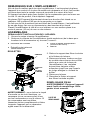
1
CONTROLS AND OPERATION
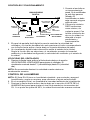
1. Plug cord into wall
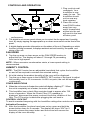
receptacle. Your
humidifier is now
ready for use. The
humidifier should
not be near any
heat registers.
2. Place the unit at
least FOUR inches
away from any
walls. Unrestricted
airflow into the unit
will result in the best
efficiency and
performance.
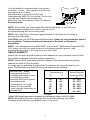
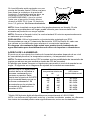
3. The digital touch screen panel allows you to control the fan speed and humidity
level by simply tapping the appropriate up or down arrow switch on the front of the
panel.
4. A digital display provides information on the status of the unit. Depending on which
function is being accessed, it displays ambient and set humidity, fan speed and
status of the unit.
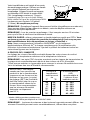
FAN SPEED
5. Tap the up arrow or down arrow on the FAN SPEED section to
adjust the fan. The display will show F1 through F9 proceeding
from low to high speed.
NOTE: When excessive condensation exists, a lower speed setting is
recommended.
HUMIDITY CONTROL
NOTE: The EA12 series has an adjustable humidistat that cycles the humidifier
on and off as required to maintain the selected setting.
6. At initial startup the ambient humidity of the room will be displayed.
7. Tap the up or down arrow in the HUMIDITY SET section of the panel to adjust
the humidity level in 5% increments. At 65% set point, the unit will operate
continuously.
OTHER INDICATIONS
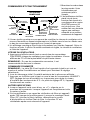
8. When the unit runs out of water the control will display a flashing ”F”. When
the unit is completely out of water, the motor will shut off.
9. This humidifier has a check filter reminder timed to appear after 720
hours of operation. When the Check Filter (CF) message is
displayed, disconnect the power cord and check the condition of the
filter. The CF function is reset after plugging the unit back in.
CONTROL LOCK OUT
To avoid unwanted tampering with the humidifier settings the controls can be locked.
Activation Procedure
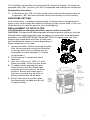
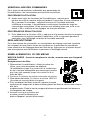
10. After the humidifier functions have been set up, press and hold the
power button down for 5 seconds. The display will show “CL” for 5
seconds; release the power button and the control will resume the
display of the room humidity.
6