1
Passwords
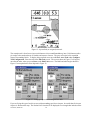
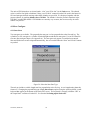
A password is required to enable the Pocket-NAV to communicate with the GPS-NAV. If the GPS-NAV has
not been enabled, the Pocket-NAV will start in Standard or Starter mode, and an Upgrade button will appear.
Touch the Upgrade button to enter the password. Obtain your password from Cambridge Aero Instruments.
We will need the four-character serial number (e.g. C0KM) of your GPS-NAV data recorder. Once the GPSNAV has been enabled, the Pocket-NAV will not ask for the password again. The Pocket-NAV software will
only work in Plus mode with an enabled GPS-NAV. If you borrow a GPS-NAV that has not been enabled,
the Pocket-NAV will only operate in the Starter or Standard mode (depending on the version of the GPSNAV) without entering the password for that GPS-NAV.
3.0 Running the Pocket-NAV Program
Starting the Pocket-NAV Program
Touch the bottom edge of the screen to make the task bar appear, touch Start and PalmNAV-CEx to start the
program. On the Compaq 1500 series Pocket-PCs, you can run the program from a Compact Flash card.
Touch Start, QLaunch, File Explorer. Find the PalmNAV-CEx.exe program on the Storage Card and touch
it twice.
If the Pocket-PC is not connected to a GPS-NAV, the program will run the simulator. If a GPS-NAV is
connected when the program is started, the Pocket-NAV program will communicate with the GPS-NAV and
run using the GPS-NAV position data.
If the program is simulating and you wish to use it with a GPS-NAV, you must re-start the program. The
program should exit automatically if it is plugged into a GPS while simulating. (If the comm port is not free,
the program will not exit automatically. To free the comm port, exit the program that is using it, or push the
reset button on the back of the Pocket-PC.) If the program has been running with a connection to a GPS you
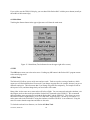
must exit, disconnect the GPS-NAV, and re-start the program to use the simulator. (To exit, press the
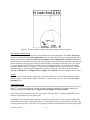
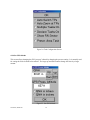
distance box in the upper right, press Quit Palm-NAV, and press Yes).
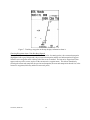
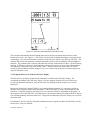
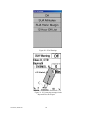
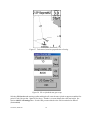
If a GPS-NAV is connected, the message “GPS Wait” will appear if the GPS-NAV does not have a valid
satellite fix, as when the GPS-NAV is initializing.
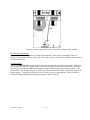
When you connect some Pocket-PCs to a GPS-NAV, they try to connect with it as if it were a PC. The
message “Connecting to Host” will appear. You can either touch “Cancel” or wait for the message to
disappear before starting the Pocket-NAV program.
Troubleshooting
If the message “Unable to open the comm port” appears when you start the Pocket-NAV, it is because the
Pocket-PC thinks it is still connected to a PC. Usually, when you disconnect the Pocket-PC from a PC, it will
make a descending scale sound indicating that it has disconnected. If this does not happen, it will not connect
to the GPS-NAV. Unplug the cable connecting the GPS-NAV to the Pocket-PC. You should hear the
descending scale, and the Pocket-NAV program should now be able to connect to the GPS-NAV when you
plug it back in. If this does not work, push the reset button, a small hole on the back of the Pocket-PC, with
the stylus.
Occasionally, the Pocket-NAV my get stuck during start up, for example, due to the cable becoming
disconnected during the transfer of waypoints. It should recover eventually (in ½ to one minute), but you can
also push the reset button and start over.
Version 4, 09/21/00
6