1
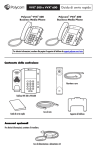
Features
Message Waiting
Indicator
Hookswitch
Reversible tab
(for wallmount
installation)
Home key
Color
touchscreen
display
Speaker
Headset key
Speakerphone key
Dialpad
Mute key
Security
slot (on side)
Volume keys
Microphone
Connect Cables
Passthrough Ethernet connection to PC
(Optional; extra cable not included)
AC Power connection (Optional accessory)
Use if Power over Ethernet (PoE) is unavailable
Connect Optional USB Flash Drive
USB Flash Drive