1
- Multiple handsets -
10 Multiple handsets
10.1
Logging on and logging off handsets
10.1.1
Logging on handsets
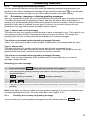
1.
Press and hold the page button
on the base station for 6 seconds until you hear two
signal tones. Now log on the new handset to the base station within 90 seconds.
2.
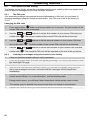
Press the
3.
Select the REGISTER menu with
/
button on the handset.
and
/
and confirm with
.
/
4.
5.
Select the REG BASE menu with
and
and confirm with
.
Now enter the number of the base station (1 - 4) using the number pad. If the handset is
already connected to a base station, the corresponding numbers will flash.
6.
Confirm your entry with the
button. A search will now be carried out for the base
station.
After the base station has been found, you must enter the PIN Code for the base station
(factory setting 0 0 0 0).
7.
8.
9.
/
/
Confirm your entry with the
button and after a few seconds you will hear a signal
tone. The handset is now logged on and can be used for external and internal calls.
An internal number will now be automatically assigned to the handset. The handset that
has already been logged on has the internal number 1. The second handset to be logged
on is given the internal number 2. These internal numbers are shown in the right of the
display next to the name.
10.1.2
Logging off handsets
A handset can only be logged off using another handset that is still logged-on. It is therefore not
possible to carry out the logging-off procedure using the handset that is to be logged off.
/
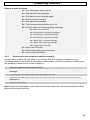
1.
Press the
2.
Select the SETUP menu with
3.
4.
Select the DEL HANDSET function with
and
and confirm with
.
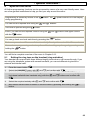
Now enter the PIN code of the base station (factory setting 0 0 0 0) and confirm with the
and
and confirm with
/
.
/
/
5.
button on the handset.
button.
Now select the number 1 or 2 of the handset to be logged off and confirm with the
/
button. You can abort the process by pressing the
button. If the logging-off is
successful, after a few seconds you will hear a signal tone. The handset is now logged off
and can no longer be used for external and internal calls.
69