1
- Operation 4.9 Entering the Phone Book
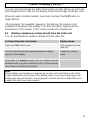
Using your telephone, you can store 150 telephone numbers, each with 20
digits, in the phone book. In addition, a name can be stored with each telephone
number, each name having 16 letters. For direct dialling, the direct dial buttons
can be allocated numbers from the phone book.
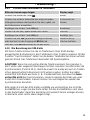
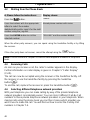
A. Please follow the instructions:
Press the MENU button.
Display shows:
"Hinzufügen"
Confirm with the YES button.
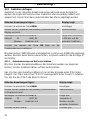
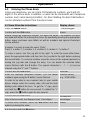
Name:
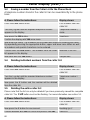
Before saving the telephone number, first enter the name. The numbers are also
inscribed with letters for entering the name. By repeatedly pressing the appropriate
button, upper and lower case letters as well as numbers and special characters
can be entered.
Example: You wish to enter the name “Peter”.
Press: 1 x button 7, 5 x button 3, 4 x button 8, 5 x button 3, 7 x button 7
To enter a space, turn the Jog dial to the right. To enter the same letter twice,
press the appropriate letter and then turn the Jog dial to the right before entering
the second letter. To correct a mistake, move the cursor to the required position by
turning the Jog dial and change the entry. You can delete the selected letter
(cursor flashes) with the C button. The special characters (. , ? ! - &) can be
entered using the "1" and "*" buttons.
Confirm with the YES button.
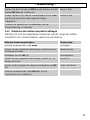
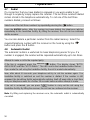
Nummer:
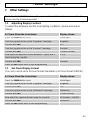
Enter the complete telephone number. You can delete
numbers again using the C button (cursor flashes).
In order to be able to use numbers later in your mobile
phone, always enter the country code +49 and the local
dialling code without the zero. To get the “+“ sign, press
Number dialled
e.g. 1234 56789
and hold the
sign, press the
button for one second. To delete the “+”
button again for one second.
Confirm with the YES button.
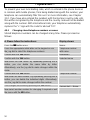
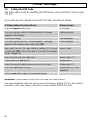
Gespeichert
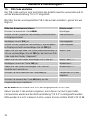
After a few seconds, the display shows “Hinzufügen”
Hinzufügen
To enter more numbers, press the YES button and start
again by entering the name
Name:
Exit the menu with the NO button.
51