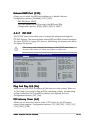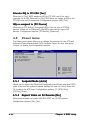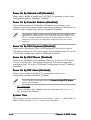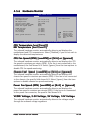
1
4.2.1
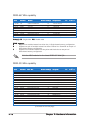
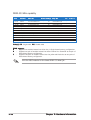
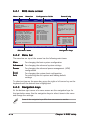
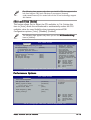
BIOS menu screen
Menu items
Main
Menu bar
Advanced
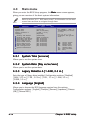
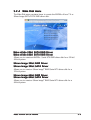
System Time
System Date
Legacy Diskette A
Language
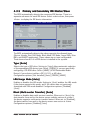
Primary IDE Master
Primary IDE Slave
Secondary IDE Master
Secondary IDE Slave
First SATA Device
Second SATA Device
Third SATA Device
Fourth SATA Device
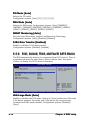
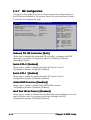
IDE Configuration
Configuration fields
Power
General help
BIOS SETUP UTILITY
Boot
Exit
[10:55:25]
[Mon 07/10/2006]
[1.44M, 3.5 in]
[English]
[ST320410A]
[ASUS CD-S520/A]
[Not Detected]
[Not Detected]
[Not Detected]
[Not Detected]
[Not Detected]
[Not Detected]
[Not Detected]
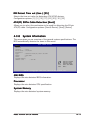
System Information
Use [ENTER], [TAB] or
[SHIFT-TAB] to select
a field.
Use [+] or [-] to
configure the System
Time.
+Tab
F1
F10
ESC
Select Screen
Select Item
Change Field
Select Field
General Help
Save and Exit
Exit
v02.58 (C)Copyright 1985-2005, American Megatrends, Inc.
Sub-menu items
4.2.2
Navigation keys
Menu bar
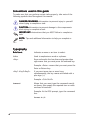
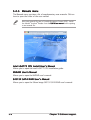
The menu bar on top of the screen has the following main items:
Main
Advanced
For changing the basic system configuration
Power
For changing the advanced power management (APM)
configuration
Boot
Exit
For changing the system boot configuration
For changing the advanced system settings
For selecting the exit options and loading default
settings
To select an item on the menu bar, press the right or left arrow key on the
keyboard until the desired item is highlighted.
4.2.3
Navigation keys
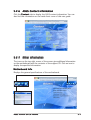
At the bottom right corner of a menu screen are the navigation keys for
that particular menu. Use the navigation keys to select items in the menu
and change the settings.
Some of the navigation keys differ from one screen to another.
4-10
Chapter 4: BIOS setup