1
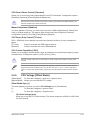
CPU C1E [Auto]
Allows you to enable or disable the CPU C1E.
[Auto]
Set this item automatically.
[Enabled]
Enables the C1E support function. This item should be enabled in
order to enable the Enhanced Halt State.
[Disabled]
Disables this function.
CPU C3 Report [Auto]
Allows you to disable or enable the CPU C3 report to OS.
[Auto]
Set this item automatically.
[Enabled]
Enables the C3 report function. This item should be enabled in order
to enable the Enhanced Halt State.
[Disabled]
Disables this function.
CPU C6 Report [Auto]
Allows you to disable or enable the CPU C6 report to OS.
[Auto]
Set this item automatically.
[Enabled]
Enables the C6 report function. This item should be enabled in order
to enable the Enhanced Halt State.
[Disabled]
2.5.2
Disables this function.
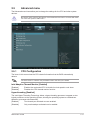
PCH Configuration
High Precision Timer [Enabled]
Allows you to enable or disable the High Precision Event Timer.
Configuration options: [Enabled] [Disabled]
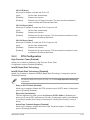
Intel(R) Rapid Start Technology
Intel(R) Rapid Start Technology [Disabled]
Allows you to enable or disable the Intel(R) Rapid Start Technology. Configuration options:
[Enabled] [Disabled]
The following three items appear only when you set the Intel(R) Rapid Start Technology
to [Enabled].
Entry on S3 RTC Wake [Enabled]
Allows you to enable or disable the iFFS invocation upon S3 RTC wake. Configuration
options: [Enabled] [Disabled]
Entry After [Immediately]
This item appears only when you set the Entry on S3 RTC Wake to [Enabled] and
allows you to set the RTC wake timer at S3 entry. Configuration options: [Immediately]
[1 minute] [2 minutes] [5 minutes] [10 minutes] [15 minutes] [30 minutes] [1 hour] [2
hours]
Active Page Threshold Support [Disabled]
Allows you to enable or disable the Active Page Threshold Support. Configuration
options: [Enabled] [Disabled]
ASUS H61-PLUS
2-19