1
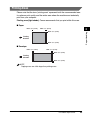
■ Unacceptable Paper
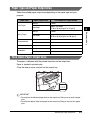
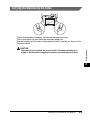
Do not copy on the following types of copy stock. Doing so may result in paper
jams.
• Severely
curled or wrinkled paper
• Transparencies designed for full-color copiers or printers
• Paper which has already been copied using a digital full-color copier (Do not copy
on the reverse side.)
• Paper which has been printed on using a thermal transfer printer (Do not copy on
the reverse side.)
2
Paper Handling
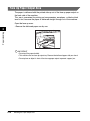
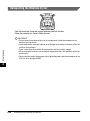
IMPORTANT
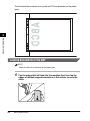
Never attempt to make copies on full-color transparencies. Doing so may result in
product malfunction.
■ Acceptable Paper
Cassette/Multi-Purpose Feeder
Paper Size
LTR, LGL, EXECUTIVE, A4, B5
Envelope: COM10, MONARCH, DL, ISO-C5
Free Size (Multi-purpose feeder): 8 1/2" × 14" (216 mm × 356 mm)
[max.]/3" × 5" (76 mm × 127 mm) [min.]
Paper Weight
17 lb to 34 lb (64 g/m2 to 128 g/m2)
Paper Type
Plain paper, Heavy paper, Transparency, Label*, Envelope
* A label that can be loaded in the cassette is a standard type (label standard card) only.
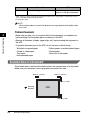
NOTE
• The printing speed may become slower than usual depending on the paper size, the
paper type, and the number of sheets you specify.
This is because the machine's safety function works to prevent the failure due to heat.
• Some types of paper may not feed properly into the cassette or the multi-purpose feeder.
2-2
Print Media Requirements