1
UNDERSTANDING THE AUTOLOCK™ CONTROLS
T
he AutoLock™ feature is an integrated circuit that receives and processes
data sent by broadcasters, or other program providers, that contain program content advisories. When programmed by the
viewer, a TV with AutoLock™ can respond
to the content advisories and block program content that may be found objectionable (such as offensive language, violence,
sexual situations, etc.). This is a great feature to censor the type of viewing children
may watch.
Over the next few pages you’ll learn how
to block channels and certain rated programming. Below is a brief explanation of
some terms and ratings you will find in the
AutoLock feature.
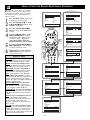
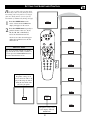
AutoLock™ offers various BLOCKING
controls from which to choose:
Access Code: An Access Code must be set
to prevent children from unblocking questionable programming.
Channel Block: Individual channels
including the A/V inputs can be blocked.
Clear All: Allows you clear all channels
being blocked from your viewing set with
the Channel Block Control.
Block All: Allows you to block ALL channels and A/V inputs at one time.
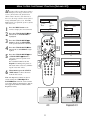
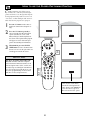
Movie Ratings: Block programming
based on ratings patterned by the Motion
Pictures Association of America.
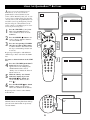
TV Ratings: Block programming based
on standard TV ratings set by TV broadcasters.
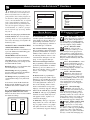
To learn more about the Motion Picture
Ratings and the TV Ratings, refer to the
definitions listed on the columns to the
right.
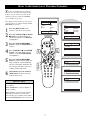
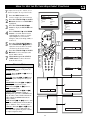
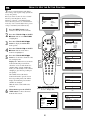
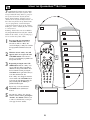
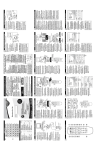
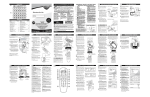
Press the STATUS/EXIT button twice to
display the AutoLock review screen.
This screen shows what is activated within
the AutoLock settings.
Movie Rating
G
PG
PG-13
----
TV Rating
TV-Y
TV-Y7
TV-G
---Unrated
No Rating
Movie Rating
G
TV Rating
TV-Y
On
PG
PG-13
R
NC-17
X
On
TV-Y7
TV-G
TV-PG
TV-14
TV-MA
MOVIE RATINGS
TV PARENTAL GUIDELINES
(MOTION PICTURE ASSOCIATION OF AMERICA)
(TV BROADCASTERS)
G: General Audience - All ages admitted. Most parents would find this program suitable for all ages. This type of
programming contains little or no violence, no strong language, and little or
no sexual dialogue or situations.
PG: Parental Guidance Suggested This programming contains material that
parents may find unsuitable for younger
children.) It may contain one or more of
the following: Moderate violence, some
sexual situations, infrequent coarse language, or some suggestive dialogue.
PG-13: Parents Strongly Cautioned This programming contains material that
parents may find unsuitable for children
under the age of 13. It contains one or
more of the following: violence, sexual situations, coarse language, or suggestive
dialogue.
R: Restricted -This is programming is
specifically designed for adults. Anyone
under the age of 17 should only view this
programming with an accompanying parent or adult guardian. It contains one or
more of the following: intense violence,
intense sexual situations, strong coarse
language, or intensely suggestive dialogue.
NC-17: No one under the age of 17 will
be admitted. - This type of programming
should be viewed by adults only. It contains graphic violence, explicit sex, or
crude indecent language.
X: Adults Only - This type of programming contains one or more of the following: very graphic violence, very graphic
and explicit or indecent sexual acts, very
coarse and intensely suggestive language.
On
Off
12
TV TV-Y - (All children -- This pro-
gram is designed to be appropriate
for all children.) Designed for a
very young audience, including children
ages 2-6. This type of programming is not
expected to frighten younger children.
TV TV-Y7 - (Directed to Older
Children -- This program is
designed for children age 7 and
above.) It may be more appropriate for
children who have acquired the development skills needed to distinguish between
make-believe and reality. This programming may include mild fantasy and comic
violence (FV).
TV TV-G - (General Audience -- Most
parents would find this program
suitable for all ages.) This type of
programming contains little or no violence, no strong language, and little or no
sexual dialogue or situations.
TV TV-PG - (Parental Guidance
Suggested -- This program contains material that parents may
find unsuitable for younger children.) This
type of programming contains one or more
of the following: Moderate violence (V),
some sexual situations (S), infrequent
coarse language (L), or some suggestive
dialogue (D).
TV TV-14 - (Parents Strongly
Cautioned -- This program contains some material that many parents would find unsuitable for children
under 14 years of age.) This type of programming contains one or more of the following: intense violence (V), intense sexual situations (S), strong coarse language
(L), or intensely suggestive dialogue (D).
TV TV-MA - (Mature Audience Only
-- This program is specifically
designed to be viewed by adults
and therefore may be unsuitable for children under 17.) This type of programming
contains one or more of the following:
graphic violence (V), explicit sexual situations (S), or crude indecent language (L).
Y
Y7
G
PG
14
MA