1
XV-NA7SL/LET0212-004A/English
XV-NA7SL(B).book Page 41 Wednesday, July 31, 2002 1:00 PM
Advanced operations
3
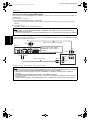
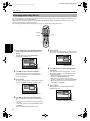
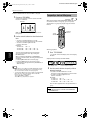
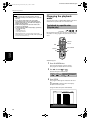
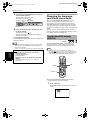
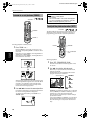
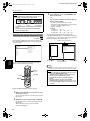
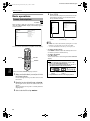
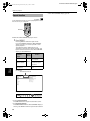
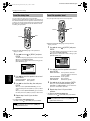
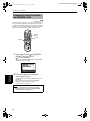
To define a user setting, select a parameter to
be edited using 5/∞ from the following.
• GAMMA
Controls the brightness of a shaded portion
without changing the brightness of the entire
picture.
This control is optimum when you adjust the
pictures of software which generates subdued
black in a bright room.
The setting range is + 4 to – 4.
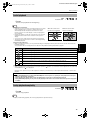
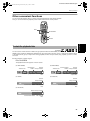
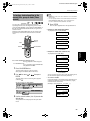
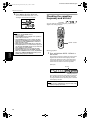
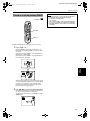
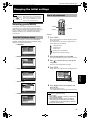
To simulate surround sound
[3D PHONIC]
Available :
Using the 3D PHONIC function, you can get a simulated
surround effect from your stereo system.
TV
• BRIGHTNESS
Controls the brightness of the screen.
The setting range is +16 to – 16.
TV
TV1
TV2
TV3
1
2
3
TV5
TV6
4
5
6
TV7
TV8
TV9
7
8
9
TV-/--
TV0
MUTING
10
T
DVD
TV4
0
OP
+10
TITLE/
GROUP
PAGE
RETURN
• CONTRAST
Controls the contrast of the screen.
The setting range is +16 to – 16.
DVD
STANDBY/ON
OPEN/
CLOSE
TV/VIDEO
CANCEL
NU CH
ME
+
ME
NU
VOL-
VOL+
ENTER
CH
OIC
E
CH
-
E
RE
SC
ON
NEXT
PREVIOUS
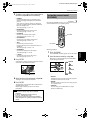
• SATURATION
Controls the color depth of the screen.
The setting range is +16 to – 16.
CLEAR
SELECT
5/∞/2/3
N
STROBE
SLOW+
SLOW-
REPEAT SUB TITLE AUDIO
VFP
fs/Rate PROGRESSIVE
SCAN
• TINT
Controls the tint of the screen.
Use the appearance of a natural skin tone as a
guideline.
The setting range is +16 to – 16.
• Y DELAY
Controls the color gap of the screen.
The setting range is + 2 to – 2.
4
ANGLE
ZOOM
3D
PHONIC
PAL/
NTSC
AMP VOL
RM-SXV012E
REMOTE CONTROL
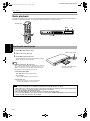
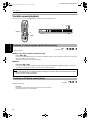
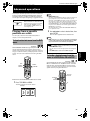
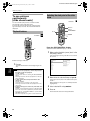
¶ During playback
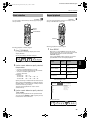
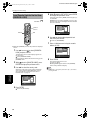
1
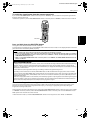
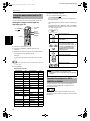
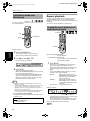
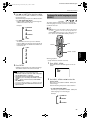
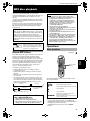
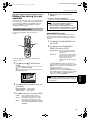
Press 3D PHONIC.
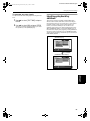
The 3D PHONIC window appears on the TV screen.
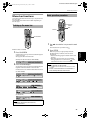
2
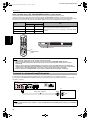
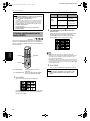
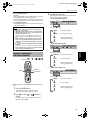
Select the desired mode by using 2/3.
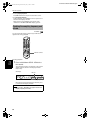
Each time you press the button, the 3D PHONIC
mode changes as follows:
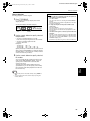
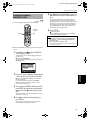
Press ENTER.
A window for setting parameters appears instead
of the VFP mode selection window.
ACTION
DRAMA
ACTION
+45
THEATER
SATURATION
+45
Selected effect mode
NONE
Selected parameter
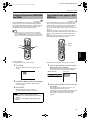
5
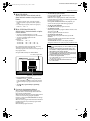
Adjust the level of the parameter using 5/∞.
The higher value enhances the effect.
6
Press ENTER.
The parameter is set and the VFP mode selection
window appears again.
Repeat steps 3 to 6 if you want to set other
parameters.
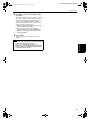
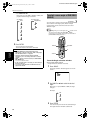
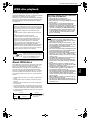
• ACTION
Suitable for action movies and sports programs
in which the sound source moves.
• DRAMA
Natural and warm sound. You can enjoy movies
in a relaxed mood.
• THEATER
You can enjoy sound effects like in a major
theater in Hollywood.
NOTES
• The number of setting steps varies for different
parameters.
• To dismiss the VFP mode selection window:
Press VFP - PROGRESSIVE SCAN.
• The window for VFP mode selection and parameter
setting disappears if no operation is made for about 10
seconds.
41
Advanced
operations
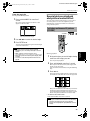
• SHARPNESS
Controls the sharpness of the screen.
The setting range is + 3 to 0.
3D PHONIC
DIGEST