1
DVD Recorder Overview (Continued)
otes
• This Recorder cannot make recordings on CD-R or
CD-RW discs.
• Our company takes no responsibility for recording failure due to power outages, defective discs, or damage
to the Recorder.
• Fingerprints and small scratches on a disc can affect
playback and/or recording performance. Please take
proper care of your discs.
Disc types and recording formats, modes,
and settings
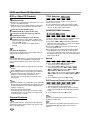
This Recorder can play five different kinds of DVD
discs: pre-recorded DVD-Video discs, DVD-RW, DVDR, DVD+RW and DVD+R discs. The disc format for
DVD-R discs is always “Video format”—the same as
pre-recorded DVD-Video discs. This means that once
finalized, you can play a DVD-R in a regular DVD player.
By default, the DVD-RW disc format is Video Recording
(VR) format, though you can change this to Video format, if required. (Reinitializing the disc will erase the
contents of the disc.)
The recording mode is closely related to the disc format. If the disc format is Video Recording format, then
the recording mode is VR mode; if the disc format is
Video mode, then the recording mode is Video mode
(except for DVD-Video, which is not recordable, and so
does not have a recording mode).
Within the recording modes (which are fixed for them
whole disc) are the record settings. These can be
changed as required for each recording and determine
the picture quality and how much space the recording
will take up on the disc.
• The recording times shown are not exact because the
Recorder uses variable bit-rate video compression.
This means that the exact recording time will depend
on the material being recorded.
• When recording a TV broadcast, if the reception is
poor or the picture contains interference, the recording times may be shorter.
• If you record still pictures or audio only, the recording
time may be longer.
• The displayed times for recording and time remaining
may not always add up to exactly the length of the
disc.
• The recording time available may decrease if you
heavily edit a disc.
• If using a DVD-RW disc, make sure you change the
recording format (Video mode or VR mode) before
you record anything on the disc. See page 27 (Disc
Format) for how to do this.
• When using a DVD-R disc, you can keep recording
until the disc is full, or until you finalize the disc.
Before you start a recording session, check the
amount of recording time left on the disc.
• When using a DVD-RW disc in Video mode, recording
time available will only increase if you erase the last
title recorded on the disc.
• The Erase Title option in the Title List-Original menu
only hides the title, it does not actually erase the title
from the disc and increase the recording time available (except for the last recorded title on a DVD-RW
disc in Video mode).
• Overwrite recording is available using DVD+RW
discs.
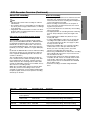
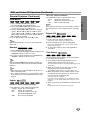
Disc type
Disc format
Recording mode
Functions
DVD-Video
Video format
n/a
Playback only
DVD-RW
Video Recording
format (default)
VR mode
Playback, Recording, Original/Playlist Editing
Video format
Video mode
Playback, limited Recording, limited Editing
DVD-R
Video format
Video mode
Playback, limited Recording, limited Editing
DVD+RW
+RW Video format
DVD+RW
Playback, limited Recording, Title/Chapter Editing
DVD+R
+R Video format
DVD+R
Playback, limited Recording, limited Title/Chapter Editing
9
INTRODUCTION
Notes for recording
About DVD recording