1
Canada User's Guide.book Page 23 Friday, September 3, 2004 3:49 PM
Adjusting the Image
Once you see your image, you need to make certain adjustments:
■
If the image is too high or too low, you can reposition it. See
below.
■
To focus or zoom your image, see page 24.
■
If the image isn’t square, see page 24.
■
If a computer image displays incorrectly, see page 26.
If you need to fine-tune the image and/or sound, see Chapter 6.
Adjusting the Height of Your Image
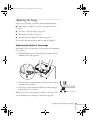
If the image is too low on the screen, you can use the front adjustable
foot to raise it.
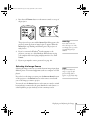
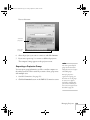
1. Stand behind the projector. Press the blue foot release lever up
and lift the front of the projector.
2. Once the image is positioned where you want it, release the lever
to lock the foot in position.
3. If necessary, you can fine-tune the height or level the image by
turning the projector’s rear foot.
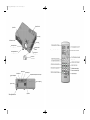
Projector rear foot
Raising the projector causes the image to distort or “keystone,” but
you can manually correct the shape as described on page 24.
Displaying and Adjusting the Image 23