1
English-Italian Electronic Dictionary
User's Guide
• To change the password, re-open the Password
menu and select the Set Password option.
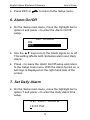
E N T ER O L D P AS SW O R D :
_
• Specify your password. If the input didn’t match the
current setting, the message Wrong Password will
appear.
• If the input matched the actual password, the prompt
will change to Enter New Password. Type in a new
password and press ↵ to save and return to the
Password menu.
• Press ESC or
to return to the Setup main
menu.
• To delete the password, thus removing the data
protection, re-open the Password menu and select
the Clear Password option.
• Specify your password at the prompt. If the input
didn’t match the current setting, the message Wrong
Password will appear.
• If the input matched the actual password, the key
sign will disappear, and the display will return to the
Password menu. User’s records will no longer be
password-protected.
♦ Note: Always remember your password. If you forget
it you will need to reset the dictionary, which will
cause loss of user's data stored in RAM.
11