1
Loading System Image Software
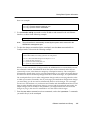
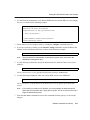
1. Display the current boot settings by entering the system show version command, as shown in
the following example:
ssr8-2# system show version
Software Information
Software Version : 1.2.0.0
Copyright
: Copyright (c) 1998 Cabletron Systems, Inc.
Image Information : Version 1.2.0.0, built on Thu Jul 30 01:16:15 1998
Image Boot Location: tftp://10.50.89.88/ssr1200
Boot Prom Version : prom-1.1.0.0
Note:
In this example, the location “pc-flash” indicates that the 6SSRM-02 is set to use the
factory-installed system software in the motherboard’s internal flash chip.
2. Copy the software upgrade you want to install onto a TFTP server that the 6SSRM-02 can
access. (Use the ping command to verify that the SmartSwitch can reach the TFTP server.)
3. Use the following command to copy the software upgrade onto the internal flash chip in the
6SSRM-02:
system image add <IPaddr-of-TFTP-host> <image-file-name>
Here is an example:
ctron-ssr-1# system image add 10.50.11.12 ssr2000
Downloading image ’ssr1200’ from host ’10.50.11.12’
to local image ssr1200 (takes about 3 minutes)
kernel: 100%
Image checksum validated.
Image added.
4. Enter the system image list command to verify that the new image exists on the internal flash
chip, as shown in the following example:
ctron-ssr-1# system image list
Images currently available:
ssr1200
5. Use the following command to select the image file the 6SSRM-02 will use the next time you
reboot the switch.
system image choose <file-name>
Software Installation and Setup
3-15