1
Focusing and Zooming Your Image
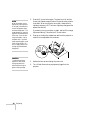
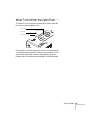
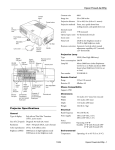
Rotate the focus ring to sharpen the image.
Focus ring
Rotate the zoom ring to reduce or enlarge the image.
Zoom ring
You can also change the image size by moving the projector closer to
or farther away from the screen. You can use the E-Zoom buttons on
the remote control to zoom in on a portion of the image. See page 45
for instructions.
36
Projecting