1
Chapter 1: Introduction
1-3
Server Chassis Features
The SuperServer 5013C-MT is a 1U rackmount server platform configuration. The
following is a general outline of the main features of the SC813MT-300C chassis.
System Power
When configured as a SuperServer 5013C-MT, the SC813MT-300C chassis includes a single 300W power supply.
Serial ATA Subsystem
The SC813MT-300C chassis was designed to support up to four Serial ATA hard
drives. The Serial ATA drives are hot-swappable units. ATA/100 IDE drives are
also supported.
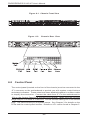
Control Panel
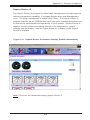
The SC813MT-300C's control panel provides important system monitoring and
control information. LEDs indicate power on, network activity, hard disk drive
activity and overheat conditions. The control panel also includes a main power
button and a system reset button.
Rear I/O Panel
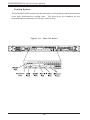
The rear I/O panel on the SC813MT-300C provides one motherboard expansion
slot, one COM port (another is internal), two USB ports, PS/2 mouse and keyboard ports, a parallel (printer) port, a graphics port and two Gb Ethernet ports.
(See Figure 1-2.)
1-5